parking brake GMC ENVOY 2004 User Guide
[x] Cancel search | Manufacturer: GMC, Model Year: 2004, Model line: ENVOY, Model: GMC ENVOY 2004Pages: 474, PDF Size: 4.83 MB
Page 127 of 474
The main components of your instrument panel are the
following:
A. Exterior Lamp Controls. SeeExterior Lamps on
page 3-15.
B. Air Outlets. See “Outlet Adjustment” underDual
Climate Control System on page 3-20.
C. Turn Signal/Multifunction Lever. SeeTurn
Signal/Multifunction Lever on page 3-7.
D. OnStar and Audio Steering Wheel Controls. See
Audio Steering Wheel Controls on page 3-116.
E. Instrument Panel Cluster. SeeInstrument Panel
Cluster on page 3-33.
F. Audio Steering Wheel Controls. SeeAudio Steering
Wheel Controls on page 3-116.
G. Ignition Switch. SeeIgnition Positions on page 2-20.
H. Audio System. SeeAudio System(s) on page 3-63.
I. Climate Controls. SeeDual Climate Control
System on page 3-20.
J. Hood Release. SeeHood Release on page 5-10.K. Driver Information Center (DIC) Steering Wheel
Controls. SeeDriver Information Center (DIC)
on page 3-50.
L. Transfer Case Controls. See “Automatic Transfer
Case” underFour-Wheel Drive on page 2-26.
M. Shift Lever. SeeShifting Into Park (P) on page 2-31.
N. Lighter. SeeAshtrays and Cigarette Lighter on
page 3-20.
O. Accessory Power Outlets. SeeAccessory Power
Outlets on page 3-19.
P. Parking Brake. SeeParking Brake on page 2-30.
Q. Rear Window Washer/Wiper. See “Rear Window
Washer/Wiper” underTurn Signal/Multifunction Lever
on page 3-7.
R. Rear Window Defogger. See “Rear Window
Defogger” underDual Climate Control System on
page 3-20.
S. Glove Box. SeeGlove Box on page 2-45.
3-5
Page 138 of 474
There is a delay in the transition between the daytime
and nighttime operation of the Daytime Running
Lamps (DRL) and the automatic headlamp systems, so
that driving under bridges or bright overhead street
lights does not affect the system. The DRL and
automatic headlamp system will only be affected when
the light sensor sees a change in lighting lasting
longer than the delay.
If you start your vehicle in a dark garage, the automatic
headlamp system will come on immediately. Once
you leave the garage, it will take about one minute for
the automatic headlamp system to change to DRL if it is
light outside. During that delay, your instrument panel
cluster may not be as bright as usual. Make sure
your instrument panel brightness control is in the full
bright position.
To idle your vehicle with the automatic headlamp system
off, set the parking brake while the ignition is off. Then
start your vehicle. The automatic headlamp system will
stay off until you release the parking brake, shift out of
park or turn the exterior lamp control to the off position as
described in “Exterior Lamps” listed previously.
Lamps On Reminder
A reminder tone will sound when your headlamps or
parking lamps are manually turned on, the driver’s door
is open and your ignition is in LOCK or ACCESSORY.To turn the tone off, turn the knob all the way
counterclockwise. In the automatic mode, the headlamps
turn off once the ignition key is in LOCK.
Daytime Running Lamps (DRL)
Daytime Running Lamps (DRL) can make it easier for
others to see the front of your vehicle during the
day. DRL can be helpful in many different driving
conditions, but they can be especially helpful in the short
periods after dawn and before sunset. Fully functional
daytime running lamps are required on all vehicles
rst sold in Canada.
The DRL system will make your headlamps come
on at reduced brightness when the following conditions
are met:
The ignition is on
the exterior lamps knob is in automatic headlamp
mode
the light sensor detects daytime light
the transmission is not in PARK (P)
When the DRL are on, only your headlamps will be on.
The taillamps, sidemarker and other lamps won’t be
on. The instrument panel won’t be lit up either.
When it begins to get dark, the headlamps will
automatically switch from DRL to the regular headlamps.
3-16
Page 160 of 474
Brake System Warning Light
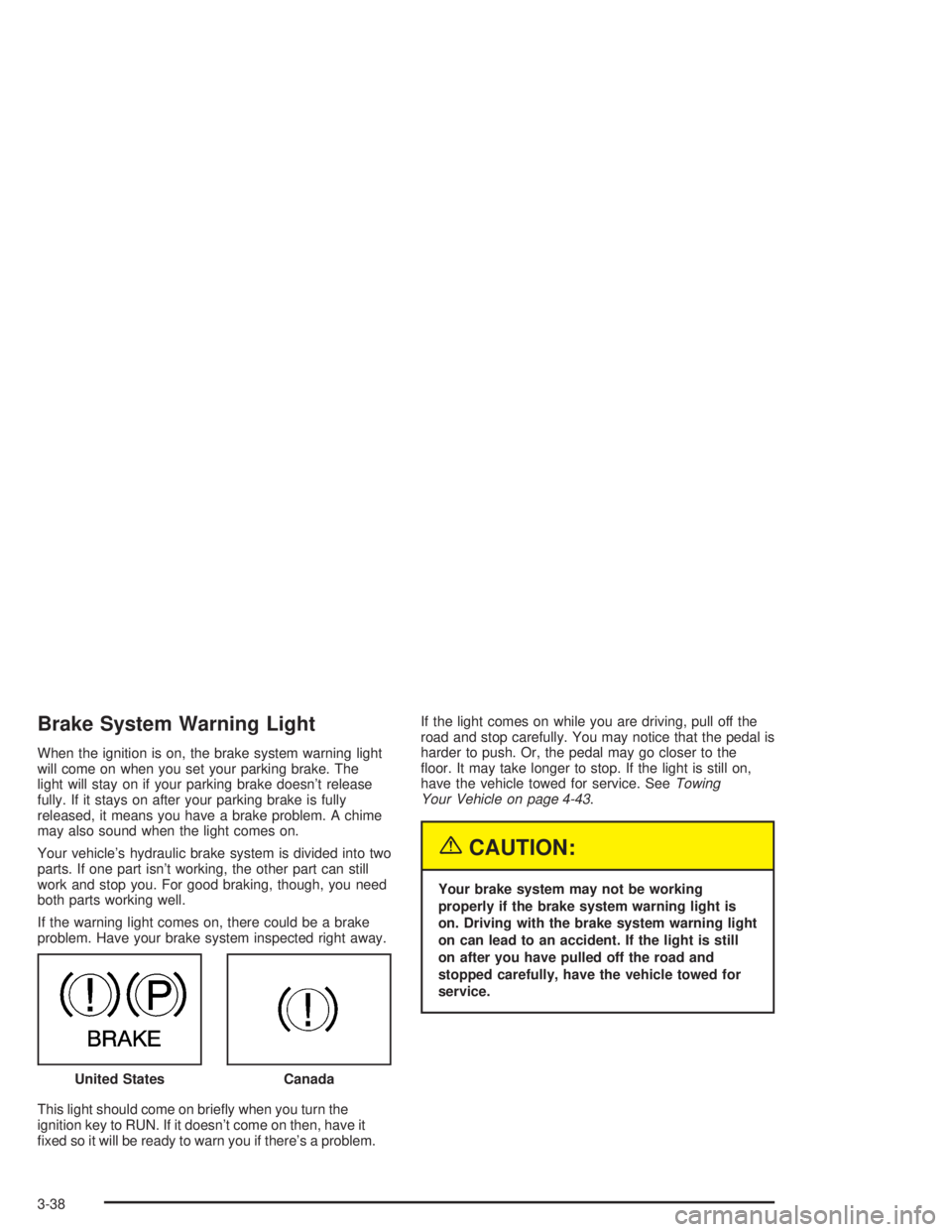
When the ignition is on, the brake system warning light
will come on when you set your parking brake. The
light will stay on if your parking brake doesn’t release
fully. If it stays on after your parking brake is fully
released, it means you have a brake problem. A chime
may also sound when the light comes on.
Your vehicle’s hydraulic brake system is divided into two
parts. If one part isn’t working, the other part can still
work and stop you. For good braking, though, you need
both parts working well.
If the warning light comes on, there could be a brake
problem. Have your brake system inspected right away.
This light should come on briey when you turn the
ignition key to RUN. If it doesn’t come on then, have it
xed so it will be ready to warn you if there’s a problem.If the light comes on while you are driving, pull off the
road and stop carefully. You may notice that the pedal is
harder to push. Or, the pedal may go closer to the
oor. It may take longer to stop. If the light is still on,
have the vehicle towed for service. SeeTowing
Your Vehicle on page 4-43.
{CAUTION:
Your brake system may not be working
properly if the brake system warning light is
on. Driving with the brake system warning light
on can lead to an accident. If the light is still
on after you have pulled off the road and
stopped carefully, have the vehicle towed for
service.
United States
Canada
3-38
Page 179 of 474

Headlamps on at Exit
Press the personalization button until HEADLAMPS ON
AT EXIT appears in the display. To select your
personalization for how long the headlamps will stay on
when you turn off the vehicle, press the select button
while HEADLAMPS ON AT EXIT is displayed on
the DIC. Pressing the select button will scroll through
the following choices:
HEADLAMP DELAY: 10 SEC (default)
HEADLAMP DELAY: 20 SEC
HEADLAMP DELAY: 40 SEC
HEADLAMP DELAY: 60 SEC
HEADLAMP DELAY: 120 SEC
HEADLAMP DELAY: 180 SEC
HEADLAMP DELAY OFF
The amount of time you choose will be the amount of
time that the headlamps stay on after you turn off
the vehicle. If you choose off, the headlamps will turn
off as soon as you turn off the vehicle.
Choose one of the seven settings and press the
personalization button while it is displayed on the DIC to
select it and move on to the next feature.
Mirror Curb View Assist
Press the personalization button until MIRROR
CURBVIEW ASSIST appears in the display. To select
your personalization for curb view assist, press the
select button while MIRROR CURBVIEW ASSIST is
displayed on the DIC. With the engine running, engage
the parking brake, press the brake pedal and place
the vehicle in REVERSE (R) gear. Adjust the
passenger’s side and then the driver’s side outside
mirrors to the desired tilt positions. These positions will
be stored in memory once the vehicle is shifted out
of REVERSE (R). Press the select button to scroll
through the following choices:
CURB VIEW: OFF (default): If you choose off,
neither outside mirror will be tilted down when
the vehicle is shifted into REVERSE (R).
CURB VIEW: PASSENGER: If you choose
passenger, the passenger’s outside mirror will be
tilted down when the vehicle is shifted into
REVERSE (R).
CURB VIEW: DRIVER: If you choose driver, the
driver’s outside mirror will be tilted down when
the vehicle is shifted into REVERSE (R).
CURB VIEW: BOTH: If you choose both, the
driver’s and passenger’s outside mirror will be tilted
down when the vehicle is shifted into REVERSE (R).
3-57
Page 263 of 474

Attach a ag to the vehicle to make you more
visible to approaching traffic on trails or hills.
Sound the horn as you approach the top of the hill
to let opposing traffic know you are there.
Use your headlamps even during the day. They
make you more visible to oncoming traffic.
{CAUTION:
Driving to the top (crest) of a hill at full speed
can cause an accident. There could be a
drop-off, embankment, cliff, or even another
vehicle. You could be seriously injured or
killed. As you near the top of a hill, slow down
and stay alert.
Q:What should I do if my vehicle stalls, or is about
to stall, and I can not make it up the hill?
A:If this happens, there are some things you should
do, and there are some things you must not do.
First, here is what youshoulddo:
Push the brake pedal to stop the vehicle and keep
it from rolling backwards. Also, apply the parking
brake.
If your engine is still running, shift the transmission
to REVERSE (R), release the parking brake, and
slowly back down the hill in REVERSE (R).
If your engine has stopped running, you will need to
restart it. With the brake pedal pressed and the
parking brake still applied, shift the transmission to
PARK (P) and restart the engine. Then, shift to
REVERSE (R), release the parking brake, and
slowly back down the hill as straight as possible in
REVERSE (R).
As you are backing down the hill, put your left hand
on the steering wheel at the 12 o’clock position.
This way, you will be able to tell if your wheels are
straight and maneuver as you back down. It is
best that you back down the hill with your wheels
straight rather than in the left or right direction.
Turning the wheel too far to the left or right
will increase the possibility of a rollover.
4-21
Page 264 of 474

Here are some things youmust notdo if you stall, or
are about to stall, when going up a hill.
Never attempt to prevent a stall by shifting into
NEUTRAL (N) to “rev-up” the engine and regain
forward momentum. This will not work. Your vehicle
will roll backwards very quickly and you could go
out of control.
Instead, apply the regular brake to stop the vehicle.
Then apply the parking brake. Shift to
REVERSE (R), release the parking brake, and
slowly back straight down.
Never attempt to turn around if you are about to
stall when going up a hill. If the hill is steep
enough to stall your vehicle, it is steep enough to
cause you to roll over if you turn around. If you can
not make it up the hill, you must back straight
down the hill.
Q:Suppose, after stalling, I try to back down
the hill and decide I just can not do it. What
should I do?
A:Set the parking brake, put your transmission in
PARK (P) and turn off the engine. Leave the
vehicle and go get some help. Exit on the uphill
side and stay clear of the path the vehicle
would take if it rolled downhill. Do not shift the
transfer case to NEUTRAL when you leave
the vehicle. Leave it in some gear.
{CAUTION:
Shifting the transfer case to NEUTRAL can
cause your vehicle to roll even if the
transmission is in PARK (P). This is because
the NEUTRAL position on the transfer case
overrides the transmission. You or someone
else could be injured. If you are going to leave
your vehicle, set the parking brake and shift
the transmission to PARK (P). But do not shift
the transfer case to NEUTRAL. Leave the
transfer case in the 2 Wheel High, 4 High or 4
Low position.
4-22
Page 266 of 474
Q:Am I likely to stall when going downhill?
A:It is much more likely to happen going uphill. But if
it happens going downhill, here is what to do.
Stop your vehicle by applying the regular brakes.
Apply the parking brake.
Shift to PARK (P) and, while still braking, restart the
engine.
Shift back to a low gear, release the parking brake,
and drive straight down.
If the engine will not start, get out and get help.
Driving Across an Incline
Sooner or later, an off-road trail will probably go across
the incline of a hill. If this happens, you have to
decide whether to try to drive across the incline. Here
are some things to consider:
A hill that can be driven straight up or down may be
too steep to drive across. When you go straight up or
down a hill, the length of the wheel base (the
distance from the front wheels to the rear wheels)
reduces the likelihood the vehicle will tumble end
over end. But when you drive across an incline, the
much more narrow track width (the distance between
the left and right wheels) may not prevent the vehicle
from tilting and rolling over. Also, driving across an
incline puts more weight on the downhill wheels. This
could cause a downhill slide or a rollover.
Surface conditions can be a problem when you drive
across a hill. Loose gravel, muddy spots, or even wet
grass can cause your tires to slip sideways, downhill.
If the vehicle slips sideways, it can hit something that
will trip it (a rock, a rut, etc.) and roll over.
Hidden obstacles can make the steepness of the
incline even worse. If you drive across a rock with the
uphill wheels, or if the downhill wheels drop into a rut
or depression, your vehicle can tilt even more.
4-24
Page 288 of 474
Four-Wheel-Drive Vehicles
Four-wheel-drive vehicles can be dinghy towed if you
follow the proper procedures. The transmission has
no provisions for internal lubrication while being towed,
so it is important that you follow all the steps listed
in this manual to dinghy tow your four-wheel-drive
vehicle.
Use the following procedure to tow your vehicle:
1. Shift the transmission to PARK (P).
2. Turn the engine off, but leave the ignition on.
3. Firmly set the parking brake.
4. Securely attach the vehicle being towed to the tow
vehicle.
{CAUTION:
Shifting a four-wheel-drive vehicle’s transfer
case into NEUTRAL can cause your vehicle to
roll even if the transmission is in Park (P). You
or others could be injured. Make sure the
parking brake is rmly set before you shift the
transfer case to NEUTRAL.5. Shift the transfer case to NEUTRAL (N). See
Four-Wheel Drive on page 2-26for the proper
procedure to select the NEUTRAL position for your
vehicle.
6. Release the parking brake only after the vehicle
being towed is rmly attached to the towing
vehicle.
7. Turn the ignition off and leave the steering column
unlocked.
4-46
Page 289 of 474
Dolly Towing
Two-Wheel-Drive Vehicles
Two-wheel-drive vehicles should not be dolly towed.
Two-wheel-drive transmissions have no provisions
for internal lubrication while being towed. To properly
tow these vehicles, they should be placed on a platform
trailer with all four wheels off the ground.
Four-Wheel-Drive Vehicles
Four-wheel-drive vehicles can be dolly towed with the
rear wheels on the ground.
Use the following procedure to tow your vehicle:
1. Drive the vehicle onto the tow dolly.
2. Shift the transmission to PARK (P).
3. Turn the engine off, but leave the ignition on.
4. Firmly set the parking brake.
5. Securely attach the vehicle being towed
to the dolly.
{CAUTION:
Shifting a four-wheel-drive vehicle’s transfer
case into NEUTRAL can cause your vehicle to
roll even if the transmission is in Park (P). You
or others could be injured. Make sure the
parking brake is rmly set before you shift the
transfer case to NEUTRAL.
6. Shift the transfer case to NEUTRAL. See
Four-Wheel Drive on page 2-26for the proper
procedure to select the NEUTRAL position for your
vehicle.
7. Release the parking brake only after the vehicle
being towed is rmly attached to the towing
vehicle.
8. Turn the ignition off and lock the steering column.
4-47
Page 306 of 474

Parking on Hills
{CAUTION:
You really should not park your vehicle, with a
trailer attached, on a hill. If something goes
wrong, your rig could start to move. People
can be injured, and both your vehicle and the
trailer can be damaged.
But if you ever have to park your rig on a hill, here’s
how to do it:
1. Apply your regular brakes, but don’t shift into
PARK (P) yet. When parking uphill, turn your wheels
away from the curb. When parking downhill, turn
your wheels into the curb.
2. Have someone place chocks under the trailer
wheels.
3. When the wheel chocks are in place, release the
regular brakes until the chocks absorb the load.
4. Reapply the regular brakes. Then apply your
parking brake, and then shift into PARK (P).
5. Release the regular brakes.
{CAUTION:
It can be dangerous to get out of your vehicle
if the shift lever is not fully in PARK (P) with
the parking brake rmly set. Your vehicle
can roll.
If you have left the engine running, the vehicle
can move suddenly. You or others could be
injured. To be sure your vehicle won’t move,
even when you’re on fairly level ground, use
the steps that follow.
Always put the shift lever fully in PARK (P)
with the parking brake rmly set.
If the transfer case on four-wheel drive
vehicles is in NEUTRAL, your vehicle will be
free to roll, even if your shift lever is in PARK
(P). So, be sure the transfer case is in a drive
gear — not in NEUTRAL.
See “Four-Wheel Drive (Automatic Transfer
Case)” in the Index.
4-64