Mirrors GMC ENVOY 2007 User Guide
[x] Cancel search | Manufacturer: GMC, Model Year: 2007, Model line: ENVOY, Model: GMC ENVOY 2007Pages: 562, PDF Size: 3 MB
Page 172 of 562

Turn and Lane-Change Signals
The turn signal has two upward (for right) and
two downward (for left) positions. These positions
let you signal a turn or a lane change.
To signal a turn, move the lever all the way up or
down. When the turn is nished, the lever
returns automatically.
An arrow on the
instrument panel cluster
ashes in the direction
of the turn or lane
change.
To signal a lane change, raise or lower the lever
until the arrow starts to ash. Hold it there until you
complete your lane change. The lever returns
by itself when released. The bottom of the outside
rearview mirrors might also have lane change
indicators.As you signal a turn or a lane change, if the
arrows ash more quickly than normal, a signal
bulb could be burned out and other drivers will not
see your turn signal.
If a bulb is burned out, replace it to help avoid an
accident. If the arrows do not go on at all when
you signal a turn, check the fuse. SeeFuses and
Circuit Breakers on page 493and check for
burned-out bulbs.
If you have a trailer towing option with added
wiring for the trailer lamps, a turn signal asher is
used. With this asher installed, the signal
indicator ashes even if a turn signal bulb is
burned out. Check the front and rear turn signal
lamps regularly to make sure they are working.
Turn Signal On Chime
If your turn signal is left on for more than 3/4 of a
mile (1.2 km), a chime sounds at each ash of
the turn signal. To turn off the chime, move
the turn signal lever to the off position.
172
Page 189 of 562
Rear Window Defogger
If your vehicle has the rear window defogger a
warming grid is used to remove fog on the
rear window.
<(Rear):Press this button to turn the rear
window defogger on or off. An indicator light in the
button will come on to let you know that the
rear window defogger is active. The rear window
defogger will automatically turn off approximately
ten minutes after the button is pressed.
If your vehicle has heated mirrors, this button will
activate them.
Notice:Do not use anything sharp on the
inside of the rear window. If you do, you could
cut or damage the warming grid, and the
repairs would not be covered by your warranty.
Do not attach a temporary vehicle license,
tape, a decal or anything similar to the
defogger grid.
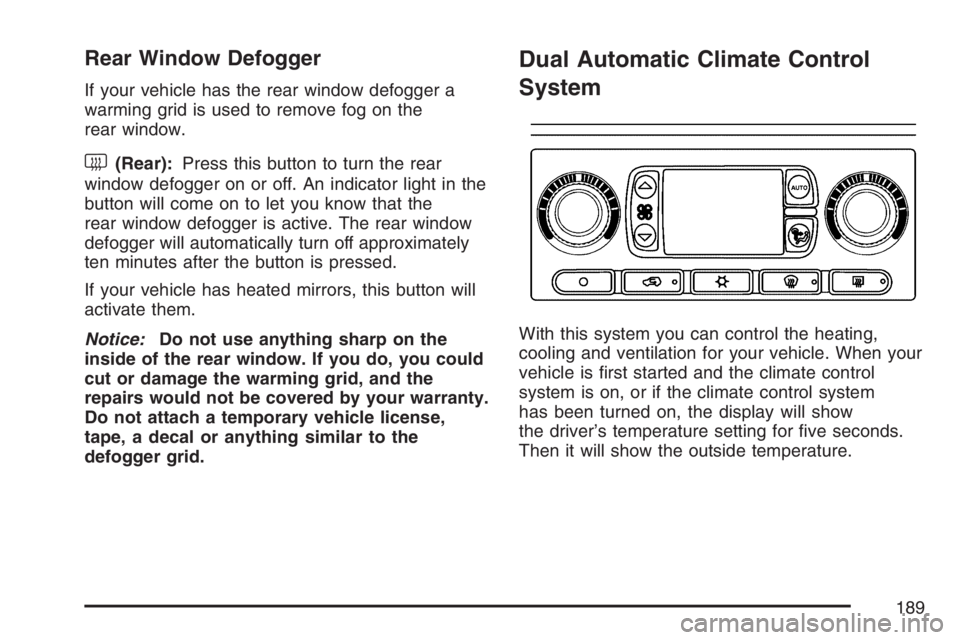
Dual Automatic Climate Control
System
With this system you can control the heating,
cooling and ventilation for your vehicle. When your
vehicle is rst started and the climate control
system is on, or if the climate control system
has been turned on, the display will show
the driver’s temperature setting for ve seconds.
Then it will show the outside temperature.
189
Page 194 of 562
Rear Window Defogger
If your vehicle has the rear window defogger a
warming grid is used to remove fog from the
rear window.
<(Rear):Press this button to turn the rear
window defogger on or off.
An indicator light in the button will come on
to let you know that the rear window defogger
is activated.
The rear window defogger will turn off
approximately 10 minutes after the button is
pressed. If you need additional warming time,
press the button again.
If your vehicle has heated mirrors, they will come
on when this button is pressed.
Notice:Do not use a razor blade or sharp
object to clear the inside rear window. Do not
adhere anything to the defogger grid lines
in the rear glass. These actions may damage
the rear defogger. Repairs would not be
covered by your warranty.
Outlet Adjustment
Use the air outlets located in the center and on the
side of the instrument panel to direct the airow.
Operation Tips
Keep the hood and front air inlets free of ice,
snow, or any other obstruction, such as
leaves. The heater and defroster will work
better, reducing the chance of fogging
the inside of your windows.
When you enter a vehicle in cold weather, set
the fan speed to maximum airow for a few
moments before driving. This helps clear
the intake ducts of snow and moisture, and
reduces the chance of fogging the inside
of your windows.
Keep the air path under the front seats clear
of objects. This helps air to circulate
throughout your vehicle.
Adding outside equipment to the front of the
vehicle, such as hood-air deectors, may
affect the performance of the heating and air
conditioning system. Check with your
dealer before adding equipment to the outside
of your vehicle.
194
Page 233 of 562

Easy Exit Seat
Press the customization button until EASY EXIT
SEAT: OFF appears in the display. To select your
preference for seat position exit, press the
select button while EASY EXIT SEAT: OFF is
displayed on the DIC. Pressing the select button
will scroll through the following choices:
EASY EXIT SEAT: OFF (default):No seat exit
recall will occur.
EASY EXIT SEAT: ON:The driver’s seat will
move to the exit position when the key is removed
from the ignition.
Choose one of the available options and press the
customization button while it is displayed on the
DIC to select it and move on to the next feature.
For more information on seat position exit,
see “Easy Exit Seat” underMemory Seat, Mirrors,
and Pedals on page 12.
Seat Recall
Press the customization button until SEAT
RECALL: OFF appears in the display. To select
your preference for recall of the driver’s memory
seat, mirrors, and adjustable pedals, if your vehicle
has this feature, press the select button while
SEAT RECALL: OFF is displayed on the
DIC. Pressing the select button will scroll through
the following choices:
SEAT RECALL: OFF (default):The driver’s
memory seat, mirrors, and adjustable pedals
position you saved will only be recalled when the
memory button 1 or 2 is pressed.
SEAT RECALL: AT KEY IN:The driver’s
memory seat, mirrors, and adjustable pedals
position you saved will be recalled when you put
the key in the ignition.
SEAT RECALL: ON REMOTE:The driver’s
memory seat, mirrors, and adjustable pedals
position you saved will be recalled when
you unlock the vehicle with the Remote Keyless
Entry (RKE) transmitter.
233
Page 234 of 562
Choose one of the available options and press the
customization button while it is displayed on the
DIC to select it and move on to the next feature.
For more information on the memory seat feature,
seeMemory Seat, Mirrors, and Pedals on page 12.
Curb View
Press the customization button until CURB VIEW:
OFF appears in the display. To select your
preference for curb view, press the select button
while CURB VIEW: OFF is displayed on the
DIC. Pressing the select button will scroll through
the following choices:
CURB VIEW: OFF (default):The passenger’s
outside mirror will not be tilted down when
the vehicle is shifted into REVERSE (R).
CURB VIEW: PASSENGER:The passenger’s
outside mirror will be tilted down when the vehicle
is shifted into REVERSE (R).
When the vehicle is placed in PARK (P) or in any
forward gear, the mirror will return to the normal
driving position, following a short delay.Choose one of the available options and press the
customization button while it is displayed on the
DIC to select it and move on to the next feature.
For more information on tilt mirror in reverse,
seeOutside Curb View Assist Mirror on page 144.
Alarm Warning
Press the customization button until ALARM
WARNING: BOTH appears in the display. To
select your preference for alarm warning, press the
select button while ALARM WARNING: BOTH is
displayed on the DIC. Pressing the select
button will scroll through the following choices:
ALARM WARNING: BOTH (default):The
headlamps will ash and the horn will chirp when
the alarm is active.
ALARM WARNING: HORN:The horn will chirp
when the alarm is active.
ALARM WARNING: LAMPS:The headlamps will
ash when the alarm is active.
234
Page 317 of 562

Watch for traffic signs, pavement markings, and
lines. If you can see a sign up ahead that might
indicate a turn or an intersection, delay your
pass. A broken center line usually indicates it is
all right to pass, providing the road ahead is
clear. Never cross a solid line on your side of
the lane or a double solid line, even if the road
seems empty of approaching traffic.
Do not get too close to the vehicle you want to
pass while you are awaiting an opportunity. For
one thing, following too closely reduces your
area of vision, especially if you are following a
larger vehicle. Also, you will not have adequate
space if the vehicle ahead suddenly slows or
stops. Keep back a reasonable distance.
When it looks like a chance to pass is coming
up, start to accelerate but stay in the right lane
and do not get too close. Time your move so
you will be increasing speed as the time comes
to move into the other lane. If the way is clear to
pass, you will have a running start that more
than makes up for the distance you would lose
by dropping back. And if something happens to
cause you to cancel your pass, you need only
slow down and drop back again and wait for
another opportunity.
If other vehicles are lined up to pass a slow
vehicle, wait your turn. But take care that
someone is not trying to pass you as you pull
out to pass the slow vehicle. Remember to
glance over your shoulder and check the
blind spot.
Check your vehicle’s mirrors, glance over your
shoulder, and start your left lane change signal
before moving out of the right lane to pass.
When you are far enough ahead of the passed
vehicle to see its front in your vehicle’s inside
mirror, activate the right lane change signal and
move back into the right lane. Remember that
your vehicle’s passenger side outside mirror is
convex. The vehicle you just passed may seem
to be farther away from you than it really is.
Try not to pass more than one vehicle at a time
on two-lane roads. Reconsider before passing
the next vehicle.
Do not overtake a slowly moving vehicle too
rapidly. Even though the brake lamps are not
ashing, it may be slowing down or starting
to turn.
If you are being passed, make it easy for the
following driver to get ahead of you. Perhaps
you can ease a little to the right.
317
Page 339 of 562
Freeway Driving
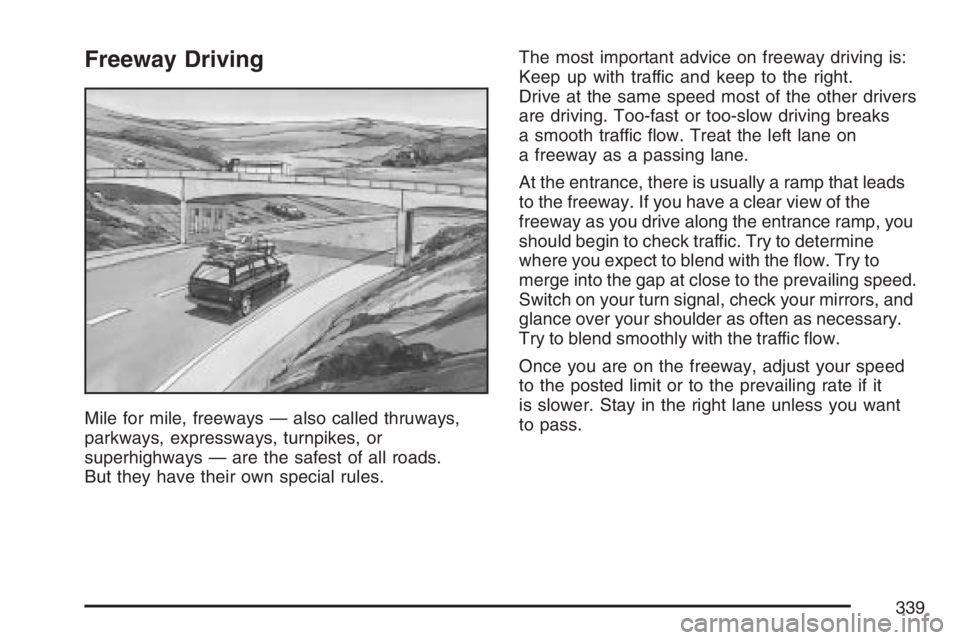
Mile for mile, freeways — also called thruways,
parkways, expressways, turnpikes, or
superhighways — are the safest of all roads.
But they have their own special rules.The most important advice on freeway driving is:
Keep up with traffic and keep to the right.
Drive at the same speed most of the other drivers
are driving. Too-fast or too-slow driving breaks
a smooth traffic ow. Treat the left lane on
a freeway as a passing lane.
At the entrance, there is usually a ramp that leads
to the freeway. If you have a clear view of the
freeway as you drive along the entrance ramp, you
should begin to check traffic. Try to determine
where you expect to blend with the ow. Try to
merge into the gap at close to the prevailing speed.
Switch on your turn signal, check your mirrors, and
glance over your shoulder as often as necessary.
Try to blend smoothly with the traffic ow.
Once you are on the freeway, adjust your speed
to the posted limit or to the prevailing rate if it
is slower. Stay in the right lane unless you want
to pass.
339
Page 340 of 562
Before changing lanes, check your mirrors.
Then use your turn signal.
Just before you leave the lane, glance quickly
over your shoulder to make sure there is not
another vehicle in your blind spot.
Once you are moving on the freeway, make
certain you allow a reasonable following distance.
Expect to move slightly slower at night.
When you want to leave the freeway, move to the
proper lane well in advance. If you miss your
exit, do not, under any circumstances, stop and
back up. Drive on to the next exit.
The exit ramp can be curved, sometimes quite
sharply. The exit speed is usually posted.
Reduce your speed according to your
speedometer, not to your sense of motion.
After driving for any distance at higher speeds,
you may tend to think you are going slower than
you actually are.Before Leaving on a Long Trip
Make sure you are ready. Try to be well rested.
If you must start when you are not fresh — such as
after a day’s work — do not plan to make too
many miles that rst part of the journey. Wear
comfortable clothing and shoes you can easily
drive in.
Is your vehicle ready for a long trip? If you keep it
serviced and maintained, it is ready to go. If it
needs service, have it done before starting out.
Of course, you will nd experienced and able
service experts in GM dealerships all across
North America. They will be ready and willing to
help if you need it.
340
Page 341 of 562

Here are some things you can check before a trip:
Windshield Washer Fluid:Is the reservoir
full? Are all windows clean inside and outside?
Wiper Blades:Are they in good shape?
Fuel, Engine Oil, Other Fluids:Have you
checked all levels?
Lamps:Are they all working? Are the lenses
clean?
Tires:They are vitally important to a safe,
trouble-free trip. Is the tread good enough
for long-distance driving? Are the tires
all inated to the recommended pressure?
Weather Forecasts:What is the weather
outlook along your route? Should you
delay your trip a short time to avoid a major
storm system?
Maps:Do you have up-to-date maps?
Highway Hypnosis
Is there actually such a condition as highway
hypnosis? Or is it just plain falling asleep at the
wheel? Call it highway hypnosis, lack of
awareness, or whatever.
There is something about an easy stretch of road
with the same scenery, along with the hum of the
tires on the road, the drone of the engine, and the
rush of the wind against the vehicle that can make
you sleepy. Do not let it happen to you! If it does,
your vehicle can leave the road in less than a
second, and you could crash and be injured.
What can you do about highway hypnosis?
First, be aware that it can happen.
Then here are some tips:
Make sure your vehicle is well ventilated, with
a comfortably cool interior.
Keep your eyes moving. Scan the road ahead
and to the sides. Check your mirrors and your
instruments frequently.
If you get sleepy, pull off the road into a rest,
service, or parking area and take a nap, get
some exercise, or both. For safety, treat
drowsiness on the highway as an emergency.
341
Page 555 of 562

Light (cont.)
Service Four-Wheel-Drive
Warning Light....................................... 216
StabiliTrak
®Indicator................................ 208
StabiliTrak®Service.................................. 207
Tire Pressure........................................... 209
Lighting
Entry........................................................ 183
Exit.......................................................... 183
Loading Your Vehicle................................... 349
Locking Rear Axle....................................... 309
Lockout Protection....................................... 105
Locks
Delayed Locking...................................... 102
Door........................................................ 100
Lockout Protection................................... 105
Power Door............................................. 101
Programmable Automatic Door Locks....... 102
Rear Door Security Locks........................ 105
Loss of Control........................................... 318
Low Fuel Warning Light............................... 217
Luggage Carrier.......................................... 161
Lumbar
Manual Controls......................................... 10
Power Controls.......................................... 10
M
Maintenance Schedule
Additional Required Services.................... 510
At Each Fuel Fill...................................... 513
At Least Once a Month............................ 514
At Least Once a Year .............................. 514
Introduction.............................................. 504
Maintenance Footnotes............................ 511
Maintenance Record................................ 521
Maintenance Requirements...................... 504
Normal Maintenance
Replacement Parts............................... 519
Owner Checks and Services.................... 513
Recommended Fluids and Lubricants....... 517
Scheduled Maintenance........................... 507
Using....................................................... 505
Your Vehicle and the Environment............ 505
Malfunction Indicator Light........................... 210
Manual Lumbar Controls............................... 10
Manual Seats.................................................. 8
Memory Seat, Mirrors, and Pedals................ 12
Message
DIC Warnings and Messages................... 222
555