roof GMC ENVOY 2007 User Guide
[x] Cancel search | Manufacturer: GMC, Model Year: 2007, Model line: ENVOY, Model: GMC ENVOY 2007Pages: 562, PDF Size: 3 MB
Page 94 of 562
Automatic Dimming Rearview Mirror
with Compass and Temperature
Display................................................... 140
Outside Manual Mirrors............................. 144
Outside Power Mirrors............................... 144
Outside Curb View Assist Mirror................ 144
Outside Convex Mirror............................... 145
Outside Heated Mirrors............................. 145
OnStar
®System.......................................... 145
Universal Home Remote System................ 149
Universal Home Remote System
(With Three Round LED)....................... 149
Universal Home Remote System
(With One Triangular LED)..................... 150Universal Home Remote System
Operation (With Three Round LED)....... 151
Universal Home Remote System Operation
(With One Triangular LED)...................... 156
Storage Areas............................................. 160
Glove Box................................................. 160
Overhead Console..................................... 160
Center Console Storage Area.................... 160
Luggage Carrier........................................ 161
Rear Floor Storage Lid.............................. 162
Convenience Net....................................... 162
Cargo Cover............................................. 163
Cargo Tie Downs...................................... 164
Sunroof....................................................... 164
Section 2 Features and Controls
94
Page 114 of 562

Key In the Ignition
Never leave your vehicle with the keys inside, as it
is an easy target for joy riders or thieves. If you
leave the key in the ignition and park your vehicle,
a chime will sound, when you open the driver’s
door. Always remember to remove your key from
the ignition and take it with you. This will lock
your ignition and transmission. Also, always
remember to lock the doors.
The battery could be drained if you leave the key
in the ignition while your vehicle is parked.
You may not be able to start your vehicle after it
has been parked for an extended period of time.
Retained Accessory Power (RAP)
Your vehicle has a Retained Accessory
Power (RAP) feature which lets certain features of
your vehicle to continue to work up to 20 minutes
after the ignition key is turned to LOCK.
The radio, power windows, the overhead console
and the sunroof, if the vehicle has one, work
when the ignition key is in RUN or ACCESSORY.
Once the key is turned from RUN to LOCK,
these features continue to work for up to
20 minutes, or until a door is opened.
Starting the Engine
Place the transmission in the proper gear.
Move your shift lever to PARK (P) or
NEUTRAL (N). Your engine will not start in
any other position -- this is a safety feature.
To restart when you are already moving, use
NEUTRAL (N) only.
Notice:Do not try to shift to PARK (P)
if your vehicle is moving. If you do, you could
damage the transmission. Shift to PARK (P)
only when your vehicle is stopped.
Starting Procedure
1. With your foot off the accelerator pedal, turn
the ignition key to START. When the engine
starts, let go of the key. The idle speed will
goes as your engine gets warm. Do not race
the engine immediately after starting it.
Operate the engine and transmission gently
to let the oil to warm up and lubricate all
moving parts.
114
Page 160 of 562

Reprogramming a Single Universal
Home Remote Button
To program a device to Universal Home Remote
using a Universal Home Remote button
previously trained, follow these steps:
1. Press and hold the desired Universal Home
Remote button. Do not release the button.
2. The indicator light will begin to ash after
20 seconds. While still holding the Universal
Home Remote button, proceed with Step
2 under “Programming Universal Home
Remote” shown earlier in this section.
For additional information on Universal Home
Remote, seeCustomer Assistance Offices
on page 530.
Storage Areas
Glove Box
To open, pull up on the handle. Use the key to
lock and unlock.
Overhead Console
Your vehicle may have this feature. The overhead
console may include reading lamps, a Universal
Home Remote and a sunroof switch. SeeSunroof
on page 164andUniversal Home Remote
System (With Three Round LED) on page 149or
Universal Home Remote System (With One
Triangular LED) on page 150for more information.
Center Console Storage Area
Squeeze the front lever on the center console
while lifting the top to open it.
Your vehicle’s console will have cupholders
located on the front and rear of the storage
compartment.
The console may also contain one or more of the
following components:
Rear Seat Audio Controls
Rear Seat Accessory Power Outlets
Rear Climate Control
To open the center armrest compartment, lift the
cover by pulling up on the latch handle located
underneath the front edge of the armrest.
160
Page 161 of 562
Luggage Carrier
{CAUTION:
If you try to carry something on top of
your vehicle that is longer or wider than
the luggage carrier — like paneling,
plywood, a mattress and so forth — the
wind can catch it as you drive along. This
can cause you to lose control. What you
are carrying could be violently torn off,
and this could cause you or other drivers
to have a collision, and of course damage
your vehicle. You may be able to carry
something like this inside. But, never
carry something longer or wider than the
luggage carrier on top of your vehicle.If your vehicle has a luggage carrier, it will allow
you to load things on top of your vehicle. The
luggage carrier has side rails attached to the roof,
places to use for tying things down and may
have sliding crossrails. These let you load some
other things on top of your vehicle, as long as they
are not wider or longer than the luggage carrier.
To slide the crossrails to where you want
them, pull up on the lever on each side of the
crossrail. This releases the crossrail and allows
you to slide it. When the crossrail is where
you want it, press down on the levers to lock it
into place.
Notice:Loading cargo on the luggage carrier
that weighs more than 220 lbs (100 kg) or
hangs over the rear or sides of the vehicle may
damage your vehicle. Load cargo so that it
rests on the slats as far forward as possible
and against the side rails, making sure to
fasten it securely.
Do not exceed the maximum vehicle capacity
when loading your vehicle. For more information
on vehicle capacity and loading, seeLoading Your
Vehicle on page 349.
161
Page 164 of 562
Cargo Tie Downs
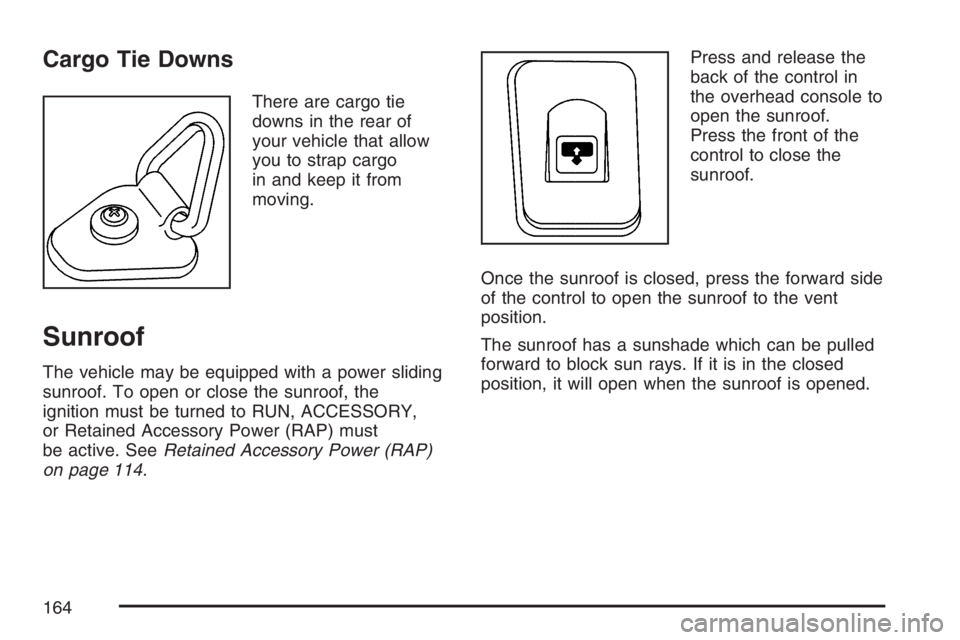
There are cargo tie
downs in the rear of
your vehicle that allow
you to strap cargo
in and keep it from
moving.
Sunroof
The vehicle may be equipped with a power sliding
sunroof. To open or close the sunroof, the
ignition must be turned to RUN, ACCESSORY,
or Retained Accessory Power (RAP) must
be active. SeeRetained Accessory Power (RAP)
on page 114.Press and release the
back of the control in
the overhead console to
open the sunroof.
Press the front of the
control to close the
sunroof.
Once the sunroof is closed, press the forward side
of the control to open the sunroof to the vent
position.
The sunroof has a sunshade which can be pulled
forward to block sun rays. If it is in the closed
position, it will open when the sunroof is opened.
164
Page 286 of 562
DVD Player Buttons (Without Sunroof)
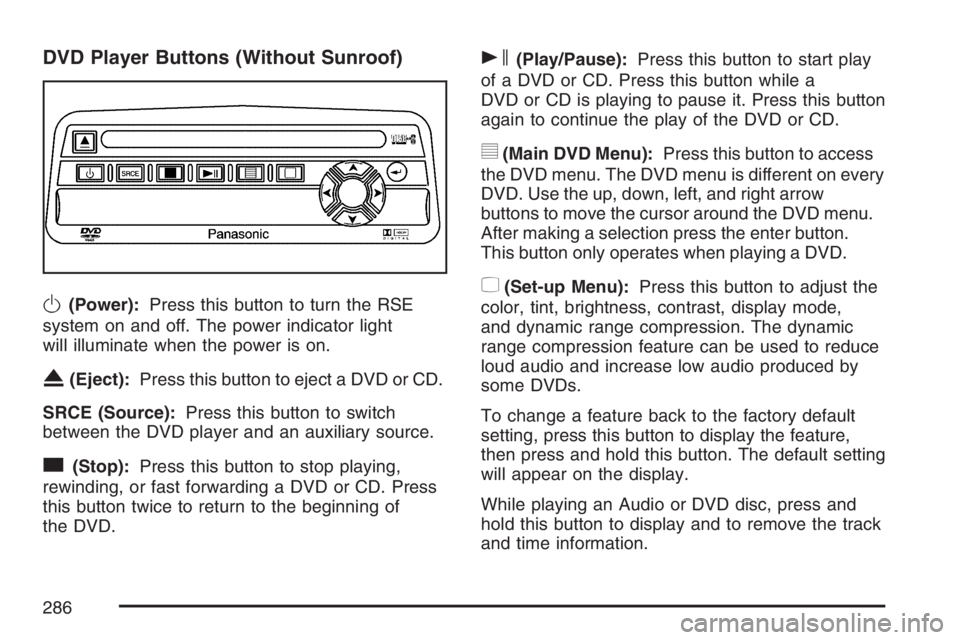
O(Power):Press this button to turn the RSE
system on and off. The power indicator light
will illuminate when the power is on.
X(Eject):Press this button to eject a DVD or CD.
SRCE (Source):Press this button to switch
between the DVD player and an auxiliary source.
c(Stop):Press this button to stop playing,
rewinding, or fast forwarding a DVD or CD. Press
this button twice to return to the beginning of
the DVD.
s(Play/Pause):Press this button to start play
of a DVD or CD. Press this button while a
DVD or CD is playing to pause it. Press this button
again to continue the play of the DVD or CD.
y(Main DVD Menu):Press this button to access
the DVD menu. The DVD menu is different on every
DVD. Use the up, down, left, and right arrow
buttons to move the cursor around the DVD menu.
After making a selection press the enter button.
This button only operates when playing a DVD.
z(Set-up Menu):Press this button to adjust the
color, tint, brightness, contrast, display mode,
and dynamic range compression. The dynamic
range compression feature can be used to reduce
loud audio and increase low audio produced by
some DVDs.
To change a feature back to the factory default
setting, press this button to display the feature,
then press and hold this button. The default setting
will appear on the display.
While playing an Audio or DVD disc, press and
hold this button to display and to remove the track
and time information.
286
Page 287 of 562
n,q,p,o(Menu Navigation Arrows):Use
the arrow buttons to navigate through a menu.
r(Enter):Press this button to select the
choices that are highlighted in any menu.
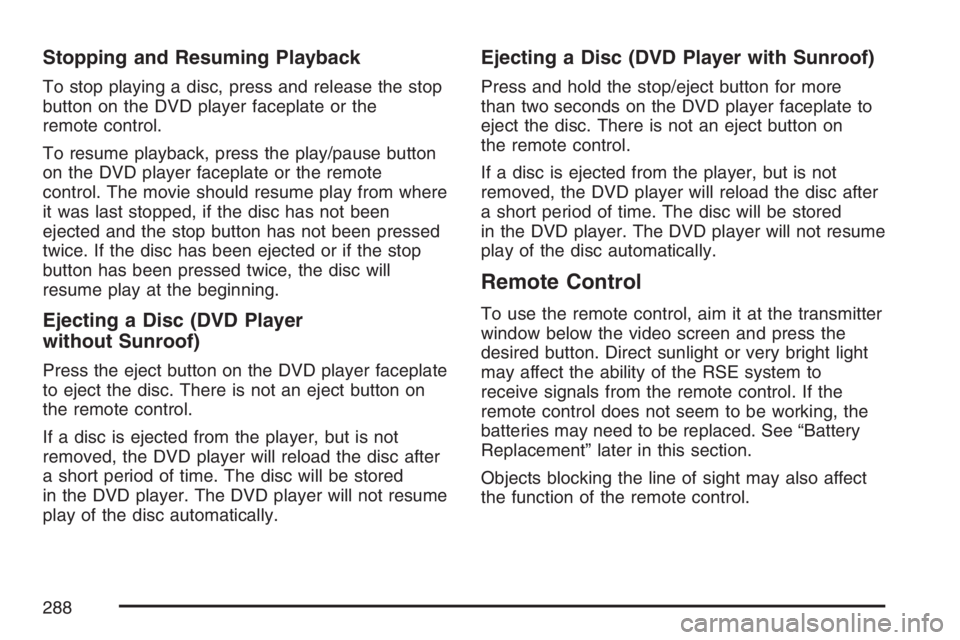
DVD Player Buttons (With Sunroof)
s(Play/Pause):Press this button to start play
of a DVD or CD. Press this button while a
DVD or CD is playing to pause it. Press this button
again to continue the play of the DVD or CD.
cX(Stop/Eject):Press this button to
stop playing, rewinding, or fast forwarding a DVD
or CD. Press this button twice to return to the
beginning of the DVD.
Press and hold this button for more than
three seconds to eject a DVD or CD.
Playing a Disc
To play a disc, gently insert the disc with the label
side up into the loading slot. The DVD player
will continue loading the disc and the player will
automatically start, if the vehicle is in RUN,
ACCESSORY, or when RAP is active.
If a disc is already in the player, press the
play/pause button on the DVD player faceplate or
on the remote control.
Some DVDs will not allow fast forwarding or
skipping of the copyright information or the
previews. Some DVDs will begin playing after the
previews have nished. If the DVD does not
begin to play the main title, refer to the on-screen
instructions.
287
Page 288 of 562
Stopping and Resuming Playback
To stop playing a disc, press and release the stop
button on the DVD player faceplate or the
remote control.
To resume playback, press the play/pause button
on the DVD player faceplate or the remote
control. The movie should resume play from where
it was last stopped, if the disc has not been
ejected and the stop button has not been pressed
twice. If the disc has been ejected or if the stop
button has been pressed twice, the disc will
resume play at the beginning.
Ejecting a Disc (DVD Player
without Sunroof)
Press the eject button on the DVD player faceplate
to eject the disc. There is not an eject button on
the remote control.
If a disc is ejected from the player, but is not
removed, the DVD player will reload the disc after
a short period of time. The disc will be stored
in the DVD player. The DVD player will not resume
play of the disc automatically.
Ejecting a Disc (DVD Player with Sunroof)
Press and hold the stop/eject button for more
than two seconds on the DVD player faceplate to
eject the disc. There is not an eject button on
the remote control.
If a disc is ejected from the player, but is not
removed, the DVD player will reload the disc after
a short period of time. The disc will be stored
in the DVD player. The DVD player will not resume
play of the disc automatically.
Remote Control
To use the remote control, aim it at the transmitter
window below the video screen and press the
desired button. Direct sunlight or very bright light
may affect the ability of the RSE system to
receive signals from the remote control. If the
remote control does not seem to be working, the
batteries may need to be replaced. See “Battery
Replacement” later in this section.
Objects blocking the line of sight may also affect
the function of the remote control.
288
Page 300 of 562

XM™ Satellite Radio Antenna
System
The XM™ Satellite Radio antenna is located on
the roof of your vehicle. Keep this antenna clear of
snow and ice build up for clear radio reception.
If your vehicle has a sunroof, the performance of
the XM™ system may be affected if the sunroof
is open.
Loading items onto the roof of your vehicle can
interfere with the performance of the XM™ system.
Make sure the XM™ Satellite Radio antenna is
not obstructed.
Chime Level Adjustment
The radio is used to adjust the vehicle’s chime
level. To change the volume level of the chime,
press and hold pushbutton 6 with the ignition
on and the radio power off. The volume level will
change from the normal level to loud, and
LOUD CHIME will appear on the radio display.
To change back to the default or normal setting,
press and hold pushbutton 6 again. The volume
level will change from the loud level to normal, and
NORMAL CHIME will appear on the radio
display. Removing the radio and not replacing it
with a factory radio or chime module will
disable vehicle chimes.
300
Page 320 of 562
Loading Your Vehicle for Off-Road
Driving
{CAUTION:
Cargo on the load oor piled higher
than the seatbacks can be thrown
forward during a sudden stop. You or
your passengers could be injured.
Keep cargo below the top of the
seatbacks.
Unsecured cargo on the load oor can
be tossed about when driving over
rough terrain. You or your passengers
can be struck by ying objects.
Secure the cargo properly.
Heavy loads on the roof raise the
vehicle’s center of gravity, making it
more likely to roll over. You can be
seriously or fatally injured if the
vehicle rolls over. Put heavy loads
inside the cargo area, not on the roof.
Keep cargo in the cargo area as far
forward and low as possible.There are some important things to remember
about how to load your vehicle.
The heaviest things should be on the
load oor and forward of the rear axle.
Put heavier items as far forward as you can.
Be sure the load is secured properly, so
driving on the off-road terrain does not
toss things around.
You will nd other important information in this
manual. SeeLoading Your Vehicle on page 349,
Luggage Carrier on page 161, andTires on
page 439.
320