tow GMC ENVOY 2007 Owner's Guide
[x] Cancel search | Manufacturer: GMC, Model Year: 2007, Model line: ENVOY, Model: GMC ENVOY 2007Pages: 562, PDF Size: 3 MB
Page 143 of 562

3. Press the COMP button on the bottom of the
mirror until the new zone number appears in
the display. After you stop pressing the
button, the display will show a compass
direction within a few seconds.
Passenger Airbag Indicator
The mirror may be equipped with a passenger
airbag indicator on the mirror glass, just above the
buttons. If the vehicle has this feature the mirror
will display the word ON, or an airbag symbol
in Canada, when the passenger airbag is enabled.
For more information seePassenger Sensing
System on page 82.
Cleaning the Mirror
When cleaning the mirror, use a paper towel or
similar material dampened with glass cleaner.
Do not spray glass cleaner directly on the mirror
as that may cause the liquid cleaner to enter
the mirror housing.
143
Page 144 of 562
Outside Manual Mirrors
If the vehicle has the manual outside mirrors,
adjust each outside mirror so that a little of
the vehicle and the area behind it can be seen
while sitting in a comfortable, driving position.
Both mirrors can be manually folded inward
by pulling them towards the vehicle. Push the
mirrors away from the vehicle, to the normal
position, before driving.
Outside Power Mirrors
Your vehicle may have this feature. The power
mirror control is located on the driver’s door.
Turn the knob counterclockwise or clockwise to
adjust the driver’s or passenger’s mirror so
that you can see a little of the side of your vehicle.
After adjusting the position of the mirrors, turn
the knob to the center position so that the mirrors
cannot move.
If the travel position in any direction of the mirror is
reached, it will enter a ratcheting mode. This action
is harmless. It is a warning that the mirror can go no
further. To stop this action, back the mirror up by
moving the knob in the opposite direction.The mirrors can be manually folded inward to
prevent damage when going through an automatic
car wash. To fold, push the mirror toward the
vehicle. To return the mirror to its original position,
push outward. Be sure to return both mirrors to
their original unfolded position before driving.
Outside Curb View Assist Mirror
If the vehicle has this feature, the passenger’s
outside mirror will adjust to a preset tilt position
while the vehicle is in REVERSE (R) gear.
Curb view assist may be useful when you are
parallel parking. The mirror will return to normal
position when the vehicle is shifted out of
REVERSE (R) gear. Automatic mirror movement
in either direction will follow a short delay.
You may be able to turn this feature on or off
through the Driver Information Center (DIC). See
DIC Vehicle Customization on page 229.
144
Page 162 of 562
To prevent damage or loss of cargo as you are
driving, check now and then to make sure
the luggage carrier is locked and cargo is still
securely fastened.
When the luggage carrier is not in use, place the
crossrails at the following positions for wind
noise reduction. Place one crossrail at the rear
most point of the vehicle and the other crossrail
above the opening of the rear door.
Rear Floor Storage Lid
{CAUTION:
If any removable convenience item is not
secured properly, it can move around in a
collision or sudden stop. People in the
vehicle could be injured. Be sure to
secure any such item properly.
Your vehicle has a rear cargo area with a
removable storage lid.To remove the rear oor storage lid, do the
following:
1. Press the latch release and lift up the latch
handle.
2. Raise the lid slightly to unhook it.
3. Pull the lid toward you to release it from the
forward mounting tabs.
To reinstall the rear oor storage lid, reverse the
previous steps. Make sure the lid is secure by
applying slight pressure to the latch until you hear
it click.
Convenience Net
Your vehicle may have this feature. A convenience
net in the rear of your vehicle helps keep small
items in place during sharp turns or quick
stops and starts. The net is not designed to retain
these items during off-road use. The net is not
for larger, heavier items.
162
Page 171 of 562
Tilt Wheel
The steering wheel should be adjusted before
you drive.
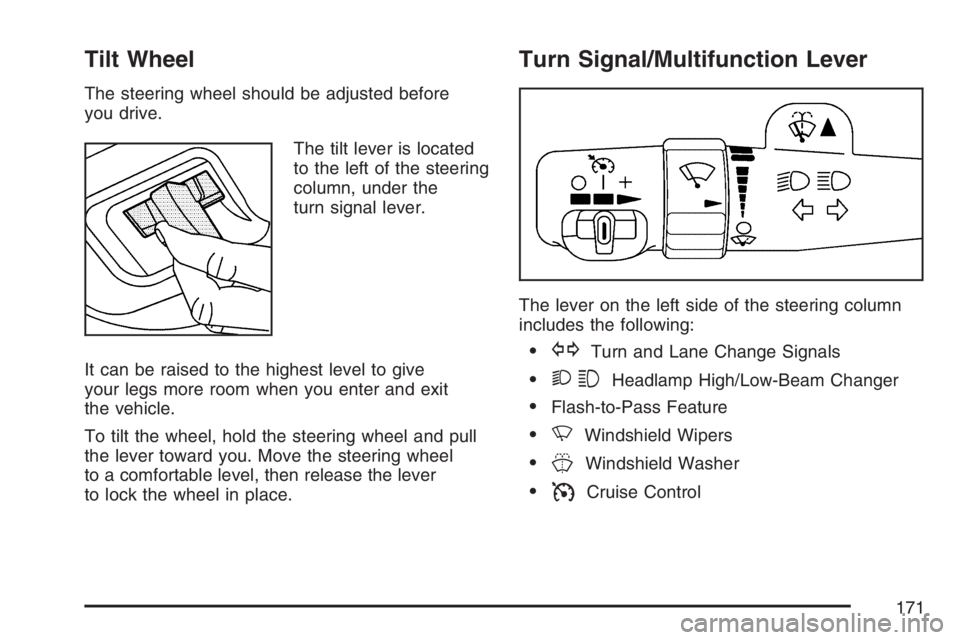
The tilt lever is located
to the left of the steering
column, under the
turn signal lever.
It can be raised to the highest level to give
your legs more room when you enter and exit
the vehicle.
To tilt the wheel, hold the steering wheel and pull
the lever toward you. Move the steering wheel
to a comfortable level, then release the lever
to lock the wheel in place.
Turn Signal/Multifunction Lever
The lever on the left side of the steering column
includes the following:
GTurn and Lane Change Signals
23Headlamp High/Low-Beam Changer
Flash-to-Pass Feature
NWindshield Wipers
JWindshield Washer
ICruise Control
171
Page 172 of 562

Turn and Lane-Change Signals
The turn signal has two upward (for right) and
two downward (for left) positions. These positions
let you signal a turn or a lane change.
To signal a turn, move the lever all the way up or
down. When the turn is nished, the lever
returns automatically.
An arrow on the
instrument panel cluster
ashes in the direction
of the turn or lane
change.
To signal a lane change, raise or lower the lever
until the arrow starts to ash. Hold it there until you
complete your lane change. The lever returns
by itself when released. The bottom of the outside
rearview mirrors might also have lane change
indicators.As you signal a turn or a lane change, if the
arrows ash more quickly than normal, a signal
bulb could be burned out and other drivers will not
see your turn signal.
If a bulb is burned out, replace it to help avoid an
accident. If the arrows do not go on at all when
you signal a turn, check the fuse. SeeFuses and
Circuit Breakers on page 493and check for
burned-out bulbs.
If you have a trailer towing option with added
wiring for the trailer lamps, a turn signal asher is
used. With this asher installed, the signal
indicator ashes even if a turn signal bulb is
burned out. Check the front and rear turn signal
lamps regularly to make sure they are working.
Turn Signal On Chime
If your turn signal is left on for more than 3/4 of a
mile (1.2 km), a chime sounds at each ash of
the turn signal. To turn off the chime, move
the turn signal lever to the off position.
172
Page 173 of 562

Headlamp High/Low-Beam Changer
To change the headlamps from low to high
beam, push the lever toward the instrument panel.
To return to low-beam headlamps, pull the
multifunction lever toward you. Then release it.
When the high beams
are on, this indicator light
on the instrument panel
cluster will also be on.
Flash-to-Pass
This feature lets you use your high-beam
headlamps to signal a driver in front of you that
you want to pass. It works even if your headlamps
are in the automatic position.To use it, pull the turn signal lever toward you,
then release it.
If the headlamps are in the automatic position or
on low beam, the high-beam headlamps turn
on. They will stay on as long as you hold the lever
toward you. The high-beam indicator on the
instrument panel cluster comes on. Release the
lever to return to normal operation.
Windshield Wipers
8(Mist):Turn the band to mist, for a single
wiping cycle. Hold it there until the wipers
start. Then let go. The wipers will stop after
one wipe. If more wipes are needed, hold the
band on mist longer.
9(Off):Move the band to off, to stop
the wipers.
173
Page 187 of 562
To change the current mode, select one of the
following:
H(Vent):This mode directs air to the instrument
panel outlets.
)(Bi-Level):This mode directs about half of the
air to the instrument panel outlets; then directs
most of the remaining air to the oor outlets. A little
air is directed toward the windshield and the
side window outlets. Cooler air is directed to the
upper vents and warmer air to the oor outlets.
6(Floor):This mode directs most of the
air to the oor outlets with a little air directed to
the windshield and the side window outlets.
The recirculation button cannot be selected while
in oor mode.
@(Recirculation):Recirculation mode is used
to recirculate the air inside of your vehicle.
When this button is pressed, an indicator light in
the button will come on to let you know that it
is active. Use this mode to help prevent outside
odors and/or dust from entering your vehicle or to
help cool the air inside of your vehicle more
quickly. The air conditioning compressor will also
come on when this mode is activated. While in
recirculation mode, the windows may fog when the
weather is cold and damp. To clear the fog,
select either the defog or defrost mode and
increase fan speed.
Defog and defrost modes are described later in
this section.
187
Page 190 of 562
9(Off):Press this button to turn off the entire
climate control system. Outside air will still
enter the vehicle, and will be directed to the oor.
Press the AUTO button, the mode button, the
fan arrows, or either temperature knob to turn the
system on.
C(Mode):Press this button to manually select
the air delivery mode to the oor, instrument panel,
or windshield outlets. The system will stay in the
selected mode until the mode button is pressed
again or the AUTO button is pressed.
Driver’s Side Temperature Knob:Turn this knob
clockwise or counterclockwise to raise or lower
the temperature on the driver’s side of the vehicle.
The display will show the temperature setting
decreasing or increasing and an arrow pointing
toward the driver. This knob can also adjust
the passenger’s side temperature setting if the
two are linked.
Passenger’s Side Temperature Knob:Turn this
knob clockwise or counterclockwise to manually
raise or lower the temperature on the passenger’s
side of the vehicle. The display will show the
temperature setting decreasing or increasing and
an arrow pointing toward the passenger.The passenger’s temperature setting can be set to
match and link to the driver’s temperature
setting by pressing and holding the AUTO button
for three seconds. When adjusting the driver’s
side temperature setting, the passenger’s
side temperature setting will follow and both
arrows will appear on the display. The passenger’s
side temperature setting also resets and relinks
to the driver’s side temperature setting if the
vehicle has been off for more than three hours.
Outside Air Temperature Display
A new outside temperature reading will be
displayed if the vehicle has been off for more than
three hours. If the vehicle has been off for less
than three hours, the old temperature reading may
be displayed because underhood heat is
affecting the true outside temperature. Underhood
heat can also affect the outside temperature
while the engine is running. It may also take
several minutes of driving before the display
updates to the actual outside temperature.
190
Page 192 of 562

H(Vent):This mode directs air to the instrument
panel outlets.
)(Bi-Level):This mode directs approximately
half of the air to the instrument panel outlets, then
directs the remaining air to the oor outlets.
A little air is directed toward the windshield and the
side window outlets. Cooler air is directed to the
upper outlets and warmer air to the oor outlets.
6(Floor):This mode directs most of the air to the
oor outlets. Some air also comes out of the
defroster and side window outlets. The recirculation
button cannot be selected in oor mode.
@(Recirculation):Press this button to turn
recirculation mode on or off. When this button is
pressed, an indicator light in the button will also
come on to let you know that it is activated.
Recirculation mode is used to recirculate the air
inside of your vehicle. Use this mode to help
prevent outside odors and/or dust from entering
your vehicle or to help cool the air inside of your
vehicle more quickly. Recirculation mode can be
used with vent and bi-level modes, but it cannot be
used with oor, defog or defrost modes. Defog and
defrost modes are described later in this section.If recirculation mode is selected with oor, defog, or
defrost modes, the indicator will ash three times
and then turn off indicating the selection is not
available.
You may also notice that the air conditioning
compressor will run while in recirculation mode.
This is normal and will help to prevent fogging.
If the weather is cold and damp, the system may
cause the windows to fog while using recirculation
mode. If the windows do start to fog, select defog or
defrost mode and increase fan speed.
Recirculation mode, if selected, will be cleared
when the engine is turned off.#A/C (Air Conditioning):Press this button to
manually turn the air conditioning system on or off.
When the system is on, the system will
automatically begin to cool and dehumidify the air
inside of your vehicle. The air conditioning
symbol will appear on the display when the air
conditioning is on and will turn off when the
air conditioning is off.
192
Page 206 of 562
Readings in the low warning zone may occur
when a large number of electrical accessories are
operating in the vehicle and the engine is left
idling for an extended period. This condition
is normal since the charging system is not able to
provide full power at engine idle. As engine
speeds are increased, this condition should correct
itself as higher engine speeds allow the charging
system to create maximum power.
You can only drive for a short time with the
reading in either warning zone. If you must drive,
turn off all unnecessary accessories.
Readings in either warning zone indicate a
possible problem in the electrical system. Have
the vehicle serviced as soon as possible.
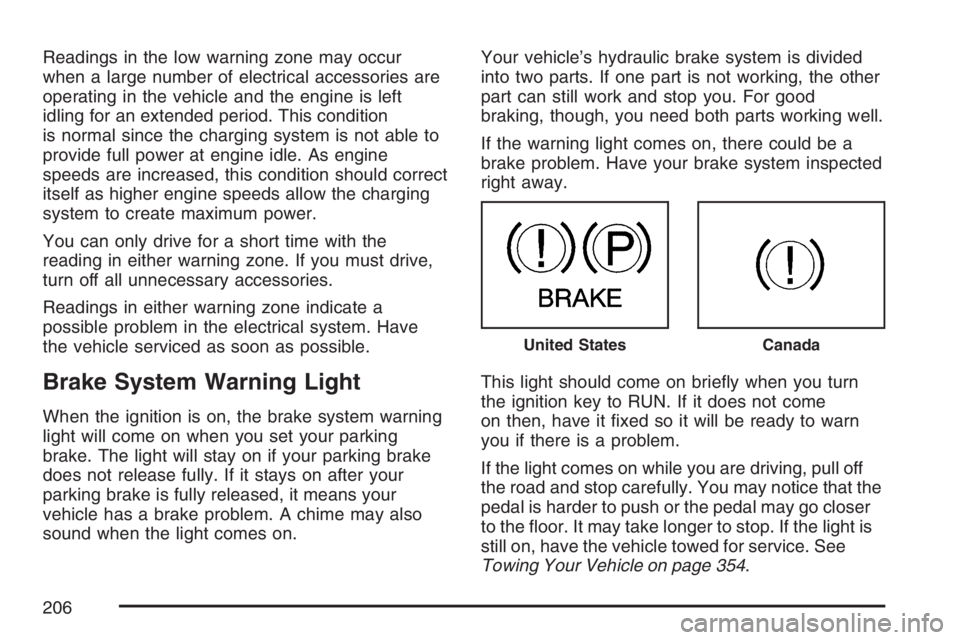
Brake System Warning Light
When the ignition is on, the brake system warning
light will come on when you set your parking
brake. The light will stay on if your parking brake
does not release fully. If it stays on after your
parking brake is fully released, it means your
vehicle has a brake problem. A chime may also
sound when the light comes on.Your vehicle’s hydraulic brake system is divided
into two parts. If one part is not working, the other
part can still work and stop you. For good
braking, though, you need both parts working well.
If the warning light comes on, there could be a
brake problem. Have your brake system inspected
right away.
This light should come on briey when you turn
the ignition key to RUN. If it does not come
on then, have it xed so it will be ready to warn
you if there is a problem.
If the light comes on while you are driving, pull off
the road and stop carefully. You may notice that the
pedal is harder to push or the pedal may go closer
to the oor. It may take longer to stop. If the light is
still on, have the vehicle towed for service. See
Towing Your Vehicle on page 354.
United StatesCanada
206