ECO mode GMC ENVOY 2008 Owner's Guide
[x] Cancel search | Manufacturer: GMC, Model Year: 2008, Model line: ENVOY, Model: GMC ENVOY 2008Pages: 468, PDF Size: 2.64 MB
Page 202 of 468
Radio Data System (RDS)
The audio system has a Radio Data System (RDS).
RDS features are available for use only on FM stations
that broadcast RDS information.
With RDS, the radio can do the following:
Seek to stations broadcasting the selected type of
programming.
Receive announcements concerning local and
national emergencies.
Display messages from radio stations.
This system relies upon receiving specic information
from these stations and only works when the information
is available. In rare cases, a radio station can broadcast
incorrect information that causes the radio features
to work improperly. If this happens, contact the radio
station.
While the radio is tuned to an RDS station, the station
name or call letters display instead of the frequency.
RDS stations can also provide the time of day, a
program type (PTY) for current programming, and
the name of the program being broadcast.
Playing the Radio
PWR (Power):Push to turn the system on and off.
opVOL or VOLUME:Turn clockwise or
counterclockwise to increase or to decrease the volume.
DISPL (Display) or INFO (Information):While the
ignition is off, press the DISPL or INFO knob to display
the time.
For RDS, press the DISPL or INFO knob to change
what displays while using RDS. The display options are
station name, RDS station frequency, PTY (program
type), and the name of the program (if available).
For XM™ (if equipped), press the DISPL or INFO knob
while in XM™ mode to retrieve four different categories
of information related to the current song or channel:
Artist, Song Title, Category or PTY, Channel
Number/Channel Name.
To change the default on the display, press the DISPL
or INFO knob until you see the desired display, then
briey press and hold the knob until a beep is heard.
The selected display becomes the default.
3-68
Page 206 of 468
SCAN:Scan the stations within a PTY by performing
the following:
1. Press the TYPE button to activate program type
select mode. TYPE or P-TYPE and the last
selected PTY displays.
2. Turn the TYPE knob or press and release the
TYPE button to select a PTY.
3. Once the desired PTY displays, press and hold
either SCAN or TYPE arrow for two seconds, and the
radio begins scanning the stations in the PTY.
4. Press either SCAN or TYPE arrow to stop scanning.
BAND (Alternate Frequency):Alternate frequency
lets the radio switch to a stronger station with the same
program type. To turn alternate frequency on, press
and hold BAND for two seconds. AF ON displays. The
radio can switch to stations with a stronger frequency.
To turn alternate frequency off, press and hold
BAND again for two seconds. AF OFF displays.
The radio does not switch to other stations.
This function does not apply for XM™ Satellite Radio
Service.Finding a Program Type (PTY) Station
(RDS and XM™)
For the MP3 Radio, select and nd a desired PTY by
performing the following steps:
1. Turn the P-TYPE knob to select a PTY.
2. Press the SEEK TYPE button to select and go to
the PTY’s rst station.
3. Press the SEEK TYPE button twice to display the
PTY and then go to another station.
4. Press the P-TYPE knob to exit program type
select mode.
IF PTY times out and no longer displays, go back to
Step 1.
If both PTY and TRAF are on, the radio searches
for stations with the selected PTY and traffic
announcements.
If the radio cannot nd the desired program type, NONE
displays and the radio returns to the last station.
3-72
Page 210 of 468
For vehicles that have a radio with a Six-Disc CD
player, see the following:
LOAD:Press to load CDs into the CD player. This CD
player holds up to six CDs.
To insert one CD, do the following:
1. Turn the ignition on.
2. Press and release the LOAD button.
3. Wait for the indicator light, located to the right of the
slot, to turn green.
4. Load a CD. Insert the CD part way into the slot,
label side up. The player pulls the CD in.
To insert multiple CDs, do the following:
1. Turn the ignition on.
2. Press and hold the LOAD button for two seconds.
A beep sounds and the indicator light, located to
the right of the slot, begins to ash and MULTI
LOAD # displays.
3. Once the light stops ashing and turns green,
INSERT CD # displays, load a CD. Insert the CD part
way into the slot, label side up. The player pulls the
CD in.
Once the CD is loaded, the indicator light begins
ashing again. Once the light stops ashing and
turns green, you can load another CD. The CD player
takes up to six CDs. Do not try to load more than six.To load more than one CD but less than six, complete
Steps 1 through 3. When nished loading CDs,
press the LOAD button to cancel the loading function.
The radio begins to play the last CD loaded.
If more than one CD has been loaded, a number for
each CD displays.
Playing a Specic Loaded CD
For every CD loaded, a number displays. To play a
specic CD, rst press the CD AUX button (if not already
in CD mode), then press the numbered pushbutton
that corresponds to the CD. A small bar displays under
the CD number that is playing and the track number
displays.
Z(Eject) (Base or MP3 Radio):Press to eject a
CD. Eject can be activated with either the ignition
or radio off. CDs can be loaded with the radio and
ignition off if this button is pressed rst.
CD
Z(Eject):Press to eject CD(s).
To eject the CD that is currently playing, press and
release this button.
3-76
Page 213 of 468
©SCAN¨:To scan one CD, press and hold either
SCAN, or depending on the radio, the TYPE arrow
for more than two seconds until SCAN or TRACK SCAN
displays and a beep is heard. The radio goes to the
next track, plays for 10 seconds, then goes to the next
track. Press either SCAN or depending on the radio,
TYPE arrow again, to stop scanning.
To scan all loaded CDs, press and hold either SCAN
arrow for more than four seconds until ALL CD SCAN
displays and a beep sounds. Use this feature to listen to
10 seconds of the rst track of each loaded CD. Press
either SCAN arrow again, to stop scanning.
oTUNEp(MP3 Radio):Turning this knob fast
tracks reverse or advances through tracks. The track
number displays for each track.
DISPL (Display) or INFO (Information):Press to see
how long the current track has been playing. ET and/or
the elapsed time displays. To change the default on the
display, track, or elapsed time, press until the desired
display appears, then press and hold briey until a beep
sounds. The selected display becomes the default.
BAND:Press to listen to the radio when a CD is
playing. The inactive CD(s) remains inside the radio for
future listening.
CD AUX (Auxiliary):Press to play a CD while listening
to the radio, or to listen to an auxiliary source (such
as rear seat entertainment, if equipped).
Using Song List Mode
The six-disc CD changer has a feature called song list.
This feature is capable of saving 20 track selections.
To save tracks into the song list feature, perform
the following steps:
1. Turn the CD player on and load it with at least one
CD. See “LOAD CD” listed previously in this section
for more information.
2. Check to see that the CD changer is not in song list
mode. S-LIST should not appear on the display.
If S-LIST displays, press the SONG LIST button
to turn it off.
3. Select the desired CD by pressing the numbered
pushbutton and then use the right SEEK or TYPE
arrow to locate the track to be saved. The track
begins to play.
4. Press and hold the SONG LIST button to save the
track into memory. When SONG LIST is pressed,
one beep sounds. After two seconds of continuously
pressing the SONG LIST button, two beeps
sound to conrm the track has been saved.
5. Repeat Steps 3 and 4 for saving other selections.
S-LIST FULL displays if more than 20 selections
are saved.
3-79
Page 214 of 468
To play the song list, press the SONG LIST button.
One beep sounds and S-LIST displays. The recorded
tracks begin to play in the order they were saved.
Seek through the song list by using either SEEK or
TYPE arrow. Seeking past the last saved track returns
to the rst saved track.
To delete tracks from the song list, perform the following
steps:
1. Turn the CD player on.
2. Press the SONG LIST button to turn song list on.
S-LIST displays.
3. Press either SEEK or TYPE arrow to select the
desired track to be deleted.
4. Press and hold the SONG LIST button for
two seconds. When SONG LIST is pressed,
one beep sounds. After two seconds of continuously
pressing the SONG LIST button, two beeps
sound to conrm that the track has been deleted.
After a track has been deleted, the remaining tracks
are moved up the list. When another track is added to
the song list, the track is added to the end of the list.To delete the entire song list, perform the following
steps:
1. Turn the CD player on.
2. Press the SONG LIST button to turn song list on.
S-LIST displays.
3. Press and hold the SONG LIST button for more
than four seconds. One beep sounds, followed by
two beeps after two seconds, and a nal beep
sounds after four seconds. S-LIST EMPTY displays
indicating the song list has been deleted.
If a CD is ejected, and the song list contains saved
tracks from that CD, those tracks are automatically
deleted from the song list. Any tracks saved to the
song list again are added to the bottom of the list.
To end song list mode, press the SONG LIST button.
One beep sounds and S-LIST is removed from the
display.
Playing an MP3/WMA CD-R Disc
Your vehicle’s radio system may have the MP3/WMA
feature. If it has this feature, it is capable of playing
an MP3/WMA CD-R disc. For more information on how
to play an MP3/WMA CD-R disc, seeUsing an MP3
on page 3-82later in this section.
3-80
Page 217 of 468
No Folder
When the CD contains only compressed les, the les
are located under the root folder. The next and previous
folder functions do not function on a CD that was
recorded without folders or playlists. When displaying
the name of the folder the radio displays ROOT.
When the CD contains only playlists and compressed
audio les, but no folders, all les are located under the
root folder. The folder down and the folder up buttons
search playlists (Px) rst and then goes to the root
folder. When the radio displays the name of the folder
the radio displays ROOT.
Order of Play
Tracks are played in the following order:
If CD audio tracks are available they will be played
rst, otherwise play begins from the rst track in
the rst playlist and continues sequentially through
all tracks in each playlist. When the last track of
the last playlist has played, play continues from the
rst track of the rst playlist.
If the CD does not contain any playlists, then play
begins from the rst track under the root directory.
When all tracks from the root directory have played,
play continues from les according to their numerical
listing. After playing the last track from the last folder,
play begins again at the rst track of the rst folder or
root directory.When play enters a new folder, the display does not
automatically show the new folder name unless the folder
mode has been chosen as the default display. See DISPL
(display) later in this section for more information.
The new track name displays.
File System and Naming
The song name that displays is the song name that is
contained in the ID3 tag. If the song name is not present
in the ID3 tag, then the radio displays the le name
without the extension (such as .mp3) as the track name.
Track names longer than 32 characters or four pages
are shortened. Parts of words on the last page of
text and the extension of the le name does not display.
Preprogrammed Playlists
Preprogrammed playlists that were created using
WinAmp™, MusicMatch™, or Real Jukebox™ software
can be accessed, however, they cannot be edited
using the radio. These playlists are treated as special
folders containing compressed audio song les.
3-83
Page 218 of 468
Playing an MP3/WMA
Insert a CD partway into the slot, label side up. The
player pulls it in, and READING displays. The CD should
begin playing and the CD symbol displays. To insert a
CD while the ignition is off, rst press the
Zbutton
or the DISPL knob.
If the ignition or radio is turned off with a CD in the
player it stays in the player. When the ignition or radio
is turned on, the CD starts to play where it stopped,
if it was the last selected audio source.
As each new track starts to play, the track number and
song title displays.
1 FLD
x(Previous Folder):Press this button to go
to the rst track in the previous folder. Press this button
while in folder random mode to go to the rst track in
the previous folder and random the tracks in that folder.
2 FLD
w(Next Folder):Press this button to go to
the rst track in the next folder. Press this button while
in folder random mode to go to the rst track in the
next folder and random the tracks in that folder.
3 REV (Reverse):Press and hold this pushbutton
to reverse quickly within a track. Press and hold
this pushbutton for less than two seconds to
reverse at 10 times the normal playing speed.Press and hold it for more than two seconds to reverse
at 20 times the normal playing speed. Release this
pushbutton to play the passage. REV and the elapsed
time of the track displays.
4 FWD (Forward):Press and hold this pushbutton
to advance quickly within a track. Press and hold this
pushbutton for less than two seconds to advance at
10 times the normal playing speed. Press and hold it
for more than two seconds to advance at 20 times the
normal playing speed. Release this pushbutton to play
the passage. FWD and the elapsed time of the track
displays.
6 RDM (Random):Press and release this pushbutton
to play the tracks of a current folder or playlist, in random
order. FLDR RDM displays. Once all of the tracks a
current folder or playlist have played the system moves
on to the next folder or playlist and play all of the tracks
in random order.
To play all tracks on the CD in random order, press and
hold this pushbutton for two seconds. A beep sounds and
DISC RDM displays. This feature does not work with
playlists.
When in random, press and release either SEEK arrow to
go to the next or previous random track.
Press and release this pushbutton again to turn off
random play. NO RDM displays.
3-84
Page 219 of 468
oSEEKp:Press the left SEEK arrow to go to the
start of the previous track. Press the right SEEK arrow
to go to the start of the next track. Press either SEEK
arrow for more than two seconds to search the previous
or next tracks at two tracks per second. Release the
button to stop searching and to play the track.
oTUNEp:Turn the knob to fast track reverse or
advance through the tracks in all folders or playlists.
The track number and le name displays for each track.
Turn this knob while in random to fast track reverse
or advance the tracks in sequential order.
DISPL (Display):Press this knob to switch between
track mode, folder/playlist mode, and time of day mode.
The display shows only eight characters, but there can
be up to four pages of text. If there are more than eight
characters in the song, folder, or playlist name, they are
displayed if the knob is not pressed again, pressing this
knob within two seconds goes to the next display mode.
Track mode displays the current track number and
the ID3 tag song name.
Folder/playlist mode displays the current folder or
playlist number and the folder/playlist name.
Time of day mode displays the time of day and the
ID3 tag song name.To change the default on the display, press the DISPL
knob until the desired display appears, then press and
hold this knob for two seconds. The radio produces one
beep and the selected display becomes the default.
INFO (Information):INFO displays when a current
track has ID3 tag information. Press this button
to display the artist name and album contained in
the tag. INFO disappears from the display when the
information in the ID3 tag has nished.
BAND:Press this button to listen to the radio when a
CD is playing. The inactive CD remains inside the radio
for future listening.
CD AUX (Auxiliary):Press this button to play a CD
when listening to the radio. The CD symbol displays
when a CD is loaded.
Z(Eject):Press this button to eject a CD. Eject can
activate while either the ignition or the radio is off. CDs
can be loaded while the ignition and the radio is off if this
button is pressed rst.
3-85
Page 226 of 468
y(Main DVD Menu):Press to access the DVD menu.
The DVD menu is different on every DVD. Use the
navigation arrows to move the cursor around the DVD
menu. After making a selection press the enter button.
This button only operates when playing a DVD.
z(Set-up Menu):Press to adjust the color, tint,
brightness, contrast, display mode, and dynamic range
compression. The dynamic range compression feature
can be used to reduce loud audio and increase low audio
produced by some DVDs.
To change a feature back to the factory default setting,
press this button to display the feature, then press and
hold until the default setting displays.
While playing an Audio or DVD disc, press and hold
this button to display and to remove the track and time
information.
n,q,p,o(Menu Navigation Arrows):Use the
arrows to navigate through a menu.
r(Enter):Press to select the choices that are
highlighted in any menu.
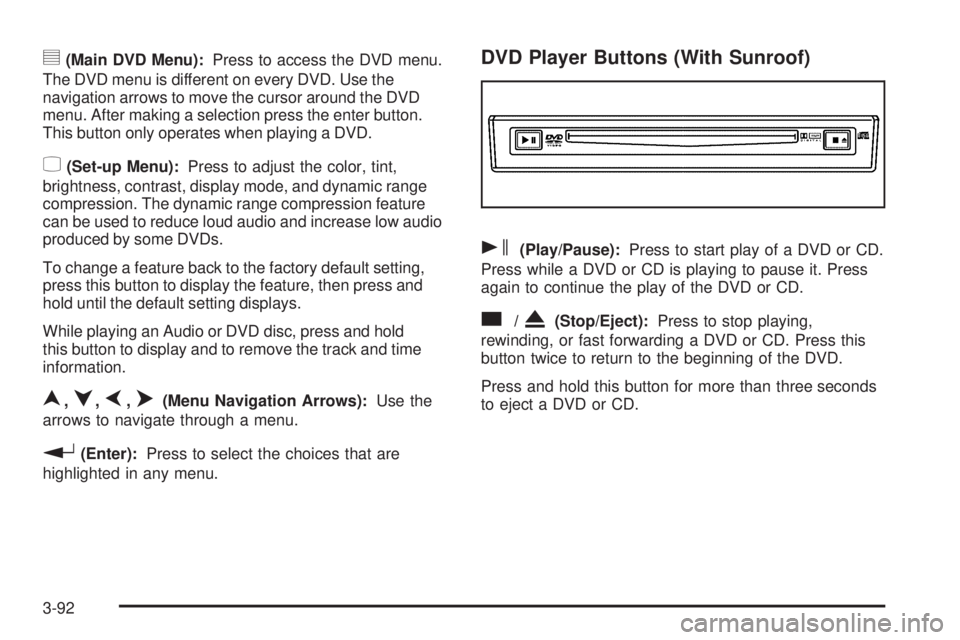
DVD Player Buttons (With Sunroof)
s(Play/Pause):Press to start play of a DVD or CD.
Press while a DVD or CD is playing to pause it. Press
again to continue the play of the DVD or CD.
c/X(Stop/Eject):Press to stop playing,
rewinding, or fast forwarding a DVD or CD. Press this
button twice to return to the beginning of the DVD.
Press and hold this button for more than three seconds
to eject a DVD or CD.
3-92
Page 229 of 468
z(Set-up Menu):Press to adjust the color, tint,
brightness, contrast, display mode, and dynamic range
compression. The dynamic range compression feature
can be used to reduce loud audio and increase low audio
produced by some DVDs.
e(Audio):Press to display a menu that only appears
while a DVD is being played. The format and content
of this function will vary for each disc.
r(Fast Reverse):Press to fast reverse the DVD or
CD. To stop fast reversing, press again. This button
might not work when the DVD is playing the copyright
information or the previews.
SRCE (Source):Press to switch between the DVD
player and an auxiliary source.
c(Stop):Press to stop playing, rewinding, or fast
forwarding a DVD or CD. Press twice to return to
the beginning of the DVD.
t(Previous Track/Chapter):Press to return to the
start of the current track or chapter. Press again to return
to the previous track or chapter. This button might not
work while the DVD is playing the copyright information
or the previews.
1 through 0 (Numeric Keypad):The numeric keypad
provides you with the capability of direct chapter,
title, and track number selection.
}10 (Double Digit Entries):Press to select chapter,
title, and track numbers greater than 9. Press before
inputting the number.
\(Clear):Press within three seconds to clear a
number that has been entered.
P(Illumination):Press to turn the remote control
backlight on. The backlight times out after about
7 to 10 seconds if no other button is pressed while
the backlight is on.
y(Main DVD Menu):Press to access the DVD menu.
The DVD menu is different on every DVD. Use the
navigation arrows to move the cursor around the DVD
menu. After making a selection press the enter button.
This button only operates when playing a DVD.
r(Enter):Press to select the choices that are
highlighted in any menu.
q(Return):Press to exit the current active menu
and return to the previous menu. This button operates
only when a DVD is playing and a menu is active.
|(Camera Angle):Press to change camera angles
on DVDs that have this feature when a DVD is playing.
The format and content of this function will vary for
each disc.
3-95