light GMC ENVOY 2008 Owner's Guide
[x] Cancel search | Manufacturer: GMC, Model Year: 2008, Model line: ENVOY, Model: GMC ENVOY 2008Pages: 468, PDF Size: 2.64 MB
Page 128 of 468
3. At the same time, press and hold both the Universal
Home Remote button that you would like to use
to control the garage door and the hand-held
transmitter button. Do not release the Universal
Home Remote button or the hand-held transmitter
button until Step 4 has been completed.
Some entry gates and garage door openers may
require you to substitute Step 3 with the procedure
noted in “Gate Operator and Canadian
Programming” later in this section.
4. The indicator light on the Universal Home Remote
will ash slowly at rst and then rapidly after
Universal Home Remote successfully receives the
frequency signal from the hand-held transmitter.
Release both buttons.5. Press and hold the newly-trained Universal Home
Remote button and observe the indicator light.
If the indicator light stays on continuously,
the programming is complete and your garage door
should move when the Universal Home Remote
button is pressed and released. You do not need to
continue the programming Steps 6 through 8 and
can stop here.
If the Universal Home Remote indicator light blinks
rapidly for two seconds and then turns to a constant
light, continue with the programming Steps 6
through 8.
It may be helpful to have another person available
to assist with the remaining steps.
2-54
Page 130 of 468
Gate Operator and Canadian
Programming
If you have questions or need help programming the
Universal Home Remote System, call 1-800-355-3515
or go to www.homelink.com.
Canadian radio-frequency laws require transmitter
signals to time out or quit after several seconds of
transmission. This may not be long enough for Universal
Home Remote to pick up the signal during programming.
Similarly, some U.S. gate operators are manufactured
to time out in the same manner.
If you live in Canada, or you are having difficulty
programming a gate operator or garage door opener
by using the “Programming Universal Home Remote”
procedures, regardless of where you live, replace Step 3
under “Programming Universal Home Remote” with
the following:
Continue to press and hold the Universal Home Remote
button while you press and release every two seconds
(cycle) the hand-held transmitter button until the
frequency signal has been successfully accepted by the
Universal Home Remote. The Universal Home Remote
indicator light will ash slowly at rst and then rapidly.
Proceed with Step 4 under “Programming Universal
Home Remote” to complete.
Using Universal Home Remote
Press and hold the appropriate Universal Home Remote
button for at least half of a second. The indicator light
will come on while the signal is being transmitted.
Erasing Universal Home Remote
Buttons
Erase the programmed buttons when you sell or
terminate your lease.
To erase all programmed buttons on the Universal
Home Remote device:
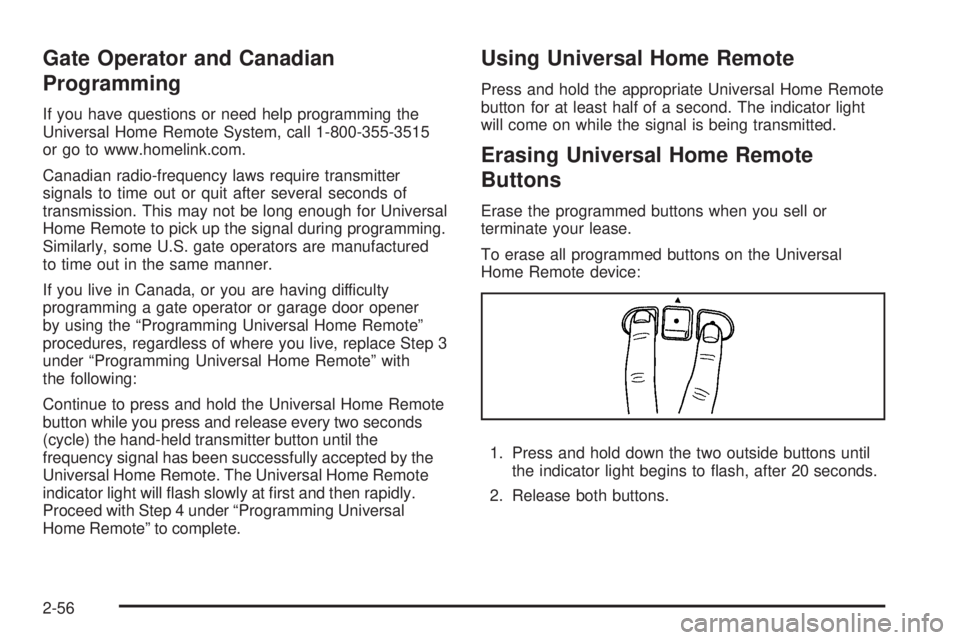
1. Press and hold down the two outside buttons until
the indicator light begins to ash, after 20 seconds.
2. Release both buttons.
2-56
Page 133 of 468
Rear Floor Storage Lid
{CAUTION:
If any removable convenience item is not
secured properly, it can move around in a
collision or sudden stop. People in the vehicle
could be injured. Be sure to secure any such
item properly.
Your vehicle has a rear cargo area with a removable
storage lid.
To remove the rear oor storage lid:
1. Press the latch release and lift up the latch handle.
2. Raise the lid slightly to unhook it.
3. Pull the lid toward you to release it from the forward
mounting tabs.
To reinstall the rear oor storage lid, reverse the
previous steps. Make sure the lid is secure by applying
slight pressure to the latch until you hear it click.
Convenience Net
Your vehicle may have a convenience net in the rear of
the vehicle. Store small loads as far forward as possible.
The net should not be used to store heavy loads.
Cargo Cover
If your vehicle has a cargo cover, you can use it to
cover items in the cargo area of your vehicle.
To install the cargo cover:
1. Align the endcap with the pocket in the trim panel
located behind the rear seat.
2. Squeeze the opposite endcap, align it with the
pocket located on the opposite side of the trim
panel and release.
3. Grasp the handle and unroll the cover.
4. Latch the posts into the sockets on the inside of the
vehicle to secure it.
2-59
Page 135 of 468
Instrument Panel Overview...............................3-4
Hazard Warning Flashers................................3-6
Other Warning Devices...................................3-6
Horn.............................................................3-6
Tilt Wheel.....................................................3-6
Turn Signal/Multifunction Lever.........................3-7
Turn and Lane-Change Signals........................3-7
Headlamp High/Low-Beam Changer..................3-8
Flash-to-Pass.................................................3-8
Windshield Wipers..........................................3-9
Windshield Washer.........................................3-9
Rear Window Wiper/Washer...........................3-10
Headlamp Washer........................................3-11
Cruise Control..............................................3-11
Headlamps..................................................3-14
Headlamps on Reminder................................3-15
Daytime Running Lamps (DRL).......................3-15
Automatic Headlamp System..........................3-15
Fog Lamps..................................................3-16
Instrument Panel Brightness...........................3-17
Dome Lamps...............................................3-17
Dome Lamp Override....................................3-17
Entry Lighting...............................................3-18
Exit Lighting.................................................3-18
Reading Lamps............................................3-18
Electric Power Management...........................3-18
Battery Run-Down Protection..........................3-19Accessory Power Outlet(s).............................3-20
Ashtray(s) and Cigarette Lighter......................3-20
Climate Controls............................................3-21
Dual Climate Control System..........................3-21
Dual Automatic Climate Control System...........3-23
Outlet Adjustment.........................................3-28
Rear Climate Control System.........................3-28
Warning Lights, Gages, and Indicators............3-30
Instrument Panel Cluster................................3-31
Speedometer and Odometer...........................3-32
Trip Odometer..............................................3-32
Tachometer.................................................3-32
Safety Belt Reminders...................................3-32
Airbag Readiness Light..................................3-33
Passenger Airbag Status Indicator...................3-34
Charging System Light..................................3-36
Voltmeter Gage............................................3-37
Brake System Warning Light..........................3-38
Antilock Brake System Warning Light...............3-39
StabiliTrak
®Service Light...............................3-39
StabiliTrak®Indicator Light..............................3-40
Engine Coolant Temperature Gage..................3-40
Tire Pressure Light.......................................3-41
Malfunction Indicator Lamp.............................3-41
Oil Pressure Gage........................................3-44
Change Engine Oil Light................................3-45
Section 3 Instrument Panel
3-1
Page 136 of 468
Security Light...............................................3-46
Cruise Control Light......................................3-46
Reduced Engine Power Light.........................3-46
Highbeam On Light.......................................3-47
Service Four-Wheel Drive Warning Light..........3-47
Check Gages Warning Light...........................3-47
Gate Ajar Light.............................................3-48
Fuel Gage...................................................3-48
Low Fuel Warning Light.................................3-49
Check Gas Cap Light....................................3-49
Driver Information Center (DIC).......................3-49
DIC Operation and Displays...........................3-50
DIC Warnings and Messages.........................3-53
DIC Vehicle Customization.............................3-58Audio System(s).............................................3-65
Setting the Clock..........................................3-66
Radio(s)......................................................3-66
Using an MP3..............................................3-82
XM Radio Messages.....................................3-86
Navigation/Radio System...............................3-87
Rear Seat Entertainment (RSE) System...........3-87
Rear Seat Audio (RSA)................................3-100
Theft-Deterrent Feature................................3-101
Audio Steering Wheel Controls......................3-101
Radio Reception.........................................3-102
Fixed Mast Antenna....................................3-103
XM™ Satellite Radio Antenna System............3-103
Chime Level Adjustment...............................3-103
Section 3 Instrument Panel
3-2
Page 139 of 468
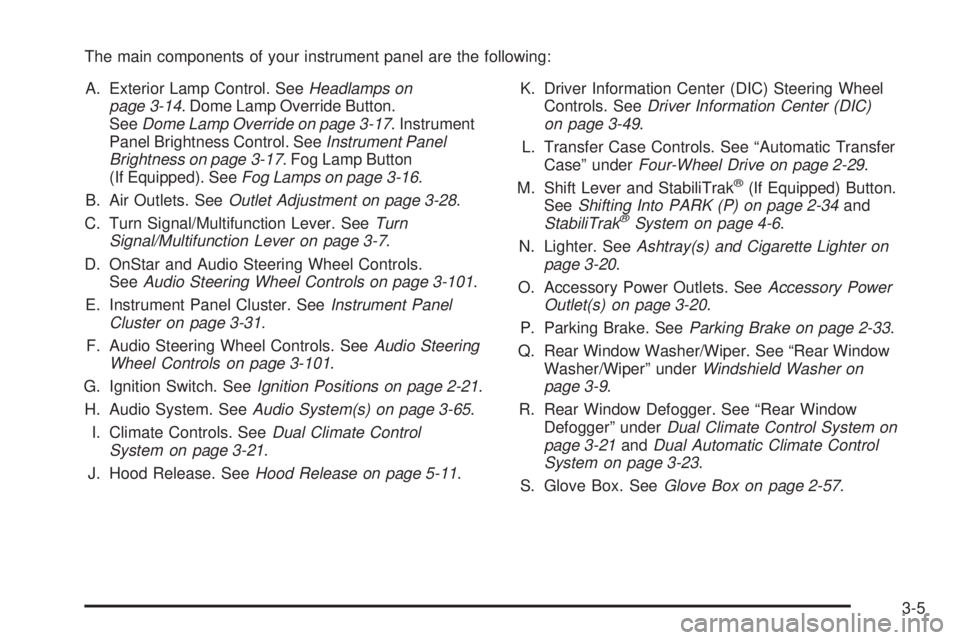
The main components of your instrument panel are the following:
A. Exterior Lamp Control. SeeHeadlamps on
page 3-14. Dome Lamp Override Button.
SeeDome Lamp Override on page 3-17. Instrument
Panel Brightness Control. SeeInstrument Panel
Brightness on page 3-17. Fog Lamp Button
(If Equipped). SeeFog Lamps on page 3-16.
B. Air Outlets. SeeOutlet Adjustment on page 3-28.
C. Turn Signal/Multifunction Lever. SeeTurn
Signal/Multifunction Lever on page 3-7.
D. OnStar and Audio Steering Wheel Controls.
SeeAudio Steering Wheel Controls on page 3-101.
E. Instrument Panel Cluster. SeeInstrument Panel
Cluster on page 3-31.
F. Audio Steering Wheel Controls. SeeAudio Steering
Wheel Controls on page 3-101.
G. Ignition Switch. SeeIgnition Positions on page 2-21.
H. Audio System. SeeAudio System(s) on page 3-65.
I. Climate Controls. SeeDual Climate Control
System on page 3-21.
J. Hood Release. SeeHood Release on page 5-11.K. Driver Information Center (DIC) Steering Wheel
Controls. SeeDriver Information Center (DIC)
on page 3-49.
L. Transfer Case Controls. See “Automatic Transfer
Case” underFour-Wheel Drive on page 2-29.
M. Shift Lever and StabiliTrak
®(If Equipped) Button.
SeeShifting Into PARK (P) on page 2-34and
StabiliTrak
®System on page 4-6.
N. Lighter. SeeAshtray(s) and Cigarette Lighter on
page 3-20.
O. Accessory Power Outlets. SeeAccessory Power
Outlet(s) on page 3-20.
P. Parking Brake. SeeParking Brake on page 2-33.
Q. Rear Window Washer/Wiper. See “Rear Window
Washer/Wiper” underWindshield Washer on
page 3-9.
R. Rear Window Defogger. See “Rear Window
Defogger” underDual Climate Control System on
page 3-21andDual Automatic Climate Control
System on page 3-23.
S. Glove Box. SeeGlove Box on page 2-57.
3-5
Page 142 of 468
Turn Signal On Chime
A chime sounds if the turn signal has been on
3/4 of a mile (1.2 km). Move the turn signal lever to off.
Headlamp High/Low-Beam Changer
To change the headlamps from low to high beam,
push the lever toward the instrument panel. To return
to low-beam headlamps, pull the multifunction lever
toward you. Then release it.
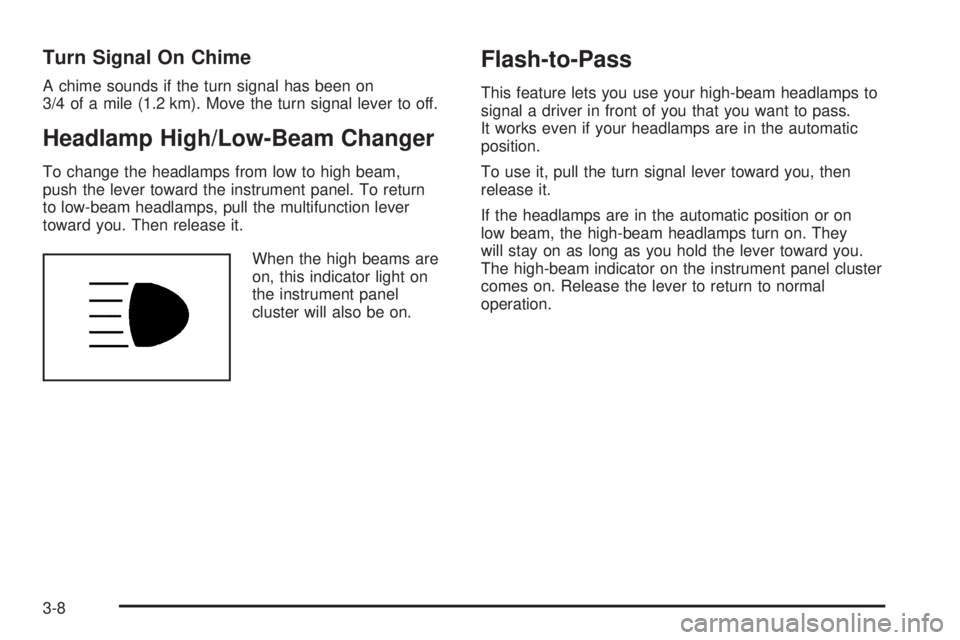
When the high beams are
on, this indicator light on
the instrument panel
cluster will also be on.
Flash-to-Pass
This feature lets you use your high-beam headlamps to
signal a driver in front of you that you want to pass.
It works even if your headlamps are in the automatic
position.
To use it, pull the turn signal lever toward you, then
release it.
If the headlamps are in the automatic position or on
low beam, the high-beam headlamps turn on. They
will stay on as long as you hold the lever toward you.
The high-beam indicator on the instrument panel cluster
comes on. Release the lever to return to normal
operation.
3-8
Page 143 of 468
Windshield Wipers
8(Mist):Turn the band to mist, for a single wiping
cycle. Hold it there until the wipers start. Then let go.
The wipers will stop after one wipe. If more wipes are
needed, hold the band on mist longer.
9(Off):Move the band to off, to stop the wipers.
N(Windshield Wipers):Turn the band to control the
windshield wipers.
The wiper speed can be set for a long or short delay
between wipes. This can be very useful in light rain or
snow. Turn the band to choose the delay time. The
closer to the top of the lever, the shorter the delay.
For steady wiping at low speed, turn the band away from
you to the rst solid band past the delay settings. For
high-speed wiping, turn the band further, to the second
solid band past the delay settings. To stop the wipers,
move the band to off.
Be sure to clear ice and snow from the wiper blades
before using them. If they are frozen to the windshield,
carefully loosen or thaw them. If the blades do become
worn or damaged, get new blades or blade inserts.
Windshield Washer
L(Windshield Washer):To spray washer uid on
the windshield, press the windshield washer paddle.
The wipers will clear the window and then either stop
or return to your preset speed.
{CAUTION:
In freezing weather, do not use your washer
until the windshield is warmed. Otherwise the
washer uid can form ice on the windshield,
blocking your vision.
3-9
Page 146 of 468
With cruise control, you can maintain a speed of about
25 mph (40 km/h) or more without keeping your foot
on the accelerator. This can really help on long
trips. Cruise control does not work at speeds below
about 25 mph (40 km/h).
If you apply the brakes, the cruise control shuts off.
{CAUTION:
Cruise control can be dangerous where you
cannot drive safely at a steady speed. So, do
not use your cruise control on winding roads
or in heavy traffic.
Cruise control can be dangerous on slippery
roads. On such roads, fast changes in tire
traction can cause excessive wheel slip, and
you could lose control. Do not use cruise
control on slippery roads.
{CAUTION:
If you leave your cruise control on when you
are not using cruise, you might hit a button
and go into cruise when you do not want to.
You could be startled and even lose control.
Keep the cruise control switch off until you
want to use cruise control.
Setting Cruise Control
1. Move the cruise control switch to on.
2. Get up to the speed you want.
3. Press the set button at the end of the lever and
release it.
4. Take your foot off the accelerator pedal.
The accelerator pedal will not go down.
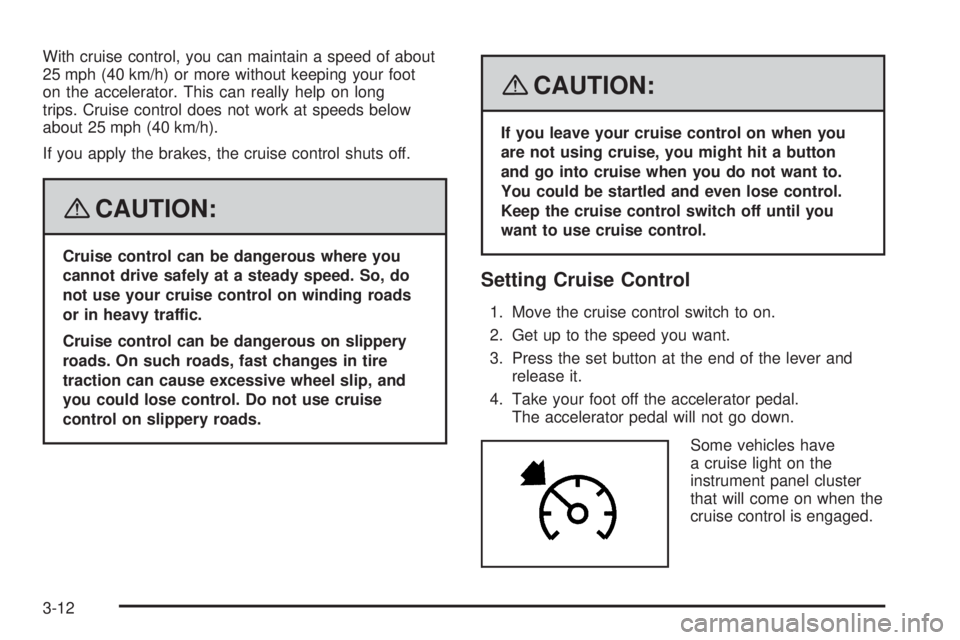
Some vehicles have
a cruise light on the
instrument panel cluster
that will come on when the
cruise control is engaged.
3-12
Page 148 of 468
Ending Cruise Control
There are three ways to turn off the cruise control:
Step lightly on the brake pedal.
Move the cruise switch to off, or
Shift the transmission to NEUTRAL (N).
Erasing Speed Memory
When you turn off the cruise control or the ignition,
the cruise control set speed memory is erased.
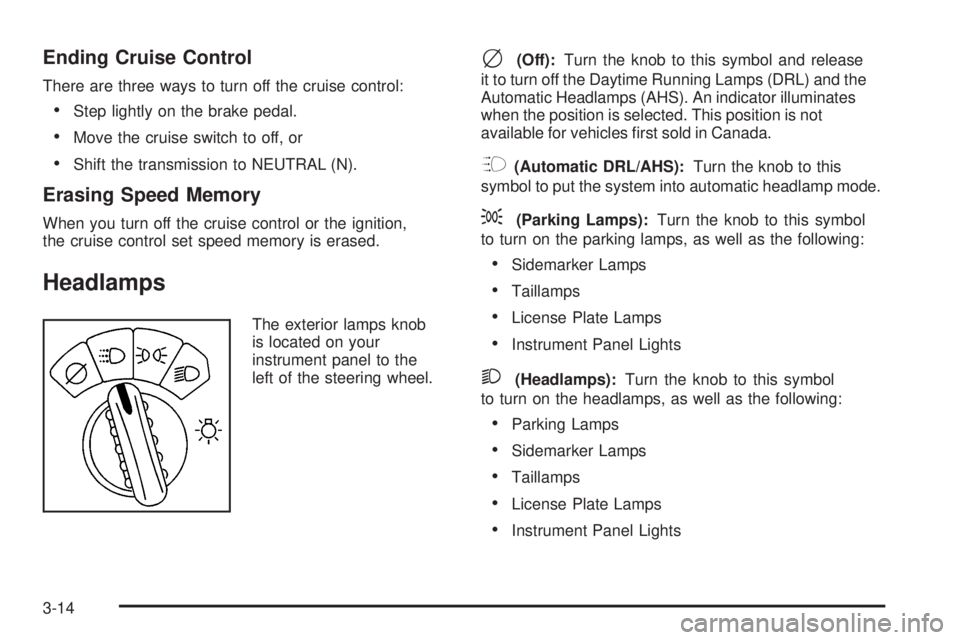
Headlamps
The exterior lamps knob
is located on your
instrument panel to the
left of the steering wheel.
c(Off):Turn the knob to this symbol and release
it to turn off the Daytime Running Lamps (DRL) and the
Automatic Headlamps (AHS). An indicator illuminates
when the position is selected. This position is not
available for vehicles rst sold in Canada.
?(Automatic DRL/AHS):Turn the knob to this
symbol to put the system into automatic headlamp mode.
;(Parking Lamps):Turn the knob to this symbol
to turn on the parking lamps, as well as the following:
Sidemarker Lamps
Taillamps
License Plate Lamps
Instrument Panel Lights
2(Headlamps):Turn the knob to this symbol
to turn on the headlamps, as well as the following:
Parking Lamps
Sidemarker Lamps
Taillamps
License Plate Lamps
Instrument Panel Lights
3-14