page 5 GMC ENVOY 2008 Workshop Manual
[x] Cancel search | Manufacturer: GMC, Model Year: 2008, Model line: ENVOY, Model: GMC ENVOY 2008Pages: 468, PDF Size: 2.64 MB
Page 118 of 468
Passenger Airbag Indicator
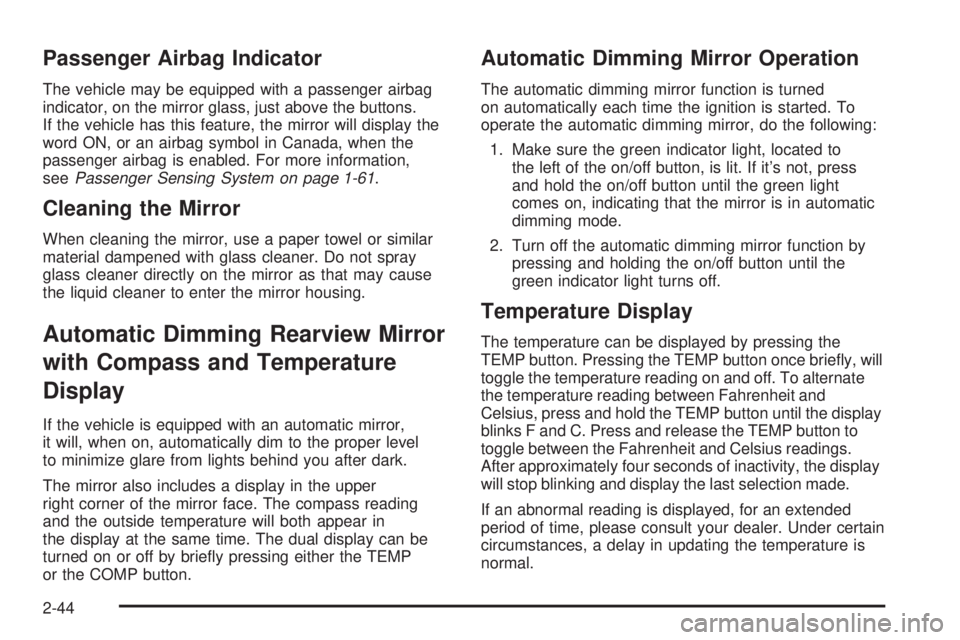
The vehicle may be equipped with a passenger airbag
indicator, on the mirror glass, just above the buttons.
If the vehicle has this feature, the mirror will display the
word ON, or an airbag symbol in Canada, when the
passenger airbag is enabled. For more information,
seePassenger Sensing System on page 1-61.
Cleaning the Mirror
When cleaning the mirror, use a paper towel or similar
material dampened with glass cleaner. Do not spray
glass cleaner directly on the mirror as that may cause
the liquid cleaner to enter the mirror housing.
Automatic Dimming Rearview Mirror
with Compass and Temperature
Display
If the vehicle is equipped with an automatic mirror,
it will, when on, automatically dim to the proper level
to minimize glare from lights behind you after dark.
The mirror also includes a display in the upper
right corner of the mirror face. The compass reading
and the outside temperature will both appear in
the display at the same time. The dual display can be
turned on or off by briey pressing either the TEMP
or the COMP button.
Automatic Dimming Mirror Operation
The automatic dimming mirror function is turned
on automatically each time the ignition is started. To
operate the automatic dimming mirror, do the following:
1. Make sure the green indicator light, located to
the left of the on/off button, is lit. If it’s not, press
and hold the on/off button until the green light
comes on, indicating that the mirror is in automatic
dimming mode.
2. Turn off the automatic dimming mirror function by
pressing and holding the on/off button until the
green indicator light turns off.
Temperature Display
The temperature can be displayed by pressing the
TEMP button. Pressing the TEMP button once briey, will
toggle the temperature reading on and off. To alternate
the temperature reading between Fahrenheit and
Celsius, press and hold the TEMP button until the display
blinks F and C. Press and release the TEMP button to
toggle between the Fahrenheit and Celsius readings.
After approximately four seconds of inactivity, the display
will stop blinking and display the last selection made.
If an abnormal reading is displayed, for an extended
period of time, please consult your dealer. Under certain
circumstances, a delay in updating the temperature is
normal.
2-44
Page 120 of 468
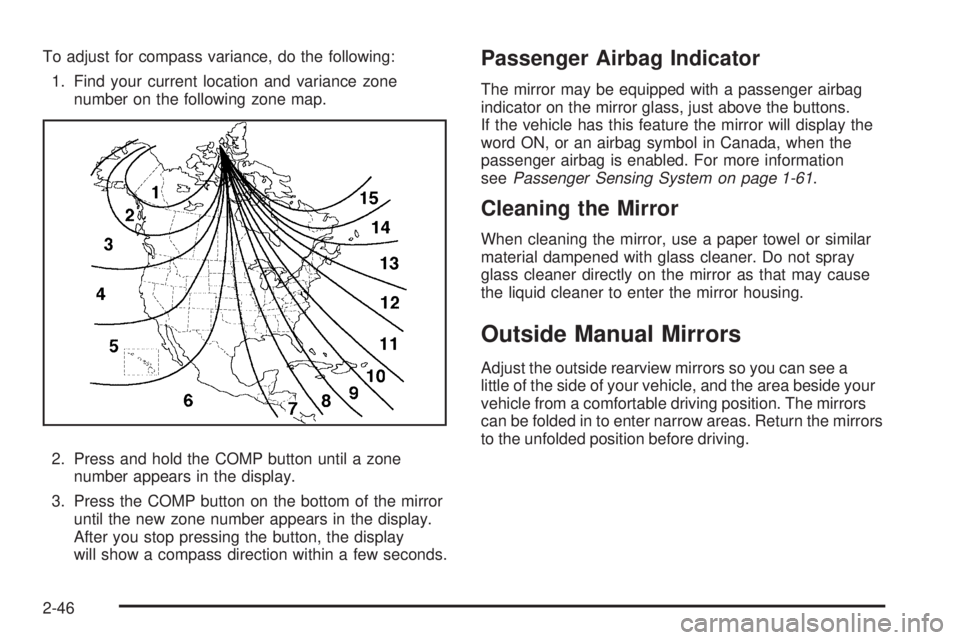
To adjust for compass variance, do the following:
1. Find your current location and variance zone
number on the following zone map.
2. Press and hold the COMP button until a zone
number appears in the display.
3. Press the COMP button on the bottom of the mirror
until the new zone number appears in the display.
After you stop pressing the button, the display
will show a compass direction within a few seconds.Passenger Airbag Indicator
The mirror may be equipped with a passenger airbag
indicator on the mirror glass, just above the buttons.
If the vehicle has this feature the mirror will display the
word ON, or an airbag symbol in Canada, when the
passenger airbag is enabled. For more information
seePassenger Sensing System on page 1-61.
Cleaning the Mirror
When cleaning the mirror, use a paper towel or similar
material dampened with glass cleaner. Do not spray
glass cleaner directly on the mirror as that may cause
the liquid cleaner to enter the mirror housing.
Outside Manual Mirrors
Adjust the outside rearview mirrors so you can see a
little of the side of your vehicle, and the area beside your
vehicle from a comfortable driving position. The mirrors
can be folded in to enter narrow areas. Return the mirrors
to the unfolded position before driving.
2-46
Page 121 of 468
Outside Power Mirrors
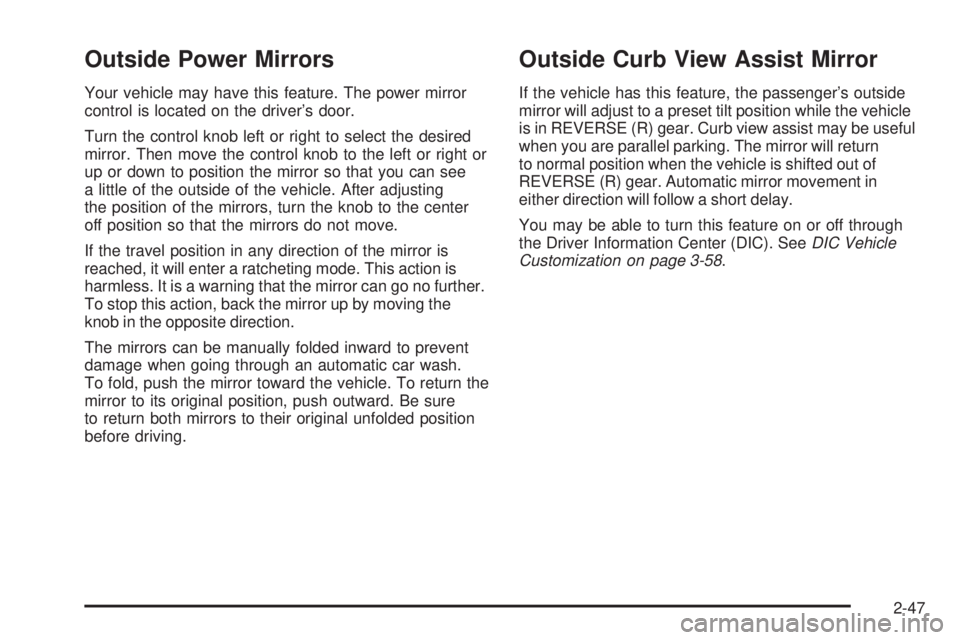
Your vehicle may have this feature. The power mirror
control is located on the driver’s door.
Turn the control knob left or right to select the desired
mirror. Then move the control knob to the left or right or
up or down to position the mirror so that you can see
a little of the outside of the vehicle. After adjusting
the position of the mirrors, turn the knob to the center
off position so that the mirrors do not move.
If the travel position in any direction of the mirror is
reached, it will enter a ratcheting mode. This action is
harmless. It is a warning that the mirror can go no further.
To stop this action, back the mirror up by moving the
knob in the opposite direction.
The mirrors can be manually folded inward to prevent
damage when going through an automatic car wash.
To fold, push the mirror toward the vehicle. To return the
mirror to its original position, push outward. Be sure
to return both mirrors to their original unfolded position
before driving.
Outside Curb View Assist Mirror
If the vehicle has this feature, the passenger’s outside
mirror will adjust to a preset tilt position while the vehicle
is in REVERSE (R) gear. Curb view assist may be useful
when you are parallel parking. The mirror will return
to normal position when the vehicle is shifted out of
REVERSE (R) gear. Automatic mirror movement in
either direction will follow a short delay.
You may be able to turn this feature on or off through
the Driver Information Center (DIC). SeeDIC Vehicle
Customization on page 3-58.
2-47
Page 124 of 468
OnStar Hands-Free Calling
OnStar Hands-Free Calling allows eligible OnStar
subscribers to make and receive calls using voice
commands. Hands-Free Calling is fully integrated into
the vehicle, and can be used with OnStar Pre-Paid
Minute Packages. Hands-Free Calling may also
be linked to a Verizon Wireless service plan in the U.S.
or a Bell Mobility service plan in Canada, depending
on eligibility. To nd out more, refer to the OnStar
Owner’s Guide in the vehicle’s glove box, visit
www.onstar.com or www.onstar.ca, or speak with
an OnStar advisor by pressing the OnStar button
or calling 1-888-4-ONSTAR (1-888-466-7827).
OnStar Virtual Advisor
OnStar Virtual Advisor is a feature of OnStar
Hands-Free Calling that uses your minutes to access
location-based weather, local traffic reports, and stock
quotes. By pressing the phone button and giving a few
simple voice commands, you can browse through the
various topics. See the OnStar Owner’s Guide for more
information (Only available in the continental U.S.).
OnStar Steering Wheel Controls
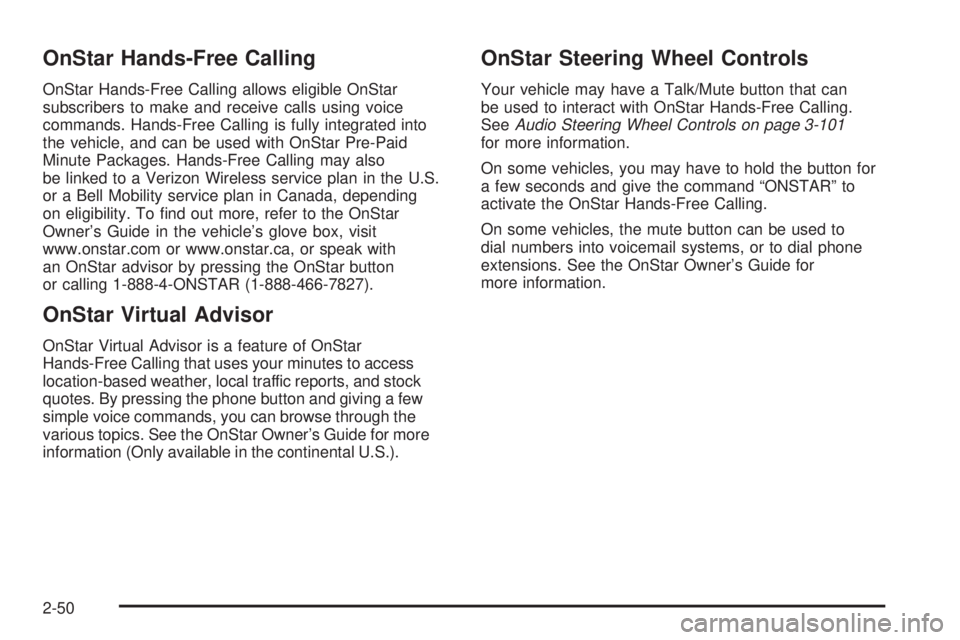
Your vehicle may have a Talk/Mute button that can
be used to interact with OnStar Hands-Free Calling.
SeeAudio Steering Wheel Controls on page 3-101
for more information.
On some vehicles, you may have to hold the button for
a few seconds and give the command “ONSTAR” to
activate the OnStar Hands-Free Calling.
On some vehicles, the mute button can be used to
dial numbers into voicemail systems, or to dial phone
extensions. See the OnStar Owner’s Guide for
more information.
2-50
Page 131 of 468
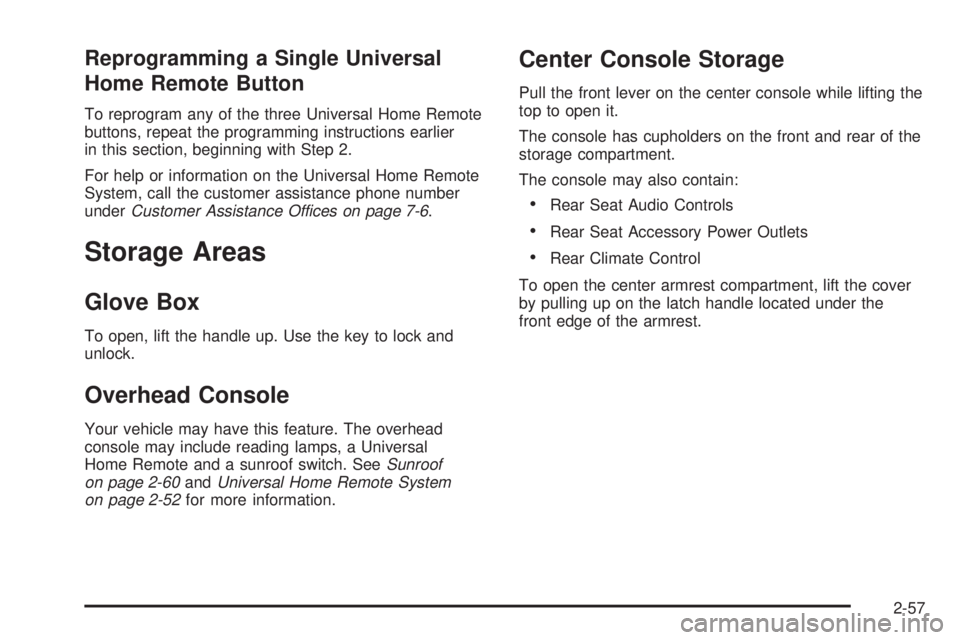
Reprogramming a Single Universal
Home Remote Button
To reprogram any of the three Universal Home Remote
buttons, repeat the programming instructions earlier
in this section, beginning with Step 2.
For help or information on the Universal Home Remote
System, call the customer assistance phone number
underCustomer Assistance Offices on page 7-6.
Storage Areas
Glove Box
To open, lift the handle up. Use the key to lock and
unlock.
Overhead Console
Your vehicle may have this feature. The overhead
console may include reading lamps, a Universal
Home Remote and a sunroof switch. SeeSunroof
on page 2-60andUniversal Home Remote System
on page 2-52for more information.
Center Console Storage
Pull the front lever on the center console while lifting the
top to open it.
The console has cupholders on the front and rear of the
storage compartment.
The console may also contain:
Rear Seat Audio Controls
Rear Seat Accessory Power Outlets
Rear Climate Control
To open the center armrest compartment, lift the cover
by pulling up on the latch handle located under the
front edge of the armrest.
2-57
Page 132 of 468
Luggage Carrier
{CAUTION:
If you try to carry something on top of your
vehicle that is longer or wider than the luggage
carrier — like paneling, plywood, a mattress
and so forth — the wind can catch it as you
drive along. This can cause you to lose
control. What you are carrying could be
violently torn off, and this could cause you or
other drivers to have a collision, and of course
damage your vehicle. You may be able to carry
something like this inside. But, never carry
something longer or wider than the luggage
carrier on top of your vehicle.
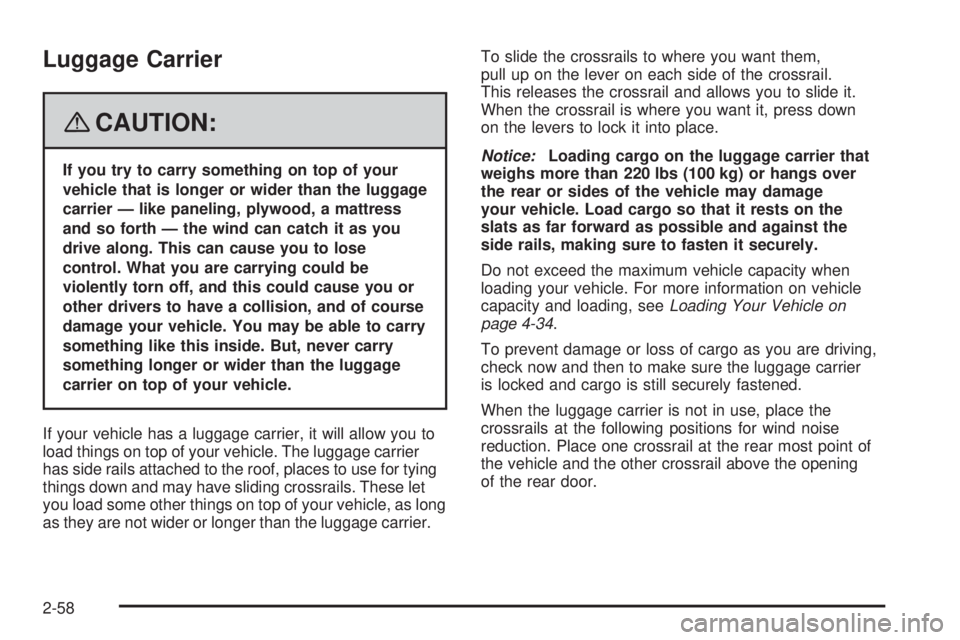
If your vehicle has a luggage carrier, it will allow you to
load things on top of your vehicle. The luggage carrier
has side rails attached to the roof, places to use for tying
things down and may have sliding crossrails. These let
you load some other things on top of your vehicle, as long
as they are not wider or longer than the luggage carrier.To slide the crossrails to where you want them,
pull up on the lever on each side of the crossrail.
This releases the crossrail and allows you to slide it.
When the crossrail is where you want it, press down
on the levers to lock it into place.
Notice:Loading cargo on the luggage carrier that
weighs more than 220 lbs (100 kg) or hangs over
the rear or sides of the vehicle may damage
your vehicle. Load cargo so that it rests on the
slats as far forward as possible and against the
side rails, making sure to fasten it securely.
Do not exceed the maximum vehicle capacity when
loading your vehicle. For more information on vehicle
capacity and loading, seeLoading Your Vehicle on
page 4-34.
To prevent damage or loss of cargo as you are driving,
check now and then to make sure the luggage carrier
is locked and cargo is still securely fastened.
When the luggage carrier is not in use, place the
crossrails at the following positions for wind noise
reduction. Place one crossrail at the rear most point of
the vehicle and the other crossrail above the opening
of the rear door.
2-58
Page 134 of 468
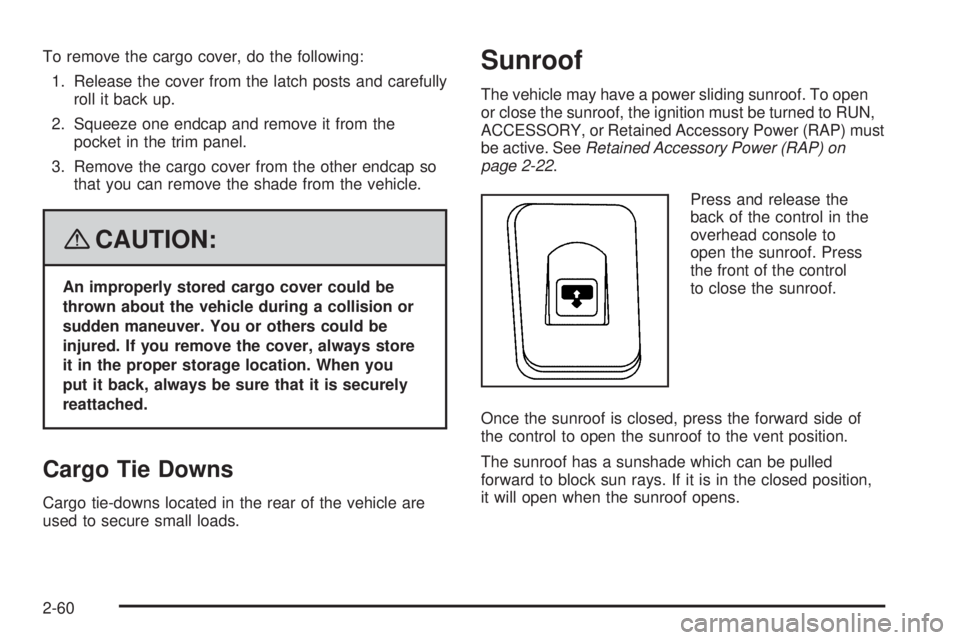
To remove the cargo cover, do the following:
1. Release the cover from the latch posts and carefully
roll it back up.
2. Squeeze one endcap and remove it from the
pocket in the trim panel.
3. Remove the cargo cover from the other endcap so
that you can remove the shade from the vehicle.
{CAUTION:
An improperly stored cargo cover could be
thrown about the vehicle during a collision or
sudden maneuver. You or others could be
injured. If you remove the cover, always store
it in the proper storage location. When you
put it back, always be sure that it is securely
reattached.
Cargo Tie Downs
Cargo tie-downs located in the rear of the vehicle are
used to secure small loads.
Sunroof
The vehicle may have a power sliding sunroof. To open
or close the sunroof, the ignition must be turned to RUN,
ACCESSORY, or Retained Accessory Power (RAP) must
be active. SeeRetained Accessory Power (RAP) on
page 2-22.
Press and release the
back of the control in the
overhead console to
open the sunroof. Press
the front of the control
to close the sunroof.
Once the sunroof is closed, press the forward side of
the control to open the sunroof to the vent position.
The sunroof has a sunshade which can be pulled
forward to block sun rays. If it is in the closed position,
it will open when the sunroof opens.
2-60
Page 139 of 468
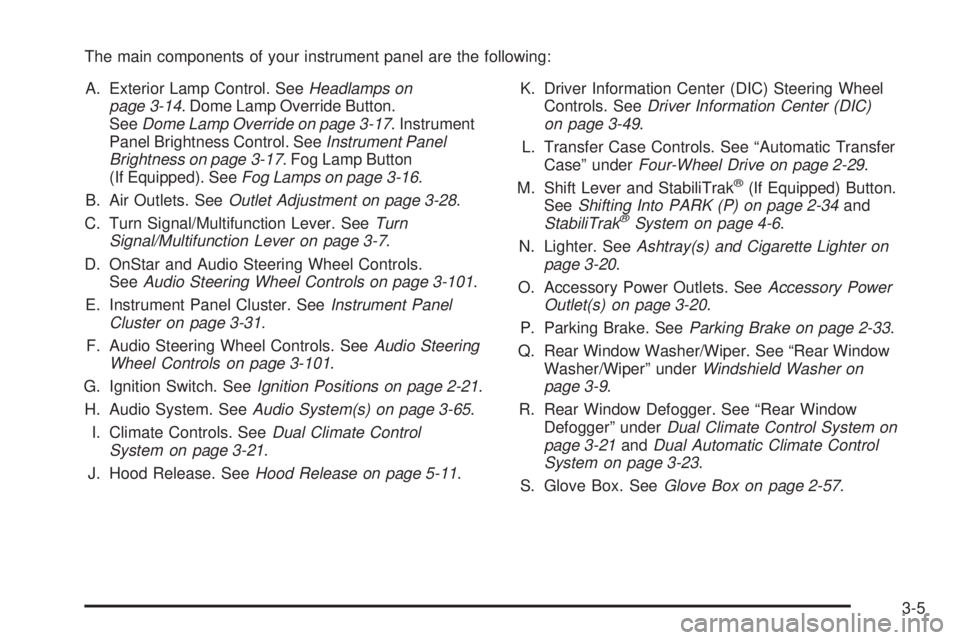
The main components of your instrument panel are the following:
A. Exterior Lamp Control. SeeHeadlamps on
page 3-14. Dome Lamp Override Button.
SeeDome Lamp Override on page 3-17. Instrument
Panel Brightness Control. SeeInstrument Panel
Brightness on page 3-17. Fog Lamp Button
(If Equipped). SeeFog Lamps on page 3-16.
B. Air Outlets. SeeOutlet Adjustment on page 3-28.
C. Turn Signal/Multifunction Lever. SeeTurn
Signal/Multifunction Lever on page 3-7.
D. OnStar and Audio Steering Wheel Controls.
SeeAudio Steering Wheel Controls on page 3-101.
E. Instrument Panel Cluster. SeeInstrument Panel
Cluster on page 3-31.
F. Audio Steering Wheel Controls. SeeAudio Steering
Wheel Controls on page 3-101.
G. Ignition Switch. SeeIgnition Positions on page 2-21.
H. Audio System. SeeAudio System(s) on page 3-65.
I. Climate Controls. SeeDual Climate Control
System on page 3-21.
J. Hood Release. SeeHood Release on page 5-11.K. Driver Information Center (DIC) Steering Wheel
Controls. SeeDriver Information Center (DIC)
on page 3-49.
L. Transfer Case Controls. See “Automatic Transfer
Case” underFour-Wheel Drive on page 2-29.
M. Shift Lever and StabiliTrak
®(If Equipped) Button.
SeeShifting Into PARK (P) on page 2-34and
StabiliTrak
®System on page 4-6.
N. Lighter. SeeAshtray(s) and Cigarette Lighter on
page 3-20.
O. Accessory Power Outlets. SeeAccessory Power
Outlet(s) on page 3-20.
P. Parking Brake. SeeParking Brake on page 2-33.
Q. Rear Window Washer/Wiper. See “Rear Window
Washer/Wiper” underWindshield Washer on
page 3-9.
R. Rear Window Defogger. See “Rear Window
Defogger” underDual Climate Control System on
page 3-21andDual Automatic Climate Control
System on page 3-23.
S. Glove Box. SeeGlove Box on page 2-57.
3-5
Page 141 of 468
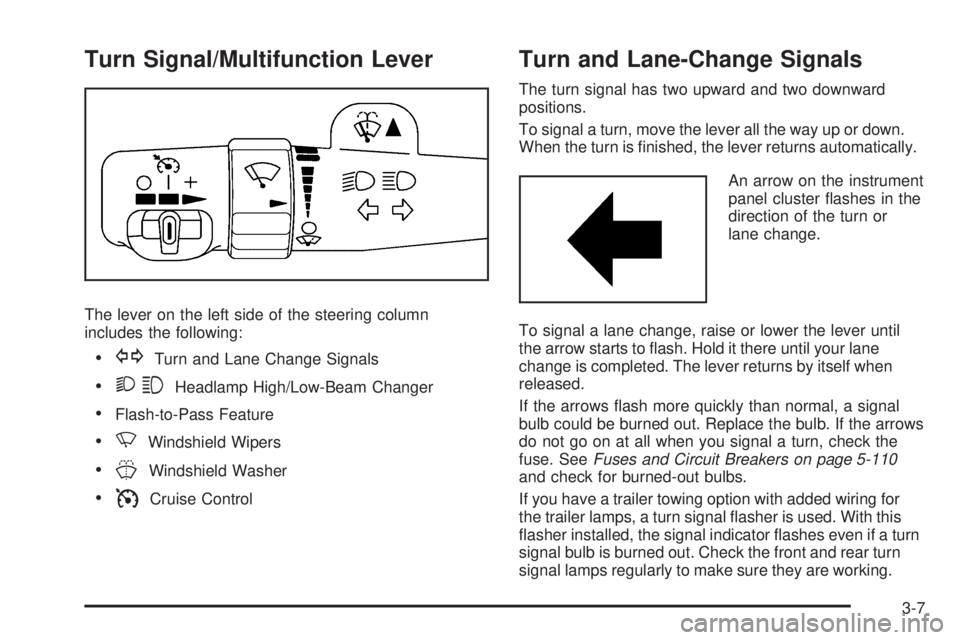
Turn Signal/Multifunction Lever
The lever on the left side of the steering column
includes the following:
GTurn and Lane Change Signals
23Headlamp High/Low-Beam Changer
Flash-to-Pass Feature
NWindshield Wipers
JWindshield Washer
ICruise Control
Turn and Lane-Change Signals
The turn signal has two upward and two downward
positions.
To signal a turn, move the lever all the way up or down.
When the turn is nished, the lever returns automatically.
An arrow on the instrument
panel cluster ashes in the
direction of the turn or
lane change.
To signal a lane change, raise or lower the lever until
the arrow starts to ash. Hold it there until your lane
change is completed. The lever returns by itself when
released.
If the arrows ash more quickly than normal, a signal
bulb could be burned out. Replace the bulb. If the arrows
do not go on at all when you signal a turn, check the
fuse. SeeFuses and Circuit Breakers on page 5-110
and check for burned-out bulbs.
If you have a trailer towing option with added wiring for
the trailer lamps, a turn signal asher is used. With this
asher installed, the signal indicator ashes even if a turn
signal bulb is burned out. Check the front and rear turn
signal lamps regularly to make sure they are working.
3-7
Page 150 of 468
There is a delay in the transition between the daytime and
nighttime operation of the Daytime Running Lamps (DRL)
and the automatic headlamp systems, so that driving
under bridges or bright overhead street lights does not
affect the system. The DRL and automatic headlamp
system are only affected when the light sensor sees a
change in lighting lasting longer than the delay.
If you start your vehicle in a dark garage, the automatic
headlamp system comes on after the transmission is
shifted out of PARK (P). Once you leave the garage,
it will take about one minute for the automatic headlamp
system to change to DRL if it is light outside. During
that delay, the instrument panel cluster might not be
as bright as usual. Make sure the instrument panel
brightness control is in the full bright position.
If the vehicle is running and the automatic headlamp
system is already on, it can be turned off by turning
and releasing the headlamp control at the off position.
The automatic headlamp system stays off until you
turn and release the headlamp control at the off
position again. SeeHeadlamps on page 3-14.Fog Lamps
Use the fog lamps for better vision in foggy or misty
conditions. The ignition must be in RUN for the
fog lamps to work.
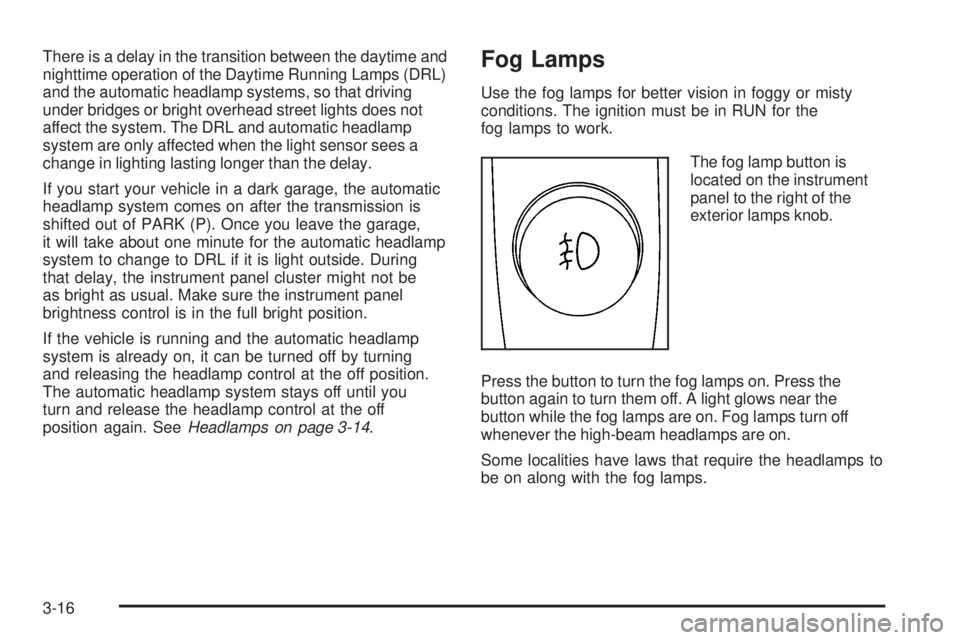
The fog lamp button is
located on the instrument
panel to the right of the
exterior lamps knob.
Press the button to turn the fog lamps on. Press the
button again to turn them off. A light glows near the
button while the fog lamps are on. Fog lamps turn off
whenever the high-beam headlamps are on.
Some localities have laws that require the headlamps to
be on along with the fog lamps.
3-16