parking brake GMC ENVOY 2009 User Guide
[x] Cancel search | Manufacturer: GMC, Model Year: 2009, Model line: ENVOY, Model: GMC ENVOY 2009Pages: 474, PDF Size: 2.56 MB
Page 145 of 474
Ending Cruise Control
There are three ways to turn off the cruise control:
Step lightly on the brake pedal.
Move the cruise switch to9.
Shift the transmission to N (Neutral).
Erasing Speed Memory
The cruise control set speed memory is erased when
the cruise control or the ignition is turned off.
Headlamps
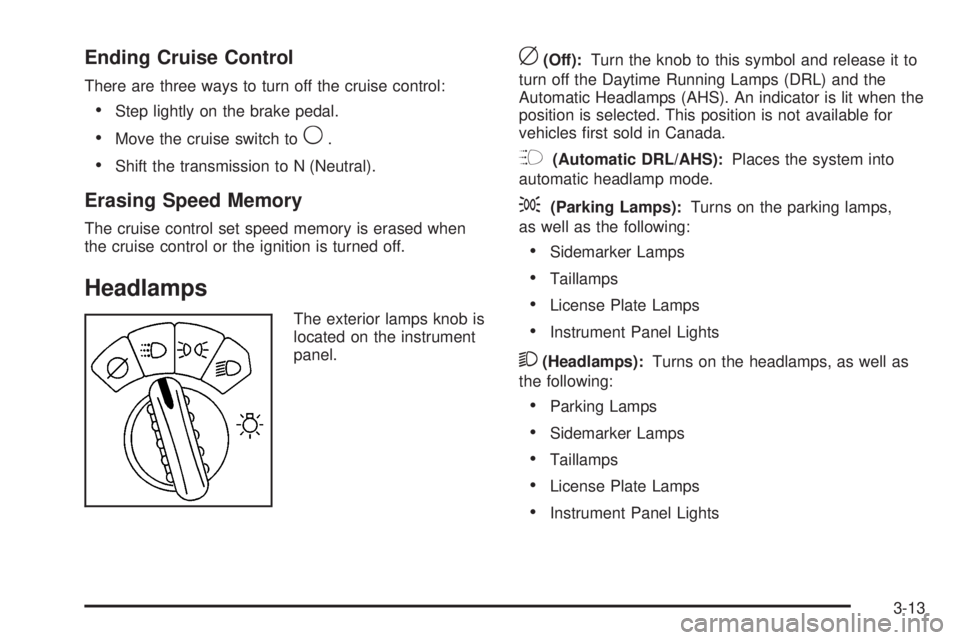
The exterior lamps knob is
located on the instrument
panel.
c(Off):Turn the knob to this symbol and release it to
turn off the Daytime Running Lamps (DRL) and the
Automatic Headlamps (AHS). An indicator is lit when the
position is selected. This position is not available for
vehicles rst sold in Canada.
?(Automatic DRL/AHS):Places the system into
automatic headlamp mode.
;(Parking Lamps):Turns on the parking lamps,
as well as the following:
Sidemarker Lamps
Taillamps
License Plate Lamps
Instrument Panel Lights
2(Headlamps):Turns on the headlamps, as well as
the following:
Parking Lamps
Sidemarker Lamps
Taillamps
License Plate Lamps
Instrument Panel Lights
3-13
Page 167 of 474
Brake System Warning Light
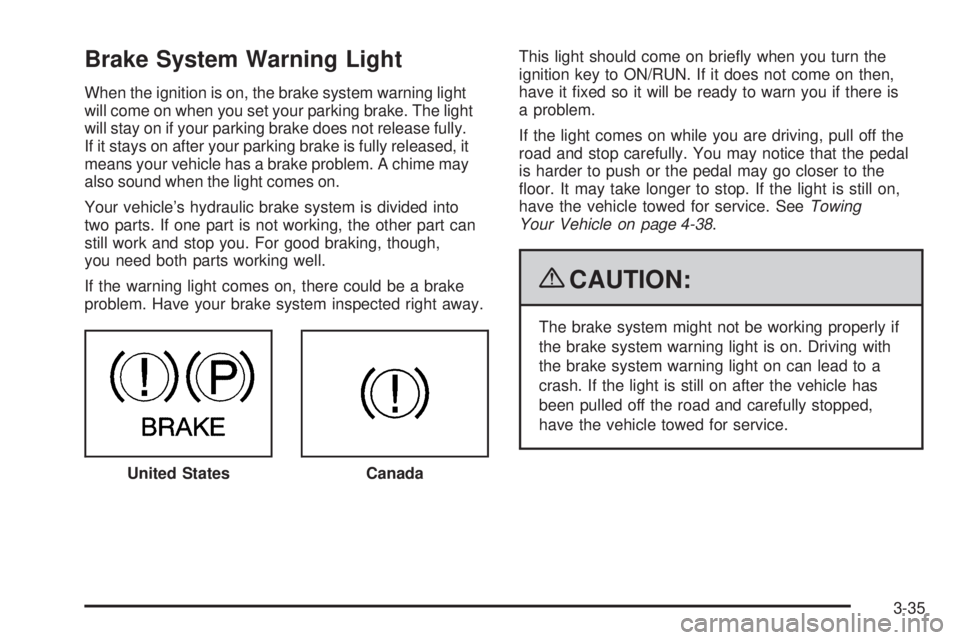
When the ignition is on, the brake system warning light
will come on when you set your parking brake. The light
will stay on if your parking brake does not release fully.
If it stays on after your parking brake is fully released, it
means your vehicle has a brake problem. A chime may
also sound when the light comes on.
Your vehicle’s hydraulic brake system is divided into
two parts. If one part is not working, the other part can
still work and stop you. For good braking, though,
you need both parts working well.
If the warning light comes on, there could be a brake
problem. Have your brake system inspected right away.This light should come on briey when you turn the
ignition key to ON/RUN. If it does not come on then,
have it xed so it will be ready to warn you if there is
a problem.
If the light comes on while you are driving, pull off the
road and stop carefully. You may notice that the pedal
is harder to push or the pedal may go closer to the
oor. It may take longer to stop. If the light is still on,
have the vehicle towed for service. SeeTowing
Your Vehicle on page 4-38.
{CAUTION:
The brake system might not be working properly if
the brake system warning light is on. Driving with
the brake system warning light on can lead to a
crash. If the light is still on after the vehicle has
been pulled off the road and carefully stopped,
have the vehicle towed for service.
United States
Canada
3-35
Page 195 of 474

Notice:Contact your dealer/retailer before adding
any equipment.
Adding audio or communication equipment could
interfere with the operation of the vehicle’s engine,
radio, or other systems, and could damage them.
Follow federal rules covering mobile radio and
telephone equipment.
Notice:The chime signals related to safety belts,
parking brake, and other functions of your vehicle
operate through the radio/entertainment system.
If that equipment is replaced or additional equipment
is added to your vehicle, the chimes may not
work. Make sure that replacement or additional
equipment is compatible with your vehicle before
installing it. SeeAccessories and Modifications
on page 5-3.
The vehicle has Retained Accessory Power (RAP).
With RAP, the audio system can be played even after
the ignition is turned off. SeeRetained Accessory Power
(RAP) on page 2-22for more information.Setting the Clock
The clock can be set with the ignition on or off.
The radio may have a button marked with an H or HR to
represent hours and an M or MN to represent minutes.
Press and hold the hour button until the correct hour
displays. AM or PM displays for morning or evening
hours. Press and hold the minute button until the correct
minute displays.
To synchronize the time with an FM station broadcasting
Radio Data System (RDS) information, press and hold
the hour and minute buttons at the same time until
UPDATED and the clock symbol appear on the
display. If the time is not available from the station,
NO UPDATE or NO UPDAT will appear on the display.
RDS time is broadcast once a minute. After tuning
to an RDS broadcast station, it could take a few minutes
for the time to update.
3-63
Page 263 of 474

Attach a ag to the vehicle to be more visible to
approaching traffic on trails or hills.
Sound the horn as you approach the top of the hill
to let opposing traffic know you are there.
Use headlamps even during the day to make the
vehicle more visible to oncoming traffic.
{CAUTION:
Driving to the top (crest) of a hill at full speed can
cause an accident. There could be a drop-off,
embankment, cliff, or even another vehicle. You
could be seriously injured or killed. As you near
the top of a hill, slow down and stay alert.If the vehicle stalls, or is about to stall, and you cannot
make it up the hill:
Push the brake pedal to stop the vehicle and keep it
from rolling backwards and apply the parking brake.
If the engine is still running, shift the transmission to
R (Reverse), release the parking brake, and slowly
back down the hill in R (Reverse).
If the engine has stopped running, you need to
restart it. With the brake pedal pressed and the
parking brake still applied, shift the transmission
to P (Park) and restart the engine. Then, shift to
R (Reverse), release the parking brake, and slowly
back down the hill as straight as possible in
R (Reverse).
While backing down the hill, put your left hand on the
steering wheel at the 12 o’clock position so you can
tell if the wheels are straight and can maneuver as
you back down. It is best to back down the hill with
the wheels straight rather than in the left or right
direction. Turning the wheel too far to the left or right
will increase the possibility of a rollover.
4-19
Page 264 of 474
Things not to do if the vehicle stalls, or is about to stall,
when going up a hill:
Never attempt to prevent a stall by shifting into
N (Neutral) to rev-up the engine and regain forward
momentum. This will not work. The vehicle can roll
backward very quickly and could go out of control.
Never try to turn around if about to stall when going
up a hill. If the hill is steep enough to stall the vehicle,
it is steep enough to cause it to roll over. If you
cannot make it up the hill, back straight down the hill.
If, after stalling, you try to back down the hill and decide
you just cannot do it, set the parking brake, put your
transmission in P (Park), and turn off the engine. Leave
the vehicle and go get some help. Exit on the uphill side
and stay clear of the path the vehicle would take if it rolled
downhill. Do not shift the transfer case to Neutral when
you leave the vehicle. Leave it in some gear.
{CAUTION:
Shifting the transfer case to Neutral can cause your
vehicle to roll even if the transmission is in P (Park).
This is because the Neutral position on the transfer
case overrides the transmission. You or someone
else could be injured. If you are going to leave
your vehicle, set the parking brake and shift the
transmission to P (Park). But do not shift the
transfer case to Neutral.
4-20
Page 265 of 474
Driving Downhill
When off-roading takes you downhill, consider:
How steep is the downhill? Will I be able to maintain
vehicle control?
What is the surface like? Smooth? Rough?
Slippery? Hard-packed dirt? Gravel?
Are there hidden surface obstacles? Ruts? Logs?
Boulders?
What is at the bottom of the hill? Is there a hidden
creek bank or even a river bottom with large rocks?
If you decide you can go down a hill safely, try to keep
the vehicle headed straight down. Use a low gear
so engine drag can help the brakes so they do not have
to do all the work. Descend slowly, keeping the
vehicle under control at all times.
{CAUTION:
Heavy braking when going down a hill can cause
your brakes to overheat and fade. This could cause
loss of control and a serious accident. Apply the
brakes lightly when descending a hill and use a low
gear to keep vehicle speed under control.Things not to do when driving down a hill:
When driving downhill, avoid turns that take you
across the incline of the hill. A hill that is not too
steep to drive down might be too steep to drive
across. The vehicle could roll over.
Never go downhill with the transmission in
N (Neutral), called free-wheeling. The brakes
will have to do all the work and could overheat
and fade.
Vehicles are much more likely to stall when going uphill,
but if it happens when going downhill:
1. Stop the vehicle by applying the regular brakes and
apply the parking brake.
2. Shift to P (Park) and, while still braking, restart the
engine.
3. Shift back to a low gear, release the parking brake,
and drive straight down.
4. If the engine will not start, get out and get help.
4-21
Page 284 of 474
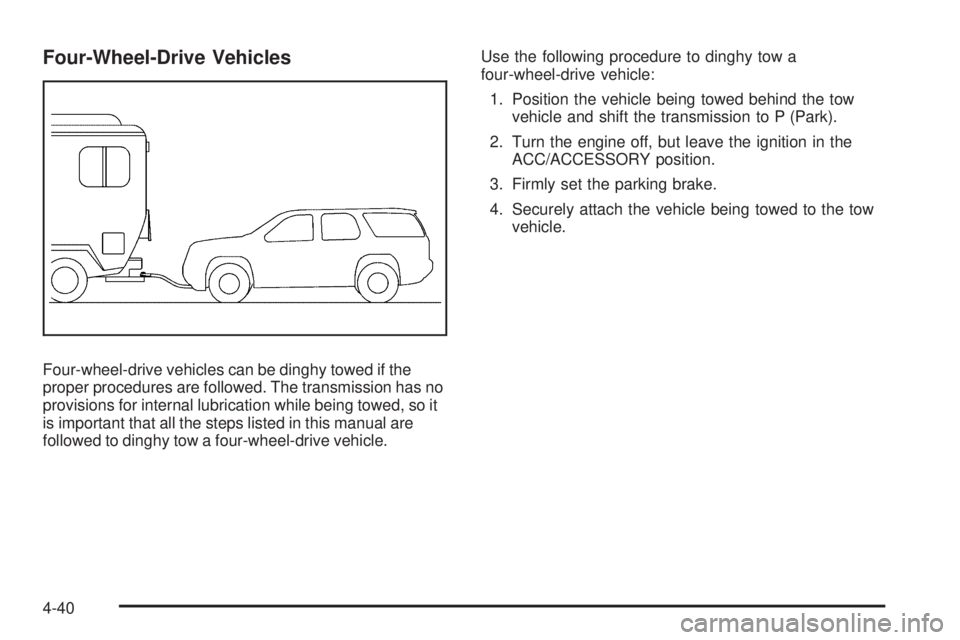
Four-Wheel-Drive Vehicles
Four-wheel-drive vehicles can be dinghy towed if the
proper procedures are followed. The transmission has no
provisions for internal lubrication while being towed, so it
is important that all the steps listed in this manual are
followed to dinghy tow a four-wheel-drive vehicle.Use the following procedure to dinghy tow a
four-wheel-drive vehicle:
1. Position the vehicle being towed behind the tow
vehicle and shift the transmission to P (Park).
2. Turn the engine off, but leave the ignition in the
ACC/ACCESSORY position.
3. Firmly set the parking brake.
4. Securely attach the vehicle being towed to the tow
vehicle.
4-40
Page 285 of 474
{CAUTION:
Shifting a four-wheel-drive vehicle’s transfer case
into N (Neutral) can cause the vehicle to roll even if
the transmission is in P (Park). The driver or others
could be injured. Make sure the parking brake
is rmly set before the transfer case is shifted to
N (Neutral).
5. Shift the transfer case to Neutral. See “Shifting into
Neutral” underFour-Wheel Drive on page 2-28.
6. Release the parking brake only after the vehicle
being towed is rmly attached to the towing vehicle.
7. Turn the ignition to LOCK/OFF and remove the
key — the steering wheel will still turn.
After towing, see “Shifting Out of Neutral” under
Four-Wheel Drive on page 2-28.
Dolly Towing
Front Towing (Front Wheels Off the
Ground)
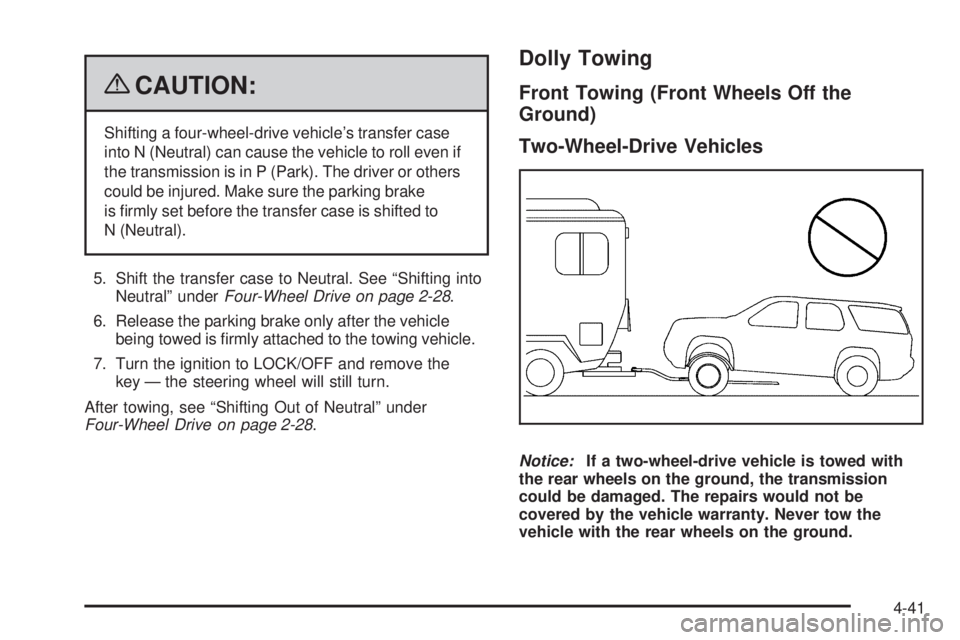
Two-Wheel-Drive Vehicles
Notice:If a two-wheel-drive vehicle is towed with
the rear wheels on the ground, the transmission
could be damaged. The repairs would not be
covered by the vehicle warranty. Never tow the
vehicle with the rear wheels on the ground.
4-41
Page 286 of 474
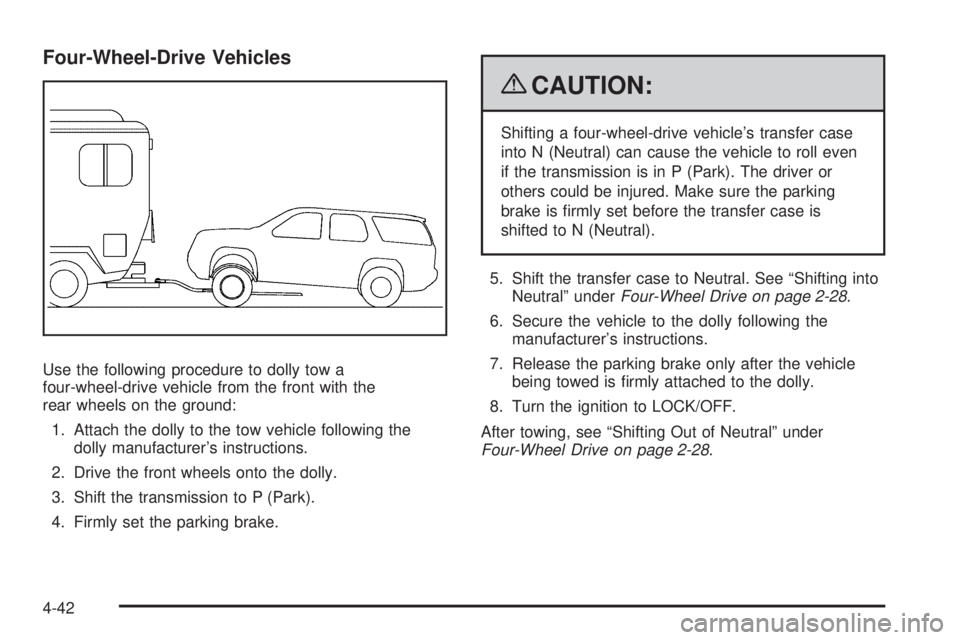
Four-Wheel-Drive Vehicles
Use the following procedure to dolly tow a
four-wheel-drive vehicle from the front with the
rear wheels on the ground:
1. Attach the dolly to the tow vehicle following the
dolly manufacturer’s instructions.
2. Drive the front wheels onto the dolly.
3. Shift the transmission to P (Park).
4. Firmly set the parking brake.
{CAUTION:
Shifting a four-wheel-drive vehicle’s transfer case
into N (Neutral) can cause the vehicle to roll even
if the transmission is in P (Park). The driver or
others could be injured. Make sure the parking
brake is rmly set before the transfer case is
shifted to N (Neutral).
5. Shift the transfer case to Neutral. See “Shifting into
Neutral” underFour-Wheel Drive on page 2-28.
6. Secure the vehicle to the dolly following the
manufacturer’s instructions.
7. Release the parking brake only after the vehicle
being towed is rmly attached to the dolly.
8. Turn the ignition to LOCK/OFF.
After towing, see “Shifting Out of Neutral” under
Four-Wheel Drive on page 2-28.
4-42
Page 287 of 474
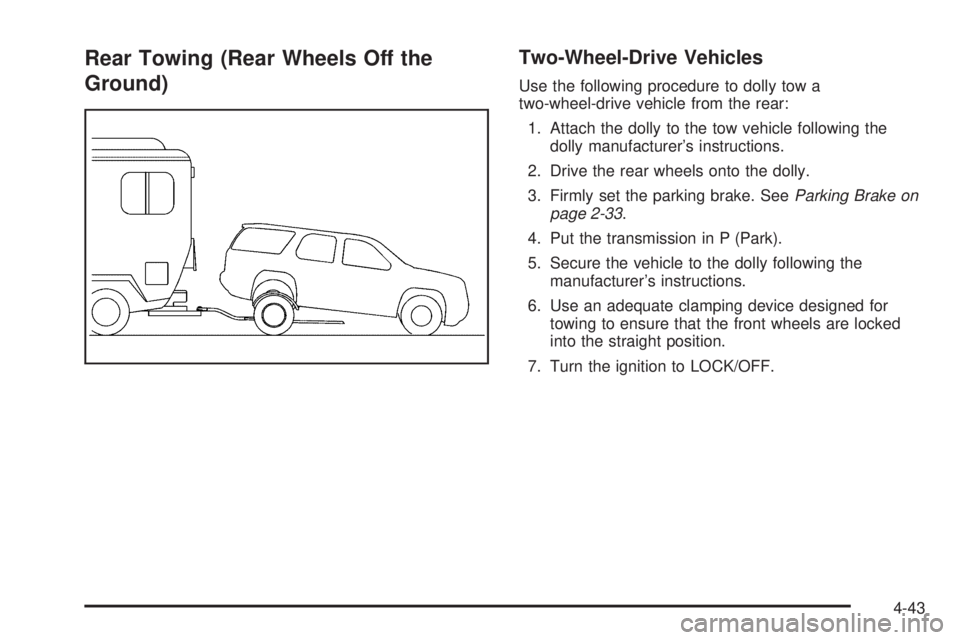
Rear Towing (Rear Wheels Off the
Ground)Two-Wheel-Drive Vehicles
Use the following procedure to dolly tow a
two-wheel-drive vehicle from the rear:
1. Attach the dolly to the tow vehicle following the
dolly manufacturer’s instructions.
2. Drive the rear wheels onto the dolly.
3. Firmly set the parking brake. SeeParking Brake on
page 2-33.
4. Put the transmission in P (Park).
5. Secure the vehicle to the dolly following the
manufacturer’s instructions.
6. Use an adequate clamping device designed for
towing to ensure that the front wheels are locked
into the straight position.
7. Turn the ignition to LOCK/OFF.
4-43