ECU GMC ENVOY DENALI 2007 Workshop Manual
[x] Cancel search | Manufacturer: GMC, Model Year: 2007, Model line: ENVOY DENALI, Model: GMC ENVOY DENALI 2007Pages: 562, PDF Size: 2.87 MB
Page 166 of 562
StabiliTrak®Service Light........................... 207
StabiliTrak®Indicator Light......................... 208
Engine Coolant Temperature Gage............ 208
Tire Pressure Light.................................... 209
Malfunction Indicator Lamp........................ 210
Oil Pressure Gage..................................... 213
Change Engine Oil Light........................... 214
Security Light............................................ 214
Cruise Control Light.................................. 215
Reduced Engine Power Light.................... 215
Highbeam On Light................................... 215
Service Four-Wheel Drive Warning Light ... 216
Check Gages Warning Light...................... 216
Gate Ajar Light.......................................... 216
Fuel Gage................................................. 217
Low Fuel Warning Light............................ 217
Check Gas Cap Light................................ 217
Driver Information Center (DIC).................. 218
DIC Operation and Displays...................... 219
DIC Warnings and Messages.................... 222
DIC Vehicle Customization........................ 229Audio System(s)......................................... 236
Setting the Time........................................ 238
Radio with CD (Base)............................... 238
Radio with CD (MP3)................................ 248
Radio with Six-Disc CD............................. 258
Using an MP3........................................... 271
XM Radio Messages................................. 277
Navigation/Radio System........................... 280
Rear Seat Entertainment System............... 280
Rear Seat Audio (RSA)............................. 295
Theft-Deterrent Feature............................. 296
Audio Steering Wheel Controls.................. 297
Radio Reception........................................ 298
Care of Your CDs and DVDs.................... 299
Care of the CD and DVD Player............... 299
Fixed Mast Antenna.................................. 299
XM™ Satellite Radio Antenna System....... 300
Chime Level Adjustment............................ 300
Section 3 Instrument Panel
166
Page 203 of 562

{CAUTION:
If the on indicator comes on when you have
a rear-facing child restraint installed in the
right front passenger’s seat, it means that
the passenger sensing system has not
turned off the passenger’s frontal airbag.
A child in a rear-facing child restraint can
be seriously injured or killed if the right
front passenger’s airbag inates. This is
because the back of the rear-facing child
restraint would be very close to the
inating airbag. Do not use a rear-facing
child restraint in the right front passenger’s
seat if the airbag is turned on.
If your vehicle has a rear seat that will
accommodate a rear-facing child restraint, a label
on your sun visor says, “Never put a rear-facing
child seat in the front.” This is because the risk to
the rear-facing child is so great, if the airbag
deploys.
{CAUTION:
Even though the passenger sensing
system is designed to turn off the
passenger’s frontal airbag if the system
detects a rear-facing child restraint, no
system is failsafe, and no one can
guarantee that an airbag will not deploy
under some unusual circumstance, even
though it is turned off. We recommend
that rear-facing child restraints be secured
in the rear seat, even if the airbag is off.
If your vehicle does not have a rear seat that
will accommodate a rear-facing child restraint,
never put a child in a rear-facing child restraint
in the right front passenger seat the unless
passenger airbag status indicator shows off. Never
put a rear facing child restraint in the right front
passenger seat unless the airbag is off.
203
Page 214 of 562
Change Engine Oil Light
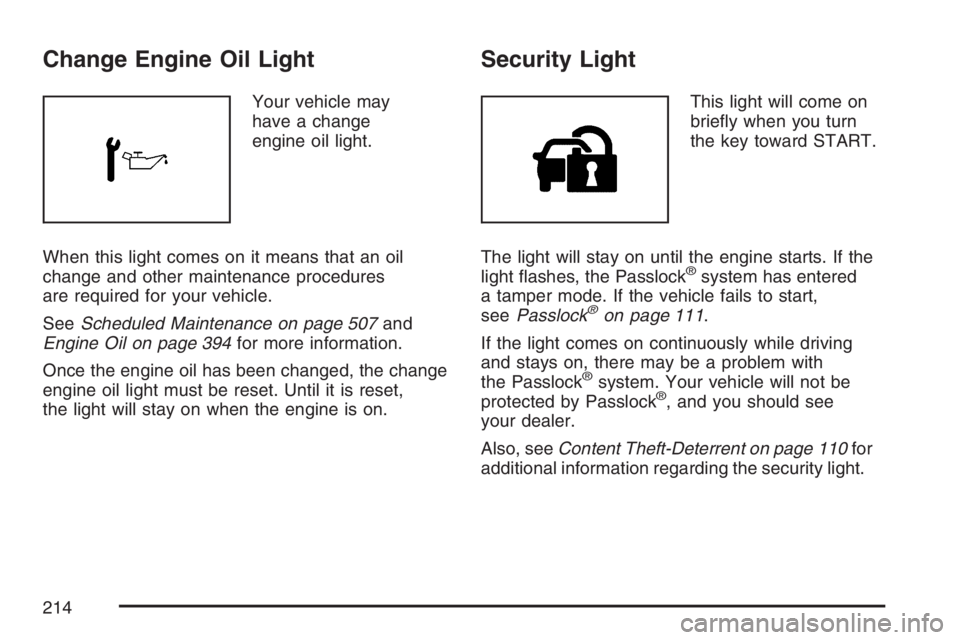
Your vehicle may
have a change
engine oil light.
When this light comes on it means that an oil
change and other maintenance procedures
are required for your vehicle.
SeeScheduled Maintenance on page 507and
Engine Oil on page 394for more information.
Once the engine oil has been changed, the change
engine oil light must be reset. Until it is reset,
the light will stay on when the engine is on.
Security Light
This light will come on
briey when you turn
the key toward START.
The light will stay on until the engine starts. If the
light ashes, the Passlock
®system has entered
a tamper mode. If the vehicle fails to start,
seePasslock
®on page 111.
If the light comes on continuously while driving
and stays on, there may be a problem with
the Passlock
®system. Your vehicle will not be
protected by Passlock®, and you should see
your dealer.
Also, seeContent Theft-Deterrent on page 110for
additional information regarding the security light.
214
Page 217 of 562
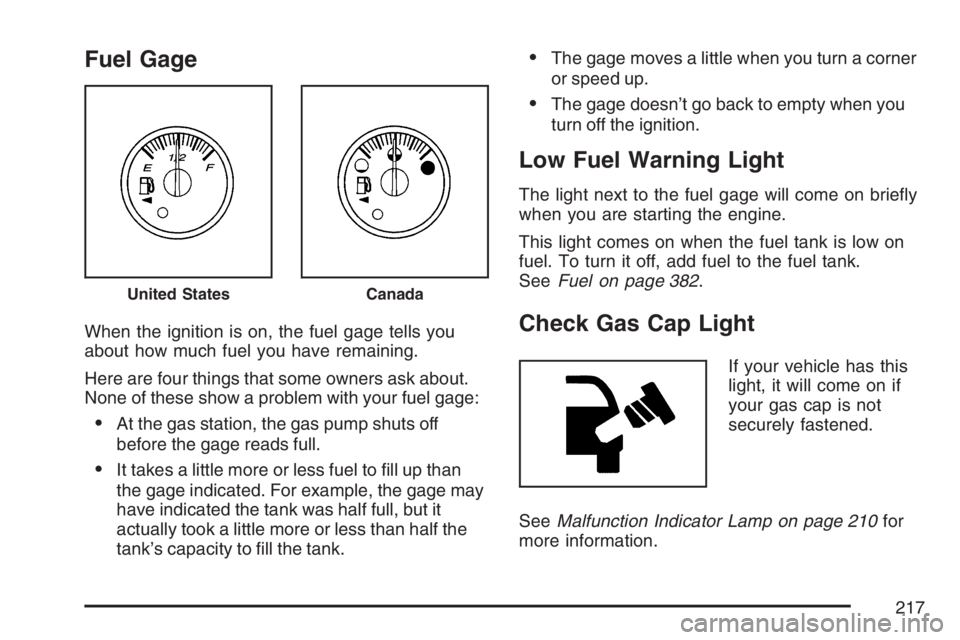
Fuel Gage
When the ignition is on, the fuel gage tells you
about how much fuel you have remaining.
Here are four things that some owners ask about.
None of these show a problem with your fuel gage:
At the gas station, the gas pump shuts off
before the gage reads full.
It takes a little more or less fuel to ll up than
the gage indicated. For example, the gage may
have indicated the tank was half full, but it
actually took a little more or less than half the
tank’s capacity to ll the tank.
The gage moves a little when you turn a corner
or speed up.
The gage doesn’t go back to empty when you
turn off the ignition.
Low Fuel Warning Light
The light next to the fuel gage will come on briey
when you are starting the engine.
This light comes on when the fuel tank is low on
fuel. To turn it off, add fuel to the fuel tank.
SeeFuel on page 382.
Check Gas Cap Light
If your vehicle has this
light, it will come on if
your gas cap is not
securely fastened.
SeeMalfunction Indicator Lamp on page 210for
more information.
United StatesCanada
217
Page 278 of 562
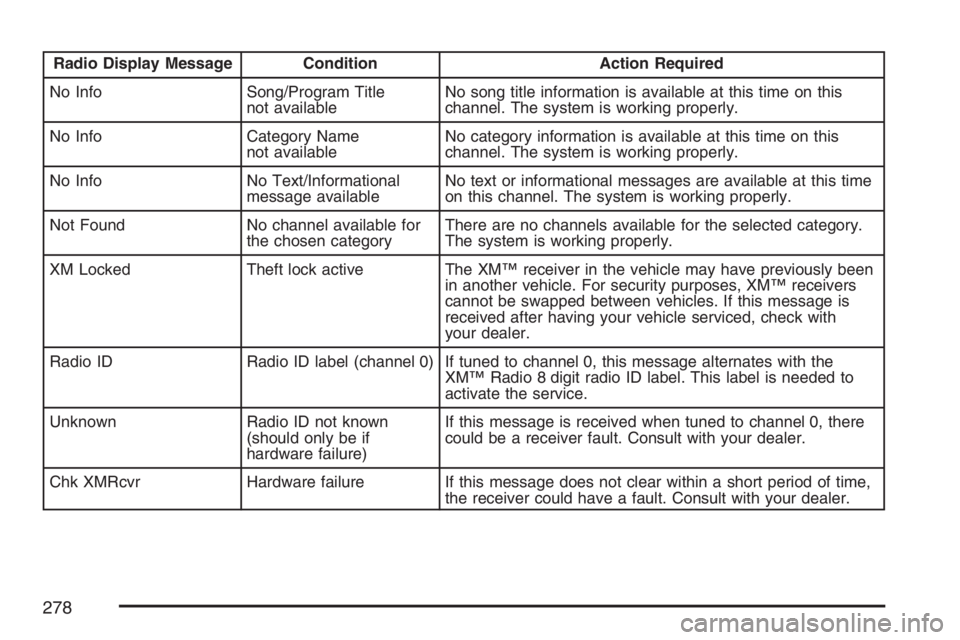
Radio Display Message Condition Action Required
No Info Song/Program Title
not availableNo song title information is available at this time on this
channel. The system is working properly.
No Info Category Name
not availableNo category information is available at this time on this
channel. The system is working properly.
No Info No Text/Informational
message availableNo text or informational messages are available at this time
on this channel. The system is working properly.
Not Found No channel available for
the chosen categoryThere are no channels available for the selected category.
The system is working properly.
XM Locked Theft lock active The XM™ receiver in the vehicle may have previously been
in another vehicle. For security purposes, XM™ receivers
cannot be swapped between vehicles. If this message is
received after having your vehicle serviced, check with
your dealer.
Radio ID Radio ID label (channel 0) If tuned to channel 0, this message alternates with the
XM™ Radio 8 digit radio ID label. This label is needed to
activate the service.
Unknown Radio ID not known
(should only be if
hardware failure)If this message is received when tuned to channel 0, there
could be a receiver fault. Consult with your dealer.
Chk XMRcvr Hardware failure If this message does not clear within a short period of time,
the receiver could have a fault. Consult with your dealer.
278
Page 280 of 562
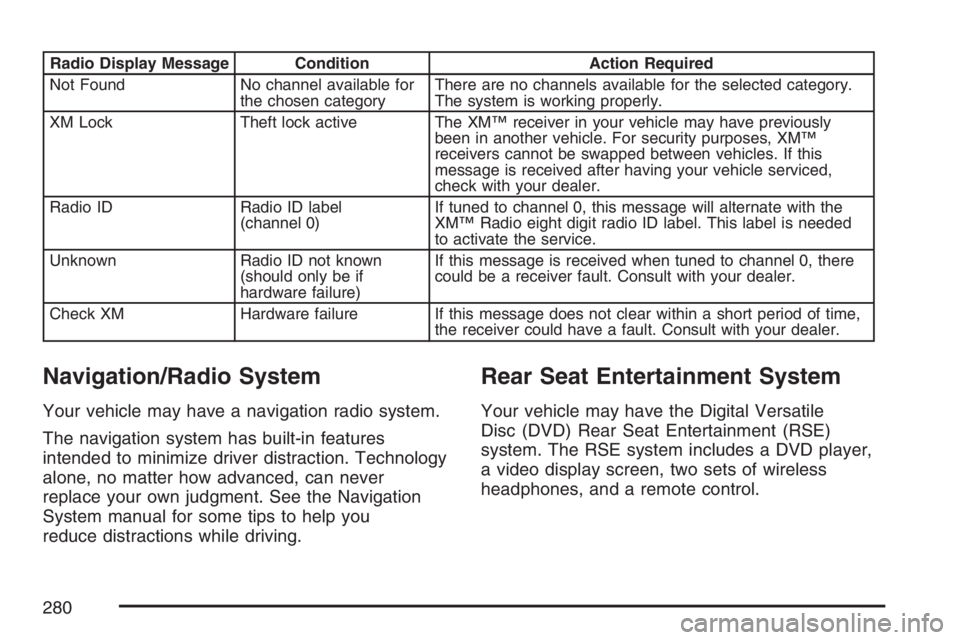
Radio Display Message Condition Action Required
Not Found No channel available for
the chosen categoryThere are no channels available for the selected category.
The system is working properly.
XM Lock Theft lock active The XM™ receiver in your vehicle may have previously
been in another vehicle. For security purposes, XM™
receivers cannot be swapped between vehicles. If this
message is received after having your vehicle serviced,
check with your dealer.
Radio ID Radio ID label
(channel 0)If tuned to channel 0, this message will alternate with the
XM™ Radio eight digit radio ID label. This label is needed
to activate the service.
Unknown Radio ID not known
(should only be if
hardware failure)If this message is received when tuned to channel 0, there
could be a receiver fault. Consult with your dealer.
Check XM Hardware failure If this message does not clear within a short period of time,
the receiver could have a fault. Consult with your dealer.
Navigation/Radio System
Your vehicle may have a navigation radio system.
The navigation system has built-in features
intended to minimize driver distraction. Technology
alone, no matter how advanced, can never
replace your own judgment. See the Navigation
System manual for some tips to help you
reduce distractions while driving.
Rear Seat Entertainment System
Your vehicle may have the Digital Versatile
Disc (DVD) Rear Seat Entertainment (RSE)
system. The RSE system includes a DVD player,
a video display screen, two sets of wireless
headphones, and a remote control.
280
Page 291 of 562
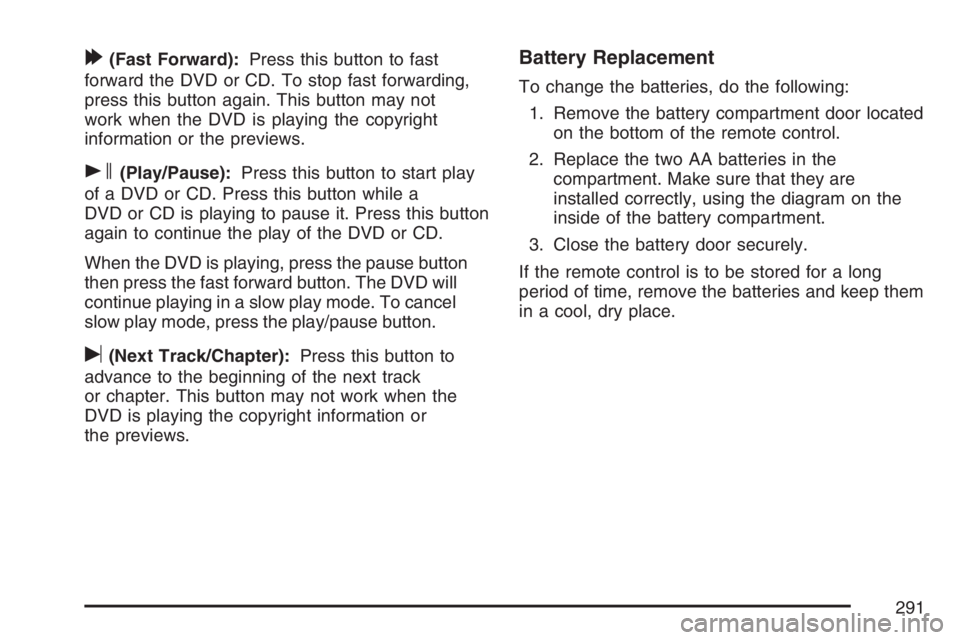
[(Fast Forward):Press this button to fast
forward the DVD or CD. To stop fast forwarding,
press this button again. This button may not
work when the DVD is playing the copyright
information or the previews.
s(Play/Pause):Press this button to start play
of a DVD or CD. Press this button while a
DVD or CD is playing to pause it. Press this button
again to continue the play of the DVD or CD.
When the DVD is playing, press the pause button
then press the fast forward button. The DVD will
continue playing in a slow play mode. To cancel
slow play mode, press the play/pause button.
u(Next Track/Chapter):Press this button to
advance to the beginning of the next track
or chapter. This button may not work when the
DVD is playing the copyright information or
the previews.
Battery Replacement
To change the batteries, do the following:
1. Remove the battery compartment door located
on the bottom of the remote control.
2. Replace the two AA batteries in the
compartment. Make sure that they are
installed correctly, using the diagram on the
inside of the battery compartment.
3. Close the battery door securely.
If the remote control is to be stored for a long
period of time, remove the batteries and keep them
in a cool, dry place.
291
Page 320 of 562
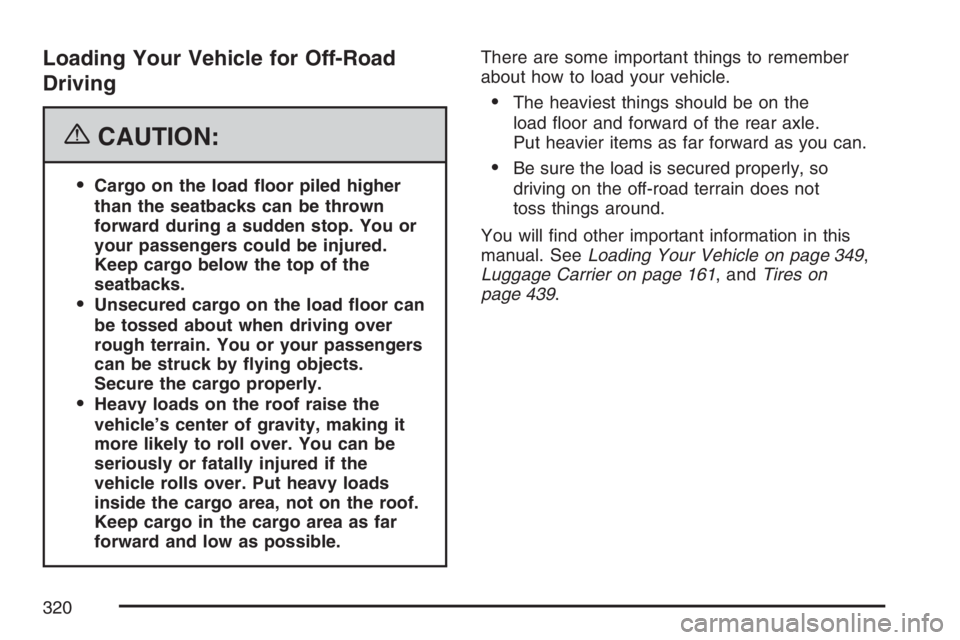
Loading Your Vehicle for Off-Road
Driving
{CAUTION:
Cargo on the load oor piled higher
than the seatbacks can be thrown
forward during a sudden stop. You or
your passengers could be injured.
Keep cargo below the top of the
seatbacks.
Unsecured cargo on the load oor can
be tossed about when driving over
rough terrain. You or your passengers
can be struck by ying objects.
Secure the cargo properly.
Heavy loads on the roof raise the
vehicle’s center of gravity, making it
more likely to roll over. You can be
seriously or fatally injured if the
vehicle rolls over. Put heavy loads
inside the cargo area, not on the roof.
Keep cargo in the cargo area as far
forward and low as possible.There are some important things to remember
about how to load your vehicle.
The heaviest things should be on the
load oor and forward of the rear axle.
Put heavier items as far forward as you can.
Be sure the load is secured properly, so
driving on the off-road terrain does not
toss things around.
You will nd other important information in this
manual. SeeLoading Your Vehicle on page 349,
Luggage Carrier on page 161, andTires on
page 439.
320
Page 344 of 562
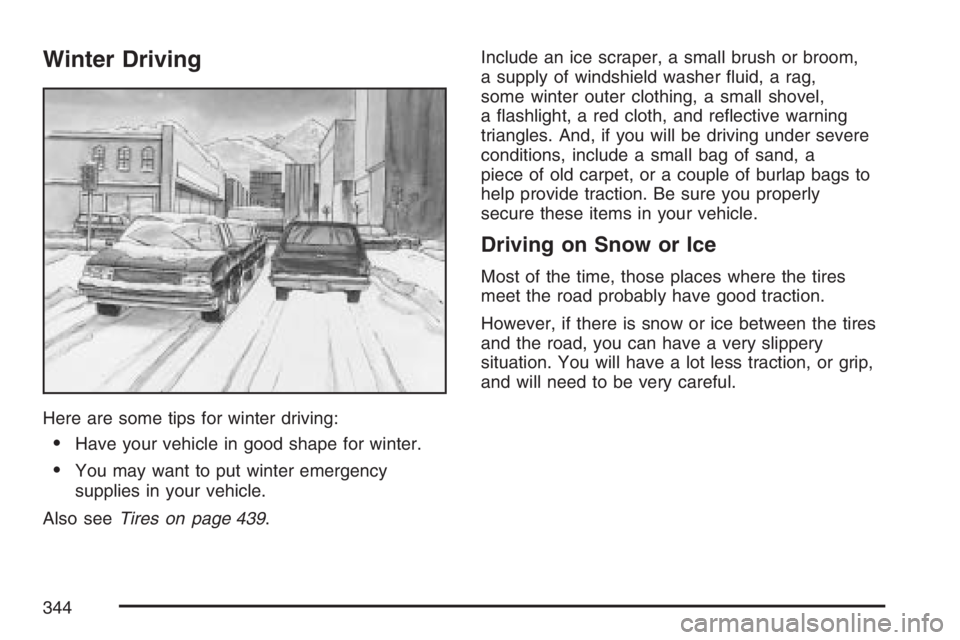
Winter Driving
Here are some tips for winter driving:
Have your vehicle in good shape for winter.
You may want to put winter emergency
supplies in your vehicle.
Also seeTires on page 439.Include an ice scraper, a small brush or broom,
a supply of windshield washer uid, a rag,
some winter outer clothing, a small shovel,
a ashlight, a red cloth, and reective warning
triangles. And, if you will be driving under severe
conditions, include a small bag of sand, a
piece of old carpet, or a couple of burlap bags to
help provide traction. Be sure you properly
secure these items in your vehicle.
Driving on Snow or Ice
Most of the time, those places where the tires
meet the road probably have good traction.
However, if there is snow or ice between the tires
and the road, you can have a very slippery
situation. You will have a lot less traction, or grip,
and will need to be very careful.
344
Page 354 of 562
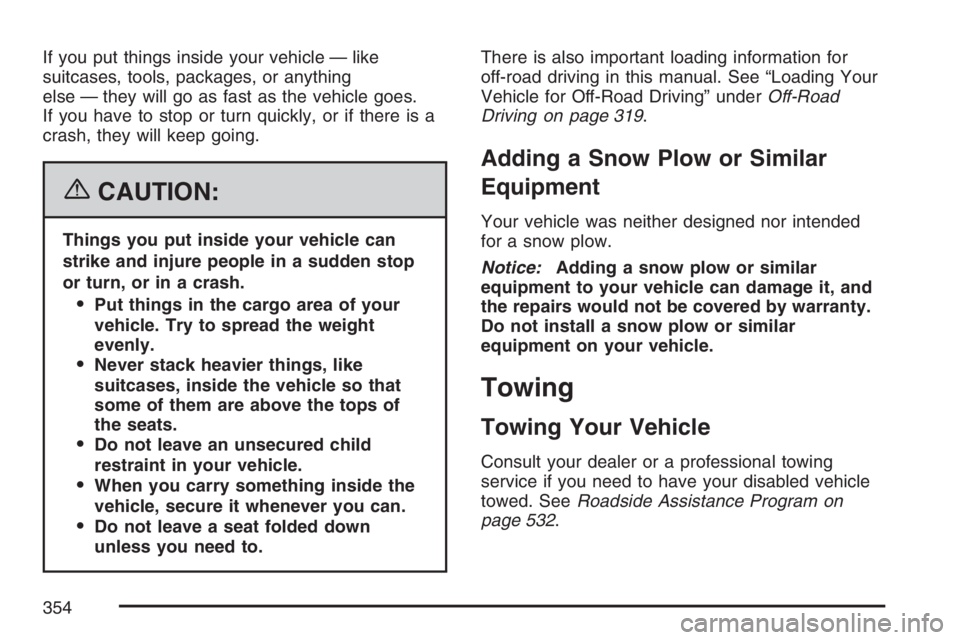
If you put things inside your vehicle — like
suitcases, tools, packages, or anything
else — they will go as fast as the vehicle goes.
If you have to stop or turn quickly, or if there is a
crash, they will keep going.
{CAUTION:
Things you put inside your vehicle can
strike and injure people in a sudden stop
or turn, or in a crash.
Put things in the cargo area of your
vehicle. Try to spread the weight
evenly.
Never stack heavier things, like
suitcases, inside the vehicle so that
some of them are above the tops of
the seats.
Do not leave an unsecured child
restraint in your vehicle.
When you carry something inside the
vehicle, secure it whenever you can.
Do not leave a seat folded down
unless you need to.There is also important loading information for
off-road driving in this manual. See “Loading Your
Vehicle for Off-Road Driving” underOff-Road
Driving on page 319.
Adding a Snow Plow or Similar
Equipment
Your vehicle was neither designed nor intended
for a snow plow.
Notice:Adding a snow plow or similar
equipment to your vehicle can damage it, and
the repairs would not be covered by warranty.
Do not install a snow plow or similar
equipment on your vehicle.
Towing
Towing Your Vehicle
Consult your dealer or a professional towing
service if you need to have your disabled vehicle
towed. SeeRoadside Assistance Program on
page 532.
354