maintenance schedule GMC ENVOY XL 2005 Owners Manual
[x] Cancel search | Manufacturer: GMC, Model Year: 2005, Model line: ENVOY XL, Model: GMC ENVOY XL 2005Pages: 480, PDF Size: 11.77 MB
Page 1 of 480

Seats and Restraint Systems........................... 1-1
Front Seats
............................................... 1-3
Rear Seats
............................................... 1-9
Safety Belts
.............................................1-12
Child Restraints
.......................................1-31
Airbag System
.........................................1-52
Restraint System Check
............................1-67
Features and Controls..................................... 2-1
Keys
........................................................ 2-3
Doors and Locks
....................................... 2-8
Windows
.................................................2-14
Theft-Deterrent Systems
............................2-17
Starting and Operating Your Vehicle
...........2-19
Mirrors
....................................................2-37
OnStar
®System
......................................2-47
HomeLink®Wireless Control System
...........2-49
Storage Areas
.........................................2-53
Sunroof
..................................................2-60
Vehicle Personalization
.............................2-60
Instrument Panel............................................. 3-1
Instrument Panel Overview
.......................... 3-4
Climate Controls
......................................3-20
Warning Lights, Gages, and Indicators
........3-31
Driver Information Center (DIC)
..................3-49Audio System(s)
.......................................3-62
Driving Your Vehicle....................................... 4-1
Your Driving, the Road, and Your Vehicle
..... 4-2
Towing
...................................................4-50
Service and Appearance Care.......................... 5-1
Service
..................................................... 5-3
Fuel
......................................................... 5-5
Checking Things Under the Hood
...............5-10
Rear Axle
...............................................5-43
Four-Wheel Drive
.....................................5-44
Front Axle
...............................................5-44
Bulb Replacement
....................................5-45
Windshield Wiper Blade Replacement
.........5-48
Tires
......................................................5-50
Appearance Care
.....................................5-81
Vehicle Identication
.................................5-90
Electrical System
......................................5-91
Capacities and Specications
...................5-103
Maintenance Schedule..................................... 6-1
Maintenance Schedule
................................ 6-2
Customer Assistance and Information.............. 7-1
Customer Assistance and Information
........... 7-2
Reporting Safety Defects
...........................7-10
Index................................................................ 1
2005 GMC Envoy, Envoy XL, Envoy Denali,
and Envoy XL Denali Owner Manual
M
Page 180 of 480
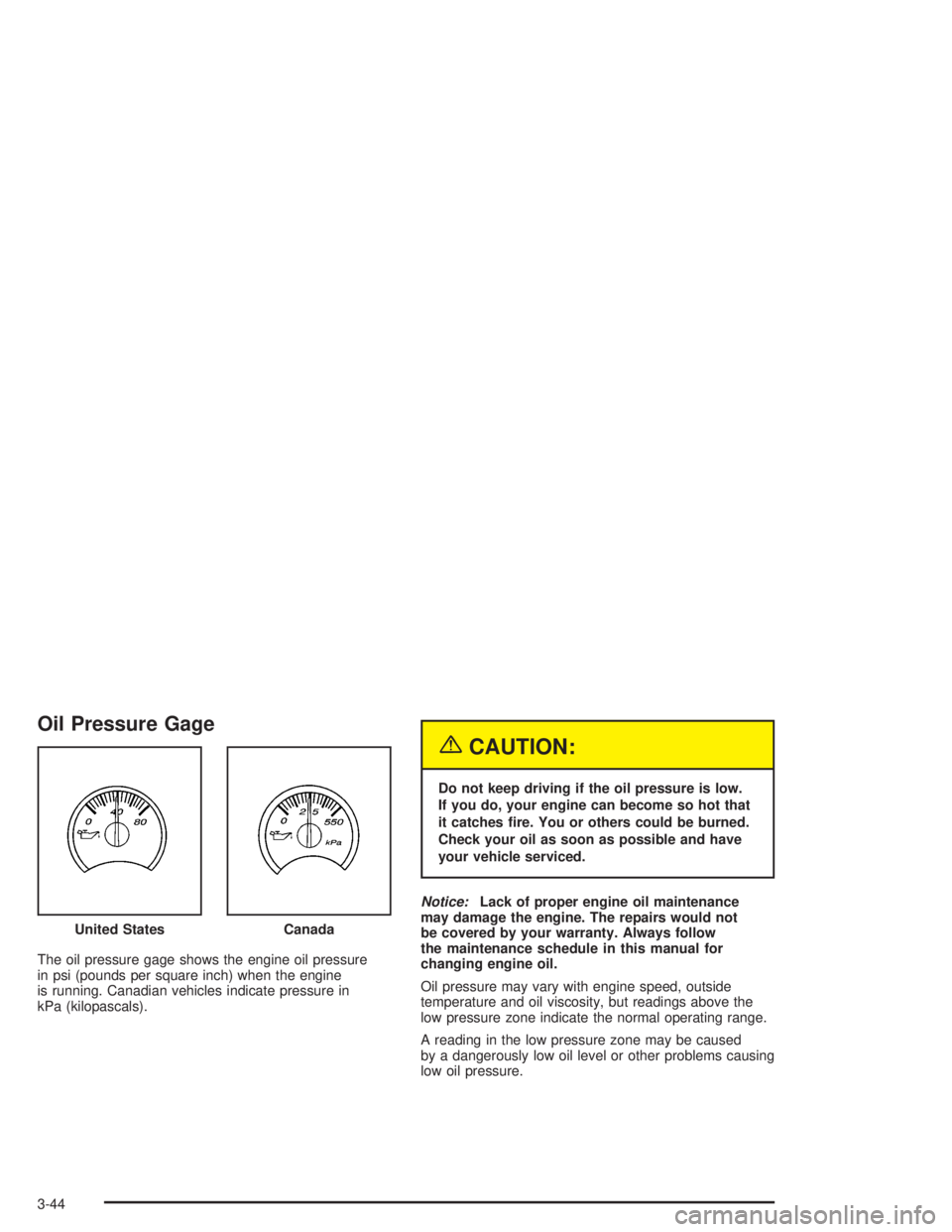
Oil Pressure Gage
The oil pressure gage shows the engine oil pressure
in psi (pounds per square inch) when the engine
is running. Canadian vehicles indicate pressure in
kPa (kilopascals).
{CAUTION:
Do not keep driving if the oil pressure is low.
If you do, your engine can become so hot that
it catches re. You or others could be burned.
Check your oil as soon as possible and have
your vehicle serviced.
Notice:Lack of proper engine oil maintenance
may damage the engine. The repairs would not
be covered by your warranty. Always follow
the maintenance schedule in this manual for
changing engine oil.
Oil pressure may vary with engine speed, outside
temperature and oil viscosity, but readings above the
low pressure zone indicate the normal operating range.
A reading in the low pressure zone may be caused
by a dangerously low oil level or other problems causing
low oil pressure. United States
Canada
3-44
Page 181 of 480
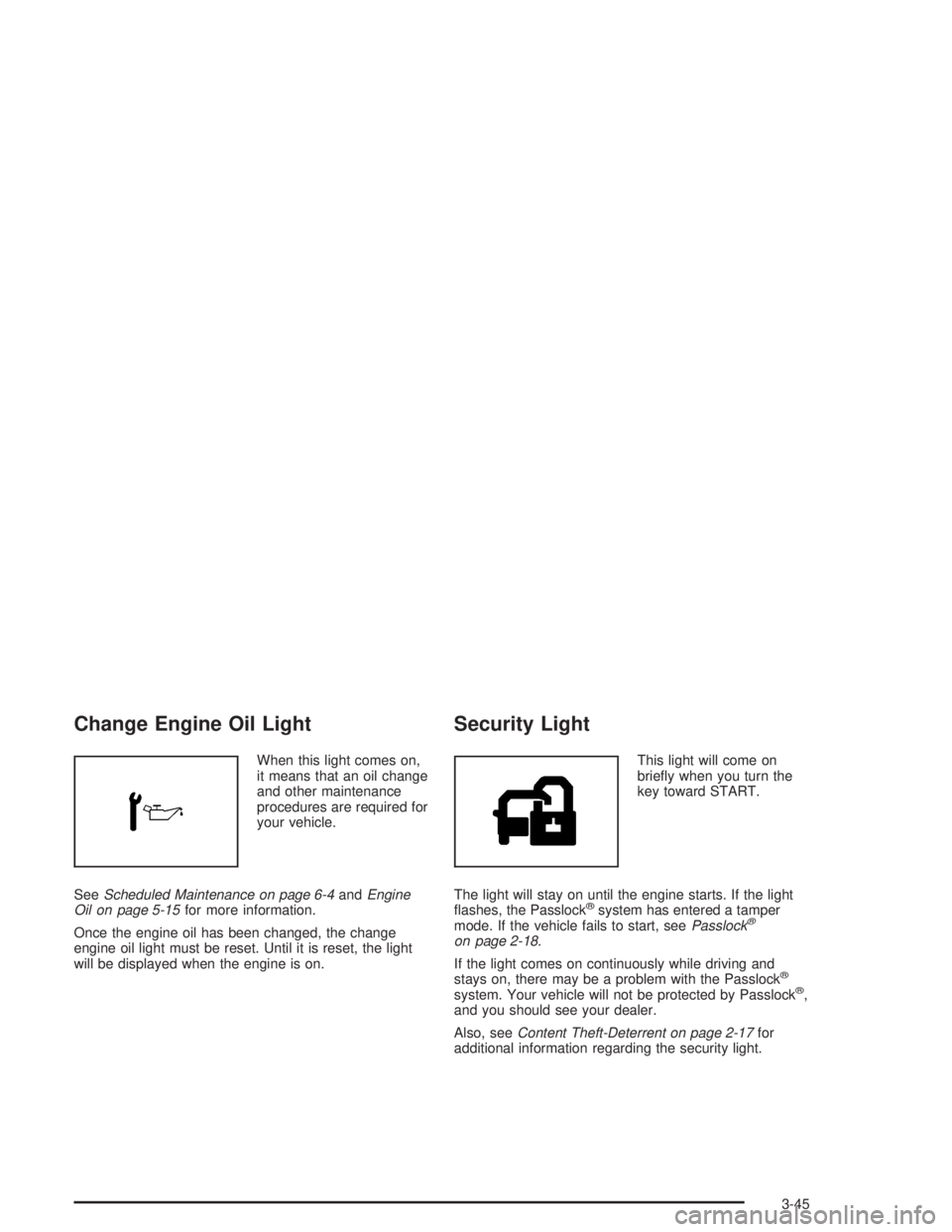
Change Engine Oil Light
When this light comes on,
it means that an oil change
and other maintenance
procedures are required for
your vehicle.
SeeScheduled Maintenance on page 6-4andEngine
Oil on page 5-15for more information.
Once the engine oil has been changed, the change
engine oil light must be reset. Until it is reset, the light
will be displayed when the engine is on.
Security Light
This light will come on
briey when you turn the
key toward START.
The light will stay on until the engine starts. If the light
ashes, the Passlock
®system has entered a tamper
mode. If the vehicle fails to start, seePasslock®
on page 2-18.
If the light comes on continuously while driving and
stays on, there may be a problem with the Passlock
®
system. Your vehicle will not be protected by Passlock®,
and you should see your dealer.
Also, seeContent Theft-Deterrent on page 2-17for
additional information regarding the security light.
3-45
Page 188 of 480
Engine Oil Life System:Press the fuel information
button until ENGINE OIL LIFE appears on the display.
The engine oil life system shows an estimate of the
oil’s remaining useful life. It will show 100% when the
system is reset after an oil change. It will alert you
to change your oil on a schedule consistent with your
driving conditions.
Always reset the engine oil life system after an oil
change. To reset the engine oil life system, use the
fuel button to reach the ENGINE OIL LIFE screen and
then press and hold the select button for ve seconds
while ENGINE OIL LIFE is displayed. OIL LIFE RESET
will appear on the display for 10 seconds to let you
know the system is reset. SeeEngine Oil Life System
on page 5-18for more information.
In addition to the engine oil life system monitoring the
oil life, additional maintenance is recommended in
the Maintenance Schedule in this manual. SeeEngine
Oil on page 5-15andScheduled Maintenance on
page 6-4.Customization Button
4
(Customization):Press the customization button
to access the VEHICLE SETTINGS menu and
customize the settings to your vehicle. SeeDIC Vehicle
Customization on page 3-56for more information.
Select Button
r
(Select):Press the select button to reset certain
DIC functions, turn off or acknowledge messages
on the DIC display, and set your customization settings.
For example, this button will allow you to reset the
trip odometers, turn off the FUEL LEVEL LOW message,
and scroll through and select the desired language
information is displayed on the DIC.
3-52
Page 293 of 480
If the water is not too deep, drive slowly through it.
At faster speeds, water splashes on your ignition system
and your vehicle can stall. Stalling can also occur if
you get your tailpipe under water. And, as long as
your tailpipe is under water, you will never be able to
start your engine. When you go through water,
remember that when your brakes get wet, it may take
you longer to stop.
{CAUTION:
Driving through rushing water can be
dangerous. Deep water can sweep your vehicle
downstream and you and your passengers
could drown. If it is only shallow water, it can
still wash away the ground from under your
tires, and you could lose traction and roll the
vehicle over. Do not drive through rushing
water.
SeeDriving in Rain and on Wet Roads on page 4-29for
more information on driving through water.
After Off-Road Driving
Remove any brush or debris that has collected on
the underbody, chassis or under the hood. These
accumulations can be a re hazard.
After operation in mud or sand, have the brake linings
cleaned and checked. These substances can cause
glazing and uneven braking. Check the body structure,
steering, suspension, wheels, tires and exhaust
system for damage. Also, check the fuel lines and
cooling system for any leakage.
Your vehicle will require more frequent service due to
off-road use. Refer to the Maintenance Schedule
for additional information.
4-27
Page 330 of 480
4. Reapply the regular brakes. Then apply your
parking brake, and then shift into PARK (P).
5. Release the regular brakes.
{CAUTION:
It can be dangerous to get out of your vehicle if
the shift lever is not fully in PARK (P) with the
parking brake rmly set. Your vehicle can roll.
If you have left the engine running, the vehicle
can move suddenly. You or others could be
injured. To be sure your vehicle will not move,
even when you are on fairly level ground, use
the steps that follow.
Always put the shift lever fully in PARK (P) with
the parking brake rmly set.
If the transfer case on four-wheel drive vehicles
is in NEUTRAL, your vehicle will be free to roll,
even if your shift lever is in PARK (P). So, be
sure the transfer case is in a drive gear — not in
NEUTRAL.
SeeFour-Wheel Drive on page 2-27.
When You Are Ready to Leave After
Parking on a Hill
1. Apply your regular brakes and hold the pedal down
while you:
start your engine,
shift into a gear, and
release the parking brake.
2. Let up on the brake pedal.
3. Drive slowly until the trailer is clear of the chocks.
4. Stop and have someone pick up and store
the chocks.
Maintenance When Trailer Towing
Your vehicle will need service more often when you’re
pulling a trailer. See the Maintenance Schedule for more
on this. Things that are especially important in trailer
operation are automatic transmission uid (don’t overll),
engine oil, axle lubricant, belt(s), cooling system
and brake system. Each of these is covered in this
manual, and the Index will help you nd them quickly.
If you’re trailering, it’s a good idea to review these
sections before you start your trip.
Check periodically to see that all hitch nuts and bolts
are tight.
4-64
Page 352 of 480
When to Inspect the Engine
Air Cleaner/Filter
Inspect the air cleaner/lter at the MaintenanceII
intervals and replace at the rst oil change after each
50,000 mile (83 000 km) interval. SeeScheduled
Maintenance on page 6-4for more information. If you
are driving in dusty/dirty conditions, inspect the lter
at each engine oil change.
How to Inspect the Engine
Air Cleaner/Filter
To inspect the air cleaner/lter remove the lter from the
vehicle and lightly shake the lter to release loose
dust and dirt. If the lter remains caked with dirt, a new
lter is required.
To inspect or replace the engine air cleaner/lter, do the
following:
1. Remove the screws on the engine air cleaner/lter
and lift off the cover.
2. Remove the air cleaner/lter from the housing. Care
should be taken to dislodge as little dirt as possible.3. Inspect or replace the engine air cleaner/lter.
4. Reinstall the cover and tighten the screws.
{CAUTION:
Operating the engine with the air cleaner/lter
off can cause you or others to be burned.
The air cleaner not only cleans the air; it helps
to stop ame if the engine backres. If it is
not there and the engine backres, you could
be burned. Do not drive with it off, and be
careful working on the engine with the air
cleaner/lter off.
Notice:If the air cleaner/lter is off, a backre
can cause a damaging engine re. And, dirt
can easily get into your engine, which will damage
it. Always have the air cleaner/lter in place
when you are driving.
5-20
Page 355 of 480

How to Add Automatic
Transmission Fluid
Refer to the Maintenance Schedule to determine what
kind of transmission uid to use. SeeRecommended
Fluids and Lubricants on page 6-12.
Add uid only after checking the transmission uid while
it is hot. A cold check is used only as a reference. If
the uid level is low, add only enough of the proper uid
to bring the level up to the HOT area for a hot check.
It does not take much uid, generally less than one pint
(0.5 L). Do not overll.
Notice:Use of the incorrect automatic transmission
uid may damage your vehicle, and the damages
may not be covered by your warranty. Always
use the automatic transmission uid listed in
Recommended Fluids and Lubricants on page 6-12.
After adding uid, recheck the uid level as
described under “How to Check Automatic
Transmission Fluid,” earlier in this section.
When the correct uid level is obtained, push the
dipstick back in all the way; then ip the handle
down to lock the dipstick in place.
Engine Coolant
The cooling system in your vehicle is lled with
DEX-COOL®engine coolant. This coolant is designed
to remain in your vehicle for ve years or 150,000 miles
(240 000 km), whichever occurs rst, if you add only
DEX-COOL
®extended life coolant.
The following explains your cooling system and how to
add coolant when it is low. If you have a problem
with engine overheating, seeEngine Overheating on
page 5-26.
A 50/50 mixture of clean, drinkable water and
DEX-COOL
®coolant will:
Give freezing protection down to−34°F (−37°C).
Give boiling protection up to 265°F (129°C).
Protect against rust and corrosion.
Help keep the proper engine temperature.
Let the warning lights and gages work as
they should.
Notice:Using coolant other than DEX-COOL
®may
cause premature engine, heater core or radiator
corrosion. In addition, the engine coolant may
require changing sooner, at 30,000 miles (50 000 km)
or 24 months, whichever occurs rst. Any repairs
would not be covered by your warranty. Always use
DEX-COOL
®(silicate-free) coolant in your vehicle.
5-23
Page 368 of 480
So, it is not a good idea to top off your brake uid.
Adding brake uid will not correct a leak. If you add uid
when your linings are worn, then you will have too
much uid when you get new brake linings. You should
add or remove brake uid, as necessary, only when
work is done on the brake hydraulic system.
{CAUTION:
If you have too much brake uid, it can spill on
the engine. The uid will burn if the engine is
hot enough. You or others could be burned,
and your vehicle could be damaged. Add brake
uid only when work is done on the brake
hydraulic system. See “Checking Brake Fluid”
in this section.
Refer to the Maintenance Schedule to determine when
to check your brake uid. SeeScheduled Maintenance
on page 6-4.
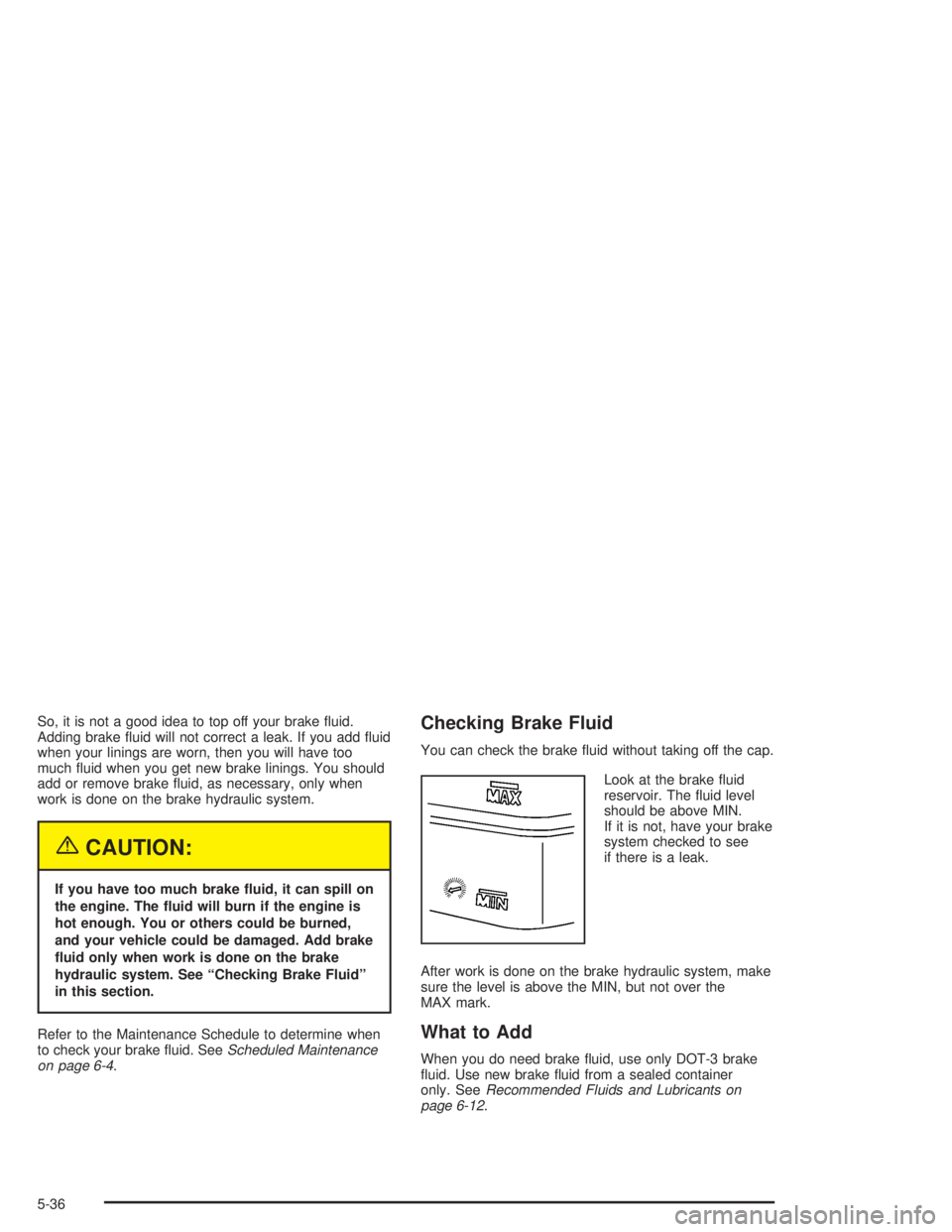
Checking Brake Fluid
You can check the brake uid without taking off the cap.
Look at the brake uid
reservoir. The uid level
should be above MIN.
If it is not, have your brake
system checked to see
if there is a leak.
After work is done on the brake hydraulic system, make
sure the level is above the MIN, but not over the
MAX mark.
What to Add
When you do need brake uid, use only DOT-3 brake
uid. Use new brake uid from a sealed container
only. SeeRecommended Fluids and Lubricants on
page 6-12.
5-36
Page 380 of 480
Windshield Wiper Blade
Replacement
Windshield wiper blades should be inspected for wear
or cracking. SeeScheduled Maintenance on page 6-4.
Allowing the wiper blade arm to touch the windshield
when no wiper blade is installed could damage the
windshield. Any damage that occurs would not
be covered by your warranty. Do not allow the wiper
blade arm to touch the windshield.
1. To remove the old wiper blades, lift the wiper arm
until it locks into a vertical position.
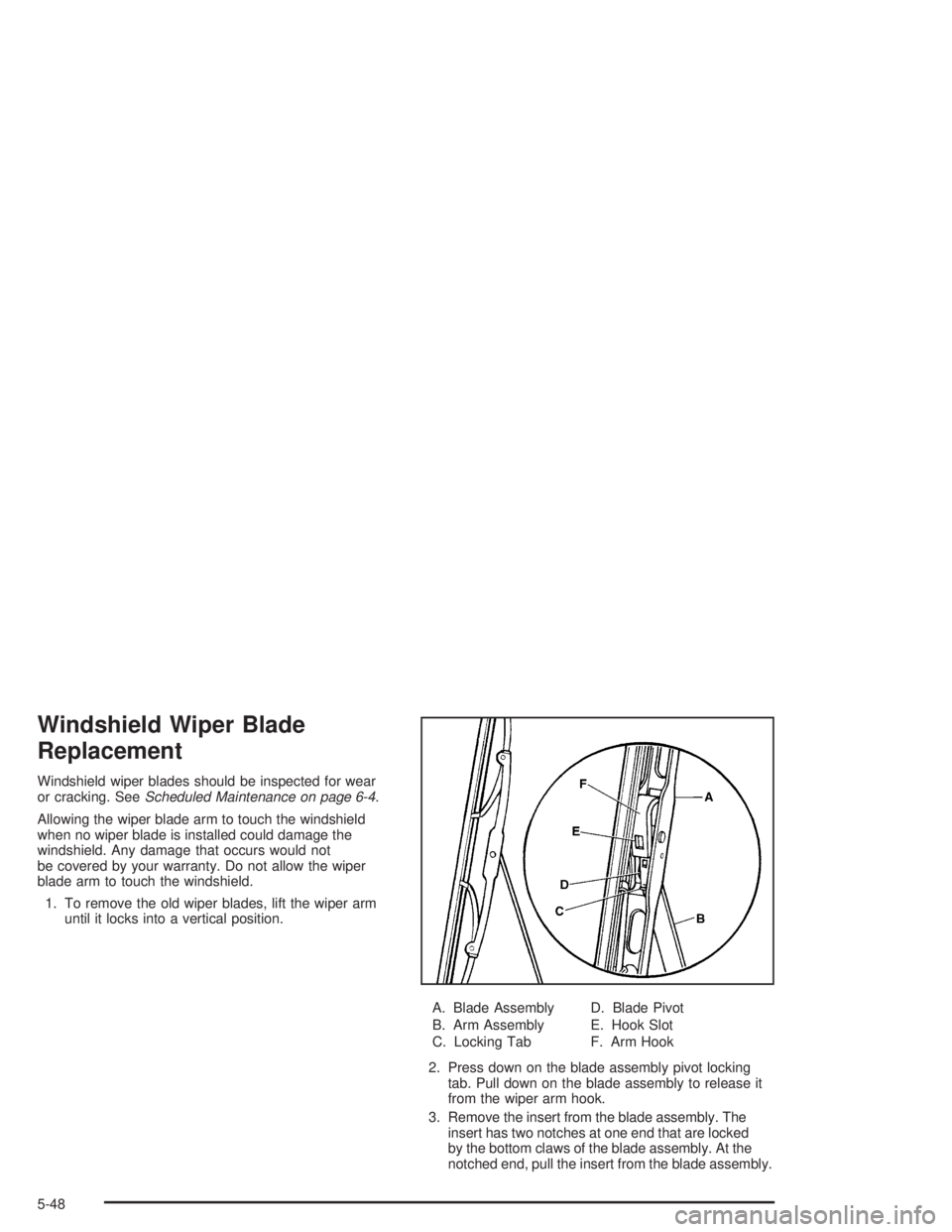
A. Blade Assembly
B. Arm Assembly
C. Locking TabD. Blade Pivot
E. Hook Slot
F. Arm Hook
2. Press down on the blade assembly pivot locking
tab. Pull down on the blade assembly to release it
from the wiper arm hook.
3. Remove the insert from the blade assembly. The
insert has two notches at one end that are locked
by the bottom claws of the blade assembly. At the
notched end, pull the insert from the blade assembly.
5-48