air condition GMC JIMMY 1997 Owner's Manual
[x] Cancel search | Manufacturer: GMC, Model Year: 1997, Model line: JIMMY, Model: GMC JIMMY 1997Pages: 410, PDF Size: 20.03 MB
Page 34 of 410
When should an air bag inflate?
An air bag is designed to inflate in a moderate to severe
frontal or near-frontal crash. The air bag will inflate
only
if the impact speed is above the system's designed
"threshold level."
If your vehicle goes straight into a
wall that doesn't move or deform. the threshold level is
about
14 to 18 mph (23 to 29 km/h). The threshold level
can vary, however,
with specific vehicle design. so that
it can be somewhat above or below this range. If your
vehicle strikes something
that will move or deform, such
as a parked car. the threshold level will be higher. The
air
bag is not designed to inflate in rollovers, side
impacts or rear impacts. because inflation would not
help the occupant.
In any particular crash, no one can say whether an air
bag should have inflated simply because of the damage
to a vehicle or because of what the repair costs were.
Inflation is determined
by the angle of the impact and
how quickly the vehicle slows down in frontal and
near-frontal impacts.
The air bag system
is designed to work properly under a
wide range of conditions, including off-road usage.
Observe safe driving speeds. especially
on rough terrain.
As always. wear your safety belt. See "Off-Road
Driving"
in the Index for Inore tips on off-road driving.
What makes an air bag inflate?
In an impact of sufficient severity, the air bag sensing
system detects that the vehicle is
in a crash. The sensing
system triggers a release of gas from
the inflator. which
inflates
the air bag. The inflator, air bag and related
hardware
are all part of the air bag module inside the
steering wheel.
How does an air bag restrain?
In tnoderate to severe frontal or near-frontal collisions.
even belted occupants can contact the steering wheel.
The air bag supplements the protection provided by
safety belts. Air bags distribute the force
of the impact
more evenly over
the occupant's upper body. stopping
the occupant more gradually.
But air bags would not
help you in many types of collisions, including
rollovers. rear impacts and side impacts. primarily
because an occupant's motion is
not toward the air bag.
Air bags should never be regarded as anything more
than a supplement
to safety belts. and then only in
moderate to severe frontal or near-frontal collisions.
1-23
Page 114 of 410
Temperature and Compass Display
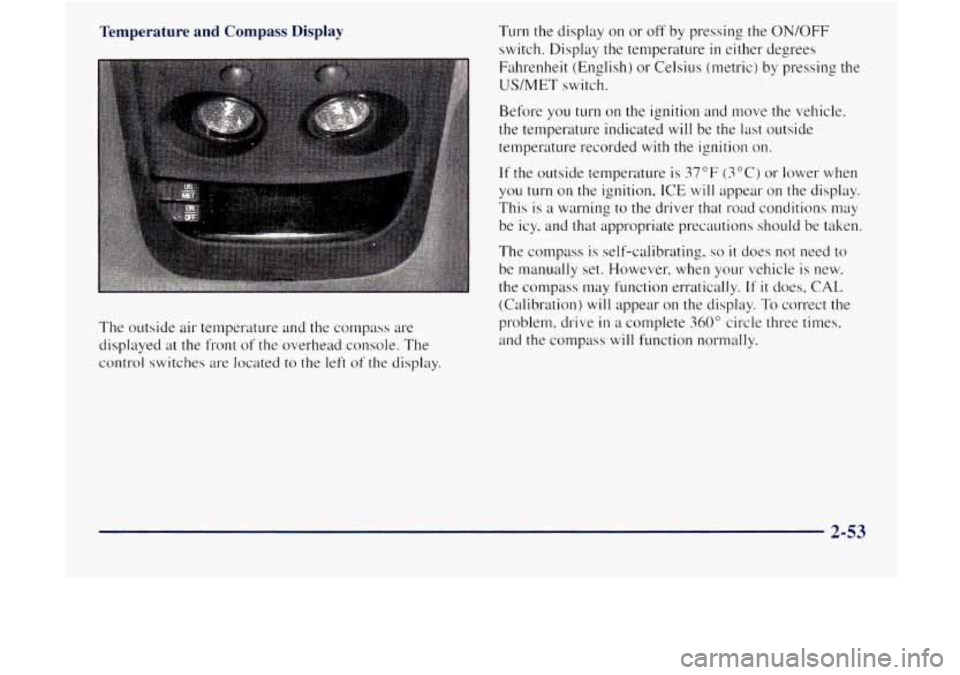
The outside air temperature and the compass are
displayed
at the front of the overhead console. The
control switches
are located to the left of the display. Turn
the display on or off by pressing the
ON/OFF
switch. Display the temperature in either de, orees
Fahrenheit (English)
or Celsius (metric) by pressing the
US/MET switch.
Before you turn on the ignition and move the vehicle,
the temperature indicated
will be the last outside
temperature recorded
with the ignition on.
If the outside temperature is 37°F (3°C) or lower when
you turn
on the ignition, ICE will appear on the display.
This
is a warning to the driver that road conditions may
be icy, and that appropriate precautions should be taken.
The compass is self-calibrating.
so it does not need to
be nlanually set. However, when your vehicle is new.
the compass may function erratically.
If it does, CAL
(Calibration) will appear on the display. To correct the
problem, drive
in a complete 360" circle three times,
and the compass
will function normally.
2-53
Page 134 of 410

Air Bag Readiness Light
There is an air bag readiness light 011 the instrument
panel, which shows
AIR RAG. The system checks the
air bag's electrical system for ~~~alfunctions. The light
tells you if there is an electrical problem. The syslem
check includes the air bag sensors. the air
bag module,
the wiring and the diagnostic module. For n~ore
information
on the air bag system. sec .'Air Rag" in
the Index.
AIR
BAG
This light will ~0111e on
when you start your engine,
and it will flash for a few
seconds. Then thc light
should go out. This means
the system
is ready.
If the air bag readiness light stays 011 after you start the
engine or comes on when you are driving, your ail- bag
system
may not work properly. Have your vehicle
serviced right
away.
The air bag readiness light should flash for a few
seconds when you turn the ignition key to
RUN. If the
light doesn't
co111e on then. have it fixed so it will be
re.ady
to warn you if there is a problem.
_. -
lrging System Indicator Light
II
The charging system light
will come on brietly when
you turn on the ignition,
but the engine is not
running, as
a check to
show you it is working.
It should go out once the engine is running. If it stays
on. or comes on while you are driving. you may have
a problem with the. charging system. It could indicate
that
you have problem with a generator drive belt. or
another electrical problem. Have it checked right away.
Driving while this light
is on could drain your battery.
If you must drive a short distance with the light 011, be
certain to turn off
all your accessories. such as the radio
and air conditioner.
2-73
Page 144 of 410
Section 3 Comfort Controls and Audio Systems
In this section, you'll find out how to operate the comfort control and audio systems offered with your vehicle. Be
sure to read about the particular systems supplied with your vehicle.
3-2
3-2
3-3
3-3
3-4
3
-5
3-5
3-6
3 -6
3-6
3 -6
Comfort Controls
Climate Control System
Air Conditioning
Heating
Ventilation System
Defogging and Defrosting
Rear Window Defogger (Option)
Audio Systems
Setting the Clock
Setting the Clock for AM-FM Stereo
with Compact Disc Player and Automatic
Tone Control AM-FM Stereo 3-8
3- 10
3-13
3-17
3- 19
3- 19
3-20
3-2 1
3-2 1
AM-FM Stereo with Cassette Tape Player
(If Equipped)
AM-FM Stereo with Cassette Tape Player
and Equalizer
(If Equipped)
AM-FM Stereo
with Compact Disc Player
and Automatic Tone Control
(If Equipped)
Theft-Deterrent Feature
Understanding Radio Reception
Tips About Your Audio System
Care
of Your Cassette Tape Player
Care
of Your Compact Discs
Fixed Mast Antenna
3-1
Page 146 of 410
Air Conditioning
011 cool but sunny days, use BI-LEVEL A/C to deliver
~varm
air to the floor and cooler air to the instrument
p"nel outlets.
When the air conditioner is on. you may sometimes
notice slight changes
in your 1:ehicle's engine speed and
power, This
is normal because the system is designed
to cycle the compressor
on and off to keep the
clesired temperature.
Heating
The heater works best if yo11 keep plr windows closed
while using
it. On cold days. use HEATER With the
ten~perature knob turned clockwise.
BLEND is LISS~LI~ in
cool weather when you have fos or ice on the
winclshield
or side windows.
If ~OLI use the optional engine coolant heater befhre
starting yo~~r engine. your heatin2 system will produce
warmer air faster to heat the passenger compartment
in
cold weather. See "Engine Coolant Heater" in the Index.
3-3
Page 148 of 410
Defogging and Defrosting
On cool. humid days. use BLEND to keep the
windshield and side windows clear.
Use
DEFROST to remove fog or ice from the
windshield quickly
in extreme humid or cold conditions.
Turn the temperature knob clockwise and
move the fhn
control toward HI.
Rear Window Defogger (Option)
window of as much snow or ice as possible before using
the rear window defogger.
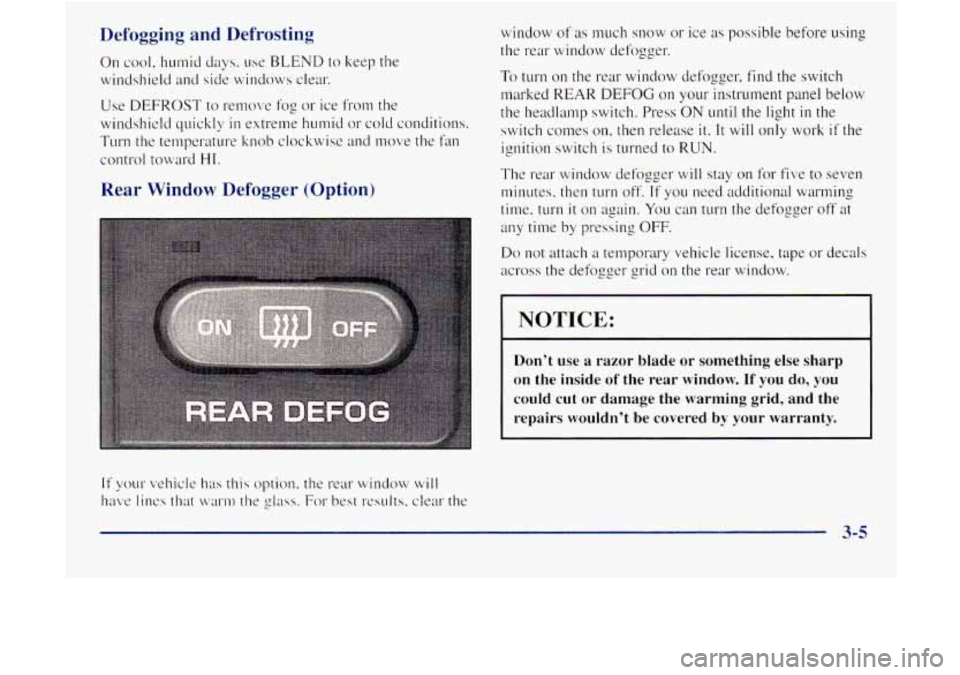
To turn on the rear window defogger, find the switch
marked REAR
DEFOG on your instrument panel below
the headlamp switch. Press ON until the light in the
switch comes
on, then release it. It will only work if the
ignition switch is turned to RUN.
The rear window defozger will stay
on for five to seven
minutes. then turn off.
If you need additional warming
time, turn
it on again. You can turn the defogger off at
any time by pressing OFF.
Do not attach a temporary vehicle license, tape or decals
across the defogger grid on the rear window.
NOTICE:
Don’t use a razor blade or something else sharp
on the inside
of the rear window. If you do, you
could cut or damage the warming grid, and the
repairs wouldn’t be covered
by your warranty.
3-5
Page 225 of 410

2. Get the vehicles close enough so the jumper cables
can reach, but
be sure the vehicles aren*t touching
each other.
If they are, it could cause a ground
connection you don't want.
You wouldn't be able to
start your vehicle,
and the bad grounding could
damage the electrical systems.
You co~~ld
be injured if the vehicles roll. Set the
parking
brake firmly on each vehicle. Put an
automatic transmission in PARK (P) or a manual
transmission
in NEUTRAL (N). If you have a
four-wheel-drive vehicle with a manual transfer case
shift lever, be sure
the transfer case is not in
NEUTRAL (Nj.
3. Turn off the ignition on both vehicles. Unplug
unnecessary accessories plugged into the ci, wsette
lighter, or accessory power outlets,
if you have this
option. Turn off all
lamps that aren't needed as well
as radios. This will avoid sparks and help save both
batteries.
In addition, it could save your radio!
I NOTICE:
If' you leave your radio on, it could be badly
damaged, The repair wouldn't be covered by
your warranty.
An electric fan can start up even when the engine
is not running and can injure you. Keep hands,
clothing and tools
away from any underhood
electric fan.
- -
If your vehicle has air conditioning, the auxiliary
electric fan under the hood can start up
even
when the engine is not running and can injure
you. Keep hands, clothing and tools away from
any underhood electric fan.
5-4
Page 235 of 410
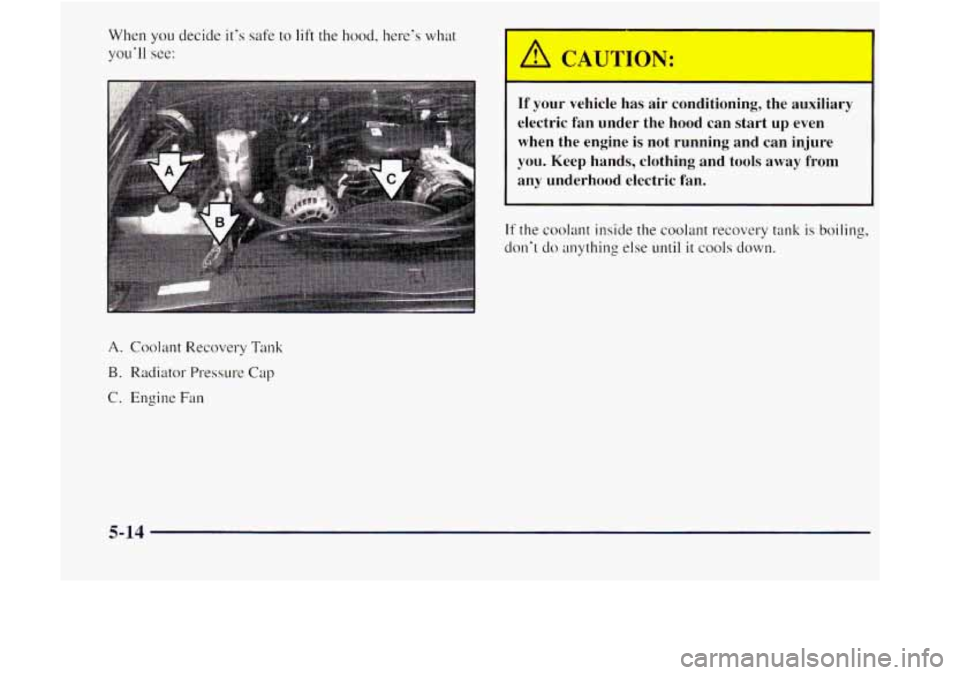
When you decide it's safe to lift the hood. here's what
you'll see:
A. Coolant Recovery Tank
B. Radiator Pressure Cap
C. Engine Fan
A CAUTION:
r
If your vehicle has air conditioning, the auxiliary
electric fan under the hood can start
up even
when the engine is not running and can injure
you. Keep hands, clothing and tools away
from
any underhood electric fan.
If the coolant inside the coolant recovery tank is boiling,
don't
do anything else until it cools down.
5-14
Page 243 of 410

Engine Fan Noise If a Tire Goes Flat
This vehicle has a clutched engine cooling fan. When
the clutch is engaged,
the fan spins faster to provide
more air to cool the engine.
In most everyday driving
conditions, the clutch
is not engaged. This improves
fuel economy and reduces
fan noise. Under heavy
vehicle loading, trailer towing and/or high outside
temperatures, the
fan speed increases when the clutch
engages.
So you may hear an increase in fan noise. This
is normal and should not be mistaken as the
transmission slipping
or making extra shifts. It is merely
the cooling system functioning properly. The fan will
slow down when additional cooling is not required and
the clutch disengages.
You
may also hear this fan noise when you start he
engine.
It will go away as the fan clutch disengages. It's
unusual
for a tire to "blow out" while you're driving,
especially
if you maintain your tires properly. If air goes
out of
a tire, it's muc11 more likely to leak out slowly.
But if you should ever have a "blowout." here are a few
tips about what
to expect and what to do:
If a front tire fails, the flat tire will create a drag that
pulls the vehicle toward that side. Take your foot off the
accelerator pedal and grip the steering wheel firmly.
Steer to ~naintain lane position, and then gently brake to
a stop well out of the traffic lane.
A rear blowout. particularly on a curve, acts much like a
skid and may require the same correction you'd use in a
skid. In any rear blowout, remove yo~~r foot from the
accelerator pedal. Get the c.ehicle under control
by
steering the way ~OLI want the vehicle to go. It may be
very bumpy
and noisy. but you can still steer. Gently
brake to
a stop -- well off the road if possible.
5-22
Page 260 of 410

Section 6 Service and Appearance Care
6-3 6-4
6-5
6-6
6-9
6-13
6- 14
6- 1 8
6- 19
6-20
6-2
1
6-23
6-26
6-26 6-26
6-27
6-28
6-32
6-33
6-3
8
6-40
6-49
6-49
6-5 2
6-54
6-57
6-58
6-5 8
6-58
6-62
6-63
6-64 Brakes
Battery
Bulb
Replacement
Windshield Wiper Blade
Repl~tcenwnt
Tires Appemlnce Care
Cleaning
the Inside of Your Vehicle
Care of Safety Belts
Cleaning the Outside
of Your Vehicle
Appearance Care Materiuls
Chart
Vehicle Identification Number (VIN)
Service Parts Identification Label
Electrical System
Replacement Bulbs
Ci,plcities
and Specifications
Air Conditioning Refrigerants