brake GMC SAFARI 2003 User Guide
[x] Cancel search | Manufacturer: GMC, Model Year: 2003, Model line: SAFARI, Model: GMC SAFARI 2003Pages: 376, PDF Size: 2.25 MB
Page 107 of 376
Running Your Engine While You
Are Parked
It’s better not to park with the engine running. But if you
ever have to, here are some things to know.
{CAUTION:
Idling the engine with the climate control
system off could allow dangerous exhaust into
your vehicle. See the earlier Caution under
“Engine Exhaust.”
Also, idling in a closed-in place can let deadly
carbon monoxide (CO) into your vehicle even if
the fan is at the highest setting. One place this
can happen is a garage. Exhaust—with
CO—can come in easily. NEVER park in a
garage with the engine running.
Another closed-in place can be a blizzard. See
“Winter Driving”in the Index.
{CAUTION:
It can be dangerous to get out of your vehicle
if the shift lever is not fully in PARK (P) with
the parking brakefirmly set. Your vehicle can
roll. Don’t leave your vehicle when the engine
is running unless you have to. If you’ve left the
engine running, the vehicle can move
suddenly. You or others could be injured. To
be sure your vehicle won’t move, even when
you’re on fairly level ground, always set your
parking brake and move the shift lever to
PARK (P).
Follow the proper steps to be sure your vehicle won’t
move. SeeShifting Into Park (P) on page 2-27.
If you’re pulling a trailer, seeTowing a Trailer on
page 4-31.
2-31
2003 - Safari OM
Page 123 of 376

Instrument Panel Overview...............................3-2
Hazard Warning Flashers................................3-4
Other Warning Devices...................................3-5
Horn .............................................................3-5
Tilt Wheel.....................................................3-5
Turn Signal/Multifunction Lever.........................3-6
Exterior Lamps.............................................3-12
Interior Lamps..............................................3-15
Accessory Power Outlets...............................3-16
Ashtrays and Cigarette Lighter........................3-17
Climate Controls............................................3-18
Climate Control System.................................3-18
Rear Heating System....................................3-19
Rear Air Conditioning System.........................3-20
Rear Climate Control System.........................3-21
Warning Lights, Gages and Indicators.............3-23
Instrument Panel Cluster
................................3-24
Speedometer and Odometer
...........................3-25
Safety Belt Reminder Light
.............................3-25
Air Bag Readiness Light
................................3-26
Charging System Light
..................................3-27
Voltmeter Gage
............................................3-27
Brake System Warning Light
..........................3-28Anti-Lock Brake System
Warning Light...........................................3-29
Engine Coolant Temperature Gage..................3-29
Malfunction Indicator Lamp.............................3-30
Oil Pressure Gage........................................3-33
Security Light...............................................3-34
Service All-Wheel Drive Light.........................3-34
Tow/Haul Mode Light....................................3-35
Check Gages Warning Light...........................3-35
Fuel Gage...................................................3-36
Low Fuel Warning Light.................................3-36
Audio System(s).............................................3-37
Setting the Time for Radios with
the Set Button..........................................3-37
Setting the Time for Radios with
HR and MN Buttons..................................3-37
AM-FM Radio...............................................3-38
Radio with CD..............................................3-40
Rear Seat Audio (RSA).................................3-45
Theft-Deterrent Feature..................................3-46
Understanding Radio Reception......................3-49
Care of Your CDs.........................................3-49
Care of Your CD Player................................3-49
Fixed Mast Antenna......................................3-49
Section 3 Instrument Panel
3-1
2003 - Safari OM
Page 132 of 376
Cruise Control
Your vehicle may have this feature. With cruise control,
you can maintain a speed of about 25 mph (40 km/h)
or more without keeping your foot on the accelerator.
This can really help on long trips. Cruise control
does not work at speeds below about 25 mph (40 km/h).
When you apply your brakes, the cruise control shuts off.
{CAUTION:
•Cruise control can be dangerous where
you can’t drive safely at a steady speed.
So, don’t use your cruise control on
winding roads or in heavy traffic.
•Cruise control can be dangerous on
slippery roads. On such roads, fast
changes in tire traction can cause
needless wheel spinning, and you could
lose control. Don’t use cruise control on
slippery roads.
Setting Cruise Control
{CAUTION:
If you leave your cruise control on when you’re
not using cruise, you might hit a button and go
into cruise when you don’t want to. You could
be startled and even lose control. Keep the
cruise control switch off until you want to use
cruise control.
1. Move the cruise control switch to ON.
2. Get up to the speed you want.
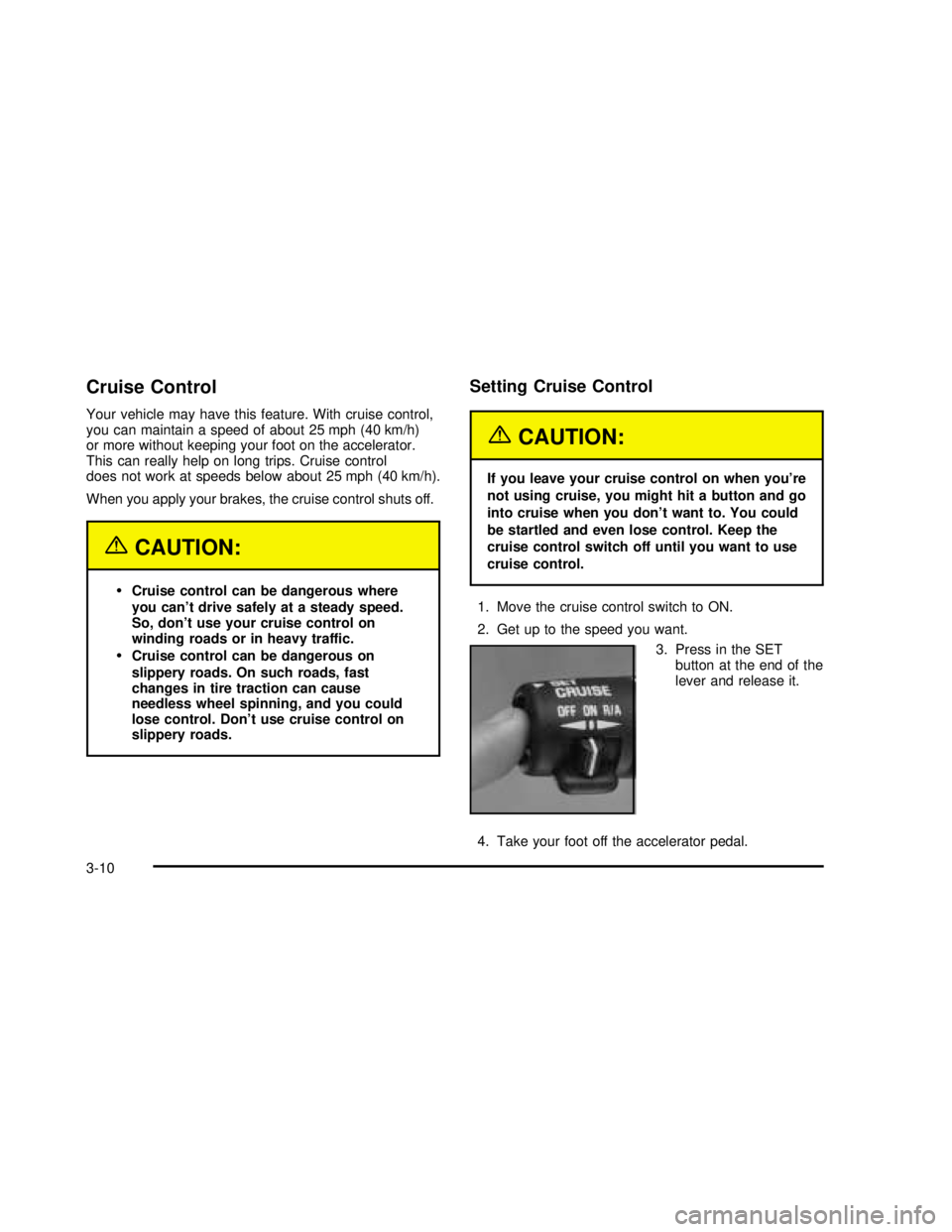
3. Press in the SET
button at the end of the
lever and release it.
4. Take your foot off the accelerator pedal.
3-10
2003 - Safari OM
Page 133 of 376

Resuming a Set Speed
Suppose you set your cruise control at a desired speed
and then you apply the brake. This, of course, shuts
off the cruise control. But you don’t need to reset it.
Once you’re going about
25 mph (40 km/h) or
more, you can move the
cruise control switch
from ON to R/A
(Resume/Acclerate) briefly.
You’ll go right back up to your chosen speed and
stay there.
If you hold the switch at R/A, the vehicle will keep
going faster until you release the switch or apply the
brake. So unless you want to go faster, don’t hold
the switch at R/A.
Increasing Speed While Using Cruise
Control
There are two ways to go to a higher speed:
•Use the accelerator pedal to get to the higher
speed. Press the button at the end of the lever,
then release the button and the accelerator pedal.
You’ll now cruise at the higher speed.
•Move the cruise switch from ON to R/A. Hold it
there until you get up to the speed you want,
and then release the switch. To increase your speed
in very small amounts, move the switch to R/A
briefly. Each time you do this, your vehicle will go
about 1 mph (1.6 km/h) faster.
Reducing Speed While Using Cruise
Control
There are two ways to reduce your speed while using
cruise control:
•Press the button at the end of the lever until you
reach the lower speed you want, then release it.
•To slow down in very small amounts, press the
button briefly. Each time you do this, you’ll go
about 1 mph (1.6 km/h) slower.
3-11
2003 - Safari OM
Page 134 of 376

Passing Another Vehicle While Using
Cruise Control
Use the accelerator pedal to increase your speed.
When you take your foot off the pedal, your vehicle will
slow down to the cruise control speed you set earlier.
Using Cruise Control on Hills
How well your cruise control will work on hills depends
upon your speed, load and the steepness of the hills.
When going up steep hills, you may want to step on the
accelerator pedal to maintain your speed. When going
downhill, you may have to brake or shift to a lower gear to
keep your speed down. Of course, applying the brake
takes you out of cruise control. Many driversfind this to
be too much trouble and don’t use cruise control on
steep hills.
Ending Cruise Control
There are two ways to turn off the cruise control:
•Step lightly on the brake pedal.
•Move the cruise switch to OFF.
Erasing Speed Memory
When you turn off the cruise control or the ignition,
your cruise control set speed memory is erased.
Exterior Lamps
The exterior lamp control is located on the driver’s side
of the instrument panel.
The exterior lamp control has three positions:
9(Off):Turning the control to this position turns off
all lamps except the Daytime Running Lamps (DRL).
3-12
2003 - Safari OM
Page 135 of 376

;(Parking Lamps):Turning the control to this
position turns on the parking lamps, together with
the following:
•Sidemarker Lamps
•Taillamps
•License Plate Lamps
•Instrument Panel Lights
•Ashtray Lamp
O(Headlamps):Turning the control to this position
turns on the headlamps, together with the previously
listed lamps and lights.
Automatic Headlamp System
When it is dark enough outside, your automatic
headlamp system will turn on your headlamps at the
normal brightness along with other lamps such as
the taillamps, sidemarker, parking lamps and the
instrument panel lights. The radio lights will also dim.
Your vehicle is equipped with a light sensor on the top of
the instrument panel in the defroster grille. Be sure it
is not covered, or the system will be on whenever
the ignition is on.
The system may also turn on your headlamps when
driving through a parking garage, heavy overcast
weather or a tunnel. This is normal.There is a delay in the transition between the daytime and
nighttime operation of the Daytime Running Lamps (DRL)
and the automatic headlamp systems so that driving
under bridges or bright overhead street lights does not
affect the system. The DRL and automatic headlamp
system will only be affected when the light sensor sees a
change in lighting lasting longer than the delay.
To idle your vehicle with the automatic headlamp
system off, set the parking brake while the ignition is
off. Then start your vehicle. The automatic headlamp
system will stay off until you release the parking brake.
You may be able to turn off your automatic headlamp
system. See“Daytime Running Lamps (DRL)”later
in this section for more information.
As with any vehicle, you should turn on the regular
headlamps when you need them.
Lamps On Reminder
A reminder tone will sound when your headlamps or
parking lamps are manually turned on and your ignition is
in OFF, LOCK or ACCESSORY. To disable the tone, turn
the instrument panel brightness thumbwheel all the way
down. In the automatic mode, the headlamps turn off
once the ignition key is in OFF.
3-13
2003 - Safari OM
Page 136 of 376

Daytime Running Lamps (DRL)
Daytime Running Lamps (DRL) can make it easier for
others to see the front of your vehicle during the
day. DRL can be helpful in many different driving
conditions, but they can be especially helpful in the short
periods after dawn and before sunset. Fully functional
daytime running lamps are required on all vehicles
first sold in Canada.
The DRL system will make your headlamps come on
at a reduced brightness when the following conditions
are met:
•The ignition is on,
•the exterior lamp control is off.
•the automatic transmission is not in PARK (P),
•the light sensor determines it is daytime and
•the parking brake is released.
When the DRL are on, only your DRL lamps will be on.
The taillamps, sidemarker and other lamps won’tbe
on. Your instrument panel won’t be lit up either.When it begins to get dark, the automatic headlamp
system will switch from DRL to the headlamps or the
last chosen headlamp setting that was used.
To idle your vehicle with the DRL off, put the
transmission in PARK (P). The DRL will stay off until
you shift out of PARK (P).
The following does not apply to vehicles first sold
in Canada.
When necessary, you may turn off the automatic
headlamp system and the Daytime Running
Lamps (DRL) feature by following the steps below:
1. Turn the ignition to RUN.
2. Press the DOME OVERRIDE button four times
within six seconds. After the fourth press of the
button, a chime will sound informing you that
the system is off.
To return to the automatic mode, push the DOME
OVERRIDE button four times within six seconds
(the chime will sound), or turn the ignition to off and
then to RUN again.
As with any vehicle, you should turn on the regular
headlamp system when you need it.
3-14
2003 - Safari OM
Page 150 of 376

You can only drive for a short time with the readings in
either warning zone. If you must drive, turn off all
unnecessary accessories.
Readings in either warning zone indicate a possible
problem in the electrical system. Have the vehicle
serviced as soon as possible.
Brake System Warning Light
When the ignition is on, the brake system warning light
will come on when you set your parking brake. The
light will stay on if your parking brake doesn’t release
fully. If it stays on after your parking brake is fully
released, it means you have a brake problem.
Your vehicle’s hydraulic brake system is divided into two
parts. If one part isn’t working, the other part can still
work and stop you. For good braking, though, you need
both parts working well.
If the warning light comes on, there could be a brake
problem. Have your brake system inspected right away.This light should come on
briefly when you turn the
ignition key to RUN.
If it doesn’t come on then,
have itfixed so it will
be ready to warn you if
there’s a problem.
If the light comes on while you are driving, pull off the
road and stop carefully. You may notice that the pedal is
harder to push. Or, the pedal may go closer to the
floor. It may take longer to stop. If the light is still on,
have the vehicle towed for service. SeeTowing
Your Vehicle on page 4-28.
{CAUTION:
Your brake system may not be working
properly if the brake system warning light is
on. Driving with the brake system warning light
on can lead to an accident. If the light is still
on after you’ve pulled off the road and stopped
carefully, have the vehicle towed for service.
3-28
2003 - Safari OM
Page 151 of 376

Anti-Lock Brake System
Warning Light
With the anti-lock brake
system, this light will come
on when you start your
engine and may stay on
for several seconds.
That’s normal.
If the light stays on, or comes on when you’re driving,
your vehicle needs service. If the regular brake
system warning light isn’t on, you still have brakes,
but you don’t have anti-lock brakes. If the regular brake
system warning light is also on, you don’t have
anti-lock brakes and there’s a problem with your regular
brakes. See“Brake System Warning Light”earlier in
this section.
The anti-lock brake system warning light should come
on briefly when you turn the ignition key to RUN.
If the light doesn’t come on then, have itfixed so
it will be ready to warn you if there is a problem.
Engine Coolant Temperature Gage
This gage shows the
engine coolant
temperature. If the gage
pointer moves to the
red area, your engine
is too hot!
It means that your engine coolant has overheated.
If you have been operating your vehicle under normal
driving conditions, you should pull off the road, stop your
vehicle and turn off the engine as soon as possible.
SeeEngine Overheating on page 5-28.
3-29
2003 - Safari OM
Page 174 of 376

Your Driving, the Road, and
Your Vehicle
Defensive Driving
The best advice anyone can give about driving is: Drive
defensively.
Please start with a very important safety device in your
vehicle: Buckle up. SeeSafety Belts: They Are for
Everyone on page 1-13.
Defensive driving really means “be ready for anything.”
On city streets, rural roads or freeways, it means
“always expect the unexpected.”
Assume that pedestrians or other drivers are going to
be careless and make mistakes. Anticipate what
they might do. Be ready for their mistakes.
Rear-end collisions are about the most preventable of
accidents. Yet they are common. Allow enough following
distance. It’s the best defensive driving maneuver, in both
city and rural driving. You never know when the vehicle in
front of you is going to brake or turn suddenly.Defensive driving requires that a driver concentrate on
the driving task. Anything that distracts from the
driving task — such as concentrating on a cellular
telephone call, reading, or reaching for something on
the oor — makes proper defensive driving more difficult
and can even cause a collision, with resulting injury.
Ask a passenger to help do things like this, or pull off the
road in a safe place to do them yourself. These simple
defensive driving techniques could save your life.
Drunken Driving
Death and injury associated with drinking and driving is
a national tragedy. It’s the number one contributor to
the highway death toll, claiming thousands of victims
every year.
Alcohol affects four things that anyone needs to drive a
vehicle:
Judgment
Muscular Coordination
Vision
Attentiveness.
4-2
2003 - Safari OM