light GMC SAVANA 1996 Owner's Guide
[x] Cancel search | Manufacturer: GMC, Model Year: 1996, Model line: SAVANA, Model: GMC SAVANA 1996Pages: 372, PDF Size: 18.81 MB
Page 137 of 372
P.SCAN: The preset scan button lets you scan through
your favorite stations stored on your pushbuttons. Select
either the AM, FM 1 or FM2 mode and then press
P.SCAN. It will scan through each station stored on your
pushbuttons and stop for
a few seconds before
continuing to scan through
all of the pushbuttons. Press
P.SCAN again or one
of the pushbuttons to stop
scanning
to listen to a specific stored station. P.SCAN
will light up on the display while
in this mode. If one of
the stations stored
on a pushbutton is too weak for the
location
you are in, the radio display will show the
channel number (P
1 -P6) ‘for several seconds before
advancing
to the next preset station.
Setting the Tone
BASS:
Press lightly on this knob to release it from its
stored position. Turn the knob clockwise
to increase the
bass and counterclockwise to decrease the bass. When
the BASS control is rotated, the
AUTO TONE setting
will change to MAN.
TREB: Press lightly on the TREB knob to release it
from its stored position. Turn the knob clockwise to
increase the treble and counterclockwise
to decrease the
treble. When the TREB control is rotated,
the AUTO
TONE setting will change to
MAN.
Push these knobs back in to their stored position when
you’re
not using them.
AUTO TONE: Press this button to select among the
five preset equalization settings and tailor the sound to
the music or voice being heard. Each time you press the
button, the selection
will switch to one of the preset
settings
of CLASSIC, NEWS, ROCK, POP or JAZZ.
The display
will show which mode the receiver is in. To
return to the manual mode, press and release this button
until MAN appears
on the display. This will return the
tone adjustment to the TREB and BASS controls. When
a TREB or BASS control
is rotated, tone is
automatically set to MAN.
Adjusting the Speakers
BAL: Press lightly on this knob to release it from its
stored position. Turn the control clockwise
to adjust
sound to the right speakers and counterclockwise to
adjust sound
to the left speakers.
FADE: Press lightly on this knob to release it from its
stored position. Turn the control clockwise to adjust the
sound to the front and counterclockwise for rear speakers.
Push these knobs back
in to their stored position when
you’re
not using them.
3-21
ProCarManuals.com
Page 144 of 372
Care of Your Cassette Tape Player
A tape player that is not cleaned regularly can cause
reduced sound quality, ruined cassettes or
a damaged
mechanism. Cassette tapes should be stored
in their
cases away from Contaminants, direct sunlight and
extreme heat.
If they aren’t, they may not operate
properly or may cause failure of
the tape player.
Your tape player should
be cleaned regularly after every
50 hours of use. Your radio may display CLN to indicate
that you have used your tape player for
SO hours without
resetting the tape clean timer. If you notice a reduction in
sound quality, try
a known good cassette to see if the tape
or the tape player is at fault. If this other cassette has
no
improvement in sound quality, clean the tape player.
Cleaning may be done with
a scrubbing action,
non-abrasive cleaning cassette with pads which scrub
the tape head as the hubs
of the cleaner cassette turn. It
is normal for the cassette to eject while cleaning. Insert
the cassette at least three times
to ensure thorough
cleaning.
A scrubbing action cleaning cassette is
available through your
GM dealer You
may also choose
a non-scrubbing action, wet-type
cleaner which uses a cassette with a fabric belt to clean
the tape head. This type of cleaning cassette will not
eject. It may not clean
as thoroughly as the scrubbing
type cleaner.
Cassettes are subject
to wear and the sound quality may
degrade over time. Always make sure that the cassette
tape is in good condition before you have your tape
player serviced.
Care of Your Compact Discs
Handle discs carefully. Store them in their original cases
or other protective cases and away from direct sunlight
and dust. If the surface of
a disc is soiled, dampen a
clean, soft cloth
in a mild, neutral detergent solution and
clean
it, wiping from the center to the edge.
Be sure never
to touch the signal surface when handling
discs. Pick up discs
by grasping the outer edges or the
edge
of the hole and the outer edge.
3-28
ProCarManuals.com
Page 145 of 372
Power Antenna Mast Care
Your power antenna will look its best and work well if it’s
cleaned from time to
time. To clean the antenna mast:
I. Turn on the ignition and radio to raise the antenna.
2. Dampen a clean cloth with mineral spirits or
equivalent solvent.
3. Wipe the cloth over the mast sections. removing
any dirt.
4. Wipe dry with a clean cloth.
5. Make the antenna go up and down by turning the
radio or ignition off and on.
6. Repeat if necessary.
NOTICE:
Don’t lubricate the power antenna. Lubrication
could darnage it.
NOTICE:
Before entering an automatic car wash, turn off
your radio to make the power antenna
go down.
This will prevent the mast from possibly getting
damaged.
If the antenna does not go down when
you turn the radio
off, it may be damaged or
need to be cleaned.
In either case, lower the
antenna
by hand by carefully pressing the
antenna down.
If the mast portion of your antenna is damaged, you can
easily replace
it. See your dealer for a replacement kit
and follow the instructions in the kit.
Adjustable Mast Antenna
The mast should be fully retracted before entering
any automated wash
fxility to minimize the risk of
antenna damage.
If the mast should ever become slightly bent, you can
straighten
it out by hand. If the mast is badly bent, as it
might be by vandals, you should replace it.
Check every once in a while to be sure the antenna is
still tightened to the body side panel.
3-29
ProCarManuals.com
Page 154 of 372
Avoid needless heavy braking. Some people drive in
spurts -- heavy acceleration followed by heavy
braking
-- rather than keeping pace with traffic. This
is
a mistake. Your brakes may not have time to cool
between hard stops. Your brakes
will wear out much
faster if you
do a lot of heavy braking. If you keep pace
with the traffic and allow realistic following distances,
you
will eliminate a lot of unnecessary braking. That
means better braking and longer brake life.
If your engine ever stops while you’re driving, brake
normally but don’t pump your brakes.
If you do, the
pedal may get harder
to push down. If your engine
stops, you
will still have some power brake assist. But
you will use it when you brake. Once the power assist is
used up, it may take longer to stop and the brake pedal
will be harder to push.
Anti-Lock Brakes
Your vehicle has anti-lock brakes (ABS). ABS is an
advanced electronic braking system that
will help
prevent
a braking skid.
When you start
your engine and begin to drive away,
your anti-lock brake system
will check itself. You may
hear
a momentary motor or clicking noise while this test
is going on. This is normal.
ANTI -
LOCK
If there’s a problem with
the anti-lock brake system,
this warning light will stay
on. See ”Anti-Lock Brake
System Warning Light’’
in
the Index.
ProCarManuals.com
Page 158 of 372
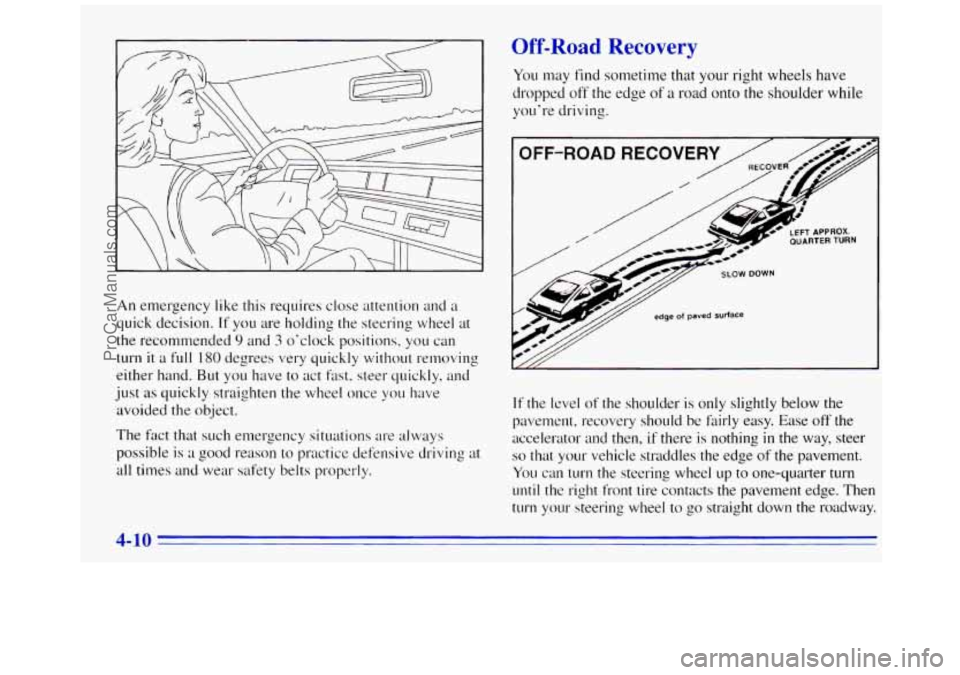
An emergency like this requires close attention and a
quick decision.
If you are holding the steering wheel at
the recommended
9 and 3 o'clock positions, you can
turn
it a full 180 degrees vesy quickly without re~noving
either- hand.
But you have to act fast, steer quickly, and
just as quickly straighten the wheel once
YOLI have
avoided the object.
The fact that such emergency situations are ~dways
possible
is a good reason to practice defensive driving at
all times and wear safety belts properly.
Off-Road R covery
You may find sometime that your right wheels have
dropped
off the edge of a road onto the shoulder while
you're driving.
OFF-ROAD
QUARTER TURN LEFT APPROX.
SLOW DOWN
edge of paved surface
If the level of the shoulder is only slightly below the
pavement, recovery should
be fairly easy. Ease off the
accelerator and then,
if there is nothing in the way, steer
so that your vehicle straddles the edge of the pavement.
You can
turn the steering wheel up to one-quarter turn
until the right front tire contacts the pavement edge. Then
turn your steering wheel to
go straight down the roadway.
4-10
ProCarManuals.com
Page 162 of 372
Here are some tips on night driving.
0
0
0
0
0
0
0
Drive defensively.
Don’t drink and drive.
Adjust your inside rearview mirror to reduce
the
L‘ olare from headlamps behind you.
Since you can’t see as well, you may need to
slow down and keep more space between
you
and other vehicles.
Slow down, especially on higher speed roads. Your
headlamps can light up
only so much road ahead.
In remote areas, watch for animals.
If you’re tired, pull off the road in a safe place
and rest.
Night Vision
No one can see as well at night as in the daytime. But as
we get older these differences increase. A SO-year-old
driver may require at least twice as much light to see
the
same thing at night as a 20-year-old.
What
you do in the daytime can also affect your night
vision. For example, if you spend the- day in bright
sunshine
you are wise to wear sunglasses. Your eyes will have less
trouble adjusting to night. But
if you’re
driving. don’t wear sunglasses
at night. They may cut
down
on glare from herldlamps, but they also make a
lot of things invisible.
You can be temporarily blindecl by approaching
Imldlamps.
It can take a second or two, or even several
seconds,
for your eyes to readjust to the dark. When you
are laced with severe glare (as from a driver who
doesn’t lower the high beams, or
:I vehicle with
rnisaimed headlamps),
slow down a little. Avoid staring
directly into the approaching headlamps.
Keep
your windshield and all the glass on your vehicle
clean
-- inside and out. Glare at night is made much
worse by dirt on the
glass. Even the inside of the glass
can build up
a film caused by dust. Dirty glass makes
lights dazzle and
l’1as1.1 more than clean glass would,
making the pupils of your
eyes contract repeatedly.
Remember that your
headlamps light up far less of a
roadway when you are in ;I turn or curve. Keep your
eyes moving; that way. it‘s easier to pick out dimly
lighted ob-jects. Just
as your headlamps should be
checked regularly for proper
aim, so should your eyes
be examined regularly. Some drivers suffer from night
blindness
-- the inability to sec in dim light -- and aren’t
even aware
of it.
4-14
ProCarManuals.com
Page 164 of 372
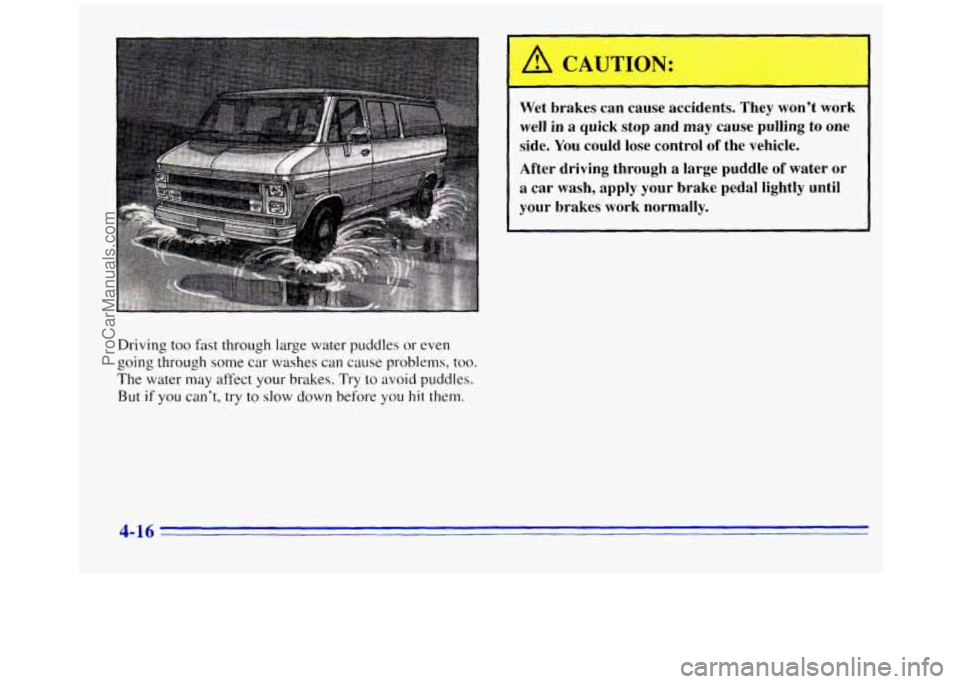
Driving too fast through large water puddles or even
going through some car washes
can cause problems, too.
The water may affect your brakes. Try to avoid puddles.
But if you can’t, try to slow down before you hit them.
Wet brakes can cause accidents. They won’t work
well in a quick stop and may cause pulling
to one
side. You could lose control of the vehicle.
After driving through a large puddle
of water or
a car wash, apply your brake pedal lightly until
your brakes work normally.
4-16
ProCarManuals.com
Page 165 of 372
Hydroplaning
Hydroplaning is dangerous. So much water can build up
under your tires that they can actually ride
on the water.
This can happen if the road is wet enough and you’re
going fast enough. When your vehicle is hydroplaning,
it has little or no contact with the road.
Hydroplaning doesn’t happen often. But
it can if your
tires haven’t much tread or
if the pressure in one or
more is low.
It can happen if a lot of water is standing on
the road. If you can see reflections from trees, telephone
poles or other vehicles, and raindrops “dimple” the
water’s surface, there could be hydroplaning.
Hydroplaning usually happens at higher speeds. There
just isn’t a hard and fast rule about hydroplaning. The
best advice
is to slow down when it is raining.
Driving Through Deep Standing Water
NOTICE:
If you drive too quickly through deep puddles
or standing water, water can come in through
your engine’s air intake and badly damage your
engine. Never drive through water that is slightly lower than the underbody
of your vehicle. If you
can’t avoid deep puddles or standing water, drive
through them very slowly.
Some Other Rainy Weather Tips
0
0
0
Turn on your low-beam headlamps -- not just
your parking lamps
-- to help make you more
visible to others.
Besides slowing down, allow some extra following
distance. And be especially careful when you pass
another vehicle. Allow yourself more clear room
ahead, and be prepared to have your view restricted
by road spray.
Have good tires with proper tread depth. (See
“Tires” in the Index.)
4-17
ProCarManuals.com
Page 166 of 372
City Driving
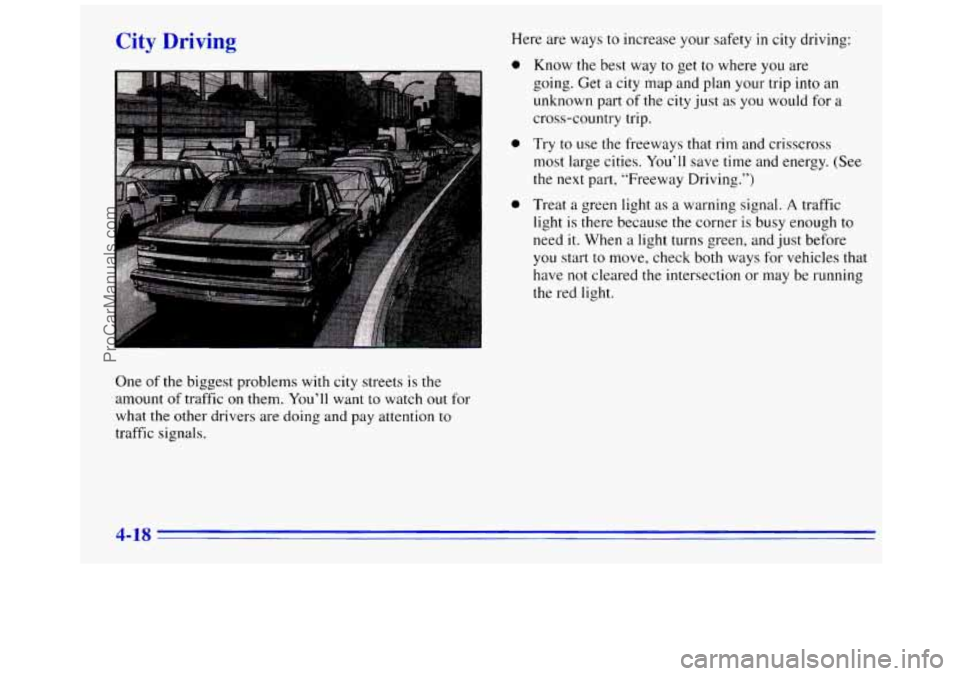
One of the biggest problems with city streets is the
amount of traffic on them. You’ll want to watch out for
what the other drivers are doing and pay attention
to
traffic signals. Here
are ways
to increase your safety in city driving:
0 Know the best way to get to where you are
going. Get a city map and plan your trip into an
unknown part of the city just as you would for a
cross-country trip.
0 Try to use the freeways that rim and crisscross
most large cities.
You’ll save time and energy. (See
the next part, “Freeway Driving.”)
0 Treat a green light as a warning signal. A traffic
light
is there because the corner is busy enough to
need
it. When a light turns green, and just before
you start to move, check both ways for vehicles that
have not cleared the intersection or may be running
the red light.
4-18
ProCarManuals.com
Page 168 of 372
Once you are moving on the freeway, make certain
you allow a reasonable following distance. Expect to
move slightly slower at night.
When you want to leave
the freeway, move to the
proper lane well
in advance. If YOLI miss your exit, do
not, under any circumstances, stop and back up. Drive
on
to the next exit.
The exit ramp can be curved, sometimes quite sharply.
The exit speed is usually posted. Reduce your speed according
to your speedometer, not
to your sense of motion. After driving for any distance
at higher speeds,
you may tend to think you are going
slower than you actually are.
Before Leaving on a Long Trip
Make sure you’re ready. Try to be well rested. If you
must start when you’re not fresh
-- such as after a day’s
work
-- don’t plan to make too many miles that first part
of
the journey. Wear comfortable clothing and shoes you
can easily drive
in.
Is your vehicle ready for a long trip? If you keep it
serviced and maintained, it’s ready to go. If it needs
service, have it done before starting
out. Of course,
you’ll find experienced and able service experts
in GM
dealers
all across North America. They’ll be ready and
willing to help
if you need it.
Here are some things you can check before a trip:
0
0
0
0
0
0
0
Windshield Wclsher Fluid: Is the reservoir full? Are
all windows clean inside and outside?
Wiper- Blcrdes: Are they in good shape?
Fuel, Engine Oil, Other FlLtids: Have you checked
all levels?
Lnlnps: Are they all working? Are the lenses clean?
Tires: They are vitally important to a safe,
trouble-free trip.
Is the tread good enough for
long-distance driving? Are
the tires all inflated to the
recommended pressure?
Weather Forecasts: What’s the weather outlook
along your route‘? Should you delay your trip a short
time
to avoid a major storm system?
Maps: Do you have up-to-date maps‘?
4-20
ProCarManuals.com