brake light GMC SAVANA 1996 Owners Manual
[x] Cancel search | Manufacturer: GMC, Model Year: 1996, Model line: SAVANA, Model: GMC SAVANA 1996Pages: 372, PDF Size: 18.81 MB
Page 7 of 372
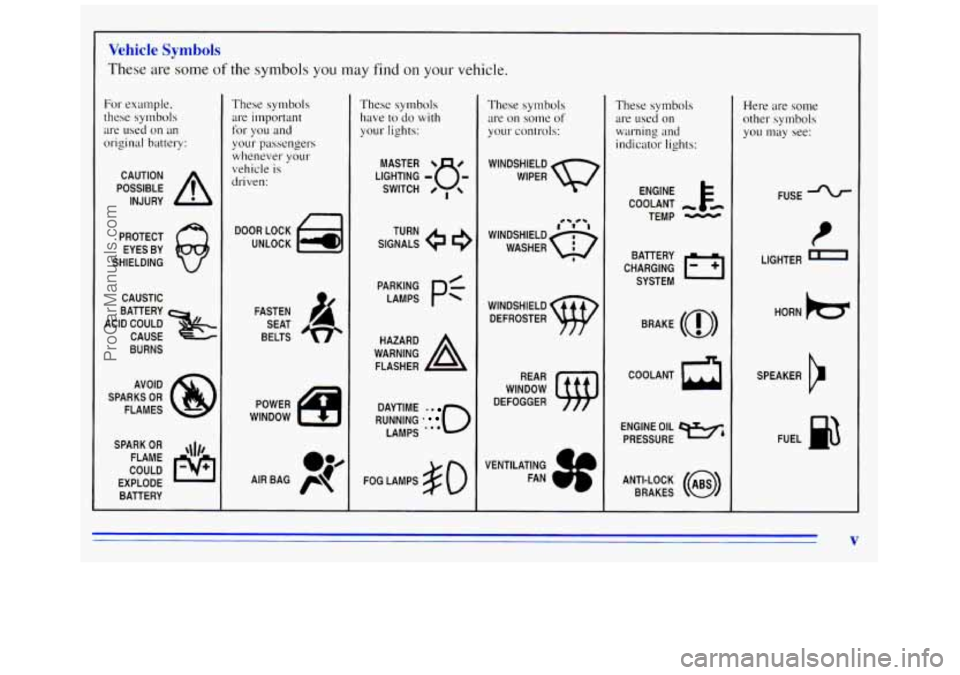
Vehicle Symbols
These are some of the symbols you may find on your vehicle.
For example,
these symbols
are
used on an
original battery:
POSSIBLE A
CAUTION
INJURY
PROTECT EYES BY
SHIELDING
CAUSTIC
ACID COULD BATTERY
CAUSE
BURNS
AVOID
SPARKS
OR
FLAMES
SPARK
OR ,111,
COULD FLAME
EXPLODE BATTERY
These symbols are important for you and
your passengers
whenever your
vehicle
is
driven:
DOOR LOCK
FASTEN SEAT
BELTS
POWER
WINDOW
These symbols have
to do with
your lights:
SIGNALS e
TURN
RUNNING
* 0
DAYTIME . .
LAMPS -**
FOG LAMPS $0
These symbols
are
on some of
your controls:
WINDSHIELD
WIPER
WINDSHIELD DEFROSTER
VENTILATING FAN
These symbols
are used on
warning and
indicator lights:
COOLANT -
TEMP -
CHARGING I-1
BATTERY
SYSTEM
BRAKE
(a)
ENGINE OIL w,
PRESSURE
ANTI-LOCK
(@)
BRAKES
Here are some
other symbols
you may see:
FUSE
LIGHTER
m
HORN )cr
SPEAKER
b
FUEL ha
V
ProCarManuals.com
Page 78 of 372
Locking Rear Axle
If you have this feature, your rear axle can give you
additional traction
on snow, mud, ice, sand or gravel. It
works like a standard axle most of the time, but when
one
of the rear wheels has no traction and the other does,
the locking feature will allow the wheel with traction to
move the vehicle.
Parking Brake
To set the parking brake, hold the regular brake pedal
down with your right foot. Push down the parking brake
pedal with
your left foot.
If the ignition is on, the brake system warning light will
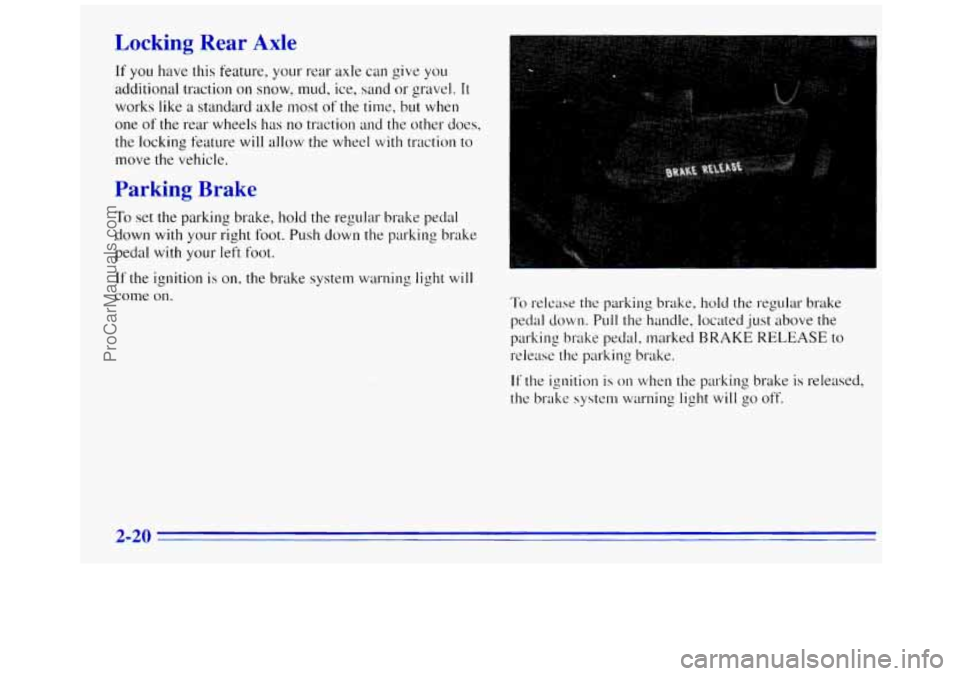
come on. To release the parking brake, hold the regular brake
pedal
down. Pull the handle, located just above the
parking brake pedal, marked
BRAKE RELEASE to
release the parking brake.
If the ignition is on when the parking brake is released,
the brake system warning
light will go off.
2-20
ProCarManuals.com
Page 92 of 372
Increasing Speed While Using Cruise Control
There are two ways to go to a higher speed:
Use the accelerator pedal to get to the higher speed.
Push the button at the end of the lever, then release
the button and the accelerator pedal.
You’ll now
cruise at the higher speed.
Move the cruise switch from ON to R/A. Hold it
there until you get up to the speed you want, and
then release the switch.
To increase your speed in
very small amounts, move the switch to R/A for less
than half a second. Each time
you do this, your
vehicle
will go about I mph (1.6 km/h) faster.
Reducing Speed While Using Cruise Control
There are two ways to reduce your speed while using
cruise control:
Push in the button at the end of the lever until you
reach the lower speed
you want, then release it.
0 To slow down in very small amounts, push the
button for less than
half a second. Each time you do
this, you’ll
go 1 mph (1.6 km/h) slower.
Passing Another Vehicle While Using Cruise Control
Use the accelerator pedal to increase your speed. When
you take your foot off the pedal, your vehicle will slow
down to the cruise control speed
you set earlier.
Using Cruise Control on Hills
How well your cruise control will work on hills depends
upon your speed, load and the steepness of the hills.
When going
up steep hills, you may have to step on
the accelerator pedal to maintain yo~lr speed.
If the
steepness of the
hill causes the vehicle speed to drop
more than
I5 rnph (9.4 km/h) below the set speed, your
cruise control
will automatically disengage. When going
downhill, you may have
to brake or shift to a lower gear
to keep your speed down. Of course, applying the brake
takes you out
of cruise control. Many drivers find this to
be too much trouble and don’t use cruise control
on
steep hills.
Ending Cruise Control
There are two ways to turn off the cruise control:
Step lightly on the brake pedal; or
0 Move the cruise switch to OFF.
Erasing Speed Memory
When you turn off the cruise control or the ignition,
your cruise control set speed memory is erased.
2-34
ProCarManuals.com
Page 94 of 372
Rotate the switch knob clockwise again to the master
lighting symbol to turn on all the lamps listed
as well as
the headlamps.
Rotate the switch counterclockwise to
OFF to turn off
your lamps.
Rotate the thumb wheel next to the switch knob up
to
adjust instrument panel lights. Rotate the thumb wheel up
to the first notch
to return the radio display and gearshift
indicator display to
full intensity when the headlamps or
parlung lamps are on.
Rotate the thumb wheel up to the second notch to
activate the interior dome lamps.
You can switch your headlamps from high to low beam
by pulling
on the turn signal/high beam lever.
A circuit breaker protects your headlamps. If you have
an electrical overload, your headlamps will flicker on
and off. Have your headlamp wiring checked right away
if this happens.
Headlamps On Reminder
A buzzer will sound when your headlamps are turned on
and your ignition is
in OFF, LOCK or ACCESSORY,
If you need to use your headlamps when the ignition
switch is in
OFF, LOCK or ACCESSORY, the buzzer
can be turned off by turning the thumb wheel next
to the
parking lamp/headlamp switch all the way down.
Daytime Running Lamps (If Equipped)
Daytime Running Lamps (DRL) can make it easier for
others to see the front
of your vehicle during the day.
DRL can be helpful
in many different driving
conditions, but they can be especially helpful in the
short periods after dawn and before sunset.
The DRL system will make your headlamps
come on at
a reduced brightness when:
0 The ignition is on,
The headlamp switch is off and
0 The parking brake is released.
If your vehicle was first sold, when new,
in Canada,
your headlamps will come on at reduced brightness.
ProCarManuals.com
Page 95 of 372
If your vehicle was first sold, when new, in the United
States, your vehicle may be equipped with DRL.
If your
vehicle has
DRL, you will see the the DRL indicator
light
on your instrument panel and your low-beam
headlamps will come
on at reduced brightness.
When the DRL are
on, only your headlamps will be on.
The taillamps, sidemarker and other lamps won’t be on.
Your instrument panel won’t be lit up either.
When it begins to get dark, your DRL indicator light
is a reminder to turn your headlamp switch on. The
other lamps that come on with your headlamps will also
come
on.
When you turn off the headlamp switch, the regular
lamps will
go off, and your headlamps will change to
the reduced brightness of DRL.
To idle your vehicle with the engine on and the DRL off,
set the parking brake. The DRL will stay
off until you
release
the parking brake.
As with any vehicle, you should turn on the regular
headlamp system when
you need it.
)ome Lamps
The dome lamps will come on when you open the doors.
You can also turn the dome lamps on by rotating the
thumb wheel, located
next to the headlamp knob, all
the way up to the second notch. In this position, the
dome lamps will remain on whether the doors are
opened or closed.
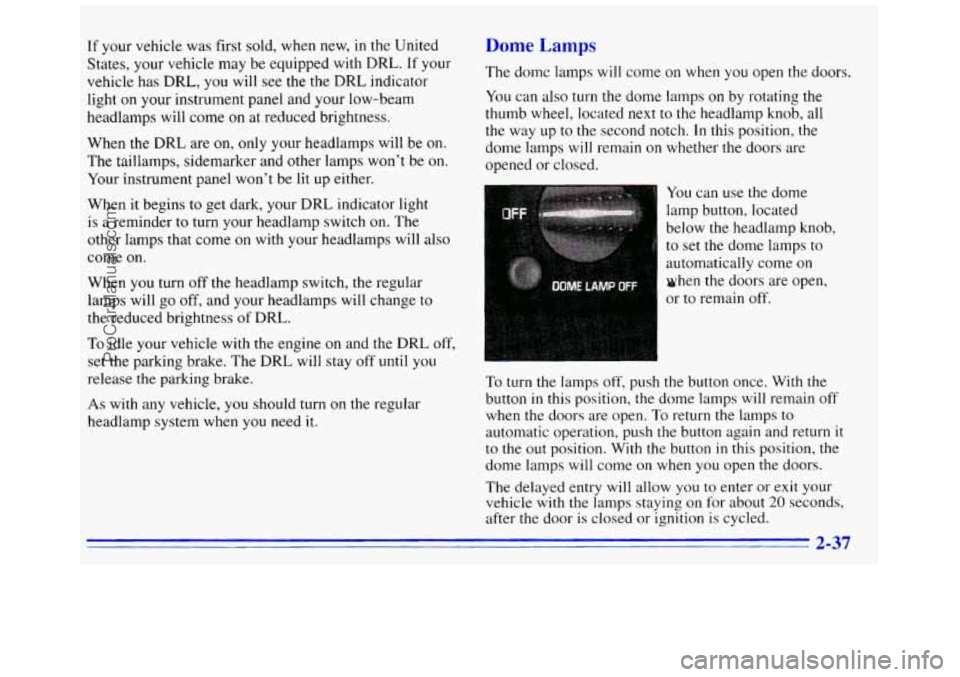
You can use the dome
lamp button, located below the headlamp knob,
to set the dome lamps to
automatically come on
when the doors are open,
or to remain off.
To turn the lamps off, push the button once. With the
button
in this position, the dome lamps will remain off
when the doors are open. To return the lamps to
automatic operation, push the button again and return it
to the out position. With the button
in this position, the
dome lamps will come on when you open
the doors.
The delayed entry will allow
you to enter or exit your
vehicle with the lamps staying on for about
20 seconds,
after the door is closed or ignition
is cycled.
2-37
ProCarManuals.com
Page 106 of 372
Brake System Warning Light
Your vehicle’s hydraulic brake system is divided into
two parts. If one part isn’t working, the other part can
still work and stop you. For good braking, though, you
need both parts working well.
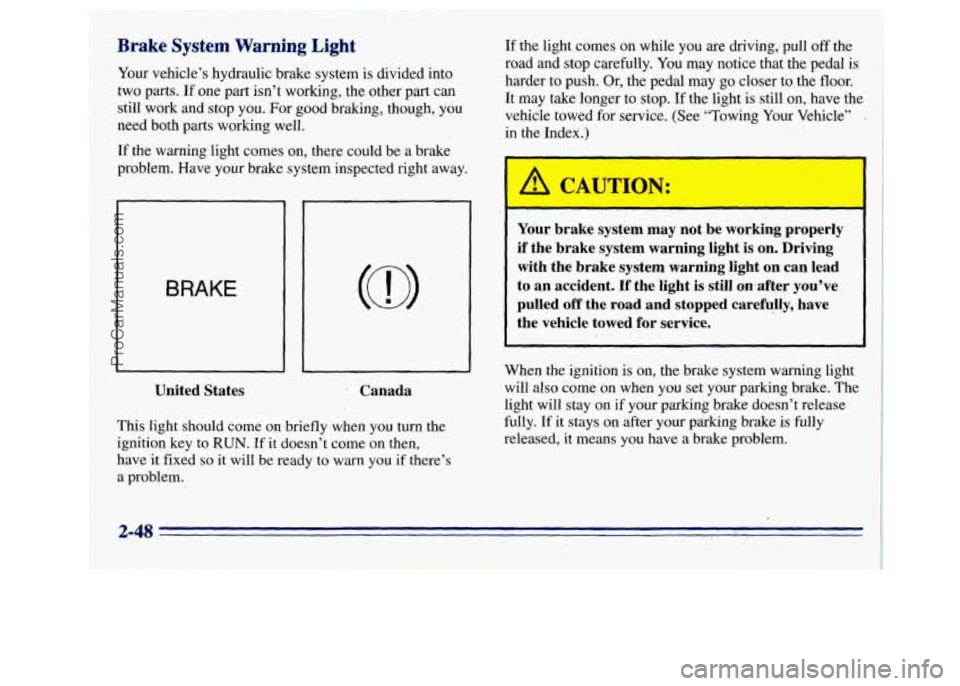
If the warning light comes on, there could be a brake
problem. Have your brake system inspected right away.
BRAKE
United States Canada
This light should come on briefly when you turn the
ignition key
to RUN. If it doesn’t come on then,
have
it fixed so it will be ready to warn you if there’s
a problem.
If the light comes on while you are driving,, pull off the
road and stop carefully. You may notice that the pedal
is
harder to push. Or, the pedal may go closer to the floor.
It may
take longer to stop. If the light.is still on, have the
vehicle towed for service. (See “Towing Your Vehicle”
in the Index.)
Your brake system may not be working properly
if the brake system warning light is on. Driving
with the brake system warning light
on can lead
to an accident. If the light
is still 0.n-after you’ve
pulled
off the road and stopped carefully, have
the vehicle towed for service.
When the ignition is on, the brake system warning light
will also come on when you set your parking brake. The
light will stay on if your parking brake doesn’t release
fully.
If it stays on after your parking brake is fully
released, it means you have
a brake problem.
ProCarManuals.com
Page 107 of 372
Anti-Lock Rrake System Warning Light
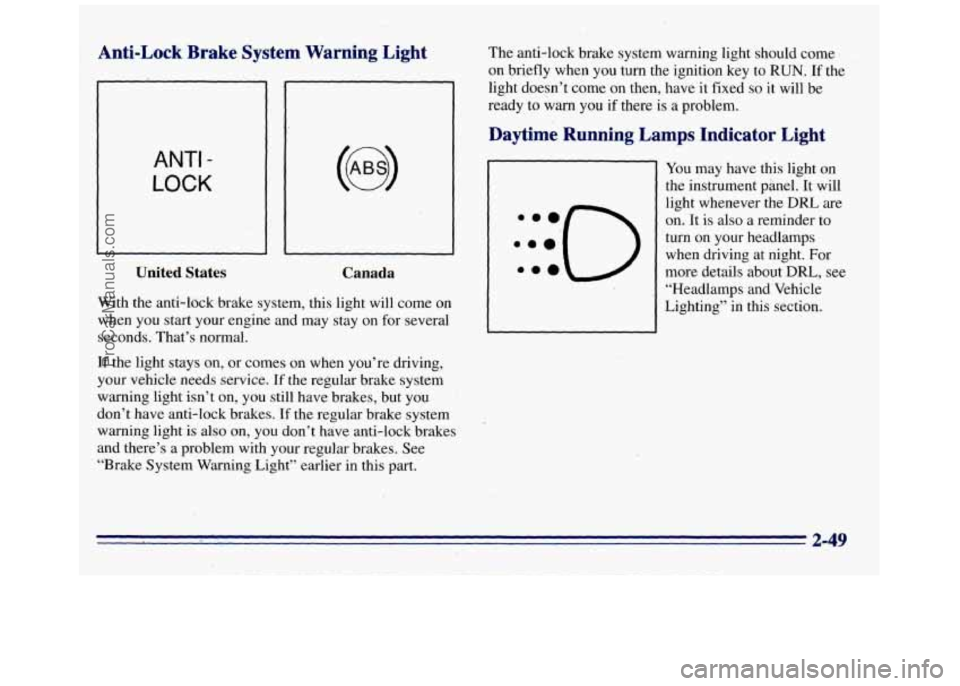
ANTI -
LOCK
United States
Canada
With the anti-l,dck brake system, this light will come on
when you start your engine and may stay on for several
seconds. That’s normal.
If the light stays on, or comes on when you’re driving,
your vehicle needs service.
If the regular brake system
warning light isn’t on, you still have brakes, but you
‘
don’t have anti-lock brakes. If the regular brake system
warning light is also on, you don’t have anti-lock brakes
and there’s a problem with your regular brakes. See
“Brake System Warning Light” earlier in this part. The
anti-lock brake system warning light should come
on briefly when you turn the ignition key to RUN. If the
light doesn’t come on then, have it fixed
so it will be
ready to warn you if there
is a problem.
Daytime Running Lamps Indicator Light
You may have this light on
the instrument panel. It will
light whenever the
DRL are
on.
It is also a reminder to
turn on your headlamps
when driving at night. For
more details about
DRL, see
“Headlamps and Vehicle
Lighting” in this section.
2-49
ProCarManuals.com
Page 154 of 372
Avoid needless heavy braking. Some people drive in
spurts -- heavy acceleration followed by heavy
braking
-- rather than keeping pace with traffic. This
is
a mistake. Your brakes may not have time to cool
between hard stops. Your brakes
will wear out much
faster if you
do a lot of heavy braking. If you keep pace
with the traffic and allow realistic following distances,
you
will eliminate a lot of unnecessary braking. That
means better braking and longer brake life.
If your engine ever stops while you’re driving, brake
normally but don’t pump your brakes.
If you do, the
pedal may get harder
to push down. If your engine
stops, you
will still have some power brake assist. But
you will use it when you brake. Once the power assist is
used up, it may take longer to stop and the brake pedal
will be harder to push.
Anti-Lock Brakes
Your vehicle has anti-lock brakes (ABS). ABS is an
advanced electronic braking system that
will help
prevent
a braking skid.
When you start
your engine and begin to drive away,
your anti-lock brake system
will check itself. You may
hear
a momentary motor or clicking noise while this test
is going on. This is normal.
ANTI -
LOCK
If there’s a problem with
the anti-lock brake system,
this warning light will stay
on. See ”Anti-Lock Brake
System Warning Light’’
in
the Index.
ProCarManuals.com
Page 164 of 372
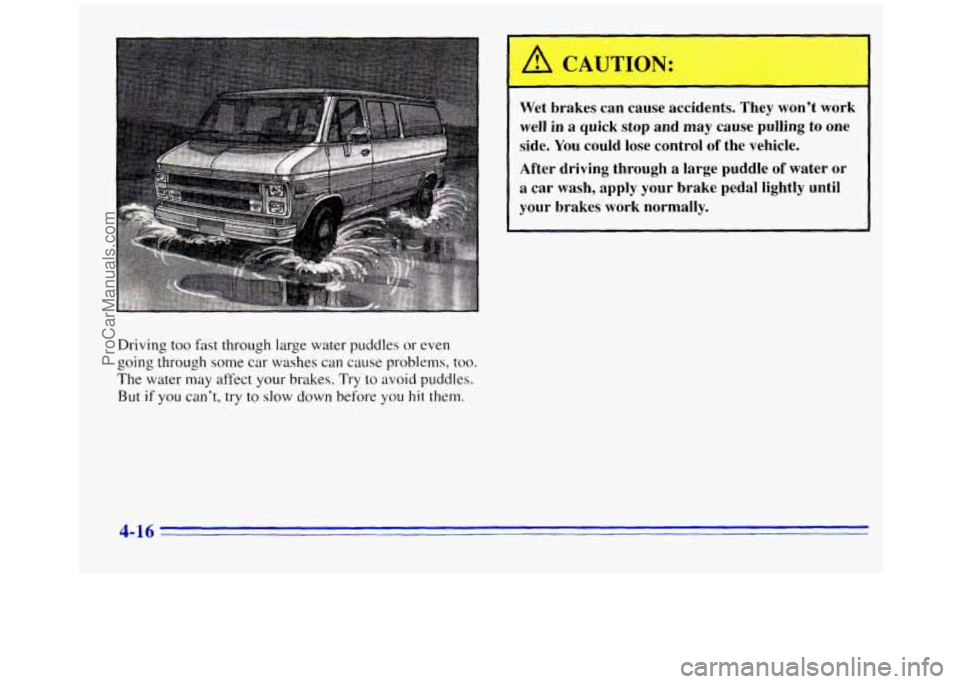
Driving too fast through large water puddles or even
going through some car washes
can cause problems, too.
The water may affect your brakes. Try to avoid puddles.
But if you can’t, try to slow down before you hit them.
Wet brakes can cause accidents. They won’t work
well in a quick stop and may cause pulling
to one
side. You could lose control of the vehicle.
After driving through a large puddle
of water or
a car wash, apply your brake pedal lightly until
your brakes work normally.
4-16
ProCarManuals.com
Page 191 of 372
If your vehicle has more than one battery, use the
battery that is under the hood
of the vehicle -- this
will reduce the electrical resistance.
2. Get the vehicles close enough so the jumper cables
can reach, but be sure the vehicles aren’t touching
each other.
If they are, it could cause a ground
connection
you don’t want. You wouldn’t be able to
start your vehicle, and the bad grounding could
damage the electrical systems.
Set the parking brake firmly
on each vehicle. Put an
automatic transmission in PARK
(P) or a manual
transmission in NEUTRAL
(N).
3. Turn off the ignition on both vehicles. Turn off all
lamps that aren’t needed, and radios. This will avoid
sparks and help save both batteries, and could save
your radio!
NOTICE:
If you leave your radio on, it could be badly
damaged. The repairs would not be covered by
your warranty.
4. Open the hoods and locate the batteries. Find
the positive
(+) and negative (-) terminals on
each battery.
A CA
Using a match near a battery can cause battery
gas to explode. People have been hurt doing this,
and some have been blinded. Use
a flashlight if
you need more light.
Be sure the battery (or batteries) has enough
water. You don’t need to add water to the Delco
Freedom@ battery
(or batteries) installed in
every new
GM vehicle. But if a battery has filler
caps, be sure the right amount of fluid
is there. If
it is low, add water to take care of that first. If
you don’t, explosive gas could be present.
Battery fluid contains acid that can burn you.
Don’t get it on you.
If you accidentally get it in
your eyes or on your skin, flush the place with
water and get medical help immediately.
5-3
ProCarManuals.com