radio GMC SAVANA 1996 Owners Manual
[x] Cancel search | Manufacturer: GMC, Model Year: 1996, Model line: SAVANA, Model: GMC SAVANA 1996Pages: 372, PDF Size: 18.81 MB
Page 63 of 372
Ke: 1 trv S ys I - ___
If your vehicle has this option, you can lock and unlock
your doors from up
to 30 feet (9 m) away using the key
chain transmitter supplied with your vehicle.
Your Keyless Entry System operates
on a radio
frequency subject to Federal Communications
Commission (FCC) Rules.
This device complies with Part
15 of the FCC Rules.
Operation is subject
to the following two conditions:
(1) This device may not cause harmful interference,
and
(2) This device must accept any interference
received, including interference that may cause
undesired operation.
Should interference to this system occur, try this:
0
0
a
0
Check to determine if battery replacement is
necessary. See the instructions
on battery
replacement.
Check the distance.
You may be too far from your
vehicle. This product
has a maximum range.
Check
the location. Other vehicles or objects may
be blocking the signal.
See your
GM dealer or a qualified technician
for service. Changes
or modifications
to this system by other than an
authorized service facility could void authorization to
use this equipment.
Operation
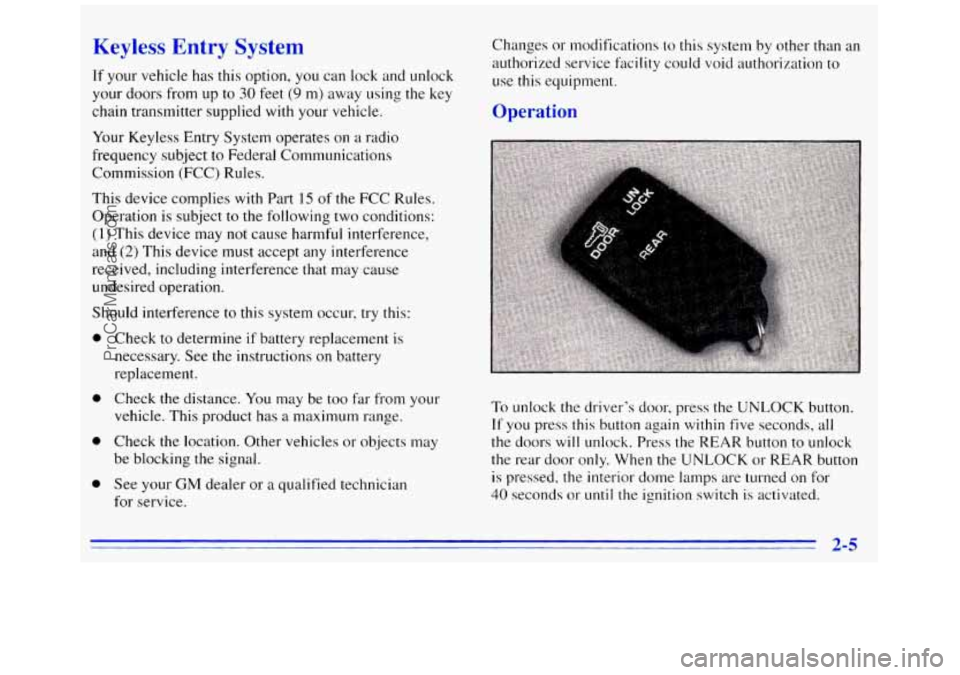
To unlock the driver's door, press the UNLOCK button.
If you press this button again within five seconds, all
the doors will unlock. Press the REAR button to unlock
the rear door only. When the UNLOCK or
REAR button
is pressed, the interior dome lamps are turned on for
40 seconds or until the ignition switch is activated.
ProCarManuals.com
Page 71 of 372
New Vehicle “Break-In”
NOTICE:
Your modern vehicle doesn’t need an elaborate
“break-in.” But it will perform better in the long
run if you follow these guidelines:
0
0
0
0
Keep your speed at 55 mph (88 kmh) or
less for the first
500 miles (804 km).
Don’t drive at any one speed
0- fast or
slow
-- for the first 500 miles (804 km).
Don’t make full-throttle starts. Avoid making hard stops for the
first
200 miles (322 km) or so. During this time
your new brake linings aren’t yet broken
in. Hard stops with new linings can mean
premature wear and earlier replacement.
Follow this breaking-in guideline every
time you get new brake linings.
Don’t tow
a trailer during break-in. See
“Towing a Trailer” in the Index for more
information.
Ignition Switch
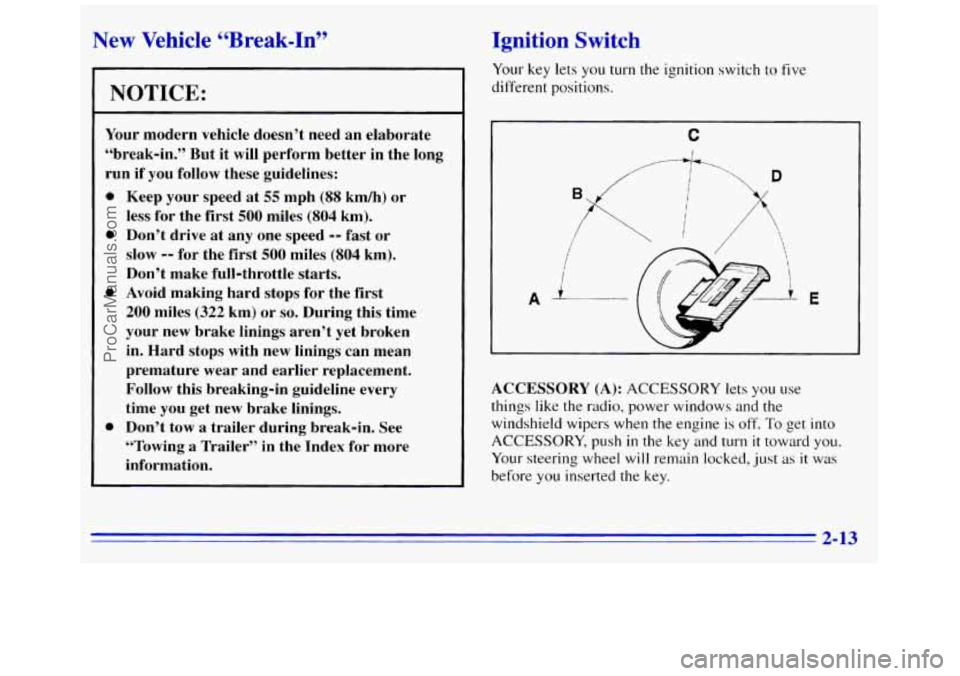
Your key lets you turn the ignition switch to five
different positions.
C
I
ACCESSORY (A): ACCESSORY lets you use
things like the radio, power windows and the
windshield wipers when the engine
is off. To get into
ACCESSORY, push in the key and turn it toward you.
Your steering wheel will remain locked, just as it was
before
you inserted the key.
2-13
ProCarManuals.com
Page 93 of 372
Your parking/headlamp switch is on the driver's
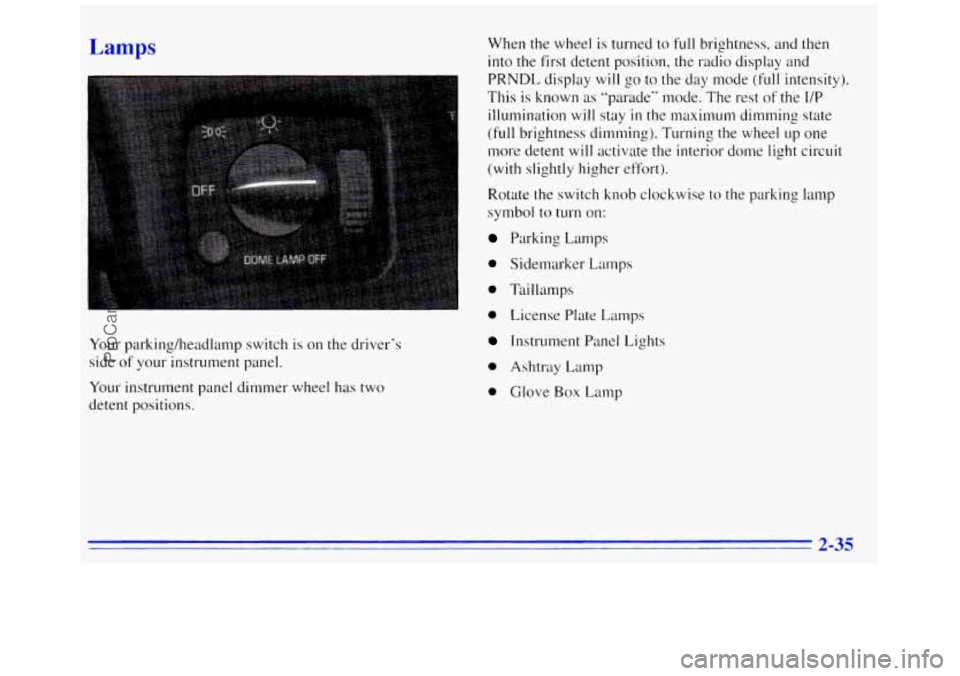
side of your instrument panel.
Your instrument panel dimmer wheel has two
detent positions. When
the wheel is turned to
full brightness, and then
into the first detent position, the radio display and
PRNDL display
will go to the day mode (full intensity).
This is known as "parade" mode. The rest
of the I/P
illumination will stay in the maximum dimming state
(full brightness dimming). Turning the wheel up one
more detent will activate the interior dome light circuit
(with slightly higher effort).
Rotate the switch knob clockwise to the parking lamp
symbol to turn on:
Parking Lamps
0 Sidemarker Lamps
0 Taillamps
0 License Plate Lamps
Instrument Panel Lights
0 Ashtray Lamp
0 Glove Box Lamp
2-35
ProCarManuals.com
Page 94 of 372
Rotate the switch knob clockwise again to the master
lighting symbol to turn on all the lamps listed
as well as
the headlamps.
Rotate the switch counterclockwise to
OFF to turn off
your lamps.
Rotate the thumb wheel next to the switch knob up
to
adjust instrument panel lights. Rotate the thumb wheel up
to the first notch
to return the radio display and gearshift
indicator display to
full intensity when the headlamps or
parlung lamps are on.
Rotate the thumb wheel up to the second notch to
activate the interior dome lamps.
You can switch your headlamps from high to low beam
by pulling
on the turn signal/high beam lever.
A circuit breaker protects your headlamps. If you have
an electrical overload, your headlamps will flicker on
and off. Have your headlamp wiring checked right away
if this happens.
Headlamps On Reminder
A buzzer will sound when your headlamps are turned on
and your ignition is
in OFF, LOCK or ACCESSORY,
If you need to use your headlamps when the ignition
switch is in
OFF, LOCK or ACCESSORY, the buzzer
can be turned off by turning the thumb wheel next
to the
parking lamp/headlamp switch all the way down.
Daytime Running Lamps (If Equipped)
Daytime Running Lamps (DRL) can make it easier for
others to see the front
of your vehicle during the day.
DRL can be helpful
in many different driving
conditions, but they can be especially helpful in the
short periods after dawn and before sunset.
The DRL system will make your headlamps
come on at
a reduced brightness when:
0 The ignition is on,
The headlamp switch is off and
0 The parking brake is released.
If your vehicle was first sold, when new,
in Canada,
your headlamps will come on at reduced brightness.
ProCarManuals.com
Page 105 of 372
Air Bag Readiness Light
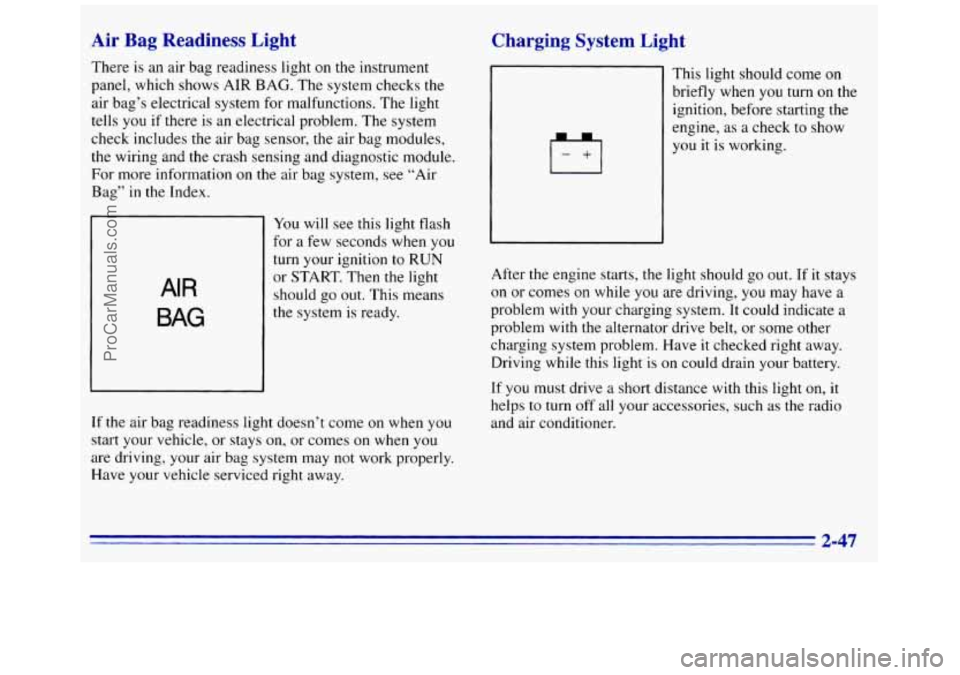
There is an air bag readiness light on the instrument
panel, which shows AIR BAG. The system checks the
air bag’s electrical system for malfunctions. The light
tells
you if there is an electrical problem. The system
check includes
the air bag sensor, the air bag modules,
the wiring and the crash sensing and diagnostic module.
For more information
on the air bag system, see “Air
Bag” in the Index.
AIR
BAG
You will see this light flash
for a few seconds when you
turn your ignition
to RUN
or START. Then the light
should
go out. This means
If the air bag readiness light doesn’t come on when you
start your vehicle, or stays
on, or comes on when you
are driving, your air bag system may not work properly.
Have your vehicle serviced right away.
Charging System Light
Irl
~ This light should come on
1 briefly when you turn on the
ignition, before starting the
1 engine, as a check to show
you it is working.
After the engine starts, the light should go out. If it stays
on or comes
on while you are driving, you may have a
problem with your charging system. It could indicate a
problem with the alternator drive belt, or some other
charging system problem. Have
it checked right away.
Driving while this light is on could drain your battery.
If you must drive a short distance
with this light on, it
helps to turn off all your accessories, such as the radio
and air conditioner.
2-47
ProCarManuals.com
Page 125 of 372
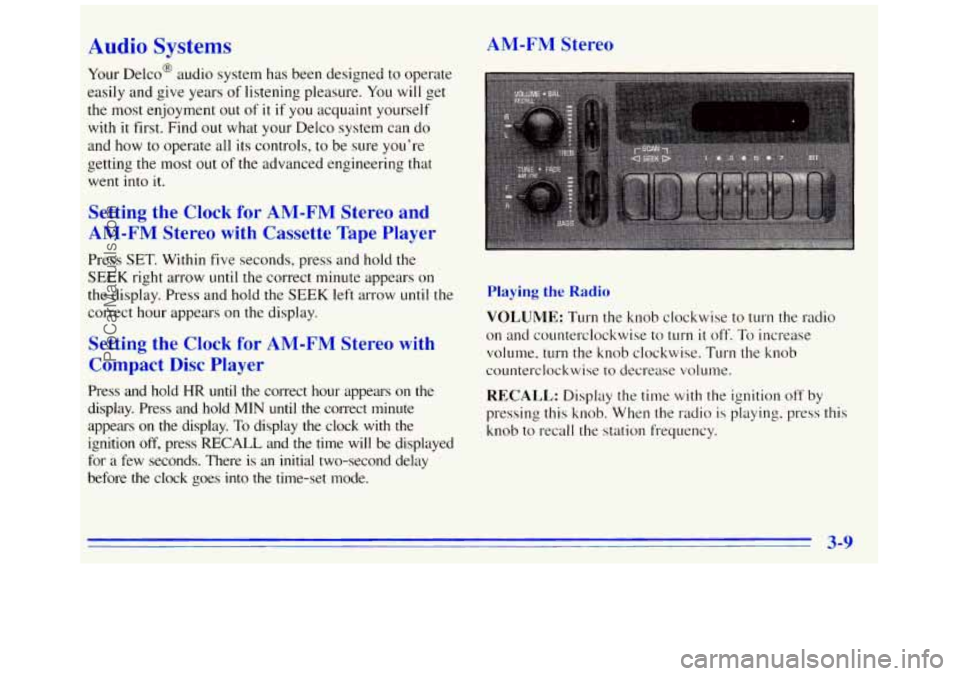
Audio Systems
Your Delco@ audio system has been designed to operate
easily and give years
of listening pleasure. You will get
the most enjoyment out
of it if you acquaint yourself
with it first. Find out what your Delco system can do
and how to operate
all its controls, to be sure you’re
getting
the most out of the advanced engineering that
went into it.
AM-FM Stereo
Setting the Clock for AM-FM Stereo and
AM-FM Stereo with Cassette Tape Player
Press SET. Within five seconds, press and hold the
SEEK right arrow
until the correct minute appears on
the display. Press and hold
the SEEK left arrow until the
correct hour appears on the display.
Setting the Clock for AM-FM Stereo with
Compact Disc Player
Press and hold HR until the correct hour appears on the
display. Press and hold
MIN until the correct minute
appears on the display.
To display the clock with the
ignition
off, press RECALL and the time will be displayed
for
a few seconds. There is an initial two-second delay
before the clock
goes into the time-set mode.
Playing the Radio
VOLUME: TLITII the knob clockwise to turn the radio
on and counterclockwise to
turn it off. To increase
volume, turn the knob clockwise. Turn the knob
counterclockwise
to decrease volume.
RECALL: Display the time with the ignition off by
pressing this
knob. When the radio is playing, press this
knob to recall
the station frequency.
3-9
ProCarManuals.com
Page 126 of 372
Finding a Station
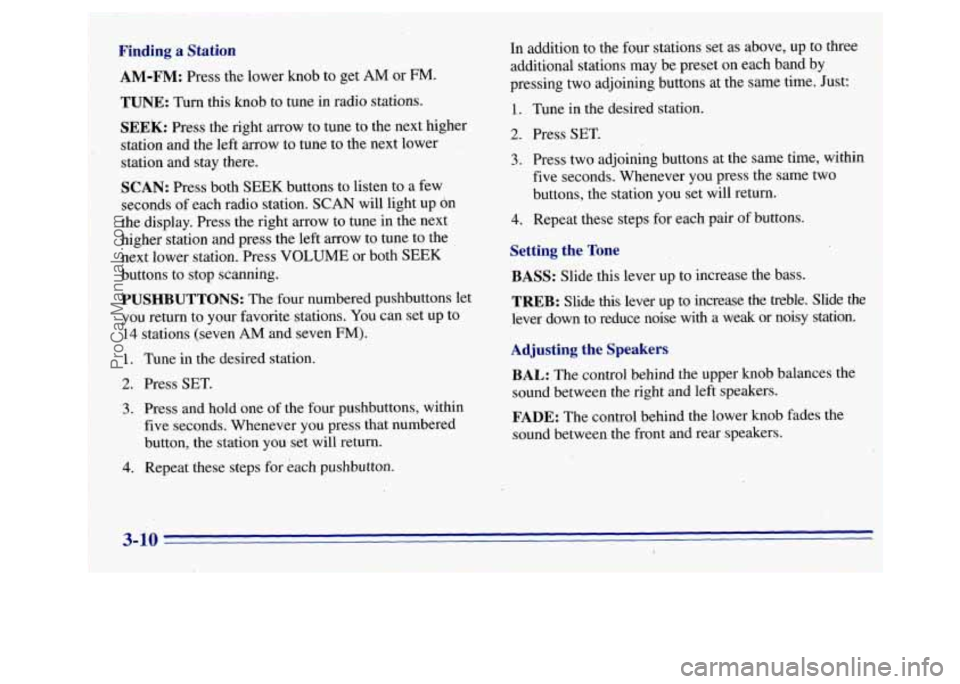
AM-FM: Press the lower knob to get AM or FM.
TUNE: Turn this knob to tune in radio stations.
SEEk: Press the right arrow to tune to the next higher
station and the left arrow to tune to the next lower
station and stay there.
SCAN: Press both SEEK buttons to listen to a few
seconds of each radio station.
SCAN will light up dn
the display. Press the right arrow to tune in the next
higher station and press the left arrow to tune to the
next lower station. Press VOLUME or both
SEEK
buttons to stop scanning.
PUSHBUTTONS: The four numbered pushbuttons let
you return to your favorite stations. You can set up to
14 stations (seven AM and seven FM).
1. Tune in the desired station.
2. Press SET.
3. Press and hold one of the four pushbuttons, within
five seconds. Whenever you press that numbered
button, the station you set will return.
4. Repeat these steps for each pushbutton. In addition to
the four stations set as above, up to three
additional stations may be preset on each band by
pressing two adjoining buttons at the same time. Just:
1. Tune in the desired station.
2. Press SET.
3. Press two adjoining buttons at the same time, within
five seconds. Whenever you press the same two
buttons, the station you set will return.
4. Repeat these steps for each pair of buttons.
Setting the Tone
BASS: Slide.this lever up to increase the bass.
TREB: Slide this lever up to increase the treble. Slide the
lever down to reduce noise with a weak or noisy station.
Adjusting the Speakers
BAL:
The control behind the upper knob balances the
sound between the right and left speakers.
FADE: The control behind the lower knob fades the
sound between the front and rear speakers.
3-10 c -.
I
i
I
ProCarManuals.com
Page 127 of 372
e Plaver
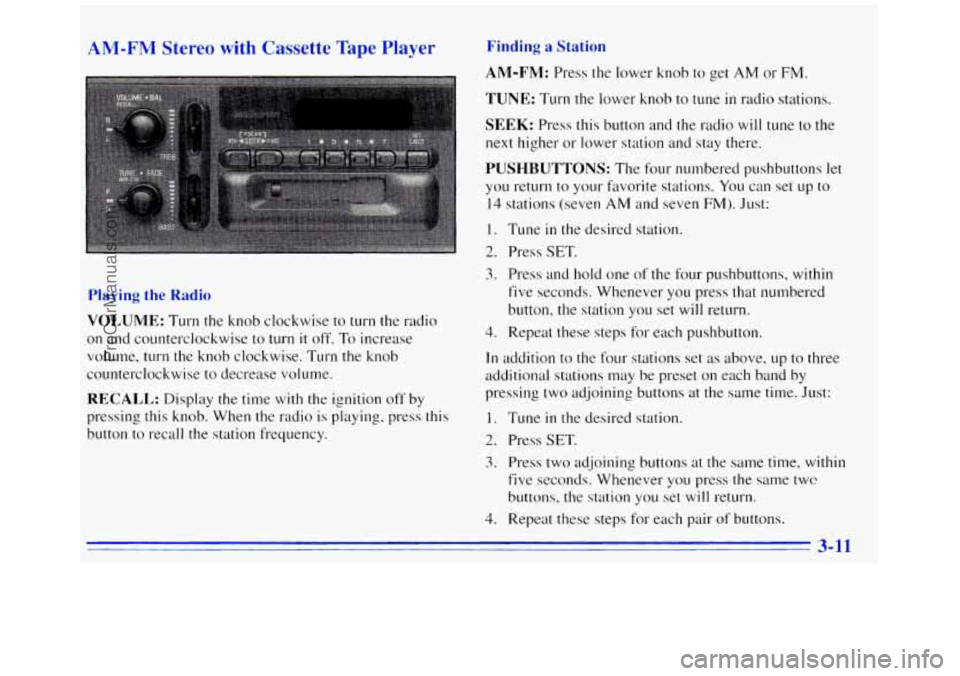
Playing the Rac
VOLUME: Turn the knob clockwise to turn the radio
on and counterclockwise to turn it off. To increase
volume, turn the knob clockwise. Turn the knob
counterclockwise to decrease volume.
RECALL: Display the time with the ignition off by
pressing this knob. When the radio is playing, press this
button to recall the station frequency.
Finding a Statj
AM-FM: Press the lower knob to get AM or FM.
TUNE: Turn the lower knob to tune in radio stations.
SEEK: Press this button and the radio will tune to the
next higher or lower station and stay there.
PUSHBUTTONS: The four numbered pushbuttons let
you return
to your favorite stations. You can set up to
14 stations (seven AM and seven FM). Just:
1. Tune in the desired station.
2. Press SET.
3. Press and hold one of the four pushbuttons, within
five seconds. Whenever you press that nunlbered
button, the station
you set will return.
4. Repeat these steps for each pushbutton.
In addition to the four stations set as above, up to three
additional stations may be preset on each band by
pressing two adjoining buttons at the same
time. Just:
1. Tune in the desired station.
2. Press SET.
3. Press two adjoining buttons at the same time, within
five seconds. Whenever you press the same
twc?
buttons, the station you set will return.
4. Repeat these steps for each pair of buttons.
3-11
ProCarManuals.com
Page 128 of 372
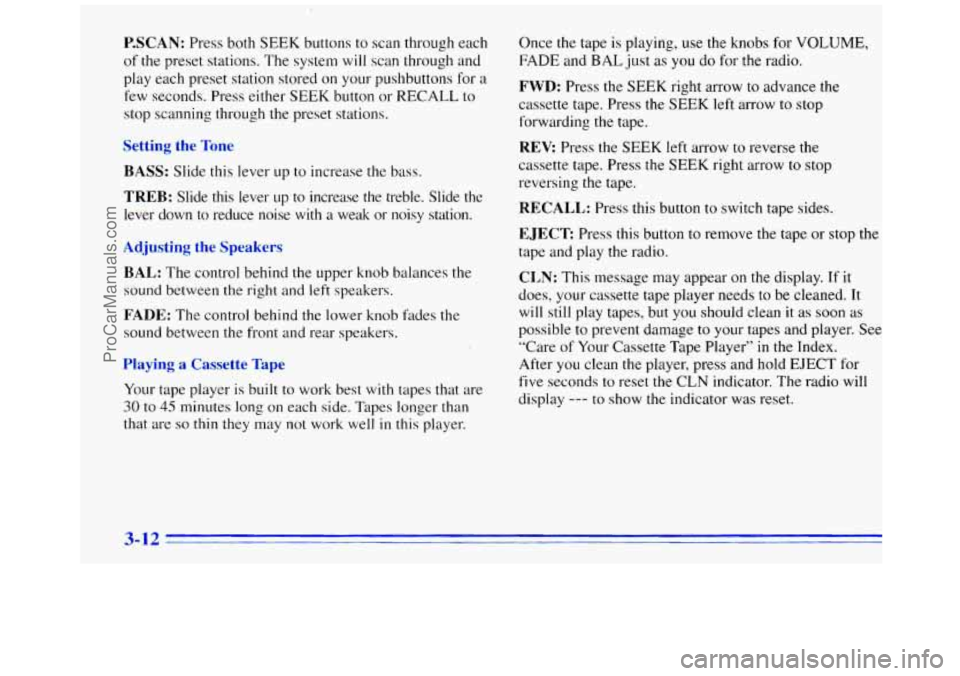
P.SCAN: Press both SEEK buttons to scan through each
of the preset stations. The system
will scan through and
play each preset station stored
on your pushbuttons for a
few seconds. Press either SEEK button or RECALL to
stop scanning through
the preset stations.
Setting the Tone
BASS:
Slide this lever up to increase the bass.
TREB: Slide this lever up to increase the treble. Slide the
lever down to reduce noise with a weak or noisy station.
Adjusting the Speakers
BAL:
The control behind the upper knob balances the
sound between the right and left speakers.
FADE: The control behind the lower knob fddes the
sound between the front and rear speakers.
Playing a Cassette Tape
Your tape player is built to work best with tapes that are
30 to 45 minutes long on each side. Tapes longer than
that are
so thin they may not work well in this player. Once the tape
is playing, use the knobs for VOLUME,
FADE and BAL just as you do for the radio.
FWD: Press the SEEK right arrow to advance the
cassette tape. Press the SEEK left arrow to stop
forwarding the tape.
REV: Press the SEEK left arrow to reverse the
cassette tape. Press the SEEK right arrow
to stop
reversing the tape.
RECALL: Press this button to switch tape sides.
EJECT Press this button to remove the tape or stop the
tape and play the radio.
CLN: This message may appear on the display. If it
does, your cassette tape player needs to be cleaned. It
will still play tapes,
but you should clean it as soon as
possible to prevent damage to your tapes and player. See
“Care of Your Cassette Tape Player’’
in the Index.
After you clean the player, press and hold EJECT for
five seconds to reset the CLN indicator. The radio will
display
--- to show the indicator was reset.
3-12
ProCarManuals.com
Page 129 of 372
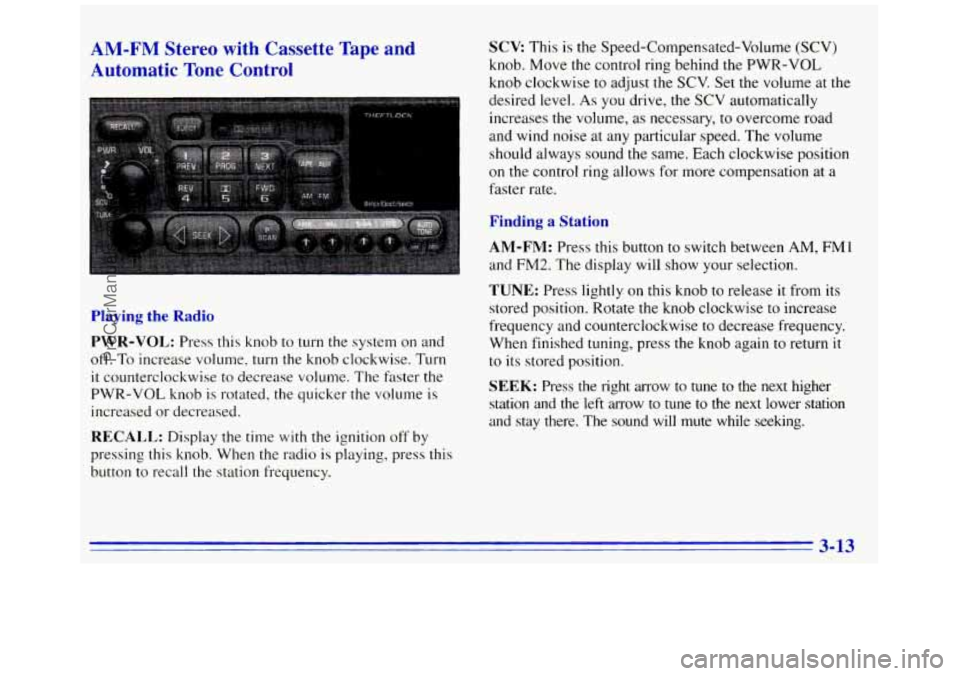
AM-FM Stereo with Cassette Tape and
Automatic Tone Control SCV: This is the Speed-Compensated-Volume (SCV)
knob. Move the control ring behind the PWR-VOL
knob clockwise to ad-just the SCV. Set the volume at
the
desired level. As you-drive, the SCV automatically
increases the volume, as necessary, to overcome road
and wind noise at any particular speed. The volume
should always sound
the same. Each clockwise position
on the control ring allows for more compensation at a
faster rate.
Finding a Station
AM-FM: Press this button to switch between AM, FM1
and FM2. The display will show your selection.
TUNE: Press lightly on this knob to release it from its
stored position. Rotate the knob clockwise to increase
frequency and counterclockwise to decrease frequency.
When finished tuning, press the knob again
to return it
to its stored position.
Playing the Radio
PWR-VOL: Press this knob to turn the system on and
off.
To increase volume, turn the knob clockwise. Turn
it counterclockwise to decrease volume. The faster the
PWR-VOL knob is rotated, the quicker
the volume is
increased or decreased. SEEK: Press the right arrow to tune to the next higher
station and the left arrow to tune to the next lower station \
and stay there. The sound will mute while seeking.
RECALL: Display the time with the ignition off by
pressing this knob. When the radio
is playing, press this
button to recall the station frequency.
3-13
ProCarManuals.com