buttons GMC SAVANA 2003 User Guide
[x] Cancel search | Manufacturer: GMC, Model Year: 2003, Model line: SAVANA, Model: GMC SAVANA 2003Pages: 392, PDF Size: 2.34 MB
Page 190 of 392
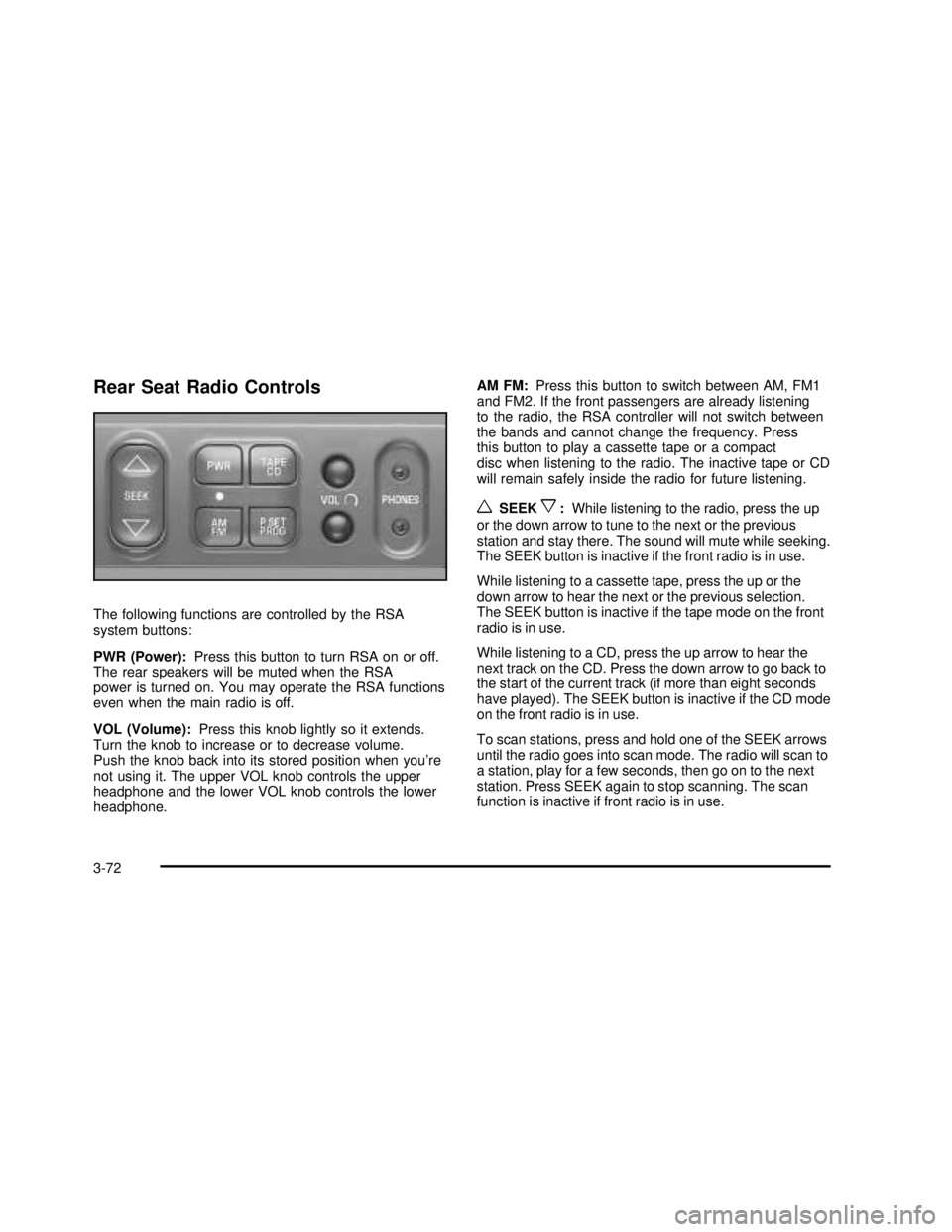
Rear Seat Radio Controls
The following functions are controlled by the RSA
system buttons:
PWR (Power):Press this button to turn RSA on or off.
The rear speakers will be muted when the RSA
power is turned on. You may operate the RSA functions
even when the main radio is off.
VOL (Volume):Press this knob lightly so it extends.
Turn the knob to increase or to decrease volume.
Push the knob back into its stored position when you’re
not using it. The upper VOL knob controls the upper
headphone and the lower VOL knob controls the lower
headphone.AM FM:Press this button to switch between AM, FM1
and FM2. If the front passengers are already listening
to the radio, the RSA controller will not switch between
the bands and cannot change the frequency. Press
this button to play a cassette tape or a compact
disc when listening to the radio. The inactive tape or CD
will remain safely inside the radio for future listening.
wSEEKx:While listening to the radio, press the up
or the down arrow to tune to the next or the previous
station and stay there. The sound will mute while seeking.
The SEEK button is inactive if the front radio is in use.
While listening to a cassette tape, press the up or the
down arrow to hear the next or the previous selection.
The SEEK button is inactive if the tape mode on the front
radio is in use.
While listening to a CD, press the up arrow to hear the
next track on the CD. Press the down arrow to go back to
the start of the current track (if more than eight seconds
have played). The SEEK button is inactive if the CD mode
on the front radio is in use.
To scan stations, press and hold one of the SEEK arrows
until the radio goes into scan mode. The radio will scan to
a station, play for a few seconds, then go on to the next
station. Press SEEK again to stop scanning. The scan
function is inactive if front radio is in use.
3-72
2003 - Savana OM
Page 191 of 392

P.SET PROG (Preset Program):The front passengers
must be listening to something different for each of
these functions to work:
•Press this button to scan through the preset radio
stations set on the pushbuttons on the main radio.
The radio will go to a preset station stored on
your pushbuttons, play for a few seconds, then go
on to the next preset station. Press this button
again to stop scanning presets.
•When a cassette tape is playing, press this button
to go to the other side of the tape.
•When a CD is playing, press this button to selec
t a disc.
TAPE CD:Press this button to switch between playing
a cassette tape or a CD when listening to the radio.
The inactive tape or compact disc will remain safely
inside the radio for future listening.
Theft-Deterrent Feature
(Non-RDS Radios)
THEFTLOCK®is designed to discourage theft of your
radio. The feature works automatically by learning
a portion of the Vehicle Identification Number (VIN).
If the radio is moved to a different vehicle, it will
not operate and LOC will be displayed.
With THEFTLOCK
®activated, your radio will not
operate if stolen.
Theft-Deterrent Feature
(RDS Radios)
THEFTLOCK®is designed to discourage theft of your
radio. The feature works automatically by learning
a portion of the Vehicle Identification Number (VIN).
If the radio is moved to a different vehicle, it will
not operate and LOCKED will be displayed.
When the radio and vehicle are turned off, the blinking
red light indicates that THEFTLOCK
®is armed.
With THEFTLOCK
®activated, your radio will not
operate if stolen.
3-73
2003 - Savana OM