ECO mode GMC SAVANA 2004 User Guide
[x] Cancel search | Manufacturer: GMC, Model Year: 2004, Model line: SAVANA, Model: GMC SAVANA 2004Pages: 398, PDF Size: 4.4 MB
Page 187 of 398
Setting Preset PTYs
The six numbered pushbuttons let you return to your
favorite PTYs. These buttons have factory PTY presets.
You can set up to 12 PTYs (six FM1 and six FM2) by
performing the following steps:
1. Press BAND to select FM1 or FM2.
2. Press the P-TYPE button to activate program type
select mode. P-TYPE and the last selected PTY will
appear on the display.
3. Turn the P-TYPE knob to select a PTY.
4. Press and hold one of the six numbered
pushbuttons until you hear a beep. Whenever you
press that numbered pushbutton, the PTY you
set will return.
5. Repeat the steps for each pushbutton.
RDS Messages
ALERT!:Alert warns of local or national emergencies.
When an alert announcement comes on the current
radio station, ALERT! will appear on the display. You will
hear the announcement, even if the volume is muted
or a CD is playing. If a CD is playing, play will stop
during the announcement. You will not be able to turn
off alert announcements.ALERT! will not be affected by tests of the emergency
broadcast system. This feature is not supported by
all RDS stations.
INFO (Information):If the current station has a
message, INFO will appear on the display. Press this
button to see the message. The message may display
the artist, song title, call in phone numbers, etc.
If the whole message is not displayed, parts of the
message will appear every three seconds. To scroll
through the message at your own speed, press
the INFO button repeatedly. A new group of words will
appear on the display with each press. Once the
complete message has been displayed, INFO will
disappear from the display until another new message
is received. The old message can be displayed by
pressing the INFO button. You can view an old message
until a new message is received or a different station
is tuned to.
TRAF (Traffic):If TRAF appears on the display, the
tuned station broadcasts traffic announcements.
To receive the traffic announcement from the tuned
station, press this button. Brackets will be displayed
around TRAF and when a traffic announcement comes
on the tuned radio station you will hear it.
3-65
Page 192 of 398
Using Song List Mode
The six-disc CD changer has a feature called song list.
This feature is capable of saving 20 track selections.
To save tracks into the song list feature, perform
the following steps:
1. Turn the CD player on and load it with at least one
CD. See “LOAD CD” listed previously in this section
for more information.
2. Check to see that the CD changer is not in song list
mode. S-LIST should not appear on the display. If
S-LIST is present, press the SONG LIST button
to turn it off.
3. Select the desired CD by pressing the numbered
pushbutton and then use the SEEK SCAN right
arrow button to locate the track that you want
to save. The track will begin to play.
4. Press and hold the SONG LIST button to save the
track into memory. When SONG LIST is pressed a
beep will be heard immediately. After two seconds
of continuously pressing SONG LIST, two beeps will
sound to conrm that the track has been saved.
5. Repeat Steps 3 and 4 for saving other selections.
S-LIST FULL will appear on the display if you try to save
more than 20 selections.To play the song list, press the SONG LIST button. One
beep will be heard and S-LIST will appear on the
display. The recorded tracks will begin to play in the
order that they were saved.
You may seek through the song list by using the SEEK
SCAN arrows. Seeking past the last saved track will
return you to the rst saved track.
To delete tracks from the song list, perform the following
steps:
1. Turn the CD player on.
2. Press the SONG LIST button to turn song list on.
S-LIST will appear on the display.
3. Press either SEEK SCAN arrow to select the
desired track to be deleted.
4. Press and hold the SONG LIST button for two
seconds. When SONG LIST is pressed a beep
will be heard immediately. After two seconds
of continuously pressing the SONG LIST button,
two beeps will be heard to conrm that the track has
been deleted.
After a track has been deleted, the remaining tracks
are moved up the list. When another track is added to
the song list, the track will be added to the end of
the list.
3-70
Page 193 of 398
To delete the entire song list, perform the following
steps:
1. Turn the CD player on.
2. Press the SONG LIST button to turn song list on.
S-LIST will appear on the display.
3. Press and hold the SONG LIST button for more
than four seconds. A beep will be heard, followed
by two beeps after two seconds and a nal beep will
be heard after four seconds. S-LIST EMPTY will
appear on the display indicating that the song
list has been deleted.
If a CD is ejected, and the song list contains saved
tracks from that CD, those tracks are automatically
deleted from the song list. Any tracks saved to the song
list again are added to the bottom of the list.
To end song list mode, press the SONG LIST button.
One beep will be heard and S-LIST will be removed from
the display.CD Messages
CHECK CD:If this message appears on the display, it
could be for one of the following reasons:
It is very hot. When the temperature returns to
normal, the CD should play.
You are driving on a very rough road. When the
road becomes smooth, the CD should play.
The CD is dirty, scratched, wet, or upside down.
The air is very humid. If so, wait about an hour and
try again.
There may have been a problem while burning
the CD.
The label may be caught in the CD player.
If the CD is not playing correctly, for any other reason,
try a known good CD.
If any error occurs repeatedly or if an error cannot be
corrected, contact your dealer. If your radio displays an
error message, write it down and provide it to your
dealer when reporting the problem.
3-71
Page 234 of 398
If yours was built with trailering options, as many are,
it’s ready for heavier trailers. But trailering is different
than just driving your vehicle by itself. Trailering means
changes in handling, durability and fuel economy.
Successful, safe trailering takes correct equipment, and
it has to be used properly.
That’s the reason for this part. In it are many time-tested,
important trailering tips and safety rules. Many of
these are important for your safety and that of your
passengers. So please read this section carefully before
you pull a trailer.
If You Do Decide To Pull A Trailer
If you do, here are some important points:
There are many different laws, including speed limit
restrictions, having to do with trailering. Make sure
your rig will be legal, not only where you live
but also where you’ll be driving. A good source for
this information can be state or provincial police.
Consider using a sway control. See “Hitches” later
in this section.
Don’t tow a trailer at all during the rst 500 miles
(800 km) your new vehicle is driven. Your engine,
axle or other parts could be damaged.
Then, during the rst 500 miles (800 km) that you
tow a trailer, don’t drive over 50 mph (80 km/h)
and don’t make starts at full throttle. This helps your
engine and other parts of your vehicle wear in at
the heavier loads.
See also “Driving on Grades” later in this section.
Three important considerations have to do with weight:
the weight of the trailer,
the weight of the trailer tongue
and the weight on your vehicle’s tires.
Tow/Haul Mode
Tow/haul is designed to assist while your vehicle is
pulling a large or heavy load or trailer. Tow/haul is most
useful while pulling such a load in rolling terrain, in
stop-and-go traffic, or when you need improved
low-speed control, such as when parking. The purpose
of the tow/haul mode is to:
Reduce the frequency and improve the predictability
of transmission shifts,
provide the same solid shift feel when pulling a
heavy load as when the vehicle is unloaded, and
improve control of vehicle speed while requiring less
throttle pedal activity.
4-38
Page 235 of 398
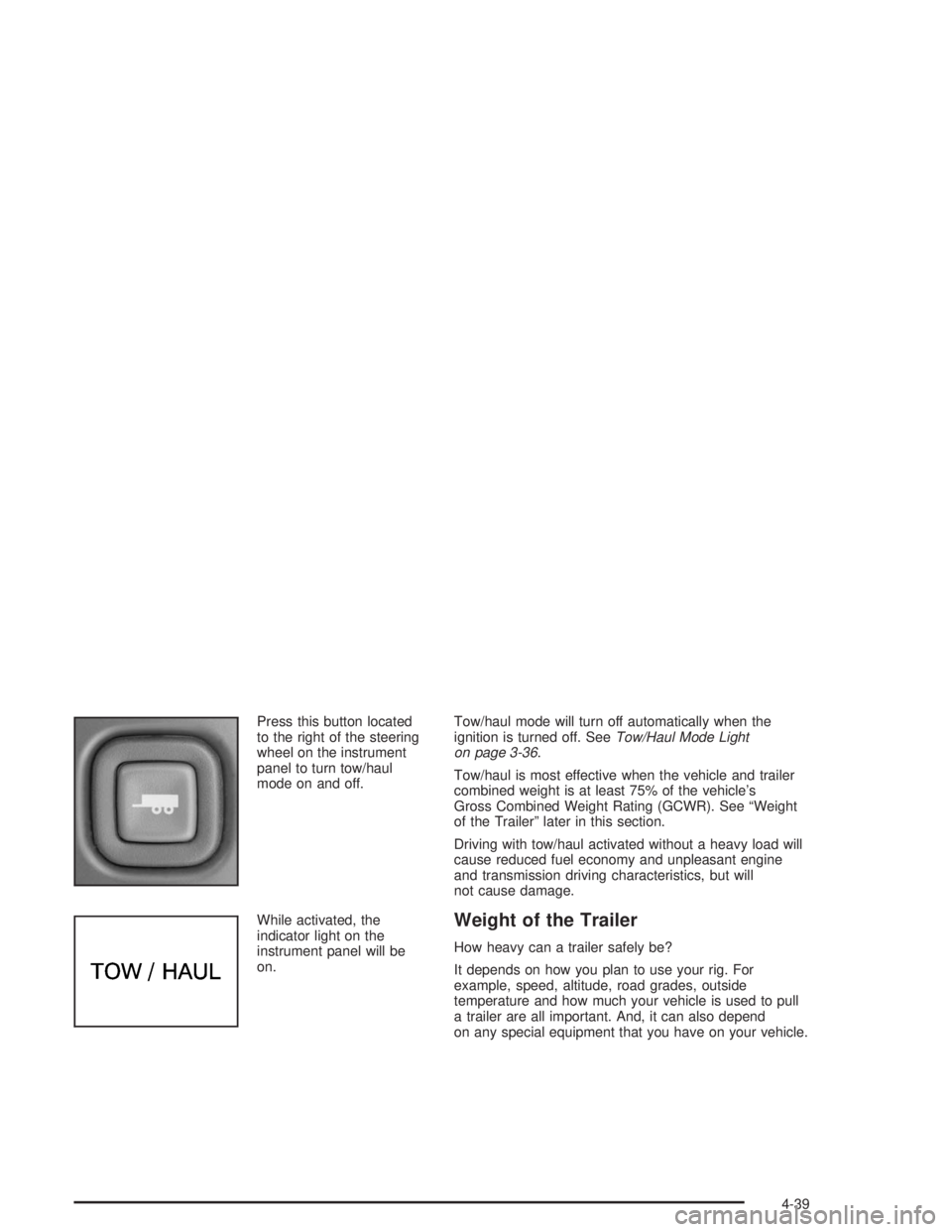
Press this button located
to the right of the steering
wheel on the instrument
panel to turn tow/haul
mode on and off.
While activated, the
indicator light on the
instrument panel will be
on.Tow/haul mode will turn off automatically when the
ignition is turned off. SeeTow/Haul Mode Light
on page 3-36.
Tow/haul is most effective when the vehicle and trailer
combined weight is at least 75% of the vehicle’s
Gross Combined Weight Rating (GCWR). See “Weight
of the Trailer” later in this section.
Driving with tow/haul activated without a heavy load will
cause reduced fuel economy and unpleasant engine
and transmission driving characteristics, but will
not cause damage.
Weight of the Trailer
How heavy can a trailer safely be?
It depends on how you plan to use your rig. For
example, speed, altitude, road grades, outside
temperature and how much your vehicle is used to pull
a trailer are all important. And, it can also depend
on any special equipment that you have on your vehicle.
4-39
Page 275 of 398
If there seems to be no leak, start the engine again.
See if the engine cooling fan speed increases when idle
speed is doubled by pushing the accelerator pedal
down. If it doesn’t, your vehicle needs service. Turn off
the engine.
Notice:Engine damage from running your engine
without coolant is not covered by your warranty. See
“Overheated Engine Protection Operating Mode”
in the Index for information on driving to a safe
place in an emergency.
Notice:Using coolant other than DEX-COOL
®may
cause premature engine, heater core or radiator
corrosion. In addition, the engine coolant may
require changing sooner, at 30,000 miles (50 000 km)
or 24 months, whichever occurs rst. Any repairs
would not be covered by your warranty. Always use
DEX-COOL
®(silicate-free) coolant in your vehicle.
If there seems to be no leak, start the engine again. See
if the engine cooling fan speed increases when idle
speed is doubled by pushing the accelerator pedal
down. If it doesn’t, your vehicle needs service. Turn off
the engine.
How to Add Coolant to the Coolant
Recovery Tank
If you haven’t found a problem yet, but the coolant level
isn’t at the COLD FILL mark, add a 50/50 mixture of
clean, drinkable waterand DEX-COOL
®engine coolant
at the coolant recovery tank. SeeEngine Coolant on
page 5-22for more information.
{CAUTION:
Adding only plain water to your cooling
system can be dangerous. Plain water, or
some other liquid such as alcohol, can boil
before the proper coolant mixture will. Your
vehicle’s coolant warning system is set for the
proper coolant mixture. With plain water or the
wrong mixture, your engine could get too hot
but you would not get the overheat warning.
Your engine could catch re and you or others
could be burned. Use a 50/50 mixture of clean,
drinkable water and DEX-COOL
®coolant.
5-29
Page 310 of 398
Normal Occupant Weight:The number of occupants a
vehicle is designed to seat multiplied by 150 pounds
(68 kg). SeeLoading Your Vehicle on page 4-31.
Occupant Distribution:Designated seating positions.
Outward Facing Sidewall:The side of a asymmetrical
tire that has a particular side that faces outward
when mounted on a vehicle. The side of the tire that
contains a whitewall, bears white lettering or bears
manufacturer, brand and or model name molding that is
higher or deeper than the same moldings on the
other sidewall of the tire.
Passenger (P-Metric) Tire:A tire used on passenger
cars and some light duty trucks and multipurpose
vehicles.
Recommended Ination Pressure:Vehicle
manufacturer’s recommended tire ination pressure and
shown on the tire placard. SeeInation - Tire Pressure
on page 5-65andLoading Your Vehicle on page 4-31.
Radial Ply tire:A pneumatic tire in which the ply cords
that extend to the beads are laid at 90 degrees to the
centerline of the tread.
Rim:A metal support for a tire and upon which the tire
beads are seated.Sidewall:The portion of a tire between the tread and
the bead.
Speed Rating:An alphanumeric code assigned to a
tire indicating the maximum speed at which a tire
can operate.
Traction:The friction between the tire and the road
surface. The amount of grip provided.
Tread:The portion of a tire that comes into contact
with the road.
Treadwear Indicators:Narrow bands, sometimes
called “wear bars,” that show across the tread of a tire
when only 2/32 inch of tread remains. SeeWhen It
Is Time for New Tires on page 5-69.
UTQGS:Uniform Tire Quality Grading Standards, a tire
information system that provides consumers with
ratings for a tire’s traction, temperature and treadwear.
Ratings are determined by tire manufacturers using
government testing procedures. The ratings are molded
into the sidewall of the tire. SeeUniform Tire Quality
Grading on page 5-71.
Vehicle Capacity Weight:The number of designated
seating positions multiplied by 150 lbs. (68 kg) plus
the rated cargo load. SeeLoading Your Vehicle
on page 4-31.
5-64
Page 352 of 398
Capacities and Specications
Please refer toRecommended Fluids and Lubricants on page 6-12. All capacities are approximate. When adding, be
sure to ll to the appropriate level or as recommended in this manual.
See refrigerant charge label under the hood for charge capacity information and requirements.
Model Description Torque
G/H 1500 6 Bolts (14 mm) 140 lb ft (190Y)
G/H 2500 & G/H 3500 8 bolts (14 mm) 140 lb ft (190Y)
Tire PressureSee the “Certication/Tire Label” underLoading Your Vehicle
on page 4-31This label is located on the rear edge of the
driver’s door.
ApplicationCapacities
QTY Without Rear
Heater QTY With Rear Heater
Cooling System
After rell, the level must be rechecked. See “Cooling System” in the Index.
VORTEC™ 4300 V6 11.0 quarts (10.4 L) 14.0 quarts (13.2 L)
VORTEC™ 4800 V8 13.4 quarts (12.7 L) 16.4 quarts (15.5 L)
5-106
Page 379 of 398
For prompt and efficient assistance when calling, please
provide the following to the Roadside Assistance
Representative:
Your name, home address, and home telephone
number
Telephone number of your location
Location of the vehicle
Model, year, color, and license plate number
Mileage, Vehicle Identication Number, and delivery
date of the vehicle
Description of the problem
While we hope you never have the occasion to use our
service, it is added security while traveling for you
and your family. Remember, we are only a phone call
away. GMC Roadside Assistance: 1-800-462-8782, text
telephone (TTY) users, call 1-888-889-2438.
GMC reserves the right to limit services or
reimbursement to an owner or driver when, in GMC’s
judgement, the claims become excessive in frequency or
type of occurrence.
Roadside Assistance is not part of or included in the
coverage provided by the New Vehicle Limited Warranty.
GMC reserves the right to make any changes or
discontinue the Roadside Assistance program at any
time without notication.
Canadian Roadside Assistance
Vehicles purchased in Canada have an extensive
roadside assistance program accessible from anywhere
in Canada or the United States. Please refer to the
Warranty and Owner Assistance Information book.
Courtesy Transportation
GMC has always exemplied quality and value in its
offering of motor vehicles. To enhance your ownership
experience, we and our participating dealers are
proud to offer Courtesy Transportation, a customer
support program for new vehicles.
The Courtesy Transportation program is offered to retail
purchase/lease customers in conjunction with the
Bumper-to-Bumper coverage provided by the New
Vehicle Limited Warranty. Several transportation options
are available when warranty repairs are required.
This will reduce your inconvenience during warranty
repairs.
Plan Ahead When Possible
When your vehicle requires warranty service, you
should contact your dealer and request an appointment.
By scheduling a service appointment and advising
your service consultant of your transportation needs,
your dealer can help minimize your inconvenience.
7-7
Page 381 of 398
Additional Program Information
Courtesy Transportation is available during the
Bumper-to-Bumper warranty coverage period, but itis
notpart of the New Vehicle Limited Warranty. A
separate booklet entitledWarranty and Owner
Assistance Informationfurnished with each new vehicle
provides detailed warranty coverage information.
Courtesy Transportation is available only at participating
dealers and all program options, such as shuttle
service, may not be available at every dealer. Please
contact your dealer for specic information about
availability. All Courtesy Transportation arrangements
will be administered by appropriate dealer personnel.
Canadian Vehicles:For warranty repairs during
the Complete Vehicle Coverage period of the General
Motors of Canada New Vehicle Limited Warranty,
alternative transportation may be available under the
Courtesy Transportation Program. Please consult
your dealer for details.
General Motors reserves the right to unilaterally modify,
change or discontinue Courtesy Transportation at
any time and to resolve all questions of claim eligibility
pursuant to the terms and conditions described
herein at its sole discretion.
Vehicle Data Collection and Event
Data Records
Your vehicle, like other modern motor vehicles, has a
number of sophisticated computer systems that monitor
and control several aspects of the vehicle’s
performance. Your vehicle uses on-board vehicle
computers to monitor emission control components to
optimize fuel economy, to monitor conditions for
airbag deployment and, if so equipped, to provide
anti-lock braking and to help the driver control the
vehicle in difficult driving situations. Some information
may be stored during regular operations to facilitate
repair of detected malfunctions; other information
is stored only in a crash or near crash event by
computer systems commonly called event data
recorders (EDR).
In a crash or near crash event, computer systems, such
as the Airbag Sensing and Diagnostic Module (SDM)
in your vehicle may record information about the
condition of the vehicle and how it was operated, such
as engine speed, brake applications, throttle position,
vehicle speed, seat belt usage, airbag readiness, airbag
performance data, and the severity of a collision. This
information has been used to improve vehicle crash
performance and may be used to improve crash
performance of future vehicles and driving safety.
7-9