door lock GMC SAVANA 2004 User Guide
[x] Cancel search | Manufacturer: GMC, Model Year: 2004, Model line: SAVANA, Model: GMC SAVANA 2004Pages: 398, PDF Size: 4.4 MB
Page 101 of 398
Rear Doors
{CAUTION:
Unlocked doors can be dangerous.
Passengers — especially children — can
easily open the doors and fall out of a
moving vehicle. When a door is locked, the
handle will not open it. You increase the
chance of being thrown out of the vehicle
in a crash if the doors are not locked. So,
wear safety belts properly and lock the
doors whenever you drive.
Young children who get into unlocked
vehicles may be unable to get out. A child
can be overcome by extreme heat and can
suffer permanent injuries or even death
from heat stroke. Always lock your vehicle
whenever you leave it.
Outsiders can easily enter through an
unlocked door when you slow down or
stop your vehicle. Locking your doors can
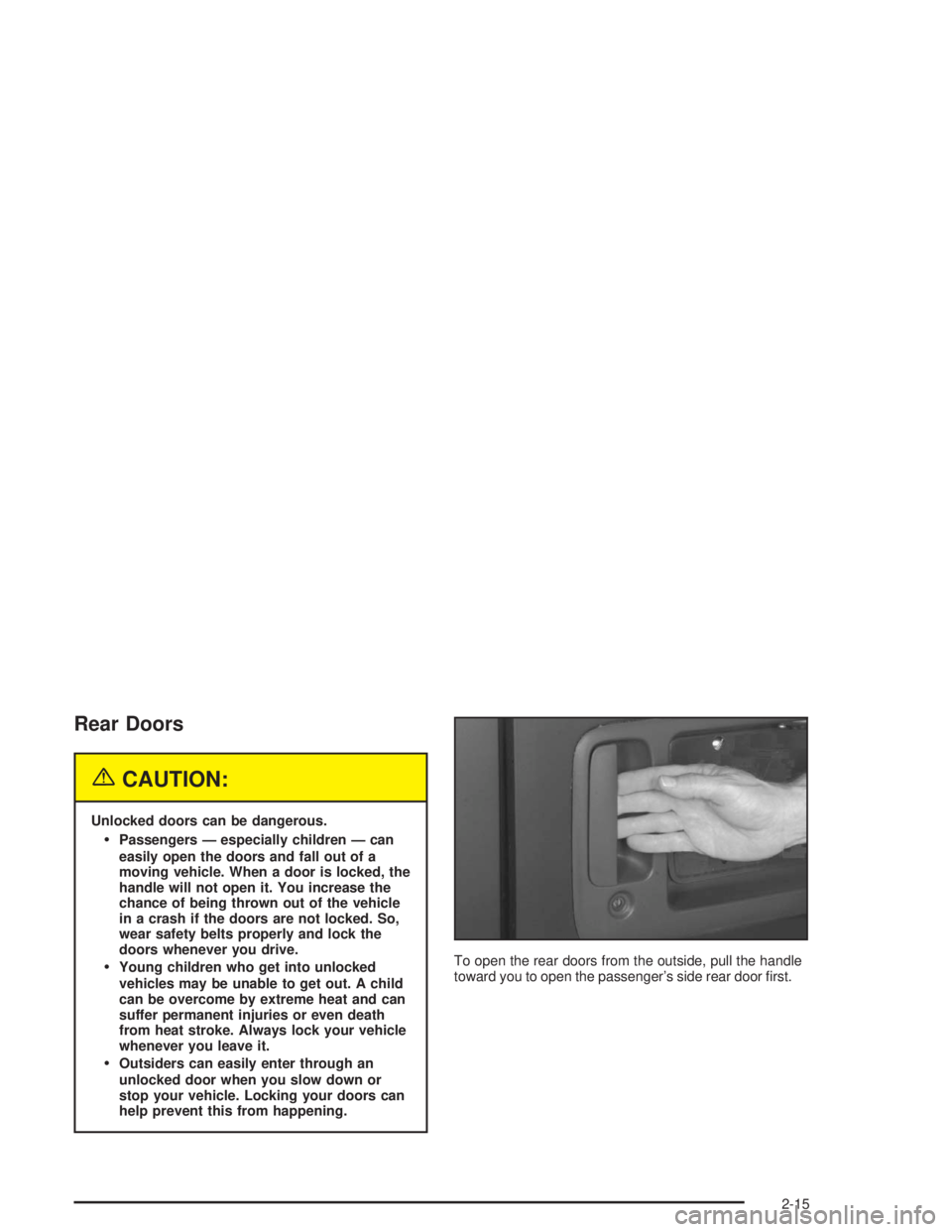
help prevent this from happening.To open the rear doors from the outside, pull the handle
toward you to open the passenger’s side rear door rst.
2-15
Page 104 of 398
Press the rear of the switch with the power window
symbol on it to lower the window.
Press the front of the switch with the power window
symbol on it to raise the window.
The driver’s window switch also has an express-down
feature that allows the window to be lowered without
holding the switch. Press and hold the side of the
window switch marked AUTO for one second to activate
the express-down mode. The express-down mode
can be cancelled at any time by pressing the opposite
side of the switch. To open the window part way,
lightly tap the switch until the window is at the desired
position.Swing-Out Windows
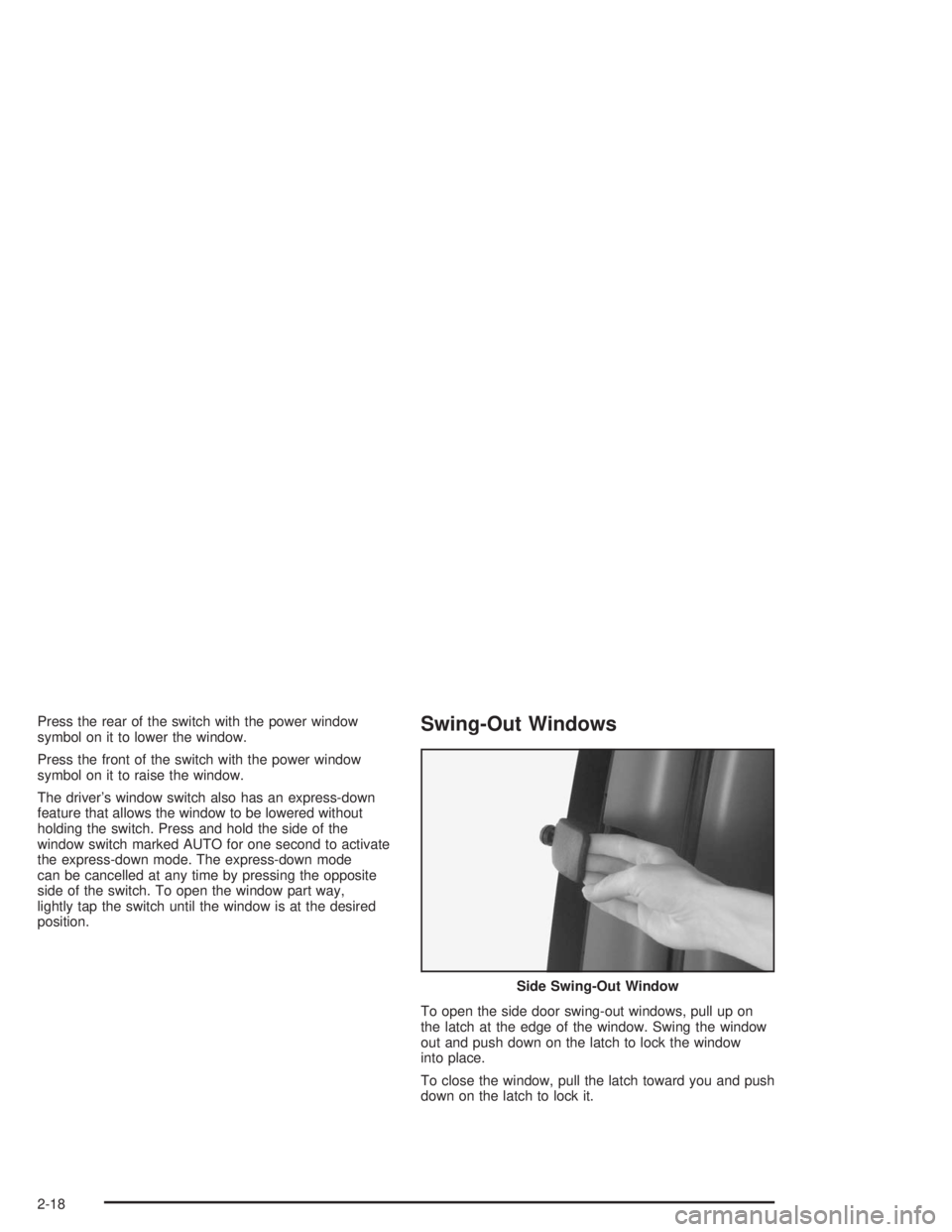
To open the side door swing-out windows, pull up on
the latch at the edge of the window. Swing the window
out and push down on the latch to lock the window
into place.
To close the window, pull the latch toward you and push
down on the latch to lock it.Side Swing-Out Window
2-18
Page 107 of 398
Ignition Positions
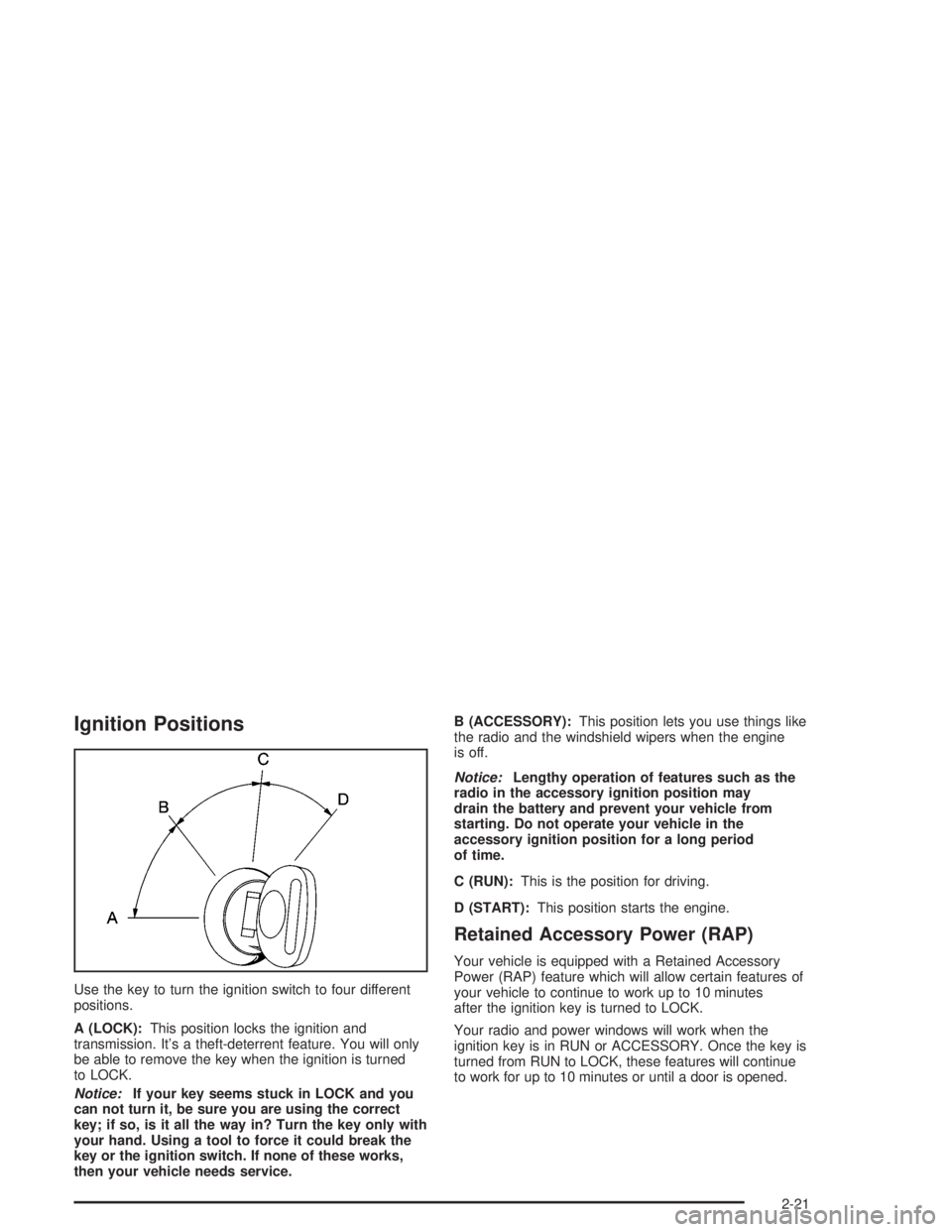
Use the key to turn the ignition switch to four different
positions.
A (LOCK):This position locks the ignition and
transmission. It’s a theft-deterrent feature. You will only
be able to remove the key when the ignition is turned
to LOCK.
Notice:If your key seems stuck in LOCK and you
can not turn it, be sure you are using the correct
key; if so, is it all the way in? Turn the key only with
your hand. Using a tool to force it could break the
key or the ignition switch. If none of these works,
then your vehicle needs service.B (ACCESSORY):This position lets you use things like
the radio and the windshield wipers when the engine
is off.
Notice:Lengthy operation of features such as the
radio in the accessory ignition position may
drain the battery and prevent your vehicle from
starting. Do not operate your vehicle in the
accessory ignition position for a long period
of time.
C (RUN):This is the position for driving.
D (START):This position starts the engine.
Retained Accessory Power (RAP)
Your vehicle is equipped with a Retained Accessory
Power (RAP) feature which will allow certain features of
your vehicle to continue to work up to 10 minutes
after the ignition key is turned to LOCK.
Your radio and power windows will work when the
ignition key is in RUN or ACCESSORY. Once the key is
turned from RUN to LOCK, these features will continue
to work for up to 10 minutes or until a door is opened.
2-21
Page 119 of 398
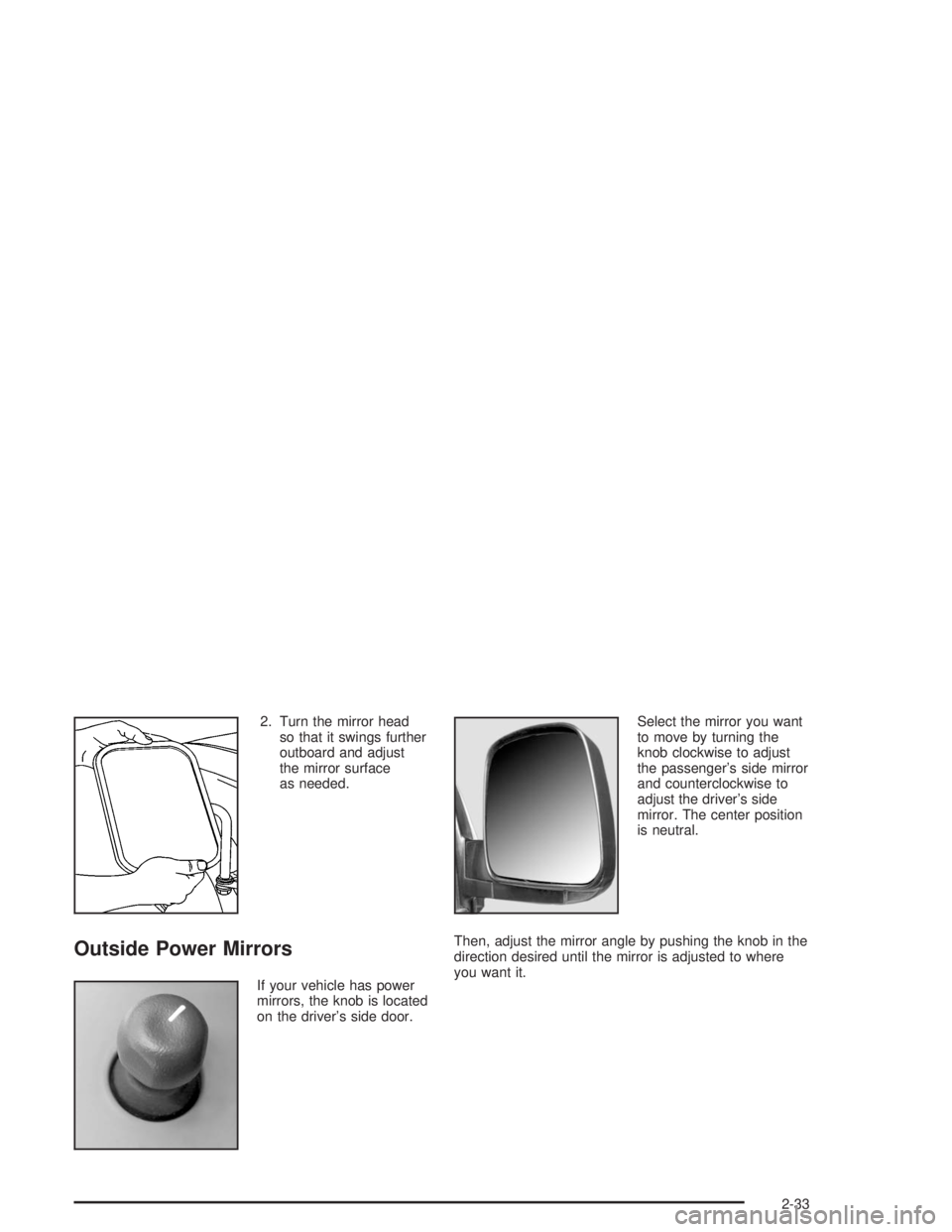
2. Turn the mirror head
so that it swings further
outboard and adjust
the mirror surface
as needed.
Outside Power Mirrors
If your vehicle has power
mirrors, the knob is located
on the driver’s side door.Select the mirror you want
to move by turning the
knob clockwise to adjust
the passenger’s side mirror
and counterclockwise to
adjust the driver’s side
mirror. The center position
is neutral.
Then, adjust the mirror angle by pushing the knob in the
direction desired until the mirror is adjusted to where
you want it.
2-33
Page 121 of 398
OnStar®System
Your vehicle may be equipped with the OnStar®
System. OnStar®uses global positioning system (GPS)
satellite technology, wireless communications, and
call centers to provide you with a wide range of safety,
security, information and convenience services.
A complete OnStar
®user’s guide and the terms and
conditions of the OnStar®Subscription Service
Agreement are included in your vehicle’s glove box
literature. For more information, visit www.onstar.com,
contact OnStar
®at 1-888-4-ONSTAR (1-888-466-7827),
or press the blue OnStar®button to speak to an
OnStar®advisor 24 hours a day, 7 days a week.
A completed Subscription Service Agreement is required
prior to delivery of OnStar
®services and prepaid
calling minutes are also required for OnStar®Personal
Calling and OnStar®Virtual Advisor use. Terms and
conditions of the Subscription Service Agreement can be
found at www.onstar.com.
OnStar®Services
One of the following plans is normally included for a
specic duration with each vehicle equipped with
OnStar
®. You can upgrade or extend your OnStar®
service plan to meet your needs.
Safe and Sound Plan
Automatic Notication of Air Bag Deployment
Emergency Services
Roadside Assistance
Stolen Vehicle Assistance
AccidentAssist
Remote Door Unlock
Remote Diagnostics
Online Concierge
Directions and Connections Plan
All Safe and Sound Plan services
Route Support
RideAssist
Information and Convenience Services
2-35
Page 138 of 398
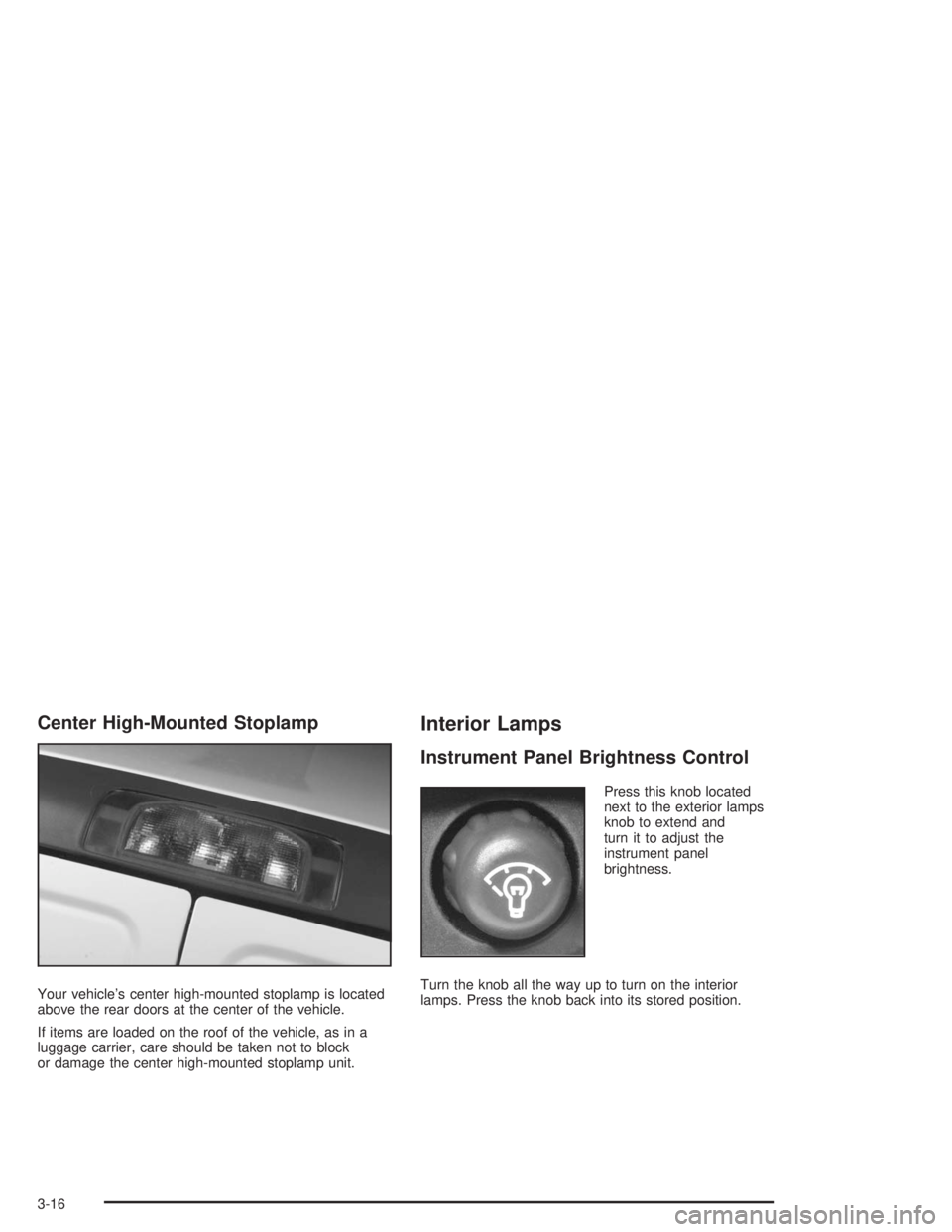
Center High-Mounted Stoplamp
Your vehicle’s center high-mounted stoplamp is located
above the rear doors at the center of the vehicle.
If items are loaded on the roof of the vehicle, as in a
luggage carrier, care should be taken not to block
or damage the center high-mounted stoplamp unit.
Interior Lamps
Instrument Panel Brightness Control
Press this knob located
next to the exterior lamps
knob to extend and
turn it to adjust the
instrument panel
brightness.
Turn the knob all the way up to turn on the interior
lamps. Press the knob back into its stored position.
3-16
Page 139 of 398
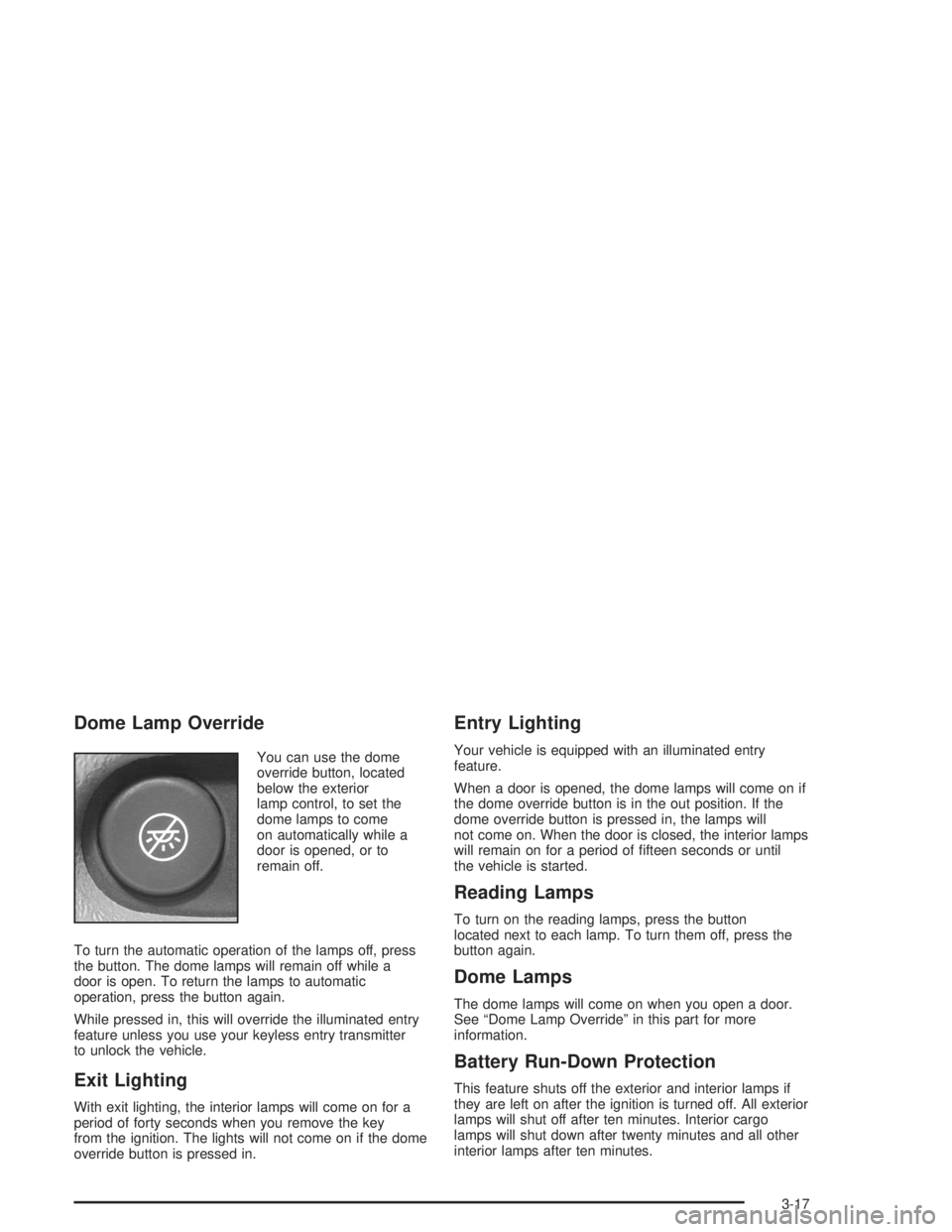
Dome Lamp Override
You can use the dome
override button, located
below the exterior
lamp control, to set the
dome lamps to come
on automatically while a
door is opened, or to
remain off.
To turn the automatic operation of the lamps off, press
the button. The dome lamps will remain off while a
door is open. To return the lamps to automatic
operation, press the button again.
While pressed in, this will override the illuminated entry
feature unless you use your keyless entry transmitter
to unlock the vehicle.
Exit Lighting
With exit lighting, the interior lamps will come on for a
period of forty seconds when you remove the key
from the ignition. The lights will not come on if the dome
override button is pressed in.
Entry Lighting
Your vehicle is equipped with an illuminated entry
feature.
When a door is opened, the dome lamps will come on if
the dome override button is in the out position. If the
dome override button is pressed in, the lamps will
not come on. When the door is closed, the interior lamps
will remain on for a period of fteen seconds or until
the vehicle is started.
Reading Lamps
To turn on the reading lamps, press the button
located next to each lamp. To turn them off, press the
button again.
Dome Lamps
The dome lamps will come on when you open a door.
See “Dome Lamp Override” in this part for more
information.
Battery Run-Down Protection
This feature shuts off the exterior and interior lamps if
they are left on after the ignition is turned off. All exterior
lamps will shut off after ten minutes. Interior cargo
lamps will shut down after twenty minutes and all other
interior lamps after ten minutes.
3-17
Page 253 of 398
Filling Your Tank
{CAUTION:
Fuel vapor is highly ammable. It burns
violently, and that can cause very bad injuries.
Do not smoke if you are near fuel or refueling
your vehicle. Keep sparks, ames and smoking
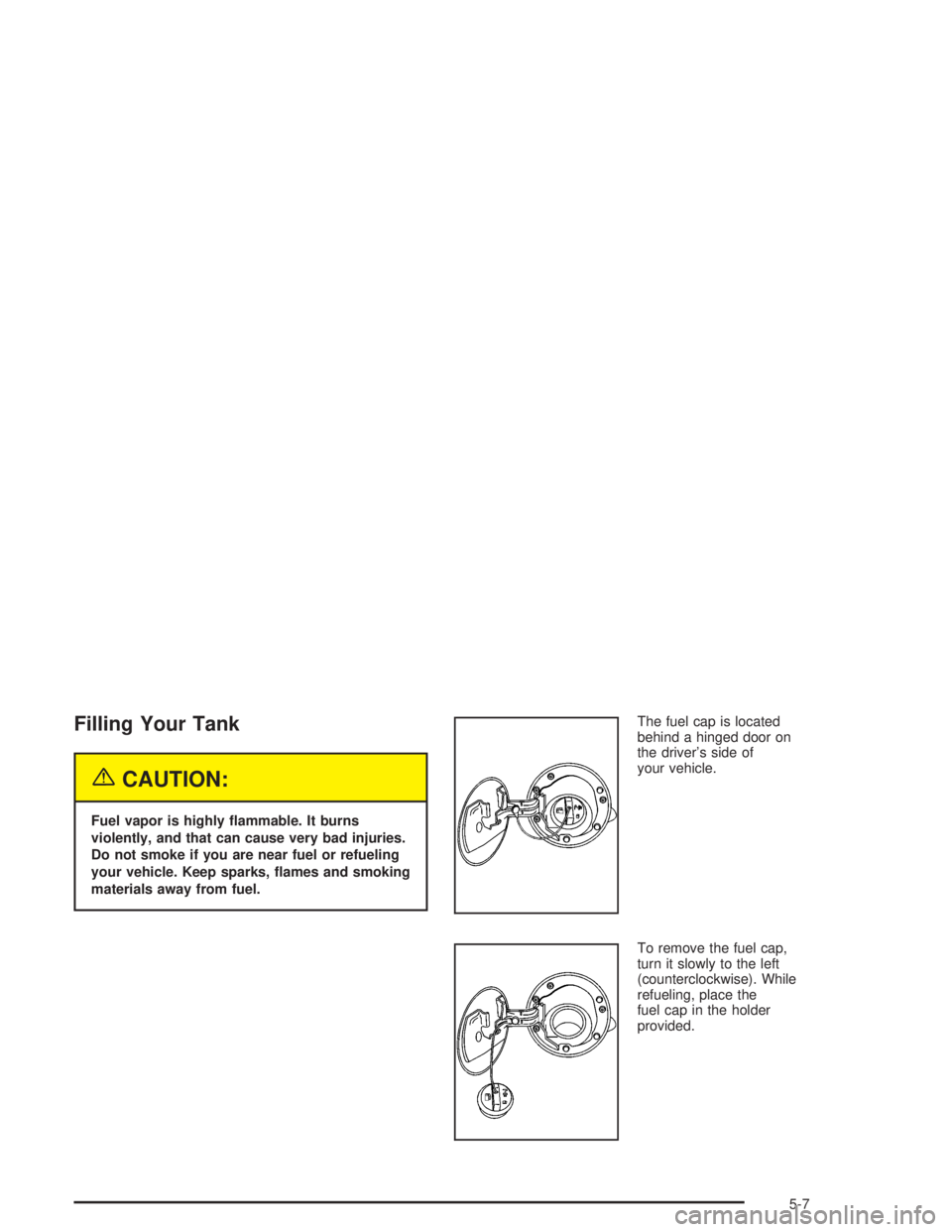
materials away from fuel.The fuel cap is located
behind a hinged door on
the driver’s side of
your vehicle.
To remove the fuel cap,
turn it slowly to the left
(counterclockwise). While
refueling, place the
fuel cap in the holder
provided.
5-7
Page 348 of 398
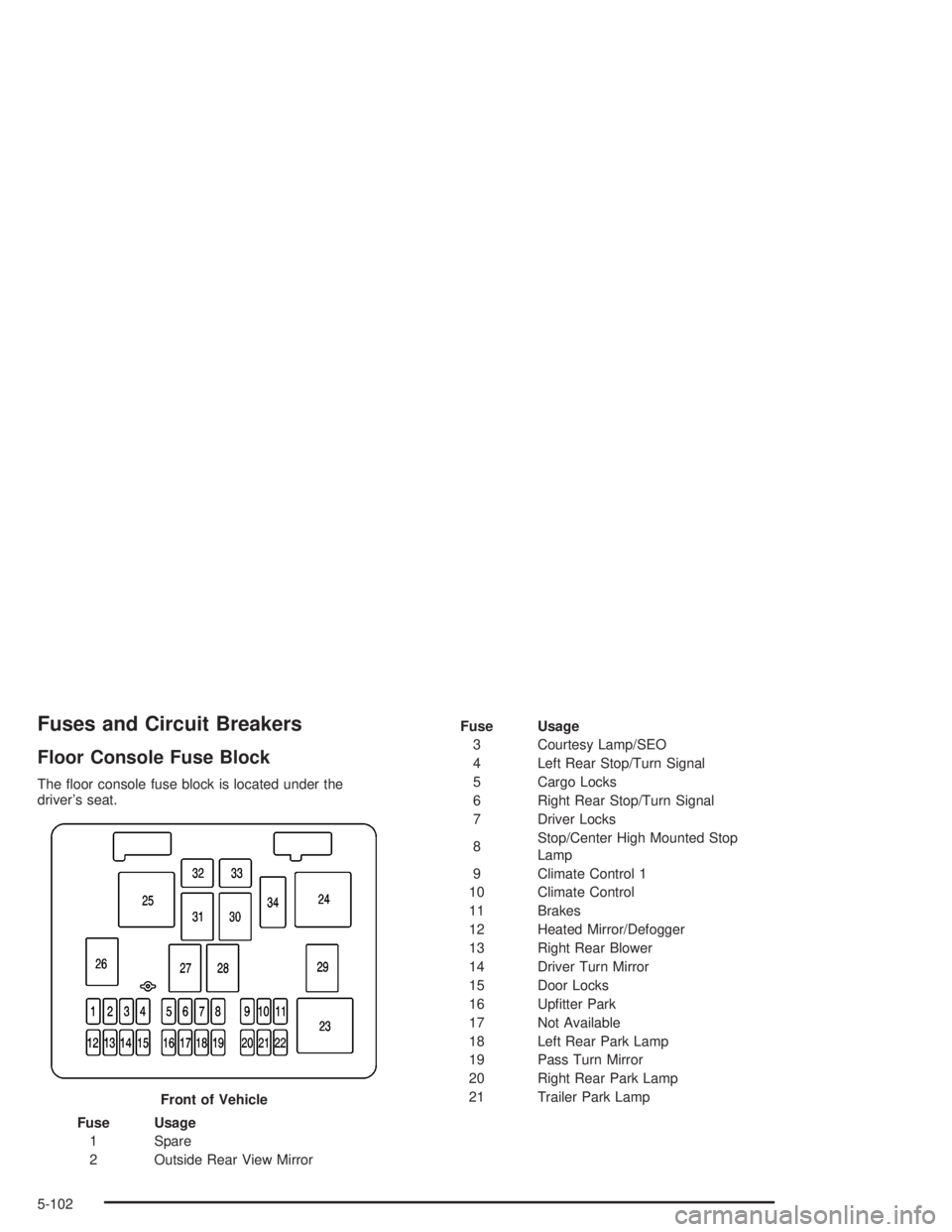
Fuses and Circuit Breakers
Floor Console Fuse Block
The oor console fuse block is located under the
driver’s seat.
Fuse Usage
1 Spare
2 Outside Rear View MirrorFuse Usage
3 Courtesy Lamp/SEO
4 Left Rear Stop/Turn Signal
5 Cargo Locks
6 Right Rear Stop/Turn Signal
7 Driver Locks
8Stop/Center High Mounted Stop
Lamp
9 Climate Control 1
10 Climate Control
11 Brakes
12 Heated Mirror/Defogger
13 Right Rear Blower
14 Driver Turn Mirror
15 Door Locks
16 Uptter Park
17 Not Available
18 Left Rear Park Lamp
19 Pass Turn Mirror
20 Right Rear Park Lamp
21 Trailer Park Lamp
Front of Vehicle
5-102
Page 349 of 398
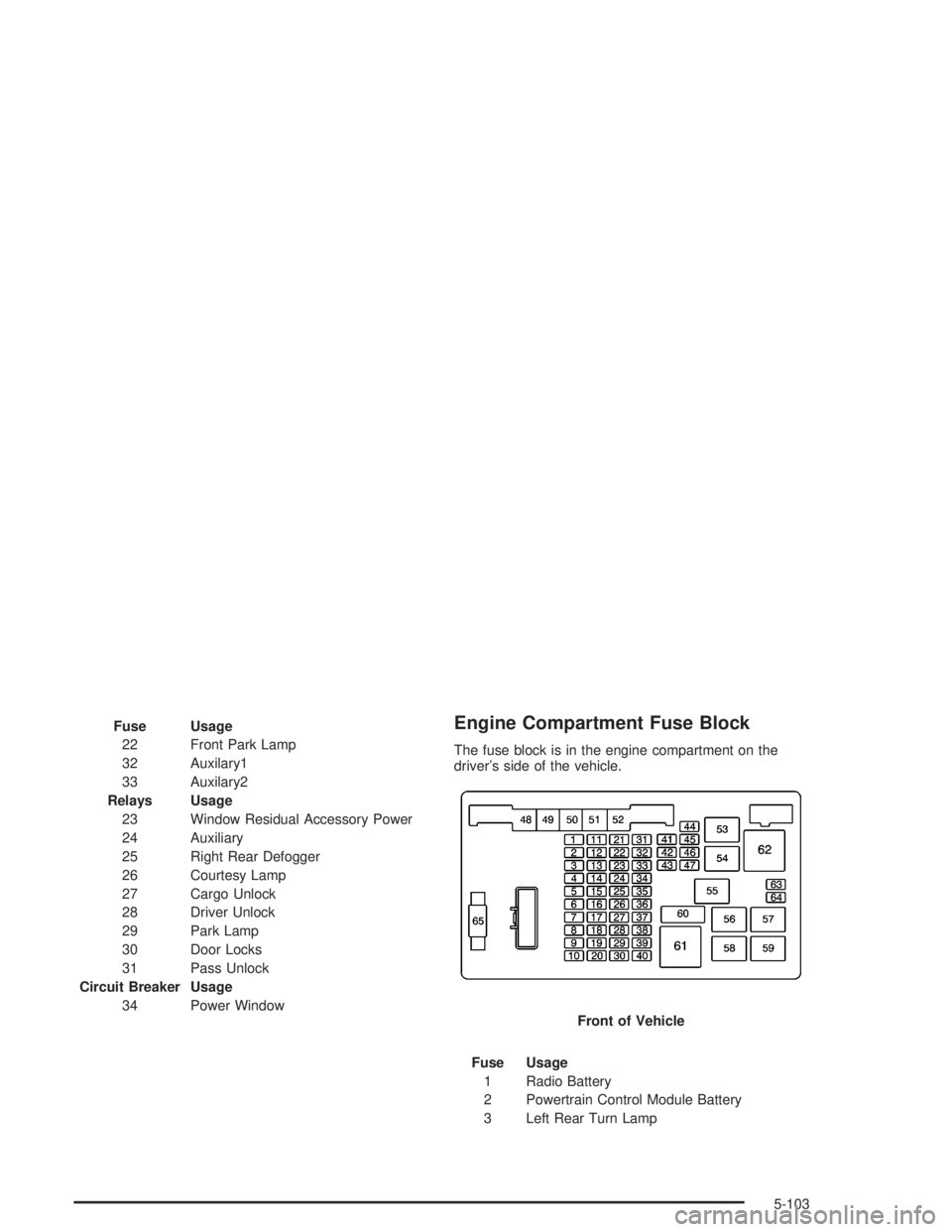
Fuse Usage
22 Front Park Lamp
32 Auxilary1
33 Auxilary2
Relays Usage
23 Window Residual Accessory Power
24 Auxiliary
25 Right Rear Defogger
26 Courtesy Lamp
27 Cargo Unlock
28 Driver Unlock
29 Park Lamp
30 Door Locks
31 Pass Unlock
Circuit Breaker Usage
34 Power WindowEngine Compartment Fuse Block
The fuse block is in the engine compartment on the
driver’s side of the vehicle.
Fuse Usage
1 Radio Battery
2 Powertrain Control Module Battery
3 Left Rear Turn LampFront of Vehicle
5-103