door lock GMC SAVANA 2005 User Guide
[x] Cancel search | Manufacturer: GMC, Model Year: 2005, Model line: SAVANA, Model: GMC SAVANA 2005Pages: 384, PDF Size: 2.41 MB
Page 90 of 384
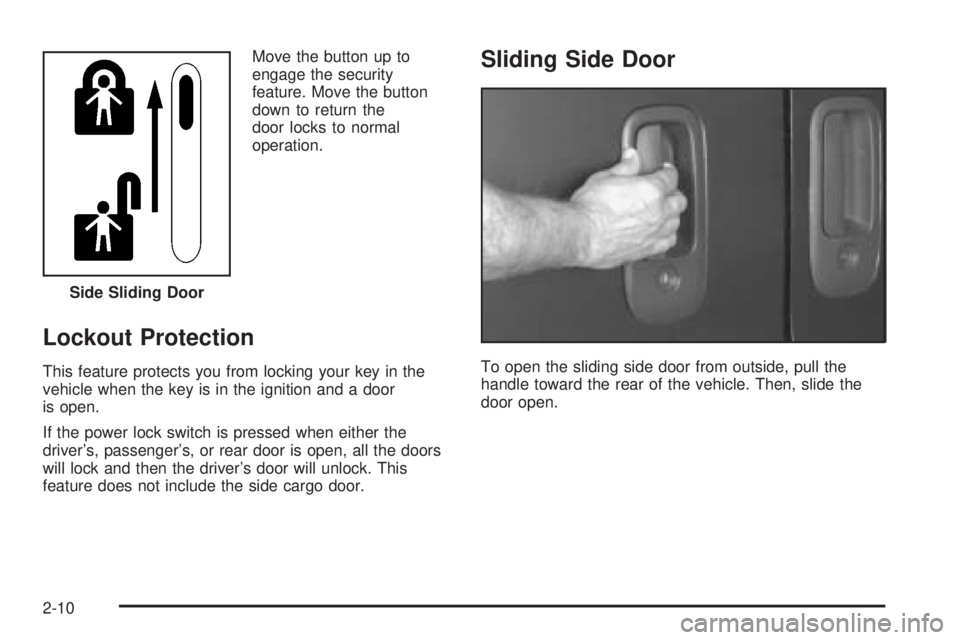
Move the button up to
engage the security
feature. Move the button
down to return the
door locks to normal
operation.
Lockout Protection
This feature protects you from locking your key in the
vehicle when the key is in the ignition and a door
is open.
If the power lock switch is pressed when either the
driver’s, passenger’s, or rear door is open, all the doors
will lock and then the driver’s door will unlock. This
feature does not include the side cargo door.
Sliding Side Door
To open the sliding side door from outside, pull the
handle toward the rear of the vehicle. Then, slide the
door open. Side Sliding Door
2-10
Page 94 of 384
Rear Doors
{CAUTION:
Unlocked doors can be dangerous.
Passengers — especially children — can
easily open the doors and fall out of a
moving vehicle. When a door is locked, the
handle will not open it. You increase the
chance of being thrown out of the vehicle
in a crash if the doors are not locked. So,
wear safety belts properly and lock the
doors whenever you drive.
CAUTION: (Continued)
CAUTION: (Continued)
Young children who get into unlocked
vehicles may be unable to get out. A child
can be overcome by extreme heat and can
suffer permanent injuries or even death
from heat stroke. Always lock your vehicle
whenever you leave it.
Outsiders can easily enter through an
unlocked door when you slow down or
stop your vehicle. Locking your doors can
help prevent this from happening.
2-14
Page 98 of 384
Swing-Out Windows
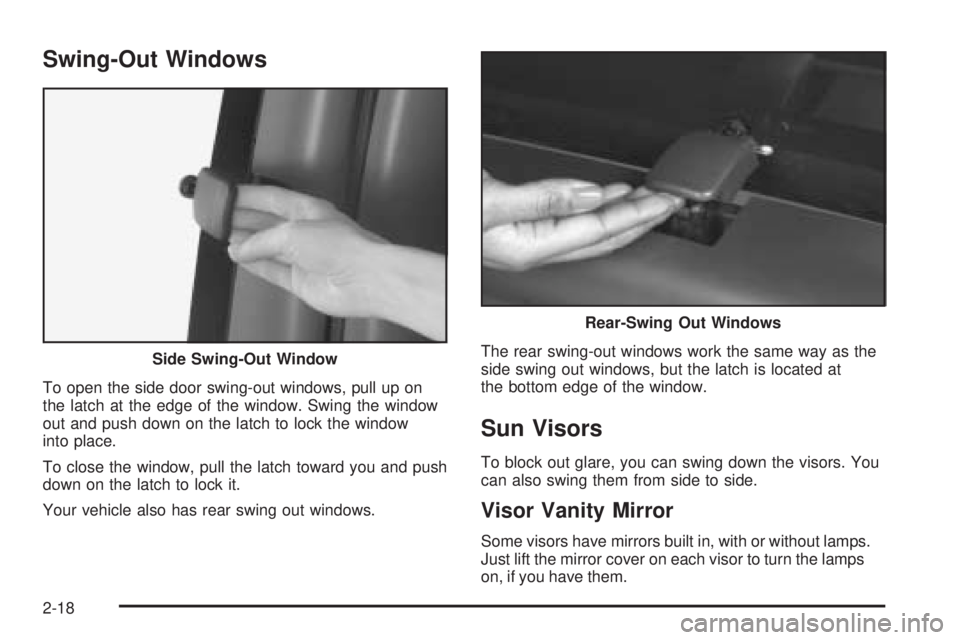
To open the side door swing-out windows, pull up on
the latch at the edge of the window. Swing the window
out and push down on the latch to lock the window
into place.
To close the window, pull the latch toward you and push
down on the latch to lock it.
Your vehicle also has rear swing out windows.The rear swing-out windows work the same way as the
side swing out windows, but the latch is located at
the bottom edge of the window.
Sun Visors
To block out glare, you can swing down the visors. You
can also swing them from side to side.
Visor Vanity Mirror
Some visors have mirrors built in, with or without lamps.
Just lift the mirror cover on each visor to turn the lamps
on, if you have them. Side Swing-Out Window
Rear-Swing Out Windows
2-18
Page 100 of 384
Ignition Positions
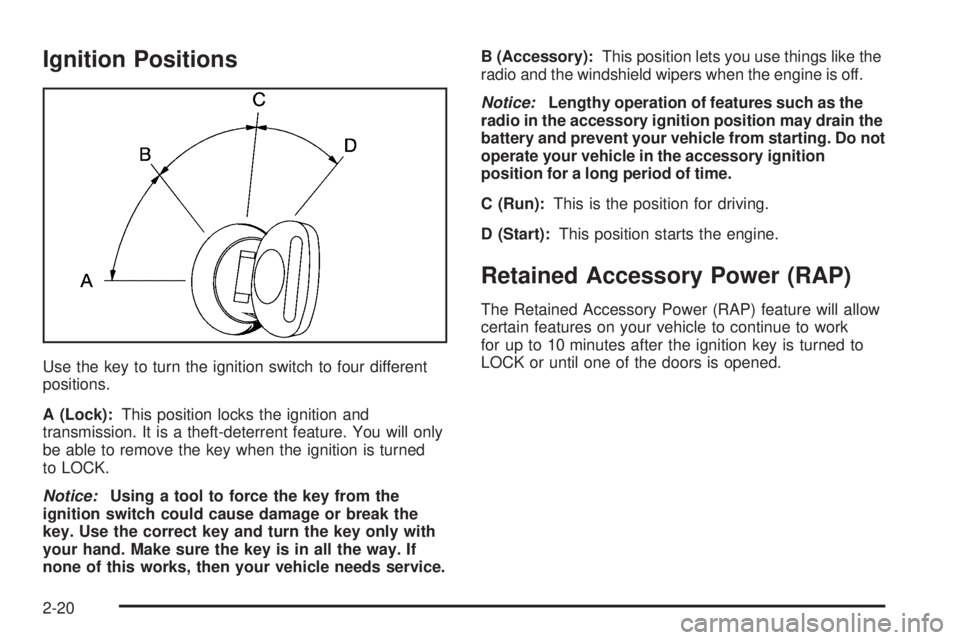
Use the key to turn the ignition switch to four different
positions.
A (Lock):This position locks the ignition and
transmission. It is a theft-deterrent feature. You will only
be able to remove the key when the ignition is turned
to LOCK.
Notice:Using a tool to force the key from the
ignition switch could cause damage or break the
key. Use the correct key and turn the key only with
your hand. Make sure the key is in all the way. If
none of this works, then your vehicle needs service.B (Accessory):This position lets you use things like the
radio and the windshield wipers when the engine is off.
Notice:Lengthy operation of features such as the
radio in the accessory ignition position may drain the
battery and prevent your vehicle from starting. Do not
operate your vehicle in the accessory ignition
position for a long period of time.
C (Run):This is the position for driving.
D (Start):This position starts the engine.
Retained Accessory Power (RAP)
The Retained Accessory Power (RAP) feature will allow
certain features on your vehicle to continue to work
for up to 10 minutes after the ignition key is turned to
LOCK or until one of the doors is opened.
2-20
Page 111 of 384
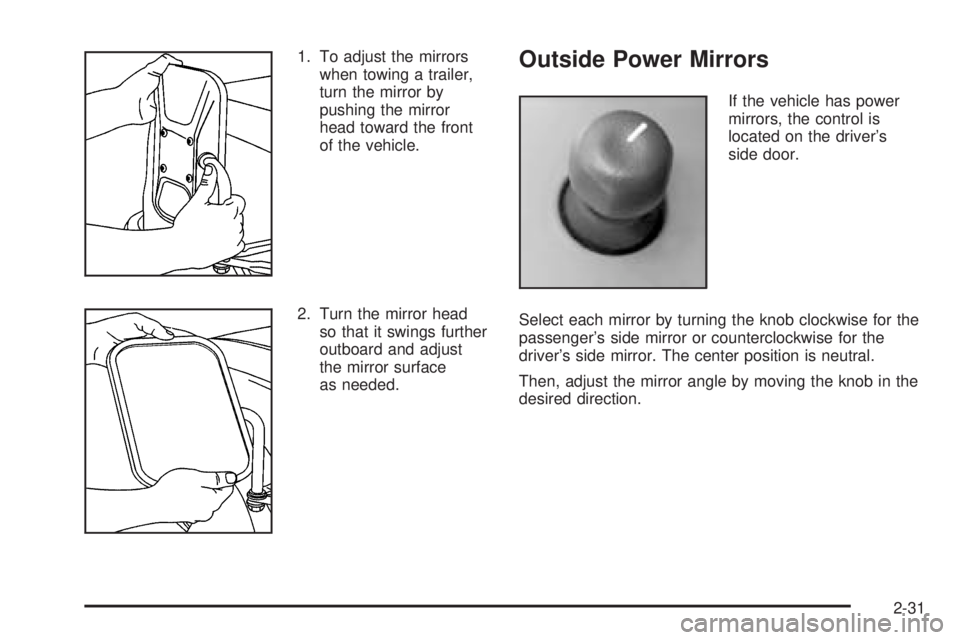
1. To adjust the mirrors
when towing a trailer,
turn the mirror by
pushing the mirror
head toward the front
of the vehicle.
2. Turn the mirror head
so that it swings further
outboard and adjust
the mirror surface
as needed.Outside Power Mirrors
If the vehicle has power
mirrors, the control is
located on the driver’s
side door.
Select each mirror by turning the knob clockwise for the
passenger’s side mirror or counterclockwise for the
driver’s side mirror. The center position is neutral.
Then, adjust the mirror angle by moving the knob in the
desired direction.
2-31
Page 113 of 384
OnStar®System
OnStar®uses global positioning system (GPS) satellite
technology, wireless communications, and call centers
to provide you with a wide range of safety, security,
information, and convenience services.
A complete OnStar
®user’s guide and the terms and
conditions of the OnStar®Subscription Service
Agreement are included in the vehicle’s glove box
literature. For more information, visit www.onstar.com or
www.onstarcanada.com. Contact OnStar
®at
1-888-4-ONSTAR (1-888-466-7827), or press the
OnStar
®button to speak to an OnStar®advisor 24 hours
a day, 7 days a week.
Terms and conditions of the Subscription Service
Agreement can be found at www.onstar.com or
www.onstarcanada.com.
OnStar®Services
For new vehicles equipped with OnStar®, the Safe and
Sound Plan is included for the rst year. You can
extend this plan beyond the rst year, or upgrade to the
Directions and Connections Plan to meet your needs.
For more information, press the OnStar
®button to speak
with an advisor.
Safe and Sound Plan
Automatic Notication of Airbag Deployment
Emergency Services
Roadside Assistance
Stolen Vehicle Tracking
AccidentAssist
Remote Door Unlock/Vehicle Alert
Remote Diagnostics
Online Concierge
Directions and Connections Plan
All Safe and Sound Plan Services
Driving Directions
RideAssist
Information and Convenience Services
2-33
Page 129 of 384
When you turn the headlamp switch off, the headlamps
will go off, and your DRL lamps will illuminate.
To turn off the DRL, turn the exterior lamp control to the
defeat position or shift into PARK (P). The DRL will
stay off until the control is toggled again or the vehicle
is shifted out of PARK (P).
This procedure applies only to vehicles rst sold in the
United States.
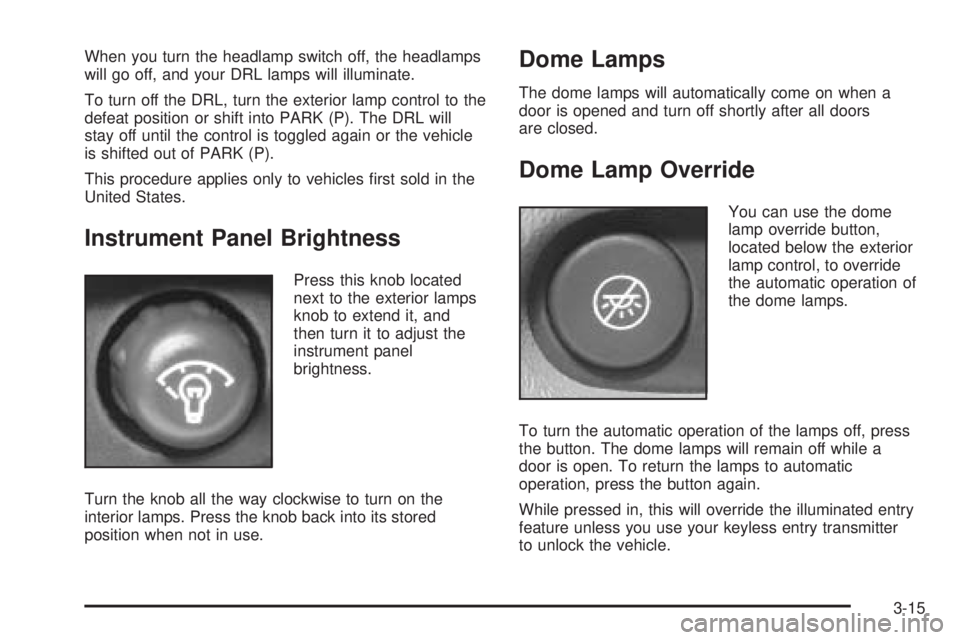
Instrument Panel Brightness
Press this knob located
next to the exterior lamps
knob to extend it, and
then turn it to adjust the
instrument panel
brightness.
Turn the knob all the way clockwise to turn on the
interior lamps. Press the knob back into its stored
position when not in use.
Dome Lamps
The dome lamps will automatically come on when a
door is opened and turn off shortly after all doors
are closed.
Dome Lamp Override
You can use the dome
lamp override button,
located below the exterior
lamp control, to override
the automatic operation of
the dome lamps.
To turn the automatic operation of the lamps off, press
the button. The dome lamps will remain off while a
door is open. To return the lamps to automatic
operation, press the button again.
While pressed in, this will override the illuminated entry
feature unless you use your keyless entry transmitter
to unlock the vehicle.
3-15
Page 219 of 384
Loading Your Vehicle
It is very important to know how much weight your
vehicle can carry. This weight is called the vehicle
capacity weight and includes the weight of all occupants,
cargo and all nonfactory-installed options. Two labels
on your vehicle show how much weight it was designed
to carry, the Tire and Loading Information label and
the Certication/Tire label.
{CAUTION:
Do not load your vehicle any heavier than the
Gross Vehicle Weight Rating (GVWR), or either
the maximum front or rear Gross Axle Weight
Rating (GAWR). If you do, parts on your
vehicle can break, and it can change the way
your vehicle handles. These could cause you
to lose control and crash. Also, overloading
can shorten the life of your vehicle.
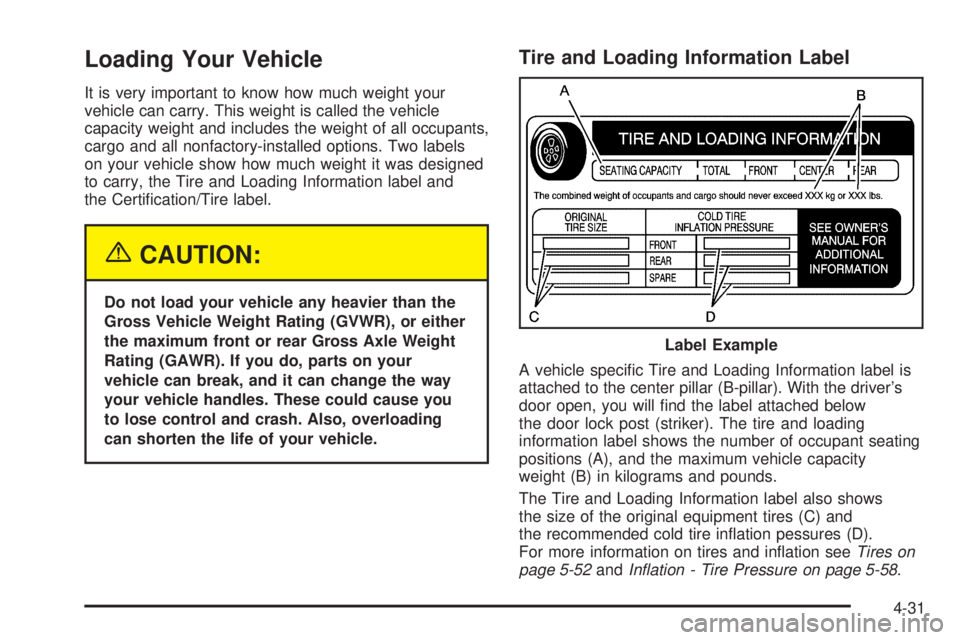
Tire and Loading Information Label
A vehicle specic Tire and Loading Information label is
attached to the center pillar (B-pillar). With the driver’s
door open, you will nd the label attached below
the door lock post (striker). The tire and loading
information label shows the number of occupant seating
positions (A), and the maximum vehicle capacity
weight (B) in kilograms and pounds.
The Tire and Loading Information label also shows
the size of the original equipment tires (C) and
the recommended cold tire ination pessures (D).
For more information on tires and ination seeTires on
page 5-52andInation - Tire Pressure on page 5-58. Label Example
4-31
Page 246 of 384
Filling Your Tank
{CAUTION:
Fuel vapor burns violently and a fuel re can
cause bad injuries. To help avoid injuries to
you and others, read and follow all the
instructions on the pump island. Turn off your
engine when you are refueling. Do not smoke
if you are near fuel or refueling your vehicle.
Keep sparks, ames and smoking materials
away from fuel. Do not leave the fuel pump
unattended when refueling your vehicle — this
is against the law in some places. Keep
children away from the fuel pump; never let
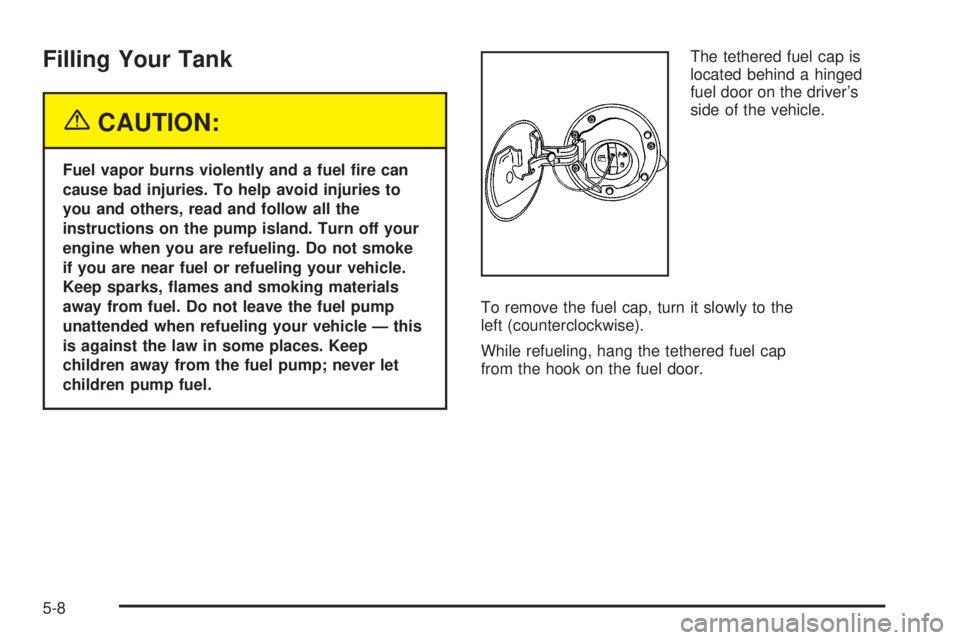
children pump fuel.The tethered fuel cap is
located behind a hinged
fuel door on the driver’s
side of the vehicle.
To remove the fuel cap, turn it slowly to the
left (counterclockwise).
While refueling, hang the tethered fuel cap
from the hook on the fuel door.
5-8
Page 287 of 384
Front Turn Signal, Sidemarker and
Parking Lamps
To replace the front turn signal, sidemarker and/or
parking lamp bulb(s), do the following:
1. Use a small tool to unlatch the outboard clip
on the lamp.
2. Pull the lamp forward to completely unlatch the clip.
Move the lamp outboard to loosen the tabs.
3. Remove the lamp from the grille.
4. Squeeze the tab on the side of the bulb assembly
while turning it counterclockwise.
5. Remove the bulb assembly from the back
of the lens.
6. Replace the bulb.
7. Turn the socket clockwise to reinstall it in the
lens assembly.
Center High-Mounted Stoplamp
(CHMSL)
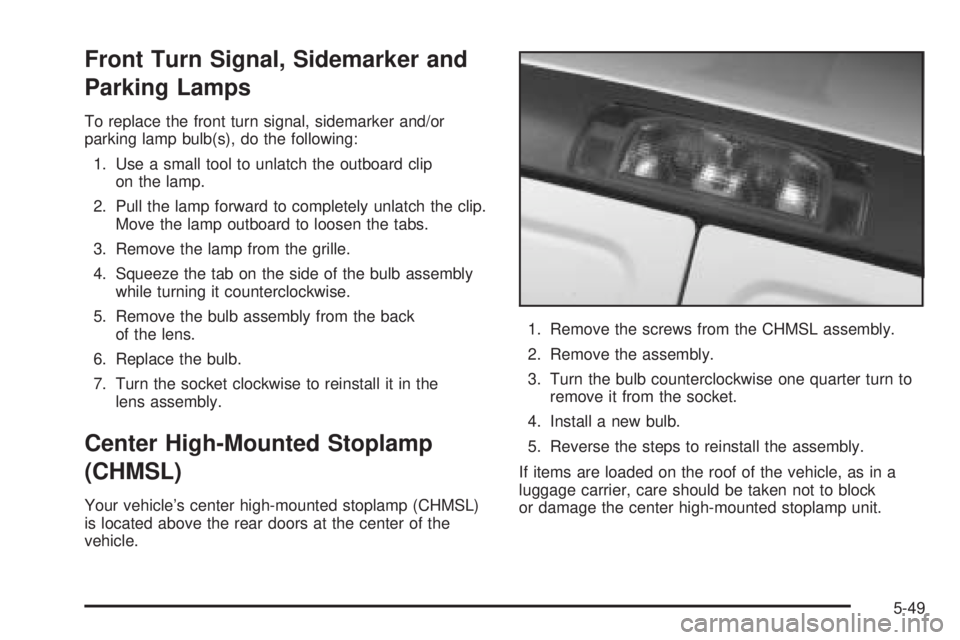
Your vehicle’s center high-mounted stoplamp (CHMSL)
is located above the rear doors at the center of the
vehicle.1. Remove the screws from the CHMSL assembly.
2. Remove the assembly.
3. Turn the bulb counterclockwise one quarter turn to
remove it from the socket.
4. Install a new bulb.
5. Reverse the steps to reinstall the assembly.
If items are loaded on the roof of the vehicle, as in a
luggage carrier, care should be taken not to block
or damage the center high-mounted stoplamp unit.
5-49