transmission GMC SAVANA 2008 User Guide
[x] Cancel search | Manufacturer: GMC, Model Year: 2008, Model line: SAVANA, Model: GMC SAVANA 2008Pages: 402, PDF Size: 2.45 MB
Page 108 of 402
Leaving Your Vehicle With the Engine
Running
{CAUTION:
It can be dangerous to leave your vehicle with
the engine running. Your vehicle could move
suddenly if the shift lever is not fully in
PARK (P) with the parking brake rmly set.
And, if you leave the vehicle with the engine
running, it could overheat and even catch re.
You or others could be injured. Do not leave
your vehicle with the engine running.
If you have to leave your vehicle with the engine
running, be sure your vehicle is in PARK (P) and the
parking brake is firmly set before you leave it. After you
move the shift lever into PARK (P), hold the regular
brake pedal down. Then, see if you can move the shift
lever away from PARK (P) without first pulling it toward
you. If you can, it means that the shift lever was not fully
locked into PARK (P).
Torque Lock
If you are parking on a hill and you do not shift your
vehicle into PARK (P) properly, the weight of the vehicle
may put too much force on the parking pawl in the
transmission. You may find it difficult to pull the shift
lever out of PARK (P). This is called torque lock.
To prevent torque lock, set the parking brake and then
shift into PARK (P) properly before you leave the
driver’s seat. To find out how, seeShifting Into
PARK (P) on page 2-27.
When you are ready to drive, move the shift lever out of
PARK (P) before you release the parking brake.
If torque lock does occur, you may need to have another
vehicle push yours a little uphill to take some of the
pressure from the parking pawl in the transmission, so
you can pull the shift lever out of PARK (P).
2-28
Page 109 of 402
Shifting Out of PARK (P)
Your vehicle has an automatic transaxle shift lock
control system. You have to fully apply your regular
brakes before you can shift from PARK (P) when
the ignition is RUN. SeeAutomatic Transmission
Operation on page 2-22.
The shift lock control system is designed to do the
following:
•Prevent the ignition key from being removed unless
the shift lever is in PARK (P).
•Prevent movement of the shift lever out of
PARK (P), unless the ignition is in ON/RUN
and the regular brake pedal is applied.
The shift lock control system is always functional
except in the case of a dead battery or low voltage
(less than 9 V) battery.
If your vehicle has an uncharged battery or a battery
with low voltage, try charging or jump starting the
battery. SeeJump Starting on page 5-40for more
information.
To shift out of PARK (P) use the following:
1. Apply the brake pedal.
2. Move the shift lever to the desired position.If you still are unable to shift out of PARK (P):
1. Ease the pressure on the shift lever.
2. While holding down the brake pedal, push the shift
lever all the way into PARK (P)
3. Move the shift lever to the desired position.
If you are still having a problem shifting, then have your
vehicle serviced soon.
Parking Over Things That Burn
{CAUTION:
Things that can burn could touch hot exhaust
parts under your vehicle and ignite. Do not
park over papers, leaves, dry grass, or other
things that can burn.
2-29
Page 129 of 402
Daytime Running Lamps (DRL)
Daytime Running Lamps (DRL) can make it easier
for others to see the front of your vehicle during the day.
DRL can be helpful in many different driving conditions,
but they can be especially helpful in the short periods
after dawn and before sunset. Fully functional daytime
running lamps are required on all vehicles first sold
in Canada.
The DRL system will come on in daylight when the
following conditions are met:
•The ignition is on.
•The exterior lamps control is in the AUTO position.
•The shift lever is not in PARK (P).
•The light sensor determines it is daytime.
When the DRL are on, only the DRL lamps will be on.
The taillamps, sidemarker, and other lamps will not
be on. The instrument panel will not be lit up either.
When it begins to get dark, the automatic headlamp
system will switch from DRL to the headlamps.
To turn off the DRL, turn the exterior lamp control to the
off position and then release it. For vehicles first sold
in Canada, the transmission must be in the PARK
(P) position, before the DRL can be turned off.
Automatic Headlamp System
When it is dark enough outside and the headlamp switch
is in AUTO, the automatic headlamp system will turn on
the headlamps at the normal brightness along with other
lamps such as the taillamps, sidemarker, parking lamps,
roof marker lamps, and the instrument panel lights.
The radio lights will also be dim.
To turn off the automatic headlamp system, turn the
exterior lamps switch to the off position and then release.
For vehicles first sold in Canada, the transmission must
be in the PARK (P) position, before the automatic
headlamp system can be turned off.
The vehicle has a light sensor located on the top of
the instrument panel. Be sure it is not covered, or
the system will be on whenever the ignition is on.
The system may also turn on the headlamps when
driving through a parking garage, heavy overcast
weather, or a tunnel. This is normal.
There is a delay in the transition between the daytime and
nighttime operation of the Daytime Running Lamps (DRL)
and the automatic headlamp systems so that driving
under bridges or bright overhead street lights does not
affect the system. The DRL and automatic headlamp
system will only be affected when the light sensor sees
a change in lighting lasting longer than the delay.
3-15
Page 150 of 402
Malfunction Indicator Lamp
Check Engine Light
A computer system called OBD II (On-Board
Diagnostics-Second Generation) monitors operation
of the fuel, ignition, and emission control systems.
It makes sure that emissions are at acceptable levels
for the life of the vehicle, helping to produce a cleaner
environment.
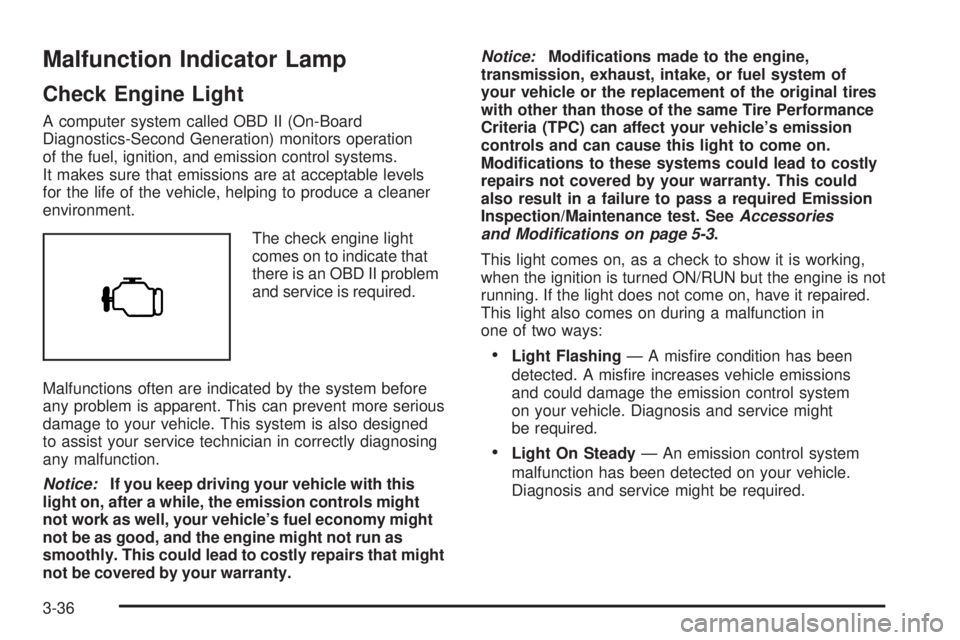
The check engine light
comes on to indicate that
there is an OBD II problem
and service is required.
Malfunctions often are indicated by the system before
any problem is apparent. This can prevent more serious
damage to your vehicle. This system is also designed
to assist your service technician in correctly diagnosing
any malfunction.
Notice:If you keep driving your vehicle with this
light on, after a while, the emission controls might
not work as well, your vehicle’s fuel economy might
not be as good, and the engine might not run as
smoothly. This could lead to costly repairs that might
not be covered by your warranty.Notice:Modications made to the engine,
transmission, exhaust, intake, or fuel system of
your vehicle or the replacement of the original tires
with other than those of the same Tire Performance
Criteria (TPC) can affect your vehicle’s emission
controls and can cause this light to come on.
Modications to these systems could lead to costly
repairs not covered by your warranty. This could
also result in a failure to pass a required Emission
Inspection/Maintenance test. SeeAccessories
and Modifications on page 5-3.
This light comes on, as a check to show it is working,
when the ignition is turned ON/RUN but the engine is not
running. If the light does not come on, have it repaired.
This light also comes on during a malfunction in
one of two ways:
•Light Flashing— A misfire condition has been
detected. A misfire increases vehicle emissions
and could damage the emission control system
on your vehicle. Diagnosis and service might
be required.
•Light On Steady— An emission control system
malfunction has been detected on your vehicle.
Diagnosis and service might be required.
3-36
Page 169 of 402
SERVICE THEFT DETERRENT SYSTEM
This message displays when there is a problem with
the theft-deterrent system. The vehicle may or may not
restart so you may want to take the vehicle to your
dealer/retailer before turning off the engine. See
PASS-Key
®III+ Operation on page 2-17for more
information.
SERVICE TIRE MONITOR SYSTEM
If your vehicle has the Tire Pressure Monitor
System (TPMS), this message displays if a part on
the system is not working properly. The tire pressure
light also flashes and then remains on during the same
ignition cycle. SeeTire Pressure Light on page 3-35.
Several conditions may cause this message to appear.
SeeTire Pressure Monitor Operation on page 5-64
for more information. If the warning comes on and stays
on, there may be a problem with the TPMS. See your
dealer/retailer.
SERVICE TRACTION CONTROL
If your vehicle has StabiliTrak®, this message displays
when there is a problem with the Traction Control
System (TCS). When this message displays, the system
will not limit wheel spin. Adjust your driving accordingly.
See your dealer/retailer for service. SeeStabiliTrak
®
System on page 4-5for more information.
SERVICE TRANSMISSION
This message displays when there is a problem with the
transmission. See your dealer/retailer for service.
SERVICE VEHICLE SOON
This message displays when a non-emissions related
malfunction occurs. Have the vehicle serviced by
your dealer/retailer as soon as possible.
STABILITRAK NOT READY
If your vehicle has StabiliTrak®, this message may
display and the StabiliTrak®indicator light on the
instrument panel cluster may be on after first driving the
vehicle and exceeding 20 mph (32 km/h) for 30 seconds.
The StabiliTrak
®system is not functional until the light
has turned off. SeeStabiliTrak®System on page 4-5for
more information.
3-55
Page 171 of 402
TIRE LEARNING ACTIVE
If your vehicle has the Tire Pressure Monitor
System (TPMS), this message displays when the
system is re-learning the tire positions on your vehicle.
SeeDIC Operation and Displays on page 3-42for more
information. The tire positions must be re-learned after
rotating the tires or after replacing a tire or sensor. See
Tire Inspection and Rotation on page 5-68,Tire Pressure
Monitor System on page 5-62, andInflation - Tire
Pressure on page 5-60for more information.
TRACTION CONTROL OFF
If your vehicle has StabiliTrak®, this message displays
when the Traction Control System (TCS) is turned
off. Adjust your driving accordingly. SeeStabiliTrak
®
System on page 4-5for more information.
TRANSMISSION HOT IDLE ENGINE
Notice:If you drive your vehicle while the
transmission uid is overheating and the
transmission temperature warning is displayed
on the instrument panel cluster and/or DIC, you
can damage the transmission. This could lead
to costly repairs that would not be covered by
your warranty. Do not drive your vehicle with
overheated transmission uid or while the
transmission temperature warning is displayed.This message displays along with a chime if the
transmission fluid in the vehicle gets hot. Driving with the
transmission fluid temperature high can cause damage
to the vehicle. Stop the vehicle and let it idle to allow the
transmission to cool. This message clears and the chime
stops when the fluid temperature reaches a safe level.
TURN SIGNAL ON
This message displays and a chime sounds if a turn
signal is left on for 3/4 of a mile (1.2 km). Move the turn
signal/multifunction lever to the off position.
WAIT TO START
This message displays briefly when the theft-deterrent
system has initially found incorrect conditions within
the vehicle and is making a double check. If your vehicle
does not start soon after, try to start it again. If it still
does not start, have your vehicle serviced by your
dealer/retailer.
3-57
Page 205 of 402
Traction Control Operation
The traction control system is part of the StabiliTrak®
system. Traction control limits wheel spin by reducing
engine power to the wheels (engine speed management)
and by applying brakes to each individual wheel
(brake-traction control) as necessary.
If the brake-traction control system activates constantly
or if the brakes have heated up due to high speed
braking, the brake-traction control will be automatically
disabled. The system will come back on after the
brakes have cooled. This can take up to two minutes or
longer depending on brake usage.
The traction control system may activate on dry or
rough roads or under conditions such as heavy
acceleration while turning or abrupt upshifts/downshifts
of the transmission. When this happens you may
notice a reduction in acceleration, or may hear a noise
or vibration. This is normal.
Adding non-dealer/non-retailer accessories can affect
your vehicle’s performance. SeeAccessories and
Modifications on page 5-3for more information.
All-Wheel Drive (AWD) System
If your vehicle has all-wheel drive, your engine’s driving
power is sent to all four wheels for extra traction
when needed.
This is like four-wheel drive, but there is no separate
lever or switch to engage or disengage the front axle.
It is fully automatic, and adjusts itself as needed for road
conditions.
You may experience a brief vehicle vibration upon
acceleration when driving in slippery conditions. This is
normal and is an indication that the all-wheel drive
system is functioning properly.
Steering
Power Steering
If you lose power steering assist because the engine
stops or the system is not functioning, you can steer but
it will take much more effort.
4-7
Page 213 of 402
Hill and Mountain Roads
Driving on steep hills or through mountains is different
than driving on flat or rolling terrain. Tips for driving
in these conditions include:
•Keep your vehicle serviced and in good shape.
•Check all fluid levels and brakes, tires, cooling
system, and transmission.
•Going down steep or long hills, shift to a
lower gear.
{CAUTION:
If you do not shift down, the brakes could get
so hot that they would not work well. You
would then have poor braking or even none
going down a hill. You could crash. Shift down
to let the engine assist the brakes on a steep
downhill slope.
{CAUTION:
Coasting downhill in NEUTRAL (N) or with the
ignition off is dangerous. The brakes will have
to do all the work of slowing down and they
could get so hot that they would not work well.
You would then have poor braking or even
none going down a hill. You could crash.
Always have the engine running and your
vehicle in gear when you go downhill.
•Stay in your own lane. Do not swing wide or cut
across the center of the road. Drive at speeds
that let you stay in your own lane.
•Top of hills: Be alert — something could be in your
lane (stalled car, accident).
•Pay attention to special road signs (falling rocks
area, winding roads, long grades, passing or
no-passing zones) and take appropriate action.
4-15
Page 218 of 402
Rocking Your Vehicle to Get It Out
First, turn the steering wheel left and right to clear the
area around the front wheels. Turn off any traction or
stability system. SeeStabiliTrak
®System on page 4-5.
Then shift back and forth between REVERSE (R) and a
forward gear, spinning the wheels as little as possible.
To prevent transmission wear, wait until the wheels stop
spinning before shifting gears. Release the accelerator
pedal while you shift, and press lightly on the accelerator
pedal when the transmission is in gear. By slowly
spinning the wheels in the forward and reverse directions,
you will cause a rocking motion that could free your
vehicle. If that does not get your vehicle out after a few
tries, it might need to be towed out. If your vehicle does
need to be towed out, seeTowing Your Vehicle on
page 4-25.
Loading Your Vehicle
It is very important to know how much weight
your vehicle can carry. This weight is called the
vehicle capacity weight and includes the weight of
all occupants, cargo, and all nonfactory-installed
options. Two labels on your vehicle show how
much weight it was designed to carry, the Tire
and Loading Information label and the
Certification/Tire label.
{CAUTION:
Do not load your vehicle any heavier than
the Gross Vehicle Weight Rating (GVWR),
or either the maximum front or rear Gross
Axle Weight Rating (GAWR). If you do,
parts on your vehicle can break, and it
can change the way your vehicle handles.
These could cause you to lose control
and crash. Also, overloading can shorten
the life of your vehicle.
4-20
Page 224 of 402
Recreational Vehicle Towing
Recreational vehicle towing means towing your vehicle
behind another vehicle — such as behind a motorhome.
The two most common types of recreational vehicle
towing are known as “dinghy” (towing your vehicle with
all four wheels on the ground) and “dolly” (towing
your vehicle with two wheels on the ground and
two wheels up on a device known as a “dolly”).
With the proper preparation and equipment, many
vehicles can be towed in these ways. See “Dinghy
Towing” and “Dolly Towing” following.
Here are some important things to consider before you
do recreational vehicle towing:
•What’s the towing capacity of the towing vehicle?
Be sure you read the tow vehicle manufacturer’s
recommendations.
•How far will you tow? Some vehicles have
restrictions on how far and how long they can tow.
•Do you have the proper towing equipment?
See your dealer/retailer or trailering professional for
additional advice and equipment recommendations.
•Is your vehicle ready to be towed? Just as you would
prepare your vehicle for a long trip, you’ll want to
make sure your vehicle is prepared to be towed.
Dinghy Towing
Two-Wheel-Drive Vehicles
Notice:If you tow your vehicle with all four wheels
on the ground, the drivetrain components could
be damaged. The repairs would not be covered by
your warranty. Do not tow your vehicle with all
four wheels on the ground.
Two-wheel-drive vehicles should not be towed
with all four wheels on the ground. Two-wheel-drive
transmissions have no provisions for internal lubrication
while being towed.
All-Wheel-Drive Vehicles
Your vehicle was not designed to be towed with all four
wheels on the ground. To properly tow these vehicles,
they should be placed on a platform trailer with all
four wheels off the ground.
Notice:Towing an all-wheel-drive vehicle with all
four wheels on the ground, or even with only two of
its wheels on the ground, will damage drivetrain
components. Do not tow an all-wheel-drive vehicle if
any of its wheels will be on the ground.
4-26