door lock GMC SAVANA 2009 User Guide
[x] Cancel search | Manufacturer: GMC, Model Year: 2009, Model line: SAVANA, Model: GMC SAVANA 2009Pages: 404, PDF Size: 2.35 MB
Page 96 of 404
Rear Doors
{CAUTION:
Unlocked doors can be dangerous.
•Passengers, especially children, can easily
open the doors and fall out of a moving
vehicle. When a door is locked, the handle
will not open it. You increase the chance of
being thrown out of the vehicle in a crash if
the doors are not locked. So, wear safety
belts properly and lock the doors whenever
you drive.
•Young children who get into unlocked vehicles
may be unable to get out. A child can be
overcome by extreme heat and can suffer
permanent injuries or even death from heat
stroke. Always lock your vehicle whenever
you leave it.
•Outsiders can easily enter through an
unlocked door when you slow down or stop
your vehicle. Locking your doors can help
prevent this from happening.To open the rear doors from the outside, pull the handle
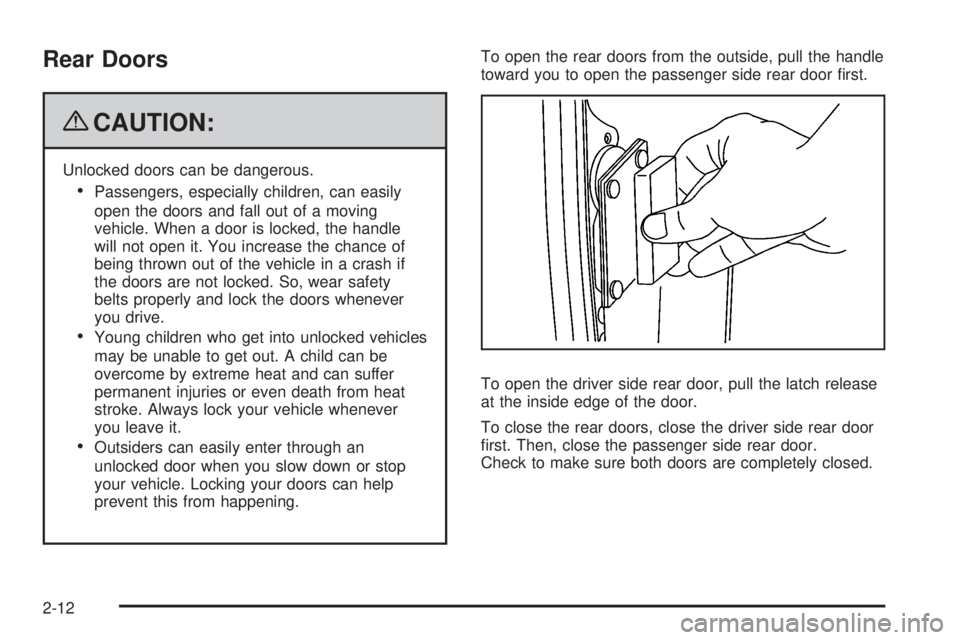
toward you to open the passenger side rear door first.
To open the driver side rear door, pull the latch release
at the inside edge of the door.
To close the rear doors, close the driver side rear door
first. Then, close the passenger side rear door.
Check to make sure both doors are completely closed.
2-12
Page 98 of 404
Power Windows
{CAUTION:
Leaving children in a vehicle with the keys is
dangerous for many reasons, children or others
could be badly injured or even killed. They could
operate the power windows or other controls or
even make the vehicle move. The windows will
function and they could be seriously injured or
killed if caught in the path of a closing window. Do
not leave keys in a vehicle with children.
When there are children in the rear seat use the
window lockout button to prevent unintentional
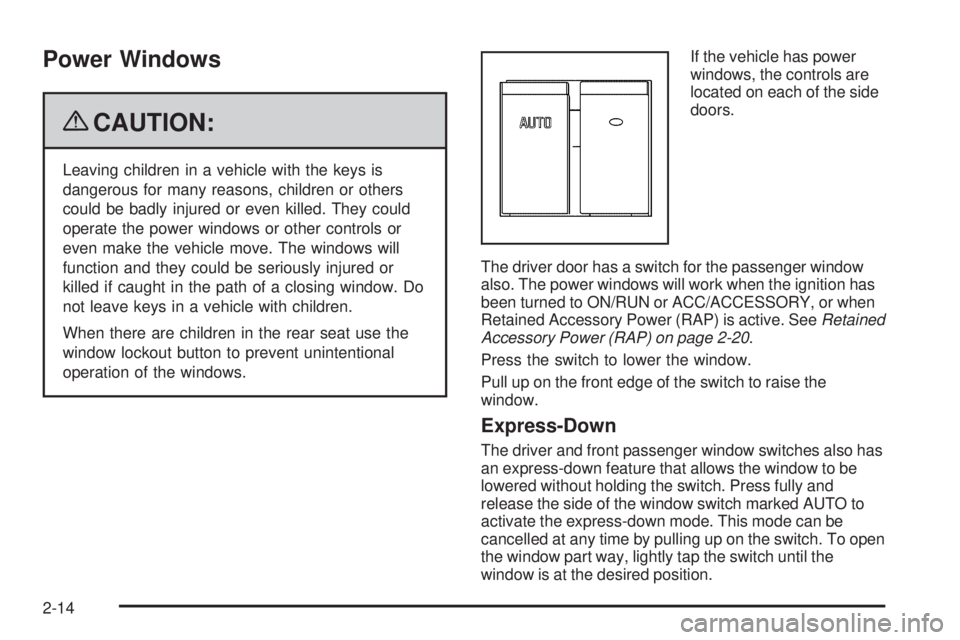
operation of the windows.If the vehicle has power
windows, the controls are
located on each of the side
doors.
The driver door has a switch for the passenger window
also. The power windows will work when the ignition has
been turned to ON/RUN or ACC/ACCESSORY, or when
Retained Accessory Power (RAP) is active. SeeRetained
Accessory Power (RAP) on page 2-20.
Press the switch to lower the window.
Pull up on the front edge of the switch to raise the
window.
Express-Down
The driver and front passenger window switches also has
an express-down feature that allows the window to be
lowered without holding the switch. Press fully and
release the side of the window switch marked AUTO to
activate the express-down mode. This mode can be
cancelled at any time by pulling up on the switch. To open
the window part way, lightly tap the switch until the
window is at the desired position.
2-14
Page 99 of 404

Swing-Out Windows
To open the side door swing-out window, pull up on the
latch at the edge of the window. Swing the window out
and push down on the latch to lock the window into place.
To close the window, pull the latch toward you and push
down on the latch to lock it.The vehicle also has rear swing-out windows. The rear
swing-out windows work the same way as the side
swing out window, but the latch is located at the bottom
edge of the window. Side Swing-Out Window
Rear Swing-Out Windows
2-15
Page 100 of 404

Enhanced Technology Glass
The vehicle may be equipped with Enhanced
Technology Glass (ETG). ETG is part of the overall
occupant protection system on passenger vans. ETG
may help to keep passengers sitting next to these fixed
windows from being ejected through the glass in
some, but not in all crashes. Even with this glass, safety
belts must still be worn at all times. For passenger
vans, use only ETG glass approved for your vehicle for
replacement when damaged.
The following table shows laminated glass location,
based on vehicle model and options.
Vehicle Conguration ETG Locations
Eight Seat
Passenger VansSliding door forward
window
Twelve and Fifteen Seat
Passenger VansSliding door forward
window and rear-most
side windows
Long Wheelbase
Cargo VansRear-most side windows
Sun Visors
To block out glare, swing down the sun visors. You can
also swing them to the side.
Visor Vanity Mirror
The vehicle may have visor vanity mirrors, with or
without lamps. Lift the mirror cover to turn the lamps on,
if equipped.
Theft-Deterrent Systems
Vehicle theft is big business, especially in some cities.
This vehicle has theft-deterrent features, however,
they do not make it impossible to steal.
2-16
Page 104 of 404
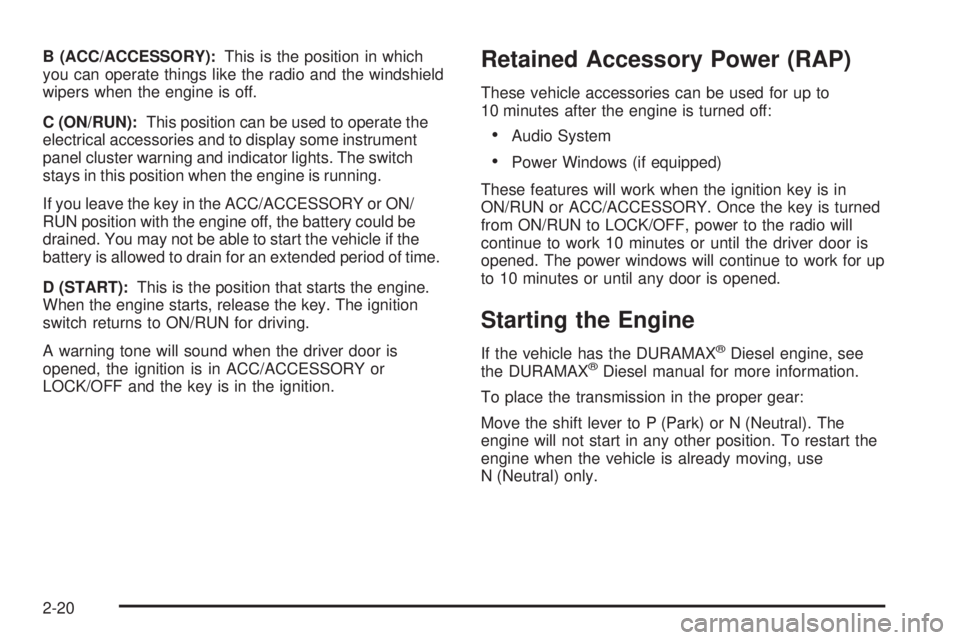
B (ACC/ACCESSORY):This is the position in which
you can operate things like the radio and the windshield
wipers when the engine is off.
C (ON/RUN):This position can be used to operate the
electrical accessories and to display some instrument
panel cluster warning and indicator lights. The switch
stays in this position when the engine is running.
If you leave the key in the ACC/ACCESSORY or ON/
RUN position with the engine off, the battery could be
drained. You may not be able to start the vehicle if the
battery is allowed to drain for an extended period of time.
D (START):This is the position that starts the engine.
When the engine starts, release the key. The ignition
switch returns to ON/RUN for driving.
A warning tone will sound when the driver door is
opened, the ignition is in ACC/ACCESSORY or
LOCK/OFF and the key is in the ignition.Retained Accessory Power (RAP)
These vehicle accessories can be used for up to
10 minutes after the engine is turned off:
•Audio System
•Power Windows (if equipped)
These features will work when the ignition key is in
ON/RUN or ACC/ACCESSORY. Once the key is turned
from ON/RUN to LOCK/OFF, power to the radio will
continue to work 10 minutes or until the driver door is
opened. The power windows will continue to work for up
to 10 minutes or until any door is opened.
Starting the Engine
If the vehicle has the DURAMAX®Diesel engine, see
the DURAMAX®Diesel manual for more information.
To place the transmission in the proper gear:
Move the shift lever to P (Park) or N (Neutral). The
engine will not start in any other position. To restart the
engine when the vehicle is already moving, use
N (Neutral) only.
2-20
Page 117 of 404

Outside Power Mirrors
Vehicles with outside
power mirrors have
controls located on the
driver’s side door.
Select each mirror by turning the knob clockwise for the
passenger side mirror or counterclockwise for the
driver’s side mirror. The center position is neutral.
Then, adjust the mirror angle by moving the knob in the
desired direction. The auxiliary convex mirrors can
only be adjusted manually.
Outside Convex Mirror
{CAUTION:
A convex mirror can make things (like other
vehicles) look farther away than they really are. If
you cut too sharply into the right lane, you could
hit a vehicle on the right. Check the inside mirror
or glance over your shoulder before changing
lanes.
The passenger side mirror is convex shaped. A convex
mirror’s surface is curved so more can be seen from
the driver’s seat.
2-33
Page 132 of 404
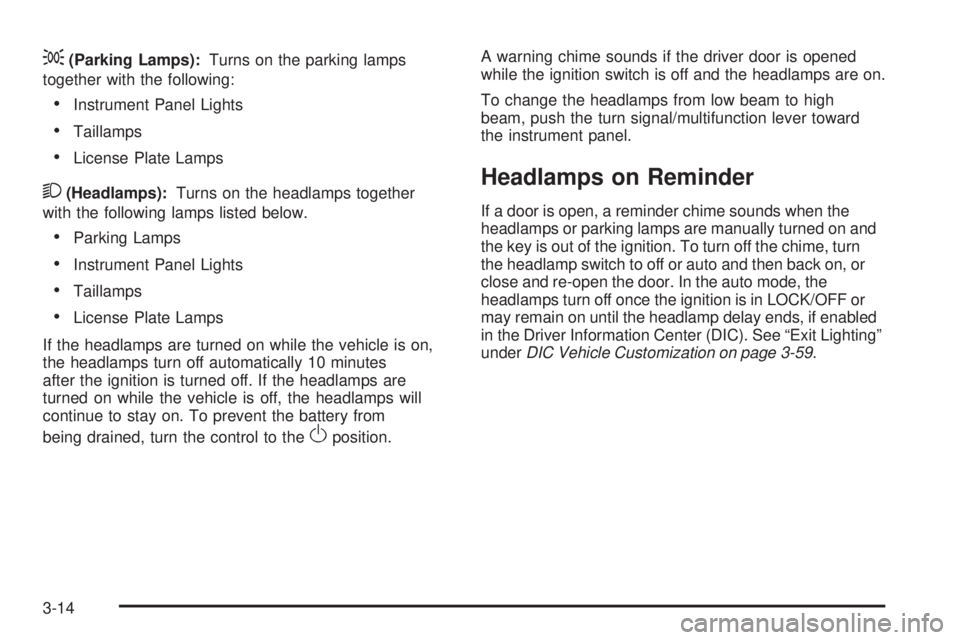
;(Parking Lamps):Turns on the parking lamps
together with the following:
•Instrument Panel Lights
•Taillamps
•License Plate Lamps
2(Headlamps):Turns on the headlamps together
with the following lamps listed below.
•Parking Lamps
•Instrument Panel Lights
•Taillamps
•License Plate Lamps
If the headlamps are turned on while the vehicle is on,
the headlamps turn off automatically 10 minutes
after the ignition is turned off. If the headlamps are
turned on while the vehicle is off, the headlamps will
continue to stay on. To prevent the battery from
being drained, turn the control to the
Oposition.A warning chime sounds if the driver door is opened
while the ignition switch is off and the headlamps are on.
To change the headlamps from low beam to high
beam, push the turn signal/multifunction lever toward
the instrument panel.
Headlamps on Reminder
If a door is open, a reminder chime sounds when the
headlamps or parking lamps are manually turned on and
the key is out of the ignition. To turn off the chime, turn
the headlamp switch to off or auto and then back on, or
close and re-open the door. In the auto mode, the
headlamps turn off once the ignition is in LOCK/OFF or
may remain on until the headlamp delay ends, if enabled
in the Driver Information Center (DIC). See “Exit Lighting”
underDIC Vehicle Customization on page 3-59.
3-14
Page 134 of 404
If the vehicle is started in a dark garage, the automatic
headlamp system comes on immediately. Once the
vehicle leaves the garage, it takes approximately
30 seconds for the automatic headlamp system to
change to DRL if it is light outside. During that delay,
the instrument panel cluster may not be as bright
as usual. Make sure the instrument panel brightness
control is in the full bright position. SeeInstrument Panel
Brightness on page 3-16.
Instrument Panel Brightness
The knob for this feature is located next to the exterior
lamps control.
D(Instrument Panel Lights):Push knob to extend
and then turn clockwise or counterclockwise to brighten
or dim the instrument panel lights and the radio display.
This only works if the headlamps or parking lamps are on.
To turn on the dome lamps, with the vehicle doors
closed, turn the knob all the way clockwise.
Dome Lamps
The dome lamps come on when any door is opened.
They turn off after all the doors are closed.
The dome lamps can also be turned on by turning the
instrument panel brightness knob, located on the
instrument panel to the left of the steering column,
clockwise to the farthest position. In this position, the
dome lamps remain on whether a door is opened or
closed.
Dome Lamp Override
The dome lamp override button is located next to the
exterior lamps control.
The dome lamp override sets the dome lamps to remain
off or come on automatically when a door is opened.
E(Dome Lamp Override):Press the button in
and the dome lamps remain off when a door is opened.
Press the button again to return it to the extended
position so that the dome lamps come on when a door
is opened.
3-16
Page 137 of 404
Ashtray(s) and Cigarette Lighter
If your vehicle has this feature it is located in the center
console or on the instrument panel. Pull up on the
ashtray door to open it if it is in the console or pull the
door open it if it is on the instrument panel.
Notice:If papers, pins, or other ammable items
are put in the ashtray, hot cigarettes or other
smoking materials could ignite them and possibly
damage the vehicle. Never put ammable items
in the ashtray.
To remove the ashtray, pull it out from the console or
from the slide out door. To reinstall the ashtray,
slide it back to the original position.
To use the cigarette lighter, if the vehicle has one, push
it in all the way, and let go. When it is ready for use,
it will pop back out by itself.
Do not use the lighter to plug in accessory devices.
Use the power outlets provided.
Notice:Holding a cigarette lighter in while it is
heating does not let the lighter back away from the
heating element when it is hot. Damage from
overheating can occur to the lighter or heating
element, or a fuse could be blown. Do not hold a
cigarette lighter in while it is heating.
Climate Controls
Climate Control System
The heating, cooling, and ventilation for the vehicle can
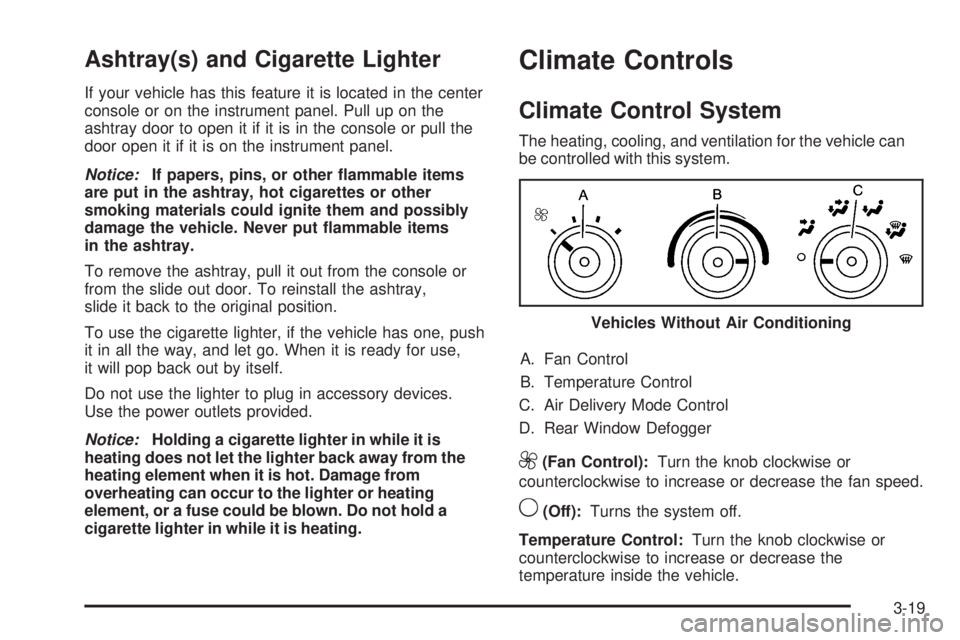
be controlled with this system.
A. Fan Control
B. Temperature Control
C. Air Delivery Mode Control
D. Rear Window Defogger
9(Fan Control):Turn the knob clockwise or
counterclockwise to increase or decrease the fan speed.
9(Off):Turns the system off.
Temperature Control:Turn the knob clockwise or
counterclockwise to increase or decrease the
temperature inside the vehicle.Vehicles Without Air Conditioning
3-19
Page 178 of 404
Feature Settings Menu Items
The following are customization features that allow you
to program settings to the vehicle:
DISPLAY IN ENGLISH
This feature will only display if a language other than
English has been set. This feature allows you to change
the language in which the DIC messages appear to
English.
Press the customization button until the PRESS
VTO
DISPLAY IN ENGLISH screen appears on the DIC
display. Press the set/reset button once to display all
DIC messages in English.
LANGUAGE
This feature allows you to select the language in which
the DIC messages will appear.
Press the customization button until the LANGUAGE
screen appears on the DIC display. Press the set/reset
button once to access the settings for this feature.
Then press the customization button to scroll through
the following settings:
ENGLISH (default):All messages will appear in
English.
FRANCAIS:All messages will appear in French.ESPANOL:All messages will appear in Spanish.
ARABIC:All messages will appear in Arabic.
NO CHANGE:No change will be made to this feature.
The current setting will remain.
To select a setting, press the set/reset button while the
desired setting is displayed on the DIC.
AUTO DOOR LOCK
This feature allows you to select when the vehicle’s
doors will automatically lock. SeeProgrammable
Automatic Door Locks on page 2-7for more information.
Press the customization button until AUTO DOOR
LOCK appears on the DIC display. Press the set/reset
button once to access the settings for this feature.
Then press the customization button to scroll through
the following settings:
SHIFT OUT OF PARK (default):The doors will
automatically lock when the vehicle is shifted out of
P (Park).
AT VEHICLE SPEED:The doors will automatically lock
when the vehicle speed is above 8 mph (13 km/h) for
three seconds.
NO CHANGE:No change will be made to this feature.
The current setting will remain.
To select a setting, press the set/reset button while the
desired setting is displayed on the DIC.
3-60