instrument panel GMC SAVANA 2010 Repair Manual
[x] Cancel search | Manufacturer: GMC, Model Year: 2010, Model line: SAVANA, Model: GMC SAVANA 2010Pages: 424, PDF Size: 2.4 MB
Page 295 of 424
Engine Overheating
If your vehicle has the DURAMAX Diesel engine, see
the DURAMAX Diesel manual for more information.
The vehicle has an indicator to warn of engine
overheating.
You will find an engine coolant temperature gage on
your vehicle’s instrument panel. SeeEngine Coolant
Temperature Gage on page 4-30for more information.
You may decide not to lift the hood when this warning
appears, but instead get service help right away.
SeeRoadside Assistance Program on page 8-6.
If you do decide to lift the hood, make sure the vehicle
is parked on a level surface.
Then check to see if the engine cooling fans are
running. If the engine is overheating, both fans should
be running. If they are not, do not continue to run
the engine and have the vehicle serviced.
See if the engine cooling fan speed increases when idle
speed is doubled by pushing the accelerator pedal
down. If it does not, your vehicle needs service. Turn off
the engine.Notice:Engine damage from running the engine
without coolant is not covered by the warranty.
Notice:If the engine catches re because of being
driven with no coolant, your vehicle can be badly
damaged. The costly repairs would not be covered
by the vehicle warranty.
If Steam Is Coming From The Engine
Compartment
{WARNING:
Steam from an overheated engine can burn you
badly, even if you just open the hood. Stay away
from the engine if you see or hear steam coming
from it. Just turn it off and get everyone away from
the vehicle until it cools down. Wait until there is no
sign of steam or coolant before you open the hood.
If you keep driving when your engine is overheated,
the liquids in it can catch fire. You or others could
be badly burned. Stop your engine if it overheats,
and get out of the vehicle until the engine is cool.
6-33
Page 328 of 424
Federal Communications Commission
(FCC) and Industry and Science
Canada
SeeRadio Frequency Statement on page 8-18for
information regarding Part 15 of the Federal
Communications Commission (FCC) Rules and
RSS-210/211 of Industry and Science Canada.
Tire Pressure Monitor Operation
This vehicle may have a Tire Pressure Monitor System
(TPMS). The TPMS is designed to warn the driver
when a low tire pressure condition exists. TPMS sensors
are mounted onto each tire and wheel assembly,
excluding the spare tire and wheel assembly. The TPMS
sensors monitor the air pressure in the vehicle’s tires
and transmits the tire pressure readings to a receiver
located in the vehicle.
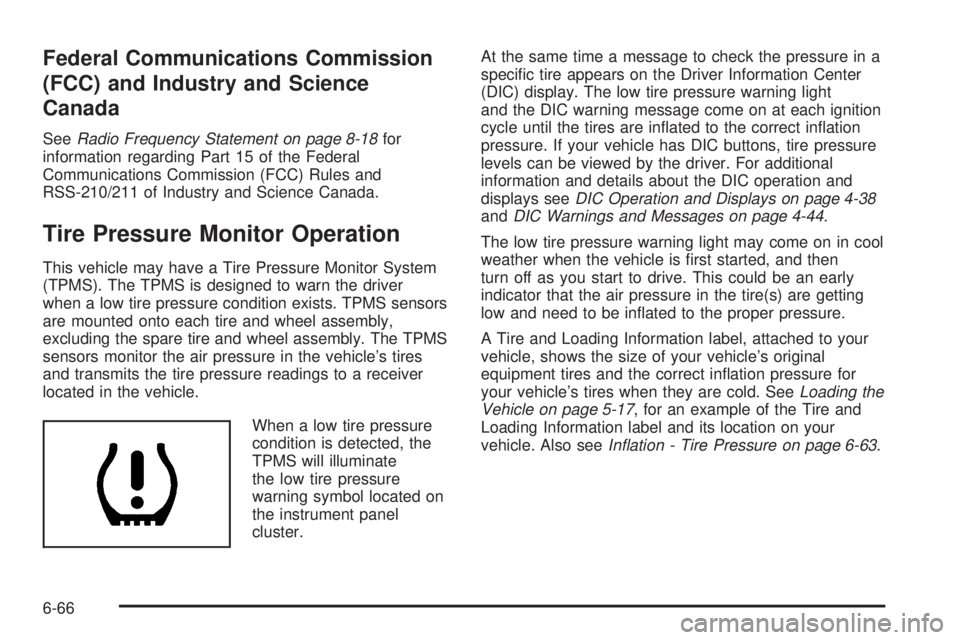
When a low tire pressure
condition is detected, the
TPMS will illuminate
the low tire pressure
warning symbol located on
the instrument panel
cluster.At the same time a message to check the pressure in a
specific tire appears on the Driver Information Center
(DIC) display. The low tire pressure warning light
and the DIC warning message come on at each ignition
cycle until the tires are inflated to the correct inflation
pressure. If your vehicle has DIC buttons, tire pressure
levels can be viewed by the driver. For additional
information and details about the DIC operation and
displays seeDIC Operation and Displays on page 4-38
andDIC Warnings and Messages on page 4-44.
The low tire pressure warning light may come on in cool
weather when the vehicle is first started, and then
turn off as you start to drive. This could be an early
indicator that the air pressure in the tire(s) are getting
low and need to be inflated to the proper pressure.
A Tire and Loading Information label, attached to your
vehicle, shows the size of your vehicle’s original
equipment tires and the correct inflation pressure for
your vehicle’s tires when they are cold. SeeLoading the
Vehicle on page 5-17, for an example of the Tire and
Loading Information label and its location on your
vehicle. Also seeInation - Tire Pressure on page 6-63.
6-66
Page 330 of 424
TPMS Sensor Matching Process
Each TPMS sensor has a unique identification code.
Any time you rotate your vehicle’s tires or replace one or
more of the TPMS sensors, the identification codes
will need to be matched to the new tire/wheel position.
The sensors are matched to the tire/wheel positions
in the following order: driver side front tire, passenger
side front tire, passenger side rear tire, and driver
side rear tire using a TPMS diagnostic tool. See your
dealer/retailer for service.
The TPMS sensors can also be matched to each
tire/wheel position by increasing or decreasing the tire’s
air pressure. If increasing the tire’s air pressure, do
not exceed the maximum inflation pressure indicated on
the tire’s sidewall.
To decrease air-pressure out of a tire you can use the
pointed end of the valve cap, a pencil-style air pressure
gage, or a key.
You have two minutes to match the first tire/wheel
position, and five minutes overall to match all four tire/
wheel positions. If it takes longer than two minutes,
to match the first tire and wheel, or more than
five minutes to match all four tire and wheel positions
the matching process stops and you need to start over.The TPMS sensor matching process is outlined below:
1. Set the parking brake.
2. Turn the ignition switch to ON/RUN with the
engine off.
3. Press the Remote Keyless Entry (RKE) transmitter’s
LOCK and UNLOCK buttons at the same time for
approximately five seconds. The horn sounds twice
to signal the receiver is in relearn mode and
TIRE LEARNING ACTIVE message displays on the
DIC screen.
If your vehicle does not have RKE, press the Driver
Information Center (DIC) vehicle information
button until the PRESS
VTO RELEARN TIRE
POSITIONS message displays. The horn sounds
twice to signal the receiver is in relearn mode
and TIRE LEARNING ACTIVE message displays on
the DIC screen.
If your vehicle does not have RKE or DIC buttons,
press the trip odometer reset stem located on
the instrument panel cluster until the PRESS
VTO
RELEARN TIRE POSITIONS message displays.
The horn sounds twice to signal the receiver
is in relearn mode and TIRE LEARNING ACTIVE
message displays on the DIC screen.
4. Start with the driver side front tire.
6-68
Page 360 of 424
To clean:
1. Saturate a lint-free, clean white cloth with water or
club soda.
2. Wring the cloth to remove excess moisture.
3. Start on the outside edge of the soil and gently rub
toward the center. Continue cleaning, using a clean
area of the cloth each time it becomes soiled.
4. Continue to gently rub the soiled area until the
cleaning cloth remains clean.
5. If the soil is not completely removed, use a mild
soap solution and repeat the cleaning process
that was used with plain water.
If any of the soil remains, a commercial fabric cleaner or
spot lifter may be necessary. When a commercial
upholstery cleaner or spot lifter is to be used, test a
small hidden area for colorfastness first. If the locally
cleaned area gives any impression that a ring formation
may result, clean the entire surface.
After the cleaning process has been completed, a paper
towel can be used to blot excess moisture from the
fabric or carpet.Instrument Panel, Vinyl, and Other
Plastic Surfaces
A soft cloth dampened with water may be used to
remove dust. If a more thorough cleaning is necessary,
a clean soft cloth dampened with a mild soap solution
can be used to gently remove dust and dirt. Never use
spot lifters or removers on plastic surfaces. Many
commercial cleaners and coatings that are sold to
preserve and protect soft plastic surfaces may
permanently change the appearance and feel of the
interior and are not recommended. Do not use silicone
or wax-based products, or those containing organic
solvents to clean the vehicle’s interior because they can
alter the appearance by increasing the gloss in a
non-uniform manner.
Some commercial products may increase gloss on the
instrument panel. The increase in gloss may cause
annoying reflections in the windshield and even make it
difficult to see through the windshield under certain
conditions.
6-98
Page 365 of 424
Vehicle Identication
Vehicle Identication Number (VIN)
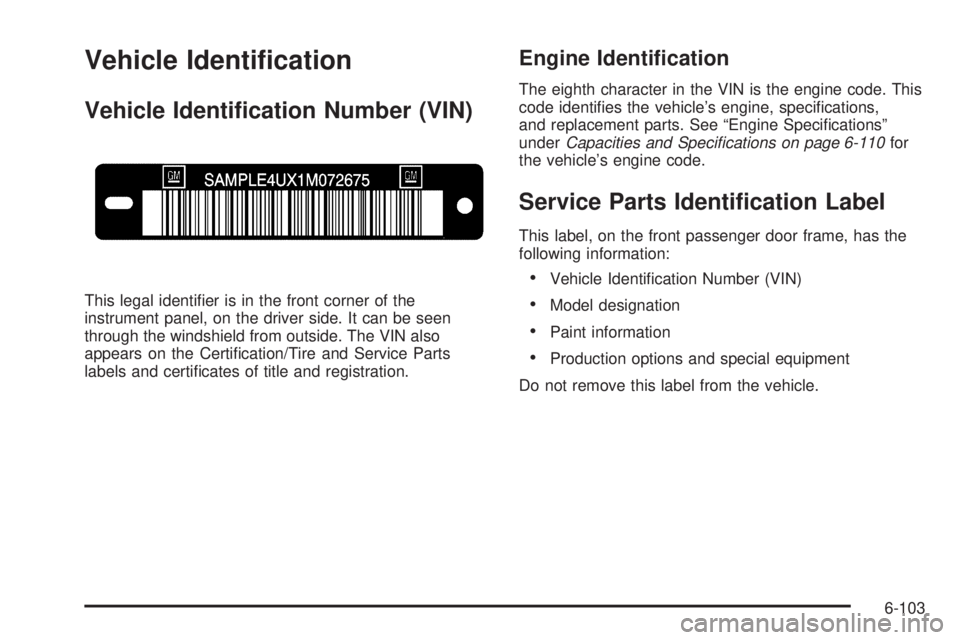
This legal identifier is in the front corner of the
instrument panel, on the driver side. It can be seen
through the windshield from outside. The VIN also
appears on the Certification/Tire and Service Parts
labels and certificates of title and registration.
Engine Identication
The eighth character in the VIN is the engine code. This
code identifies the vehicle’s engine, specifications,
and replacement parts. See “Engine Specifications”
underCapacities and Specications on page 6-110for
the vehicle’s engine code.
Service Parts Identication Label
This label, on the front passenger door frame, has the
following information:
•Vehicle Identification Number (VIN)
•Model designation
•Paint information
•Production options and special equipment
Do not remove this label from the vehicle.
6-103
Page 368 of 424
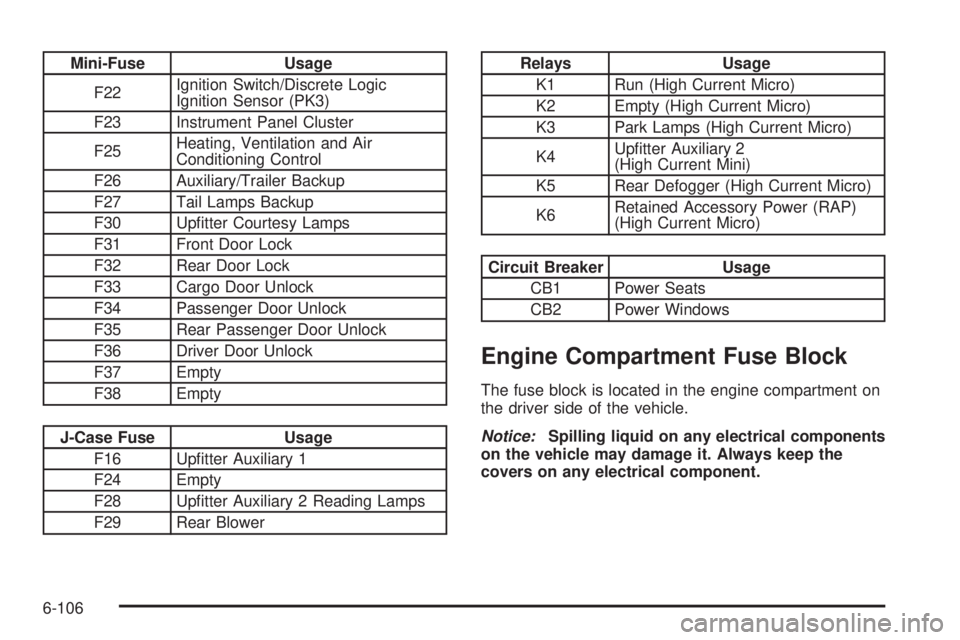
Mini-Fuse Usage
F22Ignition Switch/Discrete Logic
Ignition Sensor (PK3)
F23 Instrument Panel Cluster
F25Heating, Ventilation and Air
Conditioning Control
F26 Auxiliary/Trailer Backup
F27 Tail Lamps Backup
F30 Upfitter Courtesy Lamps
F31 Front Door Lock
F32 Rear Door Lock
F33 Cargo Door Unlock
F34 Passenger Door Unlock
F35 Rear Passenger Door Unlock
F36 Driver Door Unlock
F37 Empty
F38 Empty
J-Case Fuse Usage
F16 Upfitter Auxiliary 1
F24 Empty
F28 Upfitter Auxiliary 2 Reading Lamps
F29 Rear Blower
Relays Usage
K1 Run (High Current Micro)
K2 Empty (High Current Micro)
K3 Park Lamps (High Current Micro)
K4Upfitter Auxiliary 2
(High Current Mini)
K5 Rear Defogger (High Current Micro)
K6Retained Accessory Power (RAP)
(High Current Micro)
Circuit Breaker Usage
CB1 Power Seats
CB2 Power Windows
Engine Compartment Fuse Block
The fuse block is located in the engine compartment on
the driver side of the vehicle.
Notice:Spilling liquid on any electrical components
on the vehicle may damage it. Always keep the
covers on any electrical component.
6-106
Page 369 of 424
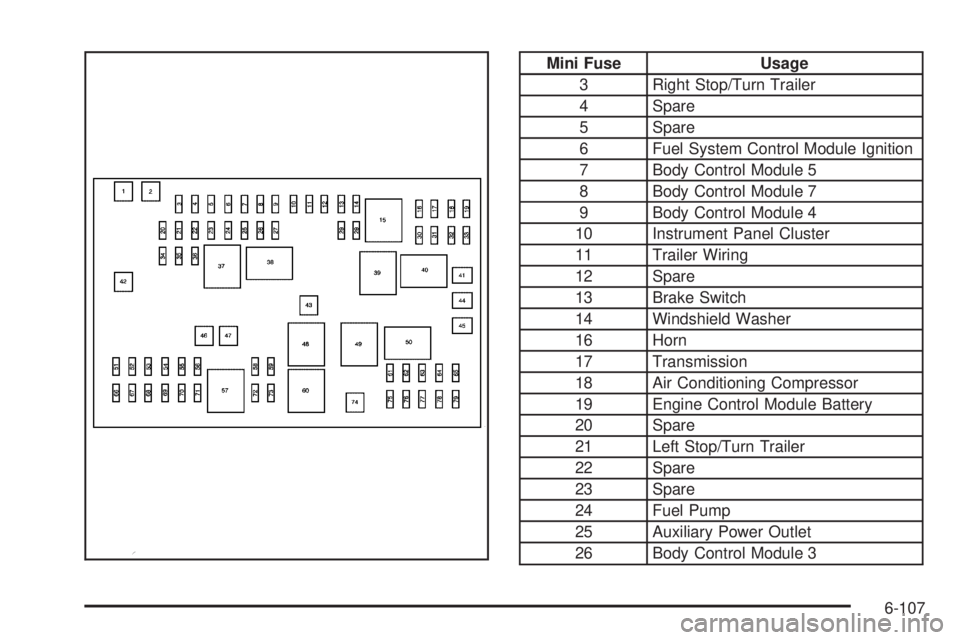
Mini Fuse Usage
3 Right Stop/Turn Trailer
4 Spare
5 Spare
6 Fuel System Control Module Ignition
7 Body Control Module 5
8 Body Control Module 7
9 Body Control Module 4
10 Instrument Panel Cluster
11 Trailer Wiring
12 Spare
13 Brake Switch
14 Windshield Washer
16 Horn
17 Transmission
18 Air Conditioning Compressor
19 Engine Control Module Battery
20 Spare
21 Left Stop/Turn Trailer
22 Spare
23 Spare
24 Fuel Pump
25 Auxiliary Power Outlet
26 Body Control Module 3
6-107
Page 394 of 424
Customer Assistance and
Information
Customer Satisfaction Procedure
Your satisfaction and goodwill are important to your
dealer and to GMC. Normally, any concerns with the
sales transaction or the operation of the vehicle will be
resolved by the dealer’s sales or service departments.
Sometimes, however, despite the best intentions of all
concerned, misunderstandings can occur. If your concern
has not been resolved to your satisfaction, the following
steps should be taken:
STEP ONE:Discuss your concern with a member of
dealership management. Normally, concerns can be
quickly resolved at that level. If the matter has already
been reviewed with the sales, service or parts manager,
contact the owner of the dealership or the general
manager.
STEP TWO:If after contacting a member of dealership
management, it appears your concern cannot be
resolved by the dealership without further help, in the
U.S., call the GMC Consumer Relations Manager
at 1-800-GMC-8782 (1-800-462-8782, Customer
Assistance prompt). In Canada, call General Motors of
Canada Customer Communication at 1-800-263-3777
(English) or 1-800-263-7854 (French).We encourage you to call the toll-free number in order
to give your inquiry prompt attention. Have the
following information available to give the Customer
Assistance Representative:
•Vehicle Identification Number (VIN). This is
available from the vehicle registration or title, or the
plate at the top left of the instrument panel and
visible through the windshield.
•Dealership name and location.
•Vehicle delivery date and present mileage.
When contacting GMC, remember that your concern will
likely be resolved at a dealer’s facility. That is why we
suggest following Step One first.
STEP THREE — U.S. Owners:Both General Motors
and your dealer are committed to making sure you
are completely satisfied with your new vehicle. However,
if you continue to remain unsatisfied after following
the procedure outlined in Steps One and Two, you can
file with the Better Business Bureau (BBB) Auto Line
Program to enforce your rights.
The BBB Auto Line Program is an out of court program
administered by the Council of Better Business Bureaus
to settle automotive disputes regarding vehicle repairs or
the interpretation of the New Vehicle Limited Warranty.
8-2
Page 411 of 424
A
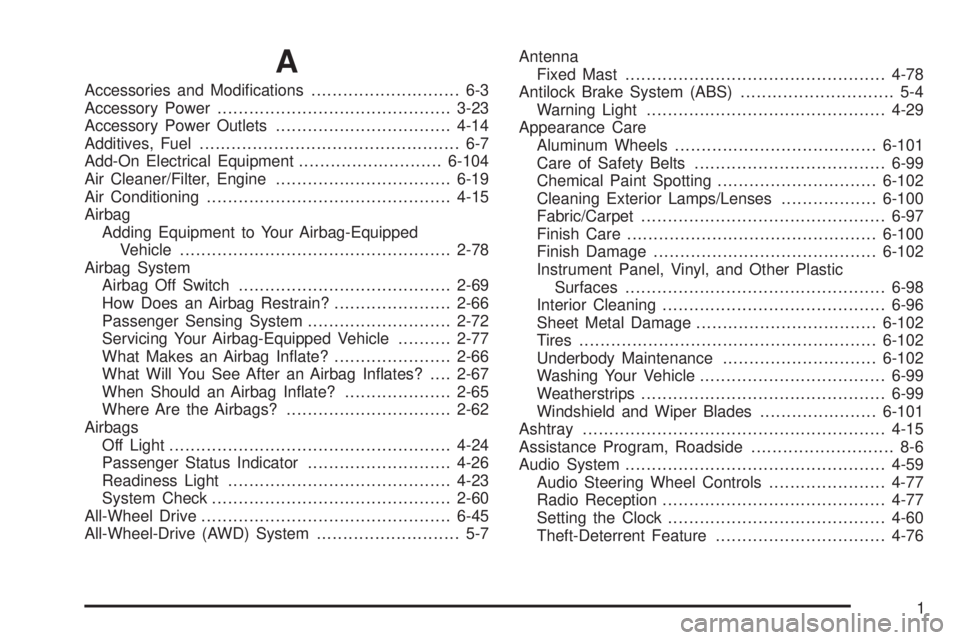
Accessories and Modifications............................ 6-3
Accessory Power............................................3-23
Accessory Power Outlets.................................4-14
Additives, Fuel................................................. 6-7
Add-On Electrical Equipment...........................6-104
Air Cleaner/Filter, Engine.................................6-19
Air Conditioning..............................................4-15
Airbag
Adding Equipment to Your Airbag-Equipped
Vehicle...................................................2-78
Airbag System
Airbag Off Switch........................................2-69
How Does an Airbag Restrain?......................2-66
Passenger Sensing System...........................2-72
Servicing Your Airbag-Equipped Vehicle..........2-77
What Makes an Airbag Inflate?......................2-66
What Will You See After an Airbag Inflates?....2-67
When Should an Airbag Inflate?....................2-65
Where Are the Airbags?...............................2-62
Airbags
Off Light.....................................................4-24
Passenger Status Indicator...........................4-26
Readiness Light..........................................4-23
System Check.............................................2-60
All-Wheel Drive...............................................6-45
All-Wheel-Drive (AWD) System........................... 5-7Antenna
Fixed Mast.................................................4-78
Antilock Brake System (ABS)............................. 5-4
Warning Light.............................................4-29
Appearance Care
Aluminum Wheels......................................6-101
Care of Safety Belts....................................6-99
Chemical Paint Spotting..............................6-102
Cleaning Exterior Lamps/Lenses..................6-100
Fabric/Carpet..............................................6-97
Finish Care...............................................6-100
Finish Damage..........................................6-102
Instrument Panel, Vinyl, and Other Plastic
Surfaces.................................................
6-98
Interior Cleaning..........................................6-96
Sheet Metal Damage..................................6-102
Tires........................................................6-102
Underbody Maintenance.............................6-102
Washing Your Vehicle...................................6-99
Weatherstrips..............................................6-99
Windshield and Wiper Blades......................6-101
Ashtray.........................................................4-15
Assistance Program, Roadside........................... 8-6
Audio System.................................................4-59
Audio Steering Wheel Controls......................4-77
Radio Reception..........................................4-77
Setting the Clock.........................................4-60
Theft-Deterrent Feature................................4-76
1
Page 413 of 424
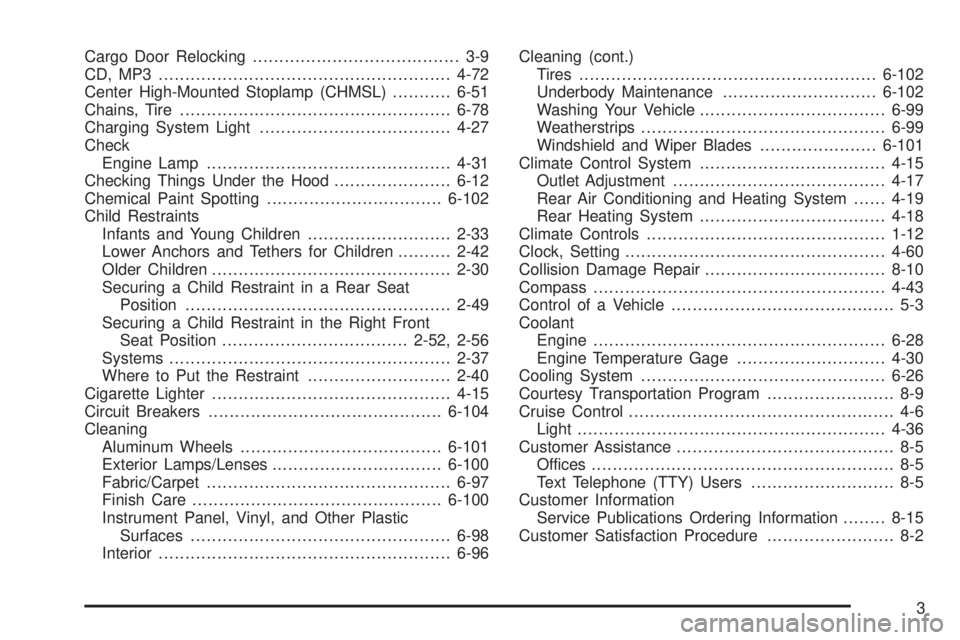
Cargo Door Relocking....................................... 3-9
CD, MP3 .......................................................4-72
Center High-Mounted Stoplamp (CHMSL)...........6-51
Chains, Tire...................................................6-78
Charging System Light....................................4-27
Check
Engine Lamp..............................................4-31
Checking Things Under the Hood......................6-12
Chemical Paint Spotting.................................6-102
Child Restraints
Infants and Young Children...........................2-33
Lower Anchors and Tethers for Children..........2-42
Older Children.............................................2-30
Securing a Child Restraint in a Rear Seat
Position..................................................2-49
Securing a Child Restraint in the Right Front
Seat Position...................................2-52, 2-56
Systems.....................................................2-37
Where to Put the Restraint...........................2-40
Cigarette Lighter.............................................4-15
Circuit Breakers............................................6-104
Cleaning
Aluminum Wheels......................................6-101
Exterior Lamps/Lenses................................6-100
Fabric/Carpet..............................................6-97
Finish Care...............................................6-100
Instrument Panel, Vinyl, and Other Plastic
Surfaces.................................................6-98
Interior.......................................................6-96Cleaning (cont.)
Tires........................................................6-102
Underbody Maintenance.............................6-102
Washing Your Vehicle...................................6-99
Weatherstrips..............................................6-99
Windshield and Wiper Blades......................6-101
Climate Control System...................................4-15
Outlet Adjustment........................................4-17
Rear Air Conditioning and Heating System......4-19
Rear Heating System...................................4-18
Climate Controls.............................................1-12
Clock, Setting.................................................4-60
Collision Damage Repair..................................8-10
Compass.......................................................4-43
Control of a Vehicle.......................................... 5-3
Coolant
Engine.......................................................6-28
Engine Temperature Gage............................4-30
Cooling System..............................................6-26
Courtesy Transportation Program........................ 8-9
Cruise Control.................................................. 4-6
Light..........................................................4-36
Customer Assistance......................................... 8-5
Offices......................................................... 8-5
Text Telephone (TTY) Users........................... 8-5
Customer Information
Service Publications Ordering Information........8-15
Customer Satisfaction Procedure........................ 8-2
3