ECO mode GMC SAVANA 2011 User Guide
[x] Cancel search | Manufacturer: GMC, Model Year: 2011, Model line: SAVANA, Model: GMC SAVANA 2011Pages: 414, PDF Size: 5.27 MB
Page 199 of 414
Black plate (23,1)GMC Savana Owner Manual - 2011
Infotainment System 7-23
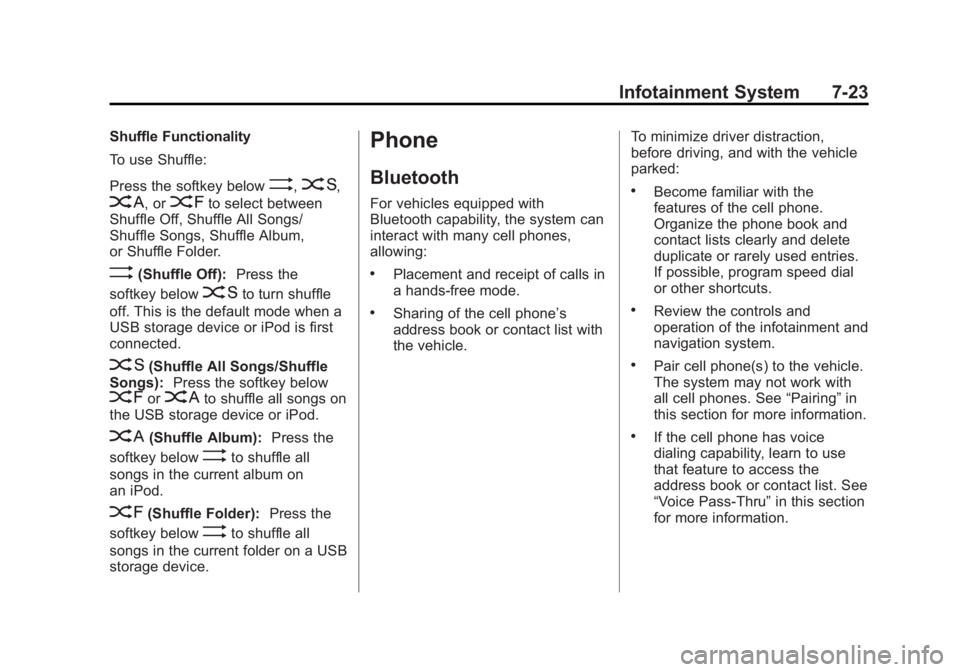
Shuffle Functionality
To use Shuffle:
Press the softkey below
>,2,
<, or=to select between
Shuffle Off, Shuffle All Songs/
Shuffle Songs, Shuffle Album,
or Shuffle Folder.
>(Shuffle Off): Press the
softkey below
2to turn shuffle
off. This is the default mode when a
USB storage device or iPod is first
connected.
2(Shuffle All Songs/Shuffle
Songs): Press the softkey below
=or
<(Shuffle Album): Press the
softkey below
>to shuffle all
songs in the current album on
an iPod.
=(Shuffle Folder): Press the
softkey below
>to shuffle all
songs in the current folder on a USB
storage device.
Phone
Bluetooth
For vehicles equipped with
Bluetooth capability, the system can
interact with many cell phones,
allowing:
.Placement and receipt of calls in
a hands-free mode.
.Sharing of the cell phone’s
address book or contact list with
the vehicle. To minimize driver distraction,
before driving, and with the vehicle
parked:
.Become familiar with the
features of the cell phone.
Organize the phone book and
contact lists clearly and delete
duplicate or rarely used entries.
If possible, program speed dial
or other shortcuts.
.Review the controls and
operation of the infotainment and
navigation system.
.Pair cell phone(s) to the vehicle.
The system may not work with
all cell phones. See
“Pairing”in
this section for more information.
.If the cell phone has voice
dialing capability, learn to use
that feature to access the
address book or contact list. See
“Voice Pass-Thru” in this section
for more information.
Page 211 of 414
Black plate (5,1)GMC Savana Owner Manual - 2011
Climate Controls 8-5
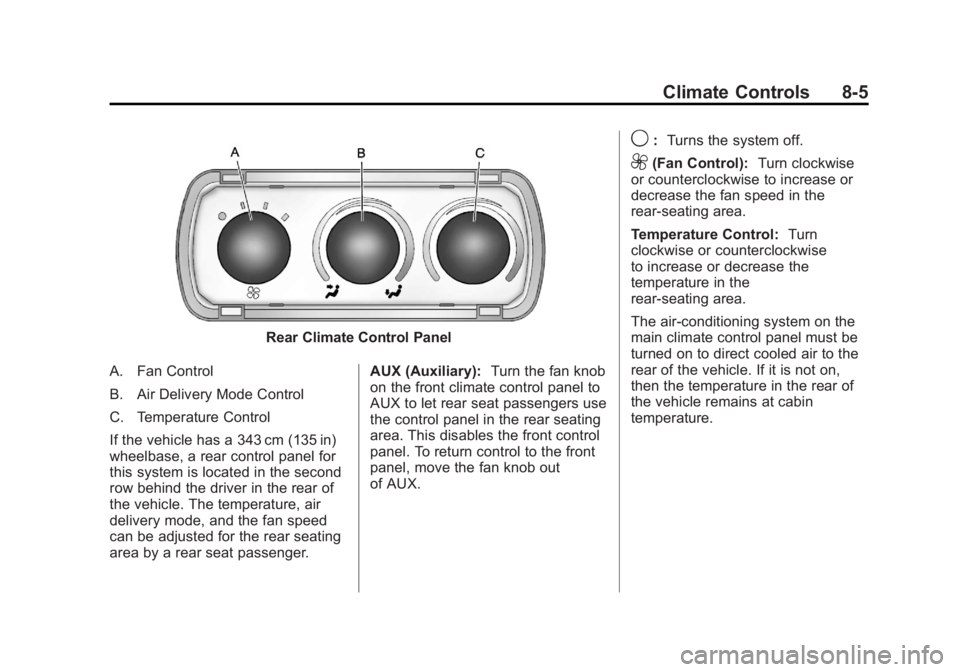
Rear Climate Control Panel
A. Fan Control
B. Air Delivery Mode Control
C. Temperature Control
If the vehicle has a 343 cm (135 in)
wheelbase, a rear control panel for
this system is located in the second
row behind the driver in the rear of
the vehicle. The temperature, air
delivery mode, and the fan speed
can be adjusted for the rear seating
area by a rear seat passenger. AUX (Auxiliary):
Turn the fan knob
on the front climate control panel to
AUX to let rear seat passengers use
the control panel in the rear seating
area. This disables the front control
panel. To return control to the front
panel, move the fan knob out
of AUX.
9: Turns the system off.
9(Fan Control): Turn clockwise
or counterclockwise to increase or
decrease the fan speed in the
rear-seating area.
Temperature Control: Turn
clockwise or counterclockwise
to increase or decrease the
temperature in the
rear‐seating area.
The air-conditioning system on the
main climate control panel must be
turned on to direct cooled air to the
rear of the vehicle. If it is not on,
then the temperature in the rear of
the vehicle remains at cabin
temperature.
Page 213 of 414
Black plate (1,1)GMC Savana Owner Manual - 2011
Driving and Operating 9-1
Driving and
Operating
Driving Information
Defensive Driving . . . . . . . . . . . . . 9-2
Drunk Driving . . . . . . . . . . . . . . . . . 9-2
Control of a Vehicle . . . . . . . . . . . 9-3
Braking . . . . . . . . . . . . . . . . . . . . . . . 9-3
Steering . . . . . . . . . . . . . . . . . . . . . . . 9-4
Off-Road Recovery . . . . . . . . . . . . 9-5
Loss of Control . . . . . . . . . . . . . . . . 9-6
Driving on Wet Roads . . . . . . . . . 9-7
Highway Hypnosis . . . . . . . . . . . . 9-8
Hill and Mountain Roads . . . . . . 9-8
Winter Driving . . . . . . . . . . . . . . . . . 9-9
If the Vehicle Is Stuck . . . . . . . . 9-11
Vehicle Load Limits . . . . . . . . . . 9-12
Starting and Operating
New Vehicle Break-In . . . . . . . . 9-17
Ignition Positions . . . . . . . . . . . . 9-18
Starting the Engine . . . . . . . . . . 9-20
Fast Idle System . . . . . . . . . . . . . 9-21
Engine Heater . . . . . . . . . . . . . . . 9-22
Retained AccessoryPower (RAP) . . . . . . . . . . . . . . . 9-23 Shifting Into Park . . . . . . . . . . . . 9-23
Shifting out of Park . . . . . . . . . . 9-25
Parking over Things
That Burn . . . . . . . . . . . . . . . . . . 9-25
Engine Exhaust
Engine Exhaust . . . . . . . . . . . . . . 9-26
Running the Vehicle WhileParked . . . . . . . . . . . . . . . . . . . . . 9-27
Automatic Transmission
Automatic Transmission (SixSpeed) . . . . . . . . . . . . . . . . . . . . . 9-27
Automatic Transmission (Four Speed) . . . . . . . . . . . . . . . . . . . . . 9-31
Manual Mode . . . . . . . . . . . . . . . . 9-33
Tow/Haul Mode . . . . . . . . . . . . . . 9-34
Drive Systems
All-Wheel Drive . . . . . . . . . . . . . . 9-35
Brakes
Antilock Brake System (ABS) . . . . . . . . . . . . . . 9-35
Parking Brake . . . . . . . . . . . . . . . 9-36
Ride Control Systems
StabiliTrak®System . . . . . . . . . 9-37
Locking Rear Axle . . . . . . . . . . . 9-39
Cruise Control
Cruise Control . . . . . . . . . . . . . . . 9-39
Fuel
Fuel . . . . . . . . . . . . . . . . . . . . . . . . . 9-42
Recommended Fuel . . . . . . . . . 9-42
Gasoline Specifications (U.S. and Canada Only) . . . . . . . . . . 9-42
California Fuel Requirements . . . . . . . . . . . . . . 9-43
Fuels in Foreign Countries . . . 9-43
Fuel Additives . . . . . . . . . . . . . . . 9-43
Fuel E85 (85% Ethanol) . . . . . 9-44
Filling the Tank . . . . . . . . . . . . . . 9-46
Filling a Portable Fuel Container . . . . . . . . . . . . . . . . . . . 9-47
Towing
General TowingInformation . . . . . . . . . . . . . . . . . 9-48
Driving Characteristics and Towing Tips . . . . . . . . . . . . . . . . 9-48
Trailer Towing . . . . . . . . . . . . . . . . 9-52
Towing Equipment . . . . . . . . . . . 9-56
Conversions and Add-Ons
Add-On Electrical Equipment . . . . . . . . . . . . . . . . . 9-59
Page 242 of 414
Black plate (30,1)GMC Savana Owner Manual - 2011
9-30 Driving and Operating
When temperatures are very cold,
the transmission's gear shifting
could be delayed providing more
stable shifts until the engine warms
up. Shifts could be more noticeable
with a cold transmission. This
difference in shifting is normal.
M (Manual Mode):This position
lets drivers select the range of gears
appropriate for current driving
conditions. If the vehicle has this
feature, see “Range Selection
Mode” underManual Mode on
page 9‑33.
3 (Third): This position is also used
for normal driving. It reduces vehicle
speed more than D (Drive) without
using the brakes. You might choose
3 (Third) instead of D (Drive) when
driving on hilly, winding roads, when
towing a trailer, so there is less
shifting between gears and when
going down a steep hill. See “Range
Selection Mode” underManual
Mode on page 9‑33. 2 (Second):
This position reduces
vehicle speed even more than
3 (Third) without using the brakes.
You can use 2 (Second) on hills.
It can help control vehicle speed as
you go down steep mountain roads,
but then you would also want to use
the brakes off and on. See “Range
Selection Mode” underManual
Mode on page 9‑33.
If you manually select 2 (Second)
in an automatic transmission,
the transmission will start in
second gear. You can use this
feature for reducing the speed of the
rear wheels when you are trying to
start the vehicle from a stop on
slippery road surfaces. 1 (First):
This position reduces
vehicle speed without using the
brakes. You can use it for major/
severe downgrades where the
vehicle would otherwise accelerate
due to steepness of grade. When
you shift to 1 (First) it provides the
lowest gear appropriate to current
road speed and continues to
downshift as the vehicle slows,
eventually downshifting to 1 (First)
gear. The transmission can be held
in 1 (First) gear using Range
Selection Mode or the shift lever.
See “Range Selection Mode” under
Manual Mode on page 9‑33.
Notice: Spinning the tires or
holding the vehicle in one place
on a hill using only the
accelerator pedal may damage
the transmission. The repair will
not be covered by the vehicle
warranty. If you are stuck, do not
spin the tires. When stopping on
a hill, use the brakes to hold the
vehicle in place.
Page 245 of 414
Black plate (33,1)GMC Savana Owner Manual - 2011
Driving and Operating 9-33
2 (Second):This position reduces
vehicle speed even more than
3 (Third) without using the brakes.
You can use 2 (Second) on hills.
It can help control vehicle speed as
you go down steep mountain roads,
but then you would also want to use
the brakes off and on.
You may use this feature for
reducing torque to the rear wheels
when you are trying to start the
vehicle from a stop on slippery road
surfaces.
1 (First): This position reduces
vehicle speed even more than
2 (Second) without using the brakes.
You can use it on very steep hills,
or in deep snow or mud. If the shift
lever is put in 1 (First) while the
vehicle is moving forward, the
transmission will not shift into first
gear until the vehicle is going slowly
enough. Notice:
Spinning the tires or
holding the vehicle in one
place on a hill using only the
accelerator pedal may damage
the transmission. The repair will
not be covered by the vehicle
warranty. If you are stuck, do not
spin the tires. When stopping on
a hill, use the brakes to hold the
vehicle in place.
Manual Mode
Range Selection Mode
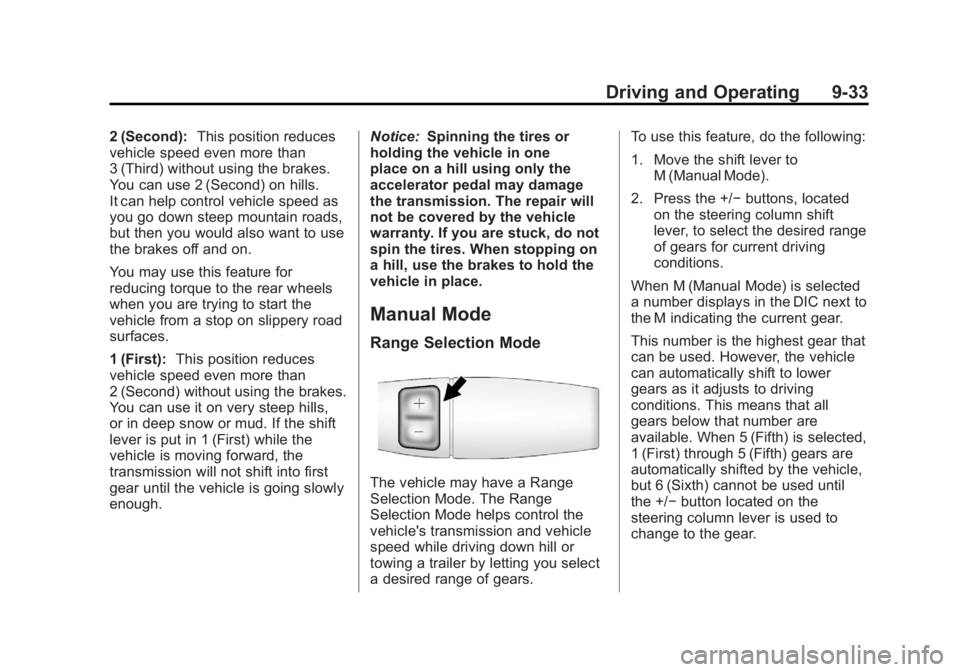
The vehicle may have a Range
Selection Mode. The Range
Selection Mode helps control the
vehicle's transmission and vehicle
speed while driving down hill or
towing a trailer by letting you select
a desired range of gears. To use this feature, do the following:
1. Move the shift lever to
M (Manual Mode).
2. Press the +/− buttons, located
on the steering column shift
lever, to select the desired range
of gears for current driving
conditions.
When M (Manual Mode) is selected
a number displays in the DIC next to
the M indicating the current gear.
This number is the highest gear that
can be used. However, the vehicle
can automatically shift to lower
gears as it adjusts to driving
conditions. This means that all
gears below that number are
available. When 5 (Fifth) is selected,
1 (First) through 5 (Fifth) gears are
automatically shifted by the vehicle,
but 6 (Sixth) cannot be used until
the +/− button located on the
steering column lever is used to
change to the gear.
Page 246 of 414
Black plate (34,1)GMC Savana Owner Manual - 2011
9-34 Driving and Operating
Grade Braking is not available when
Range Selection Mode is active.
SeeTow/Haul Mode on page 9‑34.
While using Range Selection Mode,
Cruise Control and the Tow/Haul
Mode can be used.
Notice: Spinning the tires or
holding the vehicle in one place
on a hill using only the
accelerator pedal may damage
the transmission. The repair will
not be covered by the vehicle
warranty. If you are stuck, do not
spin the tires. When stopping on
a hill, use the brakes to hold the
vehicle in place.
Low Traction Mode
Low Traction Mode can assist in
vehicle acceleration when road
conditions are slippery. While the
vehicle is at a stop, select the
second gear range using Range
Selection Mode. This will limit
torque to the wheels after it detects
wheel slip, preventing the tires from
spinning.
Tow/Haul Mode
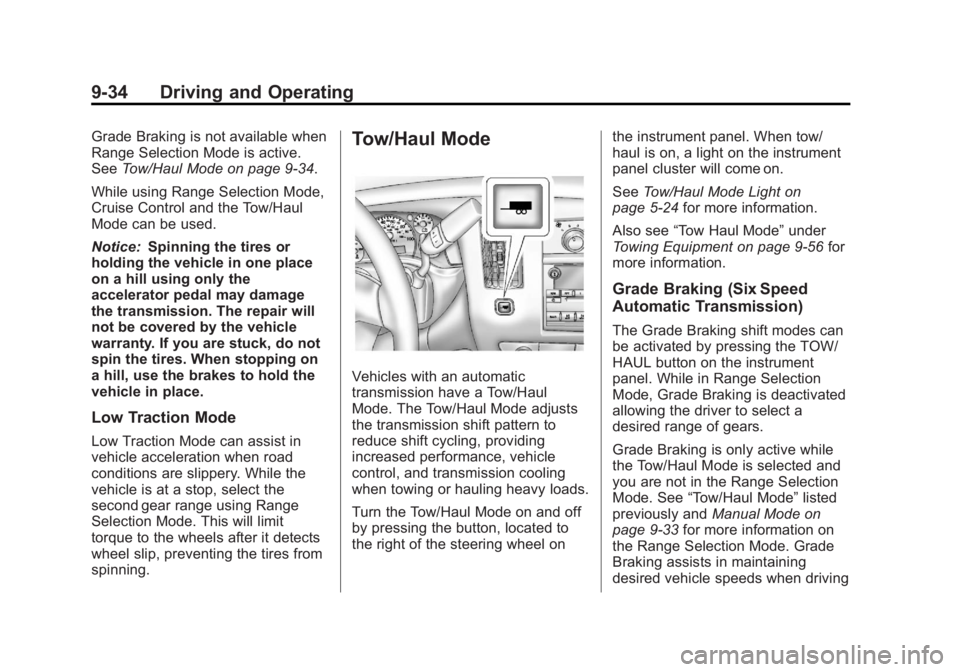
Vehicles with an automatic
transmission have a Tow/Haul
Mode. The Tow/Haul Mode adjusts
the transmission shift pattern to
reduce shift cycling, providing
increased performance, vehicle
control, and transmission cooling
when towing or hauling heavy loads.
Turn the Tow/Haul Mode on and off
by pressing the button, located to
the right of the steering wheel on the instrument panel. When tow/
haul is on, a light on the instrument
panel cluster will come on.
See
Tow/Haul Mode Light on
page 5‑24 for more information.
Also see “Tow Haul Mode” under
Towing Equipment on page 9‑56 for
more information.
Grade Braking (Six Speed
Automatic Transmission)
The Grade Braking shift modes can
be activated by pressing the TOW/
HAUL button on the instrument
panel. While in Range Selection
Mode, Grade Braking is deactivated
allowing the driver to select a
desired range of gears.
Grade Braking is only active while
the Tow/Haul Mode is selected and
you are not in the Range Selection
Mode. See “Tow/Haul Mode” listed
previously and Manual Mode on
page 9‑33 for more information on
the Range Selection Mode. Grade
Braking assists in maintaining
desired vehicle speeds when driving
Page 291 of 414
Black plate (19,1)GMC Savana Owner Manual - 2011
Vehicle Care 10-19
{WARNING
Operating the engine with the air
cleaner/filter off can cause you or
others to be burned. The air
cleaner not only cleans the air; it
helps to stop flames if the engine
backfires. Use caution when
working on the engine and do not
drive with the air cleaner/filter off.
Notice: If the air cleaner/filter is
off, dirt can easily get into the
engine, which could damage it.
Always have the air cleaner/filter
in place when you are driving.
Cooling System
If the vehicle has a diesel engine,
see “Van Models” under“Cooling
System” in the Duramax diesel
supplement.
The cooling system allows the
engine to maintain the correct
working temperature.
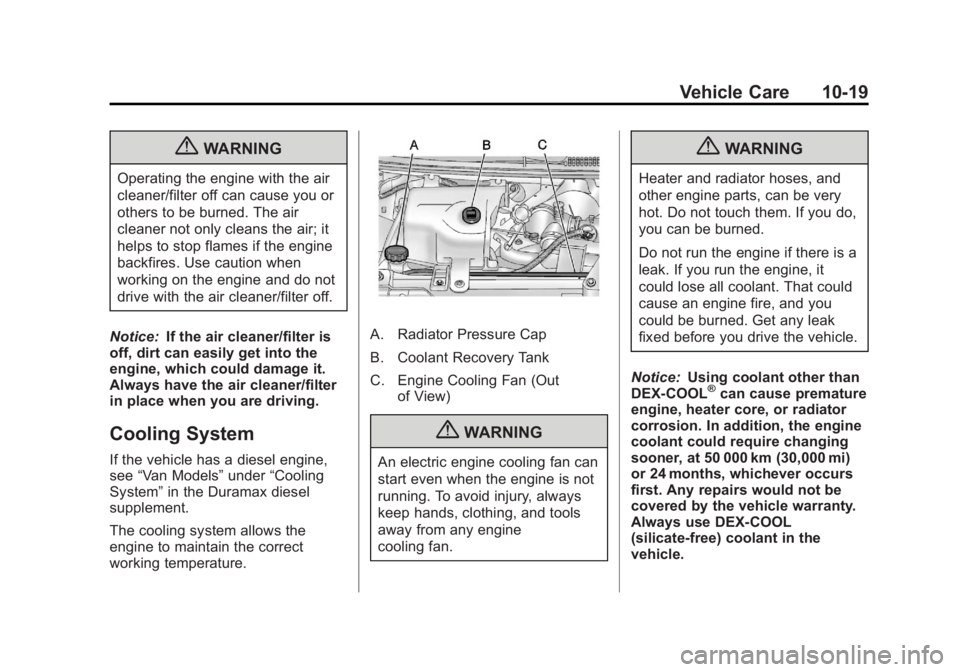
A. Radiator Pressure Cap
B. Coolant Recovery Tank
C. Engine Cooling Fan (Out of View)
{WARNING
An electric engine cooling fan can
start even when the engine is not
running. To avoid injury, always
keep hands, clothing, and tools
away from any engine
cooling fan.
{WARNING
Heater and radiator hoses, and
other engine parts, can be very
hot. Do not touch them. If you do,
you can be burned.
Do not run the engine if there is a
leak. If you run the engine, it
could lose all coolant. That could
cause an engine fire, and you
could be burned. Get any leak
fixed before you drive the vehicle.
Notice: Using coolant other than
DEX-COOL
®can cause premature
engine, heater core, or radiator
corrosion. In addition, the engine
coolant could require changing
sooner, at 50 000 km (30,000 mi)
or 24 months, whichever occurs
first. Any repairs would not be
covered by the vehicle warranty.
Always use DEX-COOL
(silicate-free) coolant in the
vehicle.
Page 293 of 414
Black plate (21,1)GMC Savana Owner Manual - 2011
Vehicle Care 10-21
Never dispose of engine coolant by
putting it in the trash, pouring it on
the ground, or into sewers, streams,
or bodies of water. Have the coolant
changed by an authorized service
center, familiar with legal
requirements regarding used
coolant disposal. This will help
protect the environment and your
health.
Checking Coolant
The vehicle must be on a level
surface when checking the coolant
level.
Check to see if coolant is visible in
the coolant recovery tank. If the
coolant inside the coolant recovery
tank is boiling, do not do anything
else until it cools down. If coolant is
visible but the coolant level is not at
or above the COLD FILL mark, add
a 50/50 mixture of clean, drinkable
water and DEX-COOL coolant at the
coolant recovery tank, but be sure
the cooling system is cool before
this is done.
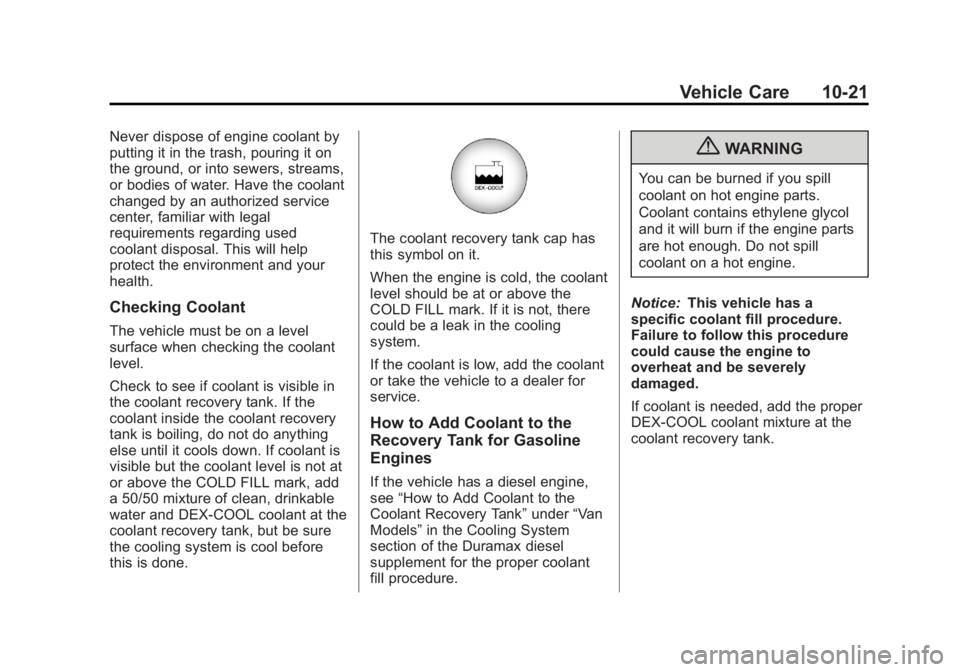
The coolant recovery tank cap has
this symbol on it.
When the engine is cold, the coolant
level should be at or above the
COLD FILL mark. If it is not, there
could be a leak in the cooling
system.
If the coolant is low, add the coolant
or take the vehicle to a dealer for
service.
How to Add Coolant to the
Recovery Tank for Gasoline
Engines
If the vehicle has a diesel engine,
see“How to Add Coolant to the
Coolant Recovery Tank” under“Van
Models” in the Cooling System
section of the Duramax diesel
supplement for the proper coolant
fill procedure.
{WARNING
You can be burned if you spill
coolant on hot engine parts.
Coolant contains ethylene glycol
and it will burn if the engine parts
are hot enough. Do not spill
coolant on a hot engine.
Notice: This vehicle has a
specific coolant fill procedure.
Failure to follow this procedure
could cause the engine to
overheat and be severely
damaged.
If coolant is needed, add the proper
DEX-COOL coolant mixture at the
coolant recovery tank.
Page 327 of 414
Black plate (55,1)GMC Savana Owner Manual - 2011
Vehicle Care 10-55
GAWR RR:Gross Axle Weight
Rating for the rear axle. See
Vehicle Load Limits on
page 9‑12.
Intended Outboard Sidewall
:
The side of an asymmetrical tire,
that must always face outward
when mounted on a vehicle.
Kilopascal (kPa)
:The metric
unit for air pressure.
Light Truck (LT‐Metric) Tire
:A
tire used on light duty trucks and
some multipurpose passenger
vehicles.
Load Index
:An assigned
number ranging from 1 to 279
that corresponds to the load
carrying capacity of a tire. Maximum Inflation Pressure
:
The maximum air pressure to
which a cold tire can be inflated.
The maximum air pressure is
molded onto the sidewall.
Maximum Load Rating
:The
load rating for a tire at the
maximum permissible inflation
pressure for that tire.
Maximum Loaded Vehicle
Weight
:The sum of curb
weight, accessory weight,
vehicle capacity weight, and
production options weight.
Normal Occupant Weight
:The
number of occupants a vehicle
is designed to seat multiplied by
68 kg (150 lbs). See Vehicle
Load Limits on page 9‑12.
Occupant Distribution
:
Designated seating positions. Outward Facing Sidewall
:The
side of an asymmetrical tire that
has a particular side that faces
outward when mounted on a
vehicle. The side of the tire that
contains a whitewall, bears
white lettering, or bears
manufacturer, brand, and/or
model name molding that is
higher or deeper than the same
moldings on the other sidewall
of the tire.
Passenger (P-Metric) Tire
:A
tire used on passenger cars and
some light duty trucks and
multipurpose vehicles.
Recommended Inflation
Pressure
:Vehicle
manufacturer's recommended
tire inflation pressure as shown
on the tire placard. See Tire
Pressure on page 10‑57
andVehicle Load Limits on
page 9‑12.
Page 334 of 414
Black plate (62,1)GMC Savana Owner Manual - 2011
10-62 Vehicle Care
There are two minutes to match
the first tire/wheel position, and
five minutes overall to match all
four tire/wheel positions. If it takes
longer, the matching process stops
and must be restarted.
The TPMS sensor matching
process is:
1. Set the parking brake.
2. Turn the ignition to ON/RUN withthe engine off.
3. Press the Remote Keyless Entry (RKE) transmitter's LOCK and
UNLOCK buttons at the same
time for approximately
five seconds. The horn sounds
twice to signal the receiver is in
relearn mode and TIRE
LEARNING ACTIVE message
displays on the DIC screen.
If the vehicle does not have
RKE, press the Driver
Information Center (DIC) vehicle
information button until the
PRESS
VTO RELEARN TIRE
POSITIONS message displays. The horn sounds twice to signal
the receiver is in relearn mode
and TIRE LEARNING ACTIVE
message displays on the DIC
screen.
If the vehicle does not have RKE
or DIC buttons, press the trip
odometer reset stem located on
the instrument panel cluster until
the PRESS
VTO RELEARN
TIRE POSITIONS message
displays. The horn sounds twice
to signal the receiver is in
relearn mode and TIRE
LEARNING ACTIVE message
displays on the DIC screen.
4. Start with the driver side front tire.
5. Place the relearn tool against the tire sidewall, near the valve
stem. Then press the button to
activate the TPMS sensor.
A horn chirp confirms that the
sensor identification code has
been matched to this tire and
wheel position. 6. Proceed to the passenger side
front tire, and repeat the
procedure in Step 5.
7. Proceed to the passenger side rear tire, and repeat the
procedure in Step 5.
8. Proceed to the driver side rear tire, and repeat the procedure in
Step 5. The horn sounds two
times to indicate the sensor
identification code has been
matched to the driver side rear
tire, and the TPMS sensor
matching process is no longer
active. The TIRE LEARNING
ACTIVE message on the DIC
display screen goes off.
9. Turn the ignition switch to LOCK/OFF.
10. Set all four tires to the recommended air pressure
level as indicated on the Tire
and Loading Information label.