remote control GMC SAVANA 2011 User Guide
[x] Cancel search | Manufacturer: GMC, Model Year: 2011, Model line: SAVANA, Model: GMC SAVANA 2011Pages: 414, PDF Size: 5.27 MB
Page 158 of 414
Black plate (36,1)GMC Savana Owner Manual - 2011
5-36 Instruments and Controls
Key and Lock Messages
REPLACE BATTERY IN
REMOTE KEY
This message displays if a Remote
Keyless Entry (RKE) transmitter
battery is low. The battery needs to
be replaced in the transmitter. See
“Battery Replacement”under
Remote Keyless Entry (RKE)
System Operation on page 2‑3.
Lamp Messages
AUTOMATIC LIGHT
CONTROL OFF
This message displays when the
automatic headlamps are turned off.
See Exterior Lamp Controls on
page 6‑1 for more information.
AUTOMATIC LIGHT
CONTROL ON
This message displays when the
automatic headlamps are turned on.
SeeExterior Lamp Controls on
page 6‑1 for more information.
TURN SIGNAL ON
This message displays and a chime
sounds if a turn signal is left on for
1.2 km (3/4 of a mile). Move the turn
signal/multifunction lever to the off
position.
Ride Control System
Messages
SERVICE STABILITRAK
If the vehicle has StabiliTrak®and
this message displays, it means
there may be a problem with the
StabiliTrak system. If you see this
message, try to reset the system.
Stop; turn off the engine for at least
15 seconds; then start the engine
again. If this message still comes
on, it means there is a problem. You
should see your dealer for service.
The vehicle is safe to drive,
however, you do not have the
benefit of StabiliTrak, so reduce
your speed and drive accordingly.
SERVICE TRACTION
CONTROL
If the vehicle has StabiliTrak, this
message displays when there is a
problem with the Traction Control
System (TCS). When this message
displays, the system will not limit
wheel spin. Adjust your driving
accordingly. See your dealer for
service. See StabiliTrak
®System on
page 9‑37 for more information.
STABILITRAK NOT READY
If the vehicle has StabiliTrak, this
message may display and the
StabiliTrak indicator light on the
instrument panel cluster may be on
after first driving the vehicle and
exceeding 32 km/h (20 mph) for
30 seconds. The StabiliTrak system
is not functional until the light has
turned off. See StabiliTrak
®System
on page 9‑37 for more information.
Page 164 of 414
Black plate (42,1)GMC Savana Owner Manual - 2011
5-42 Instruments and Controls
AUTO DOOR UNLOCK
This feature allows you to select
whether or not to turn off the
automatic door unlocking feature.
It also allows you to select which
doors and when the doors will
automatically unlock.
Press
Uuntil AUTO DOOR
UNLOCK appears on the DIC
display. Press
Vonce to access the
settings for this feature. Then press
Uto scroll through the following
settings:
OFF: None of the doors will
automatically unlock.
DRIVER AT KEY OUT: Only the
driver door will unlock when the key
is taken out of the ignition.
DRIVER IN PARK: Only the driver
door will unlock when the vehicle is
shifted into P (Park) .
ALL AT KEY OUT: All of the doors
will unlock when the key is taken
out of the ignition. ALL IN PARK (default):
All of the
doors will unlock when the vehicle is
shifted into P (Park).
NO CHANGE: No change will be
made to this feature. The current
setting will remain.
To select a setting, press
Vwhile
the desired setting is displayed on
the DIC.
REMOTE DOOR LOCK
This feature allows you to select the
type of feedback you will receive
when locking the vehicle with the
Remote Keyless Entry (RKE)
transmitter. You will not receive
feedback when locking the vehicle
with the RKE transmitter if the doors
are open. See Remote Keyless
Entry (RKE) System Operation on
page 2‑3 for more information. Press
Uuntil REMOTE DOOR
LOCK appears on the DIC display.
Press
Vonce to access the settings
for this feature. Then press
Uto
scroll through the following settings:
OFF: There will be no feedback
when you press
Qon the RKE
transmitter.
LIGHTS ONLY: The exterior lamps
will flash when you press
Qon the
RKE transmitter.
HORN ONLY: The horn will sound
on the second press of
Qon the
RKE transmitter.
HORN & LIGHTS (default): The
exterior lamps will flash when you
press
Qon the RKE transmitter, and
the horn will sound when
Qis
pressed again within five seconds of
the previous command.
Page 165 of 414
Black plate (43,1)GMC Savana Owner Manual - 2011
Instruments and Controls 5-43
NO CHANGE:No change will be
made to this feature. The current
setting will remain.
To select a setting, press
Vwhile
the desired setting is displayed on
the DIC.
REMOTE DOOR UNLOCK
This feature allows you to select the
type of feedback you will receive
when unlocking the vehicle with the
Remote Keyless Entry (RKE)
transmitter. You will not receive
feedback when unlocking the
vehicle with the RKE transmitter if
the doors are open. See Remote
Keyless Entry (RKE) System
Operation on page 2‑3 for more
information. Press
Uuntil REMOTE DOOR
UNLOCK appears on the DIC
display. Press
Vonce to access the
settings for this feature. Then press
Uto scroll through the following
settings:
LIGHTS OFF: The exterior lamps
will not flash when you press
Kon
the RKE transmitter.
LIGHTS ON (default): The exterior
lamps will flash when you press
K
on the RKE transmitter.
NO CHANGE: No change will be
made to this feature. The current
setting will remain.
To select a setting, press
Vwhile
the desired setting is displayed on
the DIC. DELAY DOOR LOCK
This feature allows you to select
whether or not the locking of the
doors will be delayed. When locking
the doors with the power door lock
switch and a door is open, this
feature will delay locking the doors
until five seconds after the last door
is closed. You will hear three chimes
to signal that the delayed locking
feature is in use. The key must be
out of the ignition for this feature to
work. You can temporarily override
delayed locking by pressing the
power door lock switch twice or
Q
on the RKE transmitter twice. See
Delayed Locking on page 2‑8
for
more information.
Page 166 of 414
Black plate (44,1)GMC Savana Owner Manual - 2011
5-44 Instruments and Controls
PressUuntil DELAY DOOR LOCK
appears on the DIC display. Press
Vonce to access the settings for
this feature. Then press
Uto scroll
through the following settings:
OFF: There will be no delayed
locking of the vehicle's doors.
ON (default): The doors will not
lock until five seconds after the last
door is closed.
NO CHANGE: No change will be
made to this feature. The current
setting will remain.
To select a setting, press
Vwhile
the desired setting is displayed on
the DIC.
EXIT LIGHTING
This feature allows you to select the
amount of time you want the
exterior lamps to remain on when it
is dark enough outside. This
happens after the key is turned from
ON/RUN to LOCK/OFF. Press
Uuntil EXIT LIGHTING
appears on the DIC display. Press
Vonce to access the settings for
this feature. Then press
Uto scroll
through the following settings:
OFF: The exterior lamps will not
turn on.
10 SECONDS (default): The
exterior lamps will stay on for
10 seconds.
1 MINUTE: The exterior lamps will
stay on for one minute.
2 MINUTES: The exterior lamps will
stay on for two minutes.
NO CHANGE: No change will be
made to this feature. The current
setting will remain.
To select a setting, press
Vwhile
the desired setting is displayed on
the DIC. APPROACH LIGHTING
This feature allows you to select
whether or not to have the exterior
lamps turn on briefly during low light
periods after unlocking the vehicle
using the Remote Keyless
Entry (RKE) transmitter.
Press
Uuntil APPROACH
LIGHTING appears on the DIC
display. Press
Vonce to access the
settings for this feature. Then press
Uto scroll through the following
settings:
OFF: The exterior lamps will not
turn on when you unlock the vehicle
with the RKE transmitter.
Page 167 of 414
Black plate (45,1)GMC Savana Owner Manual - 2011
Instruments and Controls 5-45
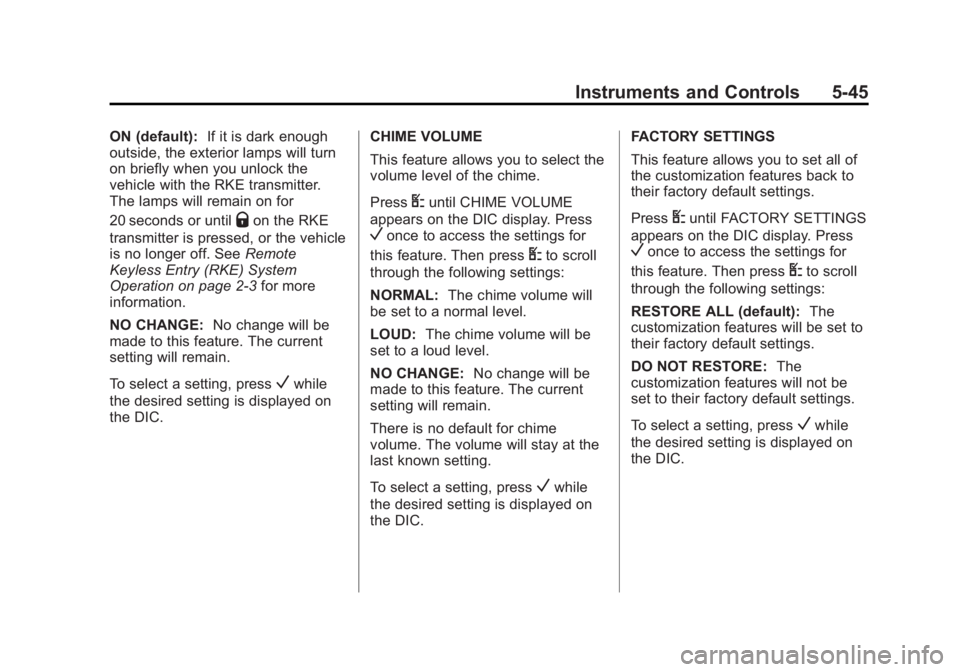
ON (default):If it is dark enough
outside, the exterior lamps will turn
on briefly when you unlock the
vehicle with the RKE transmitter.
The lamps will remain on for
20 seconds or until
Qon the RKE
transmitter is pressed, or the vehicle
is no longer off. See Remote
Keyless Entry (RKE) System
Operation on page 2‑3 for more
information.
NO CHANGE: No change will be
made to this feature. The current
setting will remain.
To select a setting, press
Vwhile
the desired setting is displayed on
the DIC. CHIME VOLUME
This feature allows you to select the
volume level of the chime.
Press
Uuntil CHIME VOLUME
appears on the DIC display. Press
Vonce to access the settings for
this feature. Then press
Uto scroll
through the following settings:
NORMAL: The chime volume will
be set to a normal level.
LOUD: The chime volume will be
set to a loud level.
NO CHANGE: No change will be
made to this feature. The current
setting will remain.
There is no default for chime
volume. The volume will stay at the
last known setting.
To select a setting, press
Vwhile
the desired setting is displayed on
the DIC. FACTORY SETTINGS
This feature allows you to set all of
the customization features back to
their factory default settings.
Press
Uuntil FACTORY SETTINGS
appears on the DIC display. Press
Vonce to access the settings for
this feature. Then press
Uto scroll
through the following settings:
RESTORE ALL (default): The
customization features will be set to
their factory default settings.
DO NOT RESTORE: The
customization features will not be
set to their factory default settings.
To select a setting, press
Vwhile
the desired setting is displayed on
the DIC.
Page 275 of 414
Black plate (3,1)GMC Savana Owner Manual - 2011
Vehicle Care 10-3
California Perchlorate
Materials Requirements
Certain types of automotive
applications, such as airbag
initiators, seat belt pretensioners,
and lithium batteries contained in
Remote Keyless Entry transmitters,
may contain perchlorate materials.
Special handling may be necessary.
For additional information, see
www.dtsc.ca.gov/hazardouswaste/
perchlorate.
Accessories and
Modifications
Adding non‐dealer accessories or
making modifications to the vehicle
can affect vehicle performance and
safety, including such things as
airbags, braking, stability, ride and
handling, emissions systems,
aerodynamics, durability, and
electronic systems like antilock
brakes, traction control, and stability
control. These accessories or
modifications could even cause
malfunction or damage not covered
by the vehicle warranty.
Damage to vehicle components
resulting from modifications or the
installation or use of non‐GM
certified parts, including control
module or software modifications, is
not covered under the terms of the
vehicle warranty and may affect
remaining warranty coverage for
affected parts.GM Accessories are designed to
complement and function with other
systems on the vehicle. Your GM
dealer can accessorize the vehicle
using genuine GM Accessories.
When you go to your GM dealer
and ask for GM Accessories, you
will know that GM-trained and
supported service technicians will
perform the work using genuine GM
Accessories.
Also, see
Adding Equipment to the
Airbag-Equipped Vehicle on
page 3‑42.
Page 321 of 414
Black plate (49,1)GMC Savana Owner Manual - 2011
Vehicle Care 10-49
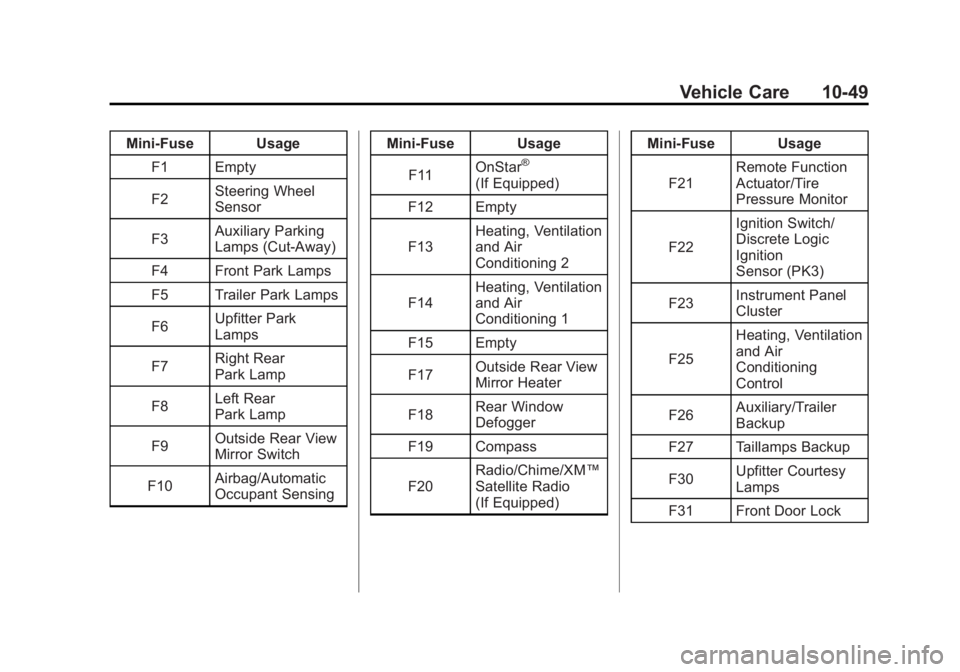
Mini‐Fuse UsageF1 Empty
F2 Steering Wheel
Sensor
F3 Auxiliary Parking
Lamps (Cut‐Away)
F4 Front Park Lamps
F5 Trailer Park Lamps
F6 Upfitter Park
Lamps
F7 Right Rear
Park Lamp
F8 Left Rear
Park Lamp
F9 Outside Rear View
Mirror Switch
F10 Airbag/Automatic
Occupant Sensing Mini‐Fuse Usage
F11 OnStar
®
(If Equipped)
F12 Empty
F13 Heating, Ventilation
and Air
Conditioning 2
F14 Heating, Ventilation
and Air
Conditioning 1
F15 Empty
F17 Outside Rear View
Mirror Heater
F18 Rear Window
Defogger
F19 Compass
F20 Radio/Chime/XM™
Satellite Radio
(If Equipped) Mini‐Fuse Usage
F21 Remote Function
Actuator/Tire
Pressure Monitor
F22 Ignition Switch/
Discrete Logic
Ignition
Sensor (PK3)
F23 Instrument Panel
Cluster
F25 Heating, Ventilation
and Air
Conditioning
Control
F26 Auxiliary/Trailer
Backup
F27 Taillamps Backup
F30 Upfitter Courtesy
Lamps
F31 Front Door Lock
Page 408 of 414
Black plate (6,1)GMC Savana Owner Manual - 2011
i-6 INDEX
HeaterEngine . . . . . . . . . . . . . . . . . . . . . . . . 9-22
Heating and Air Conditioning . . . 8-1
High-Beam On Light . . . . . . . . . . . 5-26
Highway Hypnosis . . . . . . . . . . . . . . 9-8
Hill and Mountain Roads . . . . . . . . 9-8
Hood . . . . . . . . . . . . . . . . . . . . . . . . . . 10-4
Horn . . . . . . . . . . . . . . . . . . . . . . . . . . . . 5-4
How to Wear Safety Belts Properly . . . . . . . . . . . . . . . . . . . . . . 3-12
I
Idle SystemFast . . . . . . . . . . . . . . . . . . . . . . . . . . 9-21
Ignition Positions . . . . . . . . . . . . . . 9-18
Ignition Transmission Lock Check . . . . . . . . . . . . . . . . . . . . . . . 10-36
Immobilizer . . . . . . . . . . . . . . . . . . . . 2-12
Infants and Young Children,
Restraints . . . . . . . . . . . . . . . . . . . . 3-46
Infotainment . . . . . . . . . . . . . . . . . . . . 7-1
Instrument Cluster . . . . . . . . . . . . . 5-11
Introduction . . . . . . . . . . . . . . . . . . . . . . . iii
J
Jump Starting . . . . . . . . . . . . . . . . . 10-84
K
Key and Lock Messages . . . . . . . 5-36
Keyless Entry Remote (RKE) System . . . . . . . . 2-3
Keys . . . . . . . . . . . . . . . . . . . . . . . . . . . . 2-2
L
Labeling, Tire Sidewall . . . . . . . . 10-51
Lamp Messages . . . . . . . . . . . . . . . 5-36
Lamps Daytime Running (DRL) . . . . . . . 6-3
Dome . . . . . . . . . . . . . . . . . . . . . . . . . . 6-6
Exterior Controls . . . . . . . . . . . . . . . 6-1
Exterior Lamps OffReminder . . . . . . . . . . . . . . . . . . . . 6-2
License Plate . . . . . . . . . . . . . . . 10-42
Malfunction Indicator . . . . . . . . . 5-20
Reading . . . . . . . . . . . . . . . . . . . . . . . 6-6
Taillamps . . . . . . . . . . . . . . . . . . . 10-40
Lap-Shoulder Belt . . . . . . . . . . . . . 3-18 LATCH System
Replacing Parts after a
Crash . . . . . . . . . . . . . . . . . . . . . . . 3-59
LATCH, Lower Anchors and Tethers for Children . . . . . . . . . . 3-52
Lighter, Cigarette . . . . . . . . . . . . . . . 5-9
Lighting Entry/Exit . . . . . . . . . . . . . . . . . . . . . . 6-7
Illumination Control . . . . . . . . . . . . 6-5
Lights Airbag On-Off . . . . . . . . . . . . . . . . . 5-17
Airbag Readiness . . . . . . . . . . . . . 5-16
Antilock Brake System
(ABS) Warning . . . . . . . . . . . . . . 5-24
Brake System Warning . . . . . . . 5-23
Charging System . . . . . . . . . . . . . 5-20
Cruise Control . . . . . . . . . . . . . . . . 5-26
Engine Oil Pressure . . . . . . . . . . 5-25
Flash-to-Pass . . . . . . . . . . . . . . . . . . 6-3
High-Beam On . . . . . . . . . . . . . . . . 5-26
High/Low Beam Changer . . . . . . 6-2
Safety Belt Reminders . . . . . . . . 5-16
Security . . . . . . . . . . . . . . . . . . . . . . 5-26
StabiliTrak
®Indicator . . . . . . . . . 5-24
Page 411 of 414
Black plate (9,1)GMC Savana Owner Manual - 2011
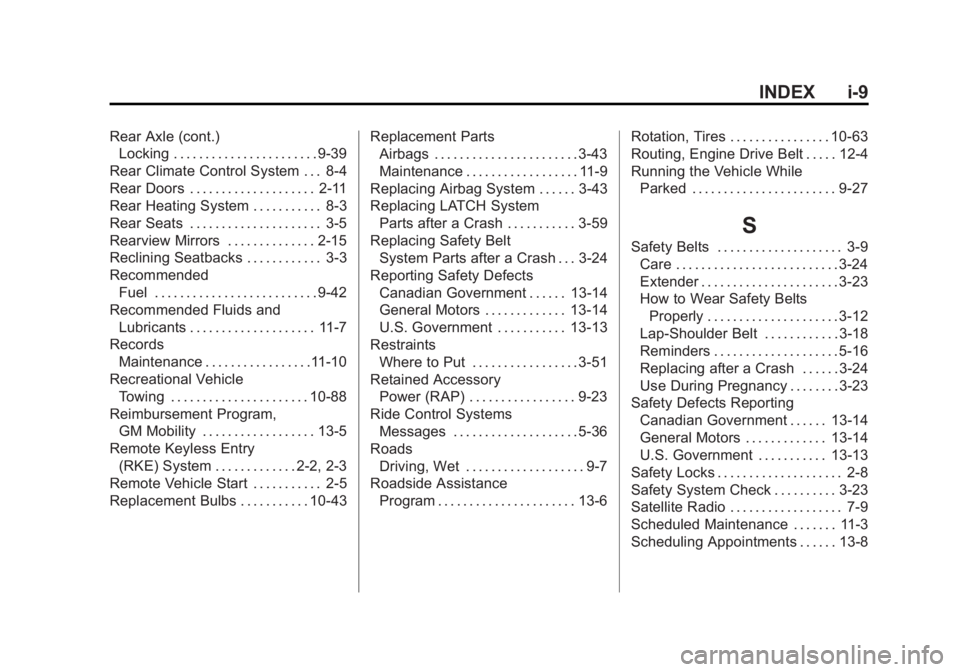
INDEX i-9
Rear Axle (cont.)Locking . . . . . . . . . . . . . . . . . . . . . . . 9-39
Rear Climate Control System . . . 8-4
Rear Doors . . . . . . . . . . . . . . . . . . . . 2-11
Rear Heating System . . . . . . . . . . . 8-3
Rear Seats . . . . . . . . . . . . . . . . . . . . . 3-5
Rearview Mirrors . . . . . . . . . . . . . . 2-15
Reclining Seatbacks . . . . . . . . . . . . 3-3
Recommended Fuel . . . . . . . . . . . . . . . . . . . . . . . . . . 9-42
Recommended Fluids and Lubricants . . . . . . . . . . . . . . . . . . . . 11-7
Records Maintenance . . . . . . . . . . . . . . . . .11-10
Recreational Vehicle Towing . . . . . . . . . . . . . . . . . . . . . . 10-88
Reimbursement Program, GM Mobility . . . . . . . . . . . . . . . . . . 13-5
Remote Keyless Entry (RKE) System . . . . . . . . . . . . . 2-2, 2-3
Remote Vehicle Start . . . . . . . . . . . 2-5
Replacement Bulbs . . . . . . . . . . . 10-43 Replacement Parts
Airbags . . . . . . . . . . . . . . . . . . . . . . . 3-43
Maintenance . . . . . . . . . . . . . . . . . . 11-9
Replacing Airbag System . . . . . . 3-43
Replacing LATCH System Parts after a Crash . . . . . . . . . . . 3-59
Replacing Safety Belt
System Parts after a Crash . . . 3-24
Reporting Safety Defects Canadian Government . . . . . . 13-14
General Motors . . . . . . . . . . . . . 13-14
U.S. Government . . . . . . . . . . . 13-13
Restraints Where to Put . . . . . . . . . . . . . . . . . 3-51
Retained Accessory Power (RAP) . . . . . . . . . . . . . . . . . 9-23
Ride Control Systems Messages . . . . . . . . . . . . . . . . . . . . 5-36
Roads Driving, Wet . . . . . . . . . . . . . . . . . . . 9-7
Roadside Assistance
Program . . . . . . . . . . . . . . . . . . . . . . 13-6 Rotation, Tires . . . . . . . . . . . . . . . . 10-63
Routing, Engine Drive Belt . . . . . 12-4
Running the Vehicle While
Parked . . . . . . . . . . . . . . . . . . . . . . . 9-27
S
Safety Belts . . . . . . . . . . . . . . . . . . . . 3-9Care . . . . . . . . . . . . . . . . . . . . . . . . . . 3-24
Extender . . . . . . . . . . . . . . . . . . . . . . 3-23
How to Wear Safety BeltsProperly . . . . . . . . . . . . . . . . . . . . . 3-12
Lap-Shoulder Belt . . . . . . . . . . . . 3-18
Reminders . . . . . . . . . . . . . . . . . . . . 5-16
Replacing after a Crash . . . . . . 3-24
Use During Pregnancy . . . . . . . . 3-23
Safety Defects Reporting Canadian Government . . . . . . 13-14
General Motors . . . . . . . . . . . . . 13-14
U.S. Government . . . . . . . . . . . 13-13
Safety Locks . . . . . . . . . . . . . . . . . . . . 2-8
Safety System Check . . . . . . . . . . 3-23
Satellite Radio . . . . . . . . . . . . . . . . . . 7-9
Scheduled Maintenance . . . . . . . 11-3
Scheduling Appointments . . . . . . 13-8
Page 412 of 414
Black plate (10,1)GMC Savana Owner Manual - 2011
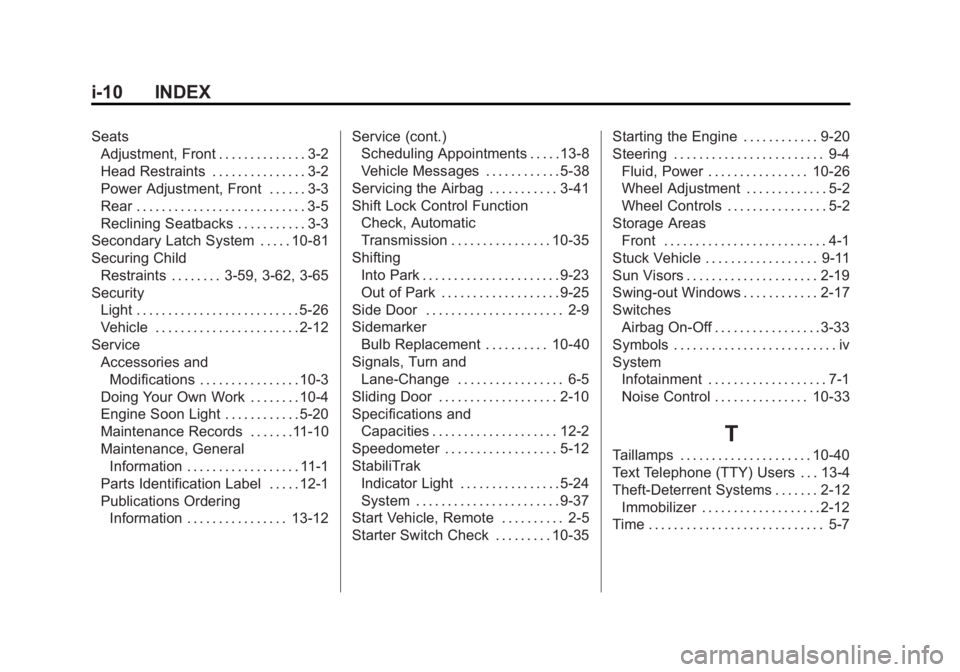
i-10 INDEX
SeatsAdjustment, Front . . . . . . . . . . . . . . 3-2
Head Restraints . . . . . . . . . . . . . . . 3-2
Power Adjustment, Front . . . . . . 3-3
Rear . . . . . . . . . . . . . . . . . . . . . . . . . . . 3-5
Reclining Seatbacks . . . . . . . . . . . 3-3
Secondary Latch System . . . . . 10-81
Securing Child
Restraints . . . . . . . . 3-59, 3-62, 3-65
Security Light . . . . . . . . . . . . . . . . . . . . . . . . . . 5-26
Vehicle . . . . . . . . . . . . . . . . . . . . . . . 2-12
Service Accessories andModifications . . . . . . . . . . . . . . . . 10-3
Doing Your Own Work . . . . . . . . 10-4
Engine Soon Light . . . . . . . . . . . . 5-20
Maintenance Records . . . . . . .11-10
Maintenance, General
Information . . . . . . . . . . . . . . . . . . 11-1
Parts Identification Label . . . . . 12-1
Publications Ordering
Information . . . . . . . . . . . . . . . . 13-12 Service (cont.)
Scheduling Appointments . . . . . 13-8
Vehicle Messages . . . . . . . . . . . . 5-38
Servicing the Airbag . . . . . . . . . . . 3-41
Shift Lock Control Function
Check, Automatic
Transmission . . . . . . . . . . . . . . . . 10-35
Shifting Into Park . . . . . . . . . . . . . . . . . . . . . . 9-23
Out of Park . . . . . . . . . . . . . . . . . . . 9-25
Side Door . . . . . . . . . . . . . . . . . . . . . . 2-9
Sidemarker Bulb Replacement . . . . . . . . . . 10-40
Signals, Turn and
Lane-Change . . . . . . . . . . . . . . . . . 6-5
Sliding Door . . . . . . . . . . . . . . . . . . . 2-10
Specifications and Capacities . . . . . . . . . . . . . . . . . . . . 12-2
Speedometer . . . . . . . . . . . . . . . . . . 5-12
StabiliTrak Indicator Light . . . . . . . . . . . . . . . . 5-24
System . . . . . . . . . . . . . . . . . . . . . . . 9-37
Start Vehicle, Remote . . . . . . . . . . 2-5
Starter Switch Check . . . . . . . . . 10-35 Starting the Engine . . . . . . . . . . . . 9-20
Steering . . . . . . . . . . . . . . . . . . . . . . . . 9-4
Fluid, Power . . . . . . . . . . . . . . . . 10-26
Wheel Adjustment . . . . . . . . . . . . . 5-2
Wheel Controls . . . . . . . . . . . . . . . . 5-2
Storage Areas Front . . . . . . . . . . . . . . . . . . . . . . . . . . 4-1
Stuck Vehicle . . . . . . . . . . . . . . . . . . 9-11
Sun Visors . . . . . . . . . . . . . . . . . . . . . 2-19
Swing-out Windows . . . . . . . . . . . . 2-17
Switches Airbag On-Off . . . . . . . . . . . . . . . . . 3-33
Symbols . . . . . . . . . . . . . . . . . . . . . . . . . . iv
System Infotainment . . . . . . . . . . . . . . . . . . . 7-1
Noise Control . . . . . . . . . . . . . . . 10-33
T
Taillamps . . . . . . . . . . . . . . . . . . . . . 10-40
Text Telephone (TTY) Users . . . 13-4
Theft-Deterrent Systems . . . . . . . 2-12Immobilizer . . . . . . . . . . . . . . . . . . . 2-12
Time . . . . . . . . . . . . . . . . . . . . . . . . . . . . 5-7