remote start GMC SAVANA 2011 User Guide
[x] Cancel search | Manufacturer: GMC, Model Year: 2011, Model line: SAVANA, Model: GMC SAVANA 2011Pages: 414, PDF Size: 5.27 MB
Page 141 of 414
Black plate (19,1)GMC Savana Owner Manual - 2011
Instruments and Controls 5-19
Passenger Airbag Status
Indicator
If the vehicle has a passenger
sensing system, the instrument
panel will have a passenger airbag
status indicator. SeePassenger
Sensing System on page 3‑37 for
important safety information.
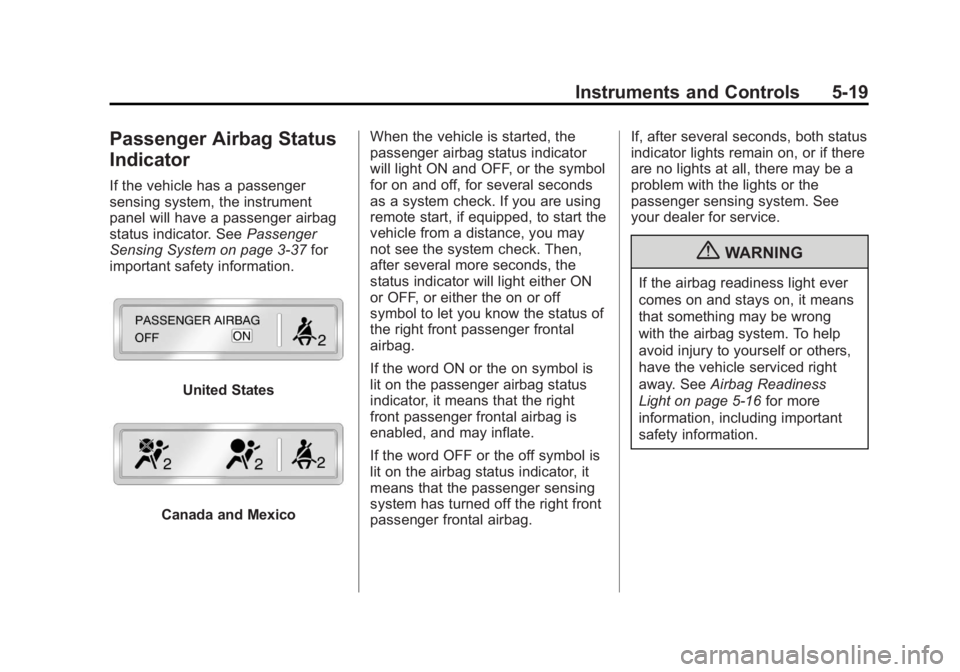
United States
Canada and Mexico When the vehicle is started, the
passenger airbag status indicator
will light ON and OFF, or the symbol
for on and off, for several seconds
as a system check. If you are using
remote start, if equipped, to start the
vehicle from a distance, you may
not see the system check. Then,
after several more seconds, the
status indicator will light either ON
or OFF, or either the on or off
symbol to let you know the status of
the right front passenger frontal
airbag.
If the word ON or the on symbol is
lit on the passenger airbag status
indicator, it means that the right
front passenger frontal airbag is
enabled, and may inflate.
If the word OFF or the off symbol is
lit on the airbag status indicator, it
means that the passenger sensing
system has turned off the right front
passenger frontal airbag. If, after several seconds, both status
indicator lights remain on, or if there
are no lights at all, there may be a
problem with the lights or the
passenger sensing system. See
your dealer for service.
{WARNING
If the airbag readiness light ever
comes on and stays on, it means
that something may be wrong
with the airbag system. To help
avoid injury to yourself or others,
have the vehicle serviced right
away. See
Airbag Readiness
Light on page 5‑16 for more
information, including important
safety information.
Page 150 of 414
Black plate (28,1)GMC Savana Owner Manual - 2011
5-28 Instruments and Controls
T(Vehicle Information):Press
this button to display the oil life,
units, tire pressure readings for
vehicles with the Tire Pressure
Monitor System (TPMS), engine
hours, Tire Pressure Monitor
System (TPMS) programming for
vehicles with the TPMS and without
a Remote Keyless Entry (RKE)
transmitter, and compass zone and
compass calibration on vehicles
with this feature.
U(Customization): Press this
button to customize the feature
settings on the vehicle. See Vehicle
Personalization on page 5‑40 for
more information.
V(Set/Reset): Press this button to
set or reset certain functions and to
turn off or acknowledge messages
on the DIC.
Trip/Fuel Menu Items
3(Trip/Fuel): Press this button
to scroll through the following menu
items:
Odometer
Press
3until XX km (mi)
displays. This display shows the
distance the vehicle has been
driven in either kilometers (km) or
miles (mi).
Trip Odometers
Press
3until A or B displays.
This display shows the current
distance traveled in either
kilometers (km) or miles (mi) since
the last reset for each trip odometer.
Both trip odometers can be used at
the same time.
Each trip odometer can be reset to
zero separately by pressing
Vwhile
the desired trip odometer is
displayed. The trip odometer has a feature
called the retro-active reset. This
can be used to set the trip odometer
to the number of kilometers (miles)
driven since the ignition was last
turned on. This can be used if the
trip odometer is not reset at the
beginning of the trip.
To use the retro-active reset feature,
press and hold
Vfor at least
four seconds. The trip odometer
will display the number of
kilometers (km) or miles (mi) driven
since the ignition was last turned on
and the vehicle was moving. Once
the vehicle begins moving, the trip
odometer will accumulate mileage.
For example, if the vehicle was
driven 8 km (5 miles) before it is
started again, and then the
retro-active reset feature is
activated, the display will show 8 km
(5 miles). As the vehicle begins
moving, the display will then
increase to 8.1 km (5.1 miles),
8.2 km (5.2 miles), etc.
Page 158 of 414
Black plate (36,1)GMC Savana Owner Manual - 2011
5-36 Instruments and Controls
Key and Lock Messages
REPLACE BATTERY IN
REMOTE KEY
This message displays if a Remote
Keyless Entry (RKE) transmitter
battery is low. The battery needs to
be replaced in the transmitter. See
“Battery Replacement”under
Remote Keyless Entry (RKE)
System Operation on page 2‑3.
Lamp Messages
AUTOMATIC LIGHT
CONTROL OFF
This message displays when the
automatic headlamps are turned off.
See Exterior Lamp Controls on
page 6‑1 for more information.
AUTOMATIC LIGHT
CONTROL ON
This message displays when the
automatic headlamps are turned on.
SeeExterior Lamp Controls on
page 6‑1 for more information.
TURN SIGNAL ON
This message displays and a chime
sounds if a turn signal is left on for
1.2 km (3/4 of a mile). Move the turn
signal/multifunction lever to the off
position.
Ride Control System
Messages
SERVICE STABILITRAK
If the vehicle has StabiliTrak®and
this message displays, it means
there may be a problem with the
StabiliTrak system. If you see this
message, try to reset the system.
Stop; turn off the engine for at least
15 seconds; then start the engine
again. If this message still comes
on, it means there is a problem. You
should see your dealer for service.
The vehicle is safe to drive,
however, you do not have the
benefit of StabiliTrak, so reduce
your speed and drive accordingly.
SERVICE TRACTION
CONTROL
If the vehicle has StabiliTrak, this
message displays when there is a
problem with the Traction Control
System (TCS). When this message
displays, the system will not limit
wheel spin. Adjust your driving
accordingly. See your dealer for
service. See StabiliTrak
®System on
page 9‑37 for more information.
STABILITRAK NOT READY
If the vehicle has StabiliTrak, this
message may display and the
StabiliTrak indicator light on the
instrument panel cluster may be on
after first driving the vehicle and
exceeding 32 km/h (20 mph) for
30 seconds. The StabiliTrak system
is not functional until the light has
turned off. See StabiliTrak
®System
on page 9‑37 for more information.
Page 334 of 414
Black plate (62,1)GMC Savana Owner Manual - 2011
10-62 Vehicle Care
There are two minutes to match
the first tire/wheel position, and
five minutes overall to match all
four tire/wheel positions. If it takes
longer, the matching process stops
and must be restarted.
The TPMS sensor matching
process is:
1. Set the parking brake.
2. Turn the ignition to ON/RUN withthe engine off.
3. Press the Remote Keyless Entry (RKE) transmitter's LOCK and
UNLOCK buttons at the same
time for approximately
five seconds. The horn sounds
twice to signal the receiver is in
relearn mode and TIRE
LEARNING ACTIVE message
displays on the DIC screen.
If the vehicle does not have
RKE, press the Driver
Information Center (DIC) vehicle
information button until the
PRESS
VTO RELEARN TIRE
POSITIONS message displays. The horn sounds twice to signal
the receiver is in relearn mode
and TIRE LEARNING ACTIVE
message displays on the DIC
screen.
If the vehicle does not have RKE
or DIC buttons, press the trip
odometer reset stem located on
the instrument panel cluster until
the PRESS
VTO RELEARN
TIRE POSITIONS message
displays. The horn sounds twice
to signal the receiver is in
relearn mode and TIRE
LEARNING ACTIVE message
displays on the DIC screen.
4. Start with the driver side front tire.
5. Place the relearn tool against the tire sidewall, near the valve
stem. Then press the button to
activate the TPMS sensor.
A horn chirp confirms that the
sensor identification code has
been matched to this tire and
wheel position. 6. Proceed to the passenger side
front tire, and repeat the
procedure in Step 5.
7. Proceed to the passenger side rear tire, and repeat the
procedure in Step 5.
8. Proceed to the driver side rear tire, and repeat the procedure in
Step 5. The horn sounds two
times to indicate the sensor
identification code has been
matched to the driver side rear
tire, and the TPMS sensor
matching process is no longer
active. The TIRE LEARNING
ACTIVE message on the DIC
display screen goes off.
9. Turn the ignition switch to LOCK/OFF.
10. Set all four tires to the recommended air pressure
level as indicated on the Tire
and Loading Information label.
Page 358 of 414
Black plate (86,1)GMC Savana Owner Manual - 2011
10-86 Vehicle Care
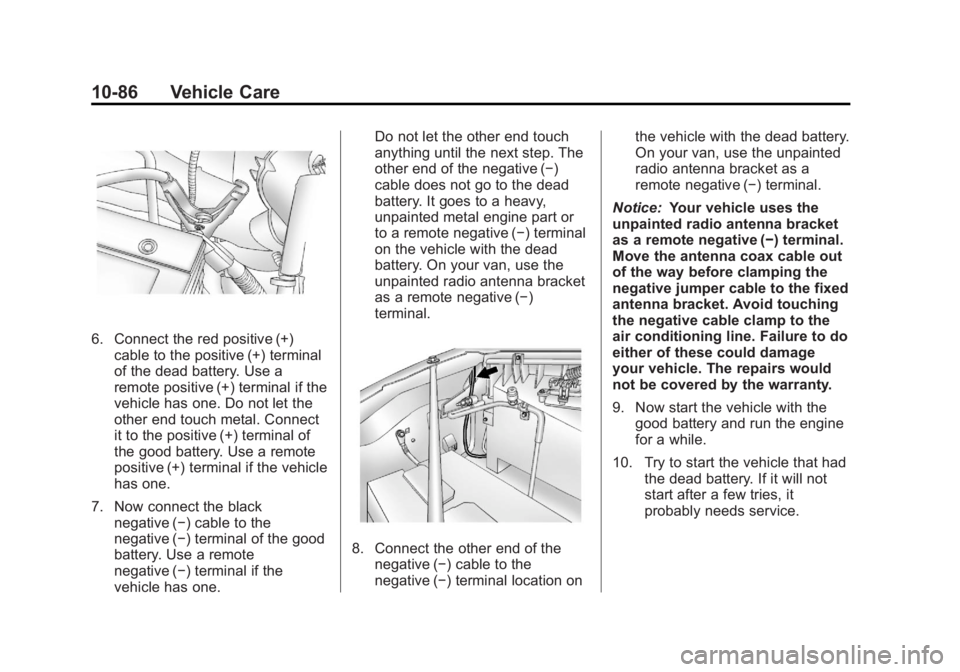
6. Connect the red positive (+)cable to the positive (+) terminal
of the dead battery. Use a
remote positive (+) terminal if the
vehicle has one. Do not let the
other end touch metal. Connect
it to the positive (+) terminal of
the good battery. Use a remote
positive (+) terminal if the vehicle
has one.
7. Now connect the black negative (−) cable to the
negative (−) terminal of the good
battery. Use a remote
negative (−) terminal if the
vehicle has one. Do not let the other end touch
anything until the next step. The
other end of the negative (−)
cable does not go to the dead
battery. It goes to a heavy,
unpainted metal engine part or
to a remote negative (−) terminal
on the vehicle with the dead
battery. On your van, use the
unpainted radio antenna bracket
as a remote negative (−)
terminal.
8. Connect the other end of the
negative (−) cable to the
negative (−) terminal location on the vehicle with the dead battery.
On your van, use the unpainted
radio antenna bracket as a
remote negative (−) terminal.
Notice: Your vehicle uses the
unpainted radio antenna bracket
as a remote negative (−) terminal.
Move the antenna coax cable out
of the way before clamping the
negative jumper cable to the fixed
antenna bracket. Avoid touching
the negative cable clamp to the
air conditioning line. Failure to do
either of these could damage
your vehicle. The repairs would
not be covered by the warranty.
9. Now start the vehicle with the
good battery and run the engine
for a while.
10. Try to start the vehicle that had the dead battery. If it will not
start after a few tries, it
probably needs service.
Page 393 of 414
Black plate (7,1)GMC Savana Owner Manual - 2011
Customer Information 13-7
Services Provided
.Emergency Fuel Delivery:
Delivery of enough fuel for the
vehicle to get to the nearest
service station.
.Lock‐Out Service:Service to
unlock the vehicle if you are
locked out. A remote unlock
may be available if you have
OnStar
®. For security reasons,
the driver must present
identification before this service
is given.
.Emergency Tow From a Public
Road or Highway: Tow to the
nearest GMC dealer for warranty
service, or if the vehicle was in a
crash and cannot be driven.
Assistance is also given when
the vehicle is stuck in the sand,
mud, or snow.
.Flat Tire Change: Service to
change a flat tire with the spare
tire. The spare tire, if equipped,
must be in good condition and
properly inflated. It is the owner's
responsibility for the repair or
replacement of the tire if it is not
covered by the warranty.
.Battery Jump Start: Service to
jump start a dead battery.
.Trip Routing Service: Detailed
maps of North America when
requested either with the most
direct route or the most scenic
route. Additional travel
information is also available.
Allow three weeks for delivery.
.Trip Interruption Benefits and
Assistance: If your trip is
interrupted due to a warranty
failure, incidental expenses may
be reimbursed during the
5 years/160 000 km (100,000 mi)
Powertrain warranty period.
Items considered are hotel,
meals, and rental car.
Services Not Included in
Roadside Assistance
.Impound towing caused by
violation of any laws.
.Legal fines.
.Mounting, dismounting,
or changing of snow tires,
chains, or other traction devices.
.Towing or services for vehicles
driven on a non-public road or
highway.
Services Specific to
Canadian‐Purchased Vehicles
.Fuel Delivery: Reimbursement
is approximately $5 Canadian.
Diesel fuel delivery may be
restricted. Propane and other
fuels are not provided through
this service.
.Lock-Out Service: Vehicle
registration is required.
.Trip Routing Service: Limit of
six requests per year.
Page 402 of 414
Black plate (16,1)GMC Savana Owner Manual - 2011
13-16 Customer Information
GM will not access this data or
share it with others except: with the
consent of the vehicle owner or,
if the vehicle is leased, with the
consent of the lessee; in response
to an official request by police or
similar government office; as part of
GM's defense of litigation through
the discovery process; or, as
required by law. Data that GM
collects or receives may also be
used for GM research needs or may
be made available to others for
research purposes, where a need is
shown and the data is not tied to a
specific vehicle or vehicle owner.
OnStar®
If the vehicle is equipped with an
active OnStar system, that system
may also record data in crash or
near crash‐like situations. The
OnStar Terms and Conditions
provides information on data
collection and use and is available
in the OnStar glove box kit, at
www.onstar.com (U.S.) orwww.onstar.ca (Canada), or by
pressing the
Qbutton and
speaking to an advisor.
Radio Frequency
Identification (RFID)
RFID technology is used in some
vehicles for functions such as tire
pressure monitoring and ignition
system security, as well as in
connection with conveniences such
as key fobs for remote door locking/
unlocking and starting, and
in-vehicle transmitters for garage
door openers. RFID technology in
GM vehicles does not use or record
personal information or link with any
other GM system containing
personal information.
Radio Frequency
Statement
This vehicle has systems that
operate on a radio frequency that
comply with Part 15 of the Federal
Communications Commission (FCC)
rules and with Industry Canada
Standards RSS‐210/220/310.
Operation is subject to the following
two conditions:
1. The device may not cause interference.
2. The device must accept any interference received, including
interference that may cause
undesired operation of the
device.
Changes or modifications to any of
these systems by other than an
authorized service facility could void
authorization to use this equipment.
Page 408 of 414
Black plate (6,1)GMC Savana Owner Manual - 2011
i-6 INDEX
HeaterEngine . . . . . . . . . . . . . . . . . . . . . . . . 9-22
Heating and Air Conditioning . . . 8-1
High-Beam On Light . . . . . . . . . . . 5-26
Highway Hypnosis . . . . . . . . . . . . . . 9-8
Hill and Mountain Roads . . . . . . . . 9-8
Hood . . . . . . . . . . . . . . . . . . . . . . . . . . 10-4
Horn . . . . . . . . . . . . . . . . . . . . . . . . . . . . 5-4
How to Wear Safety Belts Properly . . . . . . . . . . . . . . . . . . . . . . 3-12
I
Idle SystemFast . . . . . . . . . . . . . . . . . . . . . . . . . . 9-21
Ignition Positions . . . . . . . . . . . . . . 9-18
Ignition Transmission Lock Check . . . . . . . . . . . . . . . . . . . . . . . 10-36
Immobilizer . . . . . . . . . . . . . . . . . . . . 2-12
Infants and Young Children,
Restraints . . . . . . . . . . . . . . . . . . . . 3-46
Infotainment . . . . . . . . . . . . . . . . . . . . 7-1
Instrument Cluster . . . . . . . . . . . . . 5-11
Introduction . . . . . . . . . . . . . . . . . . . . . . . iii
J
Jump Starting . . . . . . . . . . . . . . . . . 10-84
K
Key and Lock Messages . . . . . . . 5-36
Keyless Entry Remote (RKE) System . . . . . . . . 2-3
Keys . . . . . . . . . . . . . . . . . . . . . . . . . . . . 2-2
L
Labeling, Tire Sidewall . . . . . . . . 10-51
Lamp Messages . . . . . . . . . . . . . . . 5-36
Lamps Daytime Running (DRL) . . . . . . . 6-3
Dome . . . . . . . . . . . . . . . . . . . . . . . . . . 6-6
Exterior Controls . . . . . . . . . . . . . . . 6-1
Exterior Lamps OffReminder . . . . . . . . . . . . . . . . . . . . 6-2
License Plate . . . . . . . . . . . . . . . 10-42
Malfunction Indicator . . . . . . . . . 5-20
Reading . . . . . . . . . . . . . . . . . . . . . . . 6-6
Taillamps . . . . . . . . . . . . . . . . . . . 10-40
Lap-Shoulder Belt . . . . . . . . . . . . . 3-18 LATCH System
Replacing Parts after a
Crash . . . . . . . . . . . . . . . . . . . . . . . 3-59
LATCH, Lower Anchors and Tethers for Children . . . . . . . . . . 3-52
Lighter, Cigarette . . . . . . . . . . . . . . . 5-9
Lighting Entry/Exit . . . . . . . . . . . . . . . . . . . . . . 6-7
Illumination Control . . . . . . . . . . . . 6-5
Lights Airbag On-Off . . . . . . . . . . . . . . . . . 5-17
Airbag Readiness . . . . . . . . . . . . . 5-16
Antilock Brake System
(ABS) Warning . . . . . . . . . . . . . . 5-24
Brake System Warning . . . . . . . 5-23
Charging System . . . . . . . . . . . . . 5-20
Cruise Control . . . . . . . . . . . . . . . . 5-26
Engine Oil Pressure . . . . . . . . . . 5-25
Flash-to-Pass . . . . . . . . . . . . . . . . . . 6-3
High-Beam On . . . . . . . . . . . . . . . . 5-26
High/Low Beam Changer . . . . . . 6-2
Safety Belt Reminders . . . . . . . . 5-16
Security . . . . . . . . . . . . . . . . . . . . . . 5-26
StabiliTrak
®Indicator . . . . . . . . . 5-24
Page 411 of 414
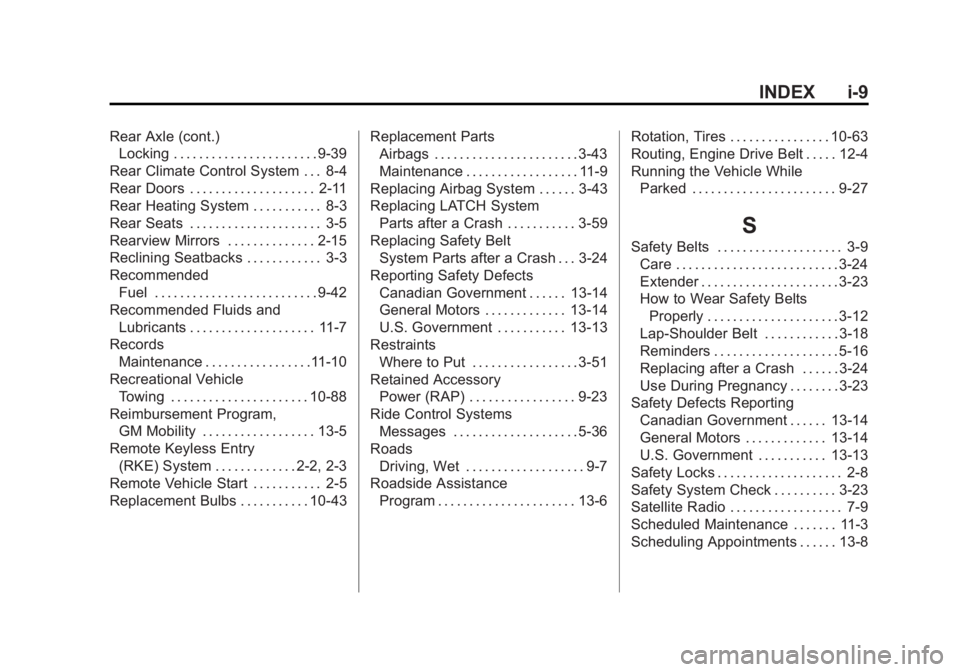
Black plate (9,1)GMC Savana Owner Manual - 2011
INDEX i-9
Rear Axle (cont.)Locking . . . . . . . . . . . . . . . . . . . . . . . 9-39
Rear Climate Control System . . . 8-4
Rear Doors . . . . . . . . . . . . . . . . . . . . 2-11
Rear Heating System . . . . . . . . . . . 8-3
Rear Seats . . . . . . . . . . . . . . . . . . . . . 3-5
Rearview Mirrors . . . . . . . . . . . . . . 2-15
Reclining Seatbacks . . . . . . . . . . . . 3-3
Recommended Fuel . . . . . . . . . . . . . . . . . . . . . . . . . . 9-42
Recommended Fluids and Lubricants . . . . . . . . . . . . . . . . . . . . 11-7
Records Maintenance . . . . . . . . . . . . . . . . .11-10
Recreational Vehicle Towing . . . . . . . . . . . . . . . . . . . . . . 10-88
Reimbursement Program, GM Mobility . . . . . . . . . . . . . . . . . . 13-5
Remote Keyless Entry (RKE) System . . . . . . . . . . . . . 2-2, 2-3
Remote Vehicle Start . . . . . . . . . . . 2-5
Replacement Bulbs . . . . . . . . . . . 10-43 Replacement Parts
Airbags . . . . . . . . . . . . . . . . . . . . . . . 3-43
Maintenance . . . . . . . . . . . . . . . . . . 11-9
Replacing Airbag System . . . . . . 3-43
Replacing LATCH System Parts after a Crash . . . . . . . . . . . 3-59
Replacing Safety Belt
System Parts after a Crash . . . 3-24
Reporting Safety Defects Canadian Government . . . . . . 13-14
General Motors . . . . . . . . . . . . . 13-14
U.S. Government . . . . . . . . . . . 13-13
Restraints Where to Put . . . . . . . . . . . . . . . . . 3-51
Retained Accessory Power (RAP) . . . . . . . . . . . . . . . . . 9-23
Ride Control Systems Messages . . . . . . . . . . . . . . . . . . . . 5-36
Roads Driving, Wet . . . . . . . . . . . . . . . . . . . 9-7
Roadside Assistance
Program . . . . . . . . . . . . . . . . . . . . . . 13-6 Rotation, Tires . . . . . . . . . . . . . . . . 10-63
Routing, Engine Drive Belt . . . . . 12-4
Running the Vehicle While
Parked . . . . . . . . . . . . . . . . . . . . . . . 9-27
S
Safety Belts . . . . . . . . . . . . . . . . . . . . 3-9Care . . . . . . . . . . . . . . . . . . . . . . . . . . 3-24
Extender . . . . . . . . . . . . . . . . . . . . . . 3-23
How to Wear Safety BeltsProperly . . . . . . . . . . . . . . . . . . . . . 3-12
Lap-Shoulder Belt . . . . . . . . . . . . 3-18
Reminders . . . . . . . . . . . . . . . . . . . . 5-16
Replacing after a Crash . . . . . . 3-24
Use During Pregnancy . . . . . . . . 3-23
Safety Defects Reporting Canadian Government . . . . . . 13-14
General Motors . . . . . . . . . . . . . 13-14
U.S. Government . . . . . . . . . . . 13-13
Safety Locks . . . . . . . . . . . . . . . . . . . . 2-8
Safety System Check . . . . . . . . . . 3-23
Satellite Radio . . . . . . . . . . . . . . . . . . 7-9
Scheduled Maintenance . . . . . . . 11-3
Scheduling Appointments . . . . . . 13-8
Page 412 of 414
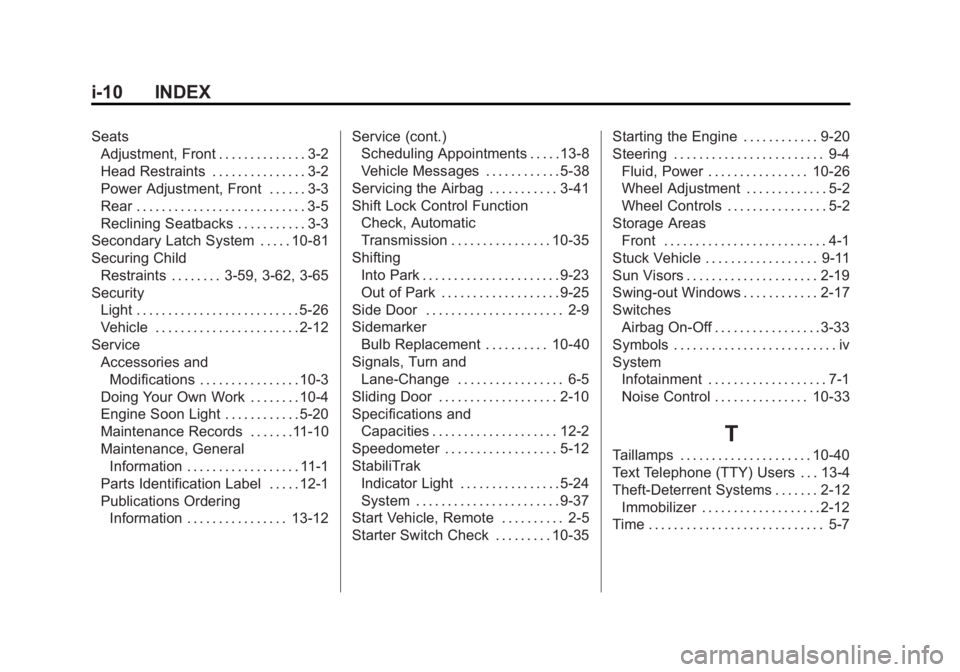
Black plate (10,1)GMC Savana Owner Manual - 2011
i-10 INDEX
SeatsAdjustment, Front . . . . . . . . . . . . . . 3-2
Head Restraints . . . . . . . . . . . . . . . 3-2
Power Adjustment, Front . . . . . . 3-3
Rear . . . . . . . . . . . . . . . . . . . . . . . . . . . 3-5
Reclining Seatbacks . . . . . . . . . . . 3-3
Secondary Latch System . . . . . 10-81
Securing Child
Restraints . . . . . . . . 3-59, 3-62, 3-65
Security Light . . . . . . . . . . . . . . . . . . . . . . . . . . 5-26
Vehicle . . . . . . . . . . . . . . . . . . . . . . . 2-12
Service Accessories andModifications . . . . . . . . . . . . . . . . 10-3
Doing Your Own Work . . . . . . . . 10-4
Engine Soon Light . . . . . . . . . . . . 5-20
Maintenance Records . . . . . . .11-10
Maintenance, General
Information . . . . . . . . . . . . . . . . . . 11-1
Parts Identification Label . . . . . 12-1
Publications Ordering
Information . . . . . . . . . . . . . . . . 13-12 Service (cont.)
Scheduling Appointments . . . . . 13-8
Vehicle Messages . . . . . . . . . . . . 5-38
Servicing the Airbag . . . . . . . . . . . 3-41
Shift Lock Control Function
Check, Automatic
Transmission . . . . . . . . . . . . . . . . 10-35
Shifting Into Park . . . . . . . . . . . . . . . . . . . . . . 9-23
Out of Park . . . . . . . . . . . . . . . . . . . 9-25
Side Door . . . . . . . . . . . . . . . . . . . . . . 2-9
Sidemarker Bulb Replacement . . . . . . . . . . 10-40
Signals, Turn and
Lane-Change . . . . . . . . . . . . . . . . . 6-5
Sliding Door . . . . . . . . . . . . . . . . . . . 2-10
Specifications and Capacities . . . . . . . . . . . . . . . . . . . . 12-2
Speedometer . . . . . . . . . . . . . . . . . . 5-12
StabiliTrak Indicator Light . . . . . . . . . . . . . . . . 5-24
System . . . . . . . . . . . . . . . . . . . . . . . 9-37
Start Vehicle, Remote . . . . . . . . . . 2-5
Starter Switch Check . . . . . . . . . 10-35 Starting the Engine . . . . . . . . . . . . 9-20
Steering . . . . . . . . . . . . . . . . . . . . . . . . 9-4
Fluid, Power . . . . . . . . . . . . . . . . 10-26
Wheel Adjustment . . . . . . . . . . . . . 5-2
Wheel Controls . . . . . . . . . . . . . . . . 5-2
Storage Areas Front . . . . . . . . . . . . . . . . . . . . . . . . . . 4-1
Stuck Vehicle . . . . . . . . . . . . . . . . . . 9-11
Sun Visors . . . . . . . . . . . . . . . . . . . . . 2-19
Swing-out Windows . . . . . . . . . . . . 2-17
Switches Airbag On-Off . . . . . . . . . . . . . . . . . 3-33
Symbols . . . . . . . . . . . . . . . . . . . . . . . . . . iv
System Infotainment . . . . . . . . . . . . . . . . . . . 7-1
Noise Control . . . . . . . . . . . . . . . 10-33
T
Taillamps . . . . . . . . . . . . . . . . . . . . . 10-40
Text Telephone (TTY) Users . . . 13-4
Theft-Deterrent Systems . . . . . . . 2-12Immobilizer . . . . . . . . . . . . . . . . . . . 2-12
Time . . . . . . . . . . . . . . . . . . . . . . . . . . . . 5-7