instrument panel GMC SAVANA 2016 Owner's Manual
[x] Cancel search | Manufacturer: GMC, Model Year: 2016, Model line: SAVANA, Model: GMC SAVANA 2016Pages: 343, PDF Size: 4.89 MB
Page 6 of 343
GMC Savana Owner Manual (GMNA-Localizing-U.S./Canada-9159232) -
2016 - crc - 11/11/15
In Brief 5
In Brief
Instrument Panel
Instrument Panel . . . . . . . . . . . . . . . . 6
Initial Drive Information
Initial Drive Information . . . . . . . . . . 8
Remote Keyless Entry (RKE)System . . . . . . . . . . . . . . . . . . . . . . . . 8
Remote Vehicle Start . . . . . . . . . . . 8
Door Locks . . . . . . . . . . . . . . . . . . . . . 9
Windows . . . . . . . . . . . . . . . . . . . . . . . . 9
Seat Adjustment . . . . . . . . . . . . . . . 10
Safety Belts . . . . . . . . . . . . . . . . . . . . 11
Airbag On-Off Switch . . . . . . . . . . 11
Mirror Adjustment . . . . . . . . . . . . . . 11
Steering Wheel Adjustment . . . . 13
Interior Lighting . . . . . . . . . . . . . . . . 13
Exterior Lighting . . . . . . . . . . . . . . . 14
Windshield Wiper/Washer . . . . . . 14
Climate Controls . . . . . . . . . . . . . . . 15
Transmission . . . . . . . . . . . . . . . . . . 16
Vehicle Features
Infotainment System . . . . . . . . . . . 17
Radio(s) . . . . . . . . . . . . . . . . . . . . . . . 17
Portable Audio Devices . . . . . . . . 18
Steering Wheel Controls . . . . . . . 18
Cruise Control . . . . . . . . . . . . . . . . . 19
Rear Vision Camera (RVC) . . . . 19 Parking Assist . . . . . . . . . . . . . . . . . 20
Power Outlets . . . . . . . . . . . . . . . . . 20
Performance and Maintenance
Traction Control/Electronic
Stability Control . . . . . . . . . . . . . . 20
Tire Pressure Monitor . . . . . . . . . . 20
Engine Oil Life System . . . . . . . . 21
E85 or FlexFuel . . . . . . . . . . . . . . . . 21
Driving for Better Fuel Economy . . . . . . . . . . . . . . . . . . . . . 21
Roadside Assistance Program . . . . . . . . . . . . . . . . . . . . . . 22
Page 7 of 343
GMC Savana Owner Manual (GMNA-Localizing-U.S./Canada-9159232) -
2016 - crc - 11/11/15
6 In Brief
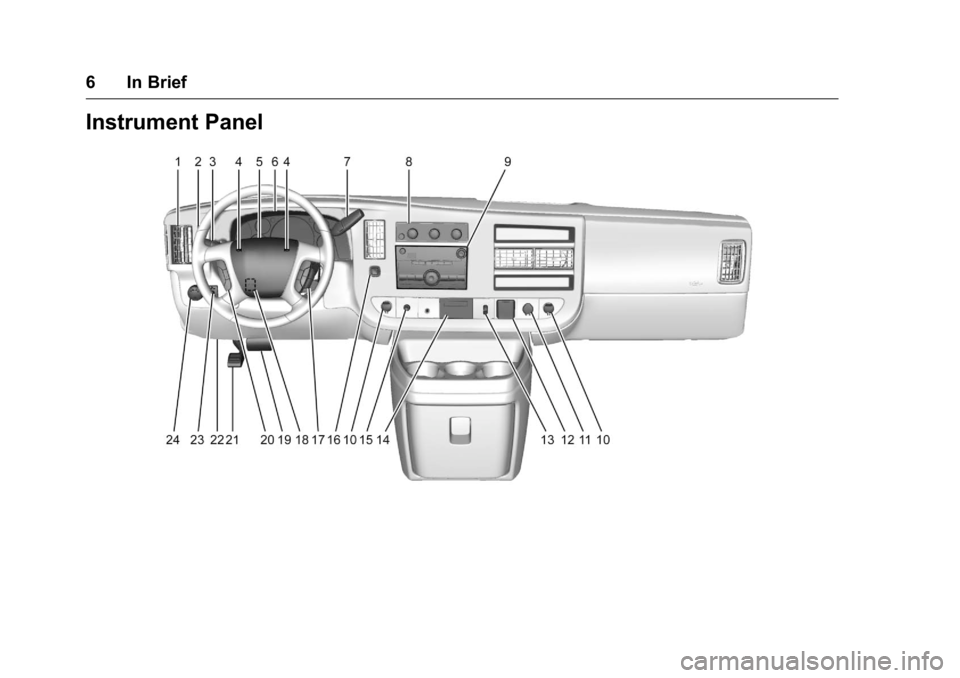
Instrument Panel
Page 8 of 343

GMC Savana Owner Manual (GMNA-Localizing-U.S./Canada-9159232) -
2016 - crc - 11/11/15
In Brief 7
1.Air Vents 0162.
2. Driver Information Center (DIC) Buttons (Out of View). See
Driver Information Center
(DIC) 0106.
3. Turn Signal Lever. See Turn
and Lane-Change
Signals 0126.
Windshield Wiper/Washer 088.
4. Horn 088.
5. Hazard Warning
Flashers 0126.
6. Instrument Cluster 094.
7. Shift Lever. See Automatic
Transmission 0182.
Manual Mode 0185 (If
Equipped).
8. Climate Control
Systems 0157.
9. Infotainment 0130.
10. Power Outlets 091.
11. USB Port (If Equipped). See Auxiliary Devices 0144. 12. Power Outlet 110 Volt
Alternating Current. See Power
Outlets 091.
13. Rear Heating System 0159 (If
Equipped).
14. Passenger Airbag On-Off Switch (If Equipped). See
Airbag On-Off Switch 061.
15. Traction Control/Electronic
Stability Control 0188 (If
Equipped).
16. Tow/Haul Mode Button (If Equipped). See Tow/Haul
Mode 0186.
17. Steering Wheel Controls 087
(If Equipped).
18. Steering Wheel Adjustment
087 (Out of View), (If
Equipped).
19. Hood Release. See Hood 0215.
20. Cruise Control 0190 (If
Equipped).
Fast Idle System 0177 (If
Equipped).
21. Parking Brake 0188. 22. Data Link Connector (DLC)
(Out of View). See Malfunction
Indicator Lamp (Check Engine
Light) 0100.
23. Instrument Panel Illumination
Control 0127.
Dome Lamp Override. See
Dome Lamps 0127.
24. Exterior Lamp Controls 0123.
Page 12 of 343
GMC Savana Owner Manual (GMNA-Localizing-U.S./Canada-9159232) -
2016 - crc - 11/11/15
In Brief 11
1. Lift the lever fully withoutapplying pressure to the
seatback, and the seatback will
return to the upright position.
2. Push and pull on the seatback to make sure it is locked.
See Reclining Seatbacks 041.
Safety Belts
Refer to the following sections for
important information on how to use
safety belts properly.
.
Safety Belts 046.
. How to Wear Safety Belts
Properly 047. .
Lap-Shoulder Belt 048.
. Lower Anchors and Tethers for
Children (LATCH System) 072.
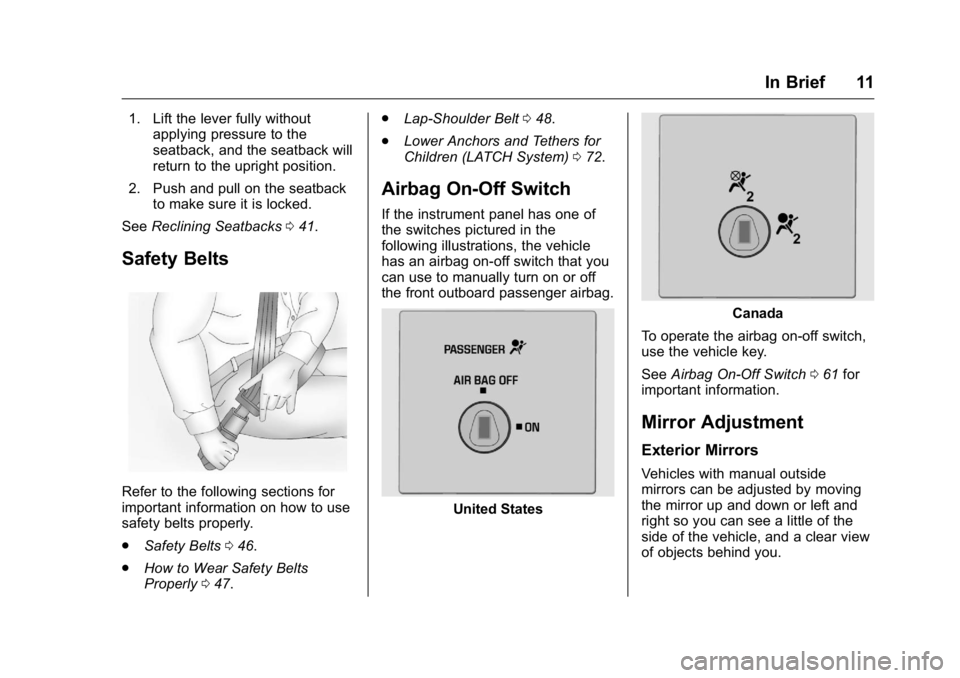
Airbag On-Off Switch
If the instrument panel has one of
the switches pictured in the
following illustrations, the vehicle
has an airbag on-off switch that you
can use to manually turn on or off
the front outboard passenger airbag.
United States
Canada
To operate the airbag on-off switch,
use the vehicle key.
See Airbag On-Off Switch 061 for
important information.
Mirror Adjustment
Exterior Mirrors
Vehicles with manual outside
mirrors can be adjusted by moving
the mirror up and down or left and
right so you can see a little of the
side of the vehicle, and a clear view
of objects behind you.
Page 14 of 343
GMC Savana Owner Manual (GMNA-Localizing-U.S./Canada-9159232) -
2016 - crc - 11/11/15
In Brief 13
Steering Wheel
Adjustment
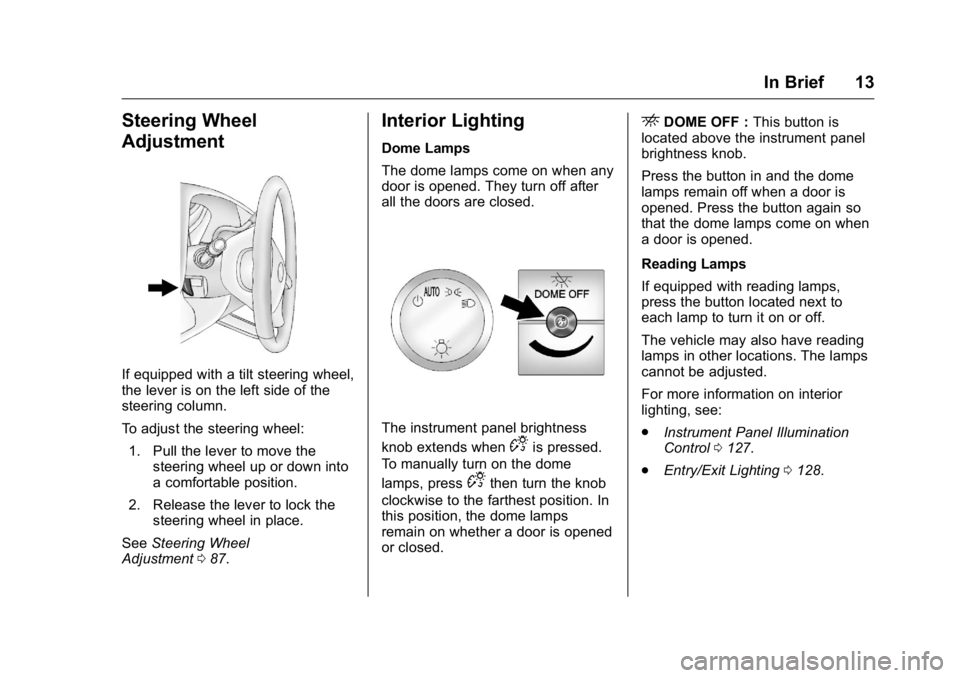
If equipped with a tilt steering wheel,
the lever is on the left side of the
steering column.
To adjust the steering wheel:1. Pull the lever to move the steering wheel up or down into
a comfortable position.
2. Release the lever to lock the steering wheel in place.
See Steering Wheel
Adjustment 087.
Interior Lighting
Dome Lamps
The dome lamps come on when any
door is opened. They turn off after
all the doors are closed.
The instrument panel brightness
knob extends when
Dis pressed.
To manually turn on the dome
lamps, press
Dthen turn the knob
clockwise to the farthest position. In
this position, the dome lamps
remain on whether a door is opened
or closed.
EDOME OFF : This button is
located above the instrument panel
brightness knob.
Press the button in and the dome
lamps remain off when a door is
opened. Press the button again so
that the dome lamps come on when
a door is opened.
Reading Lamps
If equipped with reading lamps,
press the button located next to
each lamp to turn it on or off.
The vehicle may also have reading
lamps in other locations. The lamps
cannot be adjusted.
For more information on interior
lighting, see:
. Instrument Panel Illumination
Control 0127.
. Entry/Exit Lighting 0128.
Page 15 of 343
GMC Savana Owner Manual (GMNA-Localizing-U.S./Canada-9159232) -
2016 - crc - 11/11/15
14 In Brief
Exterior Lighting
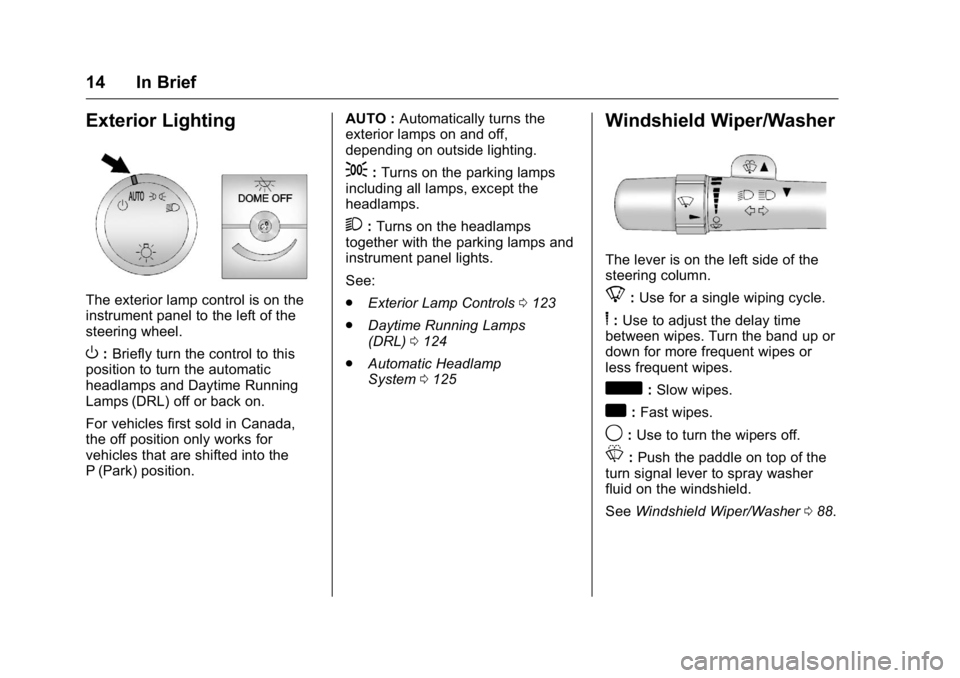
The exterior lamp control is on the
instrument panel to the left of the
steering wheel.
O:Briefly turn the control to this
position to turn the automatic
headlamps and Daytime Running
Lamps (DRL) off or back on.
For vehicles first sold in Canada,
the off position only works for
vehicles that are shifted into the
P (Park) position. AUTO :
Automatically turns the
exterior lamps on and off,
depending on outside lighting.
;: Turns on the parking lamps
including all lamps, except the
headlamps.
2: Turns on the headlamps
together with the parking lamps and
instrument panel lights.
See:
. Exterior Lamp Controls 0123
. Daytime Running Lamps
(DRL) 0124
. Automatic Headlamp
System 0125
Windshield Wiper/Washer
The lever is on the left side of the
steering column.
8:Use for a single wiping cycle.
6: Use to adjust the delay time
between wipes. Turn the band up or
down for more frequent wipes or
less frequent wipes.
d: Slow wipes.
a:Fast wipes.
9: Use to turn the wipers off.
L:Push the paddle on top of the
turn signal lever to spray washer
fluid on the windshield.
See Windshield Wiper/Washer 088.
Page 19 of 343
GMC Savana Owner Manual (GMNA-Localizing-U.S./Canada-9159232) -
2016 - crc - 11/11/15
18 In Brief
CAT (category) can display.
Continue pressing to highlight the
desired tab, or press the softkey
located under any one of the tabs
and the information about that tab
displays.
For more information about these
and other radio features, see
Infotainment0130.
Storing a Favorite Station
Depending on which radio the
vehicle has, radio stations are
stored as either favorites or presets.
For vehicles with a FAV button, a
maximum of 36 stations can be
stored as favorites using the six
softkeys below the radio station
frequency tabs and by using the
radio FAV button. Press FAV to go
through up to six pages of favorites,
each having six favorite stations
available per page. Each page of
favorites can contain any
combination of AM and FM stations.
For more information on storing a
favorite station, see
Operation 0134.
Setting the Clock
To set the time and date for the
Radio with CD/MP3:
1. Press
Hand the HR, MIN, MM,
DD, and YYYY (hour, minute,
month, day, and year) display.
2. Press the softkey under any one of the tabs to be changed.
3. Press the
©SEEK or¨SEEK
buttons,
sREV or\FWD
buttons, or by turning
f
clockwise or counterclockwise
to increase or decrease the
time or date.
For detailed instructions on setting
the clock for your specific audio
system, see Clock090.
Portable Audio Devices
This vehicle may have an auxiliary
input on the radio faceplate and a
USB port on the instrument panel.
External devices such as an iPod
®,
laptop computer, MP3 player,
or USB storage device can be
connected to the auxiliary port using a 3.5 mm (1/8 in) input cable or the
USB port depending on the audio
system.
See "Using the Auxiliary Input Jack"
and "Using the USB Port" in
Auxiliary Devices
0144.
Steering Wheel Controls
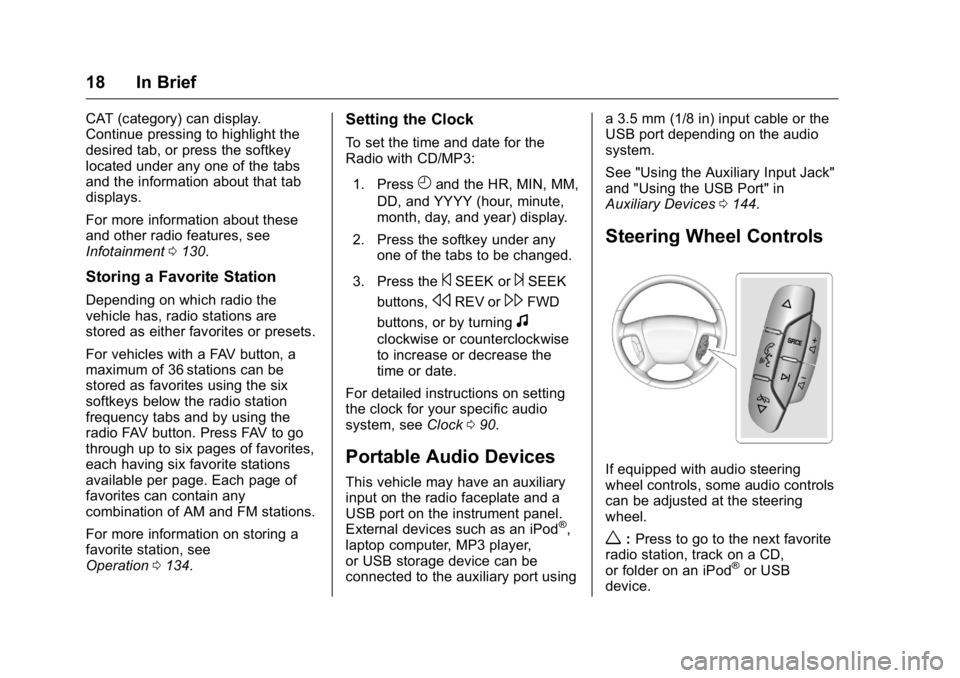
If equipped with audio steering
wheel controls, some audio controls
can be adjusted at the steering
wheel.
w:Press to go to the next favorite
radio station, track on a CD,
or folder on an iPod
®or USB
device.
Page 21 of 343
GMC Savana Owner Manual (GMNA-Localizing-U.S./Canada-9159232) -
2016 - crc - 11/11/15
20 In Brief
Parking Assist
If equipped, Rear Parking Assist
(RPA) uses sensors on the rear
bumper to assist with parking and
avoiding objects while in
R (Reverse). It operates at speeds
less than 8 km/h (5 mph) and uses
audible beeps to provide distance
and system information.
Keep the sensors on the vehicle's
rear bumper clean to ensure proper
operation.
SeeParking Assist 0195.
Power Outlets
The accessory power outlets can be
used to plug in electrical equipment,
such as a cell phone or an MP3
player.
The vehicle may have two
accessory power outlets on the
instrument panel.
Remove the cover to access and
replace when not in use.
See Power Outlets 091.
Performance and
Maintenance
Traction Control/
Electronic Stability
Control
The vehicle may have a traction
control system that limits wheel spin
and the StabiliTrak system that
assists with directional control of the
vehicle in difficult driving conditions.
Both systems turn on automatically
every time the vehicle is started.
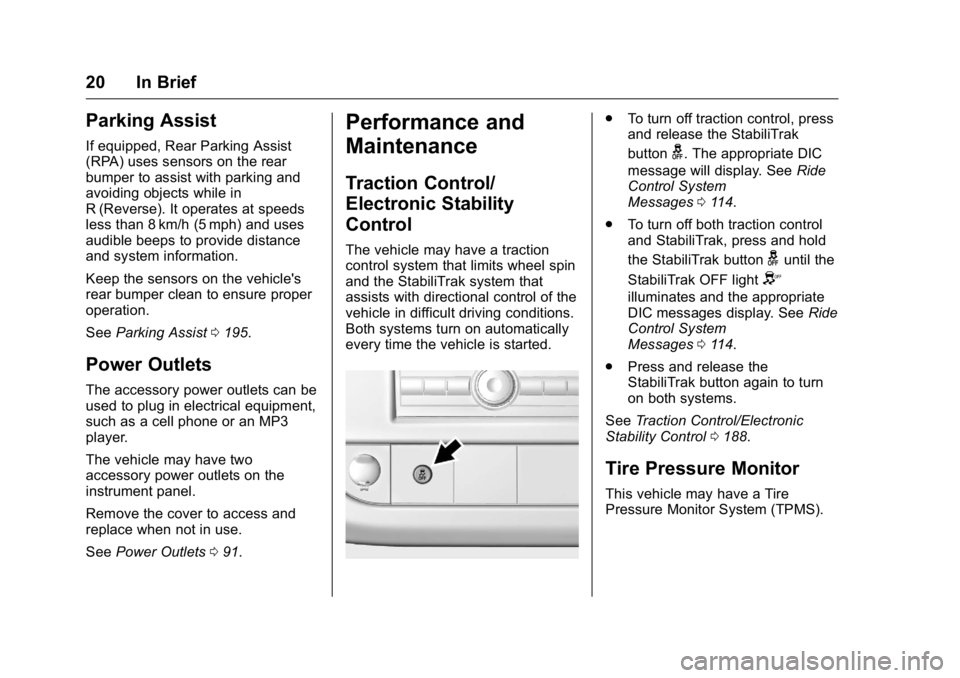
.
To turn off traction control, press
and release the StabiliTrak
button
g. The appropriate DIC
message will display. See Ride
Control System
Messages 0114.
. To turn off both traction control
and StabiliTrak, press and hold
the StabiliTrak button
guntil the
StabiliTrak OFF light
Y
illuminates and the appropriate
DIC messages display. See Ride
Control System
Messages 0114.
. Press and release the
StabiliTrak button again to turn
on both systems.
See Traction Control/Electronic
Stability Control 0188.
Tire Pressure Monitor
This vehicle may have a Tire
Pressure Monitor System (TPMS).
Page 48 of 343
GMC Savana Owner Manual (GMNA-Localizing-U.S./Canada-9159232) -
2016 - crc - 11/11/15
Seats and Restraints 47
When riding in a vehicle, you travel
as fast as the vehicle does. If the
vehicle stops suddenly, you keep
going until something stops you.
It could be the windshield, the
instrument panel, or the safety belts!
When you wear a safety belt, you
and the vehicle slow down together.
There is more time to stop because
you stop over a longer distance and,
when worn properly, your strongest
bones take the forces from the
safety belts. That is why wearing
safety belts makes such good
sense.
Questions and Answers About
Safety Belts
Q: Will I be trapped in the vehicleafter a crash if I am wearing a
safety belt?
A: You could be—whether you are
wearing a safety belt or not.
Your chance of being conscious
during and after a crash, so you
can unbuckle and get out, is
much greater if you are belted. Q: If my vehicle has airbags, why
should I have to wear safety
belts?
A: Airbags are supplemental
systems only; so they work with
safety belts —not instead of
them. Whether or not an airbag
is provided, all occupants still
have to buckle up to get the
most protection.
Also, in nearly all states and in
all Canadian provinces, the law
requires wearing safety belts.
How to Wear Safety Belts
Properly
This section is only for people of
adult size.
There are special things to know
about safety belts and children. And
there are different rules for smaller
children and infants. If a child will be
riding in the vehicle, see Older
Children 065 orInfants and Young
Children 067. Follow those rules for
everyone's protection. It is very important for all occupants
to buckle up. Statistics show that
unbelted people are hurt more often
in crashes than those who are
wearing safety belts.
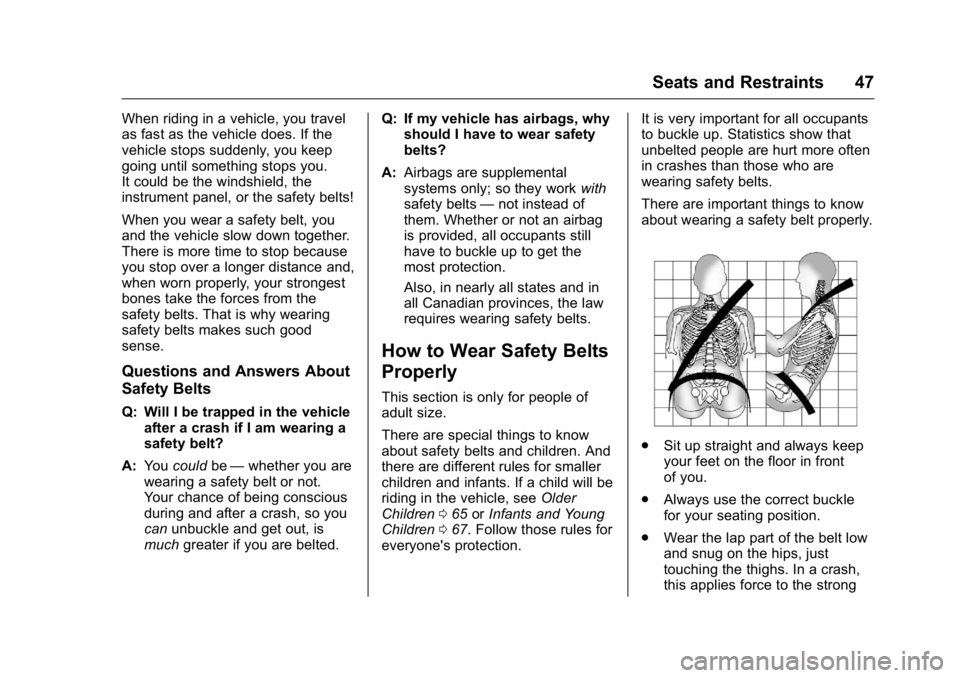
There are important things to know
about wearing a safety belt properly.
.
Sit up straight and always keep
your feet on the floor in front
of you.
. Always use the correct buckle
for your seating position.
. Wear the lap part of the belt low
and snug on the hips, just
touching the thighs. In a crash,
this applies force to the strong
Page 56 of 343
GMC Savana Owner Manual (GMNA-Localizing-U.S./Canada-9159232) -
2016 - crc - 11/11/15
Seats and Restraints 55
.A roof-rail airbag for the front
outboard passenger and the
passenger seated directly
behind the front outboard
passenger on vans with two row
seating.
If the van is equipped with a
sliding door, the roof-rail airbag
for the front outboard passenger
is separate from the roof-rail
airbag for the passenger seated
directly behind the front outboard
passenger. If the van is
equipped with a 60/40 swing-out
door, a single roof-rail airbag
covers both seating positions.
. A roof-rail airbag for the driver
and the second and third row
passengers seated directly
behind the driver on vans with
three or more seating rows.
. A roof-rail airbag for the front
outboard passenger and the
second and third row
passengers seated directly
behind the front outboard
passenger on vans with three or
more seating rows. If the van is equipped with a
sliding door, the roof-rail airbag
for the front outboard passenger
is separate from the roof-rail
airbag for the second and third
row passengers seated directly
behind the front outboard
passenger. If the van is
equipped with a 60/40 swing-out
door, a single roof-rail airbag
covers all three seating
positions.
All vehicle airbags have the word
AIRBAG on the trim or on an
attached label near the deployment
opening.
For frontal airbags, the word
AIRBAG is on the center of the
steering wheel for the driver and on
the instrument panel for the front
outboard passenger.
For seat-mounted side impact
airbags, the word AIRBAG is on the
side of the seatback closest to
the door.
For roof-rail airbags, the word
AIRBAG is on the ceiling or trim. Airbags are designed to supplement
the protection provided by safety
belts. Even though today’s airbags
are also designed to help reduce
the risk of injury from the force of an
inflating airbag, all airbags must
inflate very quickly to do their job.
Here are the most important things
to know about the airbag system:
{Warning
You can be severely injured or
killed in a crash if you are not
wearing your safety belt, even
with airbags. Airbags are
designed to work with safety
belts, not replace them. Also,
airbags are not designed to inflate
in every crash. In some crashes
safety belts are the only restraint.
See
When Should an Airbag
Inflate? 058.
Wearing your safety belt during a
crash helps reduce the chance of
hitting things inside the vehicle or
being ejected from it. Airbags are (Continued)