light GMC SAVANA 2016 Owner's Manual
[x] Cancel search | Manufacturer: GMC, Model Year: 2016, Model line: SAVANA, Model: GMC SAVANA 2016Pages: 343, PDF Size: 4.89 MB
Page 2 of 343

GMC Savana Owner Manual (GMNA-Localizing-U.S./Canada-9159232) -
2016 - crc - 11/11/15
ContentsIntroduction . . . . . . . . . . . . . . . . . . . . . . 2
In Brief . . . . . . . . . . . . . . . . . . . . . . . . . . . 5
Keys, Doors, and Windows . . . . . 23
Seats and Restraints . . . . . . . . . . . 40
Storage . . . . . . . . . . . . . . . . . . . . . . . . . 84
Instruments and Controls . . . . . . . 86
Lighting . . . . . . . . . . . . . . . . . . . . . . . 123
Infotainment System . . . . . . . . . . 130
Climate Controls . . . . . . . . . . . . . . 157
Driving and Operating . . . . . . . . . 163
Vehicle Care . . . . . . . . . . . . . . . . . . 212
Service and Maintenance . . . . . 293
Technical Data . . . . . . . . . . . . . . . . 305
Customer Information . . . . . . . . . 309
Reporting Safety Defects . . . . . . 320
OnStar . . . . . . . . . . . . . . . . . . . . . . . . 323
Index . . . . . . . . . . . . . . . . . . . . 332
Page 4 of 343
GMC Savana Owner Manual (GMNA-Localizing-U.S./Canada-9159232) -
2016 - crc - 11/11/15
Introduction 3
Danger, Warning, and
Caution
Warning messages found on vehicle
labels and in this manual describe
hazards and what to do to avoid or
reduce them.
{Danger
Danger indicates a hazard with a
high level of risk which will result
in serious injury or death.
{Warning
Warning indicates a hazard that
could result in injury or death.
Caution
Caution indicates a hazard that
could result in property or vehicle
damage.
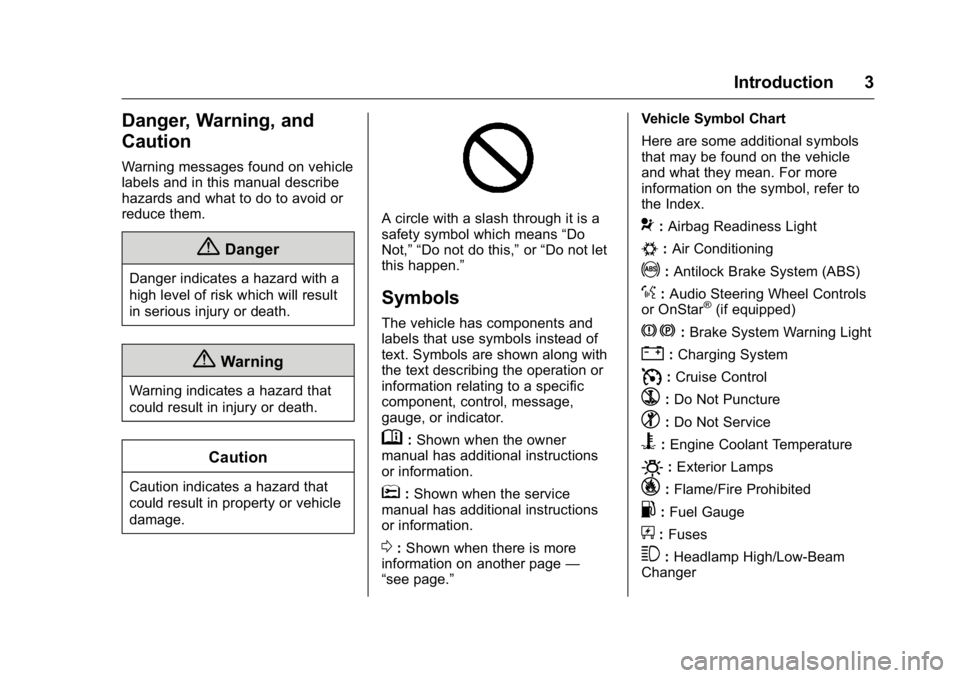
A circle with a slash through it is a
safety symbol which means“Do
Not,” “Do not do this,” or“Do not let
this happen.”
Symbols
The vehicle has components and
labels that use symbols instead of
text. Symbols are shown along with
the text describing the operation or
information relating to a specific
component, control, message,
gauge, or indicator.
M: Shown when the owner
manual has additional instructions
or information.
*: Shown when the service
manual has additional instructions
or information.
0: Shown when there is more
information on another page —
“see page.” Vehicle Symbol Chart
Here are some additional symbols
that may be found on the vehicle
and what they mean. For more
information on the symbol, refer to
the Index.
9:
Airbag Readiness Light
#:Air Conditioning
!:Antilock Brake System (ABS)
%:Audio Steering Wheel Controls
or OnStar®(if equipped)
J: Brake System Warning Light
":Charging System
I: Cruise Control
`:Do Not Puncture
^:Do Not Service
B:Engine Coolant Temperature
O:Exterior Lamps
_: Flame/Fire Prohibited
.:Fuel Gauge
+: Fuses
3:Headlamp High/Low-Beam
Changer
Page 6 of 343
GMC Savana Owner Manual (GMNA-Localizing-U.S./Canada-9159232) -
2016 - crc - 11/11/15
In Brief 5
In Brief
Instrument Panel
Instrument Panel . . . . . . . . . . . . . . . . 6
Initial Drive Information
Initial Drive Information . . . . . . . . . . 8
Remote Keyless Entry (RKE)System . . . . . . . . . . . . . . . . . . . . . . . . 8
Remote Vehicle Start . . . . . . . . . . . 8
Door Locks . . . . . . . . . . . . . . . . . . . . . 9
Windows . . . . . . . . . . . . . . . . . . . . . . . . 9
Seat Adjustment . . . . . . . . . . . . . . . 10
Safety Belts . . . . . . . . . . . . . . . . . . . . 11
Airbag On-Off Switch . . . . . . . . . . 11
Mirror Adjustment . . . . . . . . . . . . . . 11
Steering Wheel Adjustment . . . . 13
Interior Lighting . . . . . . . . . . . . . . . . 13
Exterior Lighting . . . . . . . . . . . . . . . 14
Windshield Wiper/Washer . . . . . . 14
Climate Controls . . . . . . . . . . . . . . . 15
Transmission . . . . . . . . . . . . . . . . . . 16
Vehicle Features
Infotainment System . . . . . . . . . . . 17
Radio(s) . . . . . . . . . . . . . . . . . . . . . . . 17
Portable Audio Devices . . . . . . . . 18
Steering Wheel Controls . . . . . . . 18
Cruise Control . . . . . . . . . . . . . . . . . 19
Rear Vision Camera (RVC) . . . . 19 Parking Assist . . . . . . . . . . . . . . . . . 20
Power Outlets . . . . . . . . . . . . . . . . . 20
Performance and Maintenance
Traction Control/Electronic
Stability Control . . . . . . . . . . . . . . 20
Tire Pressure Monitor . . . . . . . . . . 20
Engine Oil Life System . . . . . . . . 21
E85 or FlexFuel . . . . . . . . . . . . . . . . 21
Driving for Better Fuel Economy . . . . . . . . . . . . . . . . . . . . . 21
Roadside Assistance Program . . . . . . . . . . . . . . . . . . . . . . 22
Page 8 of 343

GMC Savana Owner Manual (GMNA-Localizing-U.S./Canada-9159232) -
2016 - crc - 11/11/15
In Brief 7
1.Air Vents 0162.
2. Driver Information Center (DIC) Buttons (Out of View). See
Driver Information Center
(DIC) 0106.
3. Turn Signal Lever. See Turn
and Lane-Change
Signals 0126.
Windshield Wiper/Washer 088.
4. Horn 088.
5. Hazard Warning
Flashers 0126.
6. Instrument Cluster 094.
7. Shift Lever. See Automatic
Transmission 0182.
Manual Mode 0185 (If
Equipped).
8. Climate Control
Systems 0157.
9. Infotainment 0130.
10. Power Outlets 091.
11. USB Port (If Equipped). See Auxiliary Devices 0144. 12. Power Outlet 110 Volt
Alternating Current. See Power
Outlets 091.
13. Rear Heating System 0159 (If
Equipped).
14. Passenger Airbag On-Off Switch (If Equipped). See
Airbag On-Off Switch 061.
15. Traction Control/Electronic
Stability Control 0188 (If
Equipped).
16. Tow/Haul Mode Button (If Equipped). See Tow/Haul
Mode 0186.
17. Steering Wheel Controls 087
(If Equipped).
18. Steering Wheel Adjustment
087 (Out of View), (If
Equipped).
19. Hood Release. See Hood 0215.
20. Cruise Control 0190 (If
Equipped).
Fast Idle System 0177 (If
Equipped).
21. Parking Brake 0188. 22. Data Link Connector (DLC)
(Out of View). See Malfunction
Indicator Lamp (Check Engine
Light) 0100.
23. Instrument Panel Illumination
Control 0127.
Dome Lamp Override. See
Dome Lamps 0127.
24. Exterior Lamp Controls 0123.
Page 11 of 343
GMC Savana Owner Manual (GMNA-Localizing-U.S./Canada-9159232) -
2016 - crc - 11/11/15
10 In Brief
at any time by pulling up on the
switch. To open the window part
way, lightly tap the switch until the
window is at the desired position.
SeePower Windows 037.
Seat Adjustment
Manual Seats
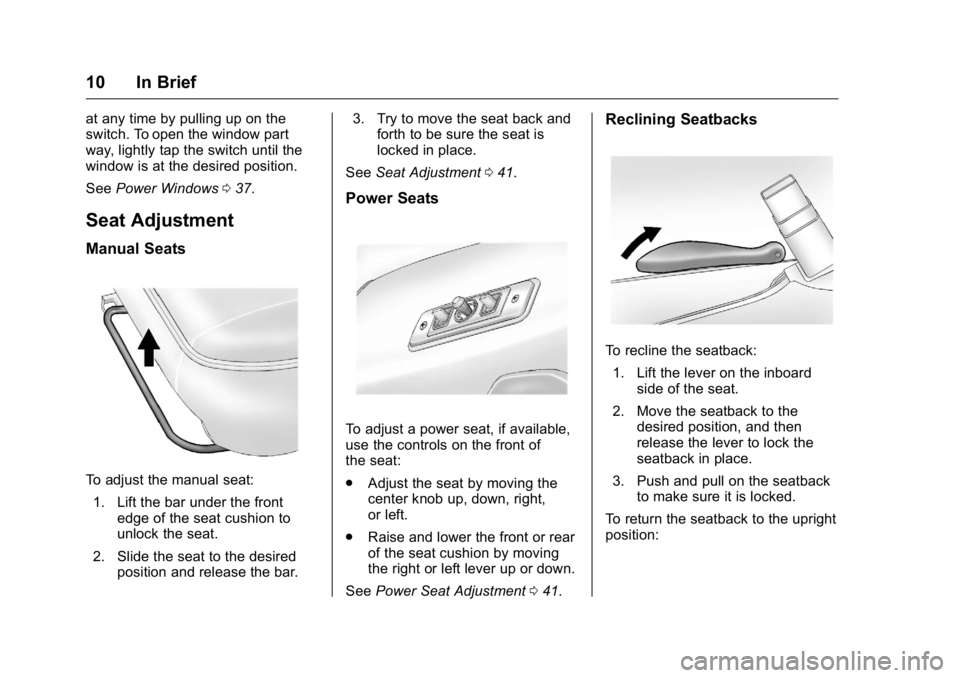
To adjust the manual seat:
1. Lift the bar under the front edge of the seat cushion to
unlock the seat.
2. Slide the seat to the desired position and release the bar. 3. Try to move the seat back and
forth to be sure the seat is
locked in place.
See Seat Adjustment 041.
Power Seats
To adjust a power seat, if available,
use the controls on the front of
the seat:
.
Adjust the seat by moving the
center knob up, down, right,
or left.
. Raise and lower the front or rear
of the seat cushion by moving
the right or left lever up or down.
See Power Seat Adjustment 041.
Reclining Seatbacks
To recline the seatback:
1. Lift the lever on the inboard side of the seat.
2. Move the seatback to the desired position, and then
release the lever to lock the
seatback in place.
3. Push and pull on the seatback to make sure it is locked.
To return the seatback to the upright
position:
Page 14 of 343
GMC Savana Owner Manual (GMNA-Localizing-U.S./Canada-9159232) -
2016 - crc - 11/11/15
In Brief 13
Steering Wheel
Adjustment
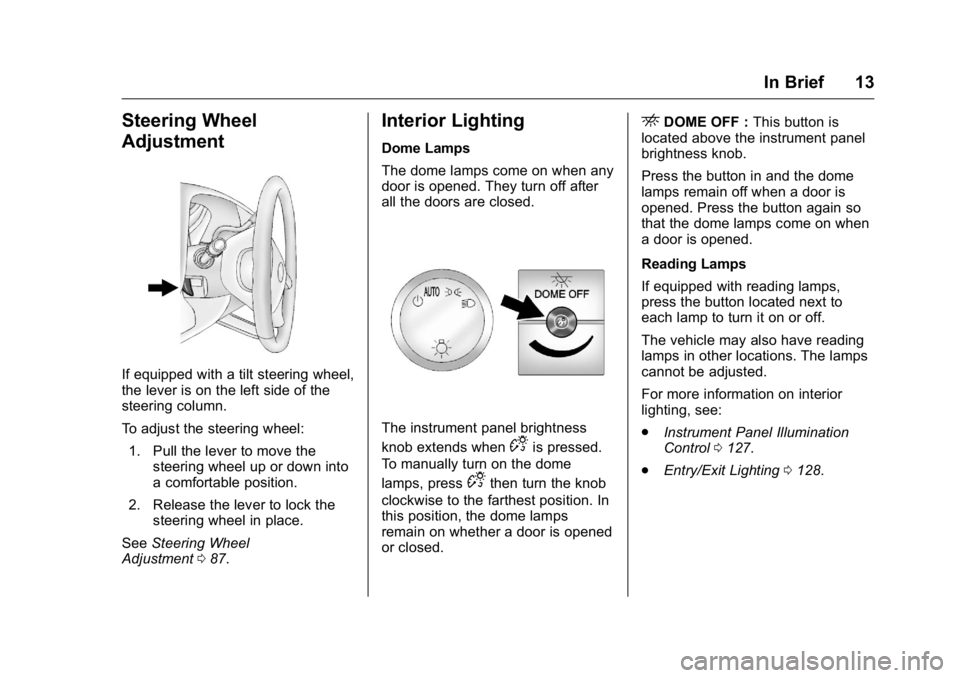
If equipped with a tilt steering wheel,
the lever is on the left side of the
steering column.
To adjust the steering wheel:1. Pull the lever to move the steering wheel up or down into
a comfortable position.
2. Release the lever to lock the steering wheel in place.
See Steering Wheel
Adjustment 087.
Interior Lighting
Dome Lamps
The dome lamps come on when any
door is opened. They turn off after
all the doors are closed.
The instrument panel brightness
knob extends when
Dis pressed.
To manually turn on the dome
lamps, press
Dthen turn the knob
clockwise to the farthest position. In
this position, the dome lamps
remain on whether a door is opened
or closed.
EDOME OFF : This button is
located above the instrument panel
brightness knob.
Press the button in and the dome
lamps remain off when a door is
opened. Press the button again so
that the dome lamps come on when
a door is opened.
Reading Lamps
If equipped with reading lamps,
press the button located next to
each lamp to turn it on or off.
The vehicle may also have reading
lamps in other locations. The lamps
cannot be adjusted.
For more information on interior
lighting, see:
. Instrument Panel Illumination
Control 0127.
. Entry/Exit Lighting 0128.
Page 15 of 343
GMC Savana Owner Manual (GMNA-Localizing-U.S./Canada-9159232) -
2016 - crc - 11/11/15
14 In Brief
Exterior Lighting
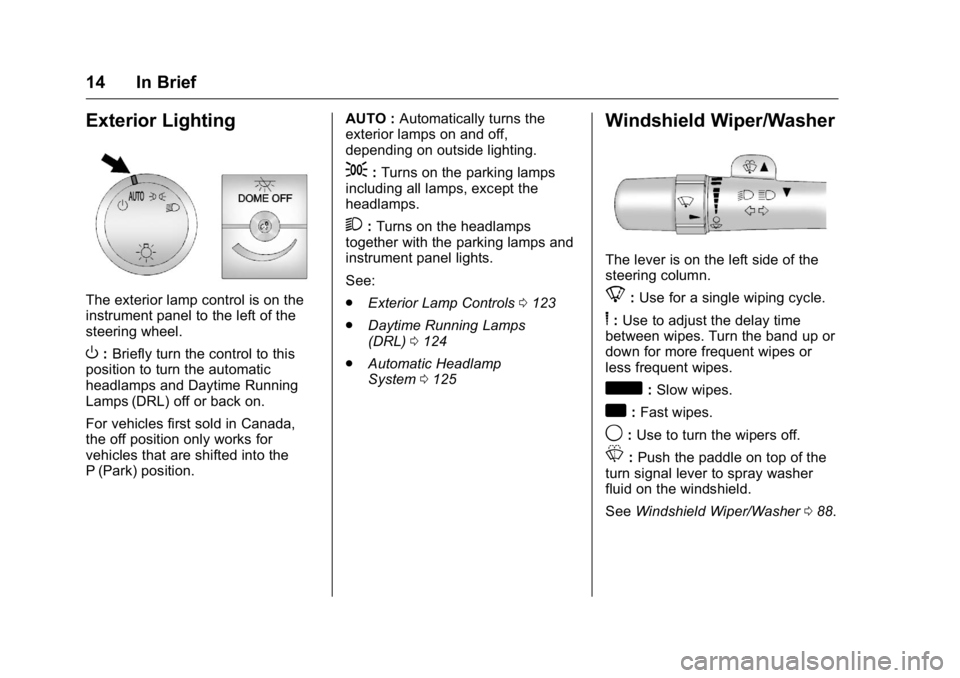
The exterior lamp control is on the
instrument panel to the left of the
steering wheel.
O:Briefly turn the control to this
position to turn the automatic
headlamps and Daytime Running
Lamps (DRL) off or back on.
For vehicles first sold in Canada,
the off position only works for
vehicles that are shifted into the
P (Park) position. AUTO :
Automatically turns the
exterior lamps on and off,
depending on outside lighting.
;: Turns on the parking lamps
including all lamps, except the
headlamps.
2: Turns on the headlamps
together with the parking lamps and
instrument panel lights.
See:
. Exterior Lamp Controls 0123
. Daytime Running Lamps
(DRL) 0124
. Automatic Headlamp
System 0125
Windshield Wiper/Washer
The lever is on the left side of the
steering column.
8:Use for a single wiping cycle.
6: Use to adjust the delay time
between wipes. Turn the band up or
down for more frequent wipes or
less frequent wipes.
d: Slow wipes.
a:Fast wipes.
9: Use to turn the wipers off.
L:Push the paddle on top of the
turn signal lever to spray washer
fluid on the windshield.
See Windshield Wiper/Washer 088.
Page 19 of 343
GMC Savana Owner Manual (GMNA-Localizing-U.S./Canada-9159232) -
2016 - crc - 11/11/15
18 In Brief
CAT (category) can display.
Continue pressing to highlight the
desired tab, or press the softkey
located under any one of the tabs
and the information about that tab
displays.
For more information about these
and other radio features, see
Infotainment0130.
Storing a Favorite Station
Depending on which radio the
vehicle has, radio stations are
stored as either favorites or presets.
For vehicles with a FAV button, a
maximum of 36 stations can be
stored as favorites using the six
softkeys below the radio station
frequency tabs and by using the
radio FAV button. Press FAV to go
through up to six pages of favorites,
each having six favorite stations
available per page. Each page of
favorites can contain any
combination of AM and FM stations.
For more information on storing a
favorite station, see
Operation 0134.
Setting the Clock
To set the time and date for the
Radio with CD/MP3:
1. Press
Hand the HR, MIN, MM,
DD, and YYYY (hour, minute,
month, day, and year) display.
2. Press the softkey under any one of the tabs to be changed.
3. Press the
©SEEK or¨SEEK
buttons,
sREV or\FWD
buttons, or by turning
f
clockwise or counterclockwise
to increase or decrease the
time or date.
For detailed instructions on setting
the clock for your specific audio
system, see Clock090.
Portable Audio Devices
This vehicle may have an auxiliary
input on the radio faceplate and a
USB port on the instrument panel.
External devices such as an iPod
®,
laptop computer, MP3 player,
or USB storage device can be
connected to the auxiliary port using a 3.5 mm (1/8 in) input cable or the
USB port depending on the audio
system.
See "Using the Auxiliary Input Jack"
and "Using the USB Port" in
Auxiliary Devices
0144.
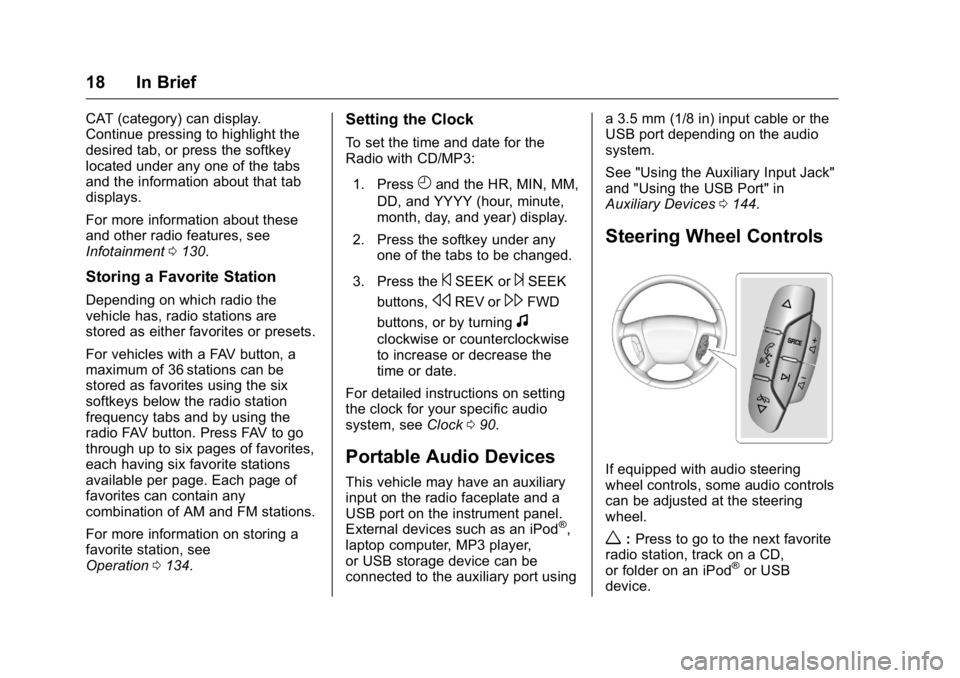
Steering Wheel Controls
If equipped with audio steering
wheel controls, some audio controls
can be adjusted at the steering
wheel.
w:Press to go to the next favorite
radio station, track on a CD,
or folder on an iPod
®or USB
device.
Page 21 of 343
GMC Savana Owner Manual (GMNA-Localizing-U.S./Canada-9159232) -
2016 - crc - 11/11/15
20 In Brief
Parking Assist
If equipped, Rear Parking Assist
(RPA) uses sensors on the rear
bumper to assist with parking and
avoiding objects while in
R (Reverse). It operates at speeds
less than 8 km/h (5 mph) and uses
audible beeps to provide distance
and system information.
Keep the sensors on the vehicle's
rear bumper clean to ensure proper
operation.
SeeParking Assist 0195.
Power Outlets
The accessory power outlets can be
used to plug in electrical equipment,
such as a cell phone or an MP3
player.
The vehicle may have two
accessory power outlets on the
instrument panel.
Remove the cover to access and
replace when not in use.
See Power Outlets 091.
Performance and
Maintenance
Traction Control/
Electronic Stability
Control
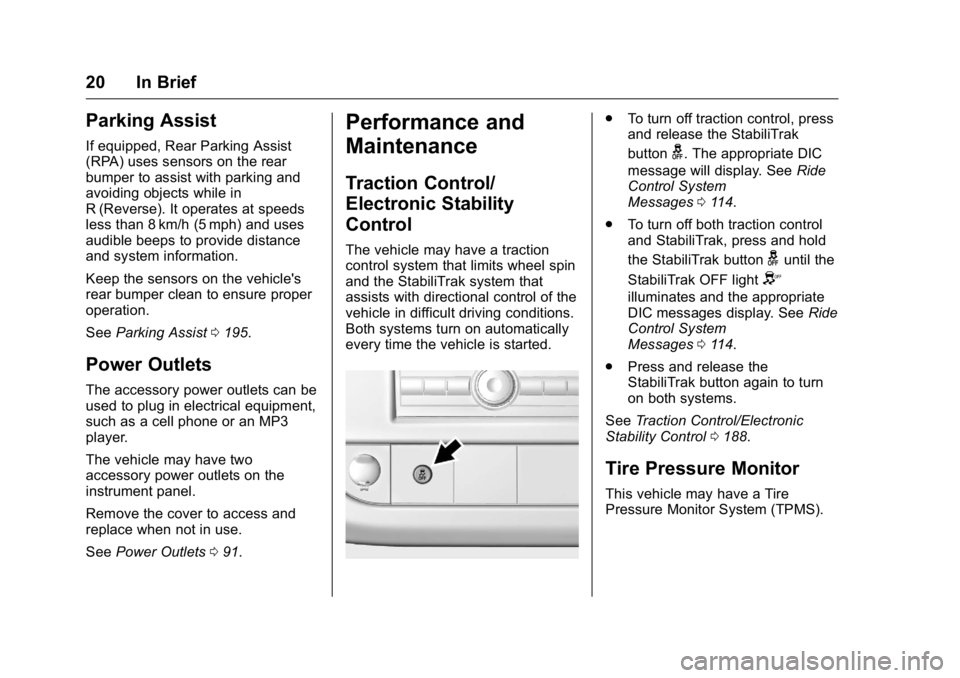
The vehicle may have a traction
control system that limits wheel spin
and the StabiliTrak system that
assists with directional control of the
vehicle in difficult driving conditions.
Both systems turn on automatically
every time the vehicle is started.
.
To turn off traction control, press
and release the StabiliTrak
button
g. The appropriate DIC
message will display. See Ride
Control System
Messages 0114.
. To turn off both traction control
and StabiliTrak, press and hold
the StabiliTrak button
guntil the
StabiliTrak OFF light
Y
illuminates and the appropriate
DIC messages display. See Ride
Control System
Messages 0114.
. Press and release the
StabiliTrak button again to turn
on both systems.
See Traction Control/Electronic
Stability Control 0188.
Tire Pressure Monitor
This vehicle may have a Tire
Pressure Monitor System (TPMS).
Page 22 of 343
GMC Savana Owner Manual (GMNA-Localizing-U.S./Canada-9159232) -
2016 - crc - 11/11/15
In Brief 21
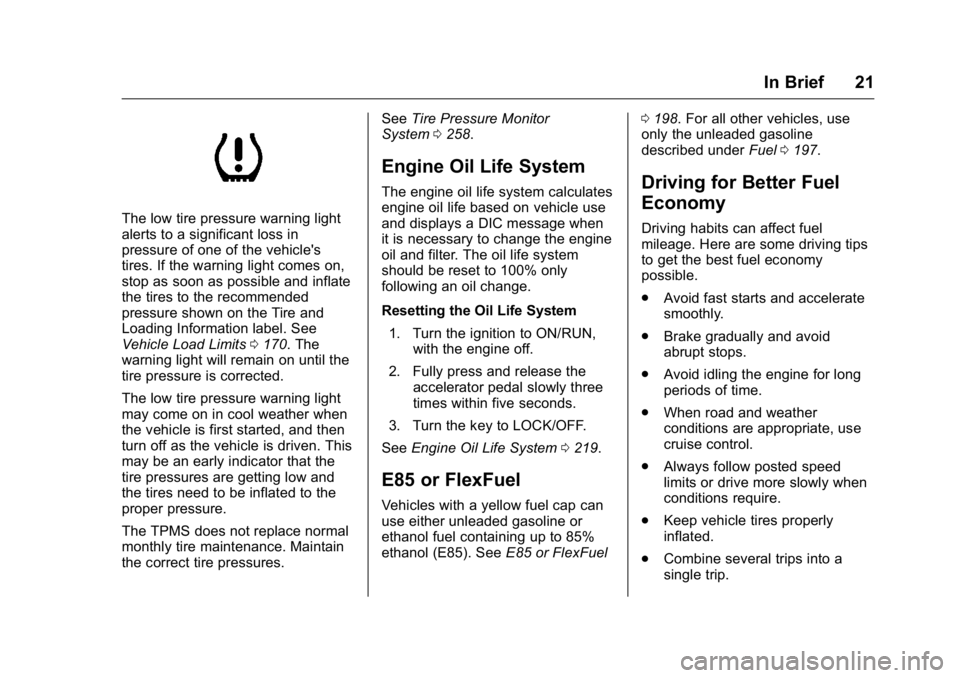
The low tire pressure warning light
alerts to a significant loss in
pressure of one of the vehicle's
tires. If the warning light comes on,
stop as soon as possible and inflate
the tires to the recommended
pressure shown on the Tire and
Loading Information label. See
Vehicle Load Limits0170. The
warning light will remain on until the
tire pressure is corrected.
The low tire pressure warning light
may come on in cool weather when
the vehicle is first started, and then
turn off as the vehicle is driven. This
may be an early indicator that the
tire pressures are getting low and
the tires need to be inflated to the
proper pressure.
The TPMS does not replace normal
monthly tire maintenance. Maintain
the correct tire pressures. See
Tire Pressure Monitor
System 0258.
Engine Oil Life System
The engine oil life system calculates
engine oil life based on vehicle use
and displays a DIC message when
it is necessary to change the engine
oil and filter. The oil life system
should be reset to 100% only
following an oil change.
Resetting the Oil Life System
1. Turn the ignition to ON/RUN, with the engine off.
2. Fully press and release the accelerator pedal slowly three
times within five seconds.
3. Turn the key to LOCK/OFF.
See Engine Oil Life System 0219.
E85 or FlexFuel
Vehicles with a yellow fuel cap can
use either unleaded gasoline or
ethanol fuel containing up to 85%
ethanol (E85). See E85 or FlexFuel 0
198. For all other vehicles, use
only the unleaded gasoline
described under Fuel0197.
Driving for Better Fuel
Economy
Driving habits can affect fuel
mileage. Here are some driving tips
to get the best fuel economy
possible.
.
Avoid fast starts and accelerate
smoothly.
. Brake gradually and avoid
abrupt stops.
. Avoid idling the engine for long
periods of time.
. When road and weather
conditions are appropriate, use
cruise control.
. Always follow posted speed
limits or drive more slowly when
conditions require.
. Keep vehicle tires properly
inflated.
. Combine several trips into a
single trip.