Rke GMC SAVANA 2017 Owner's Guide
[x] Cancel search | Manufacturer: GMC, Model Year: 2017, Model line: SAVANA, Model: GMC SAVANA 2017Pages: 350, PDF Size: 4.84 MB
Page 128 of 350
GMC Savana Owner Manual (GMNA-Localizing-U.S./Canada-9967828) -
2017 - crc - 6/29/17
Lighting 127
Exterior Lamps Off
Reminder
If a door is open, a reminder chime
sounds when the headlamps or
parking lamps are manually turned
on and the key is out of the ignition.
To turn off the chime, turn the
headlamp switch to
Oor AUTO and
then back on, or close and re‐open
the door. In the auto mode, the
headlamps turn off once the ignition
is in LOCK/OFF or may remain on
until the headlamp delay ends,
if enabled in the Driver Information
Center (DIC). See “Exit Lighting”
under Vehicle Personalization
0 120.
Headlamp High/
Low-Beam Changer
2 3
(Headlamp High/Low-Beam
Changer) : Pull the turn signal lever
all the way toward you to change
the headlamps from low to high
beam. Then release it.
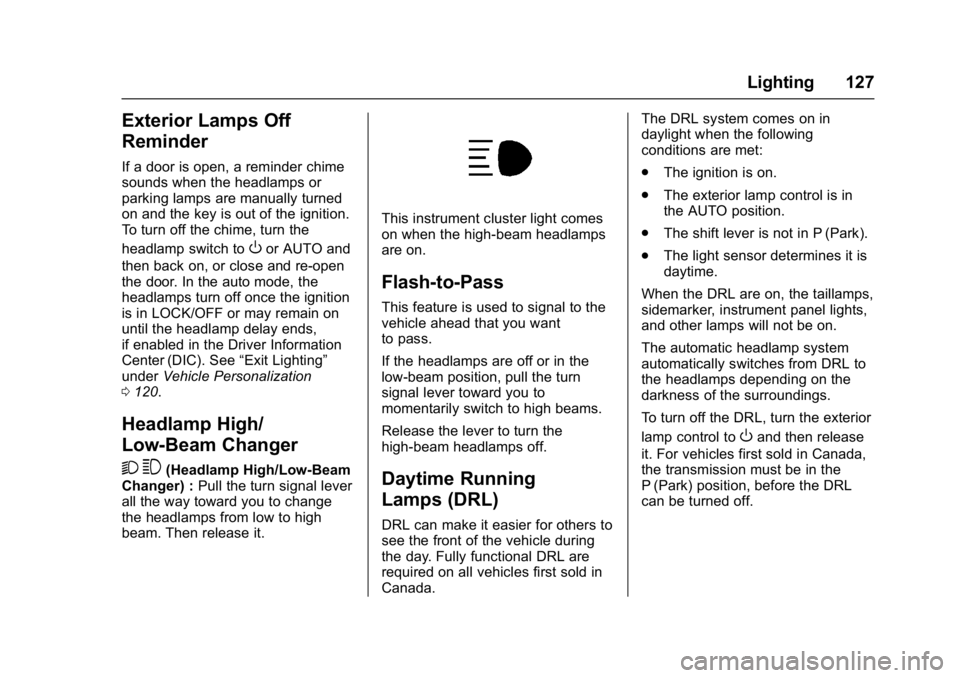
This instrument cluster light comes
on when the high-beam headlamps
are on.
Flash-to-Pass
This feature is used to signal to the
vehicle ahead that you want
to pass.
If the headlamps are off or in the
low‐beam position, pull the turn
signal lever toward you to
momentarily switch to high beams.
Release the lever to turn the
high-beam headlamps off.
Daytime Running
Lamps (DRL)
DRL can make it easier for others to
see the front of the vehicle during
the day. Fully functional DRL are
required on all vehicles first sold in
Canada. The DRL system comes on in
daylight when the following
conditions are met:
.
The ignition is on.
. The exterior lamp control is in
the AUTO position.
. The shift lever is not in P (Park).
. The light sensor determines it is
daytime.
When the DRL are on, the taillamps,
sidemarker, instrument panel lights,
and other lamps will not be on.
The automatic headlamp system
automatically switches from DRL to
the headlamps depending on the
darkness of the surroundings.
To turn off the DRL, turn the exterior
lamp control to
Oand then release
it. For vehicles first sold in Canada,
the transmission must be in the
P (Park) position, before the DRL
can be turned off.
Page 129 of 350
GMC Savana Owner Manual (GMNA-Localizing-U.S./Canada-9967828) -
2017 - crc - 6/29/17
128 Lighting
Automatic Headlamp
System
When it is dark enough outside and
the headlamp switch is in AUTO,
the automatic headlamp system
turns on the headlamps, along with
the taillamps, sidemarker lamps,
parking lamps, and the instrument
panel lights. The radio lights will
also be dim.
To turn off the automatic headlamp
system, turn the exterior lamp
control to the off position and then
release. For vehicles first sold in
Canada, the transmission must be
in the P (Park) position, before the
automatic headlamp system can be
turned off.
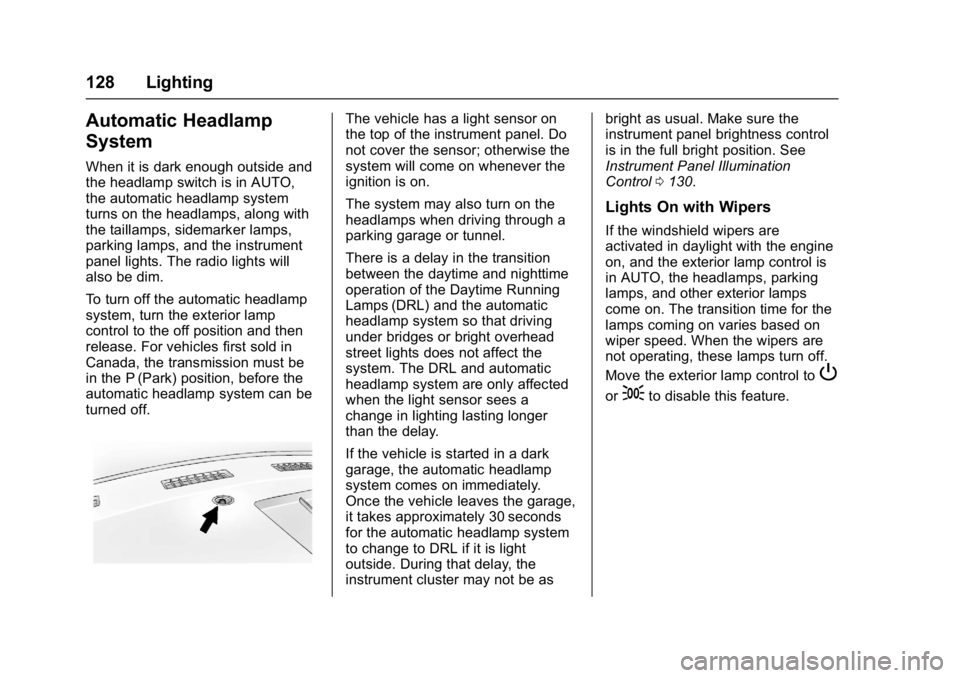
The vehicle has a light sensor on
the top of the instrument panel. Do
not cover the sensor; otherwise the
system will come on whenever the
ignition is on.
The system may also turn on the
headlamps when driving through a
parking garage or tunnel.
There is a delay in the transition
between the daytime and nighttime
operation of the Daytime Running
Lamps (DRL) and the automatic
headlamp system so that driving
under bridges or bright overhead
street lights does not affect the
system. The DRL and automatic
headlamp system are only affected
when the light sensor sees a
change in lighting lasting longer
than the delay.
If the vehicle is started in a dark
garage, the automatic headlamp
system comes on immediately.
Once the vehicle leaves the garage,
it takes approximately 30 seconds
for the automatic headlamp system
to change to DRL if it is light
outside. During that delay, the
instrument cluster may not be asbright as usual. Make sure the
instrument panel brightness control
is in the full bright position. See
Instrument Panel Illumination
Control
0130.
Lights On with Wipers
If the windshield wipers are
activated in daylight with the engine
on, and the exterior lamp control is
in AUTO, the headlamps, parking
lamps, and other exterior lamps
come on. The transition time for the
lamps coming on varies based on
wiper speed. When the wipers are
not operating, these lamps turn off.
Move the exterior lamp control to
P
or;to disable this feature.
Page 140 of 350
GMC Savana Owner Manual (GMNA-Localizing-U.S./Canada-9967828) -
2017 - crc - 6/29/17
Infotainment System 139
Radio
AM-FM Radio
Radio Data System (RDS)
The radio may have an RDS. The
RDS feature is available for use
only on FM stations that broadcast
RDS information. This system relies
upon receiving specific information
from these stations and only works
when the information is available.
While the radio is tuned to an
FM-RDS station, the station name
or call letters display. In rare cases,
a radio station could broadcast
incorrect information that causes the
radio features to work improperly.
If this happens, contact the radio
station.
Finding a Station
BAND or SRCE :Press to switch
between FM1, FM2, AM, and SXM.
The selection displays.
f: Turn clockwise or
counterclockwise to increase or
decrease the station frequency.
©SEEK or¨SEEK : Press©
SEEK to go to the previous or¨
SEEK to go to the next station and
stay there.
To scan stations, press and hold
either button for two seconds until a
beep sounds. The radio goes to a
station, plays for a few seconds,
then goes to the next station. For
AM-FM Radio and Radio with CD,
the station frequency flashes while
the radio is in the scan mode. Press
either button again to stop scanning.
The radio seeks and scans stations
only with a strong signal that are in
the selected band.
Scan presets within the current
selected band by pressing and
holding either SEEK button for
four seconds until a double beep
sounds. The radio goes to a stored
preset, plays for a few seconds if a
strong signal is present, then goes
to the next stored preset. The
station frequency flashes while the
radio is in the scan mode.
Storing a Radio Station as a
Favorite
You are encouraged to set up radio
station favorites while the vehicle is
parked. Tune to favorite stations
using the presets, favorites button,
and steering wheel controls,
if equipped. See Defensive Driving
0 167.
FAV : If the vehicle has a FAV
button, a maximum of 36 stations
can be programmed as favorites
using the six softkeys below the
radio station frequency tabs and by
using the radio favorites page
button (FAV button). Press FAV to
go through up to six pages of
favorites, each having six favorite
stations available per page. Each
page of favorites can contain any
combination of AM and FM stations.
The balance/fade and tone settings
that were previously adjusted, are
stored with the favorite stations.
To store a station as a favorite:
1. Tune to the desired radio station.
Page 141 of 350
GMC Savana Owner Manual (GMNA-Localizing-U.S./Canada-9967828) -
2017 - crc - 6/29/17
140 Infotainment System
2. Press FAV to display the pagewhere the station is to be
stored.
3. Press and hold one of the six softkeys until a beep
sounds. When that softkey is
pressed and released, the
station that was set, returns.
4. Repeat the steps for each softkey radio station to be
stored as a favorite.
The number of favorites pages can
be set up using the MENU button.
To set up the number of favorites
pages: 1. Press MENU to display the radio setup menu.
2. Press the softkey below the FAV 1-6 tab.
3. Select the desired number of favorites pages by pressing the
softkey below the displayed
page numbers.
4. Press FAV, or let the menu time out, to return to the original
main radio screen showing the
radio station frequency tabs
and to begin the process of programming favorites for the
chosen number of numbered
pages.
Satellite Radio
SiriusXM®, if equipped, is a satellite
radio service based in the United
States and Canada only.
Finding a Category (CAT)
Station
CAT : The CAT button is used to
find SXM channels (if equipped)
while the radio is in the SXM mode.
Finding a Channel
BAND or SRCE : Press to switch
between FM1, FM2, AM, and SXM if
equipped. The selection displays.
f: Turn clockwise or
counterclockwise to increase or
decrease the station frequency.
©SEEK or¨SEEK : Press©
SEEK to go to the previous or¨
SEEK to go to the next station and
stay there. To scan stations, press and hold
either button for two seconds until a
beep sounds. The radio goes to a
station, plays for a few seconds,
then goes to the next station. The
station frequency flashes while the
radio is in the scan mode. Press
either button again to stop scanning.
The radio seeks and scans stations
only with a strong signal that are in
the selected band.
To scan presets within the current
selected band by pressing and
holding either SEEK button for
four seconds until a double beep
sounds. The radio goes to a stored
preset, plays for a few seconds if a
strong signal is present, then goes
to the next stored preset. The
station frequency flashes while the
radio is in the scan mode.
Storing a Radio Station as a
Favorite
Drivers are encouraged to set up
radio station favorites while the
vehicle is parked. Tune to favorite
stations using the presets, favorites
Page 153 of 350
GMC Savana Owner Manual (GMNA-Localizing-U.S./Canada-9967828) -
2017 - crc - 6/29/17
152 Infotainment System
OnStar System
OnStar®with 4G LTE
If equipped with OnStar 4G LTE, up
to seven devices, such as
smartphones, tablets, and laptops,
can be connected to high-speed
Internet through the vehicle’s built-in
Wi-Fi hotspot.Call 1-888-4-ONSTAR
(1-888-466-7827) to connect to an
OnStar Advisor for assistance. See
www.onstar.com for a detailed
instruction guide, vehicle availability,
details, and system limitations.
Services and apps vary by make,
model, year, carrier, availability, and
conditions. 4G LTE service is
available in select markets. 4G LTE
performance is based on industry
averages and vehicle systems
design. Some services require a
data plan.
Phone
Bluetooth
For vehicles equipped with
Bluetooth capability, the system can
interact with many cell phones,
allowing:
.
Placement and receipt of calls in
a hands-free mode.
. Sharing of the cell phone’s
address book or contact list with
the vehicle.
To minimize driver distraction,
before driving, and with the vehicle
parked:
. Become familiar with the
features of the cell phone.
Organize the phone book and
contact lists clearly and delete
duplicate or rarely used entries.
If possible, program speed dial
or other shortcuts.
. Review the controls and
operation of the infotainment
system.
Page 167 of 350
GMC Savana Owner Manual (GMNA-Localizing-U.S./Canada-9967828) -
2017 - crc - 6/29/17
166 Driving and Operating
Driving and
Operating
Driving Information
Distracted Driving . . . . . . . . . . . . 167
Defensive Driving . . . . . . . . . . . . . 167
Drunk Driving . . . . . . . . . . . . . . . . . 168
Control of a Vehicle . . . . . . . . . . . 168
Braking . . . . . . . . . . . . . . . . . . . . . . . 168
Steering . . . . . . . . . . . . . . . . . . . . . . 168
Off-Road Recovery . . . . . . . . . . . 169
Loss of Control . . . . . . . . . . . . . . . 169
Driving on Wet Roads . . . . . . . . 170
Hill and Mountain Roads . . . . . 171
Winter Driving . . . . . . . . . . . . . . . . 171
If the Vehicle Is Stuck . . . . . . . . 173
Vehicle Load Limits . . . . . . . . . . . 173
Starting and Operating
New Vehicle Break-In . . . . . . . . . 177
Ignition Positions . . . . . . . . . . . . . 178
Starting the Engine . . . . . . . . . . . 179
Fast Idle System . . . . . . . . . . . . . 180
Retained AccessoryPower (RAP) . . . . . . . . . . . . . . . . 181
Engine Coolant Heater . . . . . . . 181
Shifting Into Park . . . . . . . . . . . . . 183
Shifting out of Park . . . . . . . . . . . 184 Parking over Things
That Burn . . . . . . . . . . . . . . . . . . . 184
Engine Exhaust
Engine Exhaust . . . . . . . . . . . . . . 185
Running the Vehicle WhileParked . . . . . . . . . . . . . . . . . . . . . . 185
Automatic Transmission
Automatic Transmission . . . . . . 186
Manual Mode . . . . . . . . . . . . . . . . . 189
Tow/Haul Mode . . . . . . . . . . . . . . . 190
Brakes
Antilock BrakeSystem (ABS) . . . . . . . . . . . . . . . 190
Parking Brake . . . . . . . . . . . . . . . . 191
Ride Control Systems
Traction Control/Electronic Stability Control . . . . . . . . . . . . . 192
Locking Rear Axle . . . . . . . . . . . . 194
Cruise Control
Cruise Control . . . . . . . . . . . . . . . . 194
Driver Assistance Systems
Rear Vision Camera (RVC) . . . 197
Parking Assist . . . . . . . . . . . . . . . . 199
Fuel
Fuel . . . . . . . . . . . . . . . . . . . . . . . . . . 200 California Fuel
Requirements . . . . . . . . . . . . . . . 201
Fuels in Foreign Countries . . . 201
Fuel Additives . . . . . . . . . . . . . . . . 201
E85 or FlexFuel . . . . . . . . . . . . . . 202
Filling the Tank . . . . . . . . . . . . . . . 203
Filling a Portable Fuel Container . . . . . . . . . . . . . . . . . . . 204
Trailer Towing
General TowingInformation . . . . . . . . . . . . . . . . . . 205
Driving Characteristics and Towing Tips . . . . . . . . . . . . . . . . . 205
Trailer Towing . . . . . . . . . . . . . . . . 208
Towing Equipment . . . . . . . . . . . . 212
Conversions and Add-Ons
Add-On Electrical Equipment . . . . . . . . . . . . . . . . . . 214
Page 168 of 350
GMC Savana Owner Manual (GMNA-Localizing-U.S./Canada-9967828) -
2017 - crc - 6/29/17
Driving and Operating 167
Driving Information
Distracted Driving
Distraction comes in many forms
and can take your focus from the
task of driving. Exercise good
judgment and do not let other
activities divert your attention away
from the road. Many local
governments have enacted laws
regarding driver distraction. Become
familiar with the local laws in
your area.
To avoid distracted driving, keep
your eyes on the road, keep your
hands on the steering wheel, and
focus your attention on driving.
.Do not use a phone in
demanding driving situations.
Use a hands-free method to
place or receive necessary
phone calls.
. Watch the road. Do not read,
take notes, or look up
information on phones or other
electronic devices. .
Designate a front seat
passenger to handle potential
distractions.
. Become familiar with vehicle
features before driving, such as
programming favorite radio
stations and adjusting climate
control and seat settings.
Program all trip information into
any navigation device prior to
driving.
. Wait until the vehicle is parked
to retrieve items that have fallen
to the floor.
. Stop or park the vehicle to tend
to children.
. Keep pets in an appropriate
carrier or restraint.
. Avoid stressful conversations
while driving, whether with a
passenger or on a cell phone.
{Warning
Taking your eyes off the road too
long or too often could cause a
crash resulting in injury or death.
Focus your attention on driving. Refer to the infotainment section for
more information on using that
system and the navigation system,
if equipped, including pairing and
using a cell phone.
Defensive Driving
Defensive driving means
“always
expect the unexpected.” The first
step in driving defensively is to wear
the safety belt. See Safety Belts
0 47.
. Assume that other road users
(pedestrians, bicyclists, and
other drivers) are going to be
careless and make mistakes.
Anticipate what they might do
and be ready.
. Allow enough following distance
between you and the driver in
front of you.
. Focus on the task of driving.
Page 182 of 350
GMC Savana Owner Manual (GMNA-Localizing-U.S./Canada-9967828) -
2017 - crc - 6/29/17
Driving and Operating 181
When the fast idle is active, the
Driver Information Center (DIC) will
display FAST IDLE ON.
One of the following actions will turn
off the fast idle:
.Pressing the brake.
. Selecting the cruise control
cancel button.
. Releasing the parking brake.
. Moving the transmission shift
lever out of P (Park) or
N (Neutral).
. Selecting the cruise control on/
off button when it was
previously on.
. Pressing the cruise control SET-
button a second time.
. Pressing the accelerator more
than one-quarter of the
way down.
. Turning the ignition switch to the
LOCK/OFF position.Retained Accessory
Power (RAP)
These vehicle accessories can be
used for up to 10 minutes after the
engine is turned off:
.Audio System
. Power Windows (if equipped)
These features will work when the
ignition key is in ON/RUN or ACC/
ACCESSORY. Once the key is
turned from ON/RUN to LOCK/OFF,
power to the radio and power
windows will continue to work
10 minutes or until the driver door is
opened.
Engine Coolant Heater
If the vehicle has a diesel engine,
see the Duramax diesel
supplement.
{Warning
Do not plug in the engine block
heater while the vehicle is in
parked in a garage or under a (Continued)
Warning (Continued)
carport. Property damage or
personal injury may result. Always
park the vehicle in a clear open
area away from buildings or
structures.
The engine coolant heater can
provide easier starting and better
fuel economy during engine
warm-up in cold weather conditions
at or below −18 °C (0 °F). Vehicles
with an engine coolant heater
should be plugged in at least four
hours before starting. An internal
thermostat in the plug end of the
cord may exist which will prevent
engine coolant heater operation at
temperatures above −18 °C (0 °F).
To Use the Engine Coolant
Heater
1. Turn off the engine.
2. Open the hood and unwrap the
electrical cord.
Page 186 of 350
GMC Savana Owner Manual (GMNA-Localizing-U.S./Canada-9967828) -
2017 - crc - 6/29/17
Driving and Operating 185
Engine Exhaust
{Warning
Engine exhaust contains carbon
monoxide (CO), which cannot be
seen or smelled. Exposure to CO
can cause unconsciousness and
even death.
Exhaust may enter the vehicle if:. The vehicle idles in areas
with poor ventilation
(parking garages, tunnels,
deep snow that may block
underbody airflow or tail
pipes).
. The exhaust smells or
sounds strange or different.
. The exhaust system leaks
due to corrosion or damage.
. The vehicle exhaust system
has been modified,
damaged, or improperly
repaired.
(Continued)
Warning (Continued)
.There are holes or openings
in the vehicle body from
damage or aftermarket
modifications that are not
completely sealed.
If unusual fumes are detected or
if it is suspected that exhaust is
coming into the vehicle: . Drive it only with the
windows completely down.
. Have the vehicle repaired
immediately.
Never park the vehicle with the
engine running in an enclosed
area such as a garage or a
building that has no fresh air
ventilation.
Running the Vehicle
While Parked
It is better not to park with the
engine running.
If the vehicle is left with the engine
running, follow the proper steps to
be sure the vehicle will not move.
See Shifting Into Park 0183 and
Engine Exhaust 0185.
If parking on a hill and pulling a
trailer, see Driving Characteristics
and Towing Tips 0205.
Page 187 of 350
GMC Savana Owner Manual (GMNA-Localizing-U.S./Canada-9967828) -
2017 - crc - 6/29/17
186 Driving and Operating
Automatic
Transmission
A shift position indicator is in the
instrument cluster.
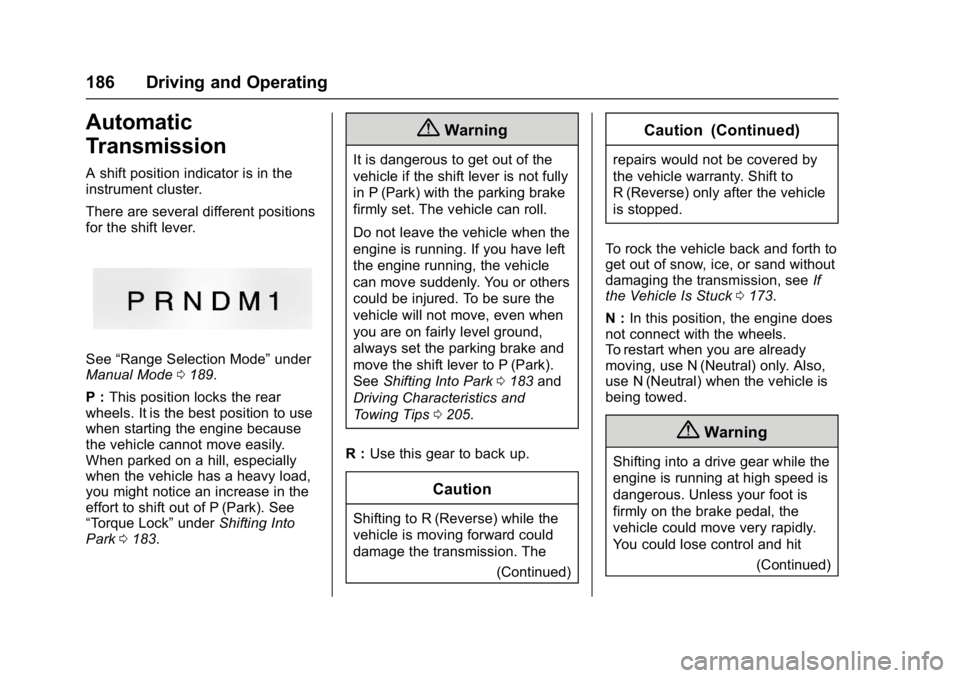
There are several different positions
for the shift lever.
See“Range Selection Mode” under
Manual Mode 0189.
P : This position locks the rear
wheels. It is the best position to use
when starting the engine because
the vehicle cannot move easily.
When parked on a hill, especially
when the vehicle has a heavy load,
you might notice an increase in the
effort to shift out of P (Park). See
“Torque Lock” underShifting Into
Park 0183.
{Warning
It is dangerous to get out of the
vehicle if the shift lever is not fully
in P (Park) with the parking brake
firmly set. The vehicle can roll.
Do not leave the vehicle when the
engine is running. If you have left
the engine running, the vehicle
can move suddenly. You or others
could be injured. To be sure the
vehicle will not move, even when
you are on fairly level ground,
always set the parking brake and
move the shift lever to P (Park).
See Shifting Into Park 0183 and
Driving Characteristics and
Towing Tips 0205.
R : Use this gear to back up.
Caution
Shifting to R (Reverse) while the
vehicle is moving forward could
damage the transmission. The
(Continued)
Caution (Continued)
repairs would not be covered by
the vehicle warranty. Shift to
R (Reverse) only after the vehicle
is stopped.
To rock the vehicle back and forth to
get out of snow, ice, or sand without
damaging the transmission, see If
the Vehicle Is Stuck 0173.
N : In this position, the engine does
not connect with the wheels.
To restart when you are already
moving, use N (Neutral) only. Also,
use N (Neutral) when the vehicle is
being towed.
{Warning
Shifting into a drive gear while the
engine is running at high speed is
dangerous. Unless your foot is
firmly on the brake pedal, the
vehicle could move very rapidly.
You could lose control and hit
(Continued)