air GMC SAVANA 2017 Owner's Manual
[x] Cancel search | Manufacturer: GMC, Model Year: 2017, Model line: SAVANA, Model: GMC SAVANA 2017Pages: 350, PDF Size: 4.84 MB
Page 3 of 350
GMC Savana Owner Manual (GMNA-Localizing-U.S./Canada-9967828) -
2017 - crc - 6/29/17
2 Introduction
Introduction
The names, logos, emblems,
slogans, vehicle model names, and
vehicle body designs appearing in
this manual including, but not limited
to, GM, the GM logo, GMC, the
GMC Truck Emblem, and SAVANA
are trademarks and/or service
marks of General Motors LLC, its
subsidiaries, affiliates, or licensors.
For vehicles first sold in Canada,
substitute the name“General
Motors of Canada Company” for
GMC wherever it appears in this
manual. This manual describes features that
may or may not be on the vehicle
because of optional equipment that
was not purchased on the vehicle,
model variants, country
specifications, features/applications
that may not be available in your
region, or changes subsequent to
the printing of this owner manual.
If the vehicle has the Duramax®
Diesel engine, see the Duramax
diesel supplement for additional and
specific information on this engine.
If the vehicle has the CNG engine,
see the Express/Savana CNG
Compressed Natural Gas
supplement for additional and
specific information on this engine.
Refer to the purchase
documentation relating to your
specific vehicle to confirm the
features.
Keep this manual in the vehicle for
quick reference.
Canadian Vehicle Owners
A French language manual can be
obtained from your dealer, at
www.helminc.com, or from:
Propriétaires Canadiens
On peut obtenir un exemplaire de
ce guide en français auprès du
concessionnaire ou à l'adresse
suivante:
Helm, Incorporated
Attention: Customer Service
47911 Halyard Drive
Plymouth, MI 48170
USA
Using this Manual
To quickly locate information about
the vehicle, use the Index in the
back of the manual. It is an
alphabetical list of what is in the
manual and the page number where
it can be found.
Litho in U.S.A.
Part No. 23213069 C Third Printing©2017 General Motors LLC. All Rights Reserved.
Page 4 of 350
GMC Savana Owner Manual (GMNA-Localizing-U.S./Canada-9967828) -
2017 - crc - 6/29/17
Introduction 3
Danger, Warning, and
Caution
Warning messages found on vehicle
labels and in this manual describe
hazards and what to do to avoid or
reduce them.
{Danger
Danger indicates a hazard with a
high level of risk which will result
in serious injury or death.
{Warning
Warning indicates a hazard that
could result in injury or death.
Caution
Caution indicates a hazard that
could result in property or vehicle
damage.
A circle with a slash through it is a
safety symbol which means“Do
Not,” “Do not do this,” or“Do not let
this happen.”
Symbols
The vehicle has components and
labels that use symbols instead of
text. Symbols are shown along with
the text describing the operation or
information relating to a specific
component, control, message,
gauge, or indicator.
M: Shown when the owner
manual has additional instructions
or information.
*: Shown when the service
manual has additional instructions
or information.
0: Shown when there is more
information on another page —
“see page.” Vehicle Symbol Chart
Here are some additional symbols
that may be found on the vehicle
and what they mean. For more
information on the symbol, refer to
the Index.
9:
Airbag Readiness Light
#:Air Conditioning
!:Antilock Brake System (ABS)
%:Audio Steering Wheel Controls
or OnStar®(if equipped)
J: Brake System Warning Light
":Charging System
I: Cruise Control
`:Do Not Puncture
^:Do Not Service
B:Engine Coolant Temperature
O:Exterior Lamps
_: Flame/Fire Prohibited
.:Fuel Gauge
+: Fuses
3:Headlamp High/Low-Beam
Changer
Page 6 of 350
GMC Savana Owner Manual (GMNA-Localizing-U.S./Canada-9967828) -
2017 - crc - 6/29/17
In Brief 5
In Brief
Instrument Panel
Instrument Panel . . . . . . . . . . . . . . . . 6
Initial Drive Information
Initial Drive Information . . . . . . . . . . 8
Remote Keyless Entry (RKE)System . . . . . . . . . . . . . . . . . . . . . . . . 8
Remote Vehicle Start . . . . . . . . . . . 8
Door Locks . . . . . . . . . . . . . . . . . . . . . 9
Windows . . . . . . . . . . . . . . . . . . . . . . . . 9
Seat Adjustment . . . . . . . . . . . . . . . 10
Safety Belts . . . . . . . . . . . . . . . . . . . . 11
Airbag On-Off Switch . . . . . . . . . . 11
Mirror Adjustment . . . . . . . . . . . . . . 12
Steering Wheel Adjustment . . . . 13
Interior Lighting . . . . . . . . . . . . . . . . 13
Exterior Lighting . . . . . . . . . . . . . . . 14
Windshield Wiper/Washer . . . . . . 14
Climate Controls . . . . . . . . . . . . . . . 15
Transmission . . . . . . . . . . . . . . . . . . 16
Vehicle Features
Infotainment System . . . . . . . . . . . 17
Radio(s) . . . . . . . . . . . . . . . . . . . . . . . 17
Satellite Radio . . . . . . . . . . . . . . . . . 18
Portable Audio Devices . . . . . . . . 18
Bluetooth
®. . . . . . . . . . . . . . . . . . . . . 19
Steering Wheel Controls . . . . . . . 19 Cruise Control . . . . . . . . . . . . . . . . . 20
Rear Vision Camera (RVC) . . . . 20
Parking Assist . . . . . . . . . . . . . . . . . 20
Power Outlets . . . . . . . . . . . . . . . . . 20
Performance and Maintenance
Traction Control/Electronic
Stability Control . . . . . . . . . . . . . . 21
Tire Pressure Monitor . . . . . . . . . . 21
Fuel (Gasoline) . . . . . . . . . . . . . . . . 22
Fuel (Diesel) . . . . . . . . . . . . . . . . . . . 22
E85 or FlexFuel . . . . . . . . . . . . . . . . 22
Engine Oil Life System . . . . . . . . 22
Driving for Better Fuel Economy . . . . . . . . . . . . . . . . . . . . . 22
Roadside Assistance Program . . . . . . . . . . . . . . . . . . . . . . 23
Page 8 of 350

GMC Savana Owner Manual (GMNA-Localizing-U.S./Canada-9967828) -
2017 - crc - 6/29/17
In Brief 7
1.Air Vents 0165.
2. Driver Information Center (DIC) Buttons (Out of View). See
Driver Information Center (DIC)
0109.
3. Turn Signal Lever. See Turn
and Lane-Change Signals
0 129.
Windshield Wiper/Washer 090.
4. Horn 090.
5. Hazard Warning Flashers
0129.
6. Instrument Cluster 096.
7. Shift Lever. See Automatic
Transmission 0186.
Manual Mode 0189
(If Equipped).
8. Climate Control Systems
0160.
9. Infotainment 0133.
10. Power Outlets 094.
11. USB Port (If Equipped). See Auxiliary Devices 0147. 12. Power Outlet 110 Volt
Alternating Current. See Power
Outlets 094.
13. Rear Heating System 0162
(If Equipped).
14. Passenger Airbag On-Off Switch (If Equipped). See
Airbag On-Off Switch 063.
15. Traction Control/Electronic
Stability Control 0192
(If Equipped).
16. Tow/Haul Mode Button (If Equipped). See Tow/Haul
Mode 0190.
17. Steering Wheel Controls 089
(If Equipped).
18. Steering Wheel Adjustment
089 (Out of View),
(If Equipped).
19. Hood Release. See Hood
0 219.
20. Cruise Control 0194
(If Equipped).
Fast Idle System 0180
(If Equipped).
21. Parking Brake 0191. 22. Data Link Connector (DLC)
(Out of View). See Malfunction
Indicator Lamp (Check Engine
Light) 0103.
23. Instrument Panel Illumination
Control 0130.
Dome Lamp Override. See
Dome Lamps 0130.
24. Exterior Lamp Controls 0126.
Page 12 of 350
GMC Savana Owner Manual (GMNA-Localizing-U.S./Canada-9967828) -
2017 - crc - 6/29/17
In Brief 11
Reclining Seatbacks
To recline the seatback:1. Lift the lever on the inboard side of the seat.
2. Move the seatback to the desired position, and then
release the lever to lock the
seatback in place.
3. Push and pull on the seatback to make sure it is locked. To return the seatback to the upright
position:
1. Lift the lever fully without applying pressure to the
seatback, and the seatback will
return to the upright position.
2. Push and pull on the seatback to make sure it is locked.
See Reclining Seatbacks 043.
Safety Belts
Refer to the following sections for
important information on how to use
safety belts properly:
.
Safety Belts 047. .
How to Wear Safety Belts
Properly 048.
. Lap-Shoulder Belt 049.
. Lower Anchors and Tethers for
Children (LATCH System) 074.
Airbag On-Off Switch
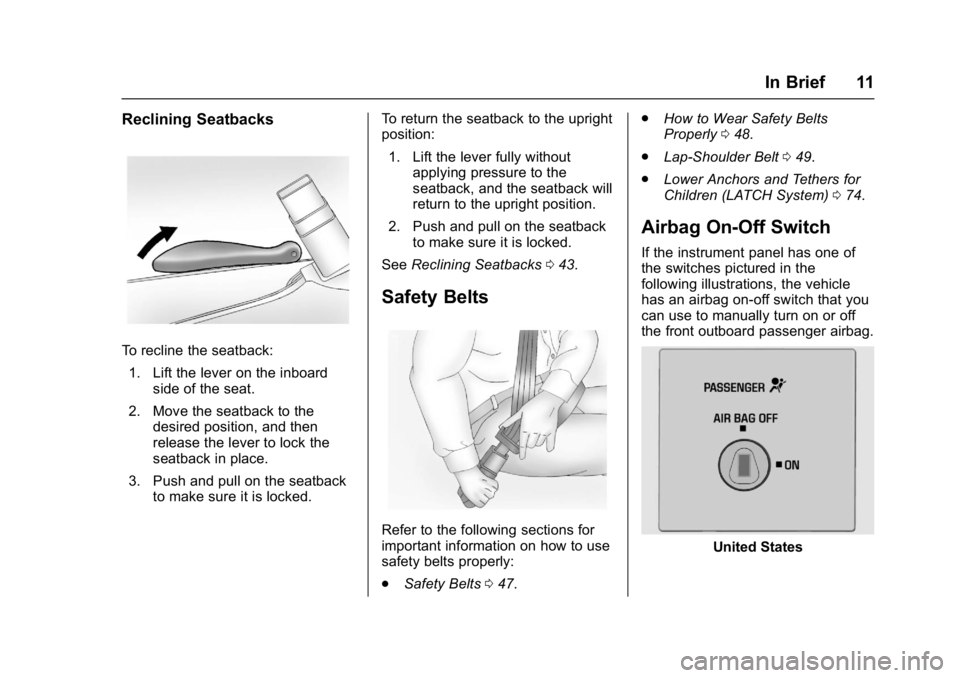
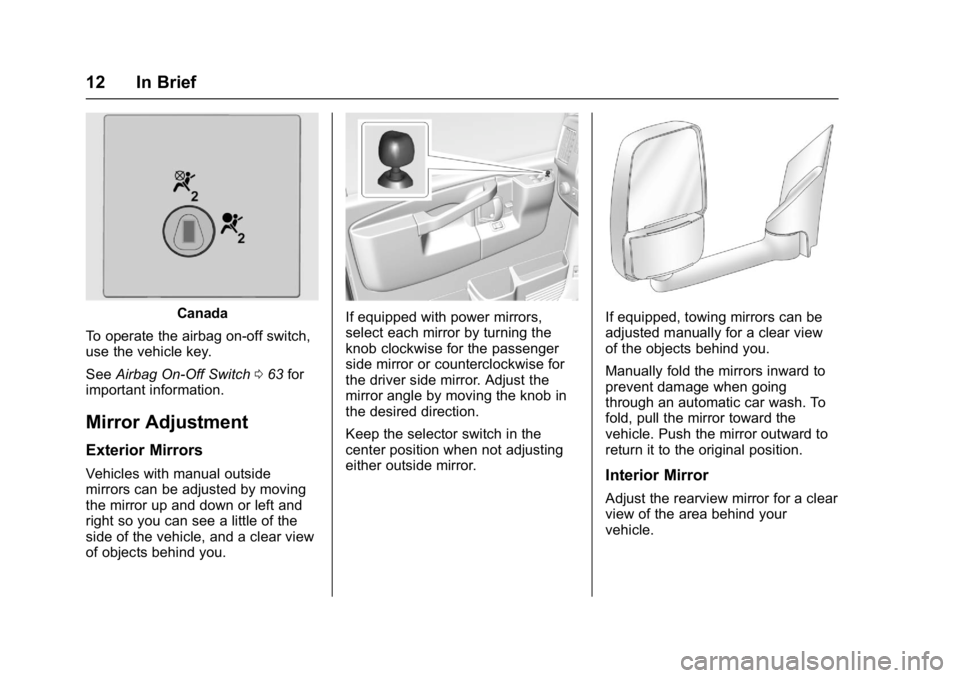
If the instrument panel has one of
the switches pictured in the
following illustrations, the vehicle
has an airbag on-off switch that you
can use to manually turn on or off
the front outboard passenger airbag.
United States
Page 13 of 350
GMC Savana Owner Manual (GMNA-Localizing-U.S./Canada-9967828) -
2017 - crc - 6/29/17
12 In Brief
Canada
To operate the airbag on-off switch,
use the vehicle key.
See Airbag On-Off Switch 063 for
important information.
Mirror Adjustment
Exterior Mirrors
Vehicles with manual outside
mirrors can be adjusted by moving
the mirror up and down or left and
right so you can see a little of the
side of the vehicle, and a clear view
of objects behind you.
If equipped with power mirrors,
select each mirror by turning the
knob clockwise for the passenger
side mirror or counterclockwise for
the driver side mirror. Adjust the
mirror angle by moving the knob in
the desired direction.
Keep the selector switch in the
center position when not adjusting
either outside mirror.If equipped, towing mirrors can be
adjusted manually for a clear view
of the objects behind you.
Manually fold the mirrors inward to
prevent damage when going
through an automatic car wash. To
fold, pull the mirror toward the
vehicle. Push the mirror outward to
return it to the original position.
Interior Mirror
Adjust the rearview mirror for a clear
view of the area behind your
vehicle.
Page 16 of 350
GMC Savana Owner Manual (GMNA-Localizing-U.S./Canada-9967828) -
2017 - crc - 6/29/17
In Brief 15
Climate Controls
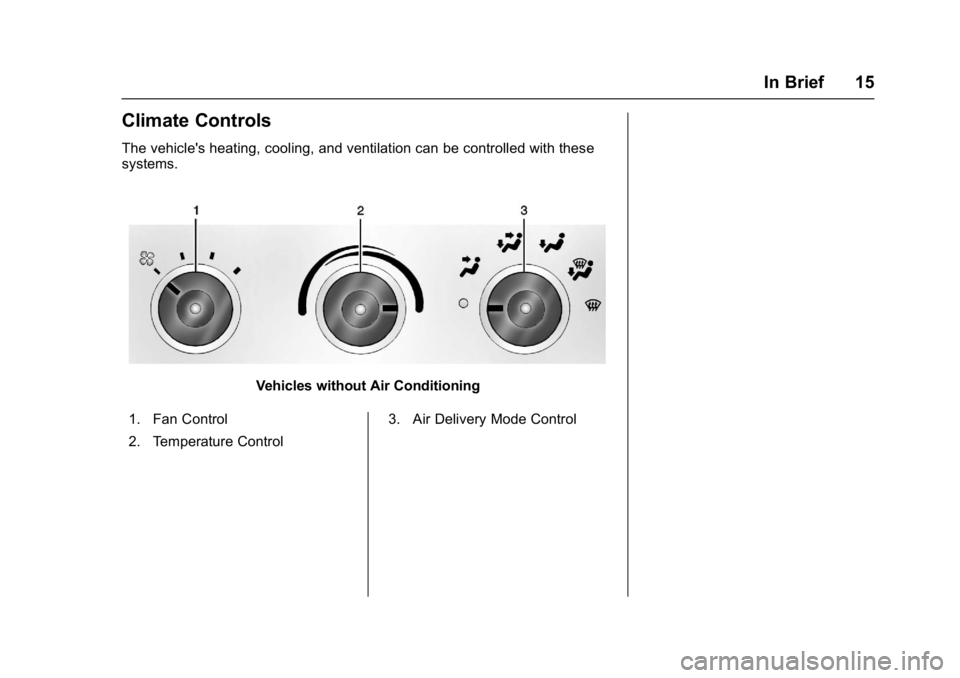
The vehicle's heating, cooling, and ventilation can be controlled with these
systems.
Vehicles without Air Conditioning
1. Fan Control
2. Temperature Control 3. Air Delivery Mode Control
Page 17 of 350
GMC Savana Owner Manual (GMNA-Localizing-U.S./Canada-9967828) -
2017 - crc - 6/29/17
16 In Brief
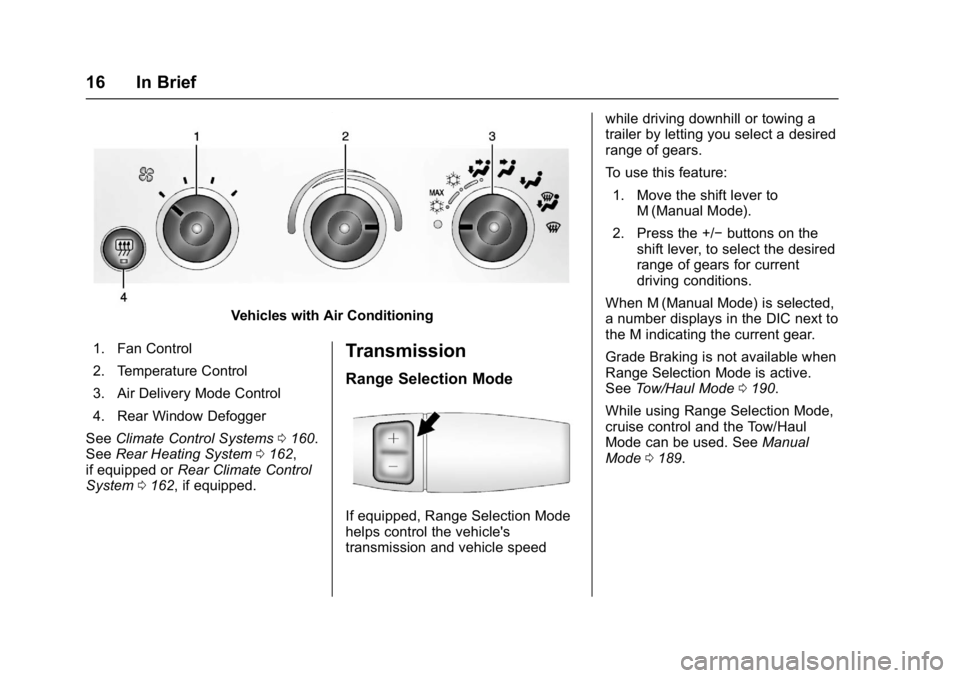
Vehicles with Air Conditioning
1. Fan Control
2. Temperature Control
3. Air Delivery Mode Control
4. Rear Window Defogger
See Climate Control Systems 0160.
See Rear Heating System 0162,
if equipped or Rear Climate Control
System 0162, if equipped.
Transmission
Range Selection Mode
If equipped, Range Selection Mode
helps control the vehicle's
transmission and vehicle speed while driving downhill or towing a
trailer by letting you select a desired
range of gears.
To use this feature:
1. Move the shift lever to M (Manual Mode).
2. Press the +/− buttons on the
shift lever, to select the desired
range of gears for current
driving conditions.
When M (Manual Mode) is selected,
a number displays in the DIC next to
the M indicating the current gear.
Grade Braking is not available when
Range Selection Mode is active.
See Tow/Haul Mode 0190.
While using Range Selection Mode,
cruise control and the Tow/Haul
Mode can be used. See Manual
Mode 0189.
Page 20 of 350
GMC Savana Owner Manual (GMNA-Localizing-U.S./Canada-9967828) -
2017 - crc - 6/29/17
In Brief 19
Bluetooth®
If equipped with a Bluetooth system,
it allows users with a
Bluetooth-enabled cell phone to
make and receive hands-free calls
using the vehicle’s audio system
and controls.
The Bluetooth-enabled cell phone
must be paired with the Bluetooth
system before it can be used in the
vehicle. Not all phones will support
all functions. For more information,
see www.gm.com/bluetooth and
Bluetooth 0152.
Steering Wheel Controls
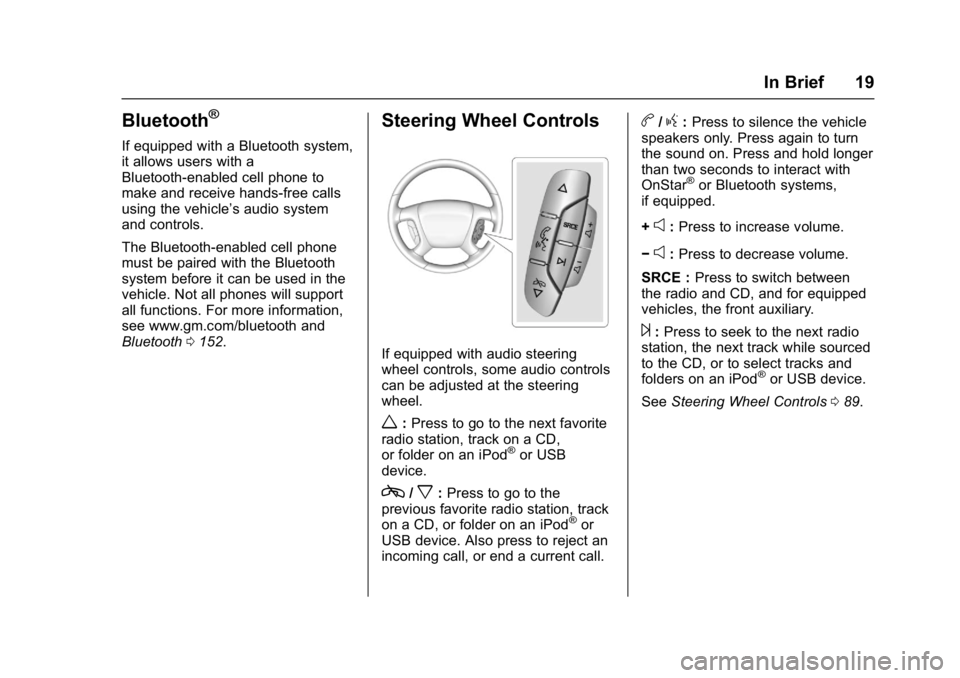
If equipped with audio steering
wheel controls, some audio controls
can be adjusted at the steering
wheel.
w:Press to go to the next favorite
radio station, track on a CD,
or folder on an iPod
®or USB
device.
c/x: Press to go to the
previous favorite radio station, track
on a CD, or folder on an iPod
®or
USB device. Also press to reject an
incoming call, or end a current call.
b/g: Press to silence the vehicle
speakers only. Press again to turn
the sound on. Press and hold longer
than two seconds to interact with
OnStar
®or Bluetooth systems,
if equipped.
+
e: Press to increase volume.
−
e: Press to decrease volume.
SRCE : Press to switch between
the radio and CD, and for equipped
vehicles, the front auxiliary.
¨: Press to seek to the next radio
station, the next track while sourced
to the CD, or to select tracks and
folders on an iPod
®or USB device.
See Steering Wheel Controls 089.
Page 26 of 350
GMC Savana Owner Manual (GMNA-Localizing-U.S./Canada-9967828) -
2017 - crc - 6/29/17
Keys, Doors, and Windows 25
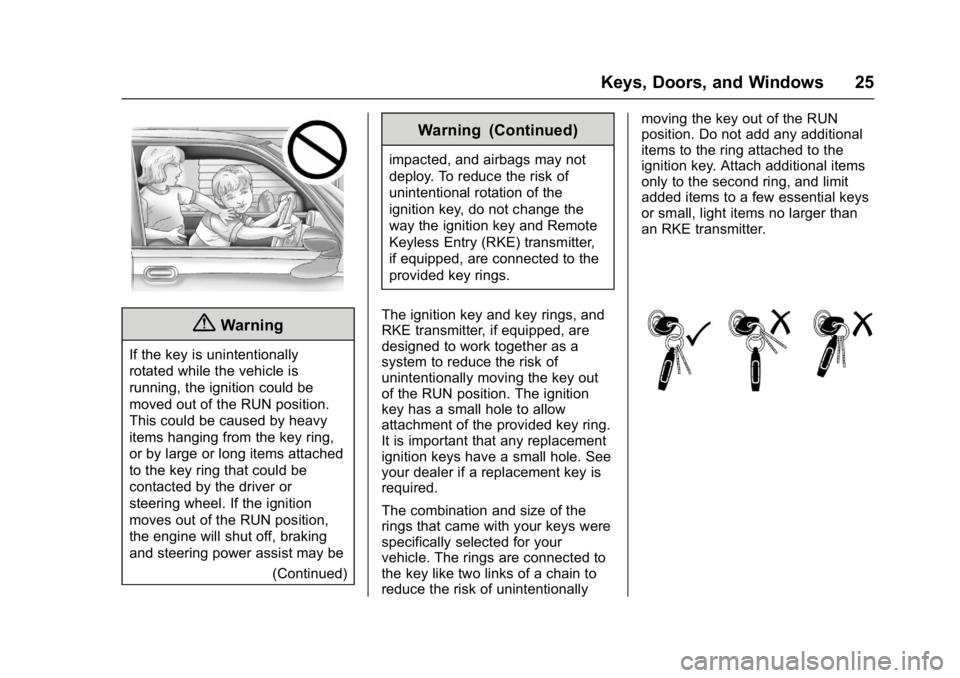
{Warning
If the key is unintentionally
rotated while the vehicle is
running, the ignition could be
moved out of the RUN position.
This could be caused by heavy
items hanging from the key ring,
or by large or long items attached
to the key ring that could be
contacted by the driver or
steering wheel. If the ignition
moves out of the RUN position,
the engine will shut off, braking
and steering power assist may be(Continued)
Warning (Continued)
impacted, and airbags may not
deploy. To reduce the risk of
unintentional rotation of the
ignition key, do not change the
way the ignition key and Remote
Keyless Entry (RKE) transmitter,
if equipped, are connected to the
provided key rings.
The ignition key and key rings, and
RKE transmitter, if equipped, are
designed to work together as a
system to reduce the risk of
unintentionally moving the key out
of the RUN position. The ignition
key has a small hole to allow
attachment of the provided key ring.
It is important that any replacement
ignition keys have a small hole. See
your dealer if a replacement key is
required.
The combination and size of the
rings that came with your keys were
specifically selected for your
vehicle. The rings are connected to
the key like two links of a chain to
reduce the risk of unintentionally moving the key out of the RUN
position. Do not add any additional
items to the ring attached to the
ignition key. Attach additional items
only to the second ring, and limit
added items to a few essential keys
or small, light items no larger than
an RKE transmitter.