Info GMC SAVANA 2019 User Guide
[x] Cancel search | Manufacturer: GMC, Model Year: 2019, Model line: SAVANA, Model: GMC SAVANA 2019Pages: 373, PDF Size: 5.58 MB
Page 18 of 373
GMC Savana Owner Manual (GMNA-Localizing-U.S./Canada-12146167) -
2019 - CRC - 11/26/18
In Brief 17
Vehicle Features
Infotainment System
If the vehicle has a base radio it is
included in this manual. See the
separate infotainment manual for
information on the connected radios,
audio players, phone, navigation
system, and voice or speech
recognition. There is also
information on settings and
downloadable applications (if
equipped).
Radio(s)
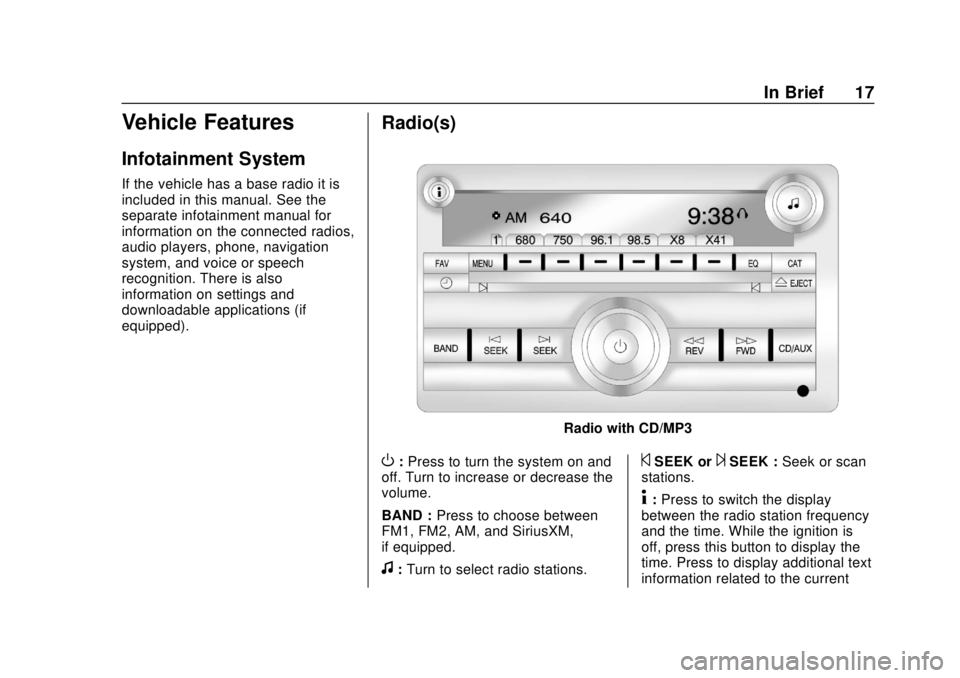
Radio with CD/MP3
O:Press to turn the system on and
off. Turn to increase or decrease the
volume.
BAND : Press to choose between
FM1, FM2, AM, and SiriusXM,
if equipped.
f: Turn to select radio stations.
©SEEK or¨SEEK : Seek or scan
stations.
4: Press to switch the display
between the radio station frequency
and the time. While the ignition is
off, press this button to display the
time. Press to display additional text
information related to the current
Page 19 of 373
GMC Savana Owner Manual (GMNA-Localizing-U.S./Canada-12146167) -
2019 - CRC - 11/26/18
18 In Brief
FM-RDS station or MP3 song.
A choice of additional information
such as Channel, Song, Artist, and
CAT (category) can display.
Continue pressing to highlight the
desired tab, or press the softkey
under any one of the tabs and the
information about that tab displays.
For more information about these
and other radio features, see
Infotainment0132.
Storing a Favorite Station
Depending on which radio the
vehicle has, radio stations are
stored as either favorites or presets.
For vehicles with a FAV button, a
maximum of 36 stations can be
stored as favorites using the six
softkeys below the radio station
frequency tabs and by using the
radio FAV button. Press FAV to go
through up to six pages of favorites,
each having six favorite stations
available per page. Each page of
favorites can contain any
combination of AM stations, FM
stations, and XM channels. For more information on storing a
favorite station, see
Operation
0 136.
Setting the Clock
1. With the radio on, pressHand
the HR, MIN, MM, DD, and
YYYY (hour, minute, month,
day, and year) display.
2. Press the softkey under any one of the tabs to be changed.
3. Press
©SEEK or¨SEEK,
sREV or\FWD, or turnfclockwise or counterclockwise
to increase or decrease the
time or date.
For more information on setting the
clock, see Clock098.
Satellite Radio
SiriusXM is a satellite radio service
based in the 48 contiguous United
States and 10 Canadian provinces.
SiriusXM satellite radio has a wide
variety of programming and
commercial-free music, coast to
coast, and in digital-quality sound. A fee is required to receive the
SiriusXM service.
For more information, refer to:
.
www.siriusxm.com or call
1-888-601-6296 (U.S.)
. www.siriusxm.ca or call
1-877-438-9677 (Canada)
See Satellite Radio 0139.
Portable Audio Devices
This vehicle may have an auxiliary
input on the center stack and a USB
port on the instrument panel.
External devices such as an iPod,
laptop computer, MP3 player,
or USB storage device can be
connected to the auxiliary port using
a 3.5 mm (1/8 in) input cable or the
USB port depending on the audio
system.
See "Using the Auxiliary Input Jack"
and "Using the USB Port" in
Auxiliary Devices 0146.
Page 20 of 373
GMC Savana Owner Manual (GMNA-Localizing-U.S./Canada-12146167) -
2019 - CRC - 11/26/18
In Brief 19
Bluetooth
If equipped with a Bluetooth system,
it allows users with a
Bluetooth-enabled cell phone to
make and receive hands-free calls
using the vehicle’s audio system
and controls.
The Bluetooth-enabled cell phone
must be paired with the Bluetooth
system before it can be used in the
vehicle. Not all phones will support
all functions. For more information,
see www.gm.com/bluetooth and
Bluetooth 0151.
Steering Wheel Controls
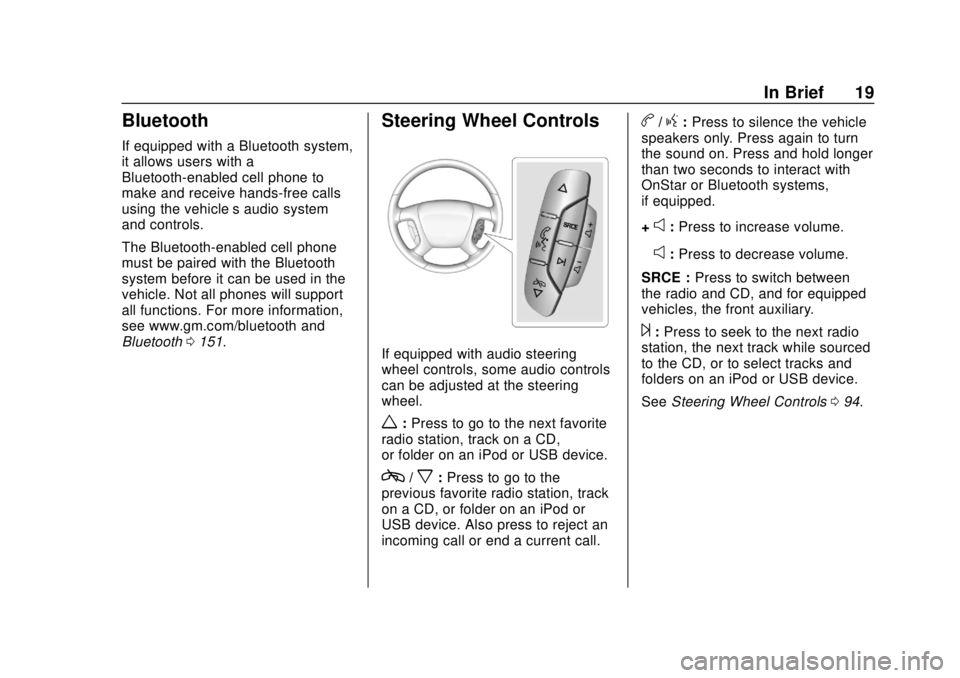
If equipped with audio steering
wheel controls, some audio controls
can be adjusted at the steering
wheel.
w:Press to go to the next favorite
radio station, track on a CD,
or folder on an iPod or USB device.
c/x: Press to go to the
previous favorite radio station, track
on a CD, or folder on an iPod or
USB device. Also press to reject an
incoming call or end a current call.
b/g: Press to silence the vehicle
speakers only. Press again to turn
the sound on. Press and hold longer
than two seconds to interact with
OnStar or Bluetooth systems,
if equipped.
+
e: Press to increase volume.
−
e: Press to decrease volume.
SRCE : Press to switch between
the radio and CD, and for equipped
vehicles, the front auxiliary.
¨: Press to seek to the next radio
station, the next track while sourced
to the CD, or to select tracks and
folders on an iPod or USB device.
See Steering Wheel Controls 094.
Page 22 of 373
GMC Savana Owner Manual (GMNA-Localizing-U.S./Canada-12146167) -
2019 - CRC - 11/26/18
In Brief 21
Rear Vision
Camera (RVC)
If equipped, the RVC displays a
view of the area behind the vehicle
when the vehicle is shifted into
R (Reverse).
To clean the camera lens, rinse it
with water and wipe it with a soft
cloth.
SeeRear Vision Camera (RVC)
0 198.
Park Assist
If equipped, Rear Park Assist (RPA)
uses sensors on the rear bumper to
assist with parking and avoiding
objects while in R (Reverse).
It operates at speeds less than
8 km/h (5 mph) and uses audible
beeps to provide distance and
system information. Keep the sensors on the vehicle's
rear bumper clean to ensure proper
operation.
See
Park Assist 0199.
Power Outlets
The accessory power outlets can be
used to plug in electrical equipment,
such as a cell phone or an MP3
player.
The vehicle may have two
accessory power outlets on the
instrument panel.
Remove the cover to access and
replace when not in use.
See Power Outlets 098.
Performance and
Maintenance
Traction Control/
Electronic Stability
Control
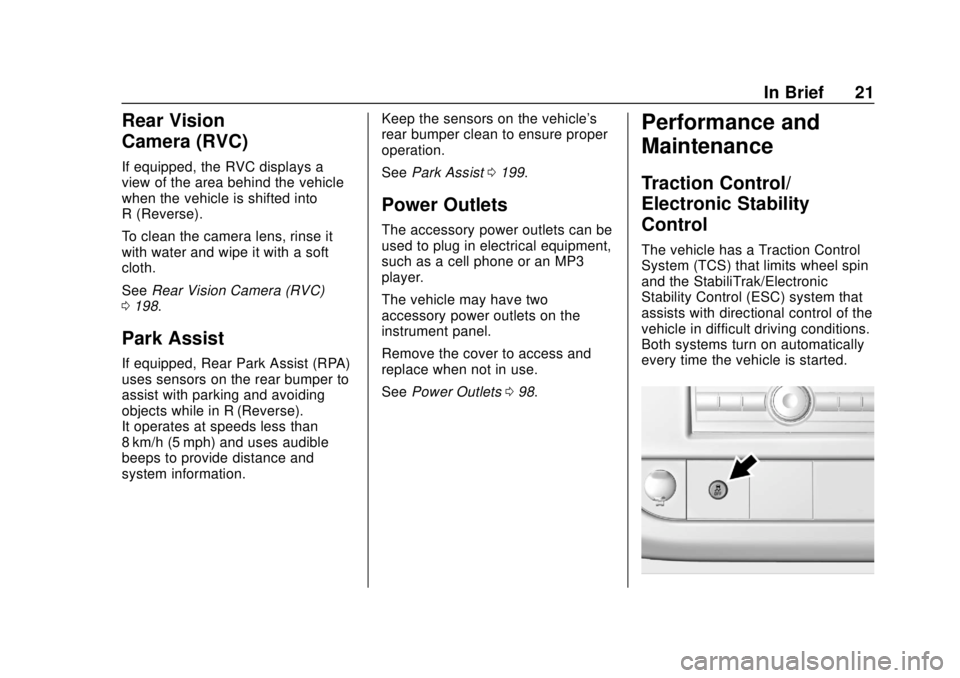
The vehicle has a Traction Control
System (TCS) that limits wheel spin
and the StabiliTrak/Electronic
Stability Control (ESC) system that
assists with directional control of the
vehicle in difficult driving conditions.
Both systems turn on automatically
every time the vehicle is started.
Page 23 of 373
GMC Savana Owner Manual (GMNA-Localizing-U.S./Canada-12146167) -
2019 - CRC - 11/26/18
22 In Brief
.To turn off TCS, press and
release
g. The appropriate
Driver Information Center (DIC)
message will display.
. To turn off both TCS and
StabiliTrak/ESC, press and
hold
guntil the StabiliTrak/ESC
OFF light
Yilluminates and the
appropriate DIC messages
display.
. Press and release
gagain to
turn on both systems.
StabiliTrak will automatically turn
back on if the vehicle exceeds
32 km/h (20 mph). TCS will remain
off until
gis pressed or the ignition
is cycled off then on.
See Traction Control/Electronic
Stability Control 0192.
Tire Pressure Monitor
This vehicle may have a Tire
Pressure Monitor System (TPMS).
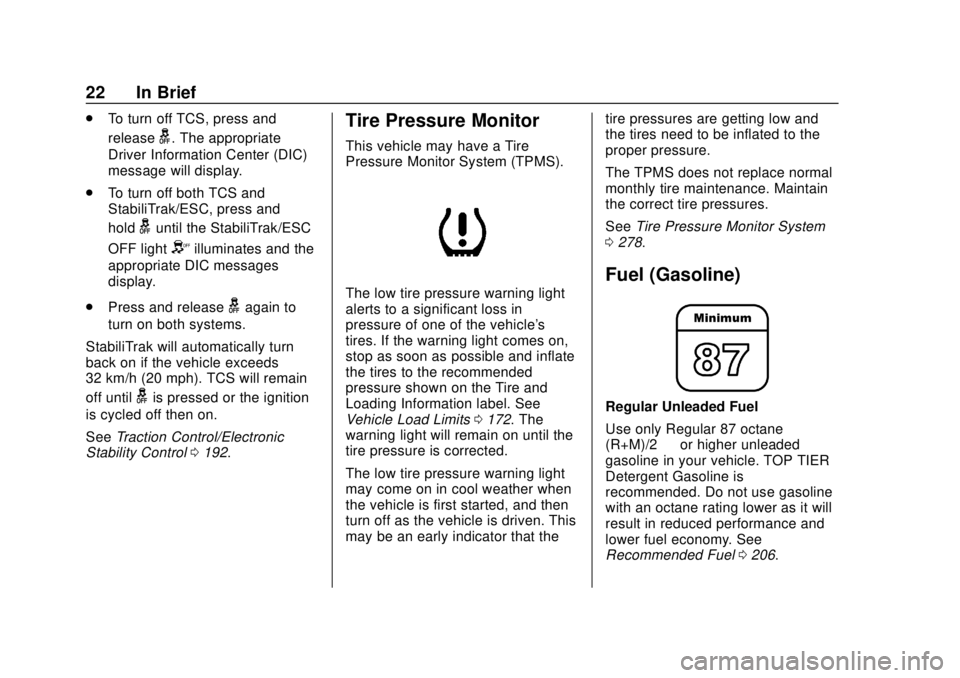
The low tire pressure warning light
alerts to a significant loss in
pressure of one of the vehicle's
tires. If the warning light comes on,
stop as soon as possible and inflate
the tires to the recommended
pressure shown on the Tire and
Loading Information label. See
Vehicle Load Limits 0172. The
warning light will remain on until the
tire pressure is corrected.
The low tire pressure warning light
may come on in cool weather when
the vehicle is first started, and then
turn off as the vehicle is driven. This
may be an early indicator that the tire pressures are getting low and
the tires need to be inflated to the
proper pressure.
The TPMS does not replace normal
monthly tire maintenance. Maintain
the correct tire pressures.
See
Tire Pressure Monitor System
0 278.
Fuel (Gasoline)
Regular Unleaded Fuel
Use only Regular 87 octane —
(R+M)/2 —or higher unleaded
gasoline in your vehicle. TOP TIER
Detergent Gasoline is
recommended. Do not use gasoline
with an octane rating lower as it will
result in reduced performance and
lower fuel economy. See
Recommended Fuel 0206.
Page 24 of 373
GMC Savana Owner Manual (GMNA-Localizing-U.S./Canada-12146167) -
2019 - CRC - 11/26/18
In Brief 23
Fuel (Diesel)
For diesel vehicles, do not use
gasoline. See“Fuel for Diesel
Engines” in the Duramax diesel
supplement.
E85 or FlexFuel
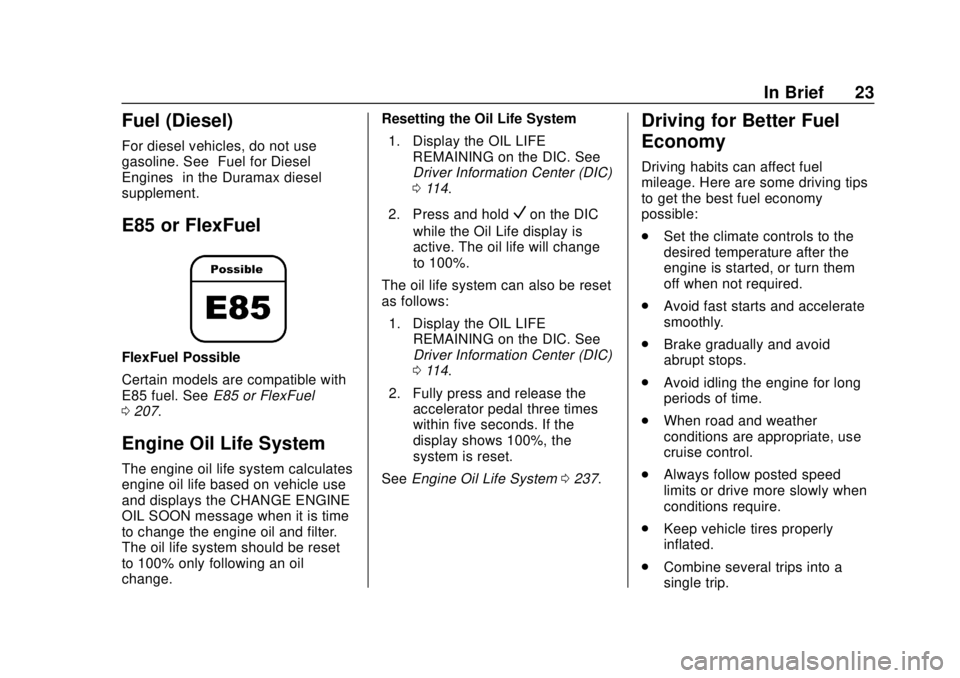
FlexFuel Possible
Certain models are compatible with
E85 fuel. See E85 or FlexFuel
0 207.
Engine Oil Life System
The engine oil life system calculates
engine oil life based on vehicle use
and displays the CHANGE ENGINE
OIL SOON message when it is time
to change the engine oil and filter.
The oil life system should be reset
to 100% only following an oil
change. Resetting the Oil Life System
1. Display the OIL LIFE REMAINING on the DIC. See
Driver Information Center (DIC)
0114.
2. Press and hold
Von the DIC
while the Oil Life display is
active. The oil life will change
to 100%.
The oil life system can also be reset
as follows:
1. Display the OIL LIFE REMAINING on the DIC. See
Driver Information Center (DIC)
0114.
2. Fully press and release the accelerator pedal three times
within five seconds. If the
display shows 100%, the
system is reset.
See Engine Oil Life System 0237.
Driving for Better Fuel
Economy
Driving habits can affect fuel
mileage. Here are some driving tips
to get the best fuel economy
possible:
.
Set the climate controls to the
desired temperature after the
engine is started, or turn them
off when not required.
. Avoid fast starts and accelerate
smoothly.
. Brake gradually and avoid
abrupt stops.
. Avoid idling the engine for long
periods of time.
. When road and weather
conditions are appropriate, use
cruise control.
. Always follow posted speed
limits or drive more slowly when
conditions require.
. Keep vehicle tires properly
inflated.
. Combine several trips into a
single trip.
Page 28 of 373
GMC Savana Owner Manual (GMNA-Localizing-U.S./Canada-12146167) -
2019 - CRC - 11/26/18
Keys, Doors, and Windows 27
Interference from radio-frequency
identification (RFID) tags may
prevent the key from starting the
vehicle. Keep RFID tags away from
the key when starting the vehicle.
The key is used for the ignition and
all door locks.
The key has a bar-coded key tag
that the dealer or qualified locksmith
can use to make new keys. Store
this information in a safe place, not
in the vehicle.
See your dealer if a replacement
key or additional key is needed.If it becomes difficult to turn a key,
inspect the key blade for debris.
Periodically clean with a brush
or pick.
If locked out of the vehicle, see
Roadside Assistance Program
0
339.
With an active OnStar or connected
service plan, an OnStar Advisor
may remotely unlock the vehicle.
See OnStar Overview 0349.Remote Keyless Entry
(RKE) System
See Radio Frequency Statement
0 345.
If there is a decrease in the Remote
Keyless Entry (RKE) operating
range:
. Check the distance. The
transmitter may be too far from
the vehicle.
. Check the location. Other
vehicles or objects may be
blocking the signal. .
Check the transmitter's battery.
See “Battery Replacement” later
in this section.
. If the transmitter is still not
working correctly, see your
dealer or a qualified technician
for service.
Remote Keyless Entry
(RKE) System Operation
If equipped, the RKE transmitter
functions work up to 60 m (197 ft)
away from the vehicle.
Other conditions can affect the
performance of the transmitter. See
Remote Keyless Entry (RKE)
System 027.
Page 29 of 373
GMC Savana Owner Manual (GMNA-Localizing-U.S./Canada-12146167) -
2019 - CRC - 11/26/18
28 Keys, Doors, and Windows
With Remote Start, WithoutSimilar
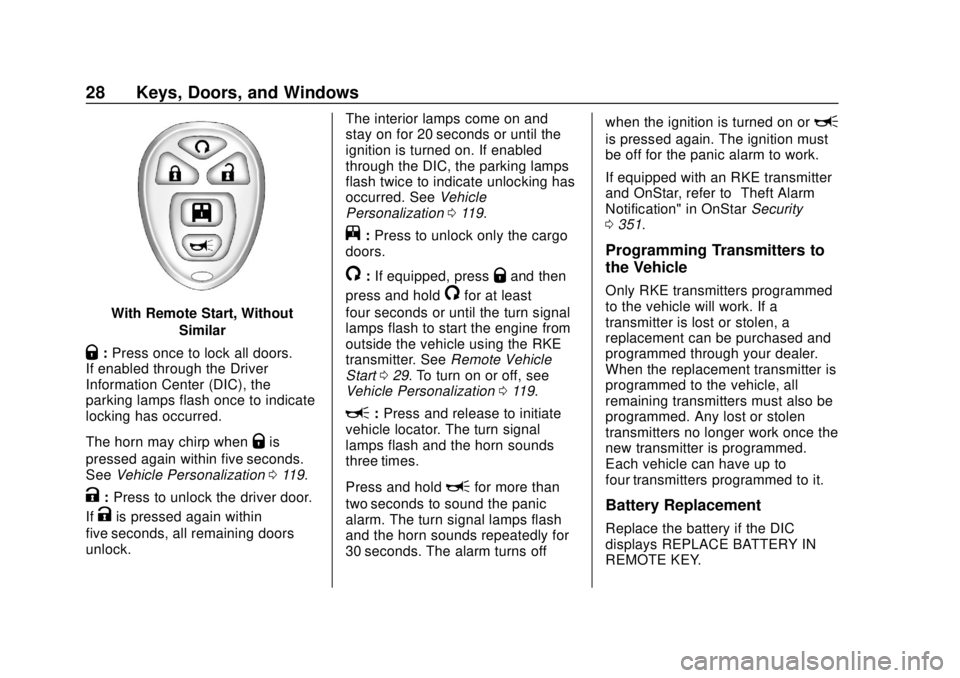
Q:Press once to lock all doors.
If enabled through the Driver
Information Center (DIC), the
parking lamps flash once to indicate
locking has occurred.
The horn may chirp when
Qis
pressed again within five seconds.
See Vehicle Personalization 0119.
K:Press to unlock the driver door.
If
Kis pressed again within
five seconds, all remaining doors
unlock. The interior lamps come on and
stay on for 20 seconds or until the
ignition is turned on. If enabled
through the DIC, the parking lamps
flash twice to indicate unlocking has
occurred. See
Vehicle
Personalization 0119.
j:Press to unlock only the cargo
doors.
/: If equipped, pressQand then
press and hold
/for at least
four seconds or until the turn signal
lamps flash to start the engine from
outside the vehicle using the RKE
transmitter. See Remote Vehicle
Start 029. To turn on or off, see
Vehicle Personalization 0119.
L:Press and release to initiate
vehicle locator. The turn signal
lamps flash and the horn sounds
three times.
Press and hold
Lfor more than
two seconds to sound the panic
alarm. The turn signal lamps flash
and the horn sounds repeatedly for
30 seconds. The alarm turns off when the ignition is turned on or
L
is pressed again. The ignition must
be off for the panic alarm to work.
If equipped with an RKE transmitter
and OnStar, refer to
“Theft Alarm
Notification" in OnStar Security
0 351.
Programming Transmitters to
the Vehicle
Only RKE transmitters programmed
to the vehicle will work. If a
transmitter is lost or stolen, a
replacement can be purchased and
programmed through your dealer.
When the replacement transmitter is
programmed to the vehicle, all
remaining transmitters must also be
programmed. Any lost or stolen
transmitters no longer work once the
new transmitter is programmed.
Each vehicle can have up to
four transmitters programmed to it.
Battery Replacement
Replace the battery if the DIC
displays REPLACE BATTERY IN
REMOTE KEY.
Page 33 of 373
GMC Savana Owner Manual (GMNA-Localizing-U.S./Canada-12146167) -
2019 - CRC - 11/26/18
32 Keys, Doors, and Windows
Delayed Locking
When locking the doors with the
power lock switch and a door open,
the doors will lock five seconds after
the last door is closed. The horn
chirps to signal that the delayed
locking feature is in use.
Pressing
eorQon the RKE
transmitter will override the delayed
locking feature and immediately lock
all the doors.
This feature will not operate if the
key is in the ignition.
This feature can be programmed
using the Driver Information
Center (DIC). See “DELAY DOOR
LOCK” inVehicle Personalization
0 119.
Automatic Door Locks
The vehicle may have an automatic
lock/unlock feature. This feature can
be programmed using the Driver
Information Center (DIC). See
Vehicle Personalization 0119.
Lockout Protection
This feature protects you from
locking the key in the vehicle when
the key is in the ignition and a door
is open.
If the power lock switch is pressed
when either the driver, passenger,
or rear door is open, all the doors
will lock and then the driver door will
unlock. This feature does not
include the side cargo door.
If the vehicle has an ambulance
package, this feature is disabled.
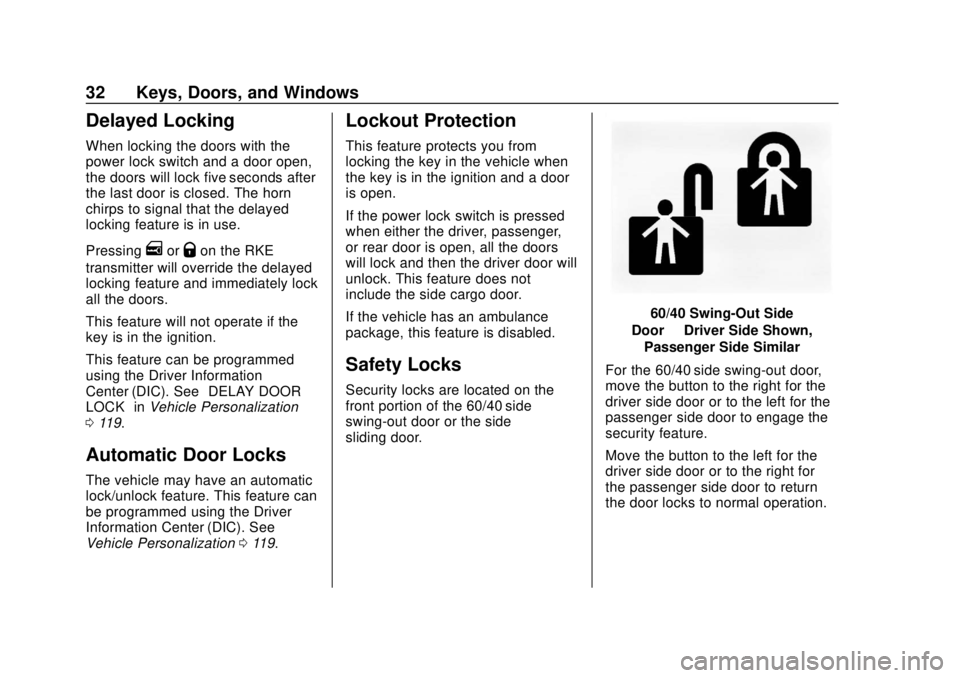
Safety Locks
Security locks are located on the
front portion of the 60/40 side
swing-out door or the side
sliding door.
60/40 Swing-Out Side
Door —Driver Side Shown,
Passenger Side Similar
For the 60/40 side swing-out door,
move the button to the right for the
driver side door or to the left for the
passenger side door to engage the
security feature.
Move the button to the left for the
driver side door or to the right for
the passenger side door to return
the door locks to normal operation.
Page 37 of 373
GMC Savana Owner Manual (GMNA-Localizing-U.S./Canada-12146167) -
2019 - CRC - 11/26/18
36 Keys, Doors, and Windows
Vehicle Security
This vehicle has theft-deterrent
features; however, they do not make
the vehicle impossible to steal.
Vehicle Alarm System
This vehicle has an anti-theft alarm
system.
Arming the Alarm System
1. Close the side door/rear doorsand the hood. Turn off the
vehicle.
2. Lock the vehicle in one of two ways:
.Use the RKE transmitter.
. With a door open, press the
inside
Q.
3. After 30 seconds the alarm system will arm. Pressing
Qon
the RKE transmitter a second
time will bypass the 30-second
delay and immediately arm the
alarm system. The vehicle alarm system will not
arm if the doors are locked with the
key or the manual door lock.
The alarm will also be activated if a
passenger door, side door, rear
door, or the hood is opened without
first disarming the system. When the
alarm is activated, the turn signals
flash and the horn sounds for about
30 seconds. The alarm system will
then re-arm to monitor for the next
unauthorized event.
Disarming the Alarm System
To disarm the alarm system or turn
off the alarm if it has been activated:
.
Press
Kon the RKE transmitter.
. Start the vehicle.
To avoid setting off the alarm by
accident:
. Lock the vehicle after all
occupants have left the vehicle
and all doors are closed.
. Always unlock a door with the
RKE transmitter. Unlocking the driver door with the
key will not disarm the system or
turn off the alarm.
How to Detect a Tamper
Condition
IfKis pressed and the horn chirps
and the lights flash three times, the
alarm was activated while the alarm
system was armed.
If the alarm system has been
activated, and allowed to complete
an event (approximately
one minute), a message will appear
on the Driver Information Center
(DIC) the next time the vehicle is
started.
Theft Alarm Notification
To enable e-mail or text notification,
see “Theft Alarm Notification” in
OnStar Security 0351.
Testing the Alarm
To test the alarm:
1. Lower the driver window and open the driver door.