engine oil GMC SAVANA 2019 Owner's Manual
[x] Cancel search | Manufacturer: GMC, Model Year: 2019, Model line: SAVANA, Model: GMC SAVANA 2019Pages: 373, PDF Size: 5.58 MB
Page 4 of 373
GMC Savana Owner Manual (GMNA-Localizing-U.S./Canada-12146167) -
2019 - CRC - 11/26/18
Introduction 3
Danger, Warning, and
Caution
Warning messages found on vehicle
labels and in this manual describe
hazards and what to do to avoid or
reduce them.
{Danger
Danger indicates a hazard with a
high level of risk which will result
in serious injury or death.
{Warning
Warning indicates a hazard that
could result in injury or death.
Caution
Caution indicates a hazard that
could result in property or vehicle
damage.
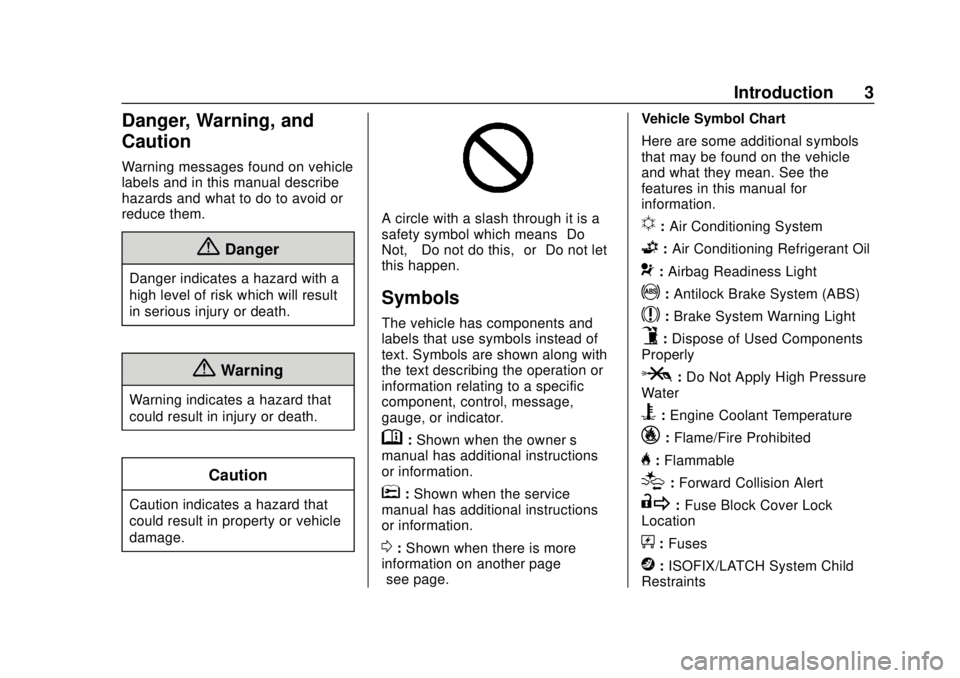
A circle with a slash through it is a
safety symbol which means“Do
Not,” “Do not do this,” or“Do not let
this happen.”
Symbols
The vehicle has components and
labels that use symbols instead of
text. Symbols are shown along with
the text describing the operation or
information relating to a specific
component, control, message,
gauge, or indicator.
M: Shown when the owner ’s
manual has additional instructions
or information.
*: Shown when the service
manual has additional instructions
or information.
0: Shown when there is more
information on another page —
“see page.” Vehicle Symbol Chart
Here are some additional symbols
that may be found on the vehicle
and what they mean. See the
features in this manual for
information.
u:
Air Conditioning System
G:Air Conditioning Refrigerant Oil
9:Airbag Readiness Light
!:Antilock Brake System (ABS)
$:Brake System Warning Light
9:Dispose of Used Components
Properly
P: Do Not Apply High Pressure
Water
B: Engine Coolant Temperature
_: Flame/Fire Prohibited
H:Flammable
[:Forward Collision Alert
R: Fuse Block Cover Lock
Location
+: Fuses
j:ISOFIX/LATCH System Child
Restraints
Page 6 of 373
GMC Savana Owner Manual (GMNA-Localizing-U.S./Canada-12146167) -
2019 - CRC - 11/26/18
In Brief 5
In Brief
Instrument Panel
Instrument Panel . . . . . . . . . . . . . . . . 6
Initial Drive Information
Initial Drive Information . . . . . . . . . . 8
Remote Keyless Entry (RKE)System . . . . . . . . . . . . . . . . . . . . . . . . 8
Remote Vehicle Start . . . . . . . . . . . 8
Door Locks . . . . . . . . . . . . . . . . . . . . . 9
Windows . . . . . . . . . . . . . . . . . . . . . . . . 9
Seat Adjustment . . . . . . . . . . . . . . . 10
Seat Belts . . . . . . . . . . . . . . . . . . . . . . 11
Airbag On-Off Switch . . . . . . . . . . 11
Mirror Adjustment . . . . . . . . . . . . . . 12
Steering Wheel Adjustment . . . . 13
Interior Lighting . . . . . . . . . . . . . . . . 13
Exterior Lighting . . . . . . . . . . . . . . . 14
Windshield Wiper/Washer . . . . . . 14
Climate Controls . . . . . . . . . . . . . . . 15
Transmission . . . . . . . . . . . . . . . . . . 16
Vehicle Features
Infotainment System . . . . . . . . . . . 17
Radio(s) . . . . . . . . . . . . . . . . . . . . . . . 17
Satellite Radio . . . . . . . . . . . . . . . . . 18
Portable Audio Devices . . . . . . . . 18
Bluetooth . . . . . . . . . . . . . . . . . . . . . . 19 Steering Wheel Controls . . . . . . . 19
Cruise Control . . . . . . . . . . . . . . . . . 20
Forward Collision Alert (FCA)
System . . . . . . . . . . . . . . . . . . . . . . . 20
Lane Departure
Warning (LDW) . . . . . . . . . . . . . . . 20
Side Blind Zone Alert (SBZA) . . . . . . . . . . . . . . . . . . 20
Rear Vision Camera (RVC) . . . . 21
Park Assist . . . . . . . . . . . . . . . . . . . . 21
Power Outlets . . . . . . . . . . . . . . . . . 21
Performance and Maintenance
Traction Control/Electronic Stability Control . . . . . . . . . . . . . . 21
Tire Pressure Monitor . . . . . . . . . . 22
Fuel (Gasoline) . . . . . . . . . . . . . . . . 22
Fuel (Diesel) . . . . . . . . . . . . . . . . . . . 23
E85 or FlexFuel . . . . . . . . . . . . . . . . 23
Engine Oil Life System . . . . . . . . 23
Driving for Better Fuel Economy . . . . . . . . . . . . . . . . . . . . . 23
Roadside Assistance Program . . . . . . . . . . . . . . . . . . . . . . 24
Page 24 of 373
GMC Savana Owner Manual (GMNA-Localizing-U.S./Canada-12146167) -
2019 - CRC - 11/26/18
In Brief 23
Fuel (Diesel)
For diesel vehicles, do not use
gasoline. See“Fuel for Diesel
Engines” in the Duramax diesel
supplement.
E85 or FlexFuel
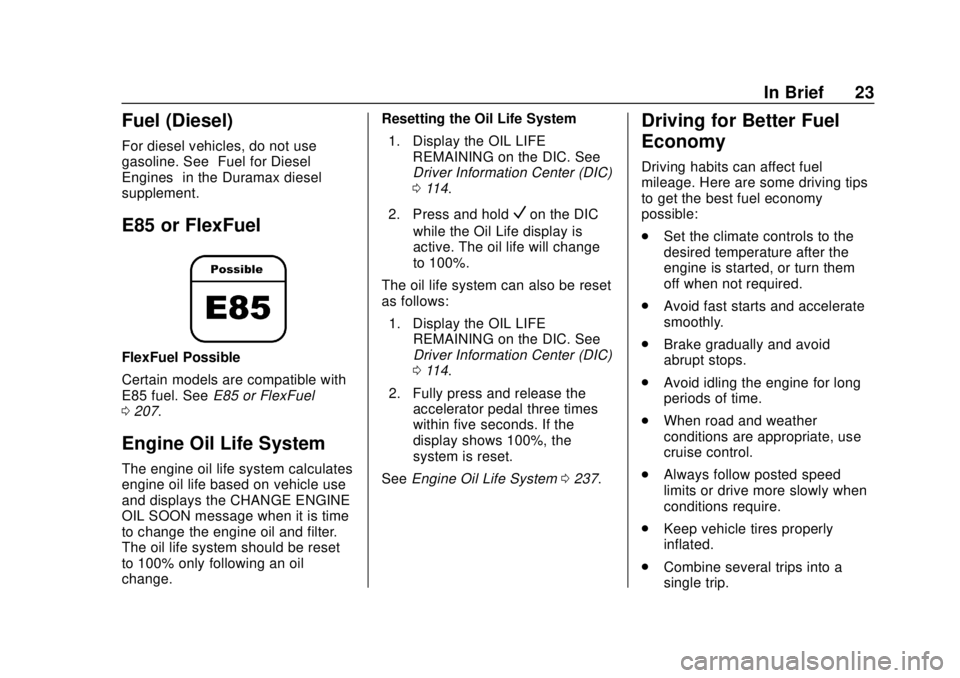
FlexFuel Possible
Certain models are compatible with
E85 fuel. See E85 or FlexFuel
0 207.
Engine Oil Life System
The engine oil life system calculates
engine oil life based on vehicle use
and displays the CHANGE ENGINE
OIL SOON message when it is time
to change the engine oil and filter.
The oil life system should be reset
to 100% only following an oil
change. Resetting the Oil Life System
1. Display the OIL LIFE REMAINING on the DIC. See
Driver Information Center (DIC)
0114.
2. Press and hold
Von the DIC
while the Oil Life display is
active. The oil life will change
to 100%.
The oil life system can also be reset
as follows:
1. Display the OIL LIFE REMAINING on the DIC. See
Driver Information Center (DIC)
0114.
2. Fully press and release the accelerator pedal three times
within five seconds. If the
display shows 100%, the
system is reset.
See Engine Oil Life System 0237.
Driving for Better Fuel
Economy
Driving habits can affect fuel
mileage. Here are some driving tips
to get the best fuel economy
possible:
.
Set the climate controls to the
desired temperature after the
engine is started, or turn them
off when not required.
. Avoid fast starts and accelerate
smoothly.
. Brake gradually and avoid
abrupt stops.
. Avoid idling the engine for long
periods of time.
. When road and weather
conditions are appropriate, use
cruise control.
. Always follow posted speed
limits or drive more slowly when
conditions require.
. Keep vehicle tires properly
inflated.
. Combine several trips into a
single trip.
Page 31 of 373
GMC Savana Owner Manual (GMNA-Localizing-U.S./Canada-12146167) -
2019 - CRC - 11/26/18
30 Keys, Doors, and Windows
When the engine starts, the
parking lamps will turn on and
remain on while the engine is
running. The doors will be
locked.
The engine will continue to run
for 10 minutes. After
30 seconds, repeat the steps if
a 10-minute extension is
desired. Remote start can be
extended only once.
After entering the vehicle during a
remote start, turn the ignition on to
drive the vehicle.
A maximum of two remote starts or
a start with an extension are
allowed between ignition cycles.
If the remote start procedure is used
again before the first 10-minute time
frame has ended, the first
10 minutes will immediately expire
and the second 10-minute time
frame will start.
After the engine has been remote
started two times or a start with an
extension, the ignition must be turned on and then off before the
remote start procedure can be used
again.
To cancel a remote start do any of
the following:
.
Press and hold
/until the
parking lamps turn off.
. Turn on the hazard warning
flashers.
. Turn the ignition on and then off.
The remote vehicle start feature will
not operate if:
. The key is in the ignition.
. The hood is open.
. The hazard warning flashers
are on.
. There is an emission control
system malfunction. See
Malfunction Indicator Lamp
0107.
. The engine coolant temperature
is too high.
. The oil pressure is low. .
Two remote starts or a start with
an extension have already been
provided.
To turn on or off, see Vehicle
Personalization 0119.Door Locks
{Warning
.
Passengers, especially
children, can easily open
the doors and fall out of a
moving vehicle. When a
door is locked, the handle
will not open it. The chance
of being thrown out of the
vehicle in a crash is
increased if the doors are
not locked. So, all
passengers should wear
seat belts properly and the
doors should be locked
whenever the vehicle is
driven.
(Continued)
Page 94 of 373
GMC Savana Owner Manual (GMNA-Localizing-U.S./Canada-12146167) -
2019 - CRC - 11/26/18
Instruments and Controls 93
Instruments and
Controls
Controls
Steering Wheel Adjustment . . . . 94
Steering Wheel Controls . . . . . . . 94
Horn . . . . . . . . . . . . . . . . . . . . . . . . . . . 95
Windshield Wiper/Washer . . . . . . 95
Compass . . . . . . . . . . . . . . . . . . . . . . 96
Clock . . . . . . . . . . . . . . . . . . . . . . . . . . 98
Power Outlets . . . . . . . . . . . . . . . . . 98
Cigarette Lighter . . . . . . . . . . . . . . . 99
Ashtrays . . . . . . . . . . . . . . . . . . . . . . 100
Warning Lights, Gauges, and
Indicators
Warning Lights, Gauges, andIndicators . . . . . . . . . . . . . . . . . . . 100
Instrument Cluster . . . . . . . . . . . . 101
Speedometer . . . . . . . . . . . . . . . . . 102
Odometer . . . . . . . . . . . . . . . . . . . . . 102
Trip Odometer . . . . . . . . . . . . . . . . 102
Fuel Gauge . . . . . . . . . . . . . . . . . . . 102
Engine Oil Pressure Gauge . . . . . . . . . . . . . . . . . . . . . . 103
Engine Coolant Temperature Gauge . . . . . . . . . . . . . . . . . . . . . . 104 Voltmeter Gauge . . . . . . . . . . . . . 104
Seat Belt Reminders . . . . . . . . . 105
Airbag Readiness Light . . . . . . . 105
Airbag On-Off Light . . . . . . . . . . . 106
Charging System Light . . . . . . . 107
Malfunction Indicator Lamp . . . 107
Brake System Warning
Light . . . . . . . . . . . . . . . . . . . . . . . . 109
Antilock Brake System (ABS) Warning Light . . . . . . . . . . . . . . . 110
Tow/Haul Mode Light . . . . . . . . . 110
Lane Departure Warning (LDW) Light . . . . . . . . . . . . . . . . . 110
Vehicle Ahead Indicator . . . . . . . 111
StabiliTrak OFF Light . . . . . . . . . 111
Traction Control System (TCS)/ StabiliTrak Light . . . . . . . . . . . . . 111
Tire Pressure Light . . . . . . . . . . . 112
Engine Oil Pressure Light . . . . . 112
Low Fuel Warning Light . . . . . . . 113
Security Light . . . . . . . . . . . . . . . . . 113
High-Beam On Light . . . . . . . . . . 113
Cruise Control Light . . . . . . . . . . 113
Information Displays
Driver Information Center (DIC) . . . . . . . . . . . . . . . . 114
Vehicle Messages
Vehicle Messages . . . . . . . . . . . . 118
Engine Power Messages . . . . . 119
Vehicle Speed Messages . . . . . 119
Vehicle Personalization
Vehicle Personalization . . . . . . . 119
Page 104 of 373
GMC Savana Owner Manual (GMNA-Localizing-U.S./Canada-12146167) -
2019 - CRC - 11/26/18
Instruments and Controls 103
.The gauge does not go back to
empty when the ignition is
turned off.
If the vehicle has a diesel engine,
see the Duramax diesel
supplement.
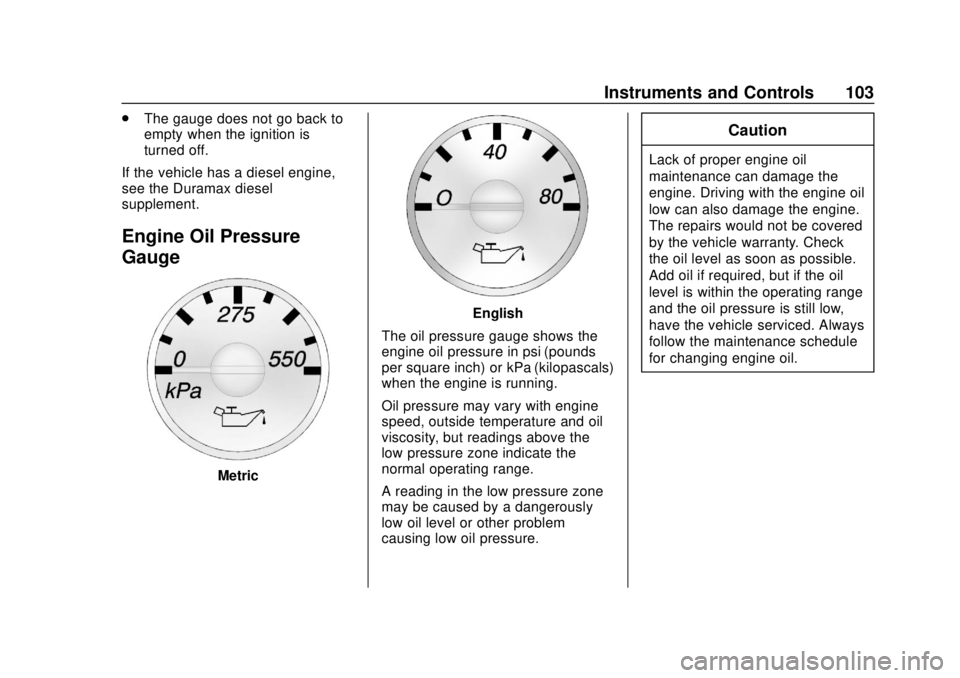
Engine Oil Pressure
Gauge
Metric
English
The oil pressure gauge shows the
engine oil pressure in psi (pounds
per square inch) or kPa (kilopascals)
when the engine is running.
Oil pressure may vary with engine
speed, outside temperature and oil
viscosity, but readings above the
low pressure zone indicate the
normal operating range.
A reading in the low pressure zone
may be caused by a dangerously
low oil level or other problem
causing low oil pressure.
Caution
Lack of proper engine oil
maintenance can damage the
engine. Driving with the engine oil
low can also damage the engine.
The repairs would not be covered
by the vehicle warranty. Check
the oil level as soon as possible.
Add oil if required, but if the oil
level is within the operating range
and the oil pressure is still low,
have the vehicle serviced. Always
follow the maintenance schedule
for changing engine oil.
Page 113 of 373
GMC Savana Owner Manual (GMNA-Localizing-U.S./Canada-12146167) -
2019 - CRC - 11/26/18
112 Instruments and Controls
SeeTraction Control/Electronic
Stability Control 0192.
Tire Pressure Light
For vehicles with the Tire Pressure
Monitor System (TPMS), this light
comes on briefly when the engine is
started. It provides information
about tire pressures and the TPMS.
When the Light Is On Steady
This indicates that one or more of
the tires are significantly
underinflated.
A Driver Information Center (DIC)
tire pressure message may also
display. Stop as soon as possible,
and inflate the tires to the pressure
value shown on the Tire and
Loading Information label. See Tire
Pressure 0277. When the Light Flashes First and
Then Is On Steady
If the light flashes for about a minute
and then stays on, there may be a
problem with the TPMS. If the
problem is not corrected, the light
will come on at every ignition cycle.
See
Tire Pressure Monitor
Operation 0279.
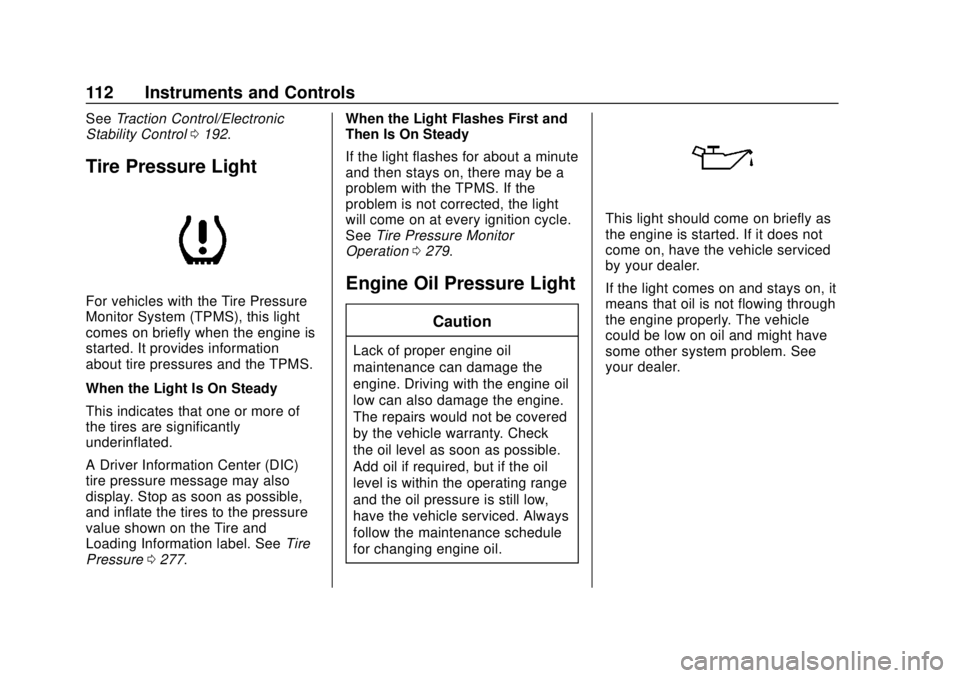
Engine Oil Pressure Light
Caution
Lack of proper engine oil
maintenance can damage the
engine. Driving with the engine oil
low can also damage the engine.
The repairs would not be covered
by the vehicle warranty. Check
the oil level as soon as possible.
Add oil if required, but if the oil
level is within the operating range
and the oil pressure is still low,
have the vehicle serviced. Always
follow the maintenance schedule
for changing engine oil.
This light should come on briefly as
the engine is started. If it does not
come on, have the vehicle serviced
by your dealer.
If the light comes on and stays on, it
means that oil is not flowing through
the engine properly. The vehicle
could be low on oil and might have
some other system problem. See
your dealer.
Page 115 of 373
GMC Savana Owner Manual (GMNA-Localizing-U.S./Canada-12146167) -
2019 - CRC - 11/26/18
114 Instruments and Controls
Information Displays
Driver Information
Center (DIC)
This vehicle has a DIC.
All messages will appear in the DIC
display at the bottom of the
instrument cluster.
The DIC comes on when the ignition
is on. After a short delay, the DIC
will display the information that was
last displayed before the engine
was turned off.
The DIC displays trip, fuel, and
vehicle system information, and
warning messages if a system
problem is detected.
If the vehicle has these features, the
DIC also displays the compass
direction and the outside air
temperature when viewing the trip
and fuel information. The compassdirection appears on the top right
corner of the DIC display. The
outside air temperature
automatically appears in the bottom
right corner of the DIC display.
If there is a problem with the system
that controls the temperature
display, the numbers will be
replaced with dashes. If this occurs,
have the vehicle serviced by your
dealer.
If the vehicle has a diesel engine,
see the Duramax diesel
supplement.
DIC Operation and Displays
The DIC has different displays
which can be accessed by pressing
the DIC buttons on the instrument
panel, next to the instrument cluster.
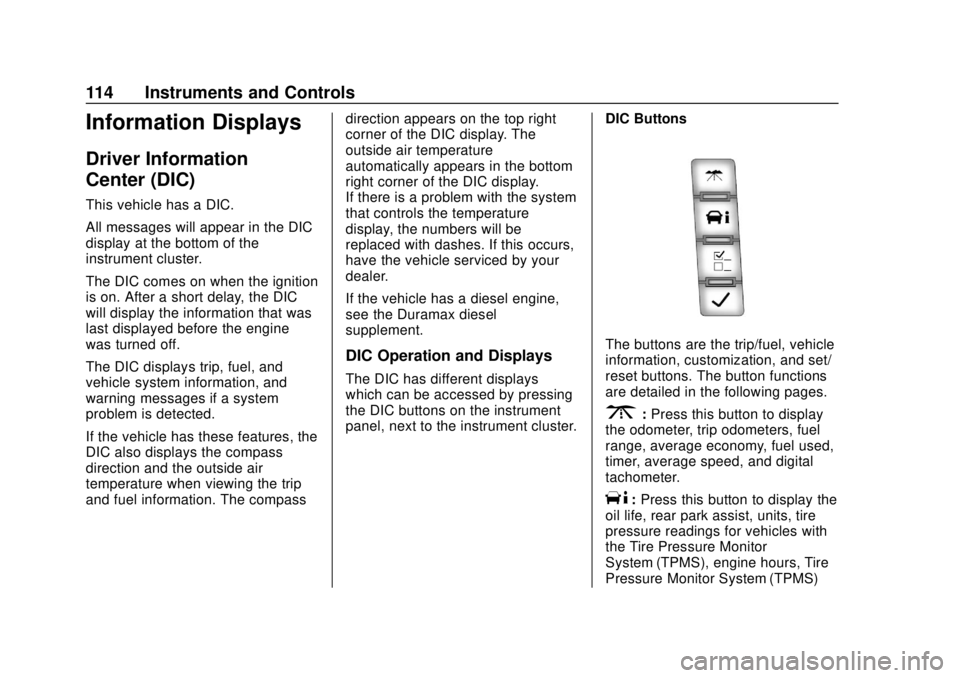
DIC Buttons
The buttons are the trip/fuel, vehicle
information, customization, and set/
reset buttons. The button functions
are detailed in the following pages.
3:
Press this button to display
the odometer, trip odometers, fuel
range, average economy, fuel used,
timer, average speed, and digital
tachometer.
T: Press this button to display the
oil life, rear park assist, units, tire
pressure readings for vehicles with
the Tire Pressure Monitor
System (TPMS), engine hours, Tire
Pressure Monitor System (TPMS)
Page 118 of 373
GMC Savana Owner Manual (GMNA-Localizing-U.S./Canada-12146167) -
2019 - CRC - 11/26/18
Instruments and Controls 117
Vehicle Information Menu
Items
T:Press this button to scroll
through the following menu items:
Oil Life
Press
Tuntil OIL LIFE
REMAINING displays. This display
shows an estimate of the oil's
remaining useful life. If you see
99% OIL LIFE REMAINING on the
display, that means 99% of the
current oil life remains. The engine
oil life system will alert you to
change the oil on a schedule
consistent with your driving
conditions.
When the remaining oil life is low,
the CHANGE ENGINE OIL SOON
message will appear on the display.
You should change the oil as soon
as possible. See Engine Oil0235.
In addition to the engine oil life
system monitoring the oil life,
additional maintenance is
recommended. See Maintenance
Schedule 0319. Remember, you must reset the OIL
LIFE yourself after each oil change.
It will not reset itself. Also, be
careful not to reset the OIL LIFE
accidentally at any time other than
when the oil has just been changed.
It cannot be reset accurately until
the next oil change. To reset the
engine oil life system, see
Engine
Oil Life System 0237.
Side Blind Zone Alert
If the vehicle has Side Blind Zone
Alert (SBZA), this display allows
the system to be turned on or off.
Press
Tuntil SBZA displays.
Once in this display, press
Vto
select between ON or OFF. When
the SBZA system is turned off, a
DIC message will display. See Side
Blind Zone Alert (SBZA) 0202.
Park Assist
If the vehicle has the Rear Park
Assist (RPA) system, press
Tuntil
PARK ASSIST displays. This
display allows the system to be turned on or off. Once in this
display, press to select between ON
or OFF. The RPA system
automatically turns back on after
each vehicle start. When the RPA
system is turned off and the vehicle
is shifted out of P (Park), the DIC
will display the PARK ASSIST OFF
message as a reminder that the
system has been turned off. See
Park Assist
0199.
Units
Press
Tuntil UNITS displays. This
display allows you to select between
metric or English units of
measurement. Once in this display,
press
Vto select between METRIC
or ENGLISH units.
Tire Pressure
If the vehicle has the Tire Pressure
Monitor System (TPMS), the
pressure for each tire can be viewed
in the DIC. The tire pressure will be
shown in either kilopascals (kPa) or
pounds per square inch (psi).
Page 180 of 373
GMC Savana Owner Manual (GMNA-Localizing-U.S./Canada-12146167) -
2019 - CRC - 11/26/18
Driving and Operating 179
The switch stays in this position
when the engine is running. The
transmission is also unlocked in this
position.
If the key is left in ON/RUN with the
engine off, the battery could drain
and the vehicle may not start.
3 (START) :This is the position that
starts the engine. When the engine
starts, release the key. The ignition
returns to ON/RUN for driving.
Starting the Engine
If the vehicle has a diesel engine,
see the Duramax diesel
supplement.
To place the transmission in the
proper gear:
Move the shift lever to P (Park) or
N (Neutral). The engine will not start
in any other position. To restart the
engine when the vehicle is already
moving, use N (Neutral) only.
Caution
If you add electrical parts or
accessories, you could change
the way the engine operates. Any
resulting damage would not be
covered by the vehicle warranty.
See Add-On Electrical Equipment
0 227.
Caution
Do not try to shift to P (Park) if the
vehicle is moving. If you do, you
could damage the transmission.
Shift to P (Park) only when the
vehicle is stopped.
Caution
If the steering wheel is turned
until it reaches the end of its
travel, and is held in that position
while starting the vehicle, damage
(Continued)
Caution (Continued)
may occur to the hydraulic power
steering system and there may be
loss of power steering assist.
Starting Procedure 1. With your foot off the accelerator pedal, turn the
ignition key to START. When
the engine starts, let go of the
key. The idle speed will go
down as your engine gets
warm. Do not race the engine
immediately after starting it.
Operate the engine and
transmission gently to allow the
oil to warm up and lubricate all
moving parts.
When the low fuel warning light
is on and the FUEL LEVEL
LOW message is displayed in
the Driver Information Center
(DIC), the Computer-Controlled
Cranking System is disabled to
prevent possible vehicle
component damage. When this