audio GMC SAVANA 2020 User Guide
[x] Cancel search | Manufacturer: GMC, Model Year: 2020, Model line: SAVANA, Model: GMC SAVANA 2020Pages: 355, PDF Size: 5.72 MB
Page 131 of 355
GMC Savana Owner Manual (GMNA-Localizing-U.S./Canada-13882574) -
2020 - CRC - 11/1/19
130 Infotainment System
display. Once all songs by that artist
are played, the player moves to the
next artist in alphabetical order and
begins playing files by that artist.
To listen to files by another artist,
press the softkey below either arrow
tab. The disc goes to the next or
previous artist in alphabetical order.
Continue pressing either softkey
below the arrow tab until the desired
artist displays.
To change from playback by artist to
playback by album:1. Press the softkey below the Sort By tab.
2. Press one of the softkeys below the Album tab from the
sort screen.
3. Press the softkey below the Back tab to return to the main
music navigator screen.
The album name displays on the
second line between the arrows,
and songs from the current album
begin to play. Once all songs from
that album have played, the player
moves to the next album in alphabetical order on the CD and
begins playing MP3s from that
album.
To exit music navigator mode, press
the softkey below the Back tab to
return to normal MP3 playback.
CD Player Messages
CHECK DISC :
If this message
displays and/or the CD ejects, it
could be for one of the following
reasons:
. It is very hot. When the
temperature returns to normal,
the CD should play.
. The road is very rough. When
the road becomes smoother, the
CD should play.
. The CD is dirty, scratched, wet,
or upside down.
. The air is very humid. If so, wait
about an hour and try again.
. There was a problem while
burning the CD.
. The label is caught in the CD
player. If the CD is not playing correctly, for
any other reason, try a known
good CD.
If any error occurs repeatedly or if
an error cannot be corrected,
contact your dealer. If the radio
displays an error message, write it
down and provide it to your dealer
when reporting the problem.
Auxiliary Devices
Using the Auxiliary Input Jack
Radios with an auxiliary input jack
on the lower right side can connect
to an external audio device such as
an iPod, MP3 player, or CD player
for use as another source for audio
listening. This input jack is not an
audio output; do not plug
headphones into the front auxiliary
input jack.
Drivers are encouraged to set up
any auxiliary device while the
vehicle is in P (Park). See
Defensive Driving
0151 for more
information on driver distraction.
Page 132 of 355
GMC Savana Owner Manual (GMNA-Localizing-U.S./Canada-13882574) -
2020 - CRC - 11/1/19
Infotainment System 131
To use a portable audio player,
connect a 3.5 mm (1/8 in) cable to
the radio's front auxiliary input jack.
When a device is connected, press
the radio CD/AUX button to begin
playing audio from the device over
the vehicle speakers.
For optimal sound quality, increase
the portable audio device's volume
to the loudest level.
It is always best to power the
portable audio device through its
own battery while playing.
O:Turn clockwise or
counterclockwise to increase or
decrease the volume of the portable
player. Additional volume
adjustments might have to be made
from the portable device if the
volume is not loud or soft enough.
BAND : If equipped, press to listen
to the radio when a portable audio
device is playing. The portable
audio device continues playing.
CD/AUX : If equipped, press to play
a CD when a portable audio device
is playing. Press again and the
system begins playing audio from the connected portable audio player.
If a portable audio player is not
connected,
“No Input Device Found”
displays.
SRCE : If equipped, press to listen
to the radio when a portable audio
device is playing. The portable
audio device continues playing.
Press to play a CD when a portable
audio device is playing. Press again
and the system begins playing
audio from the connected portable
audio player. If a portable audio
player is not connected, “No Input
Device Found” displays.
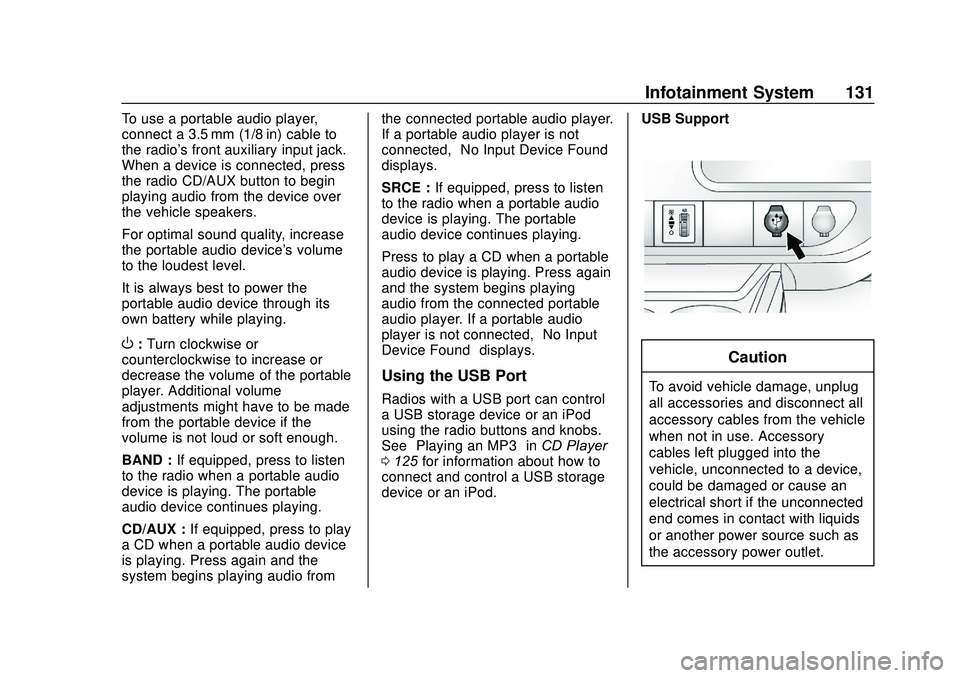
Using the USB Port
Radios with a USB port can control
a USB storage device or an iPod
using the radio buttons and knobs.
See“Playing an MP3” inCD Player
0 125 for information about how to
connect and control a USB storage
device or an iPod. USB Support
Caution
To avoid vehicle damage, unplug
all accessories and disconnect all
accessory cables from the vehicle
when not in use. Accessory
cables left plugged into the
vehicle, unconnected to a device,
could be damaged or cause an
electrical short if the unconnected
end comes in contact with liquids
or another power source such as
the accessory power outlet.
Page 138 of 355
GMC Savana Owner Manual (GMNA-Localizing-U.S./Canada-13882574) -
2020 - CRC - 11/1/19
Infotainment System 137
How to Speak :Speak clearly in a
calm and natural voice.
Audio System
When using the in-vehicle Bluetooth
system, sound comes through the
vehicle's front audio system
speakers and overrides the audio
system. Use the audio system
volume knob, during a call, to
change the volume level. The
adjusted volume level remains in
memory for later calls. To prevent
missed calls, a minimum volume
level is used if the volume is turned
down too low.
Bluetooth Controls
Use the buttons on the steering
wheel to operate the in-vehicle
Bluetooth system. See Steering
Wheel Controls 079.
b/g:Press to answer incoming
calls, confirm system information,
and start speech recognition.
c/x: Press to end a call, reject
a call, or cancel an operation.
Pairing
A Bluetooth-enabled cell phone
must be paired to the Bluetooth
system and then connected to the
vehicle before it can be used. See
the cell phone manufacturer's user
guide for Bluetooth functions before
pairing the cell phone.
Pairing Information
. A Bluetooth phone with MP3
capability cannot be paired to
the vehicle as a phone and an
MP3 player at the same time.
. Up to five cell phones can be
paired to the Bluetooth system.
. The pairing process is disabled
when the vehicle is moving.
. Pairing only needs to be
completed once, unless the
pairing information on the cell
phone changes or the cell phone
is deleted from the system.
. Only one paired cell phone can
be connected to the Bluetooth
system at a time. .
If multiple paired cell phones are
within range of the system, the
system connects to the first
available paired cell phone in the
order that they were first paired
to the system. To connect to a
different paired phone, see
“Connecting to a Different
Phone” later in this section.
Pairing a Phone
1. Press and hold
b/gfor
two seconds.
2. Say “Bluetooth.” This command
can be skipped.
3. Say “Pair.”The system
responds with instructions and
a four-digit Personal
Identification Number (PIN).
The PIN is used in Step 5.
4. Start the pairing process on the cell phone that you want to
pair. For help with this process,
see the cell phone
manufacturer's user guide.
5. Locate the device named “Your
Vehicle” in the list on the cell
phone. Follow the instructions
Page 141 of 355
GMC Savana Owner Manual (GMNA-Localizing-U.S./Canada-13882574) -
2020 - CRC - 11/1/19
140 Infotainment System
Using the“Dial”or“Call”
Command
1. Press and hold
b/gfor
two seconds.
2. Say “Dial”or“Call.”
3. Say the entire number without pausing, or say the name tag.
Once connected, the person called
will be heard through the audio
speakers.
Calling Emergency
1. Press and hold
b/gfor
two seconds. The system
responds “Ready,”followed by
a tone.
2. Say “Dial”or“Call.”
3. Say [emergency number].
4. Say “Dial”or“Call.”
Once connected, the person called
will be heard through the audio
speakers. Using the
“Digit Dial” Command
The digit dial command allows a
phone number to be dialed by
entering the digits one at a time.
After each digit is entered, the
system repeats back the digit it
heard followed by a tone.
If an unwanted number is
recognized by the system, say
“Clear” at any time to clear the last
number.
To hear all of the numbers
recognized by the system, say
“Verify” at any time.
1. Press and hold
b/gfor
two seconds.
2. Say “Digit Dial.”
3. Say each digit, one at a time, that you want to dial. After
each digit is entered, the
system repeats back the digit it
heard followed by a tone. After
the last digit has been entered,
say “Dial.”
Once connected, the person called
will be heard through the audio
speakers. Using the
“Re-dial”Command
1. Press and hold
b/gfor
two seconds.
2. After the tone, say “Re-dial.”
Once connected, the person called
will be heard through the audio
speakers.
Receiving a Call
When an incoming call is received,
the audio system mutes and a ring
tone is heard in the vehicle.
. Press
b/gto answer the call.
. Press
c/xto ignore a call.
Call Waiting
Call waiting must be supported on
the cell phone and enabled by the
wireless service carrier.
.Press
b/gto answer an
incoming call when another call
is active. The original call is
placed on hold.
. Press
b/gagain to return to
the original call.
Page 142 of 355
GMC Savana Owner Manual (GMNA-Localizing-U.S./Canada-13882574) -
2020 - CRC - 11/1/19
Infotainment System 141
.To ignore the incoming call, no
action is required.
. Press
c/xto disconnect the
current call and switch to the call
on hold.
Three-Way Calling
Three-way calling must be
supported on the cell phone and
enabled by the wireless service
carrier.
1. While on a call, press
b/g.
2. Say “Three-way call.”
3. Use the dial or call command to dial the number of the third
party to be called.
4. Once the call is connected, press
b/gto link all callers
together.
Ending a Call
Pressc/xto end a call.
Muting a Call
During a call, all sounds from inside
the vehicle can be muted so that the
person on the other end of the call
cannot hear them.
. To mute a call, press
b/g, and
then say “Mute call.”
. To cancel mute, press
b/g,
and then say “Un-mute call.”
Transferring a Call
Audio can be transferred between
the Bluetooth system and the cell
phone.
The cell phone must be paired and
connected with the Bluetooth
system before a call can be
transferred. The connection process
can take up to two minutes after the
ignition is turned to on.
Transferring Audio from the
Bluetooth System to a Cell Phone
During a call with the audio in the
vehicle:
1. Press
b/g.
2. Say “Transfer Call.” Transferring Audio to the
Bluetooth System from a Cell
Phone
During a call with the audio on the
cell phone, press
b/g. The audio
transfers to the vehicle. If the audio
does not transfer to the vehicle, use
the audio transfer feature on the cell
phone. See your cell phone
manufacturer's user guide for more
information.
Voice Pass-Thru
Voice pass-thru allows access to the
voice recognition commands on the
cell phone. See your cell phone
manufacturer's user guide to see if
the cell phone supports this feature.
To access contacts stored in the cell
phone:
1. Press and hold
b/gfor
two seconds.
2. Say “Bluetooth.” This command
can be skipped.
3. Say “Voice.”The system
responds “OK, accessing
Page 146 of 355
GMC Savana Owner Manual (GMNA-Localizing-U.S./Canada-13882574) -
2020 - CRC - 11/1/19
Climate Controls 145
Rear Window Defogger
If equipped with a rear window
defogger, a warming grid is used to
remove fog or frost from the rear
window.
1:Press to turn the rear window
defogger on or off. An indicator light
on the button comes on to show that
the rear window defogger is on.
The defogger only works when the
ignition is on. The defogger turns off
if the ignition is turned off or to ACC/
ACCESSORY.
Heated Mirrors: If equipped with
heated outside mirrors, the mirrors
heat to help clear fog or frost from
the surface of the mirror when
1is
pressed. See Heated Mirrors 022.
Do not drive the vehicle until all the
windows are clear.
Caution
Do not use a razor blade or sharp
object to clear the inside rear
window. Do not adhere anything
to the defogger grid lines in the
rear glass. These actions may
damage the rear defogger.
Repairs would not be covered by
the vehicle warranty.
Rear Heating System
If equipped, the rear heating system
lets you adjust the amount of air
flowing into the rear of the vehicle,
from the front seating area. This
feature works with the main climate
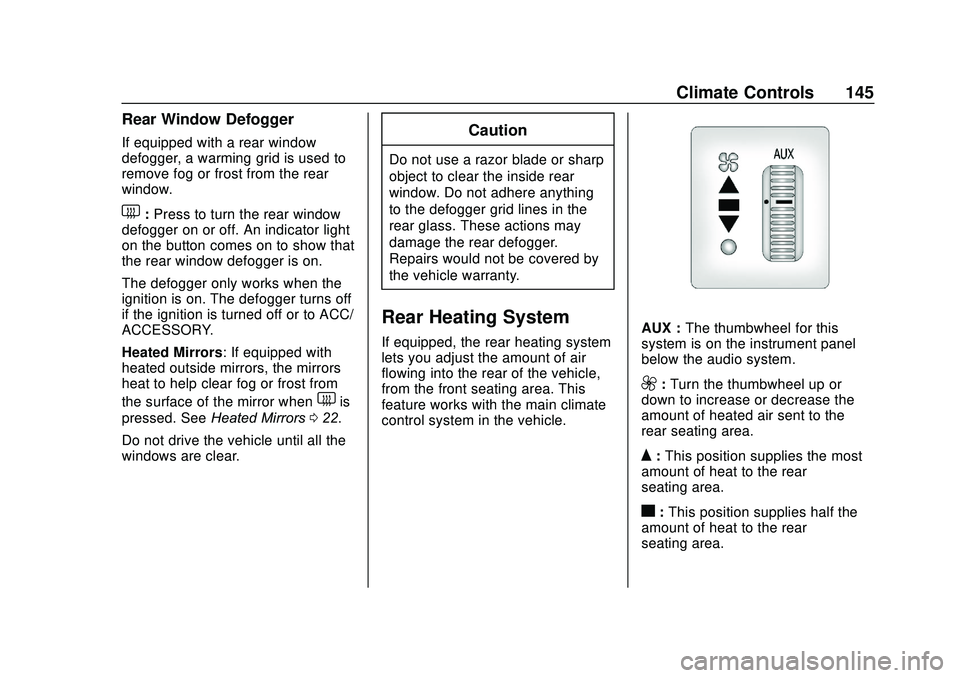
control system in the vehicle.AUX : The thumbwheel for this
system is on the instrument panel
below the audio system.
9: Turn the thumbwheel up or
down to increase or decrease the
amount of heated air sent to the
rear seating area.
Q: This position supplies the most
amount of heat to the rear
seating area.
c: This position supplies half the
amount of heat to the rear
seating area.
Page 167 of 355
GMC Savana Owner Manual (GMNA-Localizing-U.S./Canada-13882574) -
2020 - CRC - 11/1/19
166 Driving and Operating
.Pressing the cruise control SET-
button a second time.
. Pressing the accelerator more
than one-quarter of the
way down.
. Turning the ignition off.
Retained Accessory
Power (RAP)
These vehicle accessories can be
used for up to 10 minutes after the
engine is turned off:
.
Audio System
. Power Windows (if equipped)
These features will work when the
ignition is on or in ACC/
ACCESSORY. Once the ignition is
turned from on to off, power to the
radio and power windows will
continue to work for 10 minutes or
until the driver door is opened.
Engine Coolant Heater
If the vehicle has a diesel engine,
see the Duramax diesel
supplement.
{Warning
Do not plug in the engine block
heater while the vehicle is parked
in a garage or under a carport.
Property damage or personal
injury may result. Always park the
vehicle in a clear open area away
from buildings or structures.
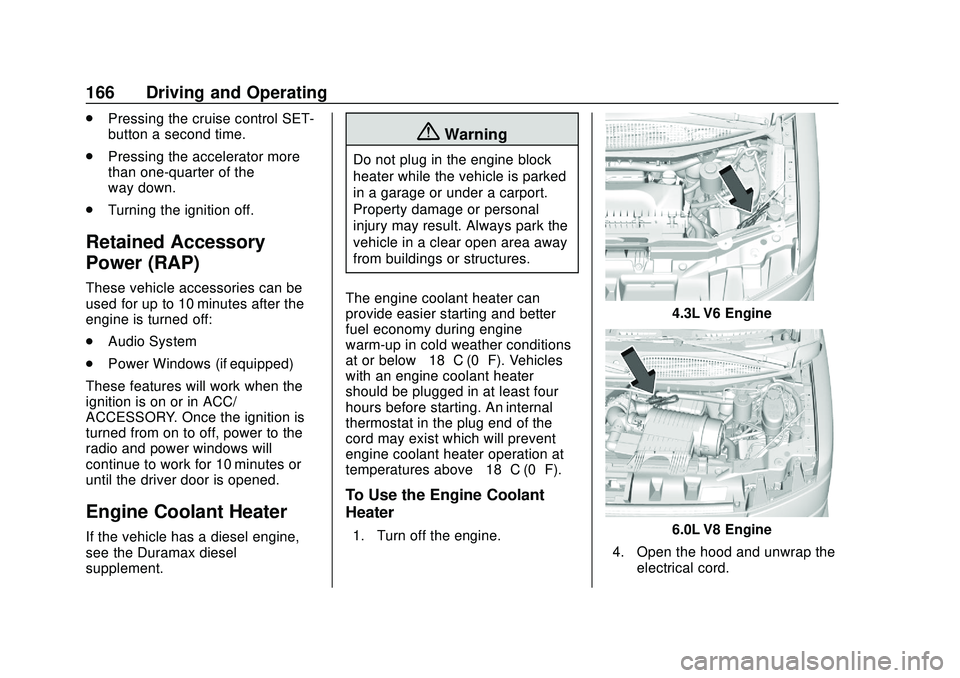
The engine coolant heater can
provide easier starting and better
fuel economy during engine
warm-up in cold weather conditions
at or below −18 °C (0 °F). Vehicles
with an engine coolant heater
should be plugged in at least four
hours before starting. An internal
thermostat in the plug end of the
cord may exist which will prevent
engine coolant heater operation at
temperatures above −18 °C (0 °F).
To Use the Engine Coolant
Heater
1. Turn off the engine.
4.3L V6 Engine
6.0L V8 Engine
4. Open the hood and unwrap the electrical cord.
Page 337 of 355
GMC Savana Owner Manual (GMNA-Localizing-U.S./Canada-13882574) -
2020 - CRC - 11/1/19
336 OnStar
Security
If equipped, OnStar provides these
services:
.With Stolen Vehicle Assistance,
OnStar Advisors can use GPS to
pinpoint the vehicle and help
authorities quickly recover it.
. With Remote Ignition Block,
if equipped, OnStar can block
the engine from being restarted.
. With Stolen Vehicle Slowdown,
if equipped, OnStar can work
with law enforcement to
gradually slow the vehicle down.
Theft Alarm Notification
If equipped, if the doors are locked
and the vehicle alarm sounds, a
notification by text, e-mail, or phone
call will be sent. If the vehicle is
stolen, an OnStar Advisor can work
with authorities to recover the
vehicle.
OnStar Additional
Information
In-Vehicle Audio Messages
Audio messages may play important
information at the following times:
.
Prior to vehicle purchase. Press
Qto set up an account.
. After change in ownership and
at 90 days.
Transferring Service
PressQto request account transfer
eligibility information. The Advisor
can cancel or change account
information.
Selling/Transferring the
Vehicle
Call 1-888-4ONSTAR
(1-888-466-7827) immediately to
terminate your OnStar or connected
services if the vehicle is disposed
of, sold, transferred, or if the
lease ends.
Reactivation for Subsequent
Owners
PressQand follow the prompts to
speak to an Advisor as soon as
possible. The Advisor will update
vehicle records and explain OnStar
or connected service options.
How OnStar Service Works
Automatic Crash Response,
Emergency Services, Crisis Assist,
Stolen Vehicle Assistance, Remote
Services, and Roadside Assistance
are available on most vehicles. Not
all OnStar services are available
everywhere or on all vehicles. For
more information, a full description
of OnStar services, system
limitations, and OnStar User Terms,
Privacy Statement, and Software
Terms:
. Call 1-888-4ONSTAR
(1-888-466-7827).
. See www.onstar.com (U.S.).
. See www.onstar.ca (Canada).
. Call TTY 1-877-248-2080.
Page 344 of 355
GMC Savana Owner Manual (GMNA-Localizing-U.S./Canada-13882574) -
2020 - CRC - 11/1/19
Index 343
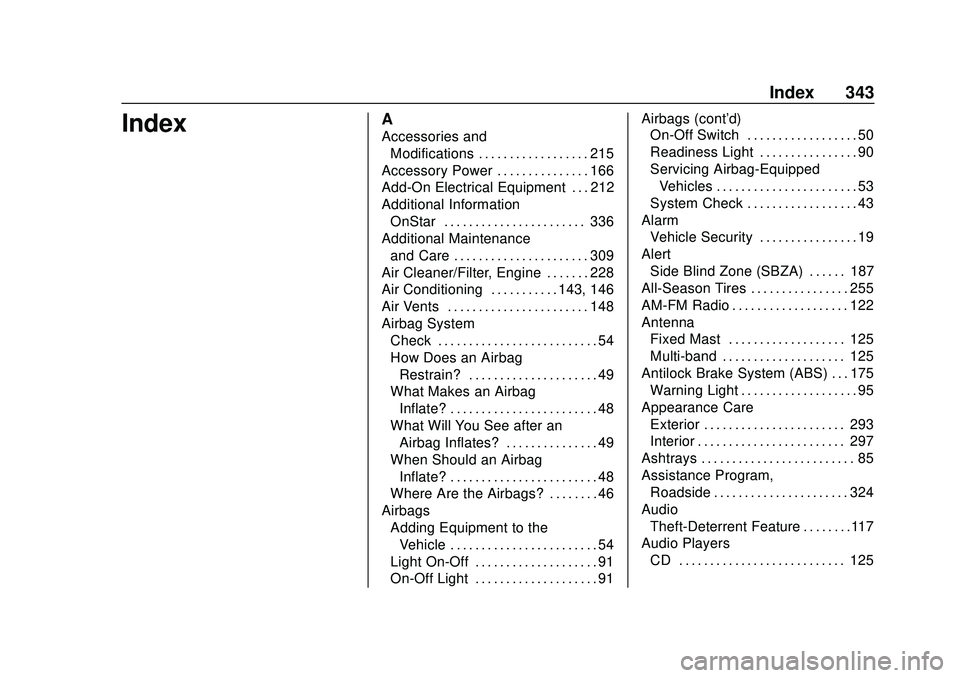
IndexA
Accessories andModifications . . . . . . . . . . . . . . . . . . 215
Accessory Power . . . . . . . . . . . . . . . 166
Add-On Electrical Equipment . . . 212
Additional Information OnStar . . . . . . . . . . . . . . . . . . . . . . . 336
Additional Maintenance and Care . . . . . . . . . . . . . . . . . . . . . . 309
Air Cleaner/Filter, Engine . . . . . . . 228
Air Conditioning . . . . . . . . . . . 143, 146
Air Vents . . . . . . . . . . . . . . . . . . . . . . . 148
Airbag System Check . . . . . . . . . . . . . . . . . . . . . . . . . . 54
How Does an Airbag
Restrain? . . . . . . . . . . . . . . . . . . . . . 49
What Makes an Airbag Inflate? . . . . . . . . . . . . . . . . . . . . . . . . 48
What Will You See after an
Airbag Inflates? . . . . . . . . . . . . . . . 49
When Should an Airbag Inflate? . . . . . . . . . . . . . . . . . . . . . . . . 48
Where Are the Airbags? . . . . . . . . 46
Airbags
Adding Equipment to theVehicle . . . . . . . . . . . . . . . . . . . . . . . . 54
Light On-Off . . . . . . . . . . . . . . . . . . . . 91
On-Off Light . . . . . . . . . . . . . . . . . . . . 91 Airbags (cont'd)
On-Off Switch . . . . . . . . . . . . . . . . . . 50
Readiness Light . . . . . . . . . . . . . . . . 90
Servicing Airbag-Equipped
Vehicles . . . . . . . . . . . . . . . . . . . . . . . 53
System Check . . . . . . . . . . . . . . . . . . 43
Alarm
Vehicle Security . . . . . . . . . . . . . . . . 19
Alert Side Blind Zone (SBZA) . . . . . . 187
All-Season Tires . . . . . . . . . . . . . . . . 255
AM-FM Radio . . . . . . . . . . . . . . . . . . . 122
Antenna Fixed Mast . . . . . . . . . . . . . . . . . . . 125
Multi-band . . . . . . . . . . . . . . . . . . . . 125
Antilock Brake System (ABS) . . . 175
Warning Light . . . . . . . . . . . . . . . . . . . 95
Appearance Care Exterior . . . . . . . . . . . . . . . . . . . . . . . 293
Interior . . . . . . . . . . . . . . . . . . . . . . . . 297
Ashtrays . . . . . . . . . . . . . . . . . . . . . . . . . 85
Assistance Program,
Roadside . . . . . . . . . . . . . . . . . . . . . . 324
Audio Theft-Deterrent Feature . . . . . . . .117
Audio Players
CD . . . . . . . . . . . . . . . . . . . . . . . . . . . 125