change time GMC SAVANA 2020 Owner's Manual
[x] Cancel search | Manufacturer: GMC, Model Year: 2020, Model line: SAVANA, Model: GMC SAVANA 2020Pages: 355, PDF Size: 5.72 MB
Page 58 of 355
GMC Savana Owner Manual (GMNA-Localizing-U.S./Canada-13882574) -
2020 - CRC - 11/1/19
Seats and Restraints 57
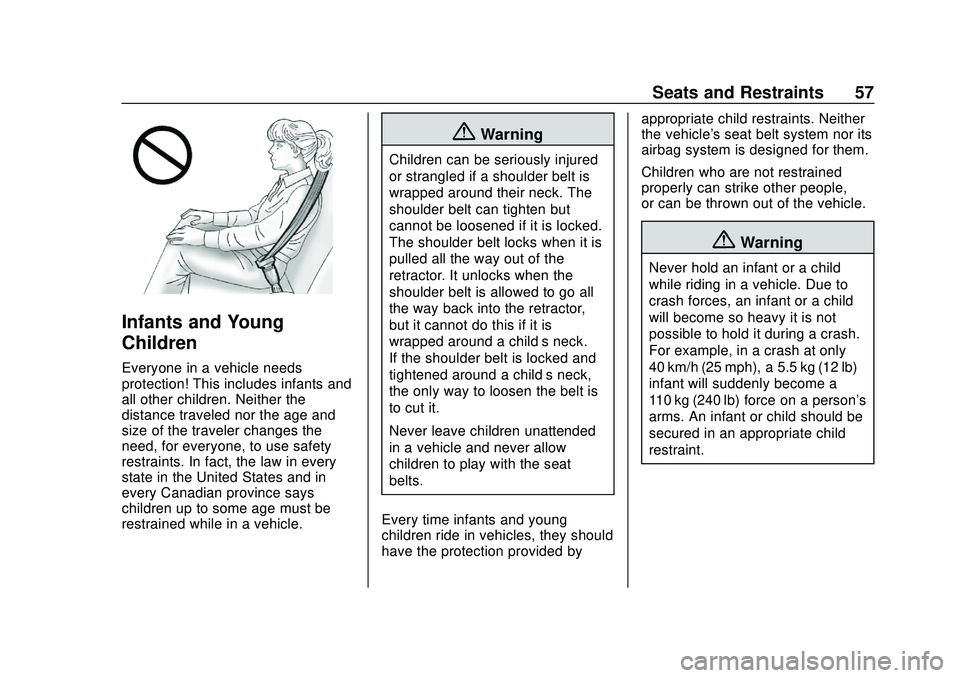
Infants and Young
Children
Everyone in a vehicle needs
protection! This includes infants and
all other children. Neither the
distance traveled nor the age and
size of the traveler changes the
need, for everyone, to use safety
restraints. In fact, the law in every
state in the United States and in
every Canadian province says
children up to some age must be
restrained while in a vehicle.
{Warning
Children can be seriously injured
or strangled if a shoulder belt is
wrapped around their neck. The
shoulder belt can tighten but
cannot be loosened if it is locked.
The shoulder belt locks when it is
pulled all the way out of the
retractor. It unlocks when the
shoulder belt is allowed to go all
the way back into the retractor,
but it cannot do this if it is
wrapped around a child’s neck.
If the shoulder belt is locked and
tightened around a child’s neck,
the only way to loosen the belt is
to cut it.
Never leave children unattended
in a vehicle and never allow
children to play with the seat
belts.
Every time infants and young
children ride in vehicles, they should
have the protection provided by appropriate child restraints. Neither
the vehicle's seat belt system nor its
airbag system is designed for them.
Children who are not restrained
properly can strike other people,
or can be thrown out of the vehicle.
{Warning
Never hold an infant or a child
while riding in a vehicle. Due to
crash forces, an infant or a child
will become so heavy it is not
possible to hold it during a crash.
For example, in a crash at only
40 km/h (25 mph), a 5.5 kg (12 lb)
infant will suddenly become a
110 kg (240 lb) force on a person's
arms. An infant or child should be
secured in an appropriate child
restraint.
Page 84 of 355
GMC Savana Owner Manual (GMNA-Localizing-U.S./Canada-13882574) -
2020 - CRC - 11/1/19
Instruments and Controls 83
calibration is complete. The
DIC display will then return to
PRESS
VTO CALIBRATE
COMPASS.
Clock
Setting the Time or Date
1. With the radio on, pressHand
the HR, MIN, MM, DD, and
YYYY (hour, minute, month,
day, and year) display.
2. Press the softkey under any one of the tabs to be changed.
Every time the softkey is
pressed again, the time or the
date if selected, increases
by one.
Another way to increase the
time or date is to press
¨SEEK
or
\FWD (forward).
3. To decrease, press
©SEEK or
sREV. Turn thefknob, on
the upper right side of the
radio, to adjust the selected
setting. Changing the Time or Date Default
Settings
1. With the radio on, press
Hand
then the softkey under the
forward arrow that is currently
displayed on the infotainment
display until the time 12H
(hour) and 24H (hour), and the
date MM/DD (month and day)
and DD/MM (day and month)
are displayed.
2. Press the softkey under the desired option.
3. Press
Hagain to apply the
selected default, or let the
screen time out.
Power Outlets
Power Outlets 12 Volt Direct
Current
The accessory power outlets can be
used to plug in electrical equipment,
such as a cell phone or an MP3
player.
The vehicle may have two
accessory power outlets on the
instrument panel. Remove the cover to access and
replace when not in use.
Certain power accessory plugs may
not be compatible to the accessory
power outlet and could overload
vehicle or adapter fuses. If a
problem is experienced, see your
dealer.
{Warning
Power is always supplied to the
outlets. Do not leave electrical
equipment plugged in when the
vehicle is not in use because the
vehicle could catch fire and cause
injury or death.
Caution
Leaving electrical equipment
plugged in for an extended period
of time while the vehicle is off will
drain the battery. Always unplug
electrical equipment when not in
(Continued)
Page 102 of 355
GMC Savana Owner Manual (GMNA-Localizing-U.S./Canada-13882574) -
2020 - CRC - 11/1/19
Instruments and Controls 101
tank. This estimate will change if
driving conditions change. For
example, if driving in traffic and
making frequent stops, this display
may read one number, but if the
vehicle is driven on a freeway, the
number may change even though
the same amount of fuel is in the
fuel tank. This is because different
driving conditions produce different
fuel economies. Generally, freeway
driving produces better fuel
economy than city driving.
If the vehicle is low on fuel, the
FUEL LEVEL LOW message will be
displayed.
Average Economy
Press
3until AVG ECONOMY
displays. This display shows the
approximate average liters per
100 kilometers (L/100 km) or miles
per gallon (mpg). This number is
calculated based on the number of
L/100 km (mpg) recorded since the
last time this menu item was reset.
To reset AVG ECONOMY, press and
hold
V. The display will return
to zero. Fuel Used
Press
3until FUEL USED
displays. This display shows the
number of liters (L) or gallons (gal)
of fuel used since the last reset of
this menu item. To reset the fuel
used information, press and hold
V
while FUEL USED is displayed.
Timer
Press
3until TIMER displays.
This display can be used as a timer.
To start the timer, press
Vwhile
TIMER is displayed. The display will
show the amount of time that has
passed since the timer was last
reset, not including time the ignition
is off. Time will continue to be
counted as long as the ignition is
on, even if another display is being
shown on the DIC. The timer will
record up to 99 hours, 59 minutes
and 59 seconds (99:59:59) after
which the display will return to zero.
To stop the timer, press
Vbriefly
while TIMER is displayed.
To reset the timer to zero, press and hold
Vwhile TIMER is displayed.
Average Speed
Press
3until AVERAGE SPEED
displays. This display shows the
average speed of the vehicle in
kilometers per hour (km/h) or miles
per hour (mph). This average is
calculated based on the various
vehicle speeds recorded since the
last reset of this value. To reset the
value, press and hold
V. The
display will return to zero.
Digital Tachometer
Press
3until
Tachometer ##00 RPM displays.
This display shows the engine
speed in revolutions per
minute (RPM).
Blank Display
This display shows no information.
Page 103 of 355
GMC Savana Owner Manual (GMNA-Localizing-U.S./Canada-13882574) -
2020 - CRC - 11/1/19
102 Instruments and Controls
Vehicle Information Menu
Items
T:Press this button to scroll
through the following menu items:
Oil Life
Press
Tuntil OIL LIFE
REMAINING displays. This display
shows an estimate of the oil's
remaining useful life. If you see
99% OIL LIFE REMAINING on the
display, that means 99% of the
current oil life remains. The engine
oil life system will alert you to
change the oil on a schedule
consistent with your driving
conditions.
When the remaining oil life is low,
the CHANGE ENGINE OIL SOON
message will appear on the display.
You should change the oil as soon
as possible. See Engine Oil0221.
In addition to the engine oil life
system monitoring the oil life,
additional maintenance is
recommended. See Maintenance
Schedule 0304. Remember, you must reset the OIL
LIFE yourself after each oil change.
It will not reset itself. Also, be
careful not to reset the OIL LIFE
accidentally at any time other than
when the oil has just been changed.
It cannot be reset accurately until
the next oil change. To reset the
engine oil life system, see
Engine
Oil Life System 0223.
Side Blind Zone Alert
If the vehicle has Side Blind Zone
Alert (SBZA), this display allows the
system to be turned on or off. Press
Tuntil SBZA displays. Once in
this display, press
Vto select
between ON or OFF. When the
SBZA system is turned off, a DIC
message will display. See Side
Blind Zone Alert (SBZA) 0187.
Park Assist
If the vehicle has the Rear Park
Assist (RPA) system, press
Tuntil
PARK ASSIST displays. This
display allows the system to be
turned on or off. Once in this
display, press to select between ON
or OFF. The RPA system automatically turns back on after
each vehicle start. When the RPA
system is turned off and the vehicle
is shifted out of P (Park), the DIC
will display the PARK ASSIST OFF
message as a reminder that the
system has been turned off. See
Park Assist
0184.
Units
Press
Tuntil UNITS displays. This
display allows you to select between
metric or English units of
measurement. Once in this display,
press
Vto select between METRIC
or ENGLISH units.
Tire Pressure
If the vehicle has the Tire Pressure
Monitor System (TPMS), the
pressure for each tire can be viewed
in the DIC. The tire pressure will be
shown in either kilopascals (kPa) or
pounds per square inch (psi). Press
Tuntil the DIC displays FRONT
TIRES PSI (kPa) LEFT ##
RIGHT ##. Press
Tagain until the
DIC displays REAR TIRES
PSI (kPa) LEFT ## RIGHT ##.
Page 105 of 355
GMC Savana Owner Manual (GMNA-Localizing-U.S./Canada-13882574) -
2020 - CRC - 11/1/19
104 Instruments and Controls
.Brakes
. Steering
. Ride Control Systems
. Driver Assistance Systems
. Cruise Control
. Lighting and Bulb Replacement
. Wiper/Washer Systems
. Doors and Windows
. Seat Belts
. Airbag Systems
. Engine and Transmission
. Tire Pressure
. Battery
Engine Power Messages
ENGINE POWER IS REDUCED
This message displays when the
vehicle’s propulsion power is
reduced. A reduction in propulsion
power can affect the vehicle's ability
to accelerate. If this message is on,
but there is no observed reduction
in performance, proceed to your
destination. The performance may be reduced the next time the vehicle
is driven. The vehicle may be driven
while this message is on, but
maximum acceleration and speed
may be reduced. Anytime this
message stays on, or displays
repeatedly, the vehicle should be
taken to your dealer for service as
soon as possible.
Under certain operating conditions
propulsion will be disabled. Try
restarting after the vehicle has been
off for 30 seconds.
Vehicle Speed Messages
SPEED LIMITED TO XXX
KM/H (MPH)
This message shows that the
vehicle speed has been limited to
the speed displayed. The limited
speed is a protection for various
propulsion and vehicle systems,
such as lubrication, thermal,
suspension, or tires.
Vehicle
Personalization
This vehicle may have
customization capabilities that allow
you to program certain features to
one preferred setting. Customization
features can only be programmed to
one setting on the vehicle and
cannot be programmed to a
preferred setting for two different
drivers.
All of the customization options may
not be available on your vehicle.
Only the options available will be
displayed on the DIC.
The default settings for the
customization features were set
when the vehicle left the factory, but
may have been changed from their
default state since then.
The customization preferences are
automatically recalled.
To change customization
preferences, use the following
procedure.
Page 108 of 355
GMC Savana Owner Manual (GMNA-Localizing-U.S./Canada-13882574) -
2020 - CRC - 11/1/19
Instruments and Controls 107
transmitter. You will not receive
feedback when unlocking the
vehicle with the RKE transmitter if
the doors are open. SeeRemote
Keyless Entry (RKE) System
Operation 09.
Press
Uuntil REMOTE DOOR
UNLOCK appears on the DIC
display. Press
Vonce to access the
settings for this feature. Then press
Uto scroll through the following
settings:
LIGHTS OFF : The exterior lamps
will not flash when you press
Kon
the RKE transmitter.
LIGHTS ON (default) : The exterior
lamps will flash when you press
K
on the RKE transmitter.
NO CHANGE : No change will be
made to this feature. The current
setting will remain.
To select a setting, press
Vwhile
the desired setting is displayed on
the DIC. DELAY DOOR LOCK
This feature allows you to select
whether or not the locking of the
doors will be delayed. When locking
the doors with the power door lock
switch and a door is open, this
feature will delay locking the doors
until five seconds after the last door
is closed. You will hear three chimes
to signal that the delayed locking
feature is in use. The key must be
out of the ignition for this feature to
work. You can temporarily override
delayed locking by pressing the
power door lock switch twice or
Q
on the RKE transmitter twice. See
Delayed Locking
014.
Press
Uuntil DELAY DOOR LOCK
appears on the DIC display. Press
Vonce to access the settings for
this feature. Then press
Uto scroll
through the following settings:
OFF : There will be no delayed
locking of the vehicle's doors.
ON (default) : The doors will not
lock until five seconds after the last
door is closed. NO CHANGE :
No change will be
made to this feature. The current
setting will remain.
To select a setting, press
Vwhile
the desired setting is displayed on
the DIC.
EXIT LIGHTING
This feature allows you to select the
amount of time you want the
exterior lamps to remain on when it
is dark enough outside. This
happens after the key is turned from
on to off.
Press
Uuntil EXIT LIGHTING
appears on the DIC display. Press
Vonce to access the settings for
this feature. Then press
Uto scroll
through the following settings:
OFF : The exterior lamps will not
turn on.
10 SECONDS (default) : The
exterior lamps will stay on for
10 seconds.
1 MINUTE : The exterior lamps will
stay on for one minute.
Page 109 of 355

GMC Savana Owner Manual (GMNA-Localizing-U.S./Canada-13882574) -
2020 - CRC - 11/1/19
108 Instruments and Controls
2 MINUTES :The exterior lamps will
stay on for two minutes.
NO CHANGE : No change will be
made to this feature. The current
setting will remain.
To select a setting, press
Vwhile
the desired setting is displayed on
the DIC.
CHIME VOLUME
This feature allows you to select the
volume level of the chime.
Press
Uuntil CHIME VOLUME
appears on the DIC display. Press
Vonce to access the settings for
this feature. Then press
Uto scroll
through the following settings:
NORMAL : The chime volume will
be set to a normal level.
LOUD : The chime volume will be
set to a loud level.
NO CHANGE : No change will be
made to this feature. The current
setting will remain. There is no default for chime
volume. The volume will stay at the
last known setting.
To select a setting, press
Vwhile
the desired setting is displayed on
the DIC.
FACTORY SETTINGS
This feature allows you to set all of
the customization features back to
their factory default settings.
Press
Uuntil FACTORY SETTINGS
appears on the DIC display. Press
Vonce to access the settings for
this feature. Then press
Uto scroll
through the following settings:
RESTORE ALL (default) : The
customization features will be set to
their factory default settings.
DO NOT RESTORE : The
customization features will not be
set to their factory default settings.
To select a setting, press
Vwhile
the desired setting is displayed on
the DIC. EXIT FEATURE SETTINGS
This feature allows you to exit the
feature settings menu.
Press
Uuntil FEATURE SETTINGS
PRESS
VTO EXIT appears in the
DIC display. Press
Vonce to exit
the menu.
If you do not exit, pressing
Uwill
return you to the beginning of the
feature settings menu.
Exiting the Feature
Settings Menu
The feature settings menu will be
exited when any of the following
occurs:
. The vehicle is no longer on.
. The
3orTDIC buttons are
pressed.
. The end of the feature settings
menu is reached and exited.
. A 40–second time period has
elapsed with no selection made.
Page 110 of 355
GMC Savana Owner Manual (GMNA-Localizing-U.S./Canada-13882574) -
2020 - CRC - 11/1/19
Lighting 109
Lighting
Exterior Lighting
Exterior Lamp Controls . . . . . . . 109
Exterior Lamps OffReminder . . . . . . . . . . . . . . . . . . . . 110
Headlamp High/Low-Beam Changer . . . . . . . . . . . . . . . . . . . . . 110
Flash-to-Pass . . . . . . . . . . . . . . . . . 110
Daytime Running Lamps (DRL) . . . . . . . . . . . . . . . . 110
Automatic Headlamp System . . . . . . . . . . . . . . . . . . . . . . 111
Hazard Warning Flashers . . . . . 112
Turn and Lane-Change Signals . . . . . . . . . . . . . . . . . . . . . . 112
Interior Lighting
Instrument Panel IlluminationControl . . . . . . . . . . . . . . . . . . . . . . 113
Dome Lamps . . . . . . . . . . . . . . . . . 113
Reading Lamps . . . . . . . . . . . . . . . 114
Lighting Features
Entry Lighting . . . . . . . . . . . . . . . . . 114
Entry/Exit Lighting . . . . . . . . . . . . 114
Exit Lighting . . . . . . . . . . . . . . . . . . 114
Battery Load Management . . . . 114
Battery Power Protection . . . . . 115
Exterior Lighting Battery Saver . . . . . . . . . . . . . . . . . . . . . . . 115Exterior Lighting
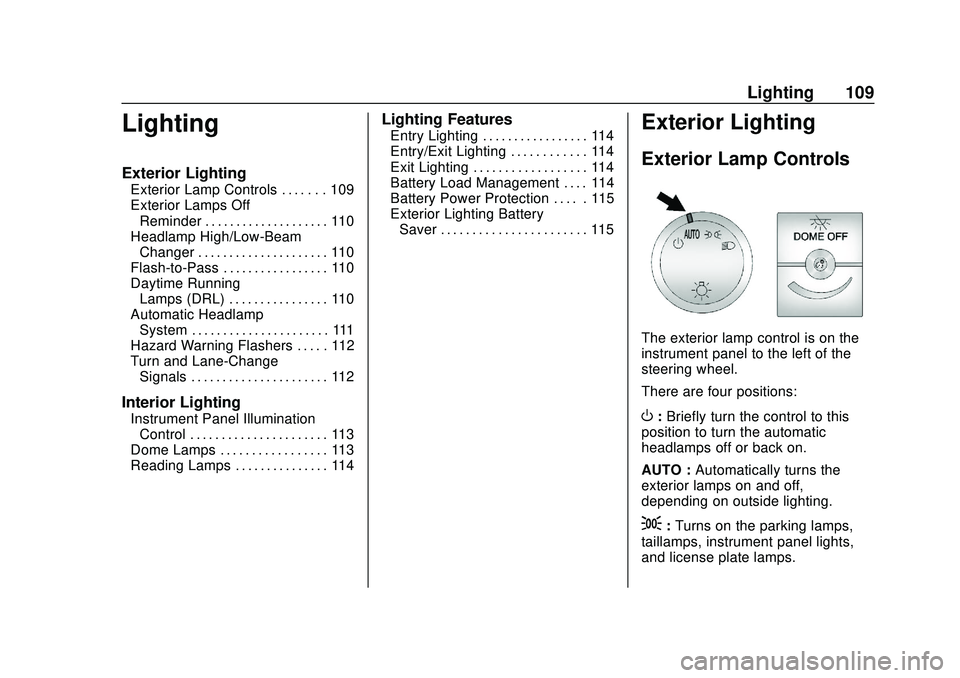
Exterior Lamp Controls
The exterior lamp control is on the
instrument panel to the left of the
steering wheel.
There are four positions:
O: Briefly turn the control to this
position to turn the automatic
headlamps off or back on.
AUTO : Automatically turns the
exterior lamps on and off,
depending on outside lighting.
;: Turns on the parking lamps,
taillamps, instrument panel lights,
and license plate lamps.
Page 111 of 355
GMC Savana Owner Manual (GMNA-Localizing-U.S./Canada-13882574) -
2020 - CRC - 11/1/19
110 Lighting
2:Turns on the headlamps,
parking lamps, taillamps, instrument
panel lights, and license plate
lamps.
If the headlamps are turned on
while the vehicle is on, the
headlamps turn off automatically
10 minutes after the ignition is
turned off. If the headlamps are
turned on while the vehicle is off,
the headlamps will continue to stay
on. To prevent the battery from
being drained, turn the control to the
Oposition.
A warning chime sounds if the driver
door is opened while the ignition
switch is off and the headlamps
are on.
To change the headlamps from low
beam to high beam, pull the turn
signal lever all the way toward you.
Then release it.
Exterior Lamps Off
Reminder
If a door is open, a reminder chime
sounds when the headlamps or
parking lamps are manually turned on and the key is out of the ignition.
To turn off the chime, turn the
headlamp switch to
Oor AUTO and
then back on, or close and re-open
the door. In the auto mode, the
headlamps turn off once the ignition
is off or may remain on until the
headlamp delay ends, if enabled in
the Driver Information Center (DIC).
See “Exit Lighting” underVehicle
Personalization 0104.
Headlamp High/
Low-Beam Changer
2 3:Pull the turn signal lever all
the way toward you to change the
headlamps from low to high beam.
Then release it.
Pull the turn signal lever all the way
toward you again and release it to
change the headlamps back to
low beam.
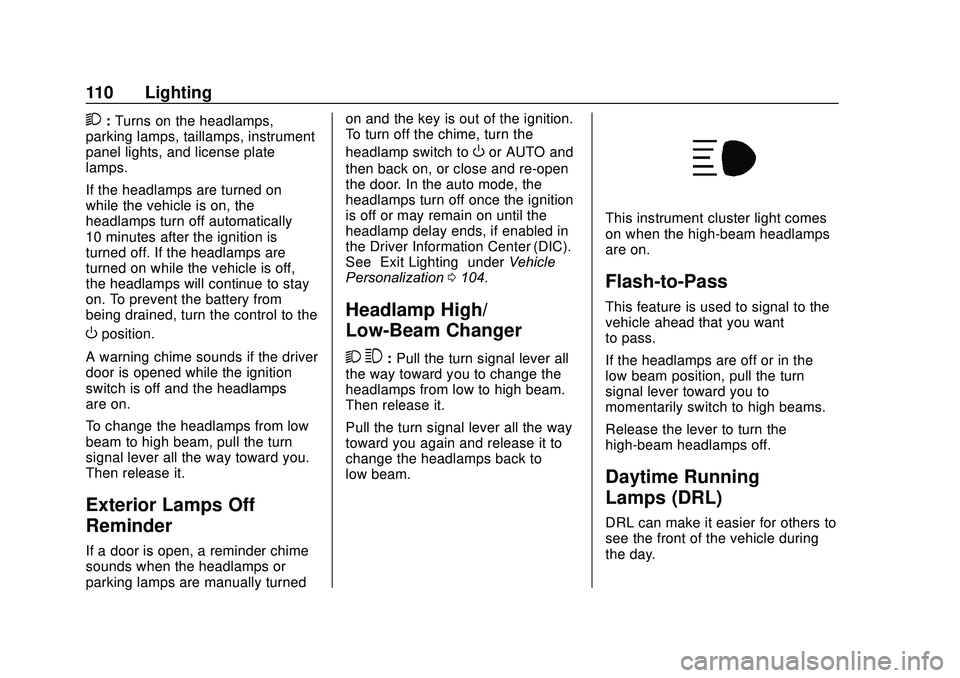
This instrument cluster light comes
on when the high-beam headlamps
are on.
Flash-to-Pass
This feature is used to signal to the
vehicle ahead that you want
to pass.
If the headlamps are off or in the
low‐beam position, pull the turn
signal lever toward you to
momentarily switch to high beams.
Release the lever to turn the
high-beam headlamps off.
Daytime Running
Lamps (DRL)
DRL can make it easier for others to
see the front of the vehicle during
the day.
Page 112 of 355

GMC Savana Owner Manual (GMNA-Localizing-U.S./Canada-13882574) -
2020 - CRC - 11/1/19
Lighting 111
The DRL system comes on in
daylight when the following
conditions are met:
.The ignition is on.
. The exterior lamp control is in
the AUTO position.
. The shift lever is not in P (Park).
. The light sensor determines it is
daytime.
When the DRL are on, the taillamps,
sidemarker, instrument panel lights,
and other lamps will not be on.
The automatic headlamp system
automatically switches from DRL to
the headlamps depending on the
darkness of the surroundings.
To turn off the DRL, turn the exterior
lamp control to
Oand then
release it.
Automatic Headlamp
System
When it is dark enough outside and
the headlamp switch is in AUTO,
the automatic headlamp system
turns on the headlamps, along with the taillamps, sidemarker lamps,
parking lamps, and the instrument
panel lights. The radio lights will
also be dim.
To turn off the automatic headlamp
system, turn the exterior lamp
control to the off position and then
release.
The vehicle has a light sensor on
the top of the instrument panel. Do
not cover the sensor; otherwise the
system will come on whenever the
ignition is on.
The system may also turn on the
headlamps when driving through a
parking garage or tunnel.
There is a delay in the transition
between the daytime and nighttime
operation of the Daytime RunningLamps (DRL) and the automatic
headlamp system so that driving
under bridges or bright overhead
street lights does not affect the
system. The DRL and automatic
headlamp system are only affected
when the light sensor sees a
change in lighting lasting longer
than the delay.
If the vehicle is started in a dark
garage, the automatic headlamp
system comes on immediately.
Once the vehicle leaves the garage,
it takes approximately 30 seconds
for the automatic headlamp system
to change to DRL if it is light
outside. During that delay, the
instrument cluster may not be as
bright as usual. Make sure the
instrument panel brightness control
is in the full bright position. See
Instrument Panel Illumination
Control
0113.
To idle the vehicle with the
automatic headlamp system off, turn
the control off.