electric GMC SAVANA 2022 Owner's Guide
[x] Cancel search | Manufacturer: GMC, Model Year: 2022, Model line: SAVANA, Model: GMC SAVANA 2022Pages: 288, PDF Size: 10.66 MB
Page 235 of 288
GMC Savana Owner Manual (GMNA-Localizing-U.S./Canada-15555961) -
2022 - CRC - 4/14/22
234 Vehicle Care
Towing the Vehicle
Caution
Incorrectly transporting a disabled vehicle
may cause damage to the vehicle. Use
proper tire straps to secure the vehicle to
the flatbed tow truck. Do not strap or
hook to any frame, underbody,
or suspension component not specified
below. Do not move vehicles with drive
axle tires on the ground. Damage is not
covered by the vehicle warranty.
Caution
The vehicle may be equipped with an
electric parking brake and/or a
mechanical transmission range select
shifter. In the event of a loss of 12-volt
battery power, the electric parking brake
cannot be released, and the vehicle
cannot be shifted to N (Neutral). Tire
skates or dollies must be used under the
non-rolling tires to prevent damage while
loading/unloading the vehicle. Dragging
the vehicle will cause damage not
covered by the vehicle warranty.
Caution
The vehicle may be equipped with a tow
eye. Improper use of the tow eye may
cause damage to the vehicle and is not
covered by the vehicle warranty.
If equipped, use the tow eye to load the
vehicle onto a flatbed tow truck from a
flat road surface, or to move the vehicle
a very short distance at a walking pace.
The tow eye is not designed for off-road
recovery. The vehicle must be in
N (Neutral) with the electric parking
brake released when using the tow eye.
Contact a professional towing service if the
disabled vehicle must be transported. GM
recommends a flatbed tow truck to
transport a disabled vehicle. Use ramps to
help reduce approach angles, if necessary.
If equipped, a tow eye may be located near
the spare tire or emergency jack. Do not use
the tow eye to pull the vehicle from the
snow, mud, sand, or ditch. Tow eye threads
may have right or left-hand threads. Use
caution when installing or removing the
tow eye. The vehicle must be in N (Neutral) and the
electric parking brake must be released
when loading the vehicle onto a flatbed tow
truck.
.If the 12-volt battery is dead and/or
electric parking brake is not released, the
vehicle will not move. Try to jump start
the vehicle with a known good 12-volt
battery, shift the car into N (Neutral), and
release the electric parking brake. Refer to
Jump Starting - North America
0231.
.If unsuccessful, the vehicle will not move.
Tire skates or dollies must be used under
the non-rolling tires to prevent vehicle
damage.
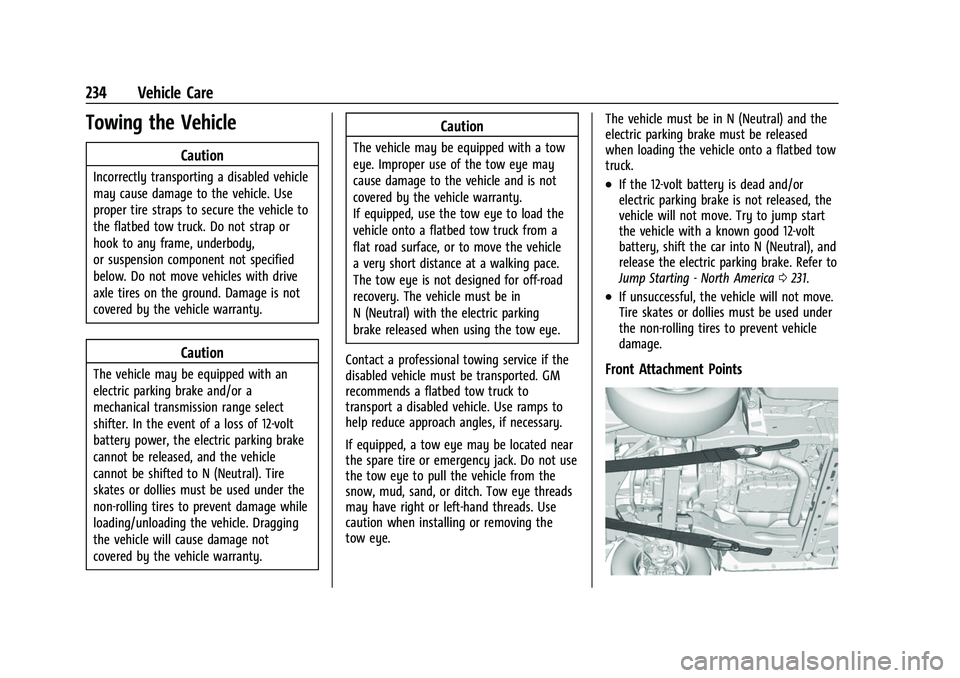
Front Attachment Points
Page 242 of 288
GMC Savana Owner Manual (GMNA-Localizing-U.S./Canada-15555961) -
2022 - CRC - 4/14/22
Vehicle Care 241
Caution (Continued)
.Never rub any surface aggressively or
with too much pressure.
.Do not get any exposed electrical
components wet.
.Do not use laundry detergents or
dishwashing soaps with degreasers. Do
not use solutions that contain strong
or caustic soap.
.Do not heavily saturate the upholstery
when cleaning.
.Do not use solvents or cleaners
containing solvents.
.Do not use disinfecting wipes that are
scented or contain bleach. Do not use
wipes or cleaners that show a color
transfer to the wipe or change the
appearance of the interior surface
when used.
.Do not use scented or gel-type hand
sanitizers. If hand sanitizer comes in
contact with interior surfaces of the
vehicle, blot immediately and clean
with a soft cloth dampened with a
mild soap and water solution.
Interior Glass
To clean, use a microfiber cloth fabric
dampened with water. Wipe droplets left
behind with a clean dry cloth. If necessary,
use a commercial glass cleaner after
cleaning with plain water.
Caution
To prevent scratching, never use abrasive
cleaners on automotive glass. Abrasive
cleaners or aggressive cleaning may
damage the rear window defogger.
Cleaning the windshield with water during
the first three to six months of ownership
will reduce tendency to fog.
Speaker Covers
Vacuum around a speaker cover gently, so
that the speaker will not be damaged. Clean
spots with water and mild soap.
Coated Moldings
Coated moldings should be cleaned.
.When lightly soiled, wipe with a sponge
or soft, lint-free cloth dampened with
water.
.When heavily soiled, use warm soapy
water.
Vinyl/Rubber
If equipped with vinyl floor and rubber floor
mats, use a soft cloth and/or brush
dampened with water to remove dust and
loose dirt. For more thorough cleaning, use
a mild soap and water solution.
{Warning
Do not use cleaners that contain silicone,
wax-based products, or cleaners that
increase gloss on vinyl/rubber floor and
mats. These cleaners can permanently
change the appearance and feel of the
vinyl/rubber and can make the floor
slippery. Your foot could slip while
operating the vehicle, and you could lose
control, resulting in a crash. You or
others could be injured.
Fabric/Carpet/Suede
Start by vacuuming the surface using a soft
brush attachment. If a rotating vacuum
brush attachment is being used, only use it
on the floor carpet. Before cleaning, gently
remove as much of the soil as possible:
.Gently blot liquids with a paper towel.
Continue blotting until no more soil can
be removed.
Page 250 of 288
GMC Savana Owner Manual (GMNA-Localizing-U.S./Canada-15555961) -
2022 - CRC - 4/14/22
Service and Maintenance 249
.Have underbody flushing service
performed. See“Underbody Maintenance”
in Exterior Care 0236.
Additional Maintenance
and Care
Your vehicle is an important investment and
caring for it properly may help to avoid
future costly repairs. To maintain vehicle
performance, additional maintenance
services may be required.
It is recommended that your dealer perform
these services —their trained dealer
technicians know your vehicle best. Your
dealer can also perform a thorough
assessment with a multi-point inspection to
recommend when your vehicle may need
attention.
The following list is intended to explain the
services and conditions to look for that may
indicate services are required.
Battery
The 12-volt battery supplies power to start
the engine and operate any additional
electrical accessories.
.To avoid break-down or failure to start
the vehicle, maintain a battery with full
cranking power.
.Trained dealer technicians have the
diagnostic equipment to test the battery
and ensure that the connections and
cables are corrosion-free.
Belts
.Belts may need replacing if they squeak
or show signs of cracking or splitting.
.Trained dealer technicians have access to
tools and equipment to inspect the belts
and recommend adjustment or
replacement when necessary.
Brakes
Brakes stop the vehicle and are crucial to
safe driving.
.Signs of brake wear may include chirping,
grinding, or squealing noises, or difficulty
stopping.
.Trained dealer technicians have access to
tools and equipment to inspect the brakes
and recommend quality parts engineered
for the vehicle. Fluids
Proper fluid levels and approved fluids
protect the vehicle’s systems and
components. See
Recommended Fluids and
Lubricants 0251 for GM approved fluids.
.Engine oil and windshield washer fluid
levels should be checked at every fuel fill.
.Instrument cluster lights may come on to
indicate that fluids may be low and need
to be filled.
Hoses
Hoses transport fluids and should be
regularly inspected to ensure that there are
no cracks or leaks. With a multi-point
inspection, your dealer can inspect the hoses
and advise if replacement is needed.
Lamps
Properly working headlamps, taillamps, and
brake lamps are important to see and be
seen on the road.
.Signs that the headlamps need attention
include dimming, failure to light, cracking,
or damage. The brake lamps need to be
checked periodically to ensure that they
light when braking.
Page 264 of 288
GMC Savana Owner Manual (GMNA-Localizing-U.S./Canada-15555961) -
2022 - CRC - 4/14/22
Customer Information 263
period in Canada), Federal Emission,
Extended Powertrain, and/or Electric specific
warranties in both the U.S. and Canada.
The Courtesy Transportation program is no
longer available for cutaway vehicles.
Several Courtesy Transportation options are
available to assist in reducing inconvenience
when warranty repairs are required.
Courtesy Transportation is not a part of the
New Vehicle Limited Warranty. A separate
manual entitled“Limited Warranty and
Owner Assistance Information” produced for
new vehicles provides detailed warranty
coverage information.
Transportation Options
Warranty service can generally be
completed while you wait. However, if you
are unable to do so, your dealer may offer
the following transportation options:
Shuttle Service
This includes one-way or round-trip shuttle
service within reasonable time and distance
parameters of your dealer's area. Public Transportation or Fuel Reimbursement
If overnight warranty repairs are needed,
and public transportation is used, the
expense must be supported by original
receipts and within the maximum amount
allowed by GM. If U.S. customers arrange
their own transportation, limited
reimbursement for reasonable fuel expenses
may be available. Claim amounts should
reflect actual costs and be supported by
original receipts. See your dealer for
information.
Courtesy Rental Vehicle
For an overnight warranty repair, the dealer
may provide an available courtesy rental
vehicle or provide for reimbursement of a
rental vehicle. Reimbursement is limited and
must be supported by original receipts as
well as a signed and completed rental
agreement and meet state/provincial, local,
and rental vehicle provider requirements.
Requirements vary and may include
minimum age requirements, insurance
coverage, credit card, etc. Additional fees
such as fuel, rental vehicle insurance, taxes,
levies, usage fees, excessive mileage,
or rental usage beyond the completion of
the repair are also your responsibility.It may not be possible to provide a like
vehicle as a courtesy rental.
Additional Program Information
All program options, such as shuttle service,
may not be available at every dealer.
Contact your dealer for specific availability.
General Motors reserves the right to
unilaterally modify, change, or discontinue
Courtesy Transportation at any time and to
resolve all questions of claim eligibility
pursuant to the terms and conditions
described herein at its sole discretion.
Collision Damage Repair
If the vehicle is involved in a collision and it
is damaged, have the damage repaired by a
qualified technician using the proper
equipment and quality replacement parts.
Poorly performed collision repairs diminish
the vehicle resale value, and safety
performance can be compromised in
subsequent collisions.
Collision Parts
Genuine GM Collision parts are new parts
made with the same materials and
construction methods as the parts with
which the vehicle was originally built.
Page 266 of 288
GMC Savana Owner Manual (GMNA-Localizing-U.S./Canada-15555961) -
2022 - CRC - 4/14/22
Customer Information 265
.Owner name, address, and telephone
number
.Vehicle license plate number
.Vehicle make, model, and model year
.Vehicle Identification Number (VIN)
.Insurance company and policy number
.General description of the damage to the
other vehicle
Choose a reputable repair facility that uses
quality replacement parts. See “Collision
Parts” earlier in this section.
If the airbag has inflated, see What Will You
See after an Airbag Inflates? 041.
Managing the Vehicle Damage Repair
Process
In the event that the vehicle requires
damage repairs, GM recommends that you
take an active role in its repair. If you have
a pre-determined repair facility of choice,
take the vehicle there, or have it towed
there. Specify to the facility that any
required replacement collision parts be
original equipment parts, either new
Genuine GM parts or recycled original GM
parts. Remember, recycled parts will not be
covered by the GM vehicle warranty. Insurance pays the bill for the repair, but
you must live with the repair. Depending on
your policy limits, your insurance company
may initially value the repair using
aftermarket parts. Discuss this with the
repair professional, and insist on Genuine
GM parts. Remember, if the vehicle is
leased, you may be obligated to have the
vehicle repaired with Genuine GM parts,
even if your insurance coverage does not
pay the full cost.
If another party's insurance company is
paying for the repairs, you are not obligated
to accept a repair valuation based on that
insurance company's collision policy repair
limits, as you have no contractual limits
with that company. In such cases, you can
have control of the repair and parts choices
as long as the cost stays within reasonable
limits.
Publication Ordering Information
Service Manuals
Service manuals have the diagnosis and
repair information on the engine,
transmission, axle, suspension, brakes,
electrical system, steering system, body, etc.
Customer Literature
Owner’s manuals are written specifically for
owners and are intended to provide basic
operational information about the vehicle.
The owner’s manual includes the
Maintenance Schedule for all models.
Customer literature publications available for
purchase include owner’s manuals, warranty
manuals, and portfolios. Portfolios include an
owner’s manual, warranty manual,
if applicable, and zip lock bag or pouch.
Current and Past Models
Service manuals and customer literature are
available for many current and past model
year GM vehicles.
To order, call 1-800-551-4123 Monday–Friday,
8:00 a.m.–6:00 p.m. eastern time
For credit card orders only (VISA,
MasterCard, or Discover), see Helm, Inc. at:
www.helminc.com.
To order by mail, write to:
Helm, Incorporated
Attention: Customer Service
47911 Halyard Drive
Plymouth, MI 48170
Make checks payable in U.S. funds.
Page 270 of 288
GMC Savana Owner Manual (GMNA-Localizing-U.S./Canada-15555961) -
2022 - CRC - 4/14/22
OnStar 269
OnStar
OnStar Overview
OnStar Overview . . . . . . . . . . . . . . . . . . . . . . 269
OnStar Services
Emergency . . . . . . . . . . . . . . . . . . . . . . . . . . . . 270
Security . . . . . . . . . . . . . . . . . . . . . . . . . . . . . . . 270
OnStar Additional Information
OnStar Additional Information . . . . . . . . 270
OnStar Overview
=Voice Command Button
QBlue OnStar Button
>Red Emergency Button
This vehicle may be equipped with a
comprehensive, in-vehicle system that can
connect to an OnStar Advisor for Emergency,
Security, Navigation, Connections, and
Diagnostics Services. OnStar services may
require a paid service plan and data plan.
OnStar requires the vehicle battery and
electrical system, cellular service, and GPS
satellite signals to be available and
operating. OnStar acts as a link to existing
emergency service providers. OnStar may
collect information about you and your
vehicle, including location information. See
OnStar User Terms, Privacy Statement, and
Software Terms for more details including
system limitations at www.onstar.com (U.S.)
or www.onstar.ca (Canada). The OnStar system status light is next to
the OnStar buttons. If the status light is:
.Solid Green: System is ready.
.Flashing Green: On a call.
.Red: Indicates a problem.
.Off: System is off. PressQtwice to
speak with an OnStar Advisor.
Press
Qor call 1-888-4ONSTAR
(1-888-466-7827) to speak to an Advisor.
Functionality of the Voice Command button
may vary by vehicle and region.
Press
=to:
.Open the OnStar app on the infotainment
display. If equipped, the infotainment
system has OnStar controls in the
embedded OnStar app on the Home Page.
Most OnStar functions that can be
performed with the buttons can be done
using the app. To open the app, touch the
OnStar icon on the Home Page. App
updates require a corresponding service
plan. Features vary by region and model.
Features are subject to change. For more
information, see my.gmc.com/learn or
press
Q.
Page 272 of 288
GMC Savana Owner Manual (GMNA-Localizing-U.S./Canada-15555961) -
2022 - CRC - 4/14/22
OnStar 271
.After change in ownership and at
90 days.
Transferring Service
PressQto request account transfer
eligibility information. The Advisor can
cancel or change account information.
Selling/Transferring the Vehicle
Call 1-888-4ONSTAR (1-888-466-7827)
immediately to terminate your OnStar or
connected services if the vehicle is disposed
of, sold, transferred, or if the lease ends.
Reactivation for Subsequent Owners
PressQand follow the prompts to speak to
an Advisor as soon as possible. The Advisor
will update vehicle records and explain
OnStar or connected service options.
How OnStar Service Works
Automatic Crash Response, Emergency
Services, Crisis Assist, Stolen Vehicle
Assistance, Remote Services, and Roadside
Assistance are available on most vehicles.
Not all OnStar services are available
everywhere or on all vehicles. For more
information, a full description of OnStar services, system limitations, and OnStar User
Terms, Privacy Statement, and Software
Terms:
.Call 1-888-4ONSTAR (1-888-466-7827).
.See www.onstar.com (U.S.).
.See www.onstar.ca (Canada).
.Call TTY 1-877-248-2080.
.PressQto speak with an Advisor.
OnStar or connected services cannot work
unless the vehicle is in a place where OnStar
has an agreement with a wireless service
provider for service in that area. The
wireless service provider must also have
coverage, network capacity, reception, and
technology compatible with OnStar or
connected services. Service involving location
information about the vehicle cannot work
unless GPS signals are available,
unobstructed, and compatible with the
OnStar hardware. OnStar or connected
services may not work if the OnStar
equipment is not properly installed or it has
not been properly maintained. If equipment
or software is added, connected,
or modified, OnStar or connected services
may not work. Other problems beyond the
control of OnStar —such as hills, tall
buildings, tunnels, weather, electrical system
design and architecture of the vehicle, damage to the vehicle in a crash, or wireless
phone network congestion or jamming
—
may prevent service.
See Radio Frequency Statement 0266.
Services for People with Disabilities
Advisors provide services to help with
physical disabilities and medical conditions.
Press
Qto help:
.Locate a gas station with an attendant to
pump gas.
.Find a hotel, restaurant, etc., that meets
accessibility needs.
.Provide directions to the closest hospital
or pharmacy in urgent situations.
TTY Users
OnStar has the ability to communicate to
deaf, hard-of-hearing, or speech-impaired
customers while in the vehicle. The available
TTY system can provide in-vehicle access to
all OnStar services, except Virtual Advisor
and OnStar Turn-by-Turn Navigation.
If equipped, TTY mode can be turned on or
off by touching Settings, then Apps, and
then Phone. When TTY mode is on, phone
calls can be made or received with OnStar
using the infotainment display.
Page 273 of 288
GMC Savana Owner Manual (GMNA-Localizing-U.S./Canada-15555961) -
2022 - CRC - 4/14/22
272 OnStar
OnStar Personal Identification
Number (PIN)
A PIN is needed to access some OnStar
services. The PIN will need to be changed
the first time when speaking with an
Advisor. To change the OnStar PIN, contact
an OnStar Advisor by pressing
Qor calling
1-888-4ONSTAR.
Warranty
OnStar equipment may be warranted as part
of the vehicle warranty.
Languages
The vehicle can be programmed to respond
in multiple languages. Press
Qand ask for
an Advisor. Advisors are available in English,
Spanish, and French. Available languages
may vary by country.
Potential Issues
OnStar cannot perform Remote Door Unlock
or Stolen Vehicle Assistance after the vehicle
has been off continuously for an extended
period of time without an ignition cycle. To
find out the duration of time that applies
for the vehicle, contact an OnStar Advisor by
pressing
Qor calling 1-888-4ONSTAR. If the
vehicle has not been started for an extended period of time, OnStar can contact Roadside
Assistance or a locksmith to help gain access
to the vehicle.
Global Positioning System (GPS)
.Obstruction of the GPS can occur in a
large city with tall buildings; in parking
garages; around airports; in tunnels and
underpasses; or in an area with very
dense trees. If GPS signals are not
available, the OnStar system should still
operate to call OnStar. However, OnStar
could have difficulty identifying the exact
location.
.In emergency situations, OnStar can use
the last stored GPS location to send to
emergency responders.
A temporary loss of GPS can cause loss of
the ability to send a Turn-by-Turn
Navigation route. The Advisor may give a
verbal route or may ask for a call back after
the vehicle is driven into an open area.
Cellular and GPS Antennas
Cellular reception is required for OnStar to
send remote signals to the vehicle. Do not
place items over or near the antenna to
prevent blocking cellular and GPS signal
reception.
Unable to Connect to OnStar Message
If there is limited cellular coverage or the
cellular network has reached maximum
capacity, this message may come on. Press
Qto try the call again or try again after
driving a few miles into another
cellular area.
Vehicle and Power Issues
OnStar services require a vehicle electrical
system, wireless service, and GPS satellite
technologies to be available and operating
for features to function properly. These
systems may not operate if the battery is
discharged or disconnected.
Add-on Electrical Equipment
The OnStar system is integrated into the
electrical architecture of the vehicle. Do not
add any electrical equipment. See Add-On
Electrical Equipment 0171. Added electrical
equipment may interfere with the operation
of the OnStar system and cause it to not
operate.
Vehicle Software Updates
OnStar or GM may remotely deliver
software updates or changes to the vehicle
without further notice or consent. These
Page 278 of 288
GMC Savana Owner Manual (GMNA-Localizing-U.S./Canada-15555961) -
2022 - CRC - 4/14/22
Index 277
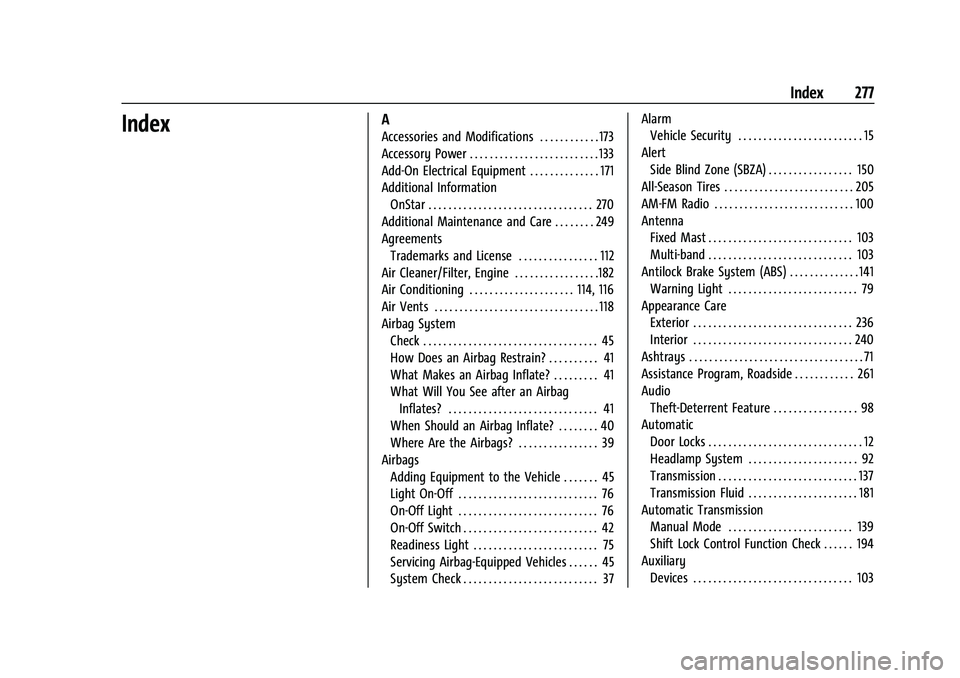
IndexA
Accessories and Modifications . . . . . . . . . . . . 173
Accessory Power . . . . . . . . . . . . . . . . . . . . . . . . . . 133
Add-On Electrical Equipment . . . . . . . . . . . . . . 171
Additional InformationOnStar . . . . . . . . . . . . . . . . . . . . . . . . . . . . . . . . . 270
Additional Maintenance and Care . . . . . . . . 249
Agreements Trademarks and License . . . . . . . . . . . . . . . . 112
Air Cleaner/Filter, Engine . . . . . . . . . . . . . . . . .182
Air Conditioning . . . . . . . . . . . . . . . . . . . . . 114, 116
Air Vents . . . . . . . . . . . . . . . . . . . . . . . . . . . . . . . . . 118
Airbag System Check . . . . . . . . . . . . . . . . . . . . . . . . . . . . . . . . . . . 45
How Does an Airbag Restrain? . . . . . . . . . . 41
What Makes an Airbag Inflate? . . . . . . . . . 41
What Will You See after an Airbag
Inflates? . . . . . . . . . . . . . . . . . . . . . . . . . . . . . . 41
When Should an Airbag Inflate? . . . . . . . . 40
Where Are the Airbags? . . . . . . . . . . . . . . . . 39
Airbags Adding Equipment to the Vehicle . . . . . . . 45
Light On-Off . . . . . . . . . . . . . . . . . . . . . . . . . . . . 76
On-Off Light . . . . . . . . . . . . . . . . . . . . . . . . . . . . 76
On-Off Switch . . . . . . . . . . . . . . . . . . . . . . . . . . . 42
Readiness Light . . . . . . . . . . . . . . . . . . . . . . . . . 75
Servicing Airbag-Equipped Vehicles . . . . . . 45
System Check . . . . . . . . . . . . . . . . . . . . . . . . . . . 37 Alarm
Vehicle Security . . . . . . . . . . . . . . . . . . . . . . . . . 15
Alert Side Blind Zone (SBZA) . . . . . . . . . . . . . . . . . 150
All-Season Tires . . . . . . . . . . . . . . . . . . . . . . . . . . 205
AM-FM Radio . . . . . . . . . . . . . . . . . . . . . . . . . . . . 100
Antenna Fixed Mast . . . . . . . . . . . . . . . . . . . . . . . . . . . . . 103
Multi-band . . . . . . . . . . . . . . . . . . . . . . . . . . . . . 103
Antilock Brake System (ABS) . . . . . . . . . . . . . . 141 Warning Light . . . . . . . . . . . . . . . . . . . . . . . . . . 79
Appearance Care Exterior . . . . . . . . . . . . . . . . . . . . . . . . . . . . . . . . 236
Interior . . . . . . . . . . . . . . . . . . . . . . . . . . . . . . . . 240
Ashtrays . . . . . . . . . . . . . . . . . . . . . . . . . . . . . . . . . . . 71
Assistance Program, Roadside . . . . . . . . . . . . 261
Audio Theft-Deterrent Feature . . . . . . . . . . . . . . . . . 98
Automatic Door Locks . . . . . . . . . . . . . . . . . . . . . . . . . . . . . . . 12
Headlamp System . . . . . . . . . . . . . . . . . . . . . . 92
Transmission . . . . . . . . . . . . . . . . . . . . . . . . . . . . 137
Transmission Fluid . . . . . . . . . . . . . . . . . . . . . . 181
Automatic Transmission Manual Mode . . . . . . . . . . . . . . . . . . . . . . . . . 139
Shift Lock Control Function Check . . . . . . 194
Auxiliary Devices . . . . . . . . . . . . . . . . . . . . . . . . . . . . . . . . 103
Page 280 of 288
GMC Savana Owner Manual (GMNA-Localizing-U.S./Canada-15555961) -
2022 - CRC - 4/14/22
Index 279
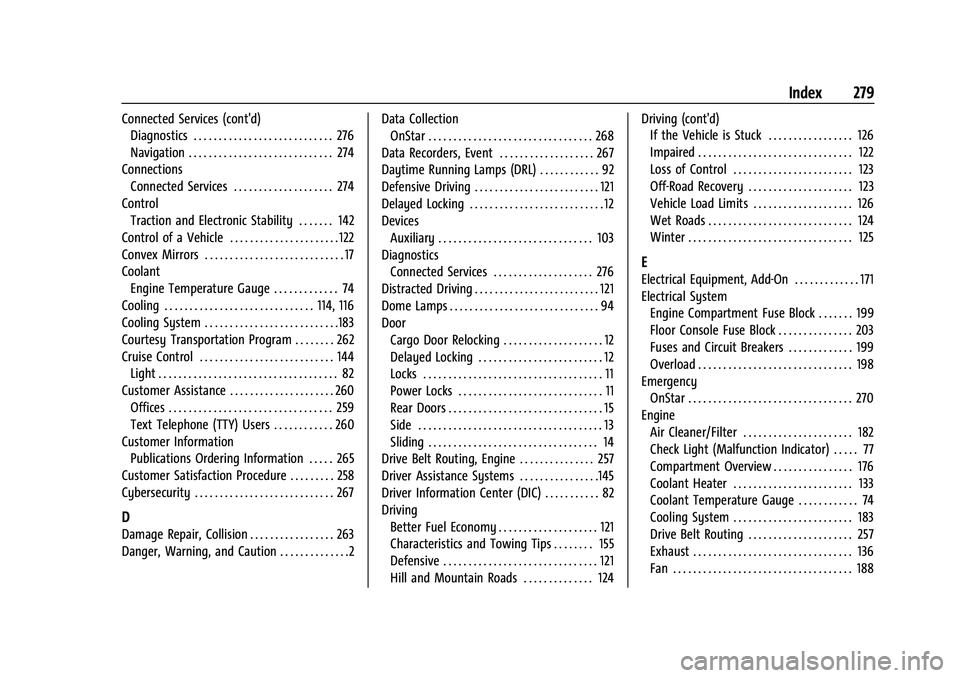
Connected Services (cont'd)Diagnostics . . . . . . . . . . . . . . . . . . . . . . . . . . . . 276
Navigation . . . . . . . . . . . . . . . . . . . . . . . . . . . . . 274
Connections Connected Services . . . . . . . . . . . . . . . . . . . . 274
Control Traction and Electronic Stability . . . . . . . 142
Control of a Vehicle . . . . . . . . . . . . . . . . . . . . . . 122
Convex Mirrors . . . . . . . . . . . . . . . . . . . . . . . . . . . . 17
Coolant Engine Temperature Gauge . . . . . . . . . . . . . 74
Cooling . . . . . . . . . . . . . . . . . . . . . . . . . . . . . . 114, 116
Cooling System . . . . . . . . . . . . . . . . . . . . . . . . . . .183
Courtesy Transportation Program . . . . . . . . 262
Cruise Control . . . . . . . . . . . . . . . . . . . . . . . . . . . 144 Light . . . . . . . . . . . . . . . . . . . . . . . . . . . . . . . . . . . . 82
Customer Assistance . . . . . . . . . . . . . . . . . . . . . 260 Offices . . . . . . . . . . . . . . . . . . . . . . . . . . . . . . . . . 259
Text Telephone (TTY) Users . . . . . . . . . . . . 260
Customer Information Publications Ordering Information . . . . . 265
Customer Satisfaction Procedure . . . . . . . . . 258
Cybersecurity . . . . . . . . . . . . . . . . . . . . . . . . . . . . 267
D
Damage Repair, Collision . . . . . . . . . . . . . . . . . 263
Danger, Warning, and Caution . . . . . . . . . . . . . .2 Data Collection
OnStar . . . . . . . . . . . . . . . . . . . . . . . . . . . . . . . . . 268
Data Recorders, Event . . . . . . . . . . . . . . . . . . . 267
Daytime Running Lamps (DRL) . . . . . . . . . . . . 92
Defensive Driving . . . . . . . . . . . . . . . . . . . . . . . . . 121
Delayed Locking . . . . . . . . . . . . . . . . . . . . . . . . . . . 12
Devices Auxiliary . . . . . . . . . . . . . . . . . . . . . . . . . . . . . . . 103
Diagnostics Connected Services . . . . . . . . . . . . . . . . . . . . 276
Distracted Driving . . . . . . . . . . . . . . . . . . . . . . . . . 121
Dome Lamps . . . . . . . . . . . . . . . . . . . . . . . . . . . . . . 94
Door
Cargo Door Relocking . . . . . . . . . . . . . . . . . . . . 12
Delayed Locking . . . . . . . . . . . . . . . . . . . . . . . . . 12
Locks . . . . . . . . . . . . . . . . . . . . . . . . . . . . . . . . . . . . 11
Power Locks . . . . . . . . . . . . . . . . . . . . . . . . . . . . . 11
Rear Doors . . . . . . . . . . . . . . . . . . . . . . . . . . . . . . . 15
Side . . . . . . . . . . . . . . . . . . . . . . . . . . . . . . . . . . . . . 13
Sliding . . . . . . . . . . . . . . . . . . . . . . . . . . . . . . . . . . 14
Drive Belt Routing, Engine . . . . . . . . . . . . . . . 257
Driver Assistance Systems . . . . . . . . . . . . . . . .145
Driver Information Center (DIC) . . . . . . . . . . . 82
Driving Better Fuel Economy . . . . . . . . . . . . . . . . . . . . 121
Characteristics and Towing Tips . . . . . . . . 155
Defensive . . . . . . . . . . . . . . . . . . . . . . . . . . . . . . . 121
Hill and Mountain Roads . . . . . . . . . . . . . . 124 Driving (cont'd)
If the Vehicle is Stuck . . . . . . . . . . . . . . . . . 126
Impaired . . . . . . . . . . . . . . . . . . . . . . . . . . . . . . . 122
Loss of Control . . . . . . . . . . . . . . . . . . . . . . . . 123
Off-Road Recovery . . . . . . . . . . . . . . . . . . . . . 123
Vehicle Load Limits . . . . . . . . . . . . . . . . . . . . 126
Wet Roads . . . . . . . . . . . . . . . . . . . . . . . . . . . . . 124
Winter . . . . . . . . . . . . . . . . . . . . . . . . . . . . . . . . . 125
E
Electrical Equipment, Add-On . . . . . . . . . . . . . 171
Electrical System
Engine Compartment Fuse Block . . . . . . . 199
Floor Console Fuse Block . . . . . . . . . . . . . . . 203
Fuses and Circuit Breakers . . . . . . . . . . . . . 199
Overload . . . . . . . . . . . . . . . . . . . . . . . . . . . . . . . 198
Emergency
OnStar . . . . . . . . . . . . . . . . . . . . . . . . . . . . . . . . . 270
Engine Air Cleaner/Filter . . . . . . . . . . . . . . . . . . . . . . 182
Check Light (Malfunction Indicator) . . . . . 77
Compartment Overview . . . . . . . . . . . . . . . . 176
Coolant Heater . . . . . . . . . . . . . . . . . . . . . . . . 133
Coolant Temperature Gauge . . . . . . . . . . . . 74
Cooling System . . . . . . . . . . . . . . . . . . . . . . . . 183
Drive Belt Routing . . . . . . . . . . . . . . . . . . . . . 257
Exhaust . . . . . . . . . . . . . . . . . . . . . . . . . . . . . . . . 136
Fan . . . . . . . . . . . . . . . . . . . . . . . . . . . . . . . . . . . . 188