instrument cluster GMC SAVANA PASSENGER 2008 User Guide
[x] Cancel search | Manufacturer: GMC, Model Year: 2008, Model line: SAVANA PASSENGER, Model: GMC SAVANA PASSENGER 2008Pages: 402, PDF Size: 2.34 MB
Page 145 of 402
{CAUTION:
Even though the passenger sensing system is
designed to turn off the right front passenger’s
frontal airbag if the system detects a rear-facing
child restraint, no system is fail-safe, and no
one can guarantee that an airbag will not deploy
under some unusual circumstance, even
though it is turned off. We recommend that
rear-facing child restraints be secured in
the rear seat, even if the airbag is off.
If the word OFF or the off symbol is lit on the airbag
status indicator, it means that the passenger sensing
system has turned off the right front passenger’s frontal
airbag. SeePassenger Sensing System on page 1-69
for more on this, including important safety information.If, after several seconds, both status indicator lights
remain on, or if there are no lights at all, there may be
a problem with the lights or the passenger sensing
system. See your dealer/retailer for service.
{CAUTION:
If the airbag readiness light in the instrument
panel cluster ever comes on and stays on, it
means that something may be wrong with the
airbag system. If this ever happens, have the
vehicle serviced promptly, because an
adult-size person sitting in the right front
passenger’s seat may not have the protection
of the airbag(s). SeeAirbag Readiness Light
on page 3-27for more on this, including
important safety information.
3-31
Page 156 of 402
Driver Information Center (DIC)
Your vehicle has a Driver Information Center (DIC).
All messages will appear in the DIC display located at
the bottom of the instrument panel cluster. The DIC
buttons are located on the instrument panel, next to
the instrument panel cluster.
The DIC comes on when the ignition is on. After a short
delay, the DIC will display the information that was
last displayed before the engine was turned off.
The DIC displays trip, fuel, and vehicle system
information, and warning messages if a system
problem is detected.
If your vehicle has these features, the DIC also displays
the compass direction and the outside air temperature
when viewing the trip and fuel information. The compass
direction appears on the top right corner of the DIC
display. The outside air temperature automatically
appears in the bottom right corner of the DIC display.
If there is a problem with the system that controls
the temperature display, the numbers will be replaced
with dashes. If this occurs, have the vehicle serviced
by your dealer/retailer.
The DIC also allows some features to be customized.
SeeDIC Vehicle Customization on page 3-58for
more information.
DIC Operation and Displays
The DIC has different displays which can be accessed
by pressing the DIC buttons located on the instrument
panel, next to the instrument panel cluster.
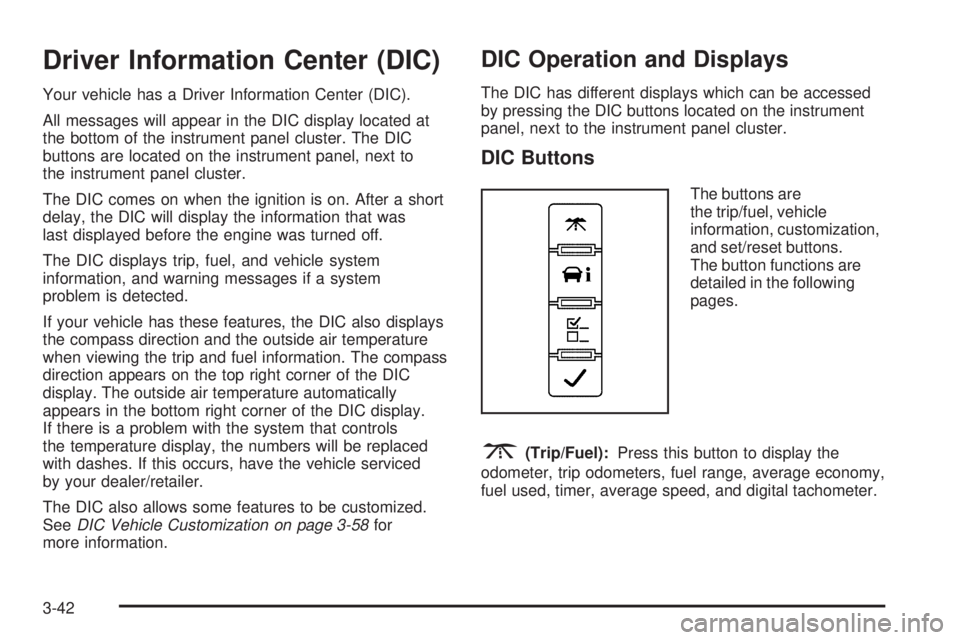
DIC Buttons
The buttons are
the trip/fuel, vehicle
information, customization,
and set/reset buttons.
The button functions are
detailed in the following
pages.
3(Trip/Fuel):Press this button to display the
odometer, trip odometers, fuel range, average economy,
fuel used, timer, average speed, and digital tachometer.
3-42
Page 165 of 402
DRIVER DOOR OPEN
This message displays and a chime sounds if the driver
door is not fully closed and the vehicle is in a drive
gear. Stop and turn off the vehicle, check the door
for obstructions, and close the door again. Check
to see if the message still appears on the DIC.
ENGINE HOT
A/C (Air Conditioning) OFF
This message displays when the engine coolant
becomes hotter than the normal operating temperature.
SeeEngine Coolant Temperature Gage on page 3-35.
To avoid added strain on a hot engine, the air
conditioning compressor automatically turns off.
When the coolant temperature returns to normal,
the air conditioning compressor turns back on.
You can continue to drive your vehicle.
If this message continues to appear, have the system
repaired by your dealer/retailer as soon as possible
to avoid damage to the engine.
ENGINE OIL LOW ADD OIL
If your vehicle has an oil level sensor, this message
displays if the oil level in the vehicle is low. Check the
oil level and correct it as necessary. You may need to let
the vehicle cool or warm up and cycle the ignition to
be sure this message clears. SeeEngine Oil (Gasoline
Engine) on page 5-15for additional information.
ENGINE OVERHEATED IDLE ENGINE
Notice:If you drive your vehicle while the engine
is overheating, severe engine damage may occur.
If an overheat warning appears on the instrument
panel cluster and/or DIC, stop the vehicle as soon
as possible. SeeEngine Overheating on page 5-26
for more information.
This message displays when the engine coolant
temperature is too hot. Stop and allow the vehicle
to idle until it cools down. SeeEngine Coolant
Temperature Gage on page 3-35.
3-51
Page 166 of 402
ENGINE OVERHEATED STOP ENGINE
Notice:If you drive your vehicle while the engine
is overheating, severe engine damage may occur.
If an overheat warning appears on the instrument
panel cluster and/or DIC, stop the vehicle as soon
as possible. SeeEngine Overheating on page 5-26
for more information.
This message displays and a chime sounds if the
engine cooling system reaches unsafe temperatures for
operation. Stop and turn off the vehicle as soon as it
is safe to do so to avoid severe damage. This message
clears when the engine has cooled to a safe operating
temperature.
ENGINE POWER IS REDUCED
This message displays and a chime sounds when the
cooling system temperature gets too hot and the engine
further enters the engine coolant protection mode.
SeeEngine Overheating on page 5-26for further
information.
This message also displays when the vehicle’s engine
power is reduced. Reduced engine power can affect
the vehicle’s ability to accelerate. If this message is on,
but there is no reduction in performance, proceed toyour destination. The performance may be reduced
the next time the vehicle is driven. The vehicle may be
driven at a reduced speed while this message is on,
but acceleration and speed may be reduced. Anytime
this message stays on, the vehicle should be taken
to your dealer/retailer for service as soon as possible.
FUEL LEVEL LOW
This message displays if the fuel level is low. Refuel as
soon as possible. SeeFuel Gage on page 3-41and
Fuel on page 5-5for more information.
ICE POSSIBLE DRIVE WITH CARE
This message displays when the outside air temperature
is cold enough to create icy road conditions. Adjust
your driving accordingly.
LEFT REAR DOOR OPEN
On some vehicles, this message displays and a chime
sounds if the driver side rear door is not fully closed
and the vehicle is in a drive gear. Stop and turn off the
vehicle, check the door for obstructions, and close
the door again. Check to see if the message still
appears on the DIC.
3-52
Page 168 of 402
SERVICE A/C SYSTEM
This message displays when the electronic sensors that
control the air conditioning and heating systems are
no longer working. Have the climate control system
serviced by your dealer/retailer if you notice a drop
in heating and air conditioning efficiency.
SERVICE AIR BAG
This message displays if there is a problem with
the airbag system. Have your dealer/retailer inspect
the system for problems. SeeAirbag Readiness Light on
page 3-27andAirbag System on page 1-57for more
information.
SERVICE BATTERY CHARGING
SYSTEM
On some vehicles, this message displays if there is a
problem with the battery charging system. Under certain
conditions, the charging system light may also turn
on in the instrument panel cluster. SeeCharging System
Light on page 3-32. Driving with this problem could
drain the battery. Turn off all unnecessary accessories.
Have the electrical system checked as soon as
possible. See your dealer/retailer.
SERVICE BRAKE SYSTEM
This message displays along with the brake system
warning light if there is a problem with the brake system.
SeeBrake System Warning Light on page 3-33. If this
message appears, stop as soon as possible and turn
off the vehicle. Restart the vehicle and check for
the message on the DIC display. If the message is still
displayed or appears again when you begin driving,
the brake system needs service as soon as possible.
See your dealer/retailer.
SERVICE STABILITRAK
If your vehicle has StabiliTrak®and this message
displays, it means there may be a problem with the
StabiliTrak
®system. If you see this message, try to
reset the system. Stop; turn off the engine for at least
15 seconds; then start the engine again. If this message
still comes on, it means there is a problem. You
should see your dealer/retailer for service. The vehicle
is safe to drive, however, you do not have the benefit
of StabiliTrak
®, so reduce your speed and drive
accordingly.
3-54
Page 169 of 402
SERVICE THEFT DETERRENT SYSTEM
This message displays when there is a problem with
the theft-deterrent system. The vehicle may or may not
restart so you may want to take the vehicle to your
dealer/retailer before turning off the engine. See
PASS-Key
®III+ Operation on page 2-17for more
information.
SERVICE TIRE MONITOR SYSTEM
If your vehicle has the Tire Pressure Monitor
System (TPMS), this message displays if a part on
the system is not working properly. The tire pressure
light also flashes and then remains on during the same
ignition cycle. SeeTire Pressure Light on page 3-35.
Several conditions may cause this message to appear.
SeeTire Pressure Monitor Operation on page 5-64
for more information. If the warning comes on and stays
on, there may be a problem with the TPMS. See your
dealer/retailer.
SERVICE TRACTION CONTROL
If your vehicle has StabiliTrak®, this message displays
when there is a problem with the Traction Control
System (TCS). When this message displays, the system
will not limit wheel spin. Adjust your driving accordingly.
See your dealer/retailer for service. SeeStabiliTrak
®
System on page 4-5for more information.
SERVICE TRANSMISSION
This message displays when there is a problem with the
transmission. See your dealer/retailer for service.
SERVICE VEHICLE SOON
This message displays when a non-emissions related
malfunction occurs. Have the vehicle serviced by
your dealer/retailer as soon as possible.
STABILITRAK NOT READY
If your vehicle has StabiliTrak®, this message may
display and the StabiliTrak®indicator light on the
instrument panel cluster may be on after first driving the
vehicle and exceeding 20 mph (32 km/h) for 30 seconds.
The StabiliTrak
®system is not functional until the light
has turned off. SeeStabiliTrak®System on page 4-5for
more information.
3-55
Page 170 of 402
STABILITRAK OFF
If your vehicle has StabiliTrak®, this message displays
when you turn off StabiliTrak®, or when the stability
control has been automatically disabled. To limit
wheel spin and realize the full benefits of the stability
enhancement system, you should normally leave
StabiliTrak
®on. However, you should turn StabiliTrak®off
if your vehicle gets stuck in sand, mud, ice, or snow and
you want to rock your vehicle to attempt to free it, or if you
are driving in extreme off-road conditions and require
more wheel spin. SeeIf Your Vehicle is Stuck in Sand,
Mud, Ice, or Snow on page 4-19. To turn the StabiliTrak
®
system on or off, seeStabiliTrak®System on page 4-5.
There are several conditions that can cause this
message to appear.
•One condition is overheating, which could occur if
StabiliTrak®activates continuously for an extended
period of time.
•The message also displays if the brake system
warning light is on. SeeBrake System Warning
Light on page 3-33.
•The message could display if the stability system
takes longer than usual to complete its diagnostic
checks due to driving conditions.
•The message displays if an engine or vehicle
related problem has been detected and the vehicle
needs service. See your dealer/retailer.
•The message also displays if the vehicle is shifted
into 4LO.The message turns off as soon as the conditions that
caused the message to be displayed are no longer
present.
STARTING DISABLED SERVICE
THROTTLE
This message displays if the starting of the engine is
disabled due to the electronic throttle control system.
Have your vehicle serviced by your dealer/retailer
immediately.
This message only appears while the ignition is in
ON/RUN, and will not disappear until the problem is
resolved.
This message cannot be acknowledged.
TIGHTEN GAS CAP
This message may display along with the check engine
light on the instrument panel cluster if the vehicle’s fuel
cap is not tightened properly. SeeMalfunction Indicator
Lamp on page 3-36. Reinstall the fuel cap fully. See
Filling the Tank on page 5-10. The diagnostic system can
determine if the fuel cap has been left off or improperly
installed. A loose or missing fuel cap allows fuel to
evaporate into the atmosphere. A few driving trips with
the cap properly installed should turn this light and
message off.
3-56
Page 171 of 402
TIRE LEARNING ACTIVE
If your vehicle has the Tire Pressure Monitor
System (TPMS), this message displays when the
system is re-learning the tire positions on your vehicle.
SeeDIC Operation and Displays on page 3-42for more
information. The tire positions must be re-learned after
rotating the tires or after replacing a tire or sensor. See
Tire Inspection and Rotation on page 5-68,Tire Pressure
Monitor System on page 5-62, andInflation - Tire
Pressure on page 5-60for more information.
TRACTION CONTROL OFF
If your vehicle has StabiliTrak®, this message displays
when the Traction Control System (TCS) is turned
off. Adjust your driving accordingly. SeeStabiliTrak
®
System on page 4-5for more information.
TRANSMISSION HOT IDLE ENGINE
Notice:If you drive your vehicle while the
transmission uid is overheating and the
transmission temperature warning is displayed
on the instrument panel cluster and/or DIC, you
can damage the transmission. This could lead
to costly repairs that would not be covered by
your warranty. Do not drive your vehicle with
overheated transmission uid or while the
transmission temperature warning is displayed.This message displays along with a chime if the
transmission fluid in the vehicle gets hot. Driving with the
transmission fluid temperature high can cause damage
to the vehicle. Stop the vehicle and let it idle to allow the
transmission to cool. This message clears and the chime
stops when the fluid temperature reaches a safe level.
TURN SIGNAL ON
This message displays and a chime sounds if a turn
signal is left on for 3/4 of a mile (1.2 km). Move the turn
signal/multifunction lever to the off position.
WAIT TO START
This message displays briefly when the theft-deterrent
system has initially found incorrect conditions within
the vehicle and is making a double check. If your vehicle
does not start soon after, try to start it again. If it still
does not start, have your vehicle serviced by your
dealer/retailer.
3-57
Page 304 of 402
Tire Pressure Monitor Operation
The Tire Pressure Monitor System (TPMS), if your
vehicle has this feature, is designed to warn the driver
when a low tire pressure condition exists. TPMS sensors
are mounted onto each tire and wheel assembly,
excluding the spare tire and wheel assembly. The TPMS
sensors monitor the air pressure in the vehicle’s tires
and transmits the tire pressure readings to a receiver
located in the vehicle.
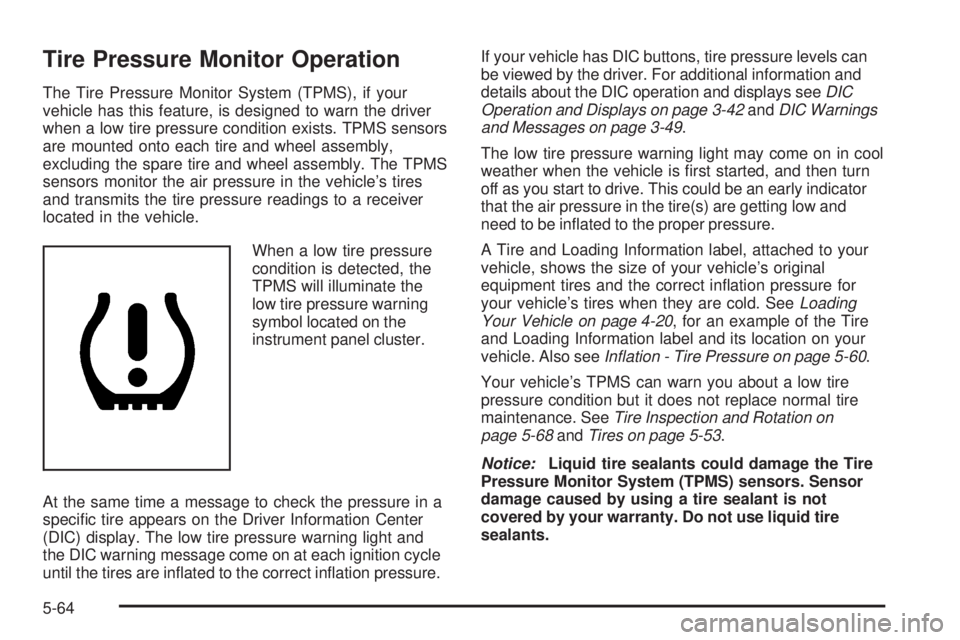
When a low tire pressure
condition is detected, the
TPMS will illuminate the
low tire pressure warning
symbol located on the
instrument panel cluster.
At the same time a message to check the pressure in a
specific tire appears on the Driver Information Center
(DIC) display. The low tire pressure warning light and
the DIC warning message come on at each ignition cycle
until the tires are inflated to the correct inflation pressure.If your vehicle has DIC buttons, tire pressure levels can
be viewed by the driver. For additional information and
details about the DIC operation and displays seeDIC
Operation and Displays on page 3-42andDIC Warnings
and Messages on page 3-49.
The low tire pressure warning light may come on in cool
weather when the vehicle is first started, and then turn
off as you start to drive. This could be an early indicator
that the air pressure in the tire(s) are getting low and
need to be inflated to the proper pressure.
A Tire and Loading Information label, attached to your
vehicle, shows the size of your vehicle’s original
equipment tires and the correct inflation pressure for
your vehicle’s tires when they are cold. SeeLoading
Your Vehicle on page 4-20, for an example of the Tire
and Loading Information label and its location on your
vehicle. Also seeInflation - Tire Pressure on page 5-60.
Your vehicle’s TPMS can warn you about a low tire
pressure condition but it does not replace normal tire
maintenance. SeeTire Inspection and Rotation on
page 5-68andTires on page 5-53.
Notice:Liquid tire sealants could damage the Tire
Pressure Monitor System (TPMS) sensors. Sensor
damage caused by using a tire sealant is not
covered by your warranty. Do not use liquid tire
sealants.
5-64
Page 307 of 402
If your vehicle does not have RKE, press the Driver
Information Center (DIC) vehicle information button
until the PRESS
VTO RELEARN TIRE POSITIONS
message displays. The horn sounds twice to signal
the receiver is in relearn mode and TIRE LEARNING
ACTIVE message displays on the DIC screen.
If your vehicle does not have RKE or DIC buttons,
press the trip odometer reset stem located on the
instrument panel cluster until the PRESS
VTO
RELEARN TIRE POSITIONS message displays.
The horn sounds twice to signal the receiver is in
relearn mode and TIRE LEARNING ACTIVE
message displays on the DIC screen.
4. Start with the driver side front tire.
5. Remove the valve cap from the valve cap stem.
Activate the TPMS sensor by increasing or
decreasing the tire’s air pressure for five seconds,
or until a horn chirp sounds. The horn chirp, which
may take up to 30 seconds to sound, confirms that
the sensor identification code has been matched to
this tire and wheel position.6. Proceed to the passenger side front tire, and repeat
the procedure in Step 5.
7. Proceed to the passenger side rear tire, and repeat
the procedure in Step 5.
8. Proceed to the driver side rear tire, and repeat the
procedure in Step 5. The horn sounds two times to
indicate the sensor identification code has been
matched to the driver side rear tire, and that the
TPMS sensor matching process is no longer active.
The TIRE LEARNING ACTIVE message on the DIC
display screen goes off.
9. Turn the ignition switch to LOCK/OFF.
10. Set all four tires to the recommended air pressure
level as indicated on the Tire and Loading
Information label.
11. Put the valve caps back on the valve stems.
5-67