cruise control GMC SAVANA PASSENGER 2010 User Guide
[x] Cancel search | Manufacturer: GMC, Model Year: 2010, Model line: SAVANA PASSENGER, Model: GMC SAVANA PASSENGER 2010Pages: 424, PDF Size: 2.38 MB
Page 152 of 424
Windshield Washer
The windshield wiper paddle is located on top of the
multifunction lever.
L(Washer Fluid):Push the paddle to spray washer
fluid on the windshield. The wipers will clear the window
and then either stop or return to the preset speed.
{WARNING:
In freezing weather, do not use your washer until
the windshield is warmed. Otherwise the washer
fluid can form ice on the windshield, blocking your
vision.
Cruise Control
{WARNING:
Cruise control can be dangerous where you
cannot drive safely at a steady speed. So, do not
use the cruise control on winding roads or in
heavy traffic.
Cruise control can be dangerous on slippery
roads. On such roads, fast changes in tire traction
can cause excessive wheel slip, and you could
lose control. Do not use cruise control on slippery
roads.
With cruise control, a speed of about 25 mph (40 km/h)
or more can be maintained without keeping your foot
on the accelerator. Cruise control does not work
at speeds below about 25 mph (40 km/h).
When the brakes are applied, cruise control is
turned off.
If the vehicle has StabiliTrak
®, and the system begins to
limit wheel spin, cruise control will automatically
disengage. SeeStabiliTrak
®System on page 5-5. When
road conditions allow the cruise control to be safely
used again, it can be turned back on.
4-6
Page 153 of 424
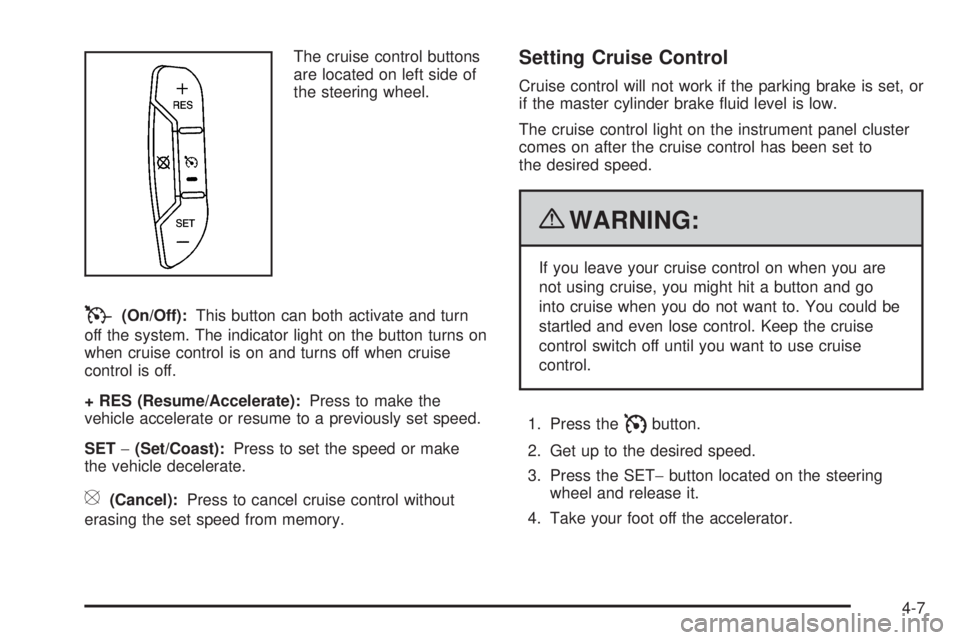
The cruise control buttons
are located on left side of
the steering wheel.
T(On/Off):This button can both activate and turn
off the system. The indicator light on the button turns on
when cruise control is on and turns off when cruise
control is off.
+ RES (Resume/Accelerate):Press to make the
vehicle accelerate or resume to a previously set speed.
SET−(Set/Coast):Press to set the speed or make
the vehicle decelerate.
[(Cancel):Press to cancel cruise control without
erasing the set speed from memory.
Setting Cruise Control
Cruise control will not work if the parking brake is set, or
if the master cylinder brake fluid level is low.
The cruise control light on the instrument panel cluster
comes on after the cruise control has been set to
the desired speed.
{WARNING:
If you leave your cruise control on when you are
not using cruise, you might hit a button and go
into cruise when you do not want to. You could be
startled and even lose control. Keep the cruise
control switch off until you want to use cruise
control.
1. Press the
Ibutton.
2. Get up to the desired speed.
3. Press the SET−button located on the steering
wheel and release it.
4. Take your foot off the accelerator.
4-7
Page 154 of 424
Resuming a Set Speed
If the cruise control is set at a desired speed and then
the brakes are applied, this shuts off the cruise
control. But it does not need to be reset.
Once the vehicle speed reaches about 25 mph
(40 km/h) or more, press the +RES button on the
steering wheel. The vehicle returns to the previously set
speed and stays there.
Increasing Speed While Using Cruise
Control
To increase the cruise speed while using cruise control:
•Press and hold the +RES button on the steering
wheel until the desired speed is reached, then
release it.
•To increase vehicle speed in small increments,
press the +RES button. Each time this is done,
the vehicle goes about 1 mph (1.6 km/h) faster.
Reducing Speed While Using Cruise
Control
To reduce the vehicle speed while using cruise control:
•Press and hold the SET– button on the steering
wheel until the desired lower speed is reached,
then release it.
•To slow down in very small amounts, press the
SET– button on the steering wheel briefly. Each
time this is done, the vehicle goes about 1 mph
(1.6 km/h) slower.
Passing Another Vehicle While Using
Cruise Control
Use the accelerator pedal to increase the vehicle speed.
When you take your foot off the pedal, the vehicle will
slow down to the previous set cruise speed.
4-8
Page 155 of 424
Using Cruise Control on Hills
How well the cruise control will work on hills depends
upon the vehicle speed, load, and the steepness of the
hills. When going up steep hills, you might have to
step on the accelerator pedal to maintain the vehicle’s
speed. When going downhill, you might have to brake or
shift to a lower gear to keep the vehicle’s speed
down. When the brakes are applied the cruise control
turns off.
Ending Cruise Control
There are three ways to end cruise control:
•Step lightly on the brake pedal.
•Press the[button on the steering wheel.
•Press theIbutton on the steering wheel.
Erasing Speed Memory
The cruise control set speed memory is erased when
the cruise control or the ignition is turned off.
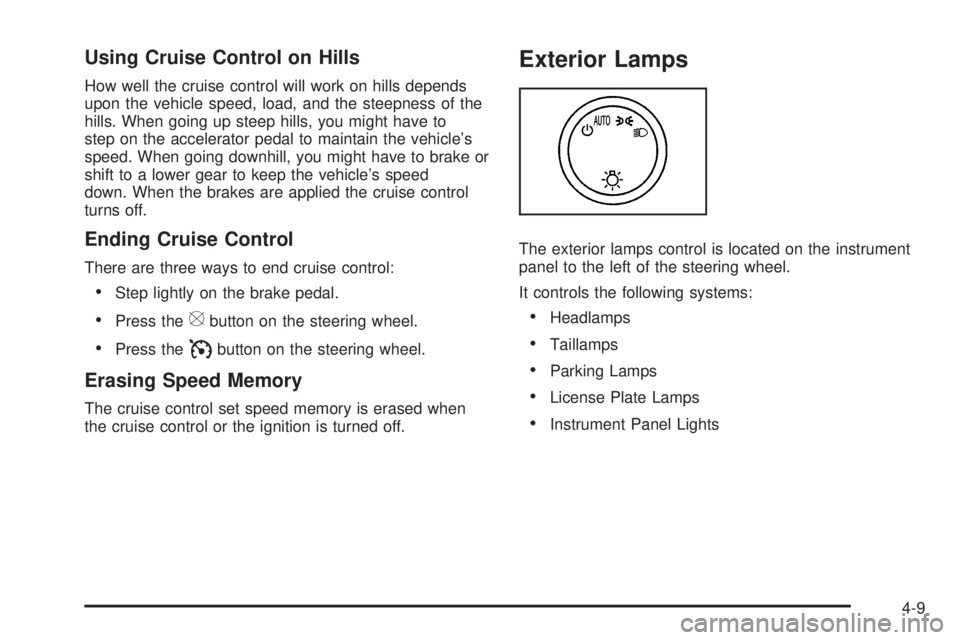
Exterior Lamps
The exterior lamps control is located on the instrument
panel to the left of the steering wheel.
It controls the following systems:
•Headlamps
•Taillamps
•Parking Lamps
•License Plate Lamps
•Instrument Panel Lights
4-9
Page 182 of 424
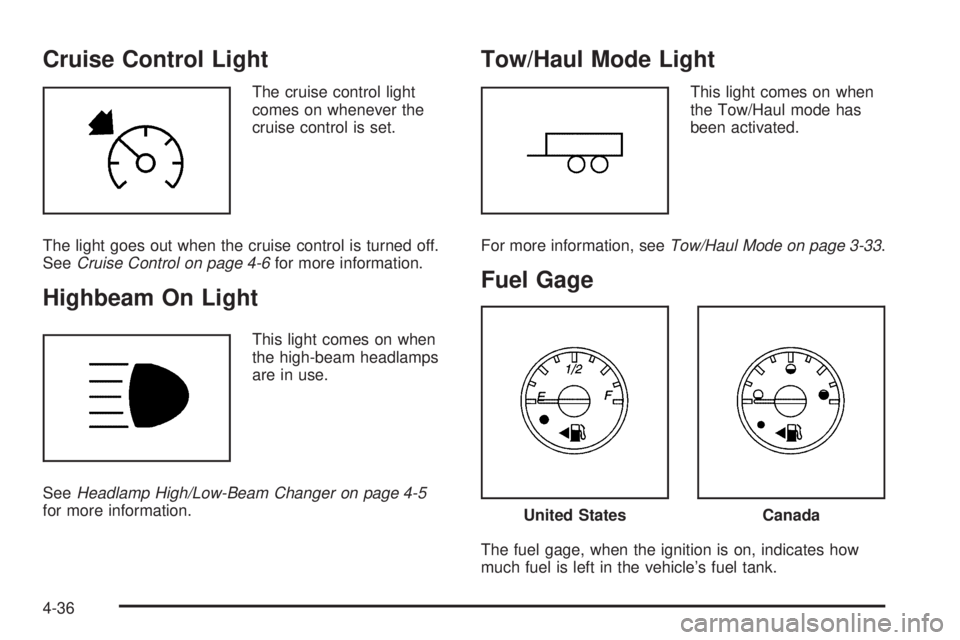
Cruise Control Light
The cruise control light
comes on whenever the
cruise control is set.
The light goes out when the cruise control is turned off.
SeeCruise Control on page 4-6for more information.
Highbeam On Light
This light comes on when
the high-beam headlamps
are in use.
SeeHeadlamp High/Low-Beam Changer on page 4-5
for more information.
Tow/Haul Mode Light
This light comes on when
the Tow/Haul mode has
been activated.
For more information, seeTow/Haul Mode on page 3-33.
Fuel Gage
The fuel gage, when the ignition is on, indicates how
much fuel is left in the vehicle’s fuel tank.
United StatesCanada
4-36
Page 230 of 424
For your safety, the system can only be disabled when
the vehicle speed is less than 20 mph (32 km/h).
Three chimes will be heard and the StabiliTrak light
comes on.
To turn on the StabiliTrak system, press the StabiliTrak
button again. StabiliTrak will automatically turn back
on when the vehicle speed exceeds 20 mph (32 km/h).
One chime is heard and the StabiliTrak light will turn off.
When the StabiliTrak system has been turned off,
system noises may still be heard as a result of the
brake-traction control coming on.
It is recommended to leave the system on for normal
driving conditions, but it may be necessary to turn
the system off if the vehicle is stuck in sand, mud, ice or
snow, and you want to “rock” the vehicle to attempt to
free it. SeeIf Your Vehicle is Stuck in Sand, Mud, Ice, or
Snow on page 5-16.
StabiliTrak System Operation
The StabiliTrak system is normally on, except when the
system is initializing or has been disabled with the
StabiliTrak button. The StabiliTrak system will
automatically activate to assist the driver in maintaining
vehicle directional control in most driving conditions.
When activated, the StabiliTrak system may reduce
engine power to the wheels and apply braking to
individual wheels as necessary to assist the driver with
vehicle directional control. If cruise control is beingused when StabiliTrak activates, the cruise control
automatically disengages. The cruise control can be
re-engaged when road conditions allow. SeeCruise
Control on page 4-6.
The StabiliTrak system may also turn off automatically if
it determines that a problem exists with the system. If
the problem does not clear itself after restarting the
vehicle, see your dealer/retailer for service.
Traction Control Operation
The traction control system is part of the StabiliTrak
system. Traction control limits wheel spin by reducing
engine power to the wheels and by applying brakes
to each individual wheel as necessary.
If the brake-traction control system activates constantly
or if the brakes have heated up due to high speed
braking, the brake-traction control will be automatically
disabled. The system will come back on after the
brakes have cooled. This can take up to two minutes or
longer depending on brake usage.
The traction control system may activate on dry or
rough roads or under conditions such as heavy
acceleration while turning or abrupt upshifts/downshifts
of the transmission. When this a reduction in
acceleration may be noticed, or a noise or vibration may
be heard. This is normal.
5-6
Page 235 of 424
Driving in Rain and on Wet Roads
Rain and wet roads can reduce vehicle traction
and affect your ability to stop and accelerate. Always
drive slower in these types of driving conditions
and avoid driving through large puddles and
deep-standing or flowing water.
{WARNING:
Wet brakes can cause crashes. They might not
work as well in a quick stop and could cause
pulling to one side. You could lose control of the
vehicle.
After driving through a large puddle of water or a
car/vehicle wash, lightly apply the brake pedal until
the brakes work normally.
Flowing or rushing water creates strong forces.
Driving through flowing water could cause your
vehicle to be carried away. If this happens, you
and other vehicle occupants could drown. Do not
ignore police warnings and be very cautious about
trying to drive through flowing water.
Hydroplaning
Hydroplaning is dangerous. Water can build up under
your vehicle’s tires so they actually ride on the
water. This can happen if the road is wet enough and
you are going fast enough. When your vehicle is
hydroplaning, it has little or no contact with the road.
There is no hard and fast rule about hydroplaning. The
best advice is to slow down when the road is wet.
Other Rainy Weather Tips
Besides slowing down, other wet weather driving tips
include:
•Allow extra following distance.
•Pass with caution.
•Keep windshield wiping equipment in good shape.
•Keep the windshield washer fluid reservoir filled.
•Have good tires with proper tread depth. SeeTires
on page 6-55.
•Turn off cruise control.
5-11
Page 238 of 424
Winter Driving
Driving on Snow or Ice
Drive carefully when there is snow or ice between the
tires and the road, creating less traction or grip. Wet ice
can occur at about 0°C (32°F) when freezing rain
begins to fall, resulting in even less traction. Avoid
driving on wet ice or in freezing rain until roads can be
treated with salt or sand.
Drive with caution, whatever the condition. Accelerate
gently so traction is not lost. Accelerating too quickly
causes the wheels to spin and makes the surface under
the tires slick, so there is even less traction.
Try not to break the fragile traction. If you accelerate too
fast, the drive wheels will spin and polish the surface
under the tires even more.
TheAntilock Brake System (ABS) on page 5-4improves
vehicle stability during hard stops on a slippery roads,
but apply the brakes sooner than when on dry
pavement.
Allow greater following distance on any slippery road
and watch for slippery spots. Icy patches can occur on
otherwise clear roads in shaded areas. The surface
of a curve or an overpass can remain icy when
the surrounding roads are clear. Avoid sudden steering
maneuvers and braking while on ice.
Turn off cruise control, if equipped, on slippery surfaces.
Blizzard Conditions
Being stuck in snow can be in a serious situation. Stay
with the vehicle unless there is help nearby. If possible,
use theRoadside Assistance Program on page 8-6.To
get help and keep everyone in the vehicle safe:
•Turn on theHazard Warning Flashers on page 4-3.
•Tie a red cloth to an outside mirror.
{WARNING:
Snow can trap engine exhaust under the vehicle.
This may cause exhaust gases to get inside. Engine
exhaust contains carbon monoxide (CO) which
cannot be seen or smelled. It can cause
unconsciousness and even death.
If the vehicle is stuck in the snow:
•Clear away snow from around the base of your
vehicle, especially any that is blocking the
exhaust pipe and/or the fuel operated heater
exhaust system, if equipped. If the vehicle has
a diesel engine and a fuel operated heater, see
“Fuel Operated Heater (FOH)” in the diesel
engine supplement.
WARNING: (Continued)
5-14
Page 379 of 424
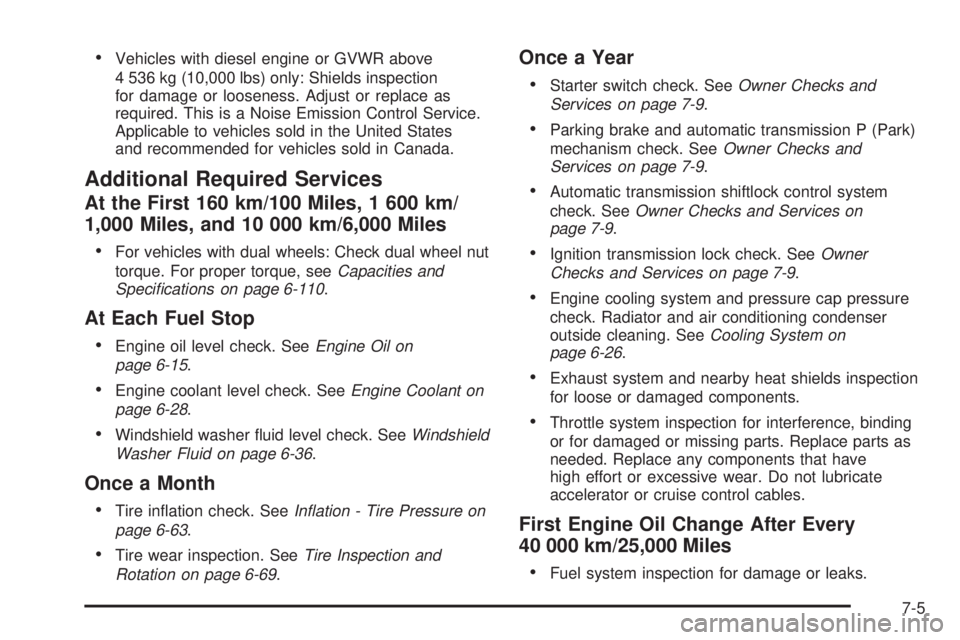
•Vehicles with diesel engine or GVWR above
4 536 kg (10,000 lbs) only: Shields inspection
for damage or looseness. Adjust or replace as
required. This is a Noise Emission Control Service.
Applicable to vehicles sold in the United States
and recommended for vehicles sold in Canada.
Additional Required Services
At the First 160 km/100 Miles, 1 600 km/
1,000 Miles, and 10 000 km/6,000 Miles
•
For vehicles with dual wheels: Check dual wheel nut
torque. For proper torque, seeCapacities and
Specications on page 6-110.
At Each Fuel Stop
•
Engine oil level check. SeeEngine Oil on
page 6-15.
•Engine coolant level check. SeeEngine Coolant on
page 6-28.
•Windshield washer fluid level check. SeeWindshield
Washer Fluid on page 6-36.
Once a Month
•
Tire inflation check. SeeInation - Tire Pressure on
page 6-63.
•Tire wear inspection. SeeTire Inspection and
Rotation on page 6-69.
Once a Year
•
Starter switch check. SeeOwner Checks and
Services on page 7-9.
•Parking brake and automatic transmission P (Park)
mechanism check. SeeOwner Checks and
Services on page 7-9.
•Automatic transmission shiftlock control system
check. SeeOwner Checks and Services on
page 7-9.
•Ignition transmission lock check. SeeOwner
Checks and Services on page 7-9.
•Engine cooling system and pressure cap pressure
check. Radiator and air conditioning condenser
outside cleaning. SeeCooling System on
page 6-26.
•Exhaust system and nearby heat shields inspection
for loose or damaged components.
•Throttle system inspection for interference, binding
or for damaged or missing parts. Replace parts as
needed. Replace any components that have
high effort or excessive wear. Do not lubricate
accelerator or cruise control cables.
First Engine Oil Change After Every
40 000 km/25,000 Miles
•
Fuel system inspection for damage or leaks.
7-5
Page 413 of 424
Cargo Door Relocking....................................... 3-9
CD, MP3 .......................................................4-72
Center High-Mounted Stoplamp (CHMSL)...........6-51
Chains, Tire...................................................6-78
Charging System Light....................................4-27
Check
Engine Lamp..............................................4-31
Checking Things Under the Hood......................6-12
Chemical Paint Spotting.................................6-102
Child Restraints
Infants and Young Children...........................2-33
Lower Anchors and Tethers for Children..........2-42
Older Children.............................................2-30
Securing a Child Restraint in a Rear Seat
Position..................................................2-49
Securing a Child Restraint in the Right Front
Seat Position...................................2-52, 2-56
Systems.....................................................2-37
Where to Put the Restraint...........................2-40
Cigarette Lighter.............................................4-15
Circuit Breakers............................................6-104
Cleaning
Aluminum Wheels......................................6-101
Exterior Lamps/Lenses................................6-100
Fabric/Carpet..............................................6-97
Finish Care...............................................6-100
Instrument Panel, Vinyl, and Other Plastic
Surfaces.................................................6-98
Interior.......................................................6-96Cleaning (cont.)
Tires........................................................6-102
Underbody Maintenance.............................6-102
Washing Your Vehicle...................................6-99
Weatherstrips..............................................6-99
Windshield and Wiper Blades......................6-101
Climate Control System...................................4-15
Outlet Adjustment........................................4-17
Rear Air Conditioning and Heating System......4-19
Rear Heating System...................................4-18
Climate Controls.............................................1-12
Clock, Setting.................................................4-60
Collision Damage Repair..................................8-10
Compass.......................................................4-43
Control of a Vehicle.......................................... 5-3
Coolant
Engine.......................................................6-28
Engine Temperature Gage............................4-30
Cooling System..............................................6-26
Courtesy Transportation Program........................ 8-9
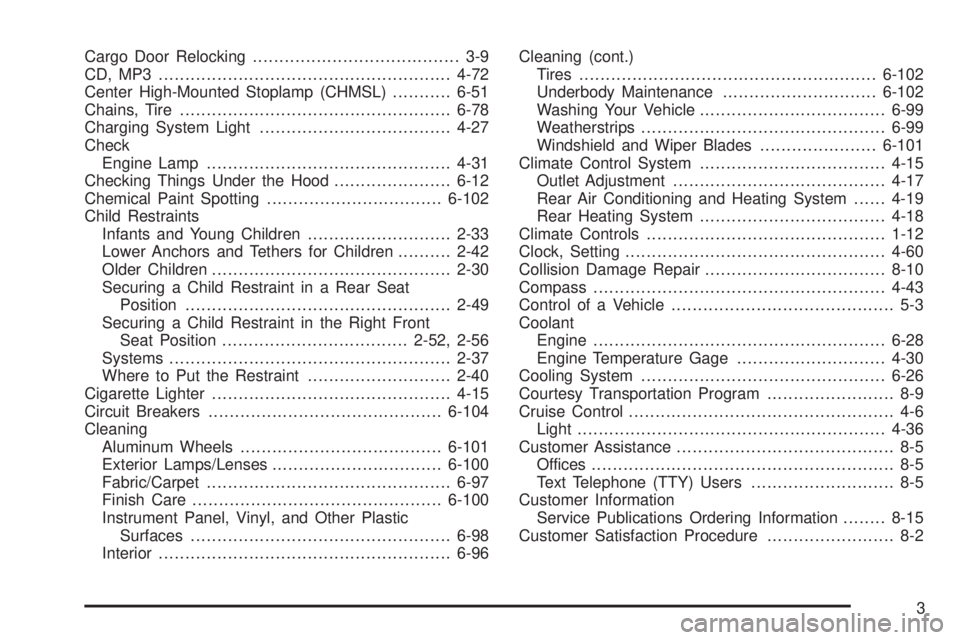
Cruise Control.................................................. 4-6
Light..........................................................4-36
Customer Assistance......................................... 8-5
Offices......................................................... 8-5
Text Telephone (TTY) Users........................... 8-5
Customer Information
Service Publications Ordering Information........8-15
Customer Satisfaction Procedure........................ 8-2
3