belt GMC SAVANA PASSENGER 2010 Repair Manual
[x] Cancel search | Manufacturer: GMC, Model Year: 2010, Model line: SAVANA PASSENGER, Model: GMC SAVANA PASSENGER 2010Pages: 424, PDF Size: 2.38 MB
Page 119 of 424
Rear Doors
{WARNING:
Unlocked doors can be dangerous.
•Passengers, especially children, can easily
open the doors and fall out of a moving vehicle.
When a door is locked, the handle will not open
it. The chance of being thrown out of the
vehicle in a crash is increased if the doors are
not locked. So, all passengers should wear
safety belts properly and the doors should be
locked whenever the vehicle is driven.
•Young children who get into unlocked vehicles
may be unable to get out. A child can be
overcome by extreme heat and can suffer
permanent injuries or even death from heat
stroke. Always lock the vehicle whenever
leaving it.
•Outsiders can easily enter through an unlocked
door when you slow down or stop your vehicle.
Locking your doors can help prevent this from
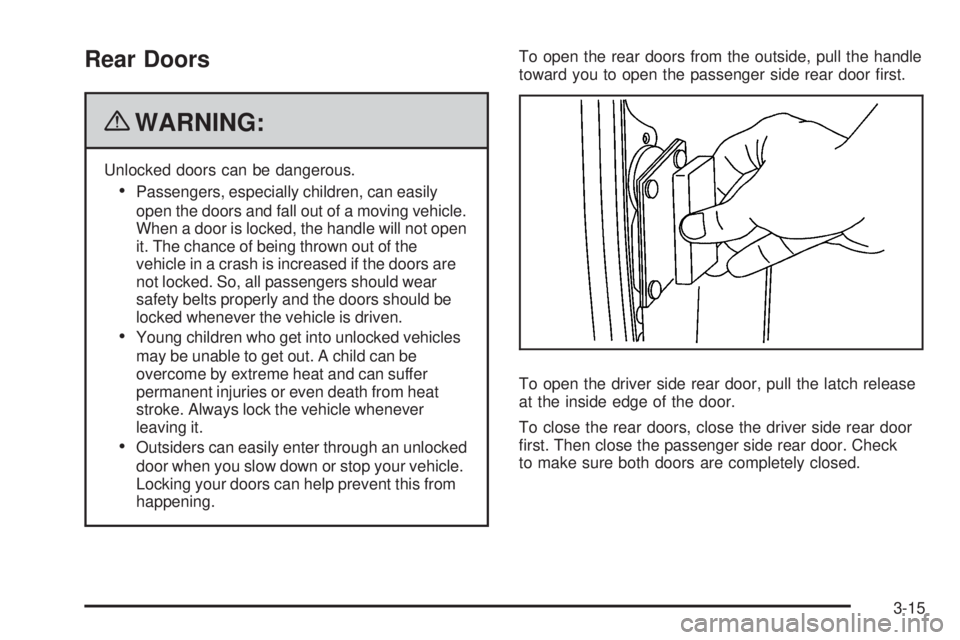
happening.To open the rear doors from the outside, pull the handle
toward you to open the passenger side rear door first.
To open the driver side rear door, pull the latch release
at the inside edge of the door.
To close the rear doors, close the driver side rear door
first. Then close the passenger side rear door. Check
to make sure both doors are completely closed.
3-15
Page 123 of 424

The vehicle also has rear swing-out windows. The rear
swing-out windows work the same way as the side
swing out window, but the latch is located at the bottom
edge of the window.
Enhanced Technology Glass
The vehicle may be equipped with Enhanced Technology
Glass (ETG). ETG is part of the overall occupant
protection system on passenger vans. ETG may help to
keep passengers sitting next to these fixed windows from
being ejected through the glass in some, but not in all
crashes. Even with this glass, safety belts must still be
worn at all times. For passenger vans, use only ETG
glass approved for your vehicle for replacement when
damaged.
The following table shows laminated glass location,
based on vehicle model and options.
Vehicle Conguration ETG Locations
Eight Seat
Passenger VansSliding door forward
window
Twelve and Fifteen Seat
Passenger VansSliding door forward
window and rear-most
side windows
Long Wheelbase
Cargo VansRear-most side windows Rear Swing-Out Windows
3-19
Page 147 of 424
Instrument Panel Overview...............................4-3
Hazard Warning Flashers................................4-3
Horn .............................................................4-3
Tilt Wheel.....................................................4-3
Turn Signal/Multifunction Lever.........................4-4
Turn and Lane-Change Signals........................4-4
Headlamp High/Low-Beam Changer..................4-5
Flash-to-Pass.................................................4-5
Windshield Wipers..........................................4-5
Windshield Washer.........................................4-6
Cruise Control................................................4-6
Exterior Lamps...............................................4-9
Headlamps on Reminder................................4-11
Daytime Running Lamps (DRL).......................4-11
Automatic Headlamp System..........................4-11
Instrument Panel Brightness...........................4-12
Dome Lamps ...............................................4-12
Dome Lamp Override....................................4-13
Entry/Exit Lighting.........................................4-13
Reading Lamps............................................4-13Electric Power Management...........................4-13
Battery Run-Down Protection..........................4-14
Accessory Power Outlet(s).............................4-14
Ashtray(s) and Cigarette Lighter......................4-15
Climate Controls............................................4-15
Climate Control System.................................4-15
Outlet Adjustment.........................................4-17
Rear Heating System....................................4-18
Rear Air Conditioning and Heating System.......4-19
Warning Lights, Gages, and Indicators............4-20
Instrument Panel Cluster................................4-21
Speedometer and Odometer...........................4-22
Trip Odometer..............................................4-22
Safety Belt Reminders...................................4-23
Airbag Readiness Light
..................................4-23
Airbag Off Light............................................4-24
Passenger Airbag Status Indicator...................4-26
Charging System Light..................................4-27
Voltmeter Gage............................................4-27
Section 4 Instrument Panel
4-1
Page 169 of 424
Safety Belt Reminders
Safety Belt Reminder Light
When the engine is started, a chime sounds for
several seconds to remind a driver to fasten the safety
belt, unless the driver safety belt is already buckled.
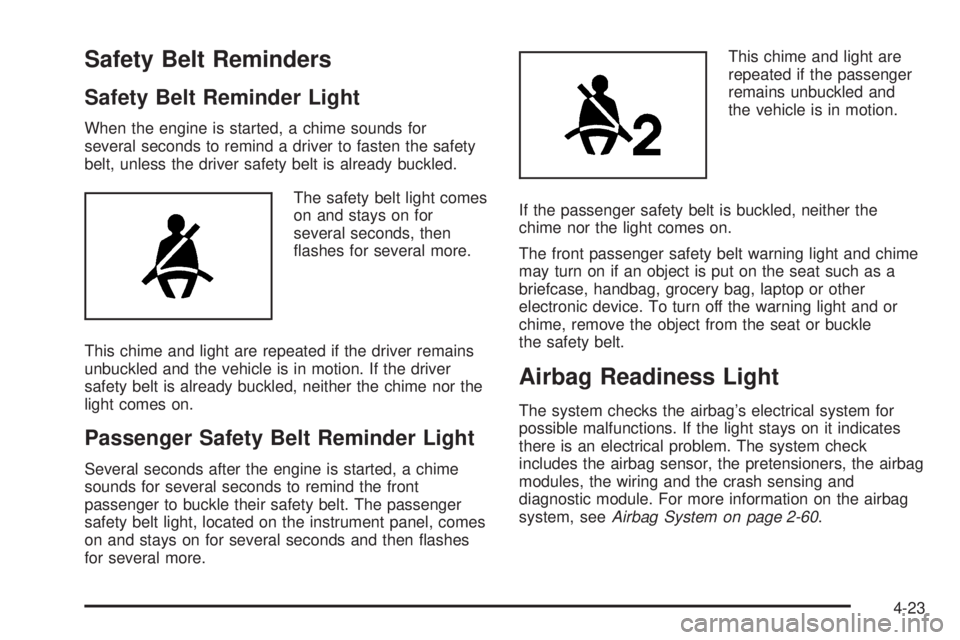
The safety belt light comes
on and stays on for
several seconds, then
flashes for several more.
This chime and light are repeated if the driver remains
unbuckled and the vehicle is in motion. If the driver
safety belt is already buckled, neither the chime nor the
light comes on.
Passenger Safety Belt Reminder Light
Several seconds after the engine is started, a chime
sounds for several seconds to remind the front
passenger to buckle their safety belt. The passenger
safety belt light, located on the instrument panel, comes
on and stays on for several seconds and then flashes
for several more.This chime and light are
repeated if the passenger
remains unbuckled and
the vehicle is in motion.
If the passenger safety belt is buckled, neither the
chime nor the light comes on.
The front passenger safety belt warning light and chime
may turn on if an object is put on the seat such as a
briefcase, handbag, grocery bag, laptop or other
electronic device. To turn off the warning light and or
chime, remove the object from the seat or buckle
the safety belt.
Airbag Readiness Light
The system checks the airbag’s electrical system for
possible malfunctions. If the light stays on it indicates
there is an electrical problem. The system check
includes the airbag sensor, the pretensioners, the airbag
modules, the wiring and the crash sensing and
diagnostic module. For more information on the airbag
system, seeAirbag System on page 2-60.
4-23
Page 173 of 424
Charging System Light
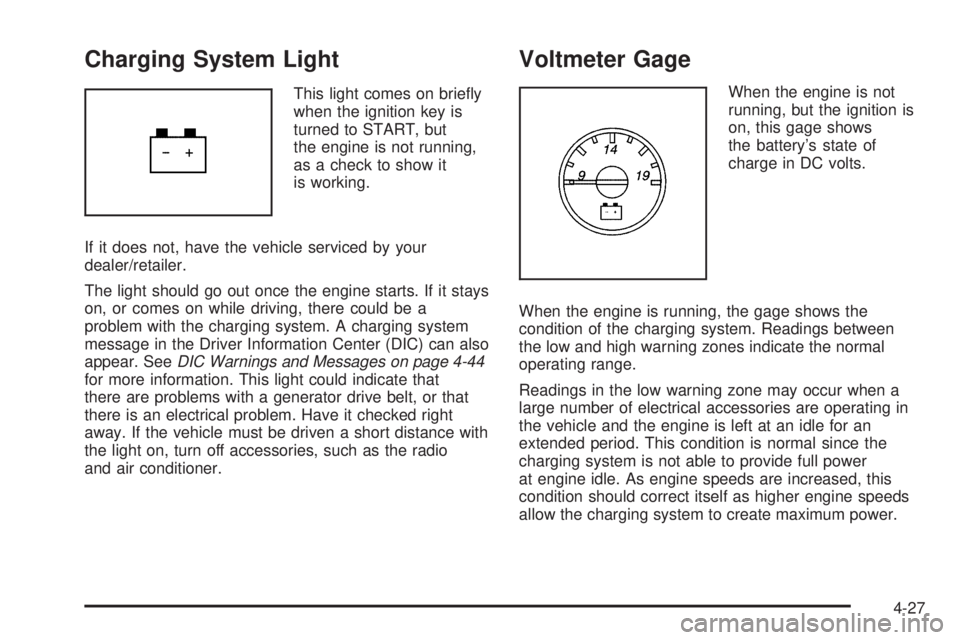
This light comes on briefly
when the ignition key is
turned to START, but
the engine is not running,
as a check to show it
is working.
If it does not, have the vehicle serviced by your
dealer/retailer.
The light should go out once the engine starts. If it stays
on, or comes on while driving, there could be a
problem with the charging system. A charging system
message in the Driver Information Center (DIC) can also
appear. SeeDIC Warnings and Messages on page 4-44
for more information. This light could indicate that
there are problems with a generator drive belt, or that
there is an electrical problem. Have it checked right
away. If the vehicle must be driven a short distance with
the light on, turn off accessories, such as the radio
and air conditioner.
Voltmeter Gage
When the engine is not
running, but the ignition is
on, this gage shows
the battery’s state of
charge in DC volts.
When the engine is running, the gage shows the
condition of the charging system. Readings between
the low and high warning zones indicate the normal
operating range.
Readings in the low warning zone may occur when a
large number of electrical accessories are operating in
the vehicle and the engine is left at an idle for an
extended period. This condition is normal since the
charging system is not able to provide full power
at engine idle. As engine speeds are increased, this
condition should correct itself as higher engine speeds
allow the charging system to create maximum power.
4-27
Page 205 of 424
Audio System(s)
If the vehicle came without a radio, the wiring provisions
for a radio and an antenna were installed at the
assembly plant, so that if you want, a radio can be
installed at the dealer/retailer.
Determine which radio the vehicle has and read the
following pages to become familiar with its features.
{WARNING:
Taking your eyes off the road for extended periods
could cause a crash resulting in injury or death to
you or others. Do not give extended attention to
entertainment tasks while driving.
This system provides access to many audio and non
audio listings.
To minimize taking your eyes off the road while driving,
do the following while the vehicle is parked:
•Become familiar with the operation and controls of
the audio system.
•Set up the tone, speaker adjustments, and preset
radio stations.For more information, seeDefensive Driving on
page 5-2.
Notice:Contact your dealer/retailer before adding
any equipment.
Adding audio or communication equipment could
interfere with the operation of the vehicle’s engine,
radio, or other systems, and could damage them.
Follow federal rules covering mobile radio and
telephone equipment.
Notice:The chime signals related to safety belts,
parking brake, and other functions of your vehicle
operate through the radio/entertainment system.
If that equipment is replaced or additional equipment
is added to your vehicle, the chimes may not
work. Make sure that replacement or additional
equipment is compatible with your vehicle before
installing it. SeeAccessories and Modifications
on page 6-3.
The vehicle has Retained Accessory Power (RAP). With
RAP, the audio system can be played even after the
ignition is turned off. SeeRetained Accessory Power
(RAP) on page 3-23for more information.
4-59
Page 226 of 424
Your Driving, the Road, and
the Vehicle
Defensive Driving
Defensive driving means “always expect the
unexpected.” The first step in driving defensively is to
wear your safety belt — SeeSafety Belts: They Are for
Everyone on page 2-10.
{WARNING:
Assume that other road users (pedestrians,
bicyclists, and other drivers) are going to be
careless and make mistakes. Anticipate what they
might do and be ready. In addition:
•Allow enough following distance between you
and the driver in front of you.
•Focus on the task of driving.
Driver distraction can cause collisions resulting in
injury or possible death. These simple defensive
driving techniques could save your life.
Drunk Driving
{WARNING:
Drinking and then driving is very dangerous. Your
reflexes, perceptions, attentiveness, and judgment
can be affected by even a small amount of
alcohol. You can have a serious — or even
fatal — collision if you drive after drinking. Do not
drink and drive or ride with a driver who has been
drinking. Ride home in a cab; or if you are with a
group, designate a driver who will not drink.
Death and injury associated with drinking and driving is
a global tragedy.
Alcohol affects four things that anyone needs to drive a
vehicle: judgment, muscular coordination, vision, and
attentiveness.
Police records show that almost 40 percent of all motor
vehicle-related deaths involve alcohol. In most cases,
these deaths are the result of someone who was
drinking and driving. In recent years, more than
17,000 annual motor vehicle-related deaths have been
associated with the use of alcohol, with about
250,000 people injured.
5-2
Page 232 of 424
It is better to remove as much speed as possible from a
collision. Then steer around the problem, to the left or
right depending on the space available.
An emergency like this requires close attention and a
quick decision. If holding the steering wheel at the
recommended 9 and 3 o’clock positions, it can be turned
a full 180 degrees very quickly without removing
either hand. But you have to act fast, steer quickly, and
just as quickly straighten the wheel once you have
avoided the object.
The fact that such emergency situations are always
possible is a good reason to practice defensive driving
at all times and wear safety belts properly.Off-Road Recovery
The vehicle’s right wheels can drop off the edge of a
road onto the shoulder while driving.
If the level of the shoulder is only slightly below the
pavement, recovery should be fairly easy. Ease off the
accelerator and then, if there is nothing in the way,
steer so that the vehicle straddles the edge of the
pavement. Turn the steering wheel 8 to 13 cm
(3 to 5 inches), about one-eighth turn, until the right
front tire contacts the pavement edge. Then turn
the steering wheel to go straight down the roadway.
5-8
Page 261 of 424
Leaving After Parking on a Hill
1. Apply and hold the brake pedal while you:
•start the engine,
•shift into a gear, and
•release the parking brake.
2. Let up on the brake pedal.
3. Drive slowly until the trailer is clear of the chocks.
4. Stop and have someone pick up and store the
chocks.
Maintenance When Trailer Towing
The vehicle needs service more often when pulling a
trailer. See this manual’s Maintenance Schedule
or Index for more information. Things that are especially
important in trailer operation are automatic transmission
fluid, engine oil, axle lubricant, belts, cooling system
and brake system. It is a good idea to inspect
these before and during the trip.
Check periodically to see that all hitch nuts and bolts
are tight.
Trailer Wiring Harness
The optional heavy-duty trailer wiring package includes
a wiring harness, with a seven-pin connector at the
rear of the vehicle and a four-wire harness assembly
under the driver side of the instrument panel. The
four-wire harness assembly comes without a connector.
If the vehicle does not have a trailer hitch, the
seven-wire harness assembly with connector is taped
together and located in a frame pocket at the driver side
rear left corner of the frame.
If the vehicle has a trailer hitch, the seven-wire harness
assembly with connector is attached to a bracket on
the hitch platform. In both cases, the seven-wire harness
has a connector and includes a 30-amp feed wire.
5-37
Page 264 of 424
Tires..............................................................6-55
Tire Sidewall Labeling...................................6-56
Tire Terminology and Definitions.....................6-60
Inflation - Tire Pressure.................................6-63
Dual Tire Operation.......................................6-64
Tire Pressure Monitor System.........................6-65
Tire Pressure Monitor Operation.....................6-66
Tire Inspection and Rotation...........................6-69
When It Is Time for New Tires.......................6-72
Buying New Tires.........................................6-73
Different Size Tires and Wheels......................6-74
Uniform Tire Quality Grading..........................6-75
Wheel Alignment and Tire Balance..................6-76
Wheel Replacement......................................6-76
Tire Chains..................................................6-78
If a Tire Goes Flat........................................6-79
Changing a Flat Tire.....................................6-80
Removing the Spare Tire and Tools................6-81
Removing the Flat Tire and Installing the
Spare Tire................................................6-85
Secondary Latch System...............................6-92
Storing a Flat or Spare Tire and Tools............6-94
Spare Tire...................................................6-96
Appearance Care............................................6-96
Interior Cleaning...........................................6-96
Fabric/Carpet...............................................6-97Instrument Panel, Vinyl, and Other Plastic
Surfaces..................................................6-98
Care of Safety Belts......................................6-99
Weatherstrips...............................................6-99
Washing Your Vehicle...................................6-99
Cleaning Exterior Lamps/Lenses....................6-100
Finish Care................................................6-100
Windshield and Wiper Blades.......................6-101
Aluminum Wheels.......................................6-101
Tires.........................................................6-102
Sheet Metal Damage...................................6-102
Finish Damage...........................................6-102
Underbody Maintenance...............................6-102
Chemical Paint Spotting...............................6-102
Vehicle Identication.....................................6-103
Vehicle Identification Number (VIN)................6-103
Service Parts Identification Label...................6-103
Electrical System..........................................6-104
Add-On Electrical Equipment.........................6-104
Headlamp Wiring........................................6-104
Windshield Wiper Fuses...............................6-104
Fuses and Circuit Breakers..........................6-104
Floor Console Fuse Block............................6-104
Engine Compartment Fuse Block...................6-106
Capacities and Specications........................6-110
Section 6 Service and Appearance Care
6-2