turn signal GMC SAVANA PASSENGER 2010 Owners Manual
[x] Cancel search | Manufacturer: GMC, Model Year: 2010, Model line: SAVANA PASSENGER, Model: GMC SAVANA PASSENGER 2010Pages: 424, PDF Size: 2.38 MB
Page 9 of 424
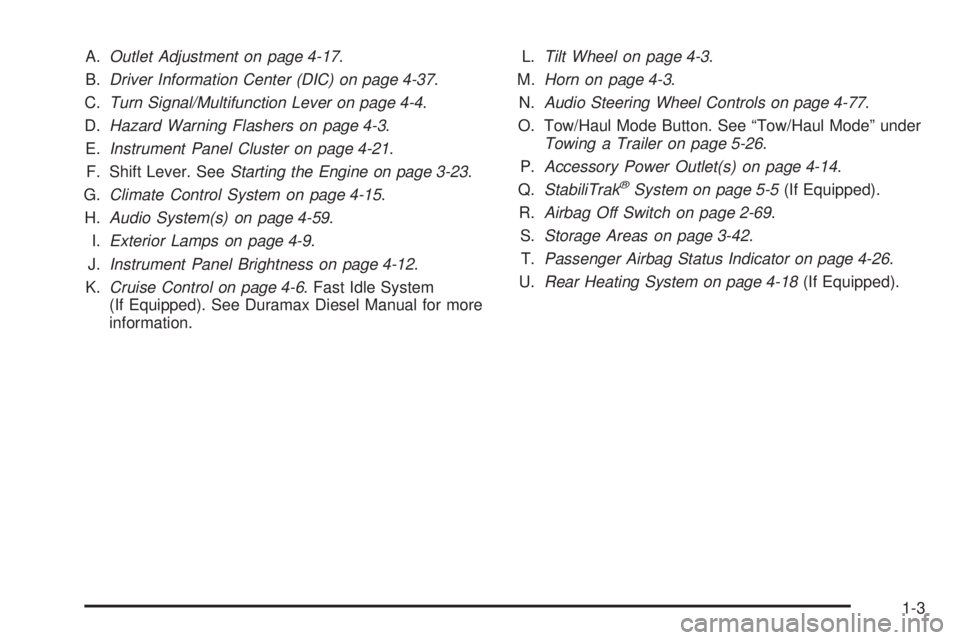
A.Outlet Adjustment on page 4-17.
B.Driver Information Center (DIC) on page 4-37.
C.Turn Signal/Multifunction Lever on page 4-4.
D.Hazard Warning Flashers on page 4-3.
E.Instrument Panel Cluster on page 4-21.
F. Shift Lever. SeeStarting the Engine on page 3-23.
G.Climate Control System on page 4-15.
H.Audio System(s) on page 4-59.
I.Exterior Lamps on page 4-9.
J.Instrument Panel Brightness on page 4-12.
K.Cruise Control on page 4-6. Fast Idle System
(If Equipped). See Duramax Diesel Manual for more
information.L.Tilt Wheel on page 4-3.
M.Horn on page 4-3.
N.Audio Steering Wheel Controls on page 4-77.
O. Tow/Haul Mode Button. See “Tow/Haul Mode” under
Towing a Trailer on page 5-26.
P.Accessory Power Outlet(s) on page 4-14.
Q.StabiliTrak
®System on page 5-5(If Equipped).
R.Airbag Off Switch on page 2-69.
S.Storage Areas on page 3-42.
T.Passenger Airbag Status Indicator on page 4-26.
U.Rear Heating System on page 4-18(If Equipped).
1-3
Page 10 of 424
Initial Drive Information
This section provides a brief overview about some of
the important features that may or may not be on your
specific vehicle.
For more detailed information, refer to each of the
features which can be found later in this owner manual.
Remote Keyless Entry (RKE)
System
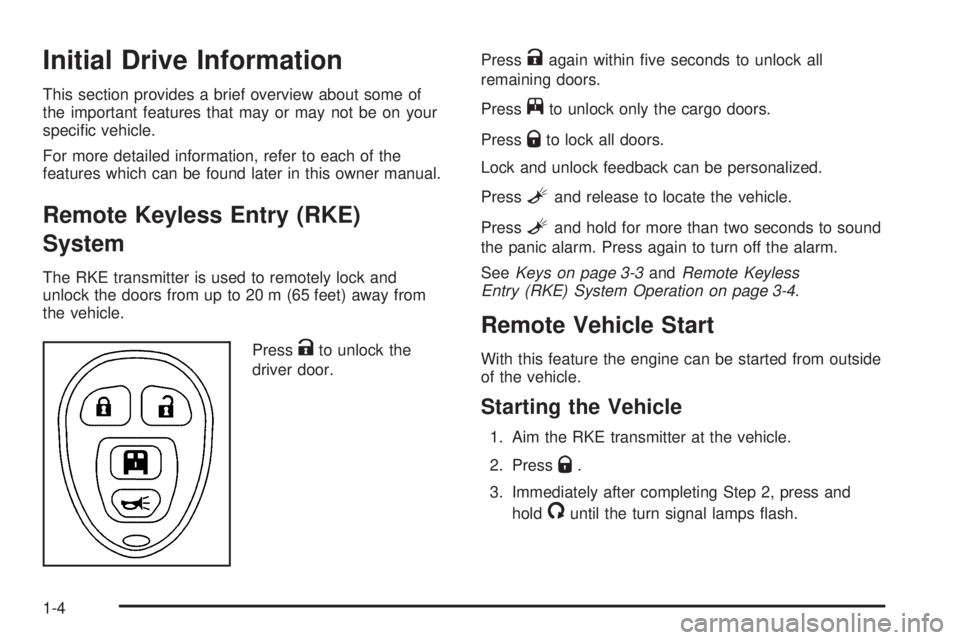
The RKE transmitter is used to remotely lock and
unlock the doors from up to 20 m (65 feet) away from
the vehicle.
Press
Kto unlock the
driver door.Press
Kagain within five seconds to unlock all
remaining doors.
Press
jto unlock only the cargo doors.
Press
Qto lock all doors.
Lock and unlock feedback can be personalized.
Press
Land release to locate the vehicle.
Press
Land hold for more than two seconds to sound
the panic alarm. Press again to turn off the alarm.
SeeKeys on page 3-3andRemote Keyless
Entry (RKE) System Operation on page 3-4.
Remote Vehicle Start
With this feature the engine can be started from outside
of the vehicle.
Starting the Vehicle
1. Aim the RKE transmitter at the vehicle.
2. Press
Q.
3. Immediately after completing Step 2, press and
hold
/until the turn signal lamps flash.
1-4
Page 109 of 424
The horn may chirp whenQis pressed again within
five seconds. SeeDIC Vehicle Customization on
page 4-52for additional information.
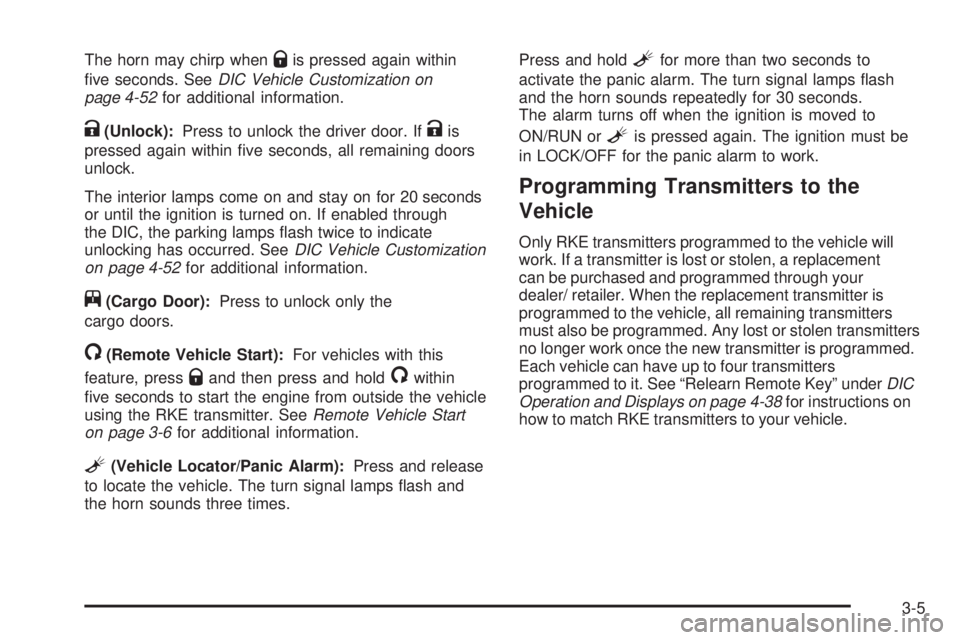
K(Unlock):Press to unlock the driver door. IfKis
pressed again within five seconds, all remaining doors
unlock.
The interior lamps come on and stay on for 20 seconds
or until the ignition is turned on. If enabled through
the DIC, the parking lamps flash twice to indicate
unlocking has occurred. SeeDIC Vehicle Customization
on page 4-52for additional information.
j(Cargo Door):Press to unlock only the
cargo doors.
/(Remote Vehicle Start):For vehicles with this
feature, press
Qand then press and hold/within
five seconds to start the engine from outside the vehicle
using the RKE transmitter. SeeRemote Vehicle Start
on page 3-6for additional information.
L(Vehicle Locator/Panic Alarm):Press and release
to locate the vehicle. The turn signal lamps flash and
the horn sounds three times.Press and hold
Lfor more than two seconds to
activate the panic alarm. The turn signal lamps flash
and the horn sounds repeatedly for 30 seconds.
The alarm turns off when the ignition is moved to
ON/RUN or
Lis pressed again. The ignition must be
in LOCK/OFF for the panic alarm to work.
Programming Transmitters to the
Vehicle
Only RKE transmitters programmed to the vehicle will
work. If a transmitter is lost or stolen, a replacement
can be purchased and programmed through your
dealer/ retailer. When the replacement transmitter is
programmed to the vehicle, all remaining transmitters
must also be programmed. Any lost or stolen transmitters
no longer work once the new transmitter is programmed.
Each vehicle can have up to four transmitters
programmed to it. See “Relearn Remote Key” underDIC
Operation and Displays on page 4-38for instructions on
how to match RKE transmitters to your vehicle.
3-5
Page 111 of 424
There are other conditions which can affect the
performance of the transmitter, seeRemote Keyless
Entry (RKE) System on page 3-4for additional
information.
/(Remote Vehicle Start):This button will be on the
RKE transmitter if you have remote start.
To start the engine using the remote start feature:
1. Aim the RKE transmitter at the vehicle.
2. Press and release the transmitter’s lock button,
then immediately press and hold the remote
vehicle start button for four seconds or until the
vehicle’s turn signal lamps flash.
When the vehicle’s engine starts, the parking
lamps will turn on and remain on while the engine
is running. The vehicle’s doors will be locked.
The airbag readiness light will be on during a remote
start. It should turn off when the ignition is turned
to ON/RUN. SeeAirbag Readiness Light on
page 4-23for more information.
3. If it is the first remote start since the vehicle has
been driven, repeat these steps, while the engine
is still running, to extend the engine running time
by 10 minutes. Remote start can be extended
one time.
After entering the vehicle during a remote start, insert
and turn the key to ON/RUN to drive the vehicle.After a remote start, the engine will automatically shut
off after 10 minutes unless a time extension has
been done or the vehicle’s key is inserted into the
ignition switch and turned to ON/RUN.
The maximum number of remote starts between ignition
cycles with the key is two.
If the remote start procedure is used again before
the first 10 minute time frame has ended, the first
10 minutes will immediately expire and the second
10 minute time frame will start.
After your vehicle’s engine has been started two times
using the remote start button, the vehicle’s ignition
switch must be turned to ON/RUN and then back to
LOCK/OFF using the key before the remote start
procedure can be used again.
To manually shut off the engine after a remote start:
•Aim the RKE transmitter at the vehicle and
press the remote start button until the parking
lamps turn off.
•Turn on the hazard warning flashers. SeeHazard
Warning Flashers on page 4-3.
•Insert the vehicle’s key into the ignition switch and
turn the switch to ON/RUN and then back to
LOCK/OFF.
3-7
Page 147 of 424
Instrument Panel Overview...............................4-3
Hazard Warning Flashers................................4-3
Horn .............................................................4-3
Tilt Wheel.....................................................4-3
Turn Signal/Multifunction Lever.........................4-4
Turn and Lane-Change Signals........................4-4
Headlamp High/Low-Beam Changer..................4-5
Flash-to-Pass.................................................4-5
Windshield Wipers..........................................4-5
Windshield Washer.........................................4-6
Cruise Control................................................4-6
Exterior Lamps...............................................4-9
Headlamps on Reminder................................4-11
Daytime Running Lamps (DRL).......................4-11
Automatic Headlamp System..........................4-11
Instrument Panel Brightness...........................4-12
Dome Lamps ...............................................4-12
Dome Lamp Override....................................4-13
Entry/Exit Lighting.........................................4-13
Reading Lamps............................................4-13Electric Power Management...........................4-13
Battery Run-Down Protection..........................4-14
Accessory Power Outlet(s).............................4-14
Ashtray(s) and Cigarette Lighter......................4-15
Climate Controls............................................4-15
Climate Control System.................................4-15
Outlet Adjustment.........................................4-17
Rear Heating System....................................4-18
Rear Air Conditioning and Heating System.......4-19
Warning Lights, Gages, and Indicators............4-20
Instrument Panel Cluster................................4-21
Speedometer and Odometer...........................4-22
Trip Odometer..............................................4-22
Safety Belt Reminders...................................4-23
Airbag Readiness Light
..................................4-23
Airbag Off Light............................................4-24
Passenger Airbag Status Indicator...................4-26
Charging System Light..................................4-27
Voltmeter Gage............................................4-27
Section 4 Instrument Panel
4-1
Page 149 of 424
Instrument Panel Overview
Hazard Warning Flashers
|(Hazard Warning Flasher):Press this button
located on top of the steering column, to make the front
and rear turn signal lamps flash on and off. This
warns others that you are having trouble. Press again to
turn the flashers off.
When the hazard warning flashers are on, the vehicle’s
turn signals will not work.
Horn
Press the horn symbol in the middle of the steering
wheel to sound the horn.
Tilt Wheel
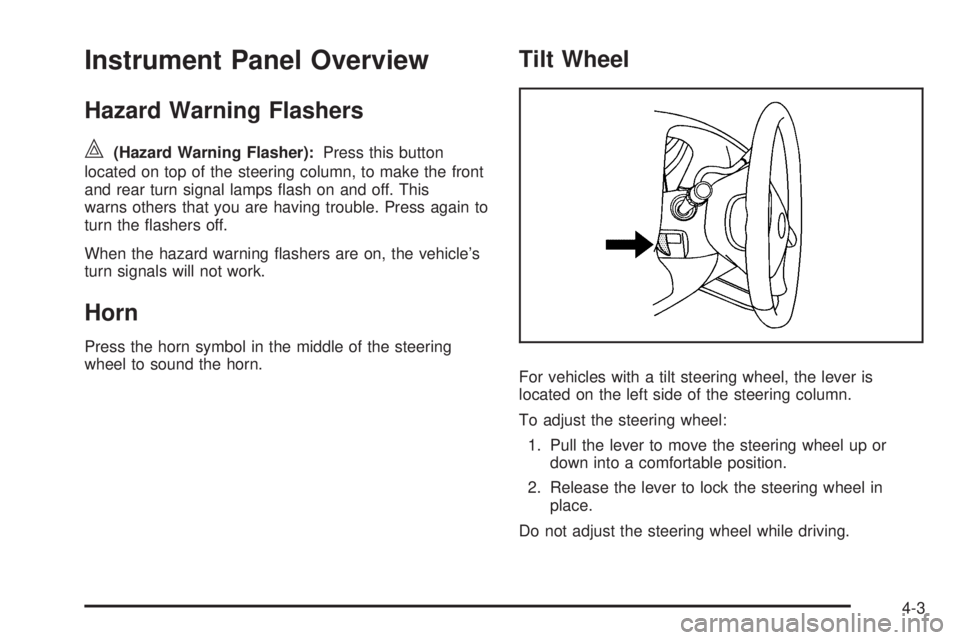
For vehicles with a tilt steering wheel, the lever is
located on the left side of the steering column.
To adjust the steering wheel:
1. Pull the lever to move the steering wheel up or
down into a comfortable position.
2. Release the lever to lock the steering wheel in
place.
Do not adjust the steering wheel while driving.
4-3
Page 150 of 424
Turn Signal/Multifunction Lever
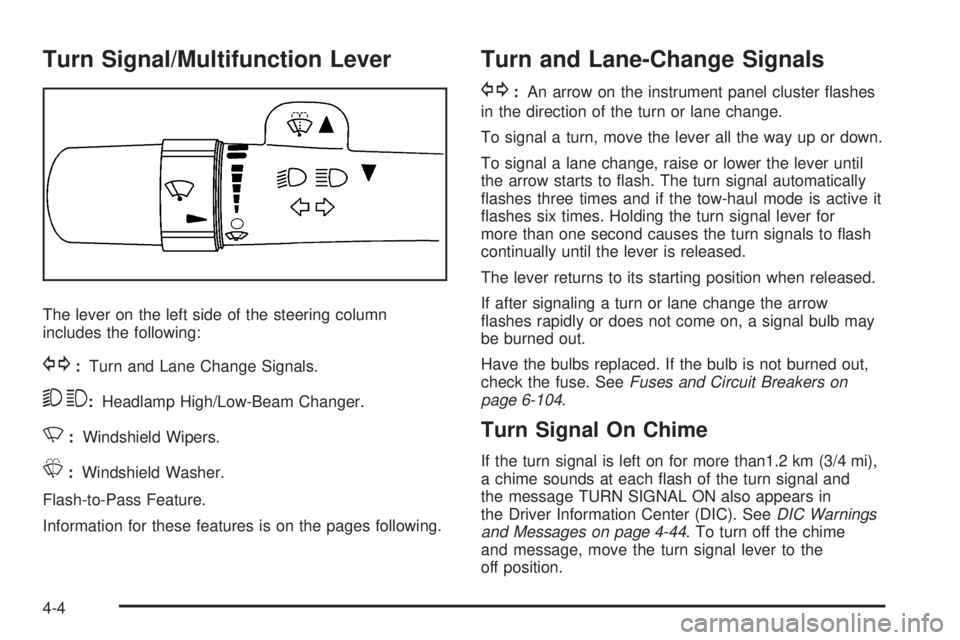
The lever on the left side of the steering column
includes the following:
G:Turn and Lane Change Signals.
53:Headlamp High/Low-Beam Changer.
N:Windshield Wipers.
L:Windshield Washer.
Flash-to-Pass Feature.
Information for these features is on the pages following.
Turn and Lane-Change Signals
G:An arrow on the instrument panel cluster flashes
in the direction of the turn or lane change.
To signal a turn, move the lever all the way up or down.
To signal a lane change, raise or lower the lever until
the arrow starts to flash. The turn signal automatically
flashes three times and if the tow-haul mode is active it
flashes six times. Holding the turn signal lever for
more than one second causes the turn signals to flash
continually until the lever is released.
The lever returns to its starting position when released.
If after signaling a turn or lane change the arrow
flashes rapidly or does not come on, a signal bulb may
be burned out.
Have the bulbs replaced. If the bulb is not burned out,
check the fuse. SeeFuses and Circuit Breakers on
page 6-104.
Turn Signal On Chime
If the turn signal is left on for more than1.2 km (3/4 mi),
a chime sounds at each flash of the turn signal and
the message TURN SIGNAL ON also appears in
the Driver Information Center (DIC). SeeDIC Warnings
and Messages on page 4-44. To turn off the chime
and message, move the turn signal lever to the
off position.
4-4
Page 151 of 424
Headlamp High/Low-Beam Changer
23(Headlamp High/Low-Beam Changer):Pull
the turn signal lever all the way toward you to change
the headlamps from low to high beam. Then release it.
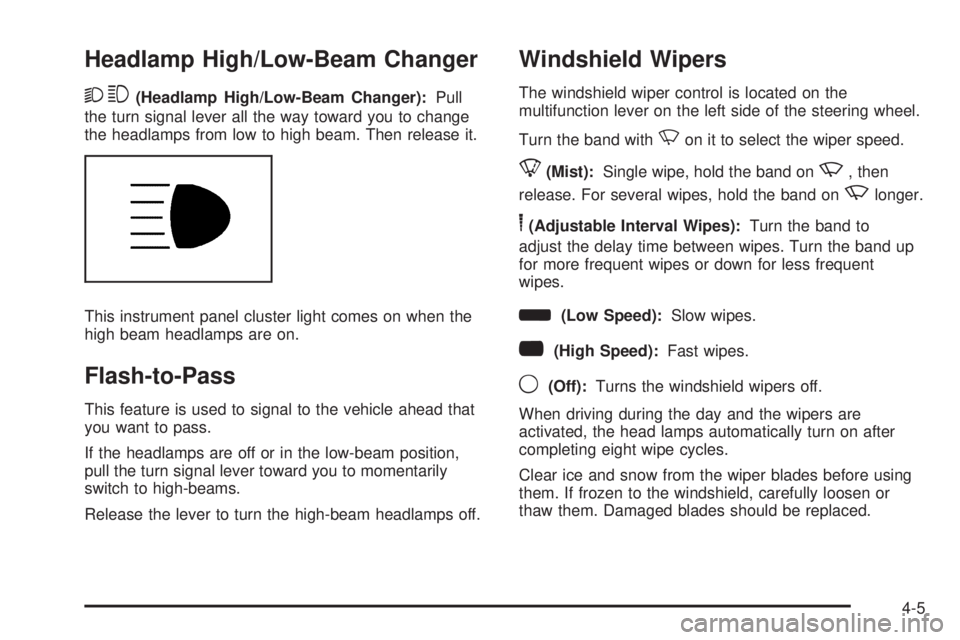
This instrument panel cluster light comes on when the
high beam headlamps are on.
Flash-to-Pass
This feature is used to signal to the vehicle ahead that
you want to pass.
If the headlamps are off or in the low-beam position,
pull the turn signal lever toward you to momentarily
switch to high-beams.
Release the lever to turn the high-beam headlamps off.
Windshield Wipers
The windshield wiper control is located on the
multifunction lever on the left side of the steering wheel.
Turn the band with
Non it to select the wiper speed.
8(Mist):Single wipe, hold the band onz, then
release. For several wipes, hold the band on
zlonger.
6(Adjustable Interval Wipes):Turn the band to
adjust the delay time between wipes. Turn the band up
for more frequent wipes or down for less frequent
wipes.
d(Low Speed):Slow wipes.
a(High Speed):Fast wipes.
9(Off):Turns the windshield wipers off.
When driving during the day and the wipers are
activated, the head lamps automatically turn on after
completing eight wipe cycles.
Clear ice and snow from the wiper blades before using
them. If frozen to the windshield, carefully loosen or
thaw them. Damaged blades should be replaced.
4-5
Page 156 of 424
The exterior lamps control has four positions:
O(Off):Briefly turn the control to this position to turn
the automatic headlamps and daytime running lamps
(DRL) off or back on.
For vehicles first sold in Canada, the off position only
works for vehicles that are shifted into the P (Park)
position.
AUTO (Automatic):Turns on the headlamps
automatically at normal brightness, together with the
following:
•Parking Lamps
•Instrument Panel Lights
•Taillamps
•License Plate Lamps
;(Parking Lamps):Turns on the parking lamps
together with the following:
•Instrument Panel Lights
•Taillamps
•License Plate Lamps
2(Headlamps):Turns on the headlamps together
with the following lamps listed below.
•Parking Lamps
•Instrument Panel Lights
•Taillamps
•License Plate Lamps
If the headlamps are turned on while the vehicle is on,
the headlamps turn off automatically 10 minutes
after the ignition is turned off. If the headlamps are
turned on while the vehicle is off, the headlamps will
continue to stay on. To prevent the battery from
being drained, turn the control to the
9position.
A warning chime sounds if the driver door is opened
while the ignition switch is off and the headlamps are on.
To change the headlamps from low beam to high
beam, push the turn signal/multifunction lever toward
the instrument panel.
4-10
Page 166 of 424
9(Fan Control):Turn clockwise or counterclockwise
to increase or decrease the fan speed in the
rear-seating area.
Temperature Control:Turn clockwise or
counterclockwise to increase or decrease the
temperature in the rear-seating area.
The air-conditioning system on the main climate control
panel must be turned on to direct cooled air to the
rear of the vehicle. If it is not on, then the temperature
in the rear of the vehicle remains at cabin temperature.
Air Delivery Mode Control:Turn clockwise or
counterclockwise to change the direction of the airflow
in the rear seating area.
To change the current mode, select one of the following:
H(Vent):Air is directed to the upper outlets, with
some directed to the floor outlets.
2(Floor):Air is directed to the floor outlets.
Be sure to keep the area under the front seats clear of
any objects so that the air inside of the vehicle can
circulate effectively.
For information on how to use the main climate control
system, seeClimate Control System on page 4-15.
For information on ventilation, seeOutlet Adjustment on
page 4-17.
Warning Lights, Gages, and
Indicators
Warning lights and gages can signal that something is
wrong before it becomes serious enough to cause
an expensive repair or replacement. Paying attention to
the warning lights and gages could prevent injury.
Warning lights come on when there might be or there is
a problem with one of the vehicle’s functions. Some
warning lights come on briefly when the engine is started
to indicate they are working.
Gages can indicate when there might be or there is a
problem with one of the vehicle’s functions. Often gages
and warning lights work together to indicate a problem
with the vehicle.
When one of the warning lights comes on and stays on
while driving, or when one of the gages shows there
could be a problem, check the section that explains what
to do. Follow this manual’s advice. Waiting to do
repairs can be costly and even dangerous.
4-20