ECO mode GMC SAVANA PASSENGER 2012 User Guide
[x] Cancel search | Manufacturer: GMC, Model Year: 2012, Model line: SAVANA PASSENGER, Model: GMC SAVANA PASSENGER 2012Pages: 424, PDF Size: 6.28 MB
Page 192 of 424
Black plate (22,1)GMC Savana Owner Manual - 2012 - 2nd - 11/15/11
7-22 Infotainment System
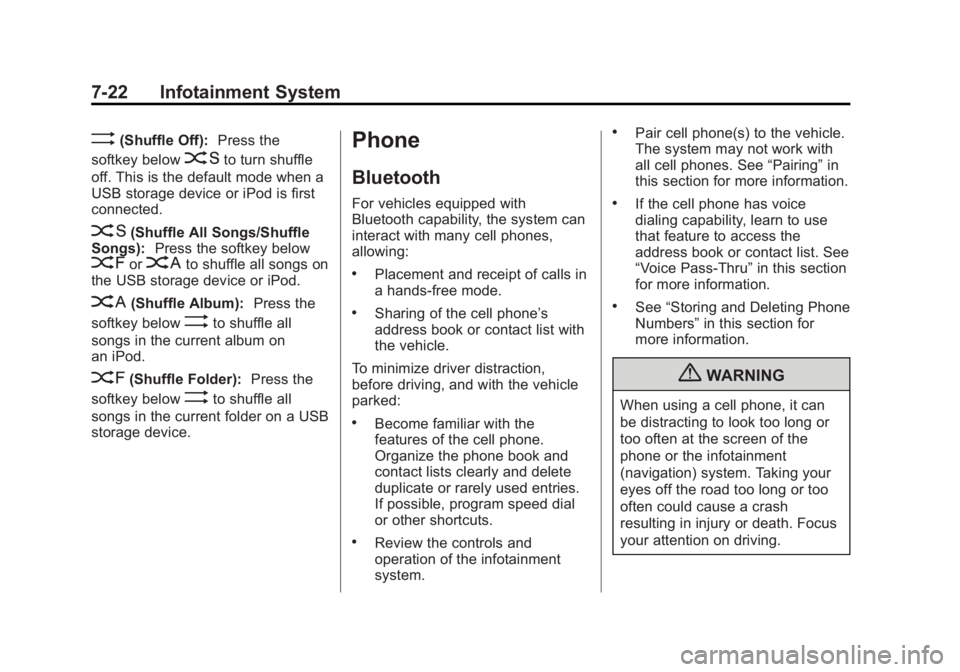
>(Shuffle Off):Press the
softkey below
2to turn shuffle
off. This is the default mode when a
USB storage device or iPod is first
connected.
2(Shuffle All Songs/Shuffle
Songs): Press the softkey below
=orCto shuffle all songs on
the USB storage device or iPod.
C(Shuffle Album): Press the
softkey below
>to shuffle all
songs in the current album on
an iPod.
=(Shuffle Folder): Press the
softkey below
>to shuffle all
songs in the current folder on a USB
storage device.
Phone
Bluetooth
For vehicles equipped with
Bluetooth capability, the system can
interact with many cell phones,
allowing:
.Placement and receipt of calls in
a hands-free mode.
.Sharing of the cell phone’s
address book or contact list with
the vehicle.
To minimize driver distraction,
before driving, and with the vehicle
parked:
.Become familiar with the
features of the cell phone.
Organize the phone book and
contact lists clearly and delete
duplicate or rarely used entries.
If possible, program speed dial
or other shortcuts.
.Review the controls and
operation of the infotainment
system.
.Pair cell phone(s) to the vehicle.
The system may not work with
all cell phones. See “Pairing”in
this section for more information.
.If the cell phone has voice
dialing capability, learn to use
that feature to access the
address book or contact list. See
“Voice Pass-Thru” in this section
for more information.
.See “Storing and Deleting Phone
Numbers” in this section for
more information.
{WARNING
When using a cell phone, it can
be distracting to look too long or
too often at the screen of the
phone or the infotainment
(navigation) system. Taking your
eyes off the road too long or too
often could cause a crash
resulting in injury or death. Focus
your attention on driving.
Page 206 of 424
Black plate (6,1)GMC Savana Owner Manual - 2012 - 2nd - 11/11/11
8-6 Climate Controls
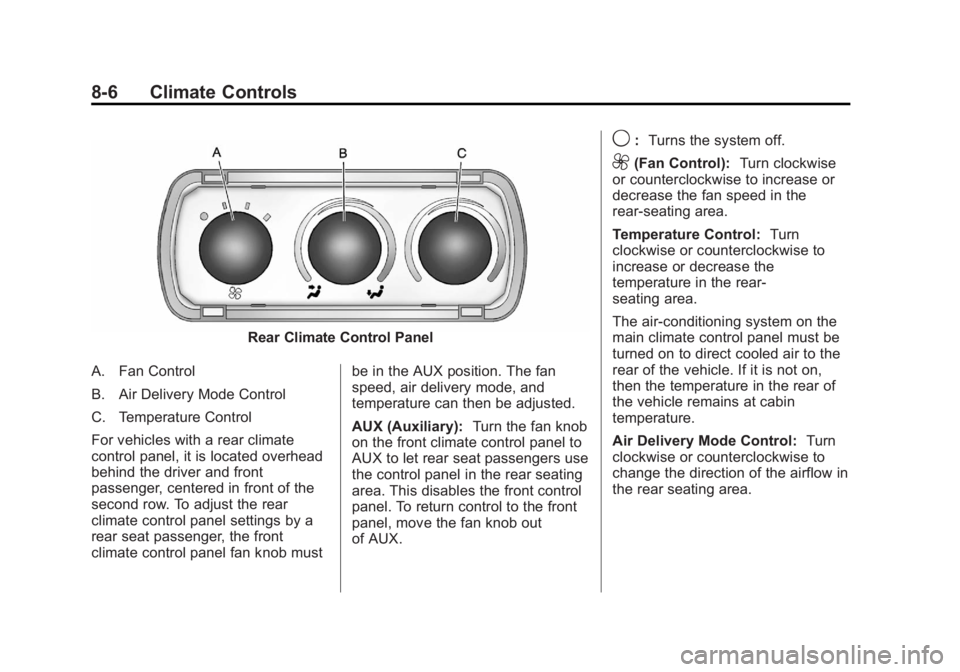
Rear Climate Control Panel
A. Fan Control
B. Air Delivery Mode Control
C. Temperature Control
For vehicles with a rear climate
control panel, it is located overhead
behind the driver and front
passenger, centered in front of the
second row. To adjust the rear
climate control panel settings by a
rear seat passenger, the front
climate control panel fan knob must be in the AUX position. The fan
speed, air delivery mode, and
temperature can then be adjusted.
AUX (Auxiliary):
Turn the fan knob
on the front climate control panel to
AUX to let rear seat passengers use
the control panel in the rear seating
area. This disables the front control
panel. To return control to the front
panel, move the fan knob out
of AUX.
9: Turns the system off.
9(Fan Control): Turn clockwise
or counterclockwise to increase or
decrease the fan speed in the
rear-seating area.
Temperature Control: Turn
clockwise or counterclockwise to
increase or decrease the
temperature in the rear‐
seating area.
The air-conditioning system on the
main climate control panel must be
turned on to direct cooled air to the
rear of the vehicle. If it is not on,
then the temperature in the rear of
the vehicle remains at cabin
temperature.
Air Delivery Mode Control: Turn
clockwise or counterclockwise to
change the direction of the airflow in
the rear seating area.
Page 209 of 424
Black plate (1,1)GMC Savana Owner Manual - 2012 - 2nd - 11/11/11
Driving and Operating 9-1
Driving and
Operating
Driving Information
Distracted Driving . . . . . . . . . . . . . 9-2
Defensive Driving . . . . . . . . . . . . . 9-3
Drunk Driving . . . . . . . . . . . . . . . . . 9-3
Control of a Vehicle . . . . . . . . . . . 9-4
Braking . . . . . . . . . . . . . . . . . . . . . . . 9-4
Steering . . . . . . . . . . . . . . . . . . . . . . . 9-4
Off-Road Recovery . . . . . . . . . . . . 9-5
Loss of Control . . . . . . . . . . . . . . . . 9-5
Driving on Wet Roads . . . . . . . . . 9-6
Highway Hypnosis . . . . . . . . . . . . 9-7
Hill and Mountain Roads . . . . . . 9-7
Winter Driving . . . . . . . . . . . . . . . . . 9-8
If the Vehicle Is Stuck . . . . . . . . 9-10
Vehicle Load Limits . . . . . . . . . . 9-10
Starting and Operating
New Vehicle Break-In . . . . . . . . 9-16
Ignition Positions . . . . . . . . . . . . 9-16
Starting the Engine . . . . . . . . . . 9-18
Fast Idle System . . . . . . . . . . . . . 9-19
Engine Heater . . . . . . . . . . . . . . . 9-20
Retained AccessoryPower (RAP) . . . . . . . . . . . . . . . 9-21
Shifting Into Park . . . . . . . . . . . . 9-21
Shifting out of Park . . . . . . . . . . 9-22
Parking over Things That Burn . . . . . . . . . . . . . . . . . . 9-23
Engine Exhaust
Engine Exhaust . . . . . . . . . . . . . . 9-24
Running the Vehicle WhileParked . . . . . . . . . . . . . . . . . . . . . 9-25
Automatic Transmission
Automatic Transmission(Six Speed) . . . . . . . . . . . . . . . . 9-25
Automatic Transmission (Four Speed) . . . . . . . . . . . . . . . 9-28
Manual Mode . . . . . . . . . . . . . . . . 9-31
Tow/Haul Mode . . . . . . . . . . . . . . 9-32
Drive Systems
All-Wheel Drive . . . . . . . . . . . . . . 9-33
Brakes
Antilock Brake System (ABS) . . . . . . . . . . . . . . 9-33
Parking Brake . . . . . . . . . . . . . . . 9-34
Ride Control Systems
StabiliTrak®System . . . . . . . . . 9-35
Locking Rear Axle . . . . . . . . . . . 9-37
Cruise Control
Cruise Control . . . . . . . . . . . . . . . 9-37
Fuel
Fuel . . . . . . . . . . . . . . . . . . . . . . . . . 9-40
Recommended Fuel . . . . . . . . . 9-40
Gasoline Specifications (U.S. and Canada Only) . . . 9-41
California Fuel Requirements . . . . . . . . . . . . . . 9-41
Fuels in Foreign Countries . . . 9-41
Fuel Additives . . . . . . . . . . . . . . . 9-41
Fuel E85 (85% Ethanol) . . . . . 9-42
Filling the Tank . . . . . . . . . . . . . . 9-43
Filling a Portable Fuel Container . . . . . . . . . . . . . . . . . . . 9-45
Page 235 of 424
Black plate (27,1)GMC Savana Owner Manual - 2012 - 2nd - 11/11/11
Driving and Operating 9-27
D (Drive):This position is for
normal driving. It provides the best
fuel economy. If you need more
power for passing, and you are:
.Going less than about 55 km/h
(35 mph), push the accelerator
pedal about halfway down.
.Going about 55 km/h (35 mph) or
more, push the accelerator all
the way down.
By doing this, the vehicle shifts
down to the next gear and has
more power.
D (Drive) can be used when towing
a trailer, carrying a heavy load or
driving on steep hills. You might
want to shift the transmission to a
lower gear selection if the
transmission shifts too often.
Downshifting the transmission in
slippery road conditions could result
in skidding. See “Skidding”under
Loss of Control on page 9‑5. The vehicle has a shift stabilization
feature that adjusts the transmission
shifting to the current driving
conditions in order to reduce rapid
upshifts and downshifts. This shift
stabilization feature is designed to
determine, before making an
upshift, if the engine is able to
maintain vehicle speed by analyzing
things such as vehicle speed,
throttle position, and vehicle load.
If the shift stabilization feature
determines that a current vehicle
speed cannot be maintained, the
transmission does not upshift and
instead holds the current gear.
In some cases, this could appear to
be a delayed shift, however the
transmission is operating normally.
The transmission uses adaptive
shift controls. Adaptive shift controls
continually compares key shift
parameters to pre-programmed
ideal shifts stored in the
transmissions computer. The
transmission constantly makes
adjustments to improve vehicle
performance according to how thevehicle is being used, such as with
a heavy load or when temperature
changes. During this adaptive shift
control process, shifting might feel
different as the transmission
determines the best settings.
The shift quality of a new vehicle
may not be ideal because the
Adaptive Shift Control process may
not have determined the best
settings for a particular shift or
condition. Shift quality will improve
with continued driving.
When temperatures are very cold,
the transmission's gear shifting
could be delayed providing more
stable shifts until the engine warms
up. Shifts could be more noticeable
with a cold transmission. This
difference in shifting is normal.
M (Manual Mode):
This position
lets drivers select the range of gears
appropriate for current driving
conditions. If the vehicle has this
feature, see “Range Selection
Mode” underManual Mode on
page 9‑31.
Page 236 of 424
Black plate (28,1)GMC Savana Owner Manual - 2012 - 2nd - 11/11/11
9-28 Driving and Operating
3 (Third):This position is also used
for normal driving. It reduces vehicle
speed more than D (Drive) without
using the brakes. You might choose
3 (Third) instead of D (Drive) when
driving on hilly, winding roads, when
towing a trailer, so there is less
shifting between gears and when
going down a steep hill. See “Range
Selection Mode” underManual
Mode on page 9‑31.
2 (Second): This position reduces
vehicle speed even more than
3 (Third) without using the brakes.
You can use 2 (Second) on hills.
It can help control vehicle speed as
you go down steep mountain roads,
but then you would also want to use
the brakes off and on. See “Range
Selection Mode” underManual
Mode on page 9‑31. If you manually select 2 (Second)
in an automatic transmission,
the transmission will start in
second gear. You can use this
feature for reducing the speed of the
rear wheels when you are trying to
start the vehicle from a stop on
slippery road surfaces.
1 (First):
This position reduces
vehicle speed without using the
brakes. You can use it for major/
severe downgrades where the
vehicle would otherwise accelerate
due to steepness of grade. When
you shift to 1 (First) it provides the
lowest gear appropriate to current
road speed and continues to
downshift as the vehicle slows,
eventually downshifting to 1 (First)
gear. The transmission can be held
in 1 (First) gear using Range
Selection Mode or the shift lever.
See “Range Selection Mode” under
Manual Mode on page 9‑31. Notice:
Spinning the tires or
holding the vehicle in one
place on a hill using only the
accelerator pedal may damage
the transmission. The repair will
not be covered by the vehicle
warranty. If you are stuck, do not
spin the tires. When stopping on
a hill, use the brakes to hold the
vehicle in place.
Automatic Transmission
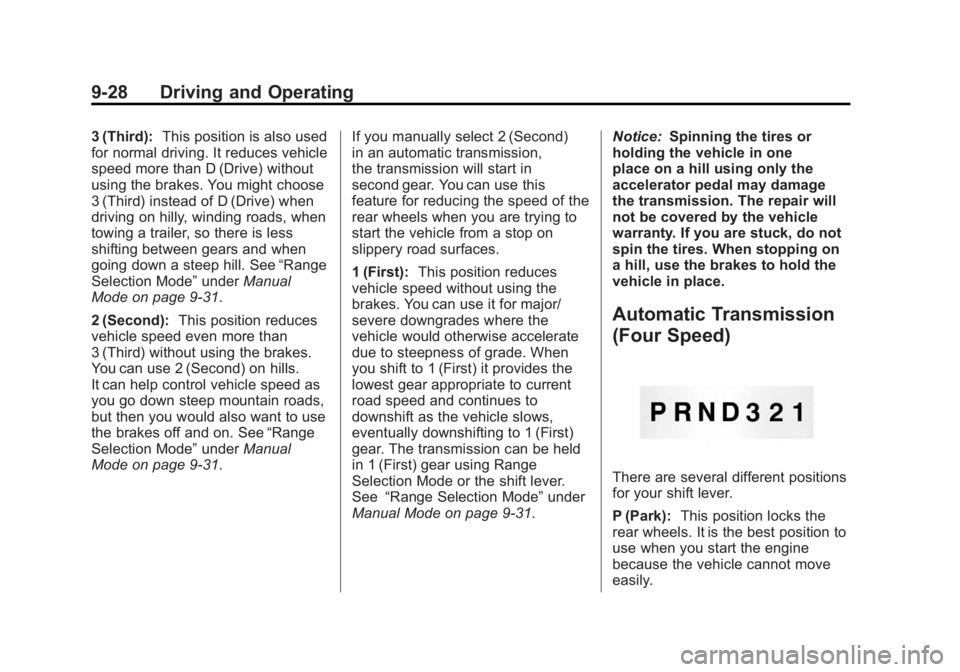
(Four Speed)
There are several different positions
for your shift lever.
P (Park): This position locks the
rear wheels. It is the best position to
use when you start the engine
because the vehicle cannot move
easily.
Page 239 of 424
Black plate (31,1)GMC Savana Owner Manual - 2012 - 2nd - 11/11/11
Driving and Operating 9-31
Manual Mode
Range Selection Mode
The vehicle may have a Range
Selection Mode. The Range
Selection Mode helps control the
vehicle's transmission and vehicle
speed while driving down hill or
towing a trailer by letting you select
a desired range of gears.
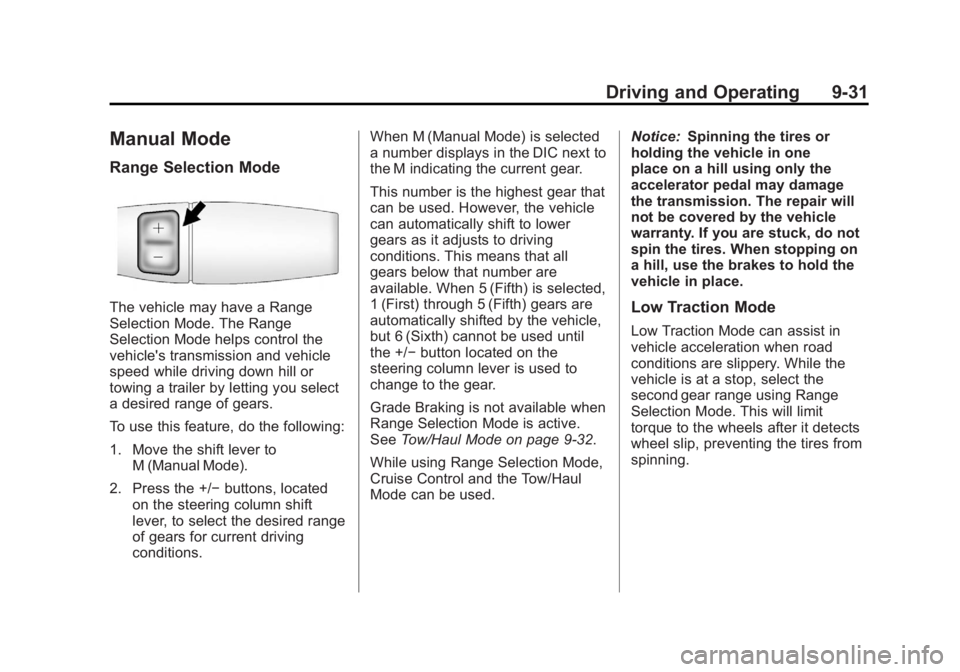
To use this feature, do the following:
1. Move the shift lever toM (Manual Mode).
2. Press the +/− buttons, located
on the steering column shift
lever, to select the desired range
of gears for current driving
conditions. When M (Manual Mode) is selected
a number displays in the DIC next to
the M indicating the current gear.
This number is the highest gear that
can be used. However, the vehicle
can automatically shift to lower
gears as it adjusts to driving
conditions. This means that all
gears below that number are
available. When 5 (Fifth) is selected,
1 (First) through 5 (Fifth) gears are
automatically shifted by the vehicle,
but 6 (Sixth) cannot be used until
the +/−
button located on the
steering column lever is used to
change to the gear.
Grade Braking is not available when
Range Selection Mode is active.
See Tow/Haul Mode on page 9‑32.
While using Range Selection Mode,
Cruise Control and the Tow/Haul
Mode can be used. Notice:
Spinning the tires or
holding the vehicle in one
place on a hill using only the
accelerator pedal may damage
the transmission. The repair will
not be covered by the vehicle
warranty. If you are stuck, do not
spin the tires. When stopping on
a hill, use the brakes to hold the
vehicle in place.Low Traction Mode
Low Traction Mode can assist in
vehicle acceleration when road
conditions are slippery. While the
vehicle is at a stop, select the
second gear range using Range
Selection Mode. This will limit
torque to the wheels after it detects
wheel slip, preventing the tires from
spinning.
Page 259 of 424
Black plate (51,1)GMC Savana Owner Manual - 2012 - 2nd - 11/11/11
Driving and Operating 9-51
Notice:Pulling a trailer
improperly can damage the
vehicle and result in costly
repairs not covered by the vehicle
warranty. To pull a trailer
correctly, follow the advice in this
section and see your dealer for
important information about
towing a trailer with the vehicle.
To identify the trailering capacity
of the vehicle, read the information
in “Weight of the Trailer” that
appears later in this section.
Trailering is different than just
driving the vehicle by itself.
Trailering means changes in
handling, acceleration, braking,
durability, and fuel economy.
Successful, safe trailering takes
correct equipment, and it has to be
used properly. The following information has many
time-tested, important trailering tips
and safety rules. Many of these are
important for your safety and that of
your passengers. So please read
this section carefully before pulling a
trailer.
Weight of the Trailer
How heavy can a trailer safely be?
It depends on how the rig is used.
For example, speed, altitude, road
grades, outside temperature, and
how much the vehicle is used to pull
a trailer are all important. It can
depend on any special equipment
on the vehicle, and the amount of
tongue weight the vehicle can carry.
See
“Weight of the Trailer Tongue”
later in this section for more
information. Maximum trailer weight is calculated
assuming only the driver is in the
tow vehicle and it has all the
required trailering equipment. The
weight of additional optional
equipment, passengers,and cargo in
the tow vehicle must be subtracted
from the maximum trailer weight.
Use the following chart to determine
how much the vehicle can weigh,
based upon the vehicle model and
options.
Page 322 of 424
Black plate (56,1)GMC Savana Owner Manual - 2012 - 2nd - 11/11/11
10-56 Vehicle Care
Maximum Loaded Vehicle
Weight
:The sum of curb
weight, accessory weight,
vehicle capacity weight, and
production options weight.
Normal Occupant Weight
:The
number of occupants a vehicle
is designed to seat multiplied by
68 kg (150 lbs). See Vehicle
Load Limits on page 9‑10.
Occupant Distribution
:
Designated seating positions.
Outward Facing Sidewall
:The
side of an asymmetrical tire that
has a particular side that faces
outward when mounted on a
vehicle. The side of the tire that
contains a whitewall, bears
white lettering, or bears
manufacturer, brand, and/or
model name molding that is
higher or deeper than the same
moldings on the other sidewall
of the tire. Passenger (P-Metric) Tire
:A
tire used on passenger cars and
some light duty trucks and
multipurpose vehicles.
Recommended Inflation
Pressure
:Vehicle
manufacturer's recommended
tire inflation pressure as shown
on the tire placard. See Tire
Pressure on page 10‑57 and
Vehicle Load Limits on
page 9‑10.
Radial Ply Tire
:A pneumatic
tire in which the ply cords that
extend to the beads are laid at
90 degrees to the centerline of
the tread.
Rim
:A metal support for a tire
and upon which the tire beads
are seated.
Sidewall
:The portion of a tire
between the tread and the bead. Speed Rating
:An
alphanumeric code assigned to
a tire indicating the maximum
speed at which a tire can
operate.
Traction
:The friction between
the tire and the road surface.
The amount of grip provided.
Tread
:The portion of a tire that
comes into contact with
the road.
Treadwear Indicators
:Narrow
bands, sometimes called wear
bars, that show across the tread
of a tire when only 1.6 mm
(1/16 in) of tread remains. See
When It Is Time for New Tires
on page 10‑65.
Page 328 of 424
Black plate (62,1)GMC Savana Owner Manual - 2012 - 2nd - 11/11/11
10-62 Vehicle Care
TPMS Sensor Matching
Process
Each TPMS sensor has a unique
identification code. The identification
code needs to be matched to a new
tire/wheel position after rotating the
vehicle’s tires or replacing one or
more of the TPMS sensors. Also,
the TPMS sensor matching process
should be performed after replacing
a spare tire with a road tire
containing the TPMS sensor. The
malfunction light and the DIC
message should go off at the next
ignition cycle. The sensors are
matched to the tire/wheel positions,
using a TPMS relearn tool, in the
following order: driver side front tire,
passenger side front tire, passenger
side rear tire, and driver side rear.
See your dealer for service or to
purchase a relearn tool.
There are two minutes to match the
first tire/wheel position, and
five minutes overall to match all four
tire/wheel positions. If it takes
longer, the matching process stops
and must be restarted.The TPMS sensor matching
process is:
1. Set the parking brake.
2. Turn the ignition to ON/RUN with
the engine off.
3. Press the Remote Keyless Entry (RKE) transmitter's LOCK and
UNLOCK buttons at the same
time for approximately
five seconds. The horn sounds
twice to signal the receiver is in
relearn mode and TIRE
LEARNING ACTIVE message
displays on the DIC screen.
If the vehicle does not have
RKE, press the Driver
Information Center (DIC) vehicle
information button until the
PRESS
VTO RELEARN TIRE
POSITIONS message displays.
The horn sounds twice to signal
the receiver is in relearn mode
and TIRE LEARNING ACTIVE
message displays on the DIC
screen. If the vehicle does not have RKE
or DIC buttons, press the trip
odometer reset stem located on
the instrument panel cluster until
the PRESS
VTO RELEARN
TIRE POSITIONS message
displays. The horn sounds twice
to signal the receiver is in
relearn mode and TIRE
LEARNING ACTIVE message
displays on the DIC screen.
4. Start with the driver side front tire.
5. Place the relearn tool against the tire sidewall, near the valve
stem. Then press the button to
activate the TPMS sensor.
A horn chirp confirms that the
sensor identification code has
been matched to this tire and
wheel position.
6. Proceed to the passenger side front tire, and repeat the
procedure in Step 5.
Page 338 of 424
Black plate (72,1)GMC Savana Owner Manual - 2012 - 2nd - 11/11/11
10-72 Vehicle Care
For Cutaway models with LT245/
75R16, LT225/75R16 or LT215/
85R16 size single or dual rear tires,
use Low Profile Z-Chain or
SAE Class S cables.
For Cargo or Passenger models
with P245/70R17, LT225/75R16 or
LT245/75R16 size tires, use Low
Profile Z-Chain cables. SAE Class S
chains are not recommended.
If the vehicle has dual rear tires, do
not use individual tire chains. Use
tire chains that fit across both dual
tires.If a Tire Goes Flat
It is unusual for a tire to blow out
while driving, especially if the tires
are maintained properly. If air goes
out of a tire, it is much more likely to
leak out slowly. But if there ever is a
blowout, here are a few tips about
what to expect and what to do:
If a front tire fails, the flat tire
creates a drag that pulls the vehicle
toward that side. Take your foot off
the accelerator pedal and grip the
steering wheel firmly. Steer to
maintain lane position, and then
gently brake to a stop, well off the
road, if possible.
A rear blowout, particularly on a
curve, acts much like a skid and
may require the same correction as
used in a skid. Stop pressing the
accelerator pedal and steer to
straighten the vehicle. It may be
very bumpy and noisy. Gently brake
to a stop, well off the road,
if possible.{WARNING
Driving on a flat tire will cause
permanent damage to the tire.
Re-inflating a tire after it has
been driven on while severely
underinflated or flat may cause a
blowout and a serious crash.
Never attempt to re-inflate a tire
that has been driven on while
severely underinflated or flat.
Have your dealer or an authorized
tire service center repair or
replace the flat tire as soon as
possible.