instrument panel GMC SAVANA PASSENGER 2014 Owner's Guide
[x] Cancel search | Manufacturer: GMC, Model Year: 2014, Model line: SAVANA PASSENGER, Model: GMC SAVANA PASSENGER 2014Pages: 408, PDF Size: 5.34 MB
Page 151 of 408
Black plate (3,1)GMC Savana Owner Manual (GMNA-Localizing-U.S./Canada-6014682) -
2014 - CRC 2nd Edition - 8/26/13
Lighting 6-3
The automatic headlamp system
automatically switches from DRL to
the headlamps depending on the
darkness of the surroundings.
To turn off the DRL, turn the exterior
lamp control to
Oand then release
it. For vehicles first sold in Canada,
the transmission must be in the
P (Park) position, before the DRL
can be turned off.
Automatic Headlamp
System
When it is dark enough outside and
the headlamp switch is in AUTO,
the automatic headlamp system
turns on the headlamps, along with
the taillamps, sidemarker lamps,
parking lamps, and the instrument
panel lights. The radio lights will
also be dim.
To turn off the automatic headlamp
system, turn the exterior lamp
control to the off position and then
release. For vehicles first sold in
Canada, the transmission must be in the P (Park) position, before the
automatic headlamp system can be
turned off.
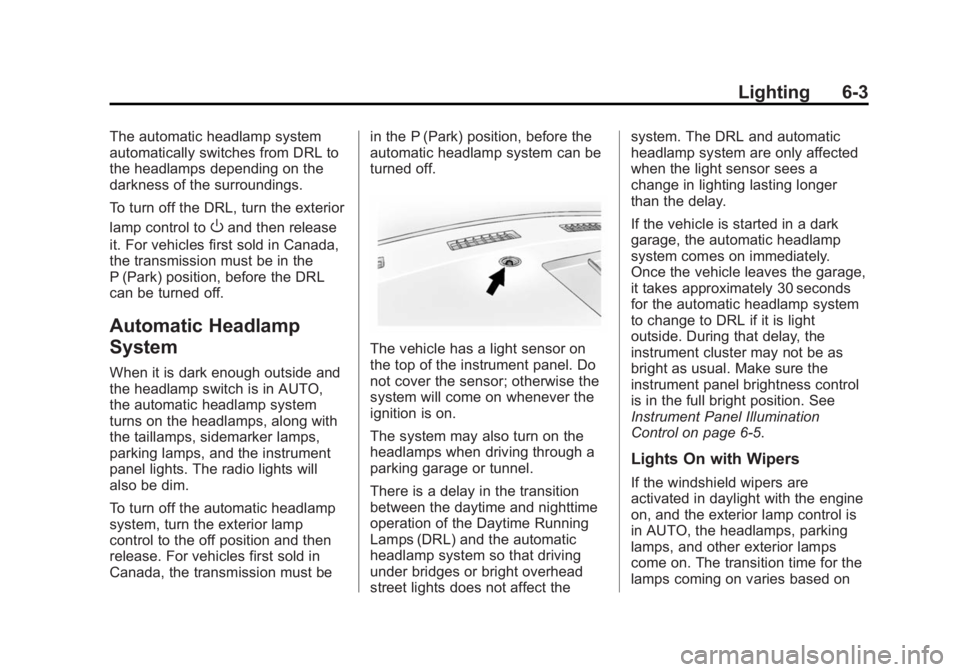
The vehicle has a light sensor on
the top of the instrument panel. Do
not cover the sensor; otherwise the
system will come on whenever the
ignition is on.
The system may also turn on the
headlamps when driving through a
parking garage or tunnel.
There is a delay in the transition
between the daytime and nighttime
operation of the Daytime Running
Lamps (DRL) and the automatic
headlamp system so that driving
under bridges or bright overhead
street lights does not affect thesystem. The DRL and automatic
headlamp system are only affected
when the light sensor sees a
change in lighting lasting longer
than the delay.
If the vehicle is started in a dark
garage, the automatic headlamp
system comes on immediately.
Once the vehicle leaves the garage,
it takes approximately 30 seconds
for the automatic headlamp system
to change to DRL if it is light
outside. During that delay, the
instrument cluster may not be as
bright as usual. Make sure the
instrument panel brightness control
is in the full bright position. See
Instrument Panel Illumination
Control on page 6-5.
Lights On with Wipers
If the windshield wipers are
activated in daylight with the engine
on, and the exterior lamp control is
in AUTO, the headlamps, parking
lamps, and other exterior lamps
come on. The transition time for the
lamps coming on varies based on
Page 153 of 408
Black plate (5,1)GMC Savana Owner Manual (GMNA-Localizing-U.S./Canada-6014682) -
2014 - CRC 2nd Edition - 8/26/13
Lighting 6-5
Interior Lighting
Instrument Panel
Illumination Control
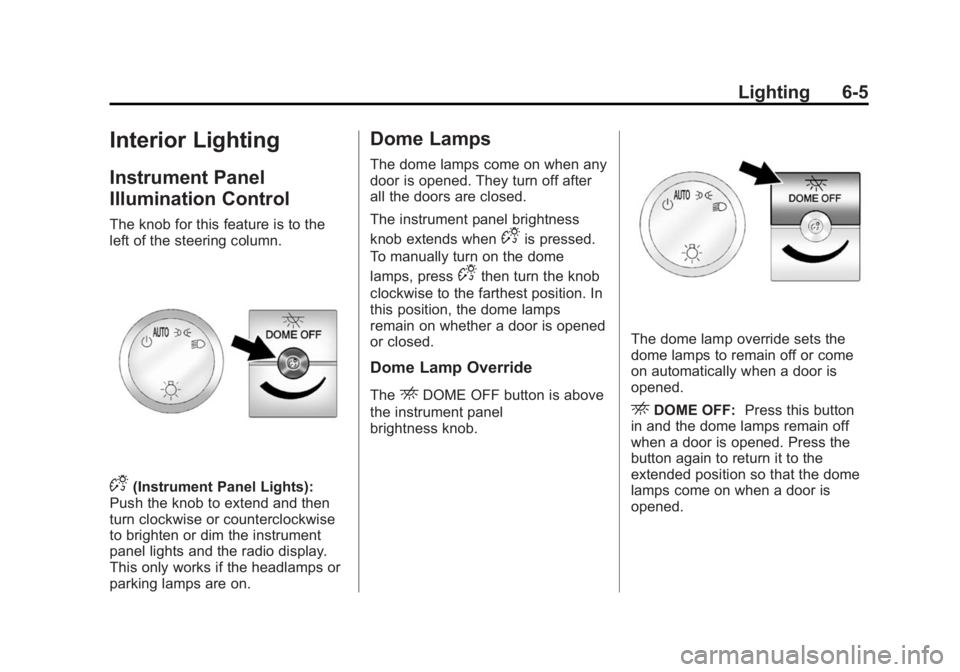
The knob for this feature is to the
left of the steering column.
D(Instrument Panel Lights):
Push the knob to extend and then
turn clockwise or counterclockwise
to brighten or dim the instrument
panel lights and the radio display.
This only works if the headlamps or
parking lamps are on.
Dome Lamps
The dome lamps come on when any
door is opened. They turn off after
all the doors are closed.
The instrument panel brightness
knob extends when
Dis pressed.
To manually turn on the dome
lamps, press
Dthen turn the knob
clockwise to the farthest position. In
this position, the dome lamps
remain on whether a door is opened
or closed.
Dome Lamp Override
TheEDOME OFF button is above
the instrument panel
brightness knob.
The dome lamp override sets the
dome lamps to remain off or come
on automatically when a door is
opened.
EDOME OFF: Press this button
in and the dome lamps remain off
when a door is opened. Press the
button again to return it to the
extended position so that the dome
lamps come on when a door is
opened.
Page 174 of 408
Black plate (18,1)GMC Savana Owner Manual (GMNA-Localizing-U.S./Canada-6014682) -
2014 - CRC 2nd Edition - 8/26/13
7-18 Infotainment System
This input jack is not an audio
output; do not plug headphones into
the front auxiliary input jack.
Drivers are encouraged to set up
any auxiliary device while the
vehicle is in P (Park). See
Defensive Driving on page 9-3for
more information on driver
distraction.
To use a portable audio player,
connect a 3.5 mm (1/8 in) cable to
the radio's front auxiliary input jack.
When a device is connected, press
the radio CD/AUX button to begin
playing audio from the device over
the vehicle speakers.
For optimal sound quality, increase
the portable audio device's volume
to the loudest level.
It is always best to power the
portable audio device through its
own battery while playing.
O(Power/Volume): Turn clockwise
or counterclockwise to increase or
decrease the volume of the portable
player. Additional volume adjustments might have to be made
from the portable device if the
volume is not loud or soft enough.
BAND:
Press to listen to the radio
when a portable audio device is
playing. The portable audio device
continues playing.
CD/AUX (CD/Auxiliary): Press to
play a CD when a portable audio
device is playing. Press again and
the system begins playing audio
from the connected portable audio
player. If a portable audio player is
not connected, “No Input Device
Found” displays.
Using the USB Port
Radios with a USB port can control
a USB storage device or an iPod®
using the radio buttons and knobs.
See“Playing an MP3” inCD Player
on page 7-12 for information about
how to connect and control a USB
storage device or an iPod. USB Support
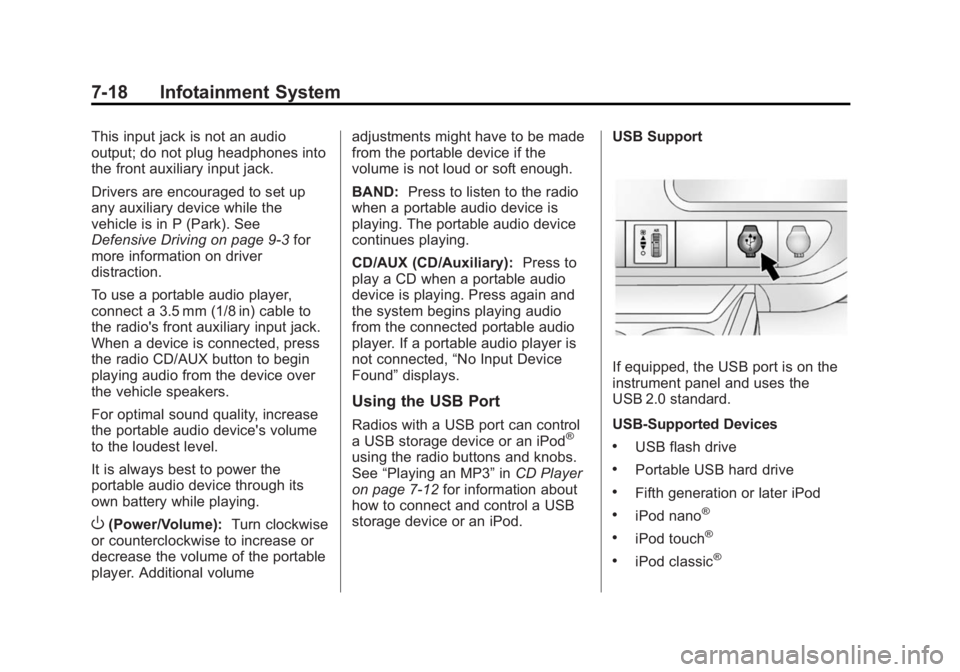
If equipped, the USB port is on the
instrument panel and uses the
USB 2.0 standard.
USB-Supported Devices
.USB flash drive
.Portable USB hard drive
.Fifth generation or later iPod
.iPod nano®
.iPod touch®
.iPod classic®
Page 175 of 408
Black plate (19,1)GMC Savana Owner Manual (GMNA-Localizing-U.S./Canada-6014682) -
2014 - CRC 2nd Edition - 8/26/13
Infotainment System 7-19
Not all iPods and USB drives are
compatible with the USB port.
Make sure the iPod has the latest
firmware from Apple
®for proper
operation. iPod firmware can be
updated using the latest iTunes
®
application. See www.apple.com/
itunes.
For help with identifying the iPod, go
to www.apple.com/support.
Radios that have a USB port can
play .mp3 and .wma files that are
stored on a USB storage device as
well as AAC files that are stored on
an iPod.
USB-Supported File and Folder
Structure
The radio supports:
.Up to 700 folders.
.Up to eight folders in depth.
.Up to 65,535 files.
.Folder and file names up to
64 bytes.
.Files with an .mp3 or .wma file
extension.
.AAC files stored on an iPod.
.FAT16.
.FAT32.
Connecting a USB Storage
Device or iPod
The USB port can be used to
control an iPod or a USB storage
device.
To connect a USB storage device,
connect the device to the USB port
on the instrument panel.
To connect an iPod, connect one
end of the USB cable that came
with the iPod to the iPod’s dock
connector and connect the other
end to the USB port on the
instrument panel. If the vehicle is on
and the USB connection works, “OK
to disconnect” and a GM logo may
appear on the iPod, and iPod
appears on the radio display. The
iPod music appears on the radio
display and begins playing. The iPod charges while it is
connected to the vehicle if the
vehicle is in the ACC/ACCESSORY
or ON/RUN position. When the
vehicle is turned off, the iPod
automatically powers off and will not
charge or draw power from the
vehicle's battery.
If you have an older iPod model that
is not supported, it can still be used
by connecting it to the auxiliary
input jack using a standard 3.5 mm
(1/8 in) stereo cable. See
“Using the
Auxiliary Input Jack” previously in
this section.
Using the Radio to Control a
USB Storage Device or iPod
The radio can control a USB
storage device or an iPod using the
radio buttons and knobs, and
display song information on the
radio display.
f(Tune): Turn to select files.
Page 188 of 408
Black plate (2,1)GMC Savana Owner Manual (GMNA-Localizing-U.S./Canada-6014682) -
2014 - CRC 2nd Edition - 8/26/13
8-2 Climate Controls
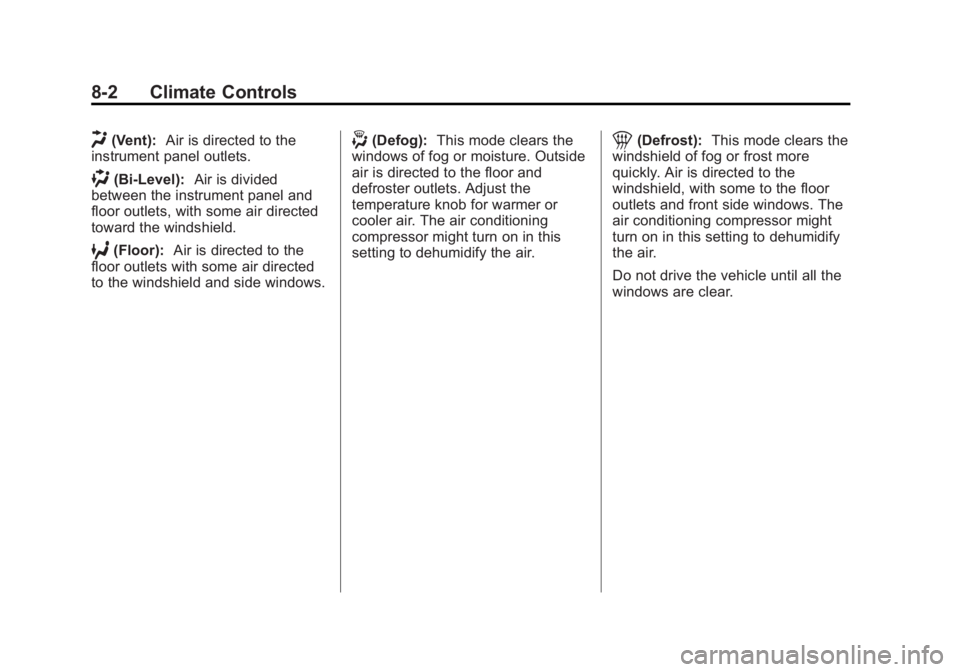
H(Vent):Air is directed to the
instrument panel outlets.
)(Bi-Level): Air is divided
between the instrument panel and
floor outlets, with some air directed
toward the windshield.
6(Floor): Air is directed to the
floor outlets with some air directed
to the windshield and side windows.
-(Defog): This mode clears the
windows of fog or moisture. Outside
air is directed to the floor and
defroster outlets. Adjust the
temperature knob for warmer or
cooler air. The air conditioning
compressor might turn on in this
setting to dehumidify the air.1(Defrost): This mode clears the
windshield of fog or frost more
quickly. Air is directed to the
windshield, with some to the floor
outlets and front side windows. The
air conditioning compressor might
turn on in this setting to dehumidify
the air.
Do not drive the vehicle until all the
windows are clear.
Page 190 of 408
Black plate (4,1)GMC Savana Owner Manual (GMNA-Localizing-U.S./Canada-6014682) -
2014 - CRC 2nd Edition - 8/26/13
8-4 Climate Controls
Rear Heating System
If equipped, the rear heating system
lets you adjust the amount of air
flowing into the rear of the vehicle,
from the front seating area. This
feature works with the main climate
control system in the vehicle.
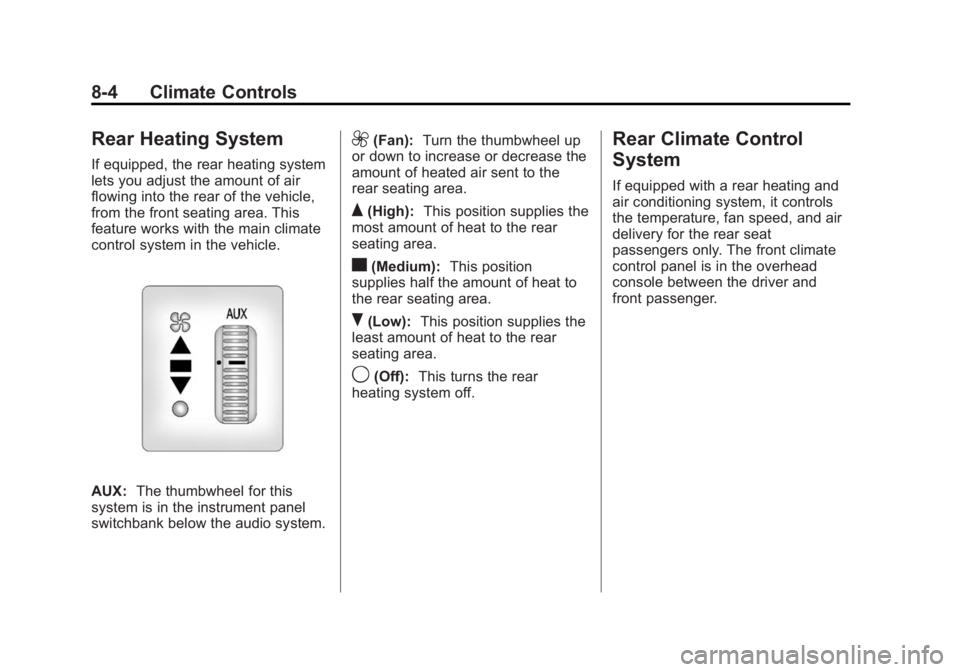
AUX:The thumbwheel for this
system is in the instrument panel
switchbank below the audio system.
9(Fan): Turn the thumbwheel up
or down to increase or decrease the
amount of heated air sent to the
rear seating area.
Q(High): This position supplies the
most amount of heat to the rear
seating area.
c(Medium): This position
supplies half the amount of heat to
the rear seating area.
R(Low): This position supplies the
least amount of heat to the rear
seating area.
9(Off): This turns the rear
heating system off.
Rear Climate Control
System
If equipped with a rear heating and
air conditioning system, it controls
the temperature, fan speed, and air
delivery for the rear seat
passengers only. The front climate
control panel is in the overhead
console between the driver and
front passenger.
Page 193 of 408
Black plate (7,1)GMC Savana Owner Manual (GMNA-Localizing-U.S./Canada-6014682) -
2014 - CRC 2nd Edition - 8/26/13
Climate Controls 8-7
2(Floor):Air is directed to the
floor outlets.
Be sure to keep the area under the
front seats clear of any objects so
that the air inside of the vehicle can
circulate effectively.
For information on how to use the
main climate control system, see
Climate Control Systems on
page 8-1. For information on
ventilation, see Air Vents on
page 8-7.Air Vents
Use the outlets located near the
center and on the sides of the
instrument panel to change the
direction of airflow.
Operation Tips
.Clear away any ice, snow or
leaves from the air inlets at the
base of the windshield that may
block the flow of air into the
vehicle.
.Use of non-GM approved hood
deflectors may adversely affect
the performance of the system.
.Keep the path under the front
seats clear of objects to help
circulate the air inside of the
vehicle more effectively.
Page 202 of 408
Black plate (8,1)GMC Savana Owner Manual (GMNA-Localizing-U.S./Canada-6014682) -
2014 - CRC 2nd Edition - 8/26/13
9-8 Driving and Operating
Try not to break the fragile traction.
If you accelerate too fast, the drive
wheels will spin and polish the
surface under the tires even more.
TheAntilock Brake System (ABS)
on page 9-30 improves vehicle
stability during hard stops on a
slippery roads, but apply the brakes
sooner than when on dry pavement.
Allow greater following distance on
any slippery road and watch for
slippery spots. Icy patches can
occur on otherwise clear roads in
shaded areas. The surface of a
curve or an overpass can remain icy
when the surrounding roads are
clear. Avoid sudden steering
maneuvers and braking while
on ice.
Turn off cruise control, if equipped,
on slippery surfaces.Blizzard Conditions
Being stuck in snow can be a
serious situation. Stay with the
vehicle unless there is help nearby.
If possible, use the Roadside
Assistance Program on page 13-5.
To get help and keep everyone in
the vehicle safe:
.Turn on the hazard warning
flashers.
.Tie a red cloth to an outside
mirror.
{Warning
Snow can trap engine exhaust
under the vehicle. This may
cause exhaust gases to get
inside. Engine exhaust contains
carbon monoxide (CO) which
cannot be seen or smelled. It can
cause unconsciousness and even
death.
If the vehicle is stuck in the snow:
(Continued)
Warning (Continued)
.Clear away snow from around
the base of your vehicle,
especially any that is blocking
the exhaust pipe and/or the
fuel operated heater exhaust
system, if equipped. If the
vehicle has a diesel engine
and a fuel operated heater,
see“Fuel Operated Heater
(FOH)” in the diesel engine
supplement.
.Check again from time to
time to be sure snow does
not collect there.
.Open a window about 5 cm
(2 in) on the side of the
vehicle that is away from the
wind to bring in fresh air.
.Fully open the air outlets on
or under the instrument
panel.
(Continued)
Page 223 of 408
Black plate (29,1)GMC Savana Owner Manual (GMNA-Localizing-U.S./Canada-6014682) -
2014 - CRC 2nd Edition - 8/26/13
Driving and Operating 9-29
Caution (Continued)
The repair will not be covered by
the vehicle warranty. If you are
stuck, do not spin the tires. When
stopping on a hill, use the brakes
to hold the vehicle in place.
Low Traction Mode
Low Traction Mode can assist in
vehicle acceleration when road
conditions are slippery. While the
vehicle is at a stop, select the
second gear range using Range
Selection Mode. This will limit
torque to the wheels after it detects
wheel slip, preventing the tires from
spinning.
Tow/Haul Mode
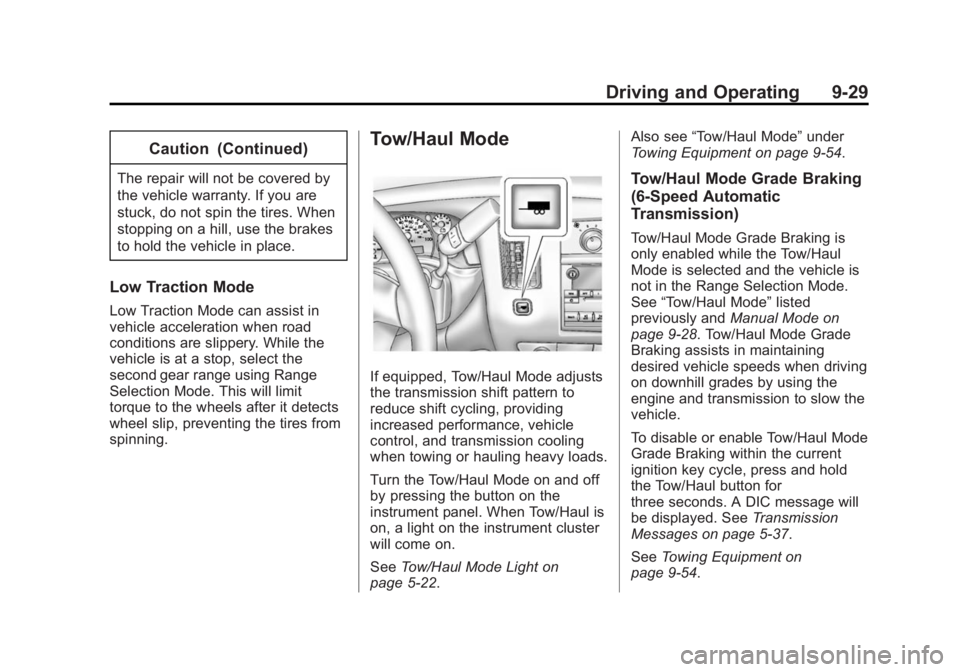
If equipped, Tow/Haul Mode adjusts
the transmission shift pattern to
reduce shift cycling, providing
increased performance, vehicle
control, and transmission cooling
when towing or hauling heavy loads.
Turn the Tow/Haul Mode on and off
by pressing the button on the
instrument panel. When Tow/Haul is
on, a light on the instrument cluster
will come on.
SeeTow/Haul Mode Light on
page 5-22. Also see
“Tow/Haul Mode” under
Towing Equipment on page 9-54.
Tow/Haul Mode Grade Braking
(6-Speed Automatic
Transmission)
Tow/Haul Mode Grade Braking is
only enabled while the Tow/Haul
Mode is selected and the vehicle is
not in the Range Selection Mode.
See “Tow/Haul Mode” listed
previously and Manual Mode on
page 9-28. Tow/Haul Mode Grade
Braking assists in maintaining
desired vehicle speeds when driving
on downhill grades by using the
engine and transmission to slow the
vehicle.
To disable or enable Tow/Haul Mode
Grade Braking within the current
ignition key cycle, press and hold
the Tow/Haul button for
three seconds. A DIC message will
be displayed. See Transmission
Messages on page 5-37.
See Towing Equipment on
page 9-54.
Page 227 of 408
Black plate (33,1)GMC Savana Owner Manual (GMNA-Localizing-U.S./Canada-6014682) -
2014 - CRC 2nd Edition - 8/26/13
Driving and Operating 9-33
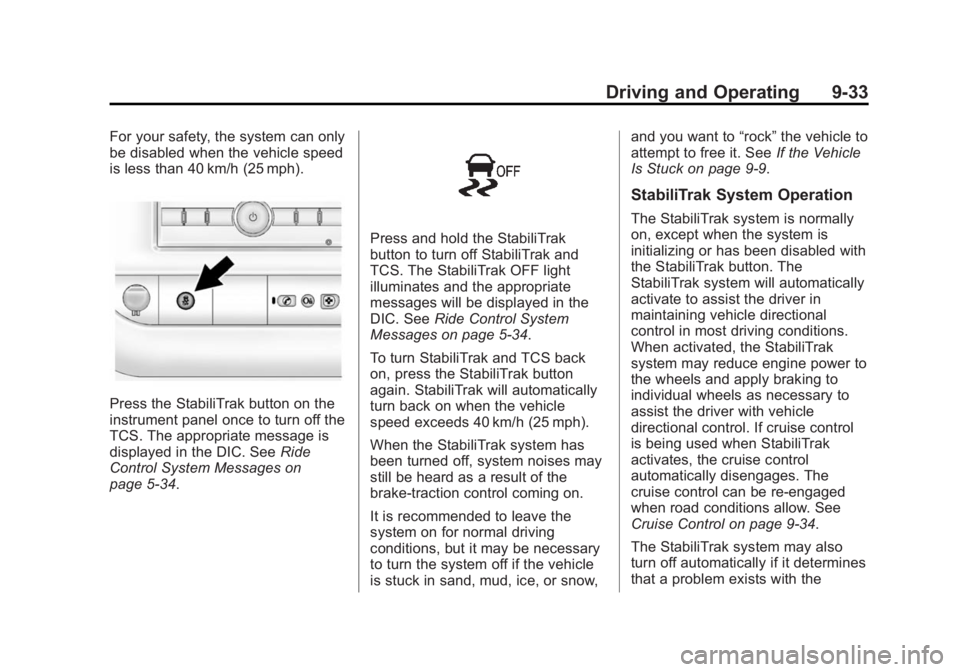
For your safety, the system can only
be disabled when the vehicle speed
is less than 40 km/h (25 mph).
Press the StabiliTrak button on the
instrument panel once to turn off the
TCS. The appropriate message is
displayed in the DIC. SeeRide
Control System Messages on
page 5-34.
Press and hold the StabiliTrak
button to turn off StabiliTrak and
TCS. The StabiliTrak OFF light
illuminates and the appropriate
messages will be displayed in the
DIC. See Ride Control System
Messages on page 5-34.
To turn StabiliTrak and TCS back
on, press the StabiliTrak button
again. StabiliTrak will automatically
turn back on when the vehicle
speed exceeds 40 km/h (25 mph).
When the StabiliTrak system has
been turned off, system noises may
still be heard as a result of the
brake-traction control coming on.
It is recommended to leave the
system on for normal driving
conditions, but it may be necessary
to turn the system off if the vehicle
is stuck in sand, mud, ice, or snow, and you want to
“rock”the vehicle to
attempt to free it. See If the Vehicle
Is Stuck on page 9-9.
StabiliTrak System Operation
The StabiliTrak system is normally
on, except when the system is
initializing or has been disabled with
the StabiliTrak button. The
StabiliTrak system will automatically
activate to assist the driver in
maintaining vehicle directional
control in most driving conditions.
When activated, the StabiliTrak
system may reduce engine power to
the wheels and apply braking to
individual wheels as necessary to
assist the driver with vehicle
directional control. If cruise control
is being used when StabiliTrak
activates, the cruise control
automatically disengages. The
cruise control can be re-engaged
when road conditions allow. See
Cruise Control on page 9-34.
The StabiliTrak system may also
turn off automatically if it determines
that a problem exists with the