odometer GMC SAVANA PASSENGER 2017 Owners Manual
[x] Cancel search | Manufacturer: GMC, Model Year: 2017, Model line: SAVANA PASSENGER, Model: GMC SAVANA PASSENGER 2017Pages: 348, PDF Size: 5.92 MB
Page 88 of 348
GMC Savana Owner Manual (GMNA-Localizing-U.S./Canada-9967828) -
2017 - crc - 5/2/16
Instruments and Controls 87
Instruments and
Controls
Controls
Steering Wheel Adjustment . . . . 88
Steering Wheel Controls . . . . . . . 88
Horn . . . . . . . . . . . . . . . . . . . . . . . . . . . 89
Windshield Wiper/Washer . . . . . . 89
Compass . . . . . . . . . . . . . . . . . . . . . . 90
Clock . . . . . . . . . . . . . . . . . . . . . . . . . . 92
Power Outlets . . . . . . . . . . . . . . . . . 92
Cigarette Lighter . . . . . . . . . . . . . . . 94
Ashtrays . . . . . . . . . . . . . . . . . . . . . . . 94
Warning Lights, Gauges, and
Indicators
Warning Lights, Gauges, andIndicators . . . . . . . . . . . . . . . . . . . . 94
Instrument Cluster . . . . . . . . . . . . . 95
Speedometer . . . . . . . . . . . . . . . . . . 96
Odometer . . . . . . . . . . . . . . . . . . . . . . 96
Trip Odometer . . . . . . . . . . . . . . . . . 96
Fuel Gauge . . . . . . . . . . . . . . . . . . . . 96
Engine Oil Pressure Gauge . . . . 97
Engine Coolant Temperature Gauge . . . . . . . . . . . . . . . . . . . . . . . . 98
Voltmeter Gauge . . . . . . . . . . . . . . . 99
Safety Belt Reminders . . . . . . . . . 99
Airbag Readiness Light . . . . . . . . 99 Airbag On-Off Light . . . . . . . . . . . 100
Charging System Light . . . . . . . 101
Malfunction Indicator Lamp
(Check Engine Light) . . . . . . . . 102
Brake System Warning
Light . . . . . . . . . . . . . . . . . . . . . . . . 104
Antilock Brake System (ABS) Warning Light . . . . . . . . . . . . . . . 104
Tow/Haul Mode Light . . . . . . . . . 105
StabiliTrak
®OFF Light . . . . . . . . 105
Traction Control System (TCS)/ StabiliTrak
®Light . . . . . . . . . . . 105
Tire Pressure Light . . . . . . . . . . . 106
Engine Oil Pressure Light . . . . 106
Low Fuel Warning Light . . . . . . 107
Security Light . . . . . . . . . . . . . . . . . 107
High-Beam On Light . . . . . . . . . . 107
Cruise Control Light . . . . . . . . . . 107
Information Displays
Driver Information Center (DIC) . . . . . . . . . . . . . . . . 108
Vehicle Messages
Vehicle Messages . . . . . . . . . . . . 112
Battery Voltage and ChargingMessages . . . . . . . . . . . . . . . . . . . 112
Brake System Messages . . . . . 112
Compass Messages . . . . . . . . . . 113
Door Ajar Messages . . . . . . . . . . 113 Engine Cooling System
Messages . . . . . . . . . . . . . . . . . . . 113
Engine Oil Messages . . . . . . . . . 114
Engine Power Messages . . . . . 114
Fuel System Messages . . . . . . . 115
Key and Lock Messages . . . . . . 115
Lamp Messages . . . . . . . . . . . . . . 115
Object Detection System Messages . . . . . . . . . . . . . . . . . . . 115
Ride Control System Messages . . . . . . . . . . . . . . . . . . . 116
Airbag System Messages . . . . . 117
Security Messages . . . . . . . . . . . 117
Service Vehicle Messages . . . . 117
Tire Messages . . . . . . . . . . . . . . . . 118
Transmission Messages . . . . . . 118
Vehicle Reminder Messages . . . . . . . . . . . . . . . . . . . 119
Vehicle Personalization
Vehicle Personalization . . . . . . . 119
Page 97 of 348
GMC Savana Owner Manual (GMNA-Localizing-U.S./Canada-9967828) -
2017 - crc - 5/2/16
96 Instruments and Controls
If the vehicle has a diesel engine,
see the Duramax diesel supplement
for more information.
Speedometer
The speedometer shows the vehicle
speed in kilometers per hour (km/h)
and miles per hour (mph).
Odometer
The odometer shows how far the
vehicle has been driven, in either
kilometers or miles.
Trip Odometer
The trip odometer shows how far
the vehicle has been driven since
the trip odometer was last reset.
The trip odometer is accessed and
reset through the Driver Information
Center (DIC). SeeDriver
Information Center (DIC) 0108.
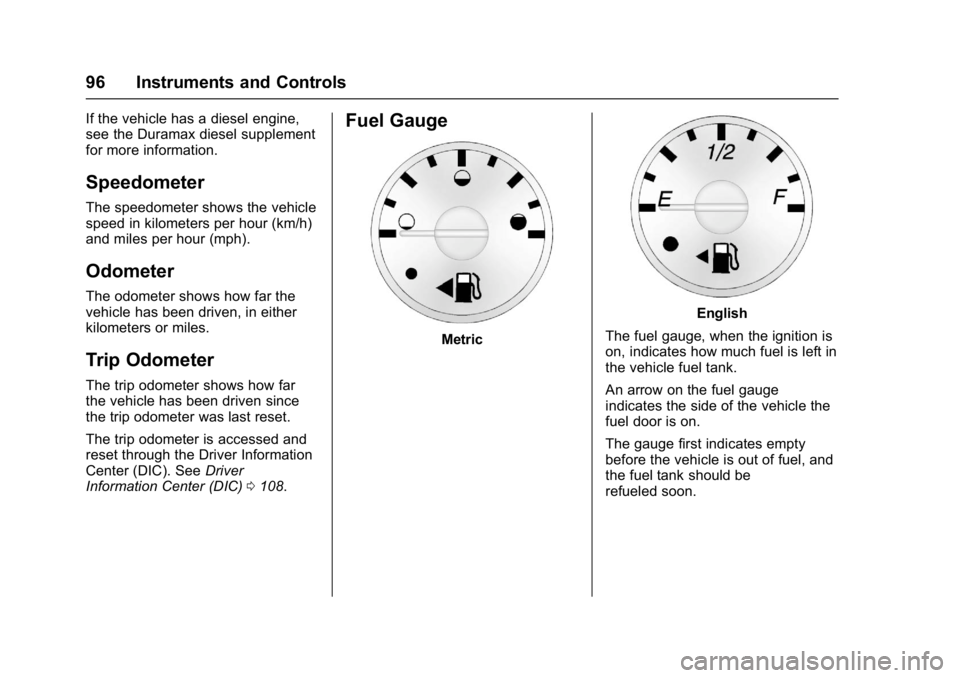
Fuel Gauge
Metric
English
The fuel gauge, when the ignition is
on, indicates how much fuel is left in
the vehicle fuel tank.
An arrow on the fuel gauge
indicates the side of the vehicle the
fuel door is on.
The gauge first indicates empty
before the vehicle is out of fuel, and
the fuel tank should be
refueled soon.
Page 109 of 348
GMC Savana Owner Manual (GMNA-Localizing-U.S./Canada-9967828) -
2017 - crc - 5/2/16
108 Instruments and Controls
Information Displays
Driver Information
Center (DIC)
This vehicle has a DIC.
All messages will appear in the DIC
display at the bottom of the
instrument cluster.
The DIC comes on when the ignition
is on. After a short delay, the DIC
will display the information that was
last displayed before the engine
was turned off.
The DIC displays trip, fuel, and
vehicle system information, and
warning messages if a system
problem is detected.
If the vehicle has these features, the
DIC also displays the compass
direction and the outside air
temperature when viewing the trip
and fuel information. The compass
direction appears on the top right
corner of the DIC display. The
outside air temperature
automatically appears in the bottom
right corner of the DIC display.If there is a problem with the system
that controls the temperature
display, the numbers will be
replaced with dashes. If this occurs,
have the vehicle serviced by your
dealer.
If the vehicle has a diesel engine,
see the Duramax diesel
supplement.
DIC Operation and Displays
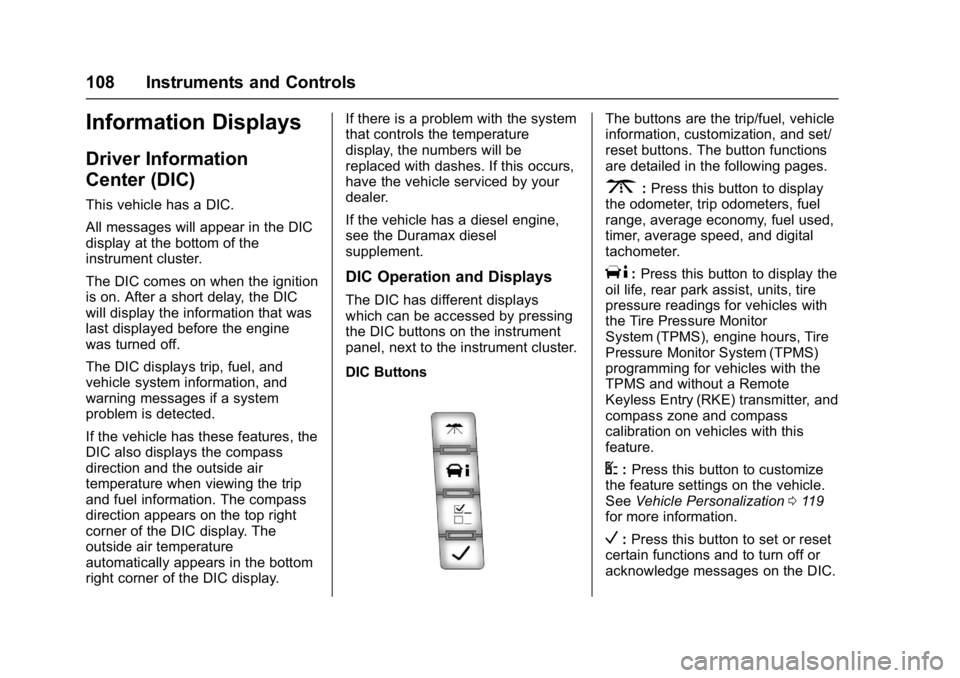
The DIC has different displays
which can be accessed by pressing
the DIC buttons on the instrument
panel, next to the instrument cluster.
DIC Buttons
The buttons are the trip/fuel, vehicle
information, customization, and set/
reset buttons. The button functions
are detailed in the following pages.
3:
Press this button to display
the odometer, trip odometers, fuel
range, average economy, fuel used,
timer, average speed, and digital
tachometer.
T: Press this button to display the
oil life, rear park assist, units, tire
pressure readings for vehicles with
the Tire Pressure Monitor
System (TPMS), engine hours, Tire
Pressure Monitor System (TPMS)
programming for vehicles with the
TPMS and without a Remote
Keyless Entry (RKE) transmitter, and
compass zone and compass
calibration on vehicles with this
feature.
U: Press this button to customize
the feature settings on the vehicle.
See Vehicle Personalization 0119
for more information.
V: Press this button to set or reset
certain functions and to turn off or
acknowledge messages on the DIC.
Page 110 of 348
GMC Savana Owner Manual (GMNA-Localizing-U.S./Canada-9967828) -
2017 - crc - 5/2/16
Instruments and Controls 109
Trip/Fuel Menu Items
3:Press this button to scroll
through the following menu items:
Odometer
Press
3until XX km (mi)
displays. This display shows the
distance the vehicle has been
driven in either kilometers (km) or
miles (mi).
Trip Odometers
Press
3until A or B displays.
This display shows the current
distance traveled in either
kilometers (km) or miles (mi) since
the last reset for each trip odometer.
Both trip odometers can be used at
the same time.
Each trip odometer can be reset to
zero separately by pressing
Vwhile
the desired trip odometer is
displayed.
The trip odometer has a feature
called the retro-active reset. This
can be used to set the trip odometer
to the number of kilometers (miles)
driven since the ignition was last turned on. This can be used if the
trip odometer is not reset at the
beginning of the trip.
To use the retro-active reset feature,
press and hold
Vfor at least
four seconds. The trip odometer will
display the number of
kilometers (km) or miles (mi) driven
since the ignition was last turned on
and the vehicle was moving. Once
the vehicle begins moving, the trip
odometer will accumulate mileage.
For example, if the vehicle was
driven 8 km (5 miles) before it is
started again, and then the
retro-active reset feature is
activated, the display will show 8 km
(5 miles). As the vehicle begins
moving, the display will then
increase to 8.1 km (5.1 miles),
8.2 km (5.2 miles), etc.
If the retro-active reset feature is
activated after the vehicle is started,
but before it begins moving, the
display will show the number of
kilometers (km) or miles (mi) that
were driven during the last ignition
cycle. Fuel Range
Press
3until FUEL RANGE
displays. This display shows the
approximate number of remaining
kilometers (km) or miles (mi) the
vehicle can be driven without
refueling. The display will show
LOW if the fuel level is low.
The fuel range estimate is based on
an average of the fuel economy
over recent driving history and the
amount of fuel remaining in the fuel
tank. This estimate will change if
driving conditions change. For
example, if driving in traffic and
making frequent stops, this display
may read one number, but if the
vehicle is driven on a freeway, the
number may change even though
the same amount of fuel is in the
fuel tank. This is because different
driving conditions produce different
fuel economies. Generally, freeway
driving produces better fuel
economy than city driving.
If the vehicle is low on fuel, the
FUEL LEVEL LOW message will be
displayed. See Fuel System
Messages 0115.
Page 116 of 348
GMC Savana Owner Manual (GMNA-Localizing-U.S./Canada-9967828) -
2017 - crc - 5/2/16
Instruments and Controls 115
stays on, the vehicle should be
taken to your dealer for service as
soon as possible.
Fuel System Messages
FUEL LEVEL LOW
This message displays and a chime
sounds if the fuel level is low. Refuel
as soon as possible. SeeFuel
Gauge 096 and Fuel 0199 for
more information.
TIGHTEN GAS CAP
This message may display along
with the check engine light on the
instrument cluster if the fuel cap is
not tightened properly. See
Malfunction Indicator Lamp (Check
Engine Light) 0102. Reinstall the
fuel cap fully. See Filling the Tank
0 201. The diagnostic system can
determine if the fuel cap has been
left off or improperly installed.
A loose or missing fuel cap allows
fuel to evaporate into the
atmosphere. A few driving trips with
the cap properly installed should
turn this light and message off.
Key and Lock Messages
REPLACE BATTERY IN
REMOTE KEY
This message displays if a Remote
Keyless Entry (RKE) transmitter
battery is low. The battery needs to
be replaced in the transmitter. See
“Battery Replacement” under
Remote Keyless Entry (RKE)
System Operation 025.
Lamp Messages
AUTOMATIC LIGHT
CONTROL OFF
This message displays when the
automatic headlamps are turned off.
See Exterior Lamp Controls 0125.
AUTOMATIC LIGHT
CONTROL ON
This message displays when the
automatic headlamps are turned on.
See Exterior Lamp Controls 0125.
TURN SIGNAL ON
This message displays and a chime
sounds if a turn signal is left on for
1.2 km (0.75 mi). Move the turn
signal lever to the off position.
Object Detection System
Messages
PARK ASST BLOCKED SEE
OWNERS MANUAL
This message displays if there is
something interfering with the Rear
Parking Assist (RPA) system. See
Parking Assist 0197.
PARK ASSIST OFF
After the vehicle has been started,
this message displays to remind the
driver that the Rear Parking Assist
(RPA) system has been turned off.
Press the set/reset button or the trip
odometer reset stem to
acknowledge this message and
clear it from the DIC display. To turn
the RPA system back on, see
Parking Assist 0197.
Page 274 of 348
GMC Savana Owner Manual (GMNA-Localizing-U.S./Canada-9967828) -
2017 - crc - 5/2/16
Vehicle Care 273
Wheel Alignment and Tire
Balance
The tires and wheels were aligned
and balanced at the factory to
provide the longest tire life and best
overall performance. Adjustments to
wheel alignment and tire balancing
are not necessary on a regular
basis. Consider an alignment check
if there is unusual tire wear or the
vehicle is significantly pulling to one
side or the other. Some slight pull to
the left or right, depending on the
crown of the road and/or other road
surface variations such as troughs
or ruts, is normal. If the vehicle is
vibrating when driving on a smooth
road, the tires and wheels may need
to be rebalanced. See your dealer
for proper diagnosis.
Wheel Replacement
Replace any wheel that is bent,
cracked, or badly rusted or
corroded. If wheel nuts keep coming
loose, the wheel, wheel bolts, and
wheel nuts should be replaced.
If the wheel leaks air, replace it.Some aluminum wheels can be
repaired. See your dealer if any of
these conditions exist.
Your dealer will know the kind of
wheel that is needed.
Each new wheel should have the
same load-carrying capacity,
diameter, width, offset, and be
mounted the same way as the one it
replaces.
Replace wheels, wheel bolts, wheel
nuts, or Tire Pressure Monitor
System (TPMS) sensors with new
GM original equipment parts.
{Warning
Using the wrong replacement
wheels, wheel bolts, or wheel
nuts can be dangerous. It could
affect the braking and handling of
the vehicle. Tires can lose air,
and cause loss of control, causing
a crash. Always use the correct
wheel, wheel bolts, and wheel
nuts for replacement.
Caution
The wrong wheel can also cause
problems with bearing life, brake
cooling, speedometer or
odometer calibration, headlamp
aim, bumper height, vehicle
ground clearance, and tire or tire
chain clearance to the body and
chassis.
Used Replacement Wheels
{Warning
Replacing a wheel with a used
one is dangerous. How it has
been used or how far it has been
driven may be unknown. It could
fail suddenly and cause a crash.
When replacing wheels, use a
new GM original equipment
wheel.
Page 310 of 348
GMC Savana Owner Manual (GMNA-Localizing-U.S./Canada-9967828) -
2017 - crc - 5/2/16
Service and Maintenance 309
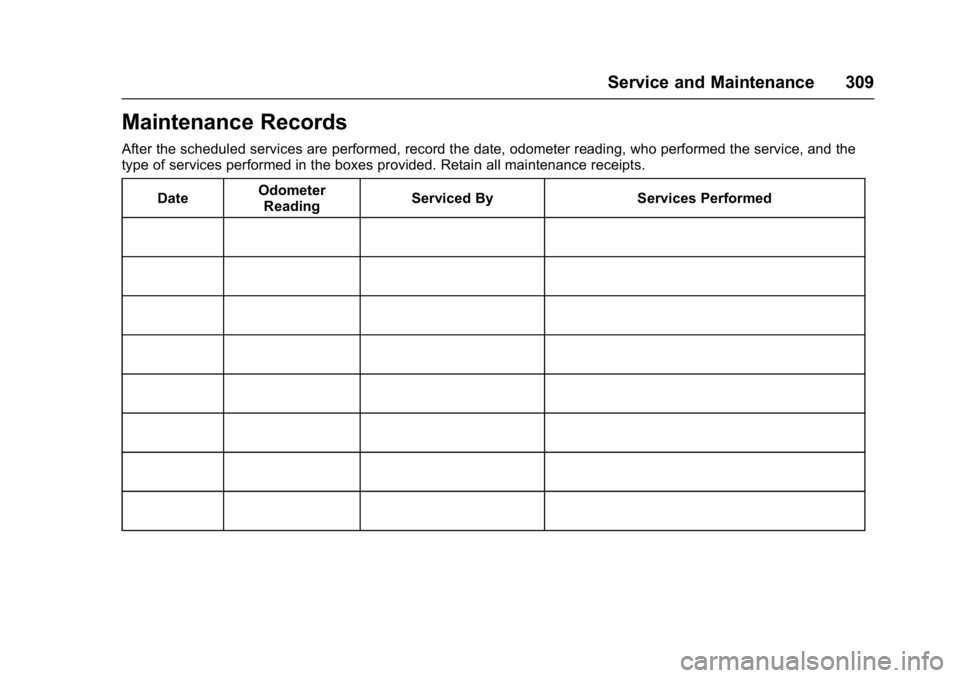
Maintenance Records
After the scheduled services are performed, record the date, odometer reading, who performed the service, and the
type of services performed in the boxes provided. Retain all maintenance receipts.Date Odometer
Reading Serviced By Services Performed
Page 319 of 348
GMC Savana Owner Manual (GMNA-Localizing-U.S./Canada-9967828) -
2017 - crc - 5/2/16
318 Customer Information
GM Mobility
Reimbursement Program
This program is available to
qualified applicants for cost
reimbursement of eligible
aftermarket adaptive equipment
required for the vehicle, such as
hand controls or a wheelchair/
scooter lift for the vehicle.
For more information on the limited
offer, visit www.gmmobility.com or
call the GM Mobility Assistance
Center at 1-800-323-9935. Text
Telephone (TTY) users, call
1-800-833-9935.
General Motors of Canada also has
a Mobility Program. Visit www.gm.ca
or call 1-800-GM-DRIVE (463-7483)
for details. TTY users call
1-800-263-3830.
Roadside Assistance
Program
For U.S.-purchased vehicles, call
1-888-881-3302; (Text Telephone
(TTY): 1-888-889-2438).
For Canadian-purchased vehicles,
call 1-800-268-6800.
Service is available 24 hours a day,
365 days a year.
Calling for Assistance
When calling Roadside Assistance,
have the following information
ready:
.Your name, home address, and
home telephone number.
. Telephone number of your
location.
. Location of the vehicle
. Model, year, color, and license
plate number of the vehicle.
. Odometer reading, Vehicle
Identification Number (VIN), and
delivery date of the vehicle.
. Description of the problem.
Coverage
Services are provided for the
duration of the vehicle's powertrain
warranty.
In the U.S., anyone driving the
vehicle is covered. In Canada, a
person driving the vehicle without
permission from the owner is not
covered.
Roadside Assistance is not a part of
the New Vehicle Limited Warranty.
General Motors North America and
GMC reserve the right to make any
changes or discontinue the
Roadside Assistance program at
any time without notification.
General Motors North America and
GMC reserve the right to limit
services or payment to an owner or
driver if they decide the claims are
made too often, or the same type of
claim is made many times.
Services Provided
.Emergency Fuel Delivery:
Delivery of enough fuel for the
vehicle to get to the nearest
service station.
Page 343 of 348

GMC Savana Owner Manual (GMNA-Localizing-U.S./Canada-9967828) -
2017 - crc - 5/2/16
342 Index
G
GaugesEngine Coolant Temperature . . . 98
Engine Oil Pressure . . . . . . . . . . . . 97
Fuel . . . . . . . . . . . . . . . . . . . . . . . . . . . . 96
Odometer . . . . . . . . . . . . . . . . . . . . . . . 96
Speedometer . . . . . . . . . . . . . . . . . . . 96
Trip Odometer . . . . . . . . . . . . . . . . . . 96
Voltmeter . . . . . . . . . . . . . . . . . . . . . . . 99
Warning Lights andIndicators . . . . . . . . . . . . . . . . . . . . . 94
General Information Service and Maintenance . . . . . 298
Towing . . . . . . . . . . . . . . . . . . . . . . . . 203
Vehicle Care . . . . . . . . . . . . . . . . . . 216
Glass, Enhanced Technology . . . . 38
GM Mobility Reimbursement Program . . . . . . . . . . . . . . . . . . . . . . . 318
H
Halogen Bulbs . . . . . . . . . . . . . . . . . . 241
Hazard Warning Flashers . . . . . . . 128
Head Restraints . . . . . . . . . . . . . . . . . 41
Headlamps . . . . . . . . . . . . . . . . . . . . . 242Aiming . . . . . . . . . . . . . . . . . . . . . . . . 241
Automatic . . . . . . . . . . . . . . . . . . . . . 127
Bulb Replacement . . . . . . . . . . . . 241
Daytime RunningLamps (DRL) . . . . . . . . . . . . . . . . 126 Headlamps (cont'd)
Flash-to-Pass . . . . . . . . . . . . . . . . . 126
High-Beam On Light . . . . . . . . . . 107
High/Low Beam Changer . . . . . 126
Heated Mirrors . . . . . . . . . . . . . . . . . . . 36
Heater Engine . . . . . . . . . . . . . . . . . . . . . . . . 180
Heating and Air Conditioning . . . 159
High-Beam On Light . . . . . . . . . . . . 107
Hill and Mountain Roads . . . . . . . . 170
Hood . . . . . . . . . . . . . . . . . . . . . . . . . . . 218
Horn . . . . . . . . . . . . . . . . . . . . . . . . . . . . . 89
How to Wear Safety Belts Properly . . . . . . . . . . . . . . . . . . . . . . . . 47
I
Idle System
Fast . . . . . . . . . . . . . . . . . . . . . . . . . . 179
Ignition Positions . . . . . . . . . . . . . . . 176
Ignition Transmission Lock
Check . . . . . . . . . . . . . . . . . . . . . . . . . 240
Immobilizer . . . . . . . . . . . . . . . . . . . . . . 33
Infants and Young Children, Restraints . . . . . . . . . . . . . . . . . . . . . . 68
Infotainment . . . . . . . . . . . . . . . . . . . . 132
Infotainment System . . . . . . . . . . . . 327
Instrument Cluster . . . . . . . . . . . . . . . 95
Interior Rearview Mirrors . . . . . . . . . 36
Introduction . . . . . . . . . . . . . . . . . . . . . . . 2
J
Jump Starting - North America . . . . . . . . . . . . . . . . . . . . . . . 283
K
Key and Lock Messages . . . . . . . . 115
Keyless EntryRemote (RKE) System . . . . . . . . . 25
Keys . . . . . . . . . . . . . . . . . . . . . . . . . . . . . 23
L
Labeling, Tire Sidewall . . . . . . . . . . 255
Lamps Daytime Running (DRL) . . . . . . 126
Dome . . . . . . . . . . . . . . . . . . . . . . . . . 129
Exterior Controls . . . . . . . . . . . . . . 125
Exterior Lamps OffReminder . . . . . . . . . . . . . . . . . . . 126
License Plate . . . . . . . . . . . . . . . . . 245
Malfunction Indicator . . . . . . . . . 102
Messages . . . . . . . . . . . . . . . . . . . . .115
Reading . . . . . . . . . . . . . . . . . . . . . . 130
Taillamps . . . . . . . . . . . . . . . . . . . . . 244
Lamps, Bulb Replacement . . . . . . 243
Lap-Shoulder Belt . . . . . . . . . . . . . . . 48
LATCH System Replacing Parts after aCrash . . . . . . . . . . . . . . . . . . . . . . . . . 79
Page 345 of 348

GMC Savana Owner Manual (GMNA-Localizing-U.S./Canada-9967828) -
2017 - crc - 5/2/16
344 Index
Mirrors, Interior Rearview . . . . . . . . 36
Monitor System, TirePressure . . . . . . . . . . . . . . . . . . . . . . 262
Multi-band Antenna . . . . . . . . . . . . . 141
N
Navigation OnStar®. . . . . . . . . . . . . . . . . . . . . . 330
New Vehicle Break-In . . . . . . . . . . . 176
Noise Control System . . . . . . . . . . 238
O
Object Detection System Messages . . . . . . . . . . . . . . . . . . . . . 115
Odometer . . . . . . . . . . . . . . . . . . . . . . . . 96 Trip . . . . . . . . . . . . . . . . . . . . . . . . . . . . . 96
Off-Road
Recovery . . . . . . . . . . . . . . . . . . . . . 168
Oil Engine . . . . . . . . . . . . . . . . . . . . . . . . 220
Engine Oil Life System . . . . . . . 222
Engine Oil Pressure Gauge . . . . . 97
Messages . . . . . . . . . . . . . . . . . . . . .114
Pressure Light . . . . . . . . . . . . . . . . 106
Older Children, Restraints . . . . . . . 66
Online Owner Center . . . . . . . . . . . 317
OnStar . . . . . . . . . . . . . . . . . . . . . . . . . 327
OnStar System . . . . . . . . . . . . . . . . . 151 OnStar
®Additional
Information . . . . . . . . . . . . . . . . . . . . 333
OnStar
®Connections . . . . . . . . . . . 330
OnStar®Diagnostics . . . . . . . . . . . . 332
OnStar®Emergency . . . . . . . . . . . . 329
OnStar®Navigation . . . . . . . . . . . . . 330
OnStar®Overview . . . . . . . . . . . . . . 328
OnStar®Security . . . . . . . . . . . . . . . 329
Operation Infotainment System . . . . . . . . . . 136
Ordering
Service Publications . . . . . . . . . . 323
Outlets Power . . . . . . . . . . . . . . . . . . . . . . . . . . 92
Overheating, Engine . . . . . . . . . . . . 231
Overview . . . . . . . . . . . . . . . . . . 133, 135
P
Park Shifting Into . . . . . . . . . . . . . . . . . . . 181
Shifting Out of . . . . . . . . . . . . . . . . 182
Parking Brake . . . . . . . . . . . . . . . . . . . . . . . . . 190
Brake and P (Park)Mechanism Check . . . . . . . . . . 240
Over Things That Burn . . . . . . . 183
Parking Assist . . . . . . . . . . . . . . . . . . 197
Perchlorate Materials Requirements, California . . . . . . 216 Personalization
Vehicle . . . . . . . . . . . . . . . . . . . . . . . .119
Phone Bluetooth . . . . . . . . . . . . . . . . . . . . . 151
Power Door Locks . . . . . . . . . . . . . . . . . . . . . 29
Mirrors . . . . . . . . . . . . . . . . . . . . . . . . . . 35
Outlets . . . . . . . . . . . . . . . . . . . . . . . . . 92
Protection, Battery . . . . . . . . . . . . 131
Retained Accessory (RAP) . . . 181
Seat Adjustment . . . . . . . . . . . . . . . . 41
Steering Fluid . . . . . . . . . . . . . . . . . 233
Windows . . . . . . . . . . . . . . . . . . . . . . . 37
Pregnancy, Using Safety Belts . . . 53
Privacy Vehicle Data Recording . . . . . . . 326
Program Courtesy Transportation . . . . . . 320
Proposition 65 Warning,
California . . . . . . . . . . . .216, 236, 283
R
Radio Frequency Statement . . . . 324
Radio Reception . . . . . . . . . . . . . . . . 140
RadiosAM-FM Radio . . . . . . . . . . . . . . . . . 138
Satellite . . . . . . . . . . . . . . . . . . . . . . . 139
Reading Lamps . . . . . . . . . . . . . . . . . 130