clutch GMC SIERRA 1500 2006 User Guide
[x] Cancel search | Manufacturer: GMC, Model Year: 2006, Model line: SIERRA 1500, Model: GMC SIERRA 1500 2006Pages: 600, PDF Size: 3.35 MB
Page 150 of 600
Parking Your Vehicle
(Manual Transmission)
{CAUTION:
Shifting the transfer case to NEUTRAL can
cause your vehicle to roll even if the manual
transmission is in gear. Your or someone else
could be seriously injured. Be sure to set the
parking brake before placing the transfer case
in NEUTRAL. SeeParking Brake on page 2-52
for more information.
Before you get out of your vehicle, move the shift lever
into REVERSE (R), and rmly apply the parking brake.
Once the shift lever has been placed into REVERSE (R)
with the clutch pedal pressed in, you can turn the ignition
key to LOCK, press the key release button, remove the
key and release the clutch.
If you are parking on a hill, or if you are pulling a trailer,
seeTowing a Trailer on page 4-67.
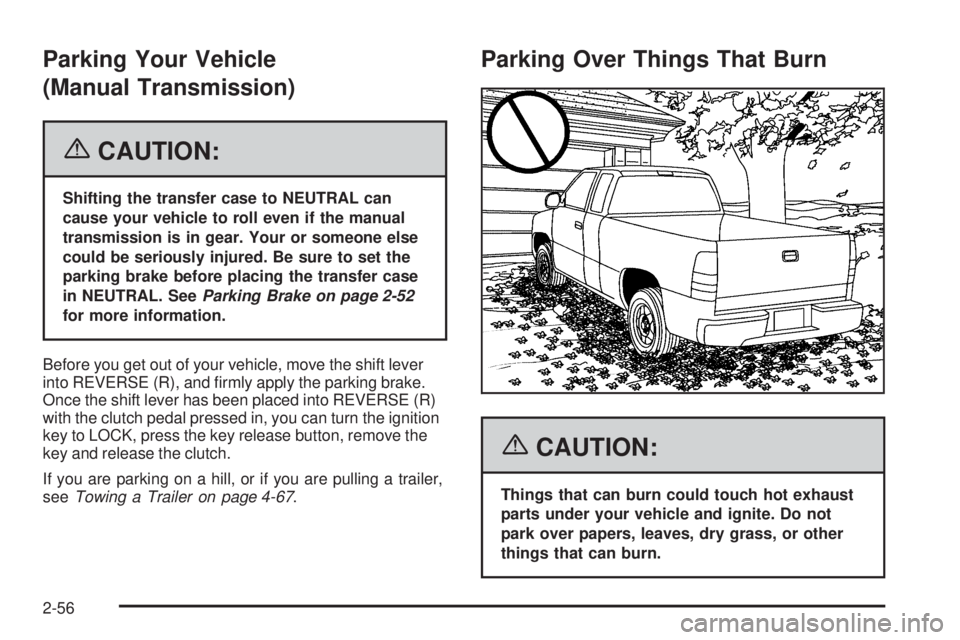
Parking Over Things That Burn
{CAUTION:
Things that can burn could touch hot exhaust
parts under your vehicle and ignite. Do not
park over papers, leaves, dry grass, or other
things that can burn.
2-56
Page 242 of 600
TRANS (Transmission) IN WARM UP
(Allison Transmission®Only)
When temperatures are very cold, the transmission
will prevent certain operations such as shifts to certain
ranges and engaging the torque converter clutch to
protect against damage. When active, the DIC will
display the message TRANS IN WARM UP.
TURN SIGNAL ON
If a turn signal is left on for 3/4 of a mile (1.2 km), this
message will appear on the display and you will hear a
chime. Move the turn signal/multifunction lever to the
off position. Pressing any of the four DIC buttons will
acknowledge the message and clear it from the DIC
display. If your vehicle does not have the four DIC
buttons, pressing the trip odometer reset stem will
acknowledge the message and clear it from the
DIC display.
DIC Vehicle Customization
Your vehicle may have customization capabilities that
allow you to program some features to one setting based
on your preference. All of the customizable options listed
may not be available on your vehicle. Only the options
available will be displayed on your Driver Information
Center (DIC).The default settings for the customization features were
set when your vehicle left the factory, but may have been
changed from their default state since then.
To change feature preferences, make sure the
ignition is on and the vehicle is in PARK (P). Press
the customization button to scroll through the available
customizable options.
After pressing the customization button, VEHICLE
SETTINGS will momentarily display before going to a
customization option.
Lock Doors (Automatic Transmission only)
If you have an automatic transmission vehicle, press the
customization button until LOCK DOORS appears in the
display. To select your preference for automatic locking,
press the select button while LOCK DOORS is displayed
on the DIC. Pressing the select button will scroll through
the following choices:
LOCK DOORS: IN GEAR (default):The doors will lock
when the vehicle is shifted out of PARK (P).
LOCK DOORS: WITH SPEED:The doors will lock
when the vehicle speed is above 8 mph (13 km/h) for
three seconds.
Choose one of the available options and press the
customization button while it is displayed on the DIC
to select it and move on to the next feature. For
more information on automatic door locks, see
Programmable Automatic Door Locks on page 2-10.
3-64
Page 337 of 600
If the engine has stopped running, you will need
to restart it. With the brake pedal pressed and the
parking brake still applied, shift the transmission to
PARK (P), or shift to NEUTRAL if your vehicle has a
manual transmission, and restart the engine. Then,
shift to REVERSE (R), release the parking brake,
and slowly back down the hill as straight as possible
in REVERSE (R).
As you are backing down the hill, put your left hand
on the steering wheel at the 12 o’clock position. This
way, you will be able to tell if the wheels are straight
and maneuver as you back down. It is best that you
back down the hill with the wheels straight rather
than in the left or right direction. Turning the wheel
too far to the left or right will increase the possibility
of a rollover.Here are some things youmust notdo if you stall,
or are about to stall, when going up a hill.
Never attempt to prevent a stall by shifting into
NEUTRAL (N), or pressing the clutch if your vehicle
has a manual transmission, to rev-up the engine
and regain forward momentum. This will not
work. Your vehicle will roll backwards very
quickly and you could go out of control.
Instead, apply the regular brake to stop the
vehicle. Then apply the parking brake. Shift to
REVERSE (R), release the parking brake, and
slowly back straight down.
Never attempt to turn around if you are about to stall
when going up a hill. If the hill is steep enough to stall
your vehicle, it is steep enough to cause you to roll
over if you turn around. If you cannot make it up the
hill, you must back straight down the hill.
4-25
Page 339 of 600
Driving Downhill
When off-roading takes you downhill, you will want to
consider a number of things:
How steep is the downhill? Will I be able to maintain
vehicle control?
What is the surface like? Smooth? Rough?
Slippery? Hard-packed dirt? Gravel?
Are there hidden surface obstacles? Ruts? Logs?
Boulders?
What is at the bottom of the hill? Is there a hidden
creek bank or even a river bottom with large rocks?
If you decide you can go down a hill safely, then try to
keep your vehicle headed straight down, and use a low
gear. This way, engine drag can help the brakes and they
will not have to do all the work. Descend slowly, keeping
your vehicle under control at all times.
{CAUTION:
Heavy braking when going down a hill can
cause your brakes to overheat and fade. This
could cause loss of control and a serious
accident. Apply the brakes lightly when
descending a hill and use a low gear to
keep vehicle speed under control.
Q:Are there some things I should not do when
driving down a hill?
A:Yes! These are important because if you ignore
them you could lose control and have a serious
accident.
When driving downhill, avoid turns that take you
across the incline of the hill. A hill that is not too
steep to drive down may be too steep to drive
across. You could roll over if you do not drive
straight down.
Never go downhill with the transmission in
NEUTRAL (N), or with the clutch pedal pressed
down with a manual transmission. This is called
“free-wheeling.” The brakes will have to do all the
work and could overheat and fade.
4-27
Page 409 of 600
Power Take-Off (PTO)
Before using a Power Take-Off (PTO), if equipped,
refer to the manufacturer’s or installer’s instructions.
To engage a PTO on a vehicle with a manual
transmission do the following:
1. Hold the clutch pedal down.
2. Set the parking brake.
3. Shift the transmission into NEUTRAL.
4. Engage the PTO. Refer to the manufacturer’s or
installer’s for instructions on electrically engaged
PTOs.
5. For mobile operations, shift the transmission into
the gear you want, apply the regular brakes and
release the parking brake. For stationary operations,
leave the parking brake applied.
6. Release the clutch and regular brakes as you
normally would. When the clutch is released,
the PTO will start.
7. Turn the PTO rotary switch to ON.To engage a PTO on a vehicle with an automatic
transmission do the following:
1. For stationary use shift the transmission into
PARK (P).
2. Turn the PTO rotary switch ON.
3. If the engine speed is below the PTO engage speed
limit, the PTO will start. The blinking LED on the PTO
control switch indicates PTO engage is requested.
When PTO engages the LED will switch from blinking
to a steady light.
To use PTO speed control in Preset Mode (Factory
Setting) do the following:
1. Engage the PTO.
2. Select PARK (P) or NEUTRAL (N) range. Apply
the parking brake if NEUTRAL (N) is selected.
Torque Converter Clutch (TCC) is not available in
NEUTRAL (N) and is available only in PARK (P)
when engine speed is above 1,100 rpm.
3. Make sure your foot is off the brake pedal (and
off the clutch on vehicles equipped with a manual
transmission).
4. Select the desired engine speed for PTO operation.
Read the following preset mode information
regarding operation.
4-97
Page 410 of 600
Preset Mode:PTO speed control mode is used for
stationary applications. (PTO will remain engaged while
mobile in the preset mode, however PTO set and resume
speed controls will be inoperative.) This mode provides a
default standby speed of 800 or 850 rpm (depending on
the engine/transmission combination) and two default
PTO control speeds which follow:
1. PTO Set Speed of 1,250 rpm, or
2. PTO Resume Speed of 1,700 rpm.
Please note that the standby speed (800/850 rpm) is
not to be used as a PTO control speed. Vehicles not
equipped with cruise control will not have the resume
speed capability.
To use PTO speed control in variable mode (while
mobile) do the following:
1. Engage the PTO.
2. Vehicle speed must be greater than 5 mph.
3. Make sure your foot is off the brake pedal (and
off the clutch for vehicles equipped with a manual
transmission).
4. Select the desired engine speed by using the foot
pedal, and select SET on the PTO switch or the
cruise control.To use PTO speed control in variable mode (while
stationary) do the following:
1. Engage the PTO.
2. Vehicle speed must be less than 5 mph.
3. Make sure your foot is off the brake pedal (and
off the clutch for vehicles equipped with a manual
transmission).
4. Select the desired engine speed by using the foot
pedal, and select SET on the PTO switch or the
cruise control.
Variable Mode:PTO speed control mode can be used
for both stationary and mobile applications. This mode
allows PTO to be controlled in a fashion similar to how
cruise control sets vehicle speed. The operator can set to
an rpm (between 800 and 2,200) with the cruise control
feature or with the SET position on the PTO switch. The
operator is then able to increase rpm in increments of
100, or “tap up” with the resume position on the cruise
control. The operator can also decrease rpm in
increments of 100 with the SET switch on the PTO or
the cruise control.
Vehicles not equipped with cruise control will not have
the “tap up” capability.
4-98
Page 413 of 600
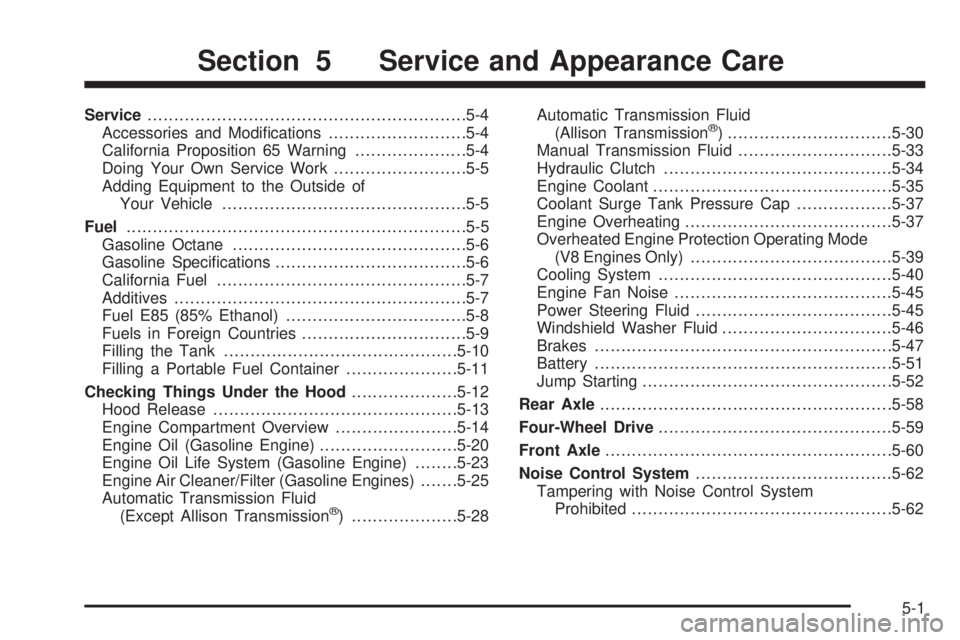
Service............................................................5-4
Accessories and Modications..........................5-4
California Proposition 65 Warning.....................5-4
Doing Your Own Service Work.........................5-5
Adding Equipment to the Outside of
Your Vehicle..............................................5-5
Fuel................................................................5-5
Gasoline Octane............................................5-6
Gasoline Specications....................................5-6
California Fuel...............................................5-7
Additives.......................................................5-7
Fuel E85 (85% Ethanol)..................................5-8
Fuels in Foreign Countries...............................5-9
Filling the Tank............................................5-10
Filling a Portable Fuel Container.....................5-11
Checking Things Under the Hood....................5-12
Hood Release..............................................5-13
Engine Compartment Overview.......................5-14
Engine Oil (Gasoline Engine)..........................5-20
Engine Oil Life System (Gasoline Engine)........5-23
Engine Air Cleaner/Filter (Gasoline Engines).......5-25
Automatic Transmission Fluid
(Except Allison Transmission
®) ....................5-28Automatic Transmission Fluid
(Allison Transmission
®) ...............................5-30
Manual Transmission Fluid.............................5-33
Hydraulic Clutch...........................................5-34
Engine Coolant.............................................5-35
Coolant Surge Tank Pressure Cap..................5-37
Engine Overheating.......................................5-37
Overheated Engine Protection Operating Mode
(V8 Engines Only)......................................5-39
Cooling System............................................5-40
Engine Fan Noise.........................................5-45
Power Steering Fluid.....................................5-45
Windshield Washer Fluid................................5-46
Brakes........................................................5-47
Battery........................................................5-51
Jump Starting...............................................5-52
Rear Axle.......................................................5-58
Four-Wheel Drive............................................5-59
Front Axle......................................................5-60
Noise Control System.....................................5-62
Tampering with Noise Control System
Prohibited.................................................5-62
Section 5 Service and Appearance Care
5-1
Page 427 of 600
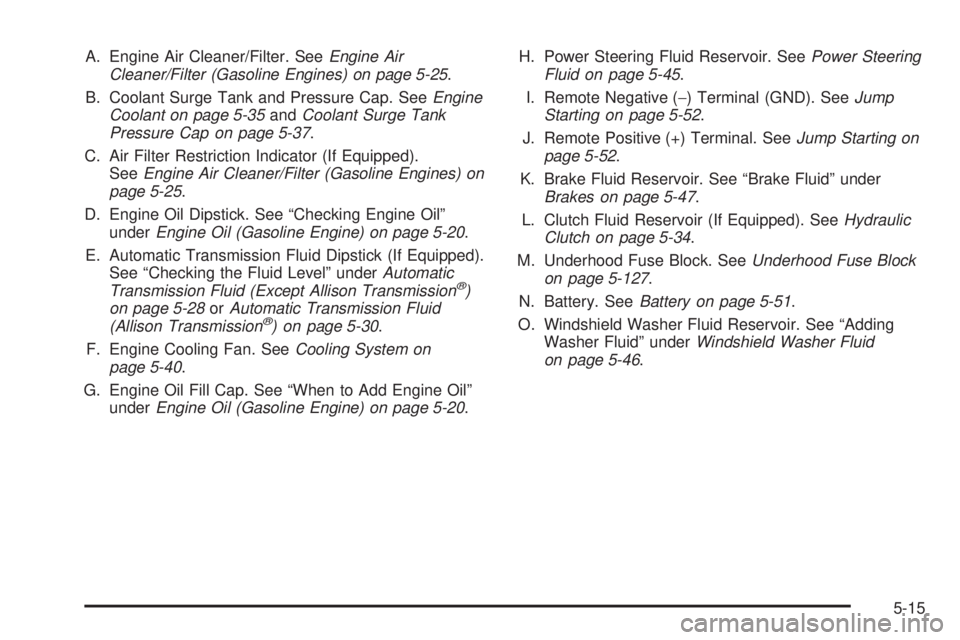
A. Engine Air Cleaner/Filter. SeeEngine Air
Cleaner/Filter (Gasoline Engines) on page 5-25.
B. Coolant Surge Tank and Pressure Cap. SeeEngine
Coolant on page 5-35andCoolant Surge Tank
Pressure Cap on page 5-37.
C. Air Filter Restriction Indicator (If Equipped).
SeeEngine Air Cleaner/Filter (Gasoline Engines) on
page 5-25.
D. Engine Oil Dipstick. See “Checking Engine Oil”
underEngine Oil (Gasoline Engine) on page 5-20.
E. Automatic Transmission Fluid Dipstick (If Equipped).
See “Checking the Fluid Level” underAutomatic
Transmission Fluid (Except Allison Transmission
®)
on page 5-28orAutomatic Transmission Fluid
(Allison Transmission
®) on page 5-30.
F. Engine Cooling Fan. SeeCooling System on
page 5-40.
G. Engine Oil Fill Cap. See “When to Add Engine Oil”
underEngine Oil (Gasoline Engine) on page 5-20.H. Power Steering Fluid Reservoir. SeePower Steering
Fluid on page 5-45.
I. Remote Negative (−) Terminal (GND). SeeJump
Starting on page 5-52.
J. Remote Positive (+) Terminal. SeeJump Starting on
page 5-52.
K. Brake Fluid Reservoir. See “Brake Fluid” under
Brakes on page 5-47.
L. Clutch Fluid Reservoir (If Equipped). SeeHydraulic
Clutch on page 5-34.
M. Underhood Fuse Block. SeeUnderhood Fuse Block
on page 5-127.
N. Battery. SeeBattery on page 5-51.
O. Windshield Washer Fluid Reservoir. See “Adding
Washer Fluid” underWindshield Washer Fluid
on page 5-46.
5-15
Page 429 of 600
A. Engine Air Cleaner/Filter. SeeEngine Air
Cleaner/Filter (Gasoline Engines) on page 5-25.
B. Coolant Surge Tank and Pressure Cap. SeeEngine
Coolant on page 5-35andCoolant Surge Tank
Pressure Cap on page 5-37.
C. Air Filter Restriction Indicator (If Equipped).
SeeEngine Air Cleaner/Filter (Gasoline Engines)
on page 5-25.
D. Engine Oil Dipstick. See “Checking Engine Oil”
underEngine Oil (Gasoline Engine) on page 5-20.
E. Automatic Transmission Fluid Dipstick (If Equipped).
See “Checking the Fluid Level” underAutomatic
Transmission Fluid (Except Allison Transmission
®)
on page 5-28orAutomatic Transmission Fluid
(Allison Transmission
®) on page 5-30.
F. Engine Oil Fill Cap. See “When to Add Engine Oil”
underEngine Oil (Gasoline Engine) on page 5-20.
G. Engine Cooling Fan. SeeCooling System on
page 5-40.H. Remote Negative (−) Terminal (GND). SeeJump
Starting on page 5-52.
I. Power Steering Fluid Reservoir. SeePower Steering
Fluid on page 5-45.
J. Remote Positive (+) Terminal. SeeJump Starting on
page 5-52.
K. Brake Fluid Reservoir. See “Brake Fluid” under
Brakes on page 5-47.
L. Clutch Fluid Reservoir (If Equipped). SeeHydraulic
Clutch on page 5-34.
M. Underhood Fuse Block. SeeUnderhood Fuse Block
on page 5-127.
N. Battery. SeeBattery on page 5-51.
O. Windshield Washer Fluid Reservoir. See “Adding
Washer Fluid” underWindshield Washer Fluid
on page 5-46.
5-17
Page 431 of 600
A. Engine Air Cleaner/Filter. SeeEngine Air
Cleaner/Filter (Gasoline Engines) on page 5-25.
B. Coolant Surge Tank and Pressure Cap. SeeEngine
Coolant on page 5-35andCoolant Surge Tank
Pressure Cap on page 5-37.
C. Air Filter Restriction Indicator (If Equipped).
SeeEngine Air Cleaner/Filter (Gasoline Engines)
on page 5-25.
D. Engine Oil Dipstick. See “Checking Engine Oil”
underEngine Oil (Gasoline Engine) on page 5-20.
E. Automatic Transmission Fluid Dipstick (If Equipped).
See “Checking the Fluid Level” underAutomatic
Transmission Fluid (Except Allison Transmission
®)
on page 5-28orAutomatic Transmission Fluid
(Allison Transmission
®) on page 5-30.
F. Engine Oil Fill Cap. See “When to Add Engine Oil”
underEngine Oil (Gasoline Engine) on page 5-20.
G. Engine Cooling Fan. SeeCooling System on
page 5-40.H. Remote Negative (−) Terminal (GND). SeeJump
Starting on page 5-52.
I. Remote Positive (+) Terminal. SeeJump Starting on
page 5-52.
J. Power Steering Fluid Reservoir. SeePower Steering
Fluid on page 5-45.
K. Brake Fluid Reservoir. See “Brake Fluid” under
Brakes on page 5-47.
L. Clutch Fluid Reservoir (If Equipped). SeeHydraulic
Clutch on page 5-34.
M. Underhood Fuse Block. SeeUnderhood Fuse Block
on page 5-127.
N. Battery. SeeBattery on page 5-51.
O. Windshield Washer Fluid Reservoir. See “Adding
Washer Fluid” underWindshield Washer Fluid
on page 5-46.
5-19