transmission GMC SIERRA 1500 2006 Repair Manual
[x] Cancel search | Manufacturer: GMC, Model Year: 2006, Model line: SIERRA 1500, Model: GMC SIERRA 1500 2006Pages: 600, PDF Size: 3.35 MB
Page 242 of 600
TRANS (Transmission) IN WARM UP
(Allison Transmission®Only)
When temperatures are very cold, the transmission
will prevent certain operations such as shifts to certain
ranges and engaging the torque converter clutch to
protect against damage. When active, the DIC will
display the message TRANS IN WARM UP.
TURN SIGNAL ON
If a turn signal is left on for 3/4 of a mile (1.2 km), this
message will appear on the display and you will hear a
chime. Move the turn signal/multifunction lever to the
off position. Pressing any of the four DIC buttons will
acknowledge the message and clear it from the DIC
display. If your vehicle does not have the four DIC
buttons, pressing the trip odometer reset stem will
acknowledge the message and clear it from the
DIC display.
DIC Vehicle Customization
Your vehicle may have customization capabilities that
allow you to program some features to one setting based
on your preference. All of the customizable options listed
may not be available on your vehicle. Only the options
available will be displayed on your Driver Information
Center (DIC).The default settings for the customization features were
set when your vehicle left the factory, but may have been
changed from their default state since then.
To change feature preferences, make sure the
ignition is on and the vehicle is in PARK (P). Press
the customization button to scroll through the available
customizable options.
After pressing the customization button, VEHICLE
SETTINGS will momentarily display before going to a
customization option.
Lock Doors (Automatic Transmission only)
If you have an automatic transmission vehicle, press the
customization button until LOCK DOORS appears in the
display. To select your preference for automatic locking,
press the select button while LOCK DOORS is displayed
on the DIC. Pressing the select button will scroll through
the following choices:
LOCK DOORS: IN GEAR (default):The doors will lock
when the vehicle is shifted out of PARK (P).
LOCK DOORS: WITH SPEED:The doors will lock
when the vehicle speed is above 8 mph (13 km/h) for
three seconds.
Choose one of the available options and press the
customization button while it is displayed on the DIC
to select it and move on to the next feature. For
more information on automatic door locks, see
Programmable Automatic Door Locks on page 2-10.
3-64
Page 243 of 600
Unlock Doors (Automatic
Transmission only)
If you have an automatic transmission vehicle, press the
customization button until UNLOCK DOORS appears
in the display. To select your preference for automatic
unlocking, press the select button while UNLOCK
DOORS is displayed on the DIC. Pressing the select
button will scroll through the following choices:
UNLOCK DOORS: IN PARK (default):All of the doors
will unlock when the vehicle is shifted into PARK (P).
UNLOCK DRIVER: IN PARK:The driver’s door will be
unlocked when the vehicle is shifted into PARK (P).
UNLOCK DOORS: KEY OUT:All of the doors
will unlock when the key is taken out of the ignition.
UNLOCK DOORS: MANUALLY:The doors will not be
unlocked automatically.
Choose one of the available options and press the
customization button while it is displayed on the DIC
to select it and move on to the next feature. For
more information on automatic door locks, see
Programmable Automatic Door Locks on page 2-10.
Door Lock Delay (Crew Cab only)
If your DIC does not have this feature, you still may be
able to program the delayed locking feature. SeeDelayed
Locking on page 2-10for more information.
When locking the doors with the power lock switch or
the keyless entry transmitter and a door is open, the
delayed locking feature will delay locking the doors until
ve seconds after the last door is closed.
Press the customization button until DOOR LOCK
DELAY appears in the display. To select your preference
for delayed locking, press the select button while DOOR
LOCK DELAY is displayed on the DIC. Pressing the
select button will scroll through the following choices:
DOOR LOCK DELAY: OFF (default):The doors will
lock immediately when pressing the power lock switch
or the lock button on the keyless entry transmitter.
DOOR LOCK DELAY: ON:The doors will not lock until
ve seconds after the last door is closed. You will hear
three chimes to signal that the delayed locking feature is
in use. You can temporarily override delayed locking by
pressing the lock button on the door or keyless entry
transmitter a second time.
Choose one of the available options and press the
customization button while it is displayed on the DIC
to select it and move on to the next feature.
This feature will not operate if the key is in the ignition.
3-65
Page 320 of 600
Remember: Anti-lock does not change the time you need
to get your foot up to the brake pedal or always decrease
stopping distance. If you get too close to the vehicle in
front of you, you will not have time to apply your brakes
if that vehicle suddenly slows or stops. Always leave
enough room up ahead to stop, even though you have
anti-lock brakes.
Using Anti-Lock
Do not pump the brakes. Just hold the brake pedal down
rmly and let anti-lock work for you. You may feel the
brakes vibrate, or you may notice some noise, but this
is normal.
Braking in Emergencies
With anti-lock brakes, you can steer and brake at the
same time. In many emergencies, steering can help
you more than even the very best braking.
Traction Assist System (TAS)
Your vehicle may have a Traction Assist System (TAS)
that limits wheel spin. This is especially useful in slippery
road conditions. The system operates only if it senses
that one or both of the rear wheels are spinning or
beginning to lose traction. When this happens, the
system reduces engine power to limit wheel spin.
The traction control system is enabled every time your
vehicle is started. The system will activate if it senses
that any of the wheels are spinning or beginning to lose
traction.
You may hear or feel the system working or notice
a lack of accelerator response, but this is normal.
The Traction Assist System may operate on dry roads
under some conditions. When this happens, you may
notice a reduction in acceleration. This is normal
and doesn’t mean there’s a problem with your vehicle.
Examples of these conditions include a hard acceleration
in a turn, an abrupt upshift or downshift of the
transmission or driving on rough roads.
If your vehicle is in cruise control when the TAS begins
to limit wheel spin, the cruise control will automatically
disengage. When road conditions allow you to safely
use it again, you may re-engage the cruise control.
SeeCruise Control on page 3-10.
4-8
Page 321 of 600
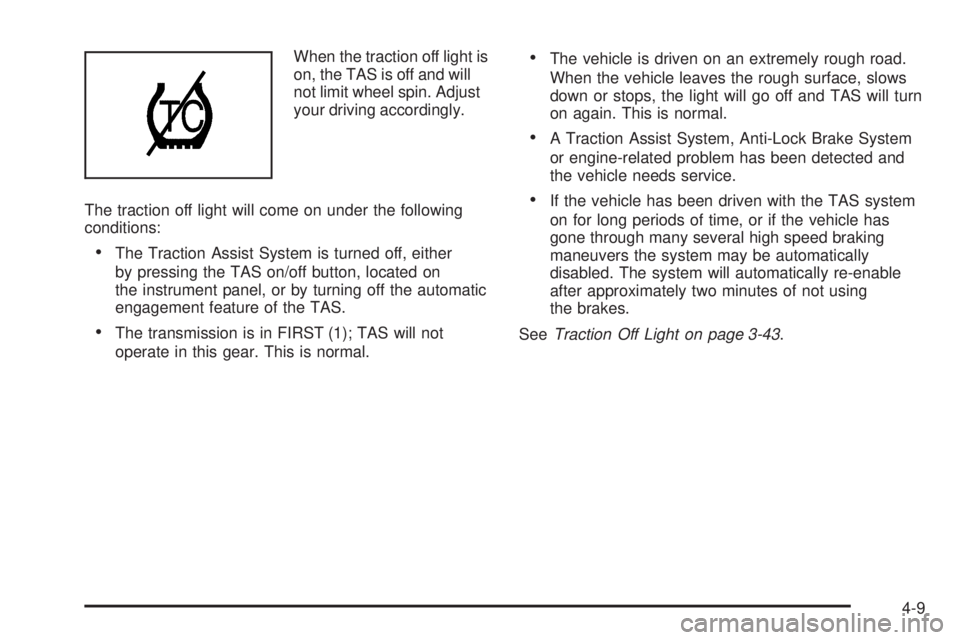
When the traction off light is
on, the TAS is off and will
not limit wheel spin. Adjust
your driving accordingly.
The traction off light will come on under the following
conditions:
The Traction Assist System is turned off, either
by pressing the TAS on/off button, located on
the instrument panel, or by turning off the automatic
engagement feature of the TAS.
The transmission is in FIRST (1); TAS will not
operate in this gear. This is normal.
The vehicle is driven on an extremely rough road.
When the vehicle leaves the rough surface, slows
down or stops, the light will go off and TAS will turn
on again. This is normal.
A Traction Assist System, Anti-Lock Brake System
or engine-related problem has been detected and
the vehicle needs service.
If the vehicle has been driven with the TAS system
on for long periods of time, or if the vehicle has
gone through many several high speed braking
maneuvers the system may be automatically
disabled. The system will automatically re-enable
after approximately two minutes of not using
the brakes.
SeeTraction Off Light on page 3-43.
4-9
Page 336 of 600
Attach a ag to the vehicle to make you more visible
to approaching traffic on trails or hills.
Sound the horn as you approach the top of the hill to
let opposing traffic know you are there.
Use your headlamps even during the day.
They make you more visible to oncoming traffic.
{CAUTION:
Driving to the top (crest) of a hill at full speed
can cause an accident. There could be a
drop-off, embankment, cliff, or even another
vehicle. You could be seriously injured or killed.
As you near the top of a hill, slow down and
stay alert.
Q:What should I do if my vehicle stalls, or is about
to stall, and I cannot make it up the hill?
A:If this happens, there are some things you should
do, and there are some things you must not do.
First, here is what youshoulddo:
Push the brake pedal to stop the vehicle and keep
it from rolling backwards. Also, apply the parking
brake.
If the engine is still running, shift the transmission to
REVERSE (R), release the parking brake, and slowly
back down the hill in REVERSE (R).
4-24
Page 337 of 600
If the engine has stopped running, you will need
to restart it. With the brake pedal pressed and the
parking brake still applied, shift the transmission to
PARK (P), or shift to NEUTRAL if your vehicle has a
manual transmission, and restart the engine. Then,
shift to REVERSE (R), release the parking brake,
and slowly back down the hill as straight as possible
in REVERSE (R).
As you are backing down the hill, put your left hand
on the steering wheel at the 12 o’clock position. This
way, you will be able to tell if the wheels are straight
and maneuver as you back down. It is best that you
back down the hill with the wheels straight rather
than in the left or right direction. Turning the wheel
too far to the left or right will increase the possibility
of a rollover.Here are some things youmust notdo if you stall,
or are about to stall, when going up a hill.
Never attempt to prevent a stall by shifting into
NEUTRAL (N), or pressing the clutch if your vehicle
has a manual transmission, to rev-up the engine
and regain forward momentum. This will not
work. Your vehicle will roll backwards very
quickly and you could go out of control.
Instead, apply the regular brake to stop the
vehicle. Then apply the parking brake. Shift to
REVERSE (R), release the parking brake, and
slowly back straight down.
Never attempt to turn around if you are about to stall
when going up a hill. If the hill is steep enough to stall
your vehicle, it is steep enough to cause you to roll
over if you turn around. If you cannot make it up the
hill, you must back straight down the hill.
4-25
Page 338 of 600
Q:Suppose, after stalling, I try to back down the
hill and decide I just cannot do it. What should
I do?
A:Set the parking brake, put the transmission in
PARK (P), or the manual transmission in FIRST (1),
and turn off the engine. Leave the vehicle and go get
some help. Exit on the uphill side and stay clear of
the path the vehicle would take if it rolled downhill.
Do not shift the transfer case to NEUTRAL when you
leave the vehicle. Leave it in some gear.
{CAUTION:
Shifting the transfer case to NEUTRAL
can cause your vehicle to roll even if the
transmission is in PARK (P) (or, if you have the
manual transmission, even if you are in gear).
This is because the NEUTRAL position on the
transfer case overrides the transmission. You or
someone else could be injured. If you are going
to leave your vehicle, set the parking brake and
shift the transmission to PARK (P) (or, put your
manual transmission in FIRST (1)). But do not
shift the transfer case to NEUTRAL. Leave
the transfer case in the Two-Wheel High,
Four-Wheel High or Four-Wheel Low position.
4-26
Page 339 of 600
Driving Downhill
When off-roading takes you downhill, you will want to
consider a number of things:
How steep is the downhill? Will I be able to maintain
vehicle control?
What is the surface like? Smooth? Rough?
Slippery? Hard-packed dirt? Gravel?
Are there hidden surface obstacles? Ruts? Logs?
Boulders?
What is at the bottom of the hill? Is there a hidden
creek bank or even a river bottom with large rocks?
If you decide you can go down a hill safely, then try to
keep your vehicle headed straight down, and use a low
gear. This way, engine drag can help the brakes and they
will not have to do all the work. Descend slowly, keeping
your vehicle under control at all times.
{CAUTION:
Heavy braking when going down a hill can
cause your brakes to overheat and fade. This
could cause loss of control and a serious
accident. Apply the brakes lightly when
descending a hill and use a low gear to
keep vehicle speed under control.
Q:Are there some things I should not do when
driving down a hill?
A:Yes! These are important because if you ignore
them you could lose control and have a serious
accident.
When driving downhill, avoid turns that take you
across the incline of the hill. A hill that is not too
steep to drive down may be too steep to drive
across. You could roll over if you do not drive
straight down.
Never go downhill with the transmission in
NEUTRAL (N), or with the clutch pedal pressed
down with a manual transmission. This is called
“free-wheeling.” The brakes will have to do all the
work and could overheat and fade.
4-27
Page 340 of 600
Q:Am I likely to stall when going downhill?
A:It is much more likely to happen going uphill. But
if it happens going downhill, here is what to do.
1. Stop your vehicle by applying the regular brakes.
Apply the parking brake.
2. Shift to PARK (P), or to NEUTRAL with the manual
transmission, and, while still braking, restart the
engine.
3. Shift back to a low gear, release the parking brake,
and drive straight down.
4. If the engine will not start, get out and get help.
Driving Across an Incline
Sooner or later, an off-road trail will probably go across
the incline of a hill. If this happens, you have to decide
whether to try to drive across the incline. Here are some
things to consider:
A hill that can be driven straight up or down may
be too steep to drive across. When you go straight
up or down a hill, the length of the wheel base — the
distance from the front wheels to the rear
wheels — reduces the likelihood the vehicle will
tumble end over end. But when you drive across
an incline, the much more narrow track width — the
distance between the left and right wheels — may
not prevent the vehicle from tilting and rolling over.
Also, driving across an incline puts more weight on
the downhill wheels. This could cause a downhill
slide or a rollover.
4-28
Page 352 of 600
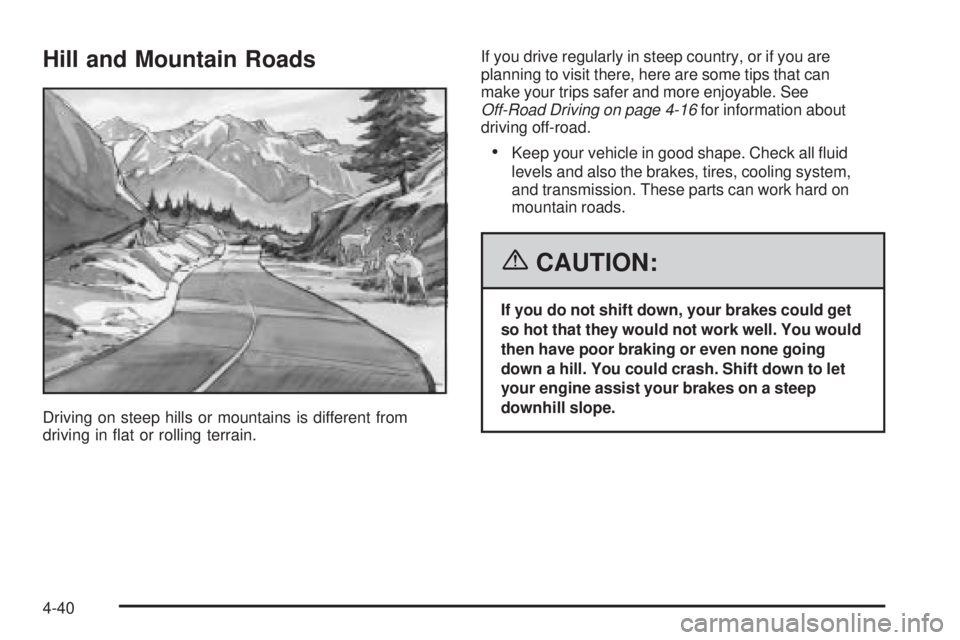
Hill and Mountain Roads
Driving on steep hills or mountains is different from
driving in at or rolling terrain.If you drive regularly in steep country, or if you are
planning to visit there, here are some tips that can
make your trips safer and more enjoyable. See
Off-Road Driving on page 4-16for information about
driving off-road.
Keep your vehicle in good shape. Check all uid
levels and also the brakes, tires, cooling system,
and transmission. These parts can work hard on
mountain roads.
{CAUTION:
If you do not shift down, your brakes could get
so hot that they would not work well. You would
then have poor braking or even none going
down a hill. You could crash. Shift down to let
your engine assist your brakes on a steep
downhill slope.
4-40