glove box GMC SIERRA 1500 2009 User Guide
[x] Cancel search | Manufacturer: GMC, Model Year: 2009, Model line: SIERRA 1500, Model: GMC SIERRA 1500 2009Pages: 602, PDF Size: 3.22 MB
Page 222 of 602
Airbag Off Light
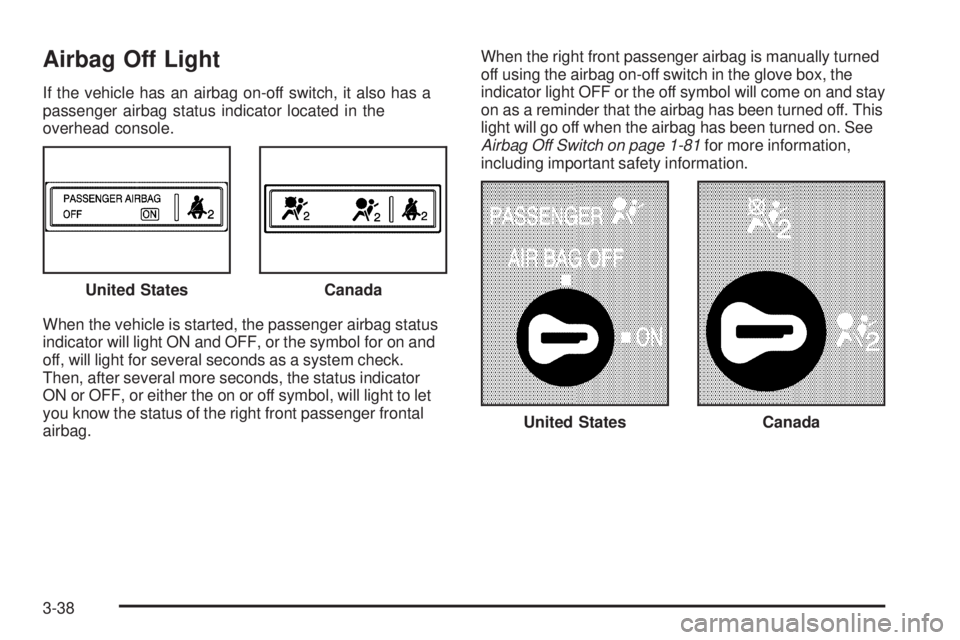
If the vehicle has an airbag on-off switch, it also has a
passenger airbag status indicator located in the
overhead console.
When the vehicle is started, the passenger airbag status
indicator will light ON and OFF, or the symbol for on and
off, will light for several seconds as a system check.
Then, after several more seconds, the status indicator
ON or OFF, or either the on or off symbol, will light to let
you know the status of the right front passenger frontal
airbag.When the right front passenger airbag is manually turned
off using the airbag on-off switch in the glove box, the
indicator light OFF or the off symbol will come on and stay
on as a reminder that the airbag has been turned off. This
light will go off when the airbag has been turned on. See
Airbag Off Switch on page 1-81for more information,
including important safety information.
United States
Canada
United StatesCanada
3-38
Page 370 of 602
Keep in mind that reserve capacity numbers are
intended as a guide when selecting the amount of
equipment or cargo your truck can carry. If you
are unsure of your vehicle’s front, rear, or total weight,
go to a weigh station and weigh your vehicle. Your
dealer/retailer can also help you with this.
The total vehicle reserve capacity for your vehicle can
be found in the lower right corner of the Certication/Tire
label as shown previously.
See your dealer/retailer for additional advice and
information about using a snow plow on your vehicle.
Also, seeLoading the Vehicle on page 4-34.
Emergency Roof Lamp Provisions
Vehicles with the RPO VYU snow plow prep package
also have an emergency roof lamp provision package,
RPO TRW. Wiring for the emergency roof lamp is
provided above the overhead console. SeeAuxiliary
Roof-Mounted Lamp on page 3-19for switch location.
Truck-Camper Loading Information
A vehicle specic Truck-Camper Loading
information label is attached to the inside of your
vehicle’s glove box. This label will tell you if
your vehicle can carry a slide-in camper, how
much of a load your vehicle can carry, and how to
correctly spread out the load. Also, it will help
you match the right slide-in camper to your vehicle.
When you carry a slide-in camper, the total
cargo load of your vehicle is the weight of the
camper, plus the following:
Everything else added to the camper after it
left the factory
Everything in the camper
All the people inside
The Cargo Weight Rating (CWR) is the maximum
weight of the load your vehicle can carry.
It does not include the weight of the people inside.
But, you can gure about 150 lbs (68 kg) for
each seat.
4-44
Page 371 of 602
The total cargo load must not be more than your
vehicle’s CWR.
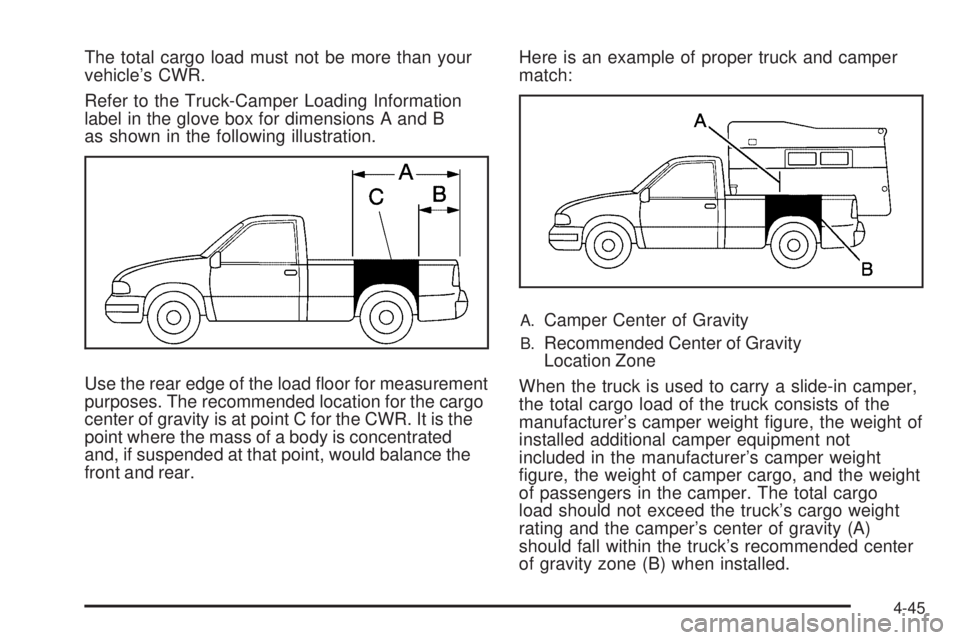
Refer to the Truck-Camper Loading Information
label in the glove box for dimensions A and B
as shown in the following illustration.
Use the rear edge of the load oor for measurement
purposes. The recommended location for the cargo
center of gravity is at point C for the CWR. It is the
point where the mass of a body is concentrated
and, if suspended at that point, would balance the
front and rear.Here is an example of proper truck and camper
match:
A.Camper Center of Gravity
B.Recommended Center of Gravity
Location Zone
When the truck is used to carry a slide-in camper,
the total cargo load of the truck consists of the
manufacturer’s camper weight gure, the weight of
installed additional camper equipment not
included in the manufacturer’s camper weight
gure, the weight of camper cargo, and the weight
of passengers in the camper. The total cargo
load should not exceed the truck’s cargo weight
rating and the camper’s center of gravity (A)
should fall within the truck’s recommended center
of gravity zone (B) when installed.
4-45
Page 533 of 602
Service Parts Identication Label
This label is on the inside of the glove box. It is
very helpful if parts need to be ordered. The label
has the following information:
Vehicle Identication Number (VIN)
Model designation
Paint information
Production options and special equipment
Do not remove this label from the vehicle.
Electrical System
Add-On Electrical Equipment
Notice:Do not add anything electrical to the
vehicle unless you check with your dealer/retailer
rst. Some electrical equipment can damage
the vehicle and the damage would not be covered
by the vehicle’s warranty. Some add-on electrical
equipment can keep other components from
working as they should.
Add-on equipment can drain the vehicle battery, even if
the vehicle is not operating.The vehicle has an airbag system. Before attempting to
add anything electrical to the vehicle, seeServicing
Your Airbag-Equipped Vehicle on page 1-89.
Windshield Wiper Fuses
The windshield wiper motor is protected by an internal
circuit breaker and a fuse. If the motor overheats due
to heavy snow, etc., the wiper will stop until the motor
cools. If the overload is caused by some electrical
problem and not snow, etc., be sure to get it xed.
Power Windows and Other Power
Options
Circuit breakers protect the power windows and other
power accessories. If the current load is too heavy,
the circuit breaker opens and then closes after a cool
down period, protecting the circuit until the problem
is xed or goes away.
5-123
Page 593 of 602
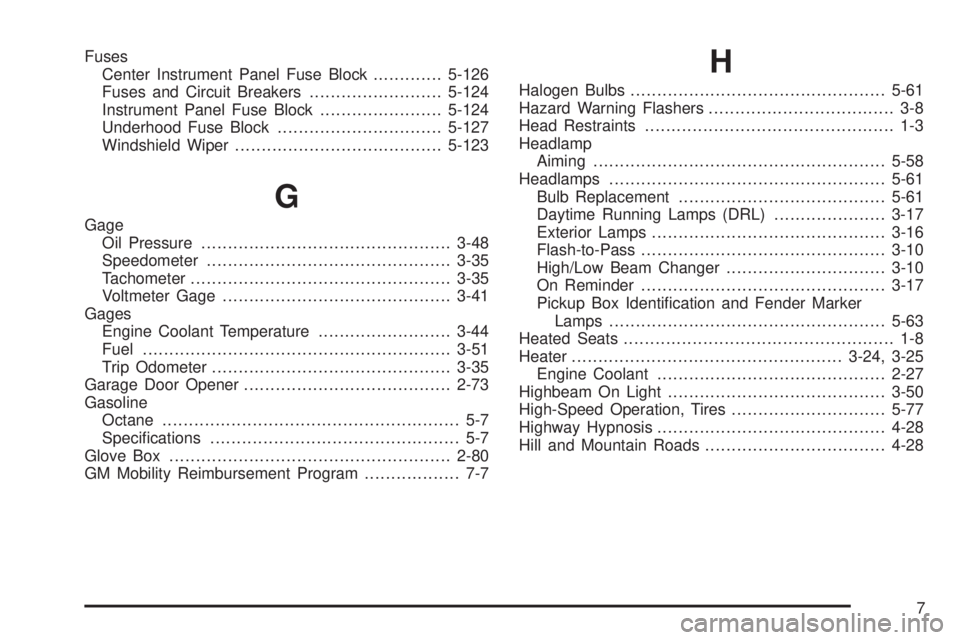
Fuses
Center Instrument Panel Fuse Block.............5-126
Fuses and Circuit Breakers.........................5-124
Instrument Panel Fuse Block.......................5-124
Underhood Fuse Block...............................5-127
Windshield Wiper.......................................5-123
G
Gage
Oil Pressure...............................................3-48
Speedometer..............................................3-35
Tachometer.................................................3-35
Voltmeter Gage...........................................3-41
Gages
Engine Coolant Temperature.........................3-44
Fuel..........................................................3-51
Trip Odometer.............................................3-35
Garage Door Opener.......................................2-73
Gasoline
Octane........................................................ 5-7
Specications............................................... 5-7
Glove Box.....................................................2-80
GM Mobility Reimbursement Program.................. 7-7
H
Halogen Bulbs................................................5-61
Hazard Warning Flashers................................... 3-8
Head Restraints............................................... 1-3
Headlamp
Aiming .......................................................5-58
Headlamps....................................................5-61
Bulb Replacement.......................................5-61
Daytime Running Lamps (DRL).....................3-17
Exterior Lamps............................................3-16
Flash-to-Pass..............................................3-10
High/Low Beam Changer..............................3-10
On Reminder..............................................3-17
Pickup Box Identication and Fender Marker
Lamps ....................................................5-63
Heated Seats................................................... 1-8
Heater...................................................3-24, 3-25
Engine Coolant...........................................2-27
Highbeam On Light.........................................3-50
High-Speed Operation, Tires.............................5-77
Highway Hypnosis...........................................4-28
Hill and Mountain Roads..................................4-28
7
Page 600 of 602
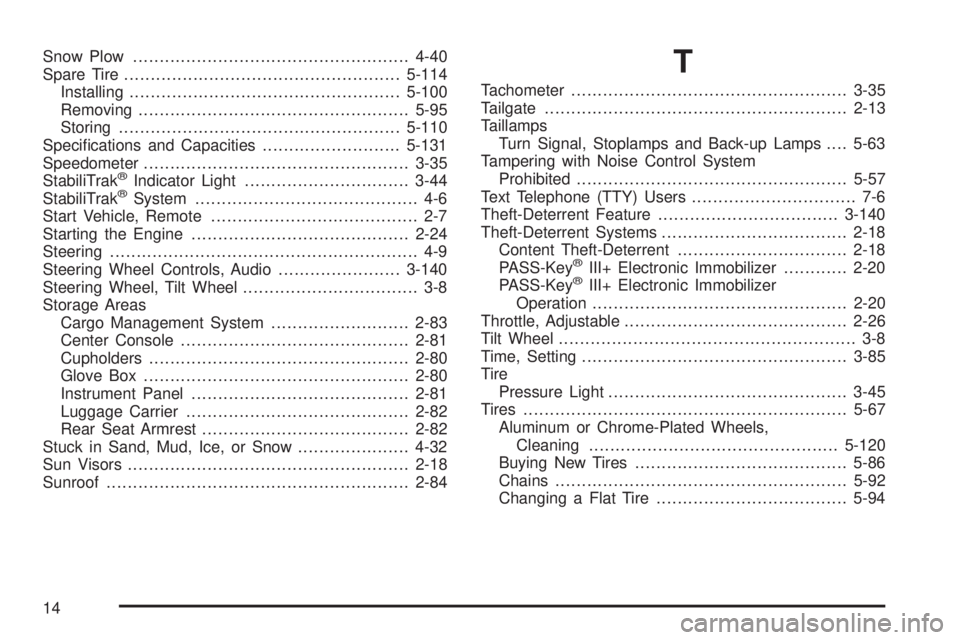
Snow Plow....................................................4-40
Spare Tire....................................................5-114
Installing...................................................5-100
Removing...................................................5-95
Storing.....................................................5-110
Specications and Capacities..........................5-131
Speedometer..................................................3-35
StabiliTrak
®Indicator Light...............................3-44
StabiliTrak®System.......................................... 4-6
Start Vehicle, Remote....................................... 2-7
Starting the Engine.........................................2-24
Steering.......................................................... 4-9
Steering Wheel Controls, Audio.......................3-140
Steering Wheel, Tilt Wheel................................. 3-8
Storage Areas
Cargo Management System..........................2-83
Center Console...........................................2-81
Cupholders.................................................2-80
Glove Box..................................................2-80
Instrument Panel.........................................2-81
Luggage Carrier..........................................2-82
Rear Seat Armrest.......................................2-82
Stuck in Sand, Mud, Ice, or Snow.....................4-32
Sun Visors.....................................................2-18
Sunroof.........................................................2-84
T
Tachometer....................................................3-35
Tailgate.........................................................2-13
Taillamps
Turn Signal, Stoplamps and Back-up Lamps....5-63
Tampering with Noise Control System
Prohibited...................................................5-57
Text Telephone (TTY) Users............................... 7-6
Theft-Deterrent Feature..................................3-140
Theft-Deterrent Systems...................................2-18
Content Theft-Deterrent................................2-18
PASS-Key
®III+ Electronic Immobilizer............2-20
PASS-Key®III+ Electronic Immobilizer
Operation................................................2-20
Throttle, Adjustable..........................................2-26
Tilt Wheel........................................................ 3-8
Time, Setting..................................................3-85
Tire
Pressure Light.............................................3-45
Tires.............................................................5-67
Aluminum or Chrome-Plated Wheels,
Cleaning...............................................5-120
Buying New Tires........................................5-86
Chains.......................................................5-92
Changing a Flat Tire....................................5-94
14