remote start GMC SIERRA 1500 2009 Owner's Manual
[x] Cancel search | Manufacturer: GMC, Model Year: 2009, Model line: SIERRA 1500, Model: GMC SIERRA 1500 2009Pages: 602, PDF Size: 3.22 MB
Page 427 of 602
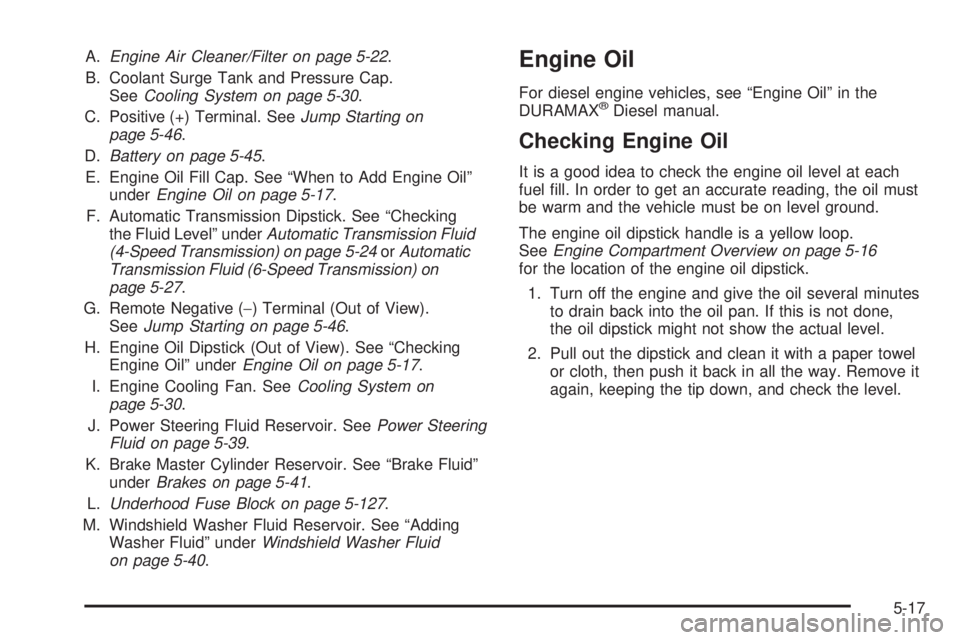
A.Engine Air Cleaner/Filter on page 5-22.
B. Coolant Surge Tank and Pressure Cap.
SeeCooling System on page 5-30.
C. Positive (+) Terminal. SeeJump Starting on
page 5-46.
D.Battery on page 5-45.
E. Engine Oil Fill Cap. See “When to Add Engine Oil”
underEngine Oil on page 5-17.
F. Automatic Transmission Dipstick. See “Checking
the Fluid Level” underAutomatic Transmission Fluid
(4-Speed Transmission) on page 5-24orAutomatic
Transmission Fluid (6-Speed Transmission) on
page 5-27.
G. Remote Negative (−) Terminal (Out of View).
SeeJump Starting on page 5-46.
H. Engine Oil Dipstick (Out of View). See “Checking
Engine Oil” underEngine Oil on page 5-17.
I. Engine Cooling Fan. SeeCooling System on
page 5-30.
J. Power Steering Fluid Reservoir. SeePower Steering
Fluid on page 5-39.
K. Brake Master Cylinder Reservoir. See “Brake Fluid”
underBrakes on page 5-41.
L.Underhood Fuse Block on page 5-127.
M. Windshield Washer Fluid Reservoir. See “Adding
Washer Fluid” underWindshield Washer Fluid
on page 5-40.Engine Oil
For diesel engine vehicles, see “Engine Oil” in the
DURAMAX®Diesel manual.
Checking Engine Oil
It is a good idea to check the engine oil level at each
fuel ll. In order to get an accurate reading, the oil must
be warm and the vehicle must be on level ground.
The engine oil dipstick handle is a yellow loop.
SeeEngine Compartment Overview on page 5-16
for the location of the engine oil dipstick.
1. Turn off the engine and give the oil several minutes
to drain back into the oil pan. If this is not done,
the oil dipstick might not show the actual level.
2. Pull out the dipstick and clean it with a paper towel
or cloth, then push it back in all the way. Remove it
again, keeping the tip down, and check the level.
5-17
Page 458 of 602
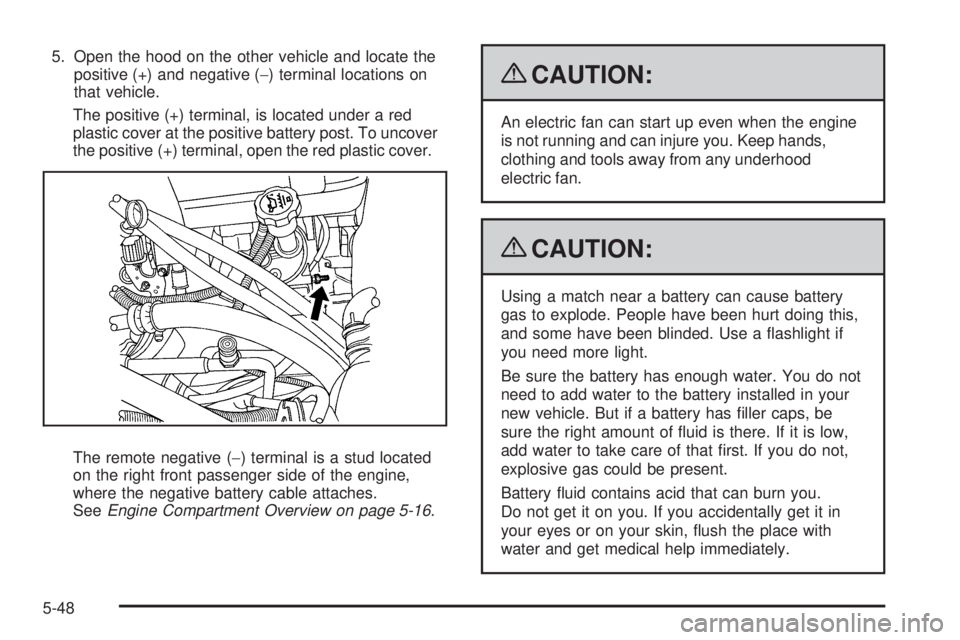
5. Open the hood on the other vehicle and locate the
positive (+) and negative (−) terminal locations on
that vehicle.
The positive (+) terminal, is located under a red
plastic cover at the positive battery post. To uncover
the positive (+) terminal, open the red plastic cover.
The remote negative (−) terminal is a stud located
on the right front passenger side of the engine,
where the negative battery cable attaches.
SeeEngine Compartment Overview on page 5-16.
{CAUTION:
An electric fan can start up even when the engine
is not running and can injure you. Keep hands,
clothing and tools away from any underhood
electric fan.
{CAUTION:
Using a match near a battery can cause battery
gas to explode. People have been hurt doing this,
and some have been blinded. Use a ashlight if
you need more light.
Be sure the battery has enough water. You do not
need to add water to the battery installed in your
new vehicle. But if a battery has ller caps, be
sure the right amount of uid is there. If it is low,
add water to take care of that rst. If you do not,
explosive gas could be present.
Battery uid contains acid that can burn you.
Do not get it on you. If you accidentally get it in
your eyes or on your skin, ush the place with
water and get medical help immediately.
5-48
Page 460 of 602
9. Now connect the black negative (−) cable to the
negative (−) terminal of the good battery. Use a
remote negative (−) terminal if the vehicle has one.
Do not let the other end touch anything until the
next step.
10. Connect the other end of the negative (−) cable to a
heavy, unpainted metal engine part or to the remote
negative (−) terminal, on the vehicle with the dead
battery.
11. Start the vehicle with the good battery and run the
engine for a while.
12. Try to start the vehicle that had the dead battery.
If it will not start after a few tries, it probably needs
service.
Notice:If the jumper cables are connected or
removed in the wrong order, electrical shorting
may occur and damage the vehicle. The repairs
would not be covered by the vehicle warranty.
Always connect and remove the jumper cables in
the correct order, making sure that the cables do
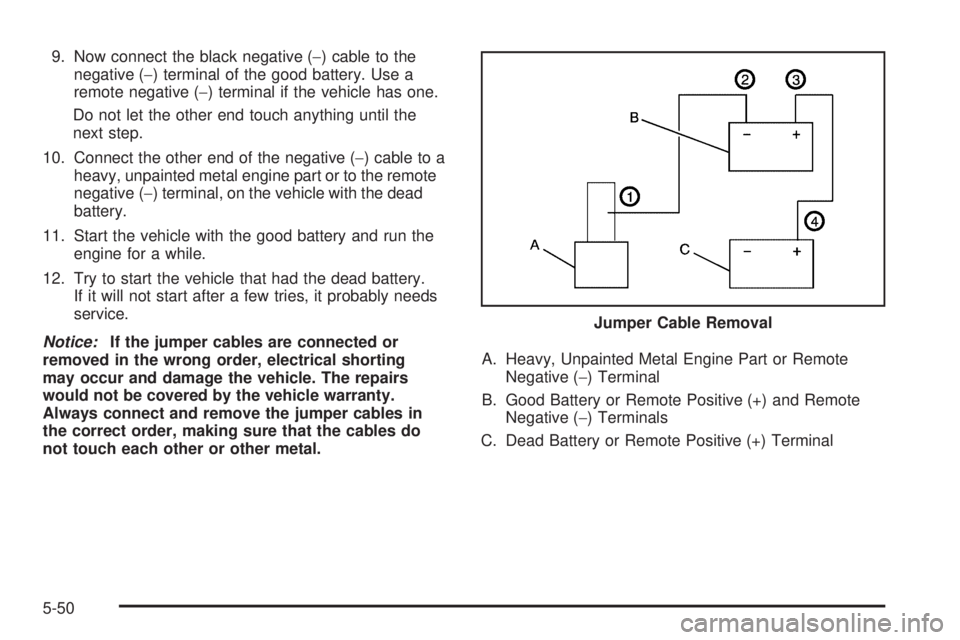
not touch each other or other metal.A. Heavy, Unpainted Metal Engine Part or Remote
Negative (−) Terminal
B. Good Battery or Remote Positive (+) and Remote
Negative (−) Terminals
C. Dead Battery or Remote Positive (+) TerminalJumper Cable Removal
5-50
Page 493 of 602
The TPMS sensor matching process is outlined below:
1. Set the parking brake.
2. Turn the ignition switch to ON/RUN with the
engine off.
3. Press the Remote Keyless Entry (RKE) transmitter’s
LOCK and UNLOCK buttons at the same time for
approximately ve seconds. The horn sounds twice
to signal the receiver is in relearn mode and TIRE
LEARNING ACTIVE message displays on the DIC
screen.
If your vehicle does not have RKE, press the Driver
Information Center (DIC) vehicle information button
until the PRESS
VTO RELEARN TIRE POSITIONS
message displays. The horn sounds twice to signal
the receiver is in relearn mode and TIRE LEARNING
ACTIVE message displays on the DIC screen.
If your vehicle does not have RKE or DIC buttons,
press the trip odometer reset stem located on the
instrument panel cluster until the PRESS
VTO
RELEARN TIRE POSITIONS message displays.
The horn sounds twice to signal the receiver is
in relearn mode and TIRE LEARNING ACTIVE
message displays on the DIC screen.
4. Start with the driver side front tire.5. Remove the valve cap from the valve cap stem.
Activate the TPMS sensor by increasing or
decreasing the tire’s air pressure for ve seconds,
or until a horn chirp sounds. The horn chirp,
which may take up to 30 seconds to sound,
conrms that the sensor identication code has
been matched to this tire and wheel position.
6. Proceed to the passenger side front tire, and repeat
the procedure in Step 5.
7. Proceed to the passenger side rear tire, and repeat
the procedure in Step 5.
8. Proceed to the driver side rear tire, and repeat the
procedure in Step 5. The horn sounds two times
to indicate the sensor identication code has been
matched to the driver side rear tire, and that the
TPMS sensor matching process is no longer active.
The TIRE LEARNING ACTIVE message on the DIC
display screen goes off.
9. Turn the ignition switch to LOCK/OFF.
10. Set all four tires to the recommended air pressure
level as indicated on the Tire and Loading
Information label.
11. Put the valve caps back on the valve stems.
5-83
Page 575 of 602
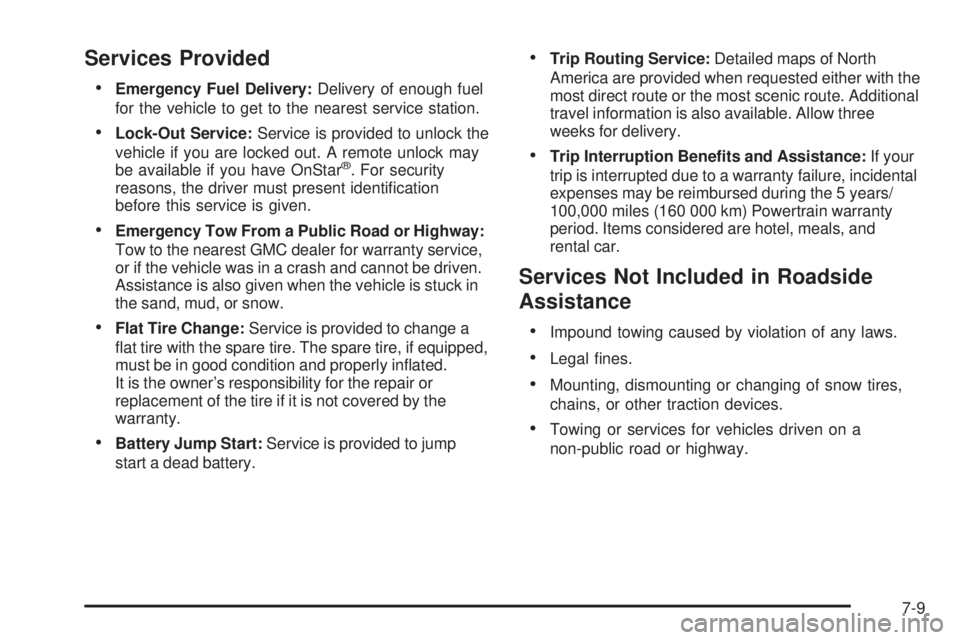
Services Provided
Emergency Fuel Delivery:Delivery of enough fuel
for the vehicle to get to the nearest service station.
Lock-Out Service:Service is provided to unlock the
vehicle if you are locked out. A remote unlock may
be available if you have OnStar
®. For security
reasons, the driver must present identication
before this service is given.
Emergency Tow From a Public Road or Highway:
Tow to the nearest GMC dealer for warranty service,
or if the vehicle was in a crash and cannot be driven.
Assistance is also given when the vehicle is stuck in
the sand, mud, or snow.
Flat Tire Change:Service is provided to change a
at tire with the spare tire. The spare tire, if equipped,
must be in good condition and properly inated.
It is the owner’s responsibility for the repair or
replacement of the tire if it is not covered by the
warranty.
Battery Jump Start:Service is provided to jump
start a dead battery.
Trip Routing Service:Detailed maps of North
America are provided when requested either with the
most direct route or the most scenic route. Additional
travel information is also available. Allow three
weeks for delivery.
Trip Interruption Benets and Assistance:If your
trip is interrupted due to a warranty failure, incidental
expenses may be reimbursed during the 5 years/
100,000 miles (160 000 km) Powertrain warranty
period. Items considered are hotel, meals, and
rental car.
Services Not Included in Roadside
Assistance
Impound towing caused by violation of any laws.
Legal nes.
Mounting, dismounting or changing of snow tires,
chains, or other traction devices.
Towing or services for vehicles driven on a
non-public road or highway.
7-9
Page 585 of 602
OnStar®
If your vehicle has OnStar and you subscribe to the
OnStar services, please refer to the OnStar Terms and
Conditions for information on data collection and use.
See alsoOnStar
®System on page 2-70in this manual
for more information.
Navigation System
If your vehicle has a navigation system, use of the
system may result in the storage of destinations,
addresses, telephone numbers, and other trip
information. Refer to the navigation system operating
manual for information on stored data and for deletion
instructions.
Radio Frequency
Identication (RFID)
RFID technology is used in some vehicles for functions
such as tire pressure monitoring and ignition system
security, as well as in connection with conveniences such
as key fobs for remote door locking/unlocking and
starting, and in-vehicle transmitters for garage door
openers. RFID technology in GM vehicles does not use
or record personal information or link with any other GM
system containing personal information.
7-19
Page 594 of 602
Hood
Checking Things Under................................5-14
Release.....................................................5-14
Horn ............................................................... 3-8
How to Wear Safety Belts Properly...................1-22
I
Ignition Positions.............................................2-22
Infants and Young Children, Restraints...............1-41
Ination - Tire Pressure...................................5-76
Instrument Panel
Brightness..................................................3-20
Cluster.......................................................3-34
Overview...............................................3-4, 3-6
Storage Area..............................................2-81
Introduction...................................................... 6-2
J
Jump Starting.................................................5-46
K
Keyless Entry, Remote Operation........................ 2-5
Keyless Entry System....................................... 2-4
Keys............................................................... 2-3
L
Labeling, Tire Sidewall.....................................5-68
Lamp
Malfunction Indicator....................................3-45
Lamps
Auxiliary Roof Mounted Lamp........................3-19
Cargo........................................................3-21
Daytime Running (DRL)................................3-17
Dome ........................................................3-20
Dome Lamp Override...................................3-20
License Plate..............................................5-65
Puddle.......................................................3-19
Reading.....................................................3-21
Lap Belt........................................................1-36
Lap-Shoulder Belt...........................................1-30
LATCH System for Child Restraints...................1-49
Latches, Seatback..........................................1-13
Lighting
Entry.........................................................3-20
Exit...........................................................3-20
Lights
Airbag Off..................................................3-38
Airbag Readiness........................................3-37
Antilock Brake System (ABS) Warning............3-43
Brake System Warning.................................3-42
Charging System.........................................3-41
Cruise Control.............................................3-50
8
Page 598 of 602
R
Radio Frequency Identication (RFID), Privacy....7-19
Radio(s)........................................................3-87
Radios
Navigation/Radio System, see Navigation
Manual.................................................3-118
Reception.................................................3-141
Setting the Clock.........................................3-85
Theft-Deterrent..........................................3-140
Rainsense™ II Wipers.....................................3-11
Reading Lamps..............................................3-21
Rear Axle......................................................5-51
Locking........................................................ 4-9
Rear Door Security Locks................................2-11
Rear Doors....................................................2-12
Rear Seat Armrest..........................................2-82
Rear Seat Audio (RSA) System.......................3-138
Rear Seat Entertainment System.....................3-129
Rear Seat Operation...............................1-14, 1-15
Rear Vision Camera (RVC)..............................2-64
Rearview Mirror, Automatic Dimming..................2-57
Rearview Mirrors.............................................2-57
Reclining Seatbacks........................................1-10
Recommended Fluids and Lubricants.................6-15
Recovery Hooks.............................................4-33Recreational Vehicle Towing.............................4-47
Reimbursement Program, GM Mobility................. 7-7
Remote Keyless Entry (RKE) System.................. 2-4
Remote Keyless Entry (RKE) System, Operation . . . 2-5
Remote Vehicle Start........................................ 2-7
Removing the Flat Tire and Installing the
Spare Tire................................................5-100
Removing the Spare Tire and Tools...................5-95
Replacement Bulbs.........................................5-66
Replacement Parts, Maintenance......................6-17
Reporting Safety Defects to General Motors.......7-15
Reporting Safety Defects to the Canadian
Government................................................7-15
Reporting Safety Defects to the U.S.
Government................................................7-15
Restraint System Check
Checking the Restraint Systems....................1-91
Replacing Restraint System Parts After a
Crash.....................................................1-92
Retained Accessory Power (RAP)......................2-23
Roadside Assistance Program............................ 7-7
Rocking Your Vehicle to Get it Out....................4-32
Roof
Sunroof......................................................2-84
Running the Vehicle While Parked.....................2-56
12
Page 600 of 602
Snow Plow....................................................4-40
Spare Tire....................................................5-114
Installing...................................................5-100
Removing...................................................5-95
Storing.....................................................5-110
Specications and Capacities..........................5-131
Speedometer..................................................3-35
StabiliTrak
®Indicator Light...............................3-44
StabiliTrak®System.......................................... 4-6
Start Vehicle, Remote....................................... 2-7
Starting the Engine.........................................2-24
Steering.......................................................... 4-9
Steering Wheel Controls, Audio.......................3-140
Steering Wheel, Tilt Wheel................................. 3-8
Storage Areas
Cargo Management System..........................2-83
Center Console...........................................2-81
Cupholders.................................................2-80
Glove Box..................................................2-80
Instrument Panel.........................................2-81
Luggage Carrier..........................................2-82
Rear Seat Armrest.......................................2-82
Stuck in Sand, Mud, Ice, or Snow.....................4-32
Sun Visors.....................................................2-18
Sunroof.........................................................2-84
T
Tachometer....................................................3-35
Tailgate.........................................................2-13
Taillamps
Turn Signal, Stoplamps and Back-up Lamps....5-63
Tampering with Noise Control System
Prohibited...................................................5-57
Text Telephone (TTY) Users............................... 7-6
Theft-Deterrent Feature..................................3-140
Theft-Deterrent Systems...................................2-18
Content Theft-Deterrent................................2-18
PASS-Key
®III+ Electronic Immobilizer............2-20
PASS-Key®III+ Electronic Immobilizer
Operation................................................2-20
Throttle, Adjustable..........................................2-26
Tilt Wheel........................................................ 3-8
Time, Setting..................................................3-85
Tire
Pressure Light.............................................3-45
Tires.............................................................5-67
Aluminum or Chrome-Plated Wheels,
Cleaning...............................................5-120
Buying New Tires........................................5-86
Chains.......................................................5-92
Changing a Flat Tire....................................5-94
14
Page 602 of 602
Vehicle Customization, DIC..............................3-75
Vehicle Data Recording and Privacy..................7-17
Vehicle Data Recording, Radio
Frequency (RFID)........................................7-19
Vehicle Identication
Number (VIN)............................................5-122
Service Parts Identication Label..................5-123
Vehicle, Remote Start....................................... 2-7
Ventilation Adjustment......................................3-33
Visors...........................................................2-18
Voltmeter Gage..............................................3-41
W
Warning Lights, Gages, and Indicators...............3-33
Warnings
DIC Warnings and Messages........................3-66
Hazard Warning Flashers............................... 3-8
Safety and Symbols......................................... iv
Wheels
Alignment and Tire Balance..........................5-90
Different Size..............................................5-88
Replacement...............................................5-90
When It Is Time for New Tires..........................5-86Where to Put the Child Restraint.......................1-48
Windows.......................................................2-15
Manual......................................................2-16
Power ........................................................2-16
Sliding Rear................................................2-17
Windshield
Rainsense™ II Wipers..................................3-11
Washer......................................................3-12
Washer Fluid..............................................5-40
Wiper Blade Replacement.............................5-66
Wiper Blades, Cleaning..............................5-120
Wiper Fuses.............................................5-123
Wipers.......................................................3-10
Winter Driving................................................4-30
X
XM Radio Messages.....................................3-117
XM™ Satellite Radio Antenna System..............3-142
Y
Your Vehicle and the Environment....................... 6-2
16