key GMC SIERRA 1500 2009 Owner's Guide
[x] Cancel search | Manufacturer: GMC, Model Year: 2009, Model line: SIERRA 1500, Model: GMC SIERRA 1500 2009Pages: 602, PDF Size: 3.22 MB
Page 162 of 602
Rear Vision Camera (RVC)
This vehicle may have a Rear Vision Camera system.
Read this entire section before using it.
{CAUTION:
The Rear Vision Camera (RVC) system does not
replace driver vision. RVC does not:
Detect objects that are outside the camera’s
eld of view, below the bumper, or underneath
the vehicle.
Detect children, pedestrians, bicyclists, or pets.
Do not back the vehicle by only looking at the rear
vision camera screen, or use the screen during
longer, higher speed backing maneuvers or where
there could be cross-traffic. Your judged distances
using the screen will differ from actual distances.
So if you do not use proper care before backing up,
you could hit a vehicle, child, pedestrian, bicyclist,
or pet, resulting in vehicle damage, injury, or death.
Even though the vehicle has the RVC system,
always check carefully before backing up by
checking behind and around the vehicle.
Vehicles Without Navigation System
The rear vision camera system is designed to help
the driver when backing up by displaying a view of
the area behind the vehicle. When the key is in the
ON/RUN position and the driver shifts the vehicle into
R (Reverse), the video image automatically appears
on the inside rear view mirror. Once the driver shifts
out of R (Reverse), the video image automatically
disappears from the inside rear view mirror.
Turning the Rear Vision Camera System
OfforOn
To turn off the rear vision camera system, press and
hold
z, located on the inside rearview mirror, until the
left indicator light turns off. The rear camera vision
display is now disabled.
To turn the rear vision camera system on again, press
and hold
zuntil the left indicator light illuminates.
The rear vision camera system display is now enabled
and the display will appear in the mirror normally.
2-64
Page 163 of 602
Vehicles With Navigation System
The rear vision camera system is designed to help the
driver when backing up by displaying a view of the
area behind the vehicle. When the driver shifts the
vehicle into R (Reverse), the video image automatically
appears on the navigation screen. Once the driver
shifts out of R (Reverse), the navigation screen will go
back to the last screen that had been displayed,
after a delay.
Turning the Rear Vision Camera System
On or Off
To turn the rear vision camera system on or off:
1. Shift into P (Park).
2. Press the MENU button to enter the congure
menu options, then press the MENU hard key
to select Display or touch the Display screen button.
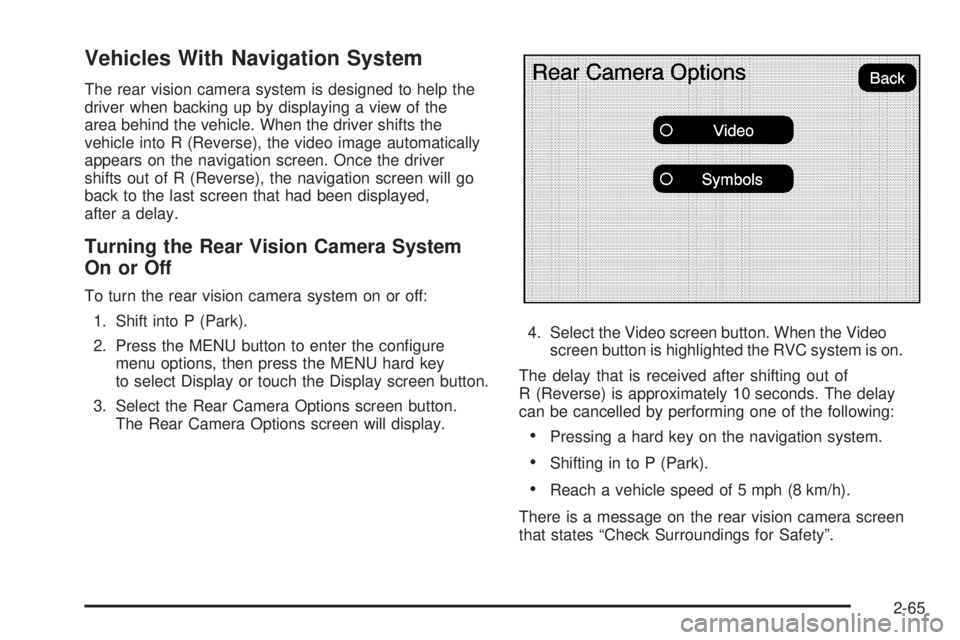
3. Select the Rear Camera Options screen button.
The Rear Camera Options screen will display.4. Select the Video screen button. When the Video
screen button is highlighted the RVC system is on.
The delay that is received after shifting out of
R (Reverse) is approximately 10 seconds. The delay
can be cancelled by performing one of the following:
Pressing a hard key on the navigation system.
Shifting in to P (Park).
Reach a vehicle speed of 5 mph (8 km/h).
There is a message on the rear vision camera screen
that states “Check Surroundings for Safety”.
2-65
Page 164 of 602
Adjusting the Brightness and Contrast of
the Screen
To adjust the brightness and contrast of the screen,
press the MENU button while the rear vision camera
image is on the display. Any adjustments made will only
affect the rear vision camera screen.
](Brightness):Touch the + (plus) or – (minus)
screen buttons to increase or decrease the brightness
of the screen.
_(Contrast):Touch the + (plus) or – (minus) screen
buttons to increase or decrease the contrast of the
screen.
Symbols
The navigation system may have a feature that lets the
driver view symbols on the navigation screen while
using the rear vision camera. The Ultrasonic Rear Park
Assist (URPA) system must not be disabled to use
the caution symbols. If URPA has been disabled and
the symbols have been turned on, the Rear Parking
Assist Symbols Unavailable error message may display.
SeeUltrasonic Rear Parking Assist (URPA) on
page 2-61.The symbols appear when an object has been detected
by the URPA system. The symbol may cover the
object when viewing the navigation screen.
To turn the symbols on or off:
1. Make sure that URPA has not been disabled.
2. Shift into P (Park).
3. Press the MENU hard key to enter the congure
menu options, then press the MENU hard key
repeatedly until Display is selected or touch
the Display screen button.
4. Select the Rear Camera Options screen button.
The Rear Camera Options screen will display.
5. Touch the Symbols screen button. The screen
button will be highlighted when on.Rear Vision Camera Error Messages
Service Rear Vision Camera System:This message
can display when the system is not receiving
information it requires from other vehicle systems.
If any other problem occurs or if a problem persists,
see your dealer/retailer.
2-66
Page 168 of 602
OnStar®System
OnStar uses several innovative technologies and live
advisors to provide a wide range of safety, security,
information, and convenience services. If the airbags
deploy, the system is designed to make an automatic
call to OnStar Emergency advisors who can request
emergency services be sent to your location. If the
keys are locked in the vehicle, call OnStar at
1-888-4-ONSTAR to have a signal sent to unlock
the doors. OnStar Hands-Free Calling, including
30 trial minutes good for 60 days, is available on most
vehicles. OnStar Turn-by-Turn Navigation service,
with one trial route, is available on most vehicles.
Press the OnStar button to have an OnStar advisor
contact Roadside Service.OnStar service is provided subject to the OnStar Terms
and Conditions included in the OnStar Subscriber
glove box literature.
Some services such as Remote Door Unlock or Stolen
Vehicle Location Assistance may not be available
until the owner of the vehicle registers with OnStar.
After the rst prepaid year, contact OnStar to select a
monthly or annual subscription payment plan. If a
payment plan is not selected, the OnStar system and all
services, including airbag notication and emergency
services, may be deactivated and no longer available.
For more information visit onstar.com (U.S.) or onstar.ca
(Canada), or press the OnStar button to speak with
an advisor.
Not all OnStar services are available on all vehicles.
To check if this vehicle is able to provide the services
described below, or for a full description of OnStar
services and system limitations, see the OnStar Owner’s
Guide in the glove box or visit onstar.com (U.S.) or
onstar.ca (Canada), contact OnStar at 1-888-4-ONSTAR
(1-888-466-7827) or TTY 1-877-248-2080, or press
the OnStar button to speak with an OnStar advisor
24 hours a day, 7 days a week.
2-70
Page 179 of 602
Instrument Panel Storage
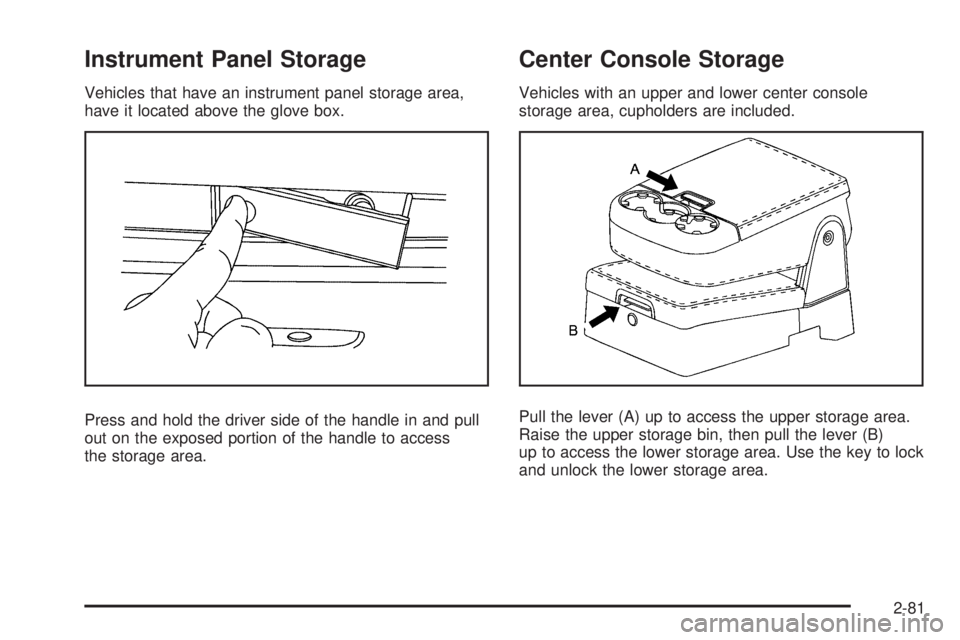
Vehicles that have an instrument panel storage area,
have it located above the glove box.
Press and hold the driver side of the handle in and pull
out on the exposed portion of the handle to access
the storage area.
Center Console Storage
Vehicles with an upper and lower center console
storage area, cupholders are included.
Pull the lever (A) up to access the upper storage area.
Raise the upper storage bin, then pull the lever (B)
up to access the lower storage area. Use the key to lock
and unlock the lower storage area.
2-81
Page 203 of 602
Puddle Lamps
If the vehicle has puddle lamps, they come on when the
unlock button on the Remote Keyless Entry (RKE)
Transmitter is pressed. The lamps time out or turn off
once the engine is started.
Fog Lamps
For vehicles with fog lamps, the control is located next
to the exterior lamps control on the instrument panel,
to the left of the steering column.
The ignition must be in the ON/RUN position for the fog
lamps to come on.
#(Fog Lamps):Press to turn the fog lamps on or off.
A light will come on in the instrument panel cluster.
When the fog lamps are turned on, the parking lamps
automatically turn on.
When the headlamps are changed to high-beam, the
fog lamps also go off. When the high-beam headlamps
are turned off, the fog lamps will come on again.
Some localities have laws that require the headlamps to
be on along with the fog lamps.
Auxiliary Roof-Mounted Lamp
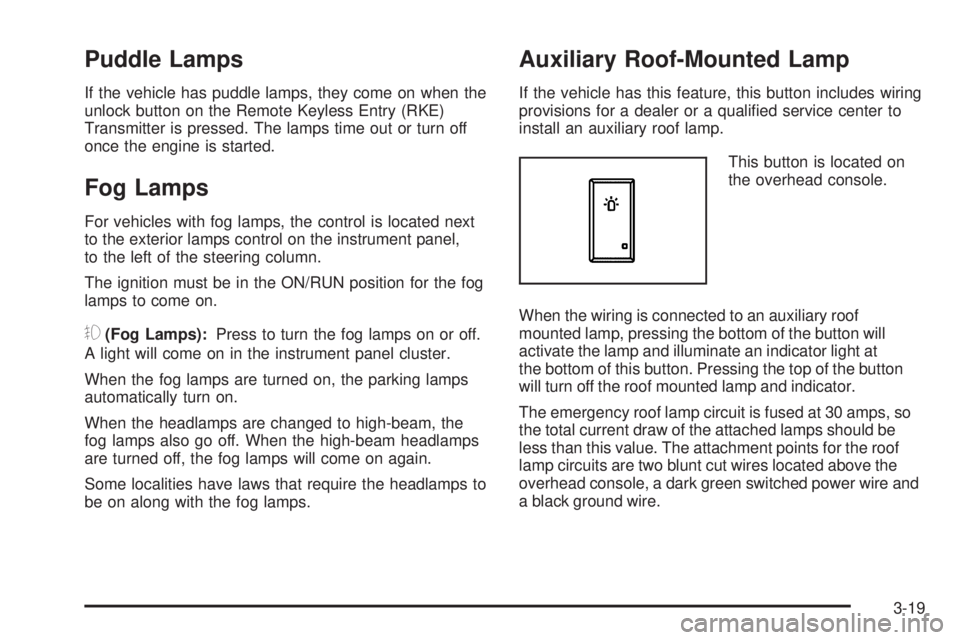
If the vehicle has this feature, this button includes wiring
provisions for a dealer or a qualied service center to
install an auxiliary roof lamp.
This button is located on
the overhead console.
When the wiring is connected to an auxiliary roof
mounted lamp, pressing the bottom of the button will
activate the lamp and illuminate an indicator light at
the bottom of this button. Pressing the top of the button
will turn off the roof mounted lamp and indicator.
The emergency roof lamp circuit is fused at 30 amps, so
the total current draw of the attached lamps should be
less than this value. The attachment points for the roof
lamp circuits are two blunt cut wires located above the
overhead console, a dark green switched power wire and
a black ground wire.
3-19
Page 204 of 602
For further information on roof mount emergency lamp
installation, please visit the GM Uptter website at
www.gmuptters.com or contact your dealer.
If the vehicle has this button, the vehicle may have the
snow plow prep package. For further information see
Adding a Snow Plow or Similar Equipment on page 4-40.
Instrument Panel Brightness
D(Instrument Panel Brightness):This feature
controls the brightness of the instrument panel lights and
is located next to the exterior lamp control.
Push the knob to extend out and then it can be turned.
Turn the knob clockwise or counterclockwise to brighten
or dim the instrument panel lights. Turning the knob to the
farthest clockwise position turns on the dome lamps.
Dome Lamps
The dome lamps come on when any door is opened.
They turn off after all the doors are closed.
The dome lamps can also be turned on by turning the
instrument panel brightness knob, located on the
instrument panel to the left of the steering column,
clockwise to the farthest position. In this position, the
dome lamps remain on whether a door is opened or
closed.
Dome Lamp Override
The dome lamp override button is located next to the
exterior lamps control.
k(Dome Off):Press the button in and the dome
lamps remain off when a door is opened. Press
the button again to return it to the extended position
so that the dome lamps come on when a door is
opened.
Entry Lighting
The vehicle has an illuminated entry feature.
When the doors are opened, the dome lamps will
come on if the dome override button is in the extended
position. If the dome override button is pressed in,
the lamps will not come on.
Exit Lighting
The interior lamps come on when the key is removed
from the ignition. They turn off automatically in
20 seconds. The lights do not come on if the dome
override button is pressed in.
3-20
Page 225 of 602
Charging System Light
This light comes on briey
when the ignition key is
turned to START, but the
engine is not running, as a
check to show it is working.
If it does not, have the vehicle serviced by your
dealer/retailer.
The light should go out once the engine starts. If it stays
on, or comes on while driving, there could be a problem
with the charging system. A charging system message
in the Driver Information Center (DIC) can also appear.
SeeDIC Warnings and Messages on page 3-66for more
information. This light could indicate that there are
problems with a generator drive belt, or that there is an
electrical problem. Have it checked right away. If the
vehicle must be driven a short distance with the light on,
turn off accessories, such as the radio and air
conditioner.
Voltmeter Gage (US-Canada)
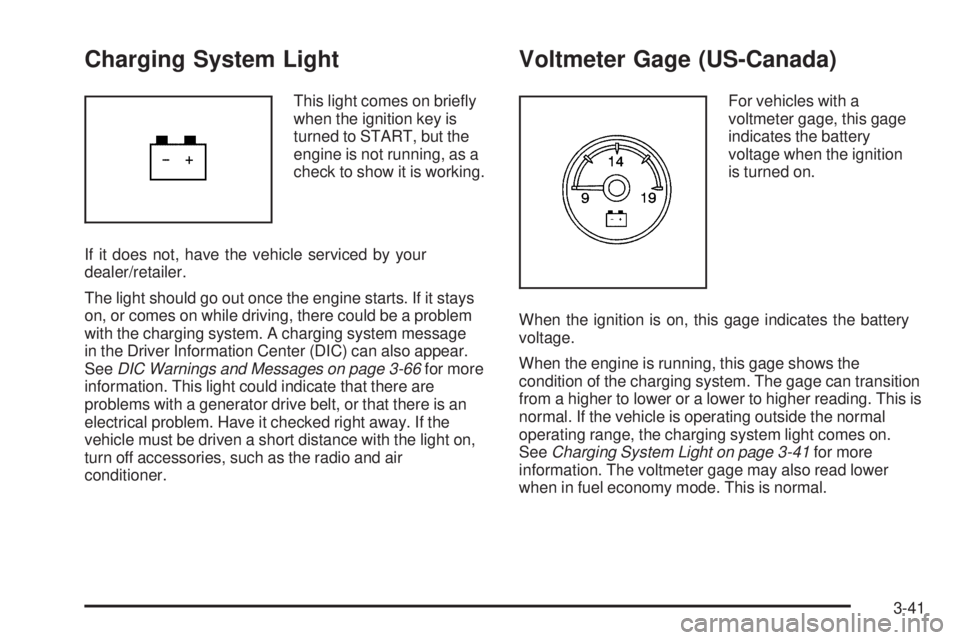
For vehicles with a
voltmeter gage, this gage
indicates the battery
voltage when the ignition
is turned on.
When the ignition is on, this gage indicates the battery
voltage.
When the engine is running, this gage shows the
condition of the charging system. The gage can transition
from a higher to lower or a lower to higher reading. This is
normal. If the vehicle is operating outside the normal
operating range, the charging system light comes on.
SeeCharging System Light on page 3-41for more
information. The voltmeter gage may also read lower
when in fuel economy mode. This is normal.
3-41
Page 227 of 602
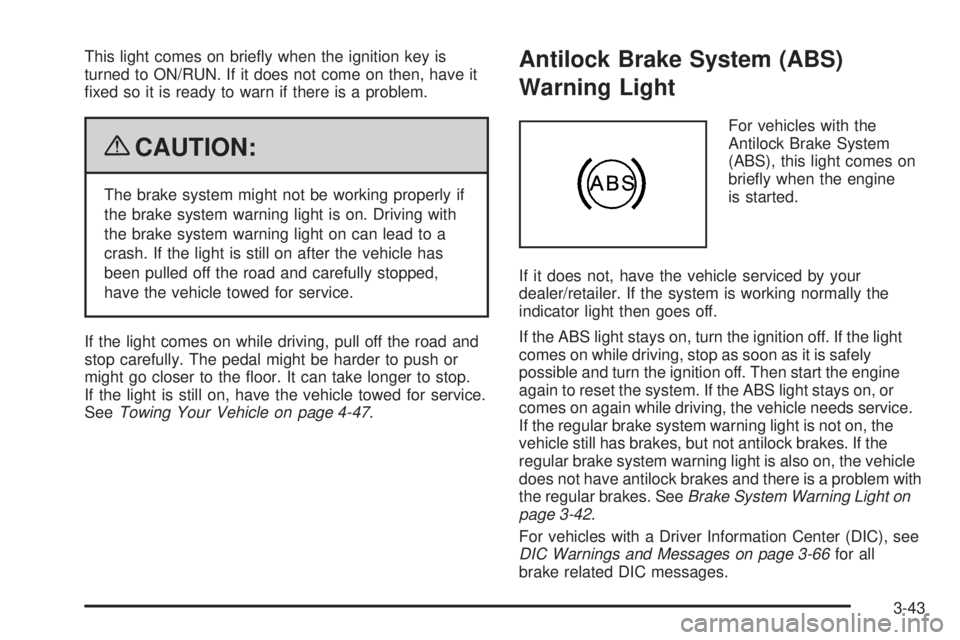
This light comes on briey when the ignition key is
turned to ON/RUN. If it does not come on then, have it
xed so it is ready to warn if there is a problem.
{CAUTION:
The brake system might not be working properly if
the brake system warning light is on. Driving with
the brake system warning light on can lead to a
crash. If the light is still on after the vehicle has
been pulled off the road and carefully stopped,
have the vehicle towed for service.
If the light comes on while driving, pull off the road and
stop carefully. The pedal might be harder to push or
might go closer to the oor. It can take longer to stop.
If the light is still on, have the vehicle towed for service.
SeeTowing Your Vehicle on page 4-47.
Antilock Brake System (ABS)
Warning Light
For vehicles with the
Antilock Brake System
(ABS), this light comes on
briey when the engine
is started.
If it does not, have the vehicle serviced by your
dealer/retailer. If the system is working normally the
indicator light then goes off.
If the ABS light stays on, turn the ignition off. If the light
comes on while driving, stop as soon as it is safely
possible and turn the ignition off. Then start the engine
again to reset the system. If the ABS light stays on, or
comes on again while driving, the vehicle needs service.
If the regular brake system warning light is not on, the
vehicle still has brakes, but not antilock brakes. If the
regular brake system warning light is also on, the vehicle
does not have antilock brakes and there is a problem with
the regular brakes. SeeBrake System Warning Light on
page 3-42.
For vehicles with a Driver Information Center (DIC), see
DIC Warnings and Messages on page 3-66for all
brake related DIC messages.
3-43
Page 230 of 602
If the check engine light comes on and stays on, while
the engine is running, this indicates that there is an
OBD II problem and service is required.
Malfunctions often are indicated by the system before any
problem is apparent. Being aware of the light can prevent
more serious damage to the vehicle. This system assists
the service technician in correctly diagnosing any
malfunction.
Notice:If the vehicle is continually driven with this
light on, after a while, the emission controls might
not work as well, the vehicle’s fuel economy might
not be as good, and the engine might not run as
smoothly. This could lead to costly repairs that
might not be covered by the vehicle warranty.
Notice:Modications made to the engine,
transmission, exhaust, intake, or fuel system of the
vehicle or the replacement of the original tires with
other than those of the same Tire Performance
Criteria (TPC) can affect the vehicle’s emission
controls and can cause this light to come on.
Modications to these systems could lead to
costly repairs not covered by the vehicle warranty.
This could also result in a failure to pass a
required Emission Inspection/Maintenance test.
SeeAccessories and Modifications on page 5-4.This light comes on during a malfunction in one of
two ways:
Light Flashing:A misre condition has been detected.
A misre increases vehicle emissions and could damage
the emission control system on the vehicle. Diagnosis
and service might be required.
To prevent more serious damage to the vehicle:
Reduce vehicle speed.
Avoid hard accelerations.
Avoid steep uphill grades.
If towing a trailer, reduce the amount of cargo being
hauled as soon as it is possible.
If the light continues to ash, when it is safe to do so, stop
the vehicle. Find a safe place to park the vehicle. Turn the
key off, wait at least 10 seconds, and restart the engine.
If the light is still ashing, follow the previous steps and
see your dealer/retailer for service as soon as possible.
3-46