sensor GMC SIERRA 1500 2011 Owners Manual
[x] Cancel search | Manufacturer: GMC, Model Year: 2011, Model line: SIERRA 1500, Model: GMC SIERRA 1500 2011Pages: 594, PDF Size: 7.88 MB
Page 37 of 594
Black plate (31,1)GMC Sierra Owner Manual - 2011
In Brief 1-31
V:Press to set or reset
certain functions and to turn
off or acknowledge messages
on the DIC.
For more information, see Driver
Information Center (DIC) on
page 5‑33.
Vehicle Customization
Some vehicle features can be
programmed by using the DIC
buttons next to the steering wheel.
These features include:
.Language
.Door Lock and Unlock Settings
.RKE Lock and Unlock Feedback
.Lighting
.Chime Volume
.Memory Features
See Vehicle Personalization (with
DIC Buttons) on page 5‑52.
Rear Vision
Camera (RVC)
If available, the rear vision camera
displays a view of the area behind
the vehicle when the vehicle is
shifted into R (Reverse). This is
displayed on the inside rearview
mirror or the navigation screen,
if equipped.
To clean the camera lens, located
in the bezel for the tailgate handle,
rinse it with water and wipe it with
a soft cloth.
For more information, see Rear
Vision Camera (RVC) on page 9‑78.
Ultrasonic Parking Assist
If available, Ultrasonic Rear Parking
Assist (URPA) uses sensors on the
rear bumper to detect objects while
parking the vehicle. URPA comes
on automatically when the shift
lever is moved into R (Reverse) and
operates at speeds less than 8 km/h
(5 mph). URPA uses audio beeps
to provide distance and system
information.
Keep the sensors on the vehicle's
rear bumper clean to ensure proper
operation.
The system can be disabled by
pressing the rear park aid disable
button located next to the radio.
See Ultrasonic Parking Assist on
page 9‑76 for more information.
Page 42 of 594
Black plate (36,1)GMC Sierra Owner Manual - 2011
1-36 In Brief
Roadside Assistance
Program
U.S.:1-800-GMC-8782
(1‐800‐462-8782)
TTY Users (U.S.): 1-888-889-2438
Canada: 1-800-268-6800
Mexico: 01-800-466-0801
As the owner of a new GMC, you
are automatically enrolled in the
Roadside Assistance program.
See Roadside Assistance Program
(U.S. and Canada) on page 13‑8
or Roadside Assistance Program
(Mexico) on page 13‑10 for more
information. Roadside Assistance and OnStar
(U.S. and Canada)
If you have an active OnStar
subscription, press theQbutton
and the current GPS location will
be sent to an OnStar advisor who
will assess your problem, contact
Roadside Assistance, and relay
your exact location to get the help
you need.
Online Owner Center
(U.S. and Canada)
The Online Owner Center is a
complimentary service that includes
online service reminders, vehicle
maintenance tips, online owner
manual, special privileges,
and more.
Sign up today at:
www.gmcownercenter.com (U.S.)
or www.gm.ca (Canada).
OnStar®
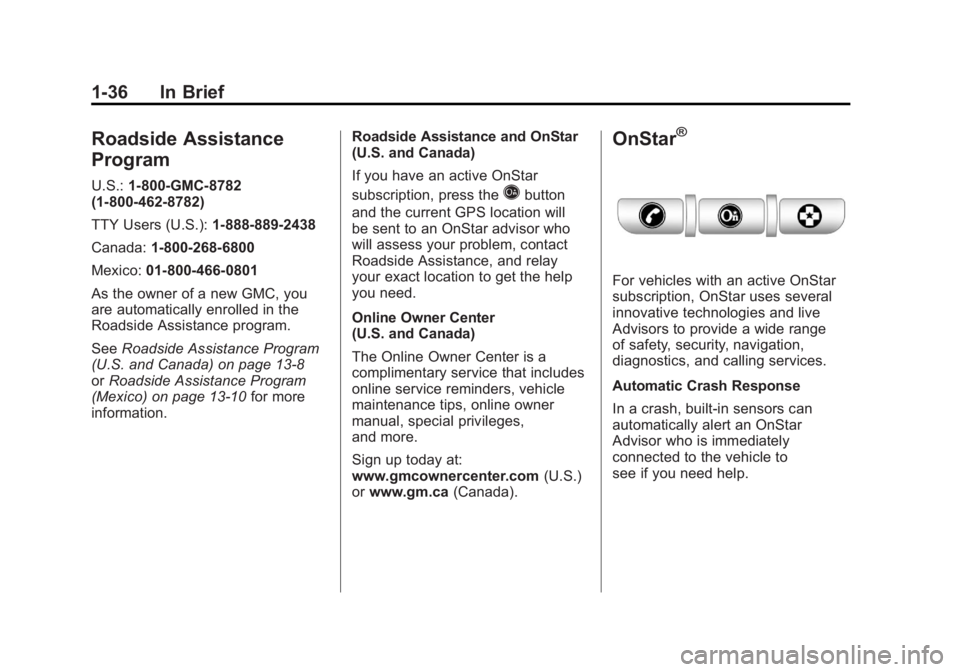
For vehicles with an active OnStar
subscription, OnStar uses several
innovative technologies and live
Advisors to provide a wide range
of safety, security, navigation,
diagnostics, and calling services.
Automatic Crash Response
In a crash, built‐in sensors can
automatically alert an OnStar
Advisor who is immediately
connected to the vehicle to
see if you need help.
Page 101 of 594
Black plate (33,1)GMC Sierra Owner Manual - 2011
Seats and Restraints 3-33
Frontal airbags may inflate
at different crash speeds.
For example:
.If the vehicle hits a stationary
object, the airbags could inflate
at a different crash speed than if
the vehicle hits a moving object.
.If the vehicle hits an object that
deforms, the airbags could
inflate at a different crash speed
than if the vehicle hits an object
that does not deform.
.If the vehicle hits a narrow object
(like a pole), the airbags could
inflate at a different crash speed
than if the vehicle hits a wide
object (like a wall).
.If the vehicle goes into an object
at an angle, the airbags could
inflate at a different crash speed
than if the vehicle goes straight
into the object.Thresholds can also vary with
specific vehicle design.
Frontal airbags are not intended to
inflate during vehicle rollovers, rear
impacts, or in many side impacts.
If the GVWR (Gross Vehicle Weight
Rating) of your vehicle is 3 855 kg
(8,500 lb) or above, the vehicle has
single stage airbags. If the GVWR
is below 3 855 kg (8,500 lb) then
the vehicle has dual stage airbags.
Vehicles with a full bench seat are
equipped with single state airbags.
You can find the GVWR on the
certification label on the rear edge
of the driver door. See
Vehicle
Load Limits on page 9‑25 for
more information. The vehicle may have dual‐stage
frontal airbags. Dual-stage airbags
adjust the restraint according to
crash severity. The vehicle has
electronic frontal sensors, which
help the sensing system distinguish
between a moderate frontal impact
and a more severe frontal impact.
For moderate frontal impacts,
dual-stage airbags inflate at a
level less than full deployment.
For more severe frontal impacts,
full deployment occurs.
Vehicles with dual stage airbags
also have seat position sensors
which enable the sensing system
to monitor the position of the driver
seat (all models), and on crew cab
and extended cab models the right
front passenger seat on light duty
models only. The seat position
sensor provides information that is
used to determine if the airbags
should deploy at a reduced level
or at full deployment.
Page 109 of 594
Black plate (41,1)GMC Sierra Owner Manual - 2011
Seats and Restraints 3-41
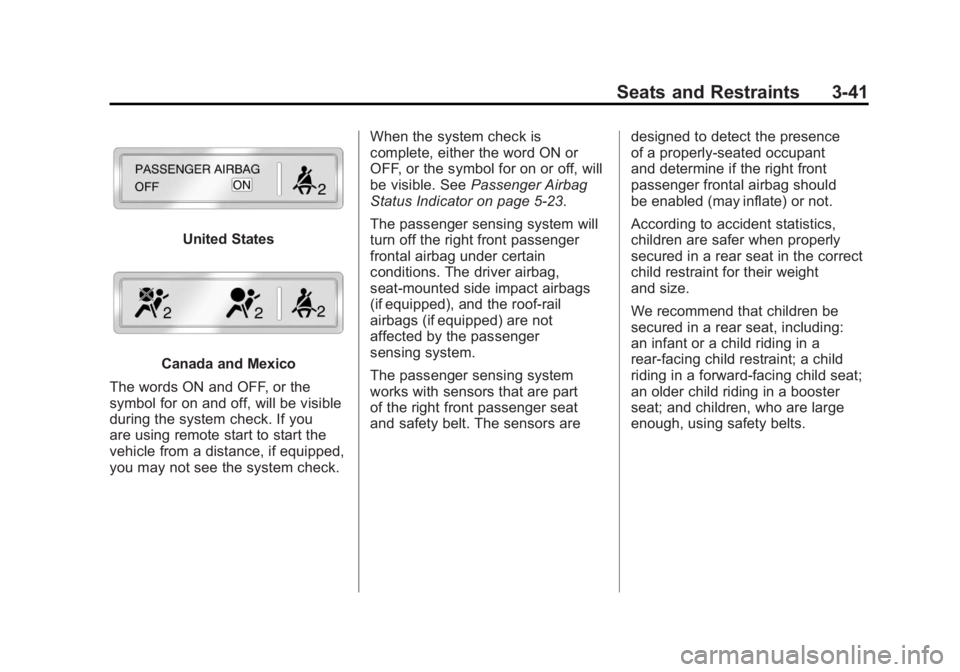
United States
Canada and Mexico
The words ON and OFF, or the
symbol for on and off, will be visible
during the system check. If you
are using remote start to start the
vehicle from a distance, if equipped,
you may not see the system check. When the system check is
complete, either the word ON or
OFF, or the symbol for on or off, will
be visible. See
Passenger Airbag
Status Indicator on page 5‑23.
The passenger sensing system will
turn off the right front passenger
frontal airbag under certain
conditions. The driver airbag,
seat‐mounted side impact airbags
(if equipped), and the roof-rail
airbags (if equipped) are not
affected by the passenger
sensing system.
The passenger sensing system
works with sensors that are part
of the right front passenger seat
and safety belt. The sensors are designed to detect the presence
of a properly-seated occupant
and determine if the right front
passenger frontal airbag should
be enabled (may inflate) or not.
According to accident statistics,
children are safer when properly
secured in a rear seat in the correct
child restraint for their weight
and size.
We recommend that children be
secured in a rear seat, including:
an infant or a child riding in a
rear-facing child restraint; a child
riding in a forward-facing child seat;
an older child riding in a booster
seat; and children, who are large
enough, using safety belts.
Page 114 of 594
Black plate (46,1)GMC Sierra Owner Manual - 2011
3-46 Seats and Restraints
Servicing the
Airbag-Equipped Vehicle
Airbags affect how the vehicle
should be serviced. There are
parts of the airbag system in
several places around the vehicle.
Your dealer and the service manual
have information about servicing
the vehicle and the airbag system.
To purchase a service manual, see
Service Publications Ordering
Information on page 13‑15.
{WARNING
For up to 10 seconds after the
ignition is turned off and the
battery is disconnected, an airbag
can still inflate during improper
service. You can be injured if you
are close to an airbag when it
inflates. Avoid yellow connectors.
They are probably part of the
airbag system. Be sure to follow
proper service procedures, and
make sure the person performing
work for you is qualified to do so.
Adding Equipment to the
Airbag-Equipped Vehicle
Q: Is there anything I might addto or change about the vehicle
that could keep the airbags
from working properly?
A: Yes. If you add things that
change your vehicle's frame,
bumper system, height, front end
or side sheet metal, they may
keep the airbag system from
working properly. Changing or
moving any parts of the front
seats, safety belts, the airbag
sensing and diagnostic module,
steering wheel, instrument
panel, roof-rail airbag modules,
ceiling headliner or pillar garnish
trim, overhead console, front
sensors, side impact sensors,
or airbag wiring can affect the
operation of the airbag system.
Page 115 of 594
Black plate (47,1)GMC Sierra Owner Manual - 2011
Seats and Restraints 3-47
In addition, the vehicle may have
a passenger sensing system
for the right front passenger's
position, which includes sensors
that are part of the passenger's
seat. The passenger sensing
system may not operate
properly if the original seat
trim is replaced with non-GM
covers, upholstery or trim,
or with GM covers, upholstery
or trim designed for a different
vehicle. Any object, such as
an aftermarket seat heater
or a comfort enhancing pad
or device, installed under or
on top of the seat fabric, could
also interfere with the operation
of the passenger sensing
system. This could either
prevent proper deployment
of the passenger airbag(s) or
prevent the passenger sensing
system from properly turning
off the passenger airbag(s).
SeePassenger Sensing
System on page 3‑40. If you have any questions
about this, you should contact
Customer Assistance before you
modify your vehicle. The phone
numbers and addresses for
Customer Assistance are in
Step Two of the Customer
Satisfaction Procedure in
this manual. See
Customer
Satisfaction Procedure (U.S.
and Canada) on page 13‑1
or Customer Satisfaction
Procedure (Mexico) on
page 13‑3.
If the vehicle has rollover
roof-rail airbags, see Different
Size Tires and Wheels on
page 10‑79 for additional
important information. Q: What if I added a snow plow?
Will it keep the airbags from
working properly?
A: We have designed our airbag
systems to work properly under
a wide range of conditions,
including snow plowing with
vehicles that have the optional
Snow Plow Prep Package
(RPO VYU). But do not change
or defeat the snow plow's
“tripping mechanism.” If you do,
it can damage your snow plow
and your vehicle, and it may
cause an airbag inflation.
Page 116 of 594
Black plate (48,1)GMC Sierra Owner Manual - 2011
3-48 Seats and Restraints
Q: Because I have a disability,I have to get my vehicle
modified. How can I find out
whether this will affect my
airbag system?
A: If you have questions,
call Customer Assistance.
The phone numbers and
addresses for Customer
Assistance are in Step Two
of the Customer Satisfaction
Procedure in this manual.
See Customer Satisfaction
Procedure (U.S. and Canada) on
page 13‑1 orCustomer
Satisfaction Procedure (Mexico)
on page 13‑3.
In addition, your dealer and the
service manual have information
about the location of the airbag
sensors, sensing and diagnostic
module and airbag wiring.Airbag System Check
The airbag system does not need
regularly scheduled maintenance
or replacement. Make sure the
airbag readiness light is working.
See Airbag Readiness Light on
page 5‑20 for more information.
Notice: If an airbag covering is
damaged, opened, or broken,
the airbag may not work properly.
Do not open or break the airbag
coverings. If there are any
opened or broken airbag
covers, have the airbag covering
and/or airbag module replaced.
For the location of the airbag
modules, see What Makes an
Airbag Inflate? on page 3‑34.
See your dealer for service.
Replacing Airbag System
Parts After a Crash
{WARNING
A crash can damage the
airbag systems in the vehicle.
A damaged airbag system
may not work properly and
may not protect you and your
passenger(s) in a crash, resulting
in serious injury or even death.
To help make sure the airbag
systems are working properly
after a crash, have them
inspected and any necessary
replacements made as soon
as possible.
Page 168 of 594
Black plate (20,1)GMC Sierra Owner Manual - 2011
5-20 Instruments and Controls
Passenger Safety Belt
Reminder Light
For vehicles equipped with the
passenger safety belt reminder
light, several seconds after the
engine is started, a chime sounds
for several seconds to remind the
front passenger to buckle their
safety belt. The passenger safety
belt light, located on the overhead
console, comes on and stays on for
several seconds, flashes for several
more seconds and then comes on
solid for several more.
This chime and light sequence is
repeated if the passenger remains
unbuckled and the vehicle is in
motion.
If the passenger safety belt is
buckled, neither the chime nor the
light comes on.
The front passenger safety belt
warning light and chime may turn
on if an object is put on the seat
such as a briefcase, handbag,
grocery bag, laptop or other
electronic device. To turn off the
warning light and or chime, remove
the object from the seat or buckle
the safety belt.
Airbag Readiness Light
The system checks the airbag's
electrical system for possible
malfunctions. If the light stays
on it indicates there is an electrical
problem. The system check
includes the airbag sensor, the
pretensioners, the airbag modules,
the wiring, and the crash sensing
and diagnostic module. For more
information on the airbag system,
seeAirbag System on page 3‑29.
The airbag readiness light comes
on solid for a few seconds when the
engine is started. If the light does
not come on then, have it fixed
immediately.
Page 197 of 594
Black plate (49,1)GMC Sierra Owner Manual - 2011
Instruments and Controls 5-49
Tire Messages
SERVICE TIRE MONITOR
SYSTEM
If the vehicle has the Tire Pressure
Monitor System (TPMS), this
message displays if a part on the
system is not working properly.
The tire pressure light also flashes
and then remains on during the
same ignition cycle. SeeTire
Pressure Light on page 5‑30.
Several conditions may cause
this message to appear. See Tire
Pressure Monitor Operation on
page 10‑69 for more information.
If the warning comes on and stays
on, there may be a problem with
the TPMS. See your dealer.
TIRE LEARNING ACTIVE
If the vehicle has the Tire Pressure
Monitor System (TPMS), this
message displays when the system
is re-learning the tire positions on
your vehicle. The tire positions must
be re-learned after rotating the tires
or after replacing a tire or sensor.
See Tire Inspection on page 10‑73,
Tire Rotation on page 10‑73,
Tire Pressure Monitor System on
page 10‑68, and Tire Pressure on
page 10‑66 for more information.
TIRE LOW ADD AIR TO TIRE
If the vehicle has the Tire Pressure
Monitor System (TPMS), this
message displays when the
pressure in one or more of the
vehicle's tires is low. This message
also displays LEFT FRT (left front),
RIGHT FRT (right front), LEFT RR (left rear), or RIGHT RR (right rear)
to indicate the location of the low
tire. The low tire pressure warning
light will also come on. See
Tire
Pressure Light on page 5‑30.
You can receive more than one
tire pressure message at a time.
To read the other messages that
may have been sent at the same
time, press the set/reset button or
the trip odometer reset stem. If a
tire pressure message appears on
the DIC, stop as soon as you can.
Have the tire pressures checked
and set to those shown on the Tire
Loading Information label. See Tires
on page 10‑57, Vehicle Load Limits
on page 9‑25, and Tire Pressure on
page 10‑66. The DIC also shows
the tire pressure values. See Driver
Information Center (DIC) on
page 5‑33.
Page 220 of 594
Black plate (4,1)GMC Sierra Owner Manual - 2011
6-4 Lighting
Daytime Running
Lamps (DRL)
Daytime Running Lamps (DRL) can
make it easier for others to see the
front of your vehicle during the day.
Fully functional daytime running
lamps are required on all vehicles
first sold in Canada.
The DRL system comes on when
the following conditions are met:
.The ignition is on.
.The exterior lamps control is
in AUTO.
.The transmission is not in Park.
.The light sensor determines it is
daytime.
When the DRL system is on,
only the DRL lamps are on.
The taillamps, sidemarker,
instrument panel lights, and
other lamps will not be on.
When it begins to get dark, the
automatic headlamp system
switches from DRL to the
headlamps. To turn off the DRL lamps, turn
the exterior lamps control to the
OFF position and then release.
For vehicles first sold in Canada,
the transmission must be in the
P (Park) position before the DRL
lamps can be turned off.
Automatic Headlamp
System
When it is dark enough outside, the
automatic headlamp system turns
on the headlamps at the normal
brightness, along with the taillamps,
sidemarker, parking lamps, and the
instrument panel lights. The radio
lights will also be dim.
To turn off the automatic headlamp
system, turn the exterior lamps
switch to the off position and then
release it. For vehicles first sold in
Canada, the transmission must be
in the P (Park) position before the
automatic headlamp system can
be turned off.
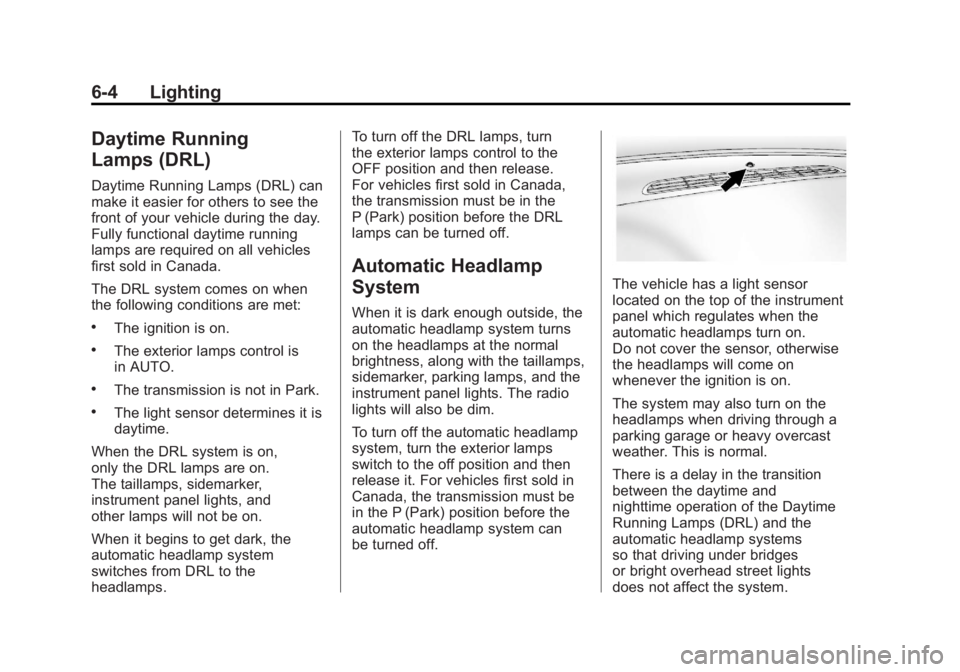
The vehicle has a light sensor
located on the top of the instrument
panel which regulates when the
automatic headlamps turn on.
Do not cover the sensor, otherwise
the headlamps will come on
whenever the ignition is on.
The system may also turn on the
headlamps when driving through a
parking garage or heavy overcast
weather. This is normal.
There is a delay in the transition
between the daytime and
nighttime operation of the Daytime
Running Lamps (DRL) and the
automatic headlamp systems
so that driving under bridges
or bright overhead street lights
does not affect the system.