ECO mode GMC SIERRA 1500 2013 Owner's Manual
[x] Cancel search | Manufacturer: GMC, Model Year: 2013, Model line: SIERRA 1500, Model: GMC SIERRA 1500 2013Pages: 534, PDF Size: 7.85 MB
Page 235 of 534
Black plate (35,1)GMC Sierra Owner Manual - 2013 - crc - 8/14/12
Infotainment System 7-35
USB-Supported File and Folder
Structure
The radio supports:
.Up to 700 folders
.Up to eight folders in depth
.Up to 65,535 files.
.Folder and file names up to
64 bytes
.Files with an .mp3 or .wma file
extension
.AAC files stored on an iPod
.FAT16
.FAT32
Connecting a USB Storage
Device or iPod®
The USB port can be used to
control an iPod or a USB storage
device.
To connect a USB storage device,
connect the device to the USB port
located in the center console or on
the instrument panel.To connect an iPod, connect one
end of the USB cable that came
with the iPod to the iPod’s dock
connector and connect the other
end to the USB port located in the
center console or on the instrument
panel. If the vehicle is on and the
USB connection works,
“OK to
disconnect” and a GM logo may
appear on the iPod, and iPod
appears on the radio display. The
iPod music appears on the radio’s
display and begins playing.
The iPod charges while it is
connected to the vehicle if the
vehicle is in the ACC/ACCESSORY
or ON/RUN position. When the
vehicle is turned off, the iPod
automatically powers off and will not
charge or draw power from the
vehicle's battery.
If you have an older iPod model that
is not supported, it can still be used
by connecting it to the auxiliary
input jack using a standard 3.5 mm
(1/8 in) stereo cable. See “Using the
Auxiliary Input Jack” earlier for more
information.
Using the Radio to Control a
USB Storage Device or iPod
The radio can control a USB
storage device or an iPod using the
radio buttons and knobs, and
display song information on the
radio’s display.
f(Tune): Turn to select files.
©SEEK:Press to go to the start of
the track, if more than 10 seconds
have played. Press and hold or
press multiple times to continue
moving backward through tracks.
¨SEEK: Press to go to the next
track. Press and hold or press
multiple times to continue moving
forward through tracks.
sREV (Reverse): Press and hold
to reverse playback quickly. Sound
is heard at a reduced volume.
Release
sREV to resume playing.
The elapsed time of the file
displays.
Page 237 of 534
Black plate (37,1)GMC Sierra Owner Manual - 2013 - crc - 8/14/12
Infotainment System 7-37
.Genres
.Songs
.Composers
To select files:
1. Press the softkey below
h.
2. Turn
fto scroll through the list
of menus.
3. Press
fto select the
desired menu.
4. Turn
fto scroll through the
folders or files in the
selected menu.
5. Press
fto select the desired file
to be played.
To skip through large lists, the five
softkeys can be used to navigate in
the following order:
.First softkey, first item in the list.
.Second softkey, 1% through the
list each time the softkey is
pressed.
.Third softkey, 5% through the list
each time the softkey is pressed.
.Fourth softkey, 10% through the
list each time the softkey is
pressed.
.Fifth softkey, end of the list.
Repeat Functionality
To use Repeat:
Press the softkey below
"or'
to select between Repeat All and
Repeat Track.
"(Repeat All): Press the softkey
below
"to repeat all tracks. The
tab appears lowered when Repeat
All is being used. This is the default
mode when a USB storage device
or iPod is first connected.
'(Repeat Track): Press the
softkey below
'to repeat one
track. The tab appears raised when
Repeat Track is being used. Shuffle Functionality
To use Shuffle:
Press the softkey below
>,2,
C, or=to select between
Shuffle Off, Shuffle All Songs/
Shuffle Songs, Shuffle Album,
or Shuffle Folder.
>(Shuffle Off): Press the
softkey below
2to turn shuffle
off. This is the default mode when a
USB storage device or iPod is first
connected.
2(Shuffle All Songs/Shuffle
Songs): Press the softkey below
=orCto shuffle all songs on
the USB storage device or iPod.
C(Shuffle Album): Press the
softkey below
>to shuffle all
songs in the current album on
an iPod.
=(Shuffle Folder): Press the
softkey below
>to shuffle all
songs in the current folder on a USB
storage device.
Page 240 of 534
Black plate (40,1)GMC Sierra Owner Manual - 2013 - crc - 8/14/12
7-40 Infotainment System
2. Replace the two batteries in thecompartment. Make sure that
they are installed correctly, using
the diagram on the inside of the
battery compartment.
3. Replace the battery door and tighten the door screw.
If the headphones are to be stored
for a long period of time, remove the
batteries and keep them in a cool,
dry place.
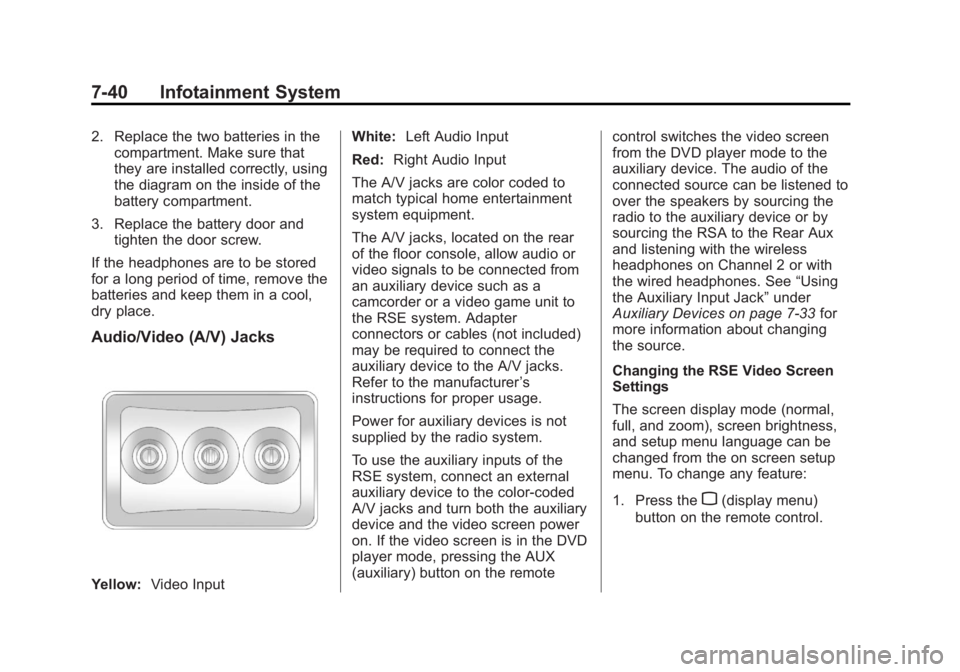
Audio/Video (A/V) Jacks
Yellow: Video Input White:
Left Audio Input
Red: Right Audio Input
The A/V jacks are color coded to
match typical home entertainment
system equipment.
The A/V jacks, located on the rear
of the floor console, allow audio or
video signals to be connected from
an auxiliary device such as a
camcorder or a video game unit to
the RSE system. Adapter
connectors or cables (not included)
may be required to connect the
auxiliary device to the A/V jacks.
Refer to the manufacturer ’s
instructions for proper usage.
Power for auxiliary devices is not
supplied by the radio system.
To use the auxiliary inputs of the
RSE system, connect an external
auxiliary device to the color-coded
A/V jacks and turn both the auxiliary
device and the video screen power
on. If the video screen is in the DVD
player mode, pressing the AUX
(auxiliary) button on the remote control switches the video screen
from the DVD player mode to the
auxiliary device. The audio of the
connected source can be listened to
over the speakers by sourcing the
radio to the auxiliary device or by
sourcing the RSA to the Rear Aux
and listening with the wireless
headphones on Channel 2 or with
the wired headphones. See
“Using
the Auxiliary Input Jack” under
Auxiliary Devices on page 7‑33 for
more information about changing
the source.
Changing the RSE Video Screen
Settings
The screen display mode (normal,
full, and zoom), screen brightness,
and setup menu language can be
changed from the on screen setup
menu. To change any feature:
1. Press the
z(display menu)
button on the remote control.
Page 245 of 534
Black plate (45,1)GMC Sierra Owner Manual - 2013 - crc - 8/14/12
Infotainment System 7-45
Tips and Troubleshooting Chart
ProblemRecommended Action
There is no power. The ignition might not be turned to ON/RUN or ACC/
ACCESSORY.
The picture does not fill the screen. There are black
borders on the top and bottom or on both sides, or the
picture looks stretched out. Check the display mode settings in the setup menu by
pressing the display menu button on the remote control.
In auxiliary mode, the picture moves or scrolls. Check the auxiliary input connections at both devices.
The remote control does not work. Check to make sure there is no obstruction between the
remote control and the transmitter window.
Check the batteries to make sure they are not dead or
installed incorrectly.
After stopping the player, and pushing Play, sometimes
the DVD starts where it left off and sometimes at the
beginning. If the stop button was pressed one time, the DVD player
resumes playing where the DVD was stopped. If the
stop button was pressed two times, the DVD player
begins to play from the beginning of the DVD.
The auxiliary source is running, but there is no picture or
sound. Check that the RSE video screen is in the auxiliary
source mode.
Check the auxiliary input connections at both devices.
Page 249 of 534
Black plate (49,1)GMC Sierra Owner Manual - 2013 - crc - 8/14/12
Infotainment System 7-49
Phone
Bluetooth
For vehicles equipped with
Bluetooth capability, the system can
interact with many cell phones,
allowing:
.Placement and receipt of calls in
a hands-free mode.
.Sharing of the cell phone’s
address book or contact list with
the vehicle.
To minimize driver distraction,
before driving, and with the vehicle
parked:
.Become familiar with the
features of the cell phone.
Organize the phone book and
contact lists clearly and delete
duplicate or rarely used entries.
If possible, program speed dial
or other shortcuts.
.Review the controls and
operation of the infotainment
system.
.Pair cell phone(s) to the vehicle.
The system may not work with
all cell phones. See “Pairing”in
this section for more information.
.If the cell phone has voice
dialing capability, learn to use
that feature to access the
address book or contact list. See
“Voice Pass-Thru” in this section
for more information.
.See “Storing and Deleting Phone
Numbers” in this section for
more information.
{WARNING
When using a cell phone, it can
be distracting to look too long or
too often at the screen of the
phone or the infotainment
(navigation) system. Taking your
eyes off the road too long or too
often could cause a crash
resulting in injury or death. Focus
your attention on driving. A Bluetooth system can use a
Bluetooth-capable cell phone with a
Hands-Free Profile to make and
receive phone calls. The system
can be used while the key is in the
ON/RUN or ACC/ACCESSORY
position. The range of the Bluetooth
system can be up to 9.1 m (30 ft).
Not all phones support all functions,
and not all phones work with the
in-vehicle Bluetooth system. See
www.gm.com/bluetooth for more
information on compatible phones.
Voice Recognition
The Bluetooth system uses voice
recognition to interpret voice
commands to dial phone numbers
and name tags.
For additional information, say
“Help”
while you are in a voice
recognition menu.
Noise: Keep interior noise levels to
a minimum. The system may not
recognize voice commands if there
is too much background noise.
Page 260 of 534
Black plate (4,1)GMC Sierra Owner Manual - 2013 - crc - 8/14/12
8-4 Climate Controls
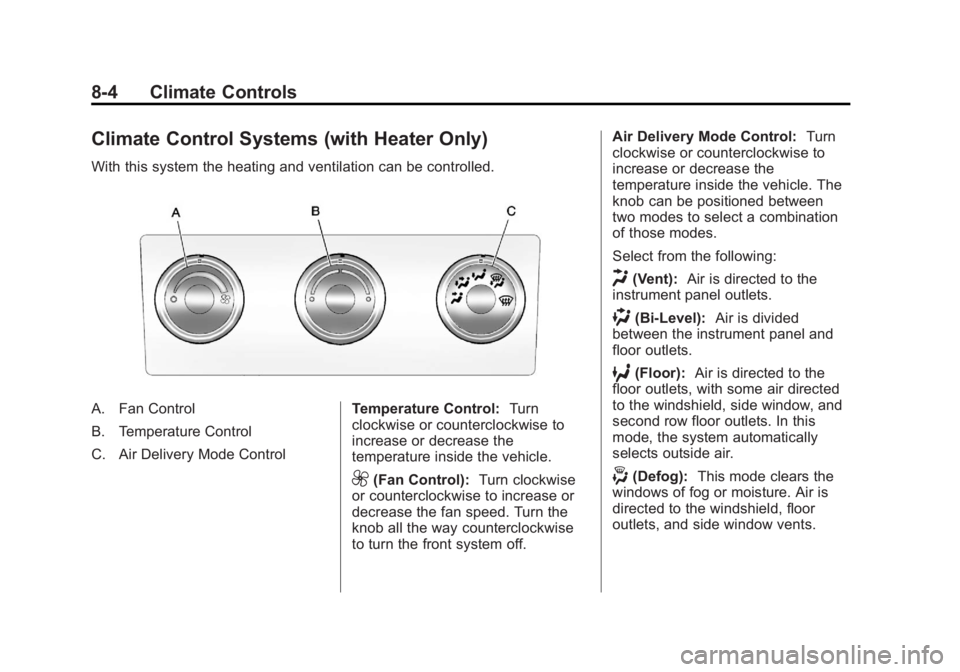
Climate Control Systems (with Heater Only)
With this system the heating and ventilation can be controlled.
A. Fan Control
B. Temperature Control
C. Air Delivery Mode ControlTemperature Control:
Turn
clockwise or counterclockwise to
increase or decrease the
temperature inside the vehicle.
9(Fan Control): Turn clockwise
or counterclockwise to increase or
decrease the fan speed. Turn the
knob all the way counterclockwise
to turn the front system off. Air Delivery Mode Control:
Turn
clockwise or counterclockwise to
increase or decrease the
temperature inside the vehicle. The
knob can be positioned between
two modes to select a combination
of those modes.
Select from the following:
H(Vent): Air is directed to the
instrument panel outlets.
)(Bi-Level): Air is divided
between the instrument panel and
floor outlets.
6(Floor): Air is directed to the
floor outlets, with some air directed
to the windshield, side window, and
second row floor outlets. In this
mode, the system automatically
selects outside air.
-(Defog): This mode clears the
windows of fog or moisture. Air is
directed to the windshield, floor
outlets, and side window vents.
Page 262 of 534
Black plate (6,1)GMC Sierra Owner Manual - 2013 - crc - 8/14/12
8-6 Climate Controls
O(On/Off):Press to turn the
climate control system on or off.
Outside air still enters the vehicle,
and is directed to the floor. This
direction can be changed by
pressing the mode button.
Recirculation can be selected once
you have selected vent or bi-level
mode. The temperature can also be
adjusted using either temperature
button. If the air delivery mode or
temperature settings are adjusted
with the system off, the display
illuminates briefly to show the
settings and then returns to off. The
system can be turned back on by
pressing either
O,D,C,#, the
defrost or the AUTO button.
Driver and Passenger Side
Temperature Controls
The driver and passenger side
temperature buttons are used to
adjust the temperature of the air
coming through the system on the
driver or passenger side of the
vehicle. The temperature can be
adjusted even if the system is turned off. This is possible since
outside air always flows through the
system as the vehicle is moving
forward unless it is set to
recirculation mode. See
“Recirculation”
later in this section.
Press the + or −buttons to increase
or decrease the cabin temperature.
The driver side or passenger side
temperature display shows the
temperature setting increasing or
decreasing.
The passenger temperature setting
can be set to match the driver
temperature setting by pressing the
PASS button and turning off the
PASS indicator. When the
passenger temperature setting is set
different than the driver setting, the
indicator on the PASS button
illuminates and both the driver side
and passenger side temperature
displays are shown.
When in defrost mode the
passenger temperature setting
cannot be changed.
Automatic Operation
AUTO (Automatic): When
automatic operation is active, the
system controls the inside
temperature, the air delivery, and
the fan speed.
Use the steps below to place the
entire system in automatic mode:
1. Press the AUTO button.
When AUTO is selected, the
display changes to show the
current temperature(s) and
AUTO is lit on the display. The
current air delivery mode and
fan speed are also displayed for
about five seconds.
When AUTO is selected, the air
conditioning operation and air
inlet are automatically controlled.
The air conditioning compressor
may run when the outside
temperature is above freezing.
The air inlet will normally be set
to outside air. If it is hot outside,
the air inlet may automatically
switch to the recirculate mode to
Page 264 of 534
Black plate (8,1)GMC Sierra Owner Manual - 2013 - crc - 8/14/12
8-8 Climate Controls
second row floor outlets. In this
mode, the system automatically
selects outside air.
-(Defog):This mode clears the
windows of fog or moisture. Air is
directed to the windshield, floor
outlets, and side window vents. In
this mode, the system turns off
recirculation and runs the air
conditioning compressor unless the
outside temperature is close to
freezing. The recirculation mode
cannot be selected while in the
defrost mode.
0(Defrost): This mode removes
fog or frost from the windshield
more quickly. Air is directed to the
windshield and side window vents,
with some directed to the floor
vents. In this mode, the system
automatically forces outside air into
the vehicle and runs the air
conditioning compressor unless the
outside temperature is close to
freezing. The recirculation mode
cannot be selected while in the
defrost mode. The passenger temperature control
cannot be activated while in defrost
mode. If the PASS button is
pressed, the button indicator flashes
three times and will not work. If the
passenger temperature buttons are
adjusted, the driver temperature
indicator changes. The passenger
temperature will not be displayed.
If vent, bi-level, or floor mode is
selected again, the climate control
system displays the previous
temperature settings.
Do not drive the vehicle until all
windows are clear.
#(Air Conditioning):
Press to
turn the air conditioning (A/C)
compressor on and off. An indicator
light comes on to show that the air
conditioning is on.
If this button is pressed when the air
conditioning compressor is
unavailable due to outside
conditions, the indicator flashes
three times and then turns off. If the
air conditioning is on and the
outside temperature drops below a temperature which is too cool for air
conditioning to be effective, the air
conditioning light turns off to show
that the air conditioning mode has
been canceled.
On hot days, open the windows long
enough to let hot inside air escape.
This helps to reduce the time it
takes for the vehicle to cool down.
It also helps the system to operate
more efficiently.
The air conditioning system
removes moisture from the air, so a
small amount of water might drip
under the vehicle while idling or
after turning off the engine. This is
normal.
@(Recirculation):
Press to turn
the recirculation mode on. An
indicator light comes on to show
that recirculation is on.
This mode recirculates and helps to
quickly cool the air inside the
vehicle. It can be used to help
prevent outside air and odors from
entering the vehicle.
Page 267 of 534
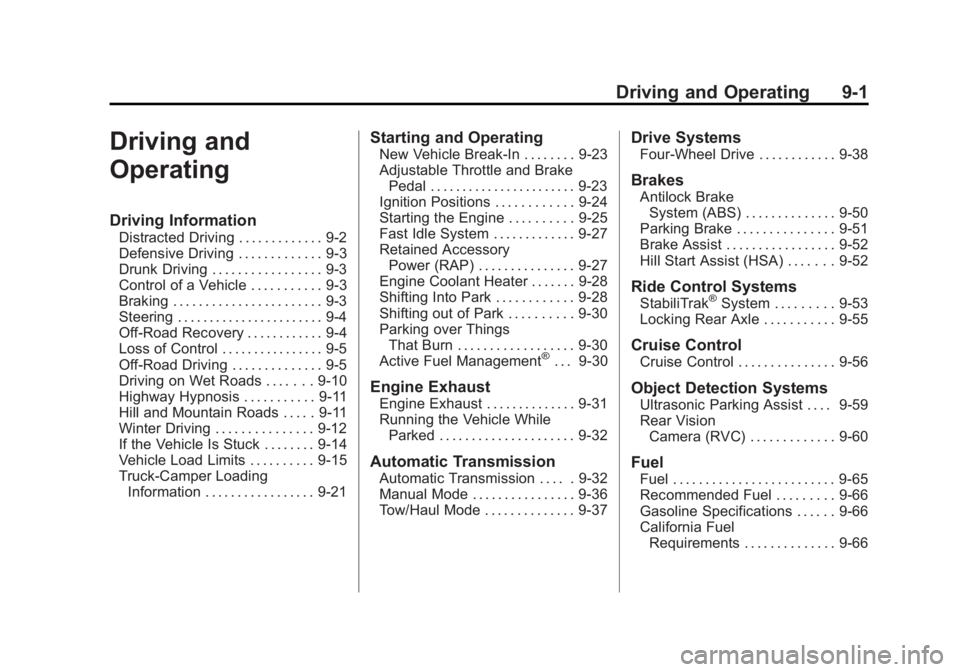
Black plate (1,1)GMC Sierra Owner Manual - 2013 - crc - 8/14/12
Driving and Operating 9-1
Driving and
Operating
Driving Information
Distracted Driving . . . . . . . . . . . . . 9-2
Defensive Driving . . . . . . . . . . . . . 9-3
Drunk Driving . . . . . . . . . . . . . . . . . 9-3
Control of a Vehicle . . . . . . . . . . . 9-3
Braking . . . . . . . . . . . . . . . . . . . . . . . 9-3
Steering . . . . . . . . . . . . . . . . . . . . . . . 9-4
Off-Road Recovery . . . . . . . . . . . . 9-4
Loss of Control . . . . . . . . . . . . . . . . 9-5
Off-Road Driving . . . . . . . . . . . . . . 9-5
Driving on Wet Roads . . . . . . . 9-10
Highway Hypnosis . . . . . . . . . . . 9-11
Hill and Mountain Roads . . . . . 9-11
Winter Driving . . . . . . . . . . . . . . . 9-12
If the Vehicle Is Stuck . . . . . . . . 9-14
Vehicle Load Limits . . . . . . . . . . 9-15
Truck-Camper LoadingInformation . . . . . . . . . . . . . . . . . 9-21
Starting and Operating
New Vehicle Break-In . . . . . . . . 9-23
Adjustable Throttle and BrakePedal . . . . . . . . . . . . . . . . . . . . . . . 9-23
Ignition Positions . . . . . . . . . . . . 9-24
Starting the Engine . . . . . . . . . . 9-25
Fast Idle System . . . . . . . . . . . . . 9-27
Retained Accessory Power (RAP) . . . . . . . . . . . . . . . 9-27
Engine Coolant Heater . . . . . . . 9-28
Shifting Into Park . . . . . . . . . . . . 9-28
Shifting out of Park . . . . . . . . . . 9-30
Parking over Things That Burn . . . . . . . . . . . . . . . . . . 9-30
Active Fuel Management
®. . . 9-30
Engine Exhaust
Engine Exhaust . . . . . . . . . . . . . . 9-31
Running the Vehicle While Parked . . . . . . . . . . . . . . . . . . . . . 9-32
Automatic Transmission
Automatic Transmission . . . . . 9-32
Manual Mode . . . . . . . . . . . . . . . . 9-36
Tow/Haul Mode . . . . . . . . . . . . . . 9-37
Drive Systems
Four-Wheel Drive . . . . . . . . . . . . 9-38
Brakes
Antilock BrakeSystem (ABS) . . . . . . . . . . . . . . 9-50
Parking Brake . . . . . . . . . . . . . . . 9-51
Brake Assist . . . . . . . . . . . . . . . . . 9-52
Hill Start Assist (HSA) . . . . . . . 9-52
Ride Control Systems
StabiliTrak®System . . . . . . . . . 9-53
Locking Rear Axle . . . . . . . . . . . 9-55
Cruise Control
Cruise Control . . . . . . . . . . . . . . . 9-56
Object Detection Systems
Ultrasonic Parking Assist . . . . 9-59
Rear Vision Camera (RVC) . . . . . . . . . . . . . 9-60
Fuel
Fuel . . . . . . . . . . . . . . . . . . . . . . . . . 9-65
Recommended Fuel . . . . . . . . . 9-66
Gasoline Specifications . . . . . . 9-66
California Fuel
Requirements . . . . . . . . . . . . . . 9-66
Page 297 of 534
Black plate (31,1)GMC Sierra Owner Manual - 2013 - crc - 8/14/12
Driving and Operating 9-31
When less power is required, such
as cruising at a constant vehicle
speed, the system will operate in
the half cylinder mode, allowing the
vehicle to achieve better fuel
economy. When greater power
demands are required, such as
accelerating from a stop, passing,
or merging onto a freeway, the
system will maintain full-cylinder
operation.
If the vehicle has an Active Fuel
Management indicator, seeDriver
Information Center (DIC) on
page 5‑28 for more information on
using this display.Engine Exhaust
{WARNING
Engine exhaust contains carbon
monoxide (CO) which cannot be
seen or smelled. Exposure to CO
can cause unconsciousness and
even death.
Exhaust may enter the vehicle if:
.The vehicle idles in areas
with poor ventilation (parking
garages, tunnels, deep snow
that may block underbody
airflow or tail pipes).
.The exhaust smells or
sounds strange or different.
.The exhaust system leaks
due to corrosion or damage.
.The vehicle exhaust system
has been modified, damaged,
or improperly repaired.
(Continued)
WARNING (Continued)
.There are holes or openings
in the vehicle body from
damage or aftermarket
modifications that are not
completely sealed.
If unusual fumes are detected or
if it is suspected that exhaust is
coming into the vehicle:
.Drive it only with the windows
completely down.
.Have the vehicle repaired
immediately.
Never park the vehicle with the
engine running in an enclosed
area such as a garage or a
building that has no fresh air
ventilation.