odometer GMC SIERRA 1500 2017 Owners Manual
[x] Cancel search | Manufacturer: GMC, Model Year: 2017, Model line: SIERRA 1500, Model: GMC SIERRA 1500 2017Pages: 494, PDF Size: 7.66 MB
Page 27 of 494
GMC Sierra/Sierra Denali Owner Manual (GMNA-Localizing-U.S./Canada/
Mexico-9955992) - 2017 - crc - 5/3/16
26 In Brief
Premium Recommended Fuel
Use premium 93 octane unleaded
gasoline in your vehicle. Unleaded
gasoline with an octane rating as
low as 87 may be used, but it will
reduce performance and fuel
economy. SeeFuel0300.
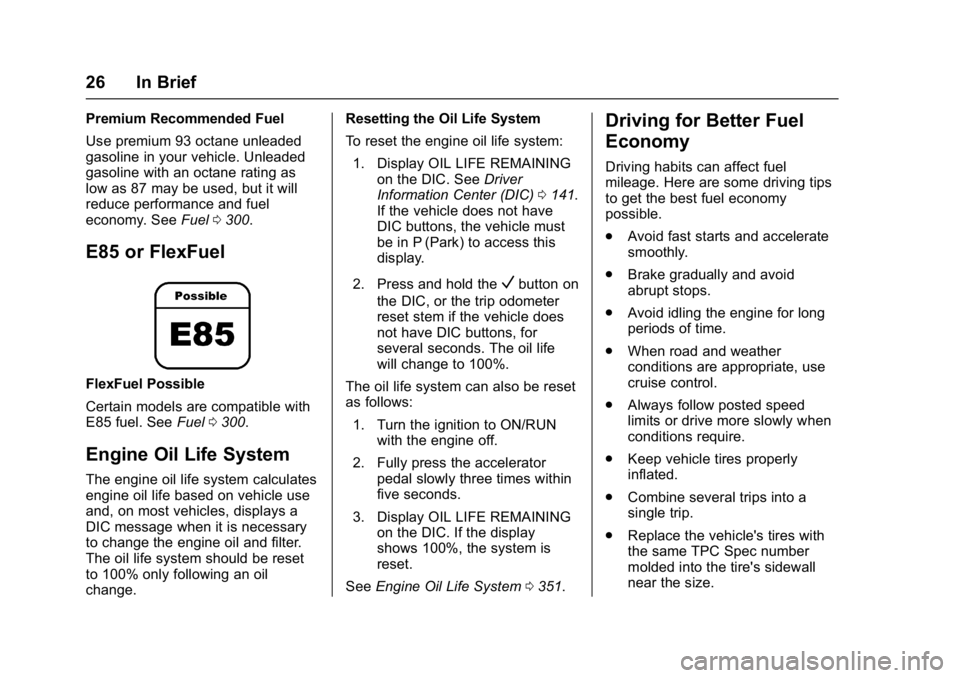
E85 or FlexFuel
FlexFuel Possible
Certain models are compatible with
E85 fuel. See Fuel0300.
Engine Oil Life System
The engine oil life system calculates
engine oil life based on vehicle use
and, on most vehicles, displays a
DIC message when it is necessary
to change the engine oil and filter.
The oil life system should be reset
to 100% only following an oil
change. Resetting the Oil Life System
To reset the engine oil life system:
1. Display OIL LIFE REMAINING on the DIC. See Driver
Information Center (DIC) 0141.
If the vehicle does not have
DIC buttons, the vehicle must
be in P (Park) to access this
display.
2. Press and hold the
Vbutton on
the DIC, or the trip odometer
reset stem if the vehicle does
not have DIC buttons, for
several seconds. The oil life
will change to 100%.
The oil life system can also be reset
as follows: 1. Turn the ignition to ON/RUN with the engine off.
2. Fully press the accelerator pedal slowly three times within
five seconds.
3. Display OIL LIFE REMAINING on the DIC. If the display
shows 100%, the system is
reset.
See Engine Oil Life System 0351.
Driving for Better Fuel
Economy
Driving habits can affect fuel
mileage. Here are some driving tips
to get the best fuel economy
possible.
.
Avoid fast starts and accelerate
smoothly.
. Brake gradually and avoid
abrupt stops.
. Avoid idling the engine for long
periods of time.
. When road and weather
conditions are appropriate, use
cruise control.
. Always follow posted speed
limits or drive more slowly when
conditions require.
. Keep vehicle tires properly
inflated.
. Combine several trips into a
single trip.
. Replace the vehicle's tires with
the same TPC Spec number
molded into the tire's sidewall
near the size.
Page 113 of 494
GMC Sierra/Sierra Denali Owner Manual (GMNA-Localizing-U.S./Canada/
Mexico-9955992) - 2017 - crc - 5/3/16
112 Instruments and Controls
Instruments and
Controls
Controls
Steering Wheel Adjustment . . . 113
Steering Wheel Controls . . . . . . 113
Heated Steering Wheel . . . . . . . 114
Horn . . . . . . . . . . . . . . . . . . . . . . . . . . 114
Windshield Wiper/Washer . . . . 114
Compass . . . . . . . . . . . . . . . . . . . . . 115
Clock . . . . . . . . . . . . . . . . . . . . . . . . . 115
Power Outlets . . . . . . . . . . . . . . . . 117
Wireless Charging . . . . . . . . . . . . 118
Warning Lights, Gauges, and
Indicators
Warning Lights, Gauges, andIndicators . . . . . . . . . . . . . . . . . . . 120
Instrument Cluster . . . . . . . . . . . . 121
Speedometer . . . . . . . . . . . . . . . . . 125
Odometer . . . . . . . . . . . . . . . . . . . . . 125
Trip Odometer . . . . . . . . . . . . . . . . 125
Tachometer . . . . . . . . . . . . . . . . . . . 125
Fuel Gauge . . . . . . . . . . . . . . . . . . . 125
Engine Oil Pressure Gauge . . . . . . . . . . . . . . . . . . . . . . 126
Engine Coolant Temperature Gauge . . . . . . . . . . . . . . . . . . . . . . 127 Transmission Temperature
Gauge . . . . . . . . . . . . . . . . . . . . . . 128
Voltmeter Gauge . . . . . . . . . . . . . 128
Safety Belt Reminders . . . . . . . . 129
Airbag Readiness Light . . . . . . . 130
Airbag On-Off Light . . . . . . . . . . . 130
Passenger Airbag Status Indicator . . . . . . . . . . . . . . . . . . . . 132
Charging System Light . . . . . . . 132
Malfunction Indicator Lamp (Check Engine Light) . . . . . . . . 133
Brake System Warning Light . . . . . . . . . . . . . . . . . . . . . . . . 134
Antilock Brake System (ABS) Warning Light . . . . . . . . . . . . . . . 135
Four-Wheel-Drive Light . . . . . . . 136
Tow/Haul Mode Light . . . . . . . . . 136
Hill Descent Control Light . . . . 136
Lane Departure Warning (LDW) Light (2500/3500
Series) . . . . . . . . . . . . . . . . . . . . . . 136
Lane Keep Assist (LKA) Light (1500 Series) . . . . . . . . . . . . . . . 136
Vehicle Ahead Indicator . . . . . . 137
Traction Off Light . . . . . . . . . . . . . 137
StabiliTrak
®OFF Light . . . . . . . . 137
Traction Control System (TCS)/ StabiliTrak
®Light . . . . . . . . . . . 138
Engine Coolant Temperature Warning Light . . . . . . . . . . . . . . . 138
Tire Pressure Light . . . . . . . . . . . 138 Engine Oil Pressure Light . . . . 139
Low Fuel Warning Light . . . . . . 139
Security Light . . . . . . . . . . . . . . . . . 140
High-Beam On Light . . . . . . . . . . 140
Front Fog Lamp Light . . . . . . . . . 140
Lamps On Reminder . . . . . . . . . 140
Cruise Control Light . . . . . . . . . . 140
Door Ajar Light . . . . . . . . . . . . . . . 141
Information Displays
Driver Information
Center (DIC) . . . . . . . . . . . . . . . . 141
Vehicle Messages
Vehicle Messages . . . . . . . . . . . . 144
Battery Voltage and ChargingMessages . . . . . . . . . . . . . . . . . . . 145
Brake System Messages . . . . . 145
Compass Messages . . . . . . . . . . 146
Door Ajar Messages . . . . . . . . . . 146
Engine Cooling System Messages . . . . . . . . . . . . . . . . . . . 146
Engine Oil Messages . . . . . . . . . 147
Engine Power Messages . . . . . 147
Fuel System Messages . . . . . . . 147
Key and Lock Messages . . . . . 148
Lamp Messages . . . . . . . . . . . . . . 148
Object Detection System Messages . . . . . . . . . . . . . . . . . . . 148
Ride Control System Messages . . . . . . . . . . . . . . . . . . . 149
Page 126 of 494
GMC Sierra/Sierra Denali Owner Manual (GMNA-Localizing-U.S./Canada/
Mexico-9955992) - 2017 - crc - 5/3/16
Instruments and Controls 125
Display Themes (Denali) :There
are three instrument cluster display
configurations to choose from:
Standard, Technology, and Media.
Info Pages : Press
pwhile Info
Pages is displayed to enter the Info
Pages menu and select the items to
be displayed in the Info app. See
Driver Information Center
(DIC) 0141.
Speed Warning : The Speed
Warning display allows the driver to
set a speed that they do not want to
exceed. To set the Speed Warning,
press
pwhen Speed Warning is
displayed. Press
worxto adjust
the value. Press
Vto set the speed.
Once the speed is set, this feature
can be turned off by pressing
V
while viewing this page. If the
selected speed limit is exceeded, a
pop-up warning is displayed with a
chime.
Software Information : Displays
open source software information.
Speedometer
The speedometer shows the
vehicle's speed in either kilometers
per hour (km/h) or miles per
hour (mph).
Odometer
The odometer shows how far the
vehicle has been driven, in either
kilometers or miles. The odometer
displays on the Speed page of the
Driver Information Center (DIC).
Trip Odometer
The trip odometer shows how far
the vehicle has been driven since
the trip odometer was last reset.
The trip odometer is accessed and
reset through the Driver Information
Center (DIC). See Driver
Information Center (DIC) 0141.
Tachometer
The tachometer displays the engine
speed in revolutions per
minute (rpm).
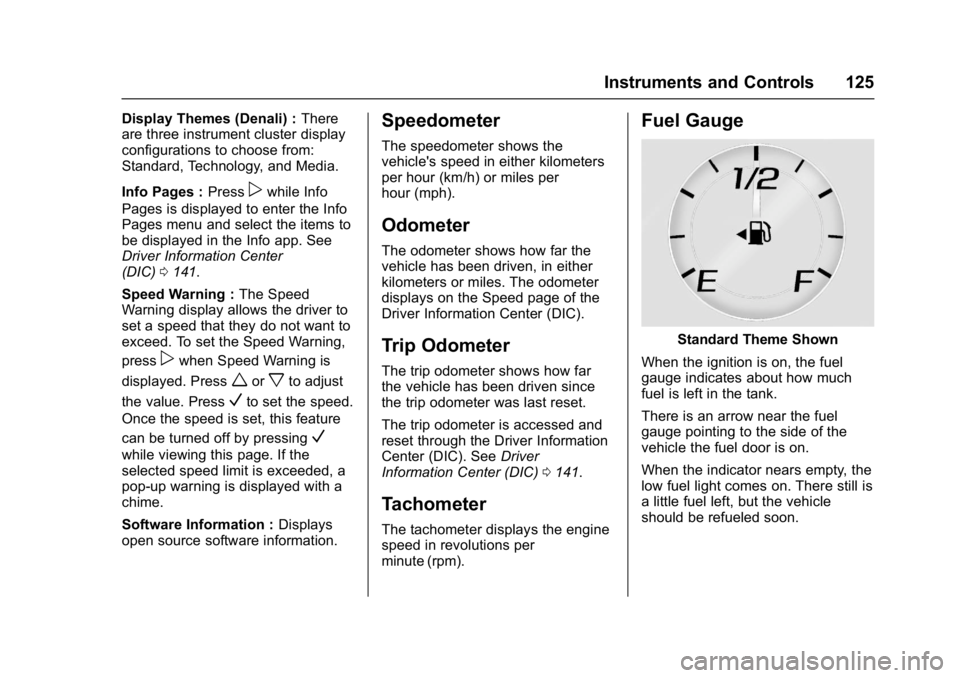
Fuel Gauge
Standard Theme Shown
When the ignition is on, the fuel
gauge indicates about how much
fuel is left in the tank.
There is an arrow near the fuel
gauge pointing to the side of the
vehicle the fuel door is on.
When the indicator nears empty, the
low fuel light comes on. There still is
a little fuel left, but the vehicle
should be refueled soon.
Page 143 of 494
GMC Sierra/Sierra Denali Owner Manual (GMNA-Localizing-U.S./Canada/
Mexico-9955992) - 2017 - crc - 5/3/16
142 Instruments and Controls
6. PressVwhile an item is
highlighted to select or
deselect that item. When an
item is selected, a checkmark
will appear next to it.
DIC Info Pages
The following is the list of all
possible DIC info page displays.
Some may not be available for your
particular vehicle. Some items may
not be turned on by default but can
be turned on through the Settings
app. See “DIC Info Page Options”
earlier in this section.
Speed : Shows the vehicle speed in
either kilometers per hour (km/h) or
miles per hour (mph). The vehicle
odometer is also shown on
this page.
Trip A or Trip B, Average Fuel
Economy, and Average Speed :
Shows the current distance traveled,
in either kilometers (km) or
miles (mi), since the trip odometer
was last reset.
The Average Fuel Economy display
shows the approximate average
liters per 100 kilometers (L/100 km) or miles per gallon (mpg). This
number is calculated based on the
number of L/100 km (mpg) recorded
since the last time this menu item
was reset. This number reflects only
the approximate average fuel
economy that the vehicle has right
now, and will change as driving
conditions change.
The Average Speed display shows
the average speed of the vehicle in
kilometers per hour (km/h) or miles
per hour (mph). This average is
calculated based on the various
vehicle speeds recorded since the
last reset of this value.
Press and hold
Vwhile this display
is active to reset the trip odometer,
the average fuel economy, and the
average speed. Or press
pand
select reset in the menu.
Fuel Range and Instantaneous
Fuel Economy : Shows the
approximate distance the vehicle
can be driven without refueling.
LOW will be displayed when the
vehicle is low on fuel. The fuel
range estimate is based on an
average of the vehicle's fuel economy over recent driving history
and the amount of fuel remaining in
the fuel tank. It also shows if the
Active Fuel Management is active
and in V4 mode, or inactive and in
V8 mode. See
Active Fuel
Management
®0 266.
The Instantaneous Fuel Economy
display shows the approximate
current fuel economy in either liters
per 100 kilometers (L/100 km) or
miles per gallon (mpg). This number
reflects only the approximate fuel
economy that the vehicle has right
now and changes frequently as
driving conditions change.
Timer and Fuel Used : This display
can be used as a timer. To start the
timer, press
Vwhile this display is
active. The display will show the
amount of time that has passed
since the timer was last reset. To
stop the timer, press
Vbriefly while
this display is active and the timer is
running.
This also shows the number of
liters (L) or gallons (gal) of fuel used
since the last reset of this
menu item.
Page 352 of 494
GMC Sierra/Sierra Denali Owner Manual (GMNA-Localizing-U.S./Canada/
Mexico-9955992) - 2017 - crc - 5/3/16
Vehicle Care 351
trash or pouring it on the ground,
into sewers, or into streams or
bodies of water. Recycle it by taking
it to a place that collects used oil.
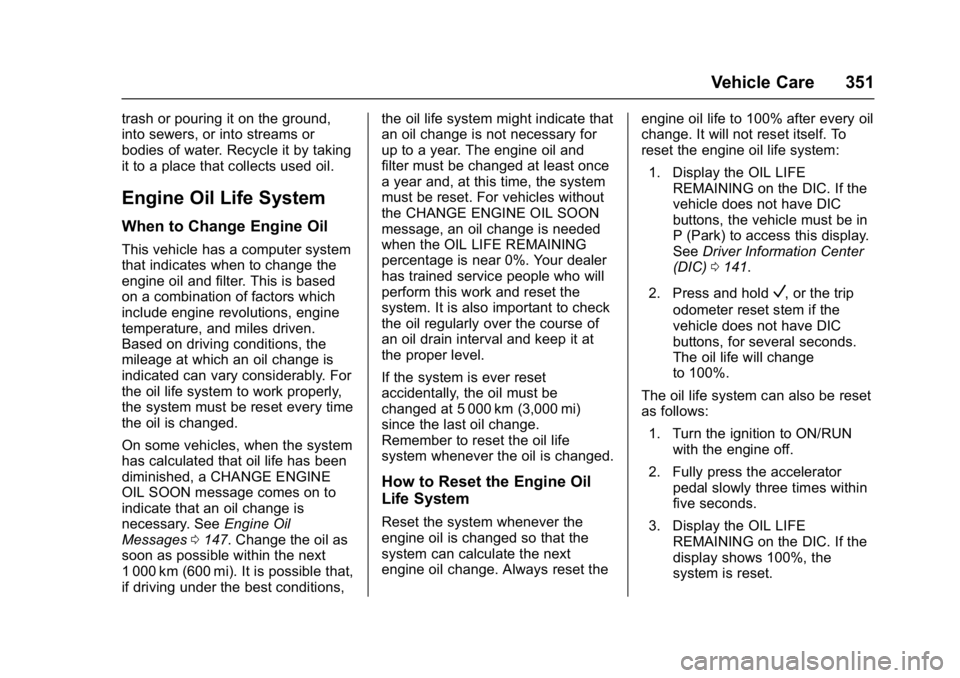
Engine Oil Life System
When to Change Engine Oil
This vehicle has a computer system
that indicates when to change the
engine oil and filter. This is based
on a combination of factors which
include engine revolutions, engine
temperature, and miles driven.
Based on driving conditions, the
mileage at which an oil change is
indicated can vary considerably. For
the oil life system to work properly,
the system must be reset every time
the oil is changed.
On some vehicles, when the system
has calculated that oil life has been
diminished, a CHANGE ENGINE
OIL SOON message comes on to
indicate that an oil change is
necessary. SeeEngine Oil
Messages 0147. Change the oil as
soon as possible within the next
1 000 km (600 mi). It is possible that,
if driving under the best conditions, the oil life system might indicate that
an oil change is not necessary for
up to a year. The engine oil and
filter must be changed at least once
a year and, at this time, the system
must be reset. For vehicles without
the CHANGE ENGINE OIL SOON
message, an oil change is needed
when the OIL LIFE REMAINING
percentage is near 0%. Your dealer
has trained service people who will
perform this work and reset the
system. It is also important to check
the oil regularly over the course of
an oil drain interval and keep it at
the proper level.
If the system is ever reset
accidentally, the oil must be
changed at 5 000 km (3,000 mi)
since the last oil change.
Remember to reset the oil life
system whenever the oil is changed.
How to Reset the Engine Oil
Life System
Reset the system whenever the
engine oil is changed so that the
system can calculate the next
engine oil change. Always reset the
engine oil life to 100% after every oil
change. It will not reset itself. To
reset the engine oil life system:
1. Display the OIL LIFE REMAINING on the DIC. If the
vehicle does not have DIC
buttons, the vehicle must be in
P (Park) to access this display.
See Driver Information Center
(DIC) 0141.
2. Press and hold
V, or the trip
odometer reset stem if the
vehicle does not have DIC
buttons, for several seconds.
The oil life will change
to 100%.
The oil life system can also be reset
as follows: 1. Turn the ignition to ON/RUN with the engine off.
2. Fully press the accelerator pedal slowly three times within
five seconds.
3. Display the OIL LIFE REMAINING on the DIC. If the
display shows 100%, the
system is reset.
Page 398 of 494
GMC Sierra/Sierra Denali Owner Manual (GMNA-Localizing-U.S./Canada/
Mexico-9955992) - 2017 - crc - 5/3/16
Vehicle Care 397
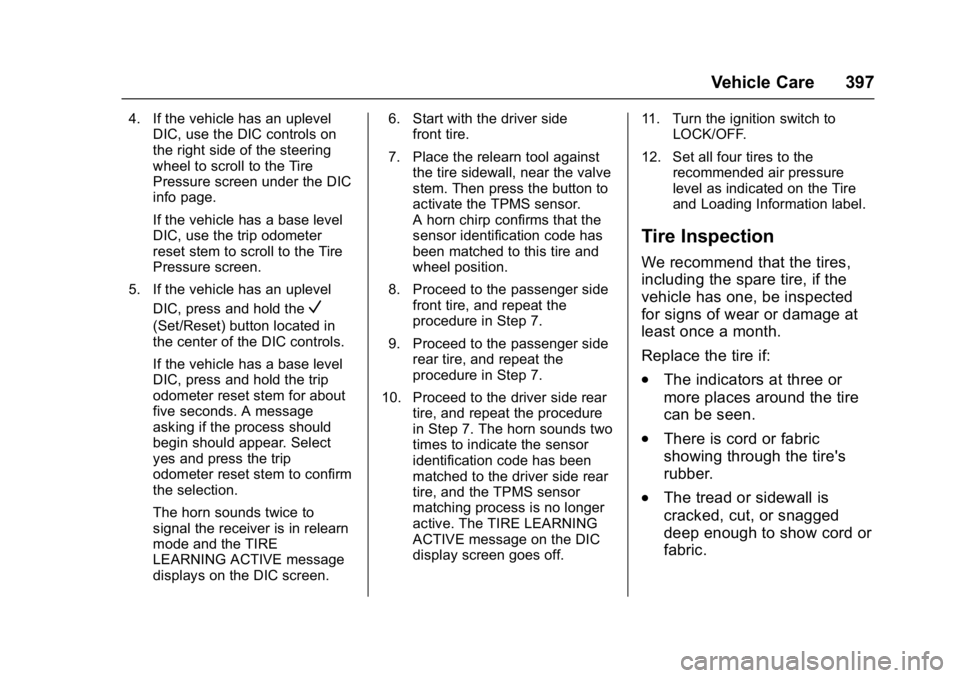
4. If the vehicle has an uplevelDIC, use the DIC controls on
the right side of the steering
wheel to scroll to the Tire
Pressure screen under the DIC
info page.
If the vehicle has a base level
DIC, use the trip odometer
reset stem to scroll to the Tire
Pressure screen.
5. If the vehicle has an uplevel DIC, press and hold the
V
(Set/Reset) button located in
the center of the DIC controls.
If the vehicle has a base level
DIC, press and hold the trip
odometer reset stem for about
five seconds. A message
asking if the process should
begin should appear. Select
yes and press the trip
odometer reset stem to confirm
the selection.
The horn sounds twice to
signal the receiver is in relearn
mode and the TIRE
LEARNING ACTIVE message
displays on the DIC screen. 6. Start with the driver side
front tire.
7. Place the relearn tool against the tire sidewall, near the valve
stem. Then press the button to
activate the TPMS sensor.
A horn chirp confirms that the
sensor identification code has
been matched to this tire and
wheel position.
8. Proceed to the passenger side front tire, and repeat the
procedure in Step 7.
9. Proceed to the passenger side rear tire, and repeat the
procedure in Step 7.
10. Proceed to the driver side rear tire, and repeat the procedure
in Step 7. The horn sounds two
times to indicate the sensor
identification code has been
matched to the driver side rear
tire, and the TPMS sensor
matching process is no longer
active. The TIRE LEARNING
ACTIVE message on the DIC
display screen goes off. 11. Turn the ignition switch to
LOCK/OFF.
12. Set all four tires to the recommended air pressure
level as indicated on the Tire
and Loading Information label.
Tire Inspection
We recommend that the tires,
including the spare tire, if the
vehicle has one, be inspected
for signs of wear or damage at
least once a month.
Replace the tire if:
.The indicators at three or
more places around the tire
can be seen.
.There is cord or fabric
showing through the tire's
rubber.
.The tread or sidewall is
cracked, cut, or snagged
deep enough to show cord or
fabric.
Page 406 of 494
GMC Sierra/Sierra Denali Owner Manual (GMNA-Localizing-U.S./Canada/
Mexico-9955992) - 2017 - crc - 5/3/16
Vehicle Care 405
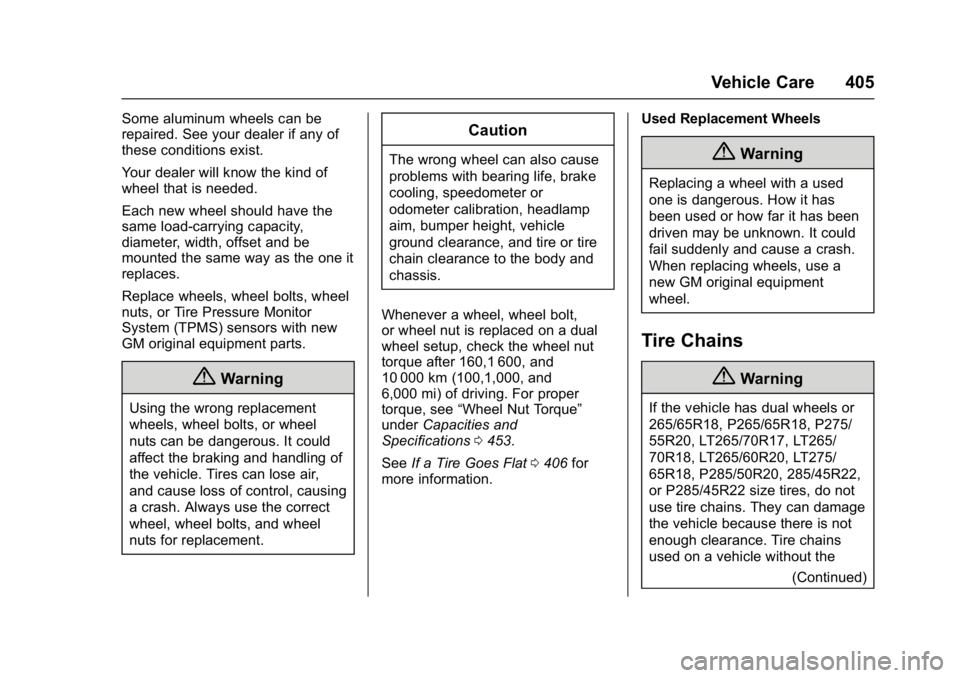
Some aluminum wheels can be
repaired. See your dealer if any of
these conditions exist.
Your dealer will know the kind of
wheel that is needed.
Each new wheel should have the
same load-carrying capacity,
diameter, width, offset and be
mounted the same way as the one it
replaces.
Replace wheels, wheel bolts, wheel
nuts, or Tire Pressure Monitor
System (TPMS) sensors with new
GM original equipment parts.
{Warning
Using the wrong replacement
wheels, wheel bolts, or wheel
nuts can be dangerous. It could
affect the braking and handling of
the vehicle. Tires can lose air,
and cause loss of control, causing
a crash. Always use the correct
wheel, wheel bolts, and wheel
nuts for replacement.
Caution
The wrong wheel can also cause
problems with bearing life, brake
cooling, speedometer or
odometer calibration, headlamp
aim, bumper height, vehicle
ground clearance, and tire or tire
chain clearance to the body and
chassis.
Whenever a wheel, wheel bolt,
or wheel nut is replaced on a dual
wheel setup, check the wheel nut
torque after 160,1 600, and
10 000 km (100,1,000, and
6,000 mi) of driving. For proper
torque, see “Wheel Nut Torque”
under Capacities and
Specifications 0453.
See If a Tire Goes Flat 0406 for
more information. Used Replacement Wheels{Warning
Replacing a wheel with a used
one is dangerous. How it has
been used or how far it has been
driven may be unknown. It could
fail suddenly and cause a crash.
When replacing wheels, use a
new GM original equipment
wheel.
Tire Chains
{Warning
If the vehicle has dual wheels or
265/65R18, P265/65R18, P275/
55R20, LT265/70R17, LT265/
70R18, LT265/60R20, LT275/
65R18, P285/50R20, 285/45R22,
or P285/45R22 size tires, do not
use tire chains. They can damage
the vehicle because there is not
enough clearance. Tire chains
used on a vehicle without the
(Continued)
Page 452 of 494
GMC Sierra/Sierra Denali Owner Manual (GMNA-Localizing-U.S./Canada/
Mexico-9955992) - 2017 - crc - 5/3/16
Service and Maintenance 451
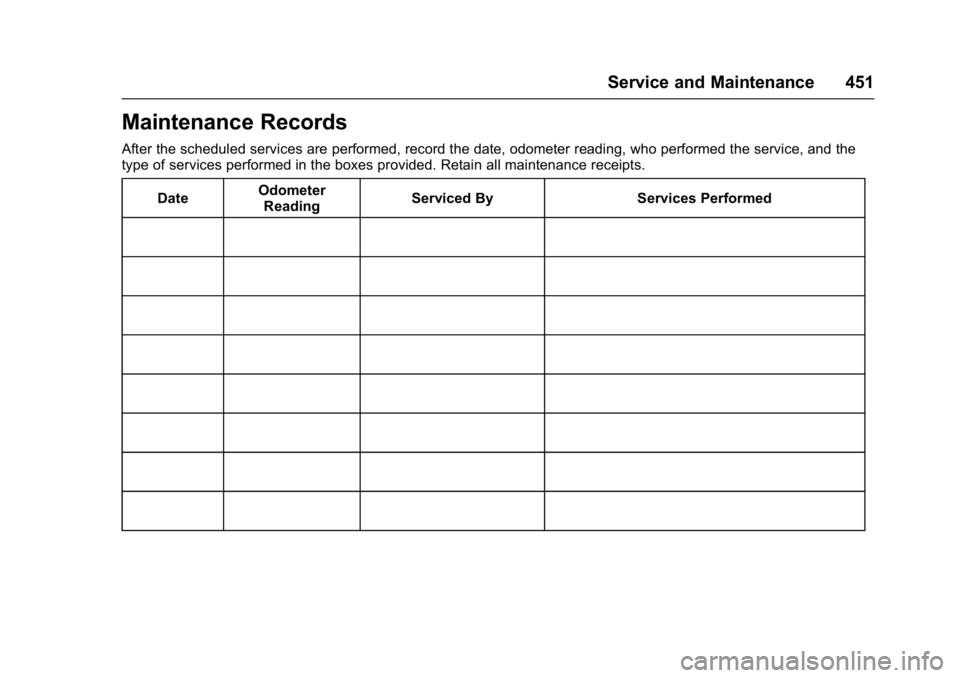
Maintenance Records
After the scheduled services are performed, record the date, odometer reading, who performed the service, and the
type of services performed in the boxes provided. Retain all maintenance receipts.Date Odometer
Reading Serviced By Services Performed
Page 462 of 494
GMC Sierra/Sierra Denali Owner Manual (GMNA-Localizing-U.S./Canada/
Mexico-9955992) - 2017 - crc - 5/3/16
Customer Information 461
GM Mobility
Reimbursement Program
This program is available to
qualified applicants for cost
reimbursement of eligible
aftermarket adaptive equipment
required for the vehicle, such as
hand controls or a wheelchair/
scooter lift for the vehicle.
For more information on the limited
offer, visit www.gmmobility.com or
call the GM Mobility Assistance
Center at 1-800-323-9935. Text
Telephone (TTY) users, call
1-800-833-9935.
General Motors of Canada also has
a Mobility Program. Visit www.gm.ca
or call 1-800-GM-DRIVE (463-7483)
for details. TTY users call
1-800-263-3830.
Roadside Assistance
Program
For U.S.-purchased vehicles, call
1-888-881-3302; (Text Telephone
(TTY): 1-888-889-2438).
For Canadian-purchased vehicles,
call 1-800-268-6800.
Service is available 24 hours a day,
365 days a year.
Calling for Assistance
When calling Roadside Assistance,
have the following information
ready:
.Your name, home address, and
home telephone number.
. Telephone number of your
location.
. Location of the vehicle
. Model, year, color, and license
plate number of the vehicle.
. Odometer reading, Vehicle
Identification Number (VIN), and
delivery date of the vehicle.
. Description of the problem.
Coverage
Services are provided for the
duration of the vehicle's powertrain
warranty.
In the U.S., anyone driving the
vehicle is covered. In Canada, a
person driving the vehicle without
permission from the owner is not
covered.
Roadside Assistance is not a part of
the New Vehicle Limited Warranty.
General Motors North America and
GMC reserve the right to make any
changes or discontinue the
Roadside Assistance program at
any time without notification.
General Motors North America and
GMC reserve the right to limit
services or payment to an owner or
driver if they decide the claims are
made too often, or the same type of
claim is made many times.
Services Provided
.Emergency Fuel Delivery:
Delivery of enough fuel for the
vehicle to get to the nearest
service station.
Page 486 of 494

GMC Sierra/Sierra Denali Owner Manual (GMNA-Localizing-U.S./Canada/
Mexico-9955992) - 2017 - crc - 5/3/16
Index 485
Entry Lighting . . . . . . . . . . . . . . . . . . . 174
Equipment, Towing . . . . . . . . . . . . . 324
Event Data Recorders . . . . . . . . . . 469
Exit Lighting . . . . . . . . . . . . . . . . . . . . 174
Extender, Safety Belt . . . . . . . . . . . . 65
Exterior Lamp Controls . . . . . . . . . 166
Exterior Lamps Off Reminder . . . 168
F
FanEngine . . . . . . . . . . . . . . . . . . . . . . . . 362
Fast Idle System . . . . . . . . . . . . . . . . 261
Features
Memory . . . . . . . . . . . . . . . . . . . . . . . . . 11
Filter, Engine Air Cleaner . . . . . . . . . . . 355
Fixed Mast Antenna . . . . . . . . . . . . 190
Flash-to-Pass . . . . . . . . . . . . . . . . . . . 169
Flashers, Hazard Warning . . . . . . 170
Flat Tire . . . . . . . . . . . . . . . . . . . . . . . . 406 Changing . . . . . . . . . . . . . . . . . . . . . 408
FlexFuel E85 . . . . . . . . . . . . . . . . . . . . . . . . . . . 301
Floor Console Storage . . . . . . . . . . 110
Floor Mats . . . . . . . . . . . . . . . . . . . . . . 435
Fluid AutomaticTransmission . . . . . . . . . . . 352, 354
Brakes . . . . . . . . . . . . . . . . . . . . . . . . 365 Fluid (cont'd)
Four-Wheel Drive
Transfer Case . . . . . . . . . . . . . . . 274
Power Steering . . . . . . . . . . . . . . . 363
Washer . . . . . . . . . . . . . . . . . . . . . . . 363
Fog Lamps . . . . . . . . . . . . . . . . . . . . . 171
Folding Mirrors . . . . . . . . . . . . . . . . . . 43
Forward Automatic Braking . . . . . 295
Forward Collision Alert (FCA) System . . . . . . . . . . . . . . . . . 293
Four-Wheel Drive . . . . . . . . . . 274, 367
Four-Wheel-Drive Light . . . . . . . . . 136
Frequency Statement Radio . . . . . . . . . . . . . . . . . . . . . . . . . 467
Front Axle . . . . . . . . . . . . . . . . . . . . . . 368
Front Fog Lamp Light . . . . . . . . . . . . . . . . . . . . . . . . . . 140
Front Seats
Heated and Ventilated . . . . . . . . . . 55
Fuel . . . . . . . . . . . . . . . . . . . . . . . . . . . . 300 Additives . . . . . . . . . . . . . . . . . . . . . 301
Economy Driving . . . . . . . . . . . . . . . 26
Filling a Portable FuelContainer . . . . . . . . . . . . . . . . . . . 304
Filling the Tank . . . . . . . . . . . . . . . 302
Foreign Countries . . . . . . . . . . . . 301
Gauge . . . . . . . . . . . . . . . . . . . . . . . . 125
Low Fuel Warning Light . . . . . . . 139 Fuel (cont'd)
Management, Active . . . . . . . . . . 266
Requirements, California . . . . . 301
System Messages . . . . . . . . . . . . 147
Full-Size Spare Tire . . . . . . . . . . . . 417
Fuses . . . . . . . . . . . . . . . . . . . . . . . . . . 376 Engine Compartment FuseBlock . . . . . . . . . . . . . . . . . . . . . . . . 376
Instrument Panel Fuse
Block . . . . . . . . . . . . . . . . . . . 379, 381
G
Garage Door Opener . . . . . . . . . . . 162Programming . . . . . . . . . . . . . . . . . 162
Gauges Engine CoolantTemperature . . . . . . . . . . . . . . . . 127
Engine Oil Pressure . . . . . . . . . . 126
Fuel . . . . . . . . . . . . . . . . . . . . . . . . . . 125
Odometer . . . . . . . . . . . . . . . . . . . . . 125
Speedometer . . . . . . . . . . . . . . . . . 125
Tachometer . . . . . . . . . . . . . . . . . . . 125
Transmission Temperature . . . . 128
Trip Odometer . . . . . . . . . . . . . . . . 125
Voltmeter . . . . . . . . . . . . . . . . . . . . . 128
Warning Lights and Indicators . . . . . . . . . . . . . . . . . . . 120
General Information
Service and Maintenance . . . . . 437