brake GMC SIERRA 1994 User Guide
[x] Cancel search | Manufacturer: GMC, Model Year: 1994, Model line: SIERRA, Model: GMC SIERRA 1994Pages: 404, PDF Size: 20.91 MB
Page 89 of 404
5. Remove the key and take it with you. If you can walk away from your
vehicle with
the ignition key in your hand, your vehicle is in “P”
(Park).
Leaving Your Vehic/e With the Engine Running
(Automatic Transmission Models Only)
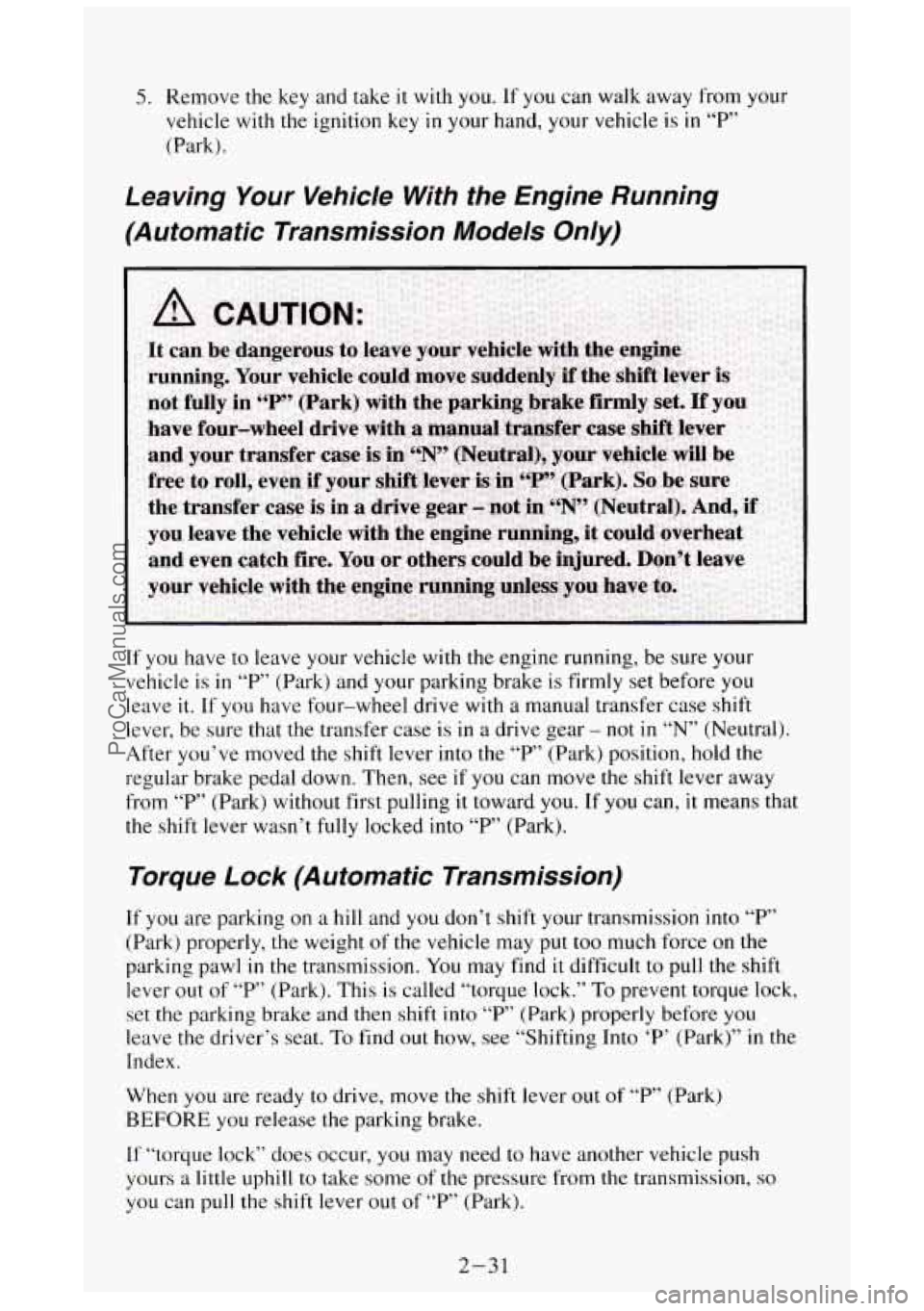
If you have to leave your vehicle with the engine running, be sure your
vehicle is
in “P” (Park) and your parking brake is firmly set before you
leave it. If you have four-wheel drive with a manual transfer case shift
lever, be sure that the transfer case
is in a drive gear - not in “N” (Neutral).
After you’ve moved the
shift lever into the “P’ (Park) position, hold the
regular brake pedal down. Then, see if
you can move the shift lever away
from “P” (Park) without first pulling it toward
you. If you can, it means that
the shift lever wasn’t
fully locked into “P” (Park).
Torque Lock (Automatic Transmission)
If you are parking on a hill and you don’t shift your transmission into “P”
(Park) properly,
the weight of the vehicle may put too much force on the
parking pawl
in the transmission. You may find it difficult to pull the shift
lever out of
“P’ (Park). This is called “torque lock.” To prevent torque lock,
set the parking brake and then shift into “P’ (Park) properly before you
leave
the driver’s seat. To find out how, see “Shifting Into ‘P’ (Park)” in the
Index.
When you are ready to drive, move the
shift lever out of “P” (Park)
BEFORE you release the parking brake.
If “torque
lock” does occur, you may need to have another vehicle push
yours
a little uphill to take some of the pressure from the transmission, so
you can pull the shift lever out of “P’ (Park).
2-31
ProCarManuals.com
Page 90 of 404
Parking Your Vehicle
(Manual Transmission Models
Only)
Before you get out of your vehicle, put your manual transmission in “R”
(Reverse), turn off the engine, and firmly apply the parking brake.
If you have four-wheel drive, be sure your transfer case is in a drive gear.
Your vehicle could roll
if it isn’t.
If
you are parking on a hill, or if your pulling a trailer, see “Parking on
Hills” or “Towing a Trailer” in the Index.
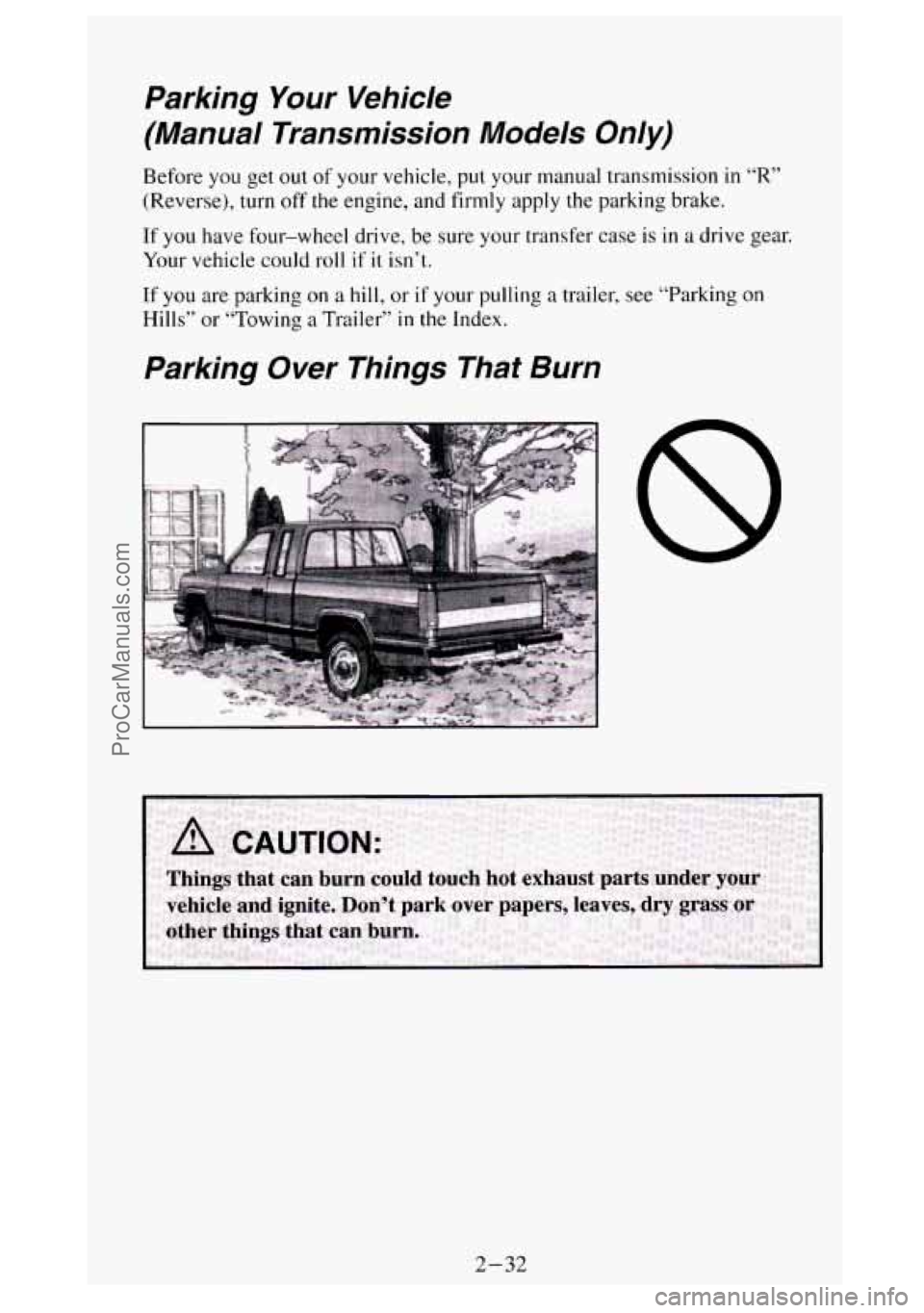
Parking Over Things That Burn
2-32
ProCarManuals.com
Page 92 of 404
If you have four-wheel drive and your transfer case is in “N” (Neutral),
your vehicle will be free to roll, even
if your shift lever is in “P” (Park). So,
be sure the transfer case is in a drive gear - not in “N” (Neutral). Follow
the proper steps to be sure your vehicle won’t move. See “Shifting Into
‘P’
(Park)’’ in the Index.
If you’re pulling a trailer, see “Towing a Trailer” in the Index.
Four- Wheel Drive
If your vehicle has four-wheel drive, you can send your engine’s driving
power to all four wheels for extra traction.
To get the most satisfixtion out
of four-wheel drive, you must be familiar with it’s operation. Read
the part
that follows before using four-wheel drive.
You should use 2H for most
normal driving conditions.
Rear-wheel antilock brakes
do not work when you shift into four-wheel
drive. Your regular brakes
will still work. When you shift back into
two-wheel drive, your rear-wheel antilock brakes will take over again.
2-34
ProCarManuals.com
Page 94 of 404
When your headlights or parking lights are on, rotate the dial to the right of
your headlight switch up
to brighten, or down to dim, your transfer case
indicator light.
2H (2-Wheel High): This setting is for driving in most street and highway
situations. Your front axle is not engaged
in two-wheel drive.
4H (4-Wheel High): This setting engages your front axle to help drive your
vehicle. Use
4H when you need extra traction, such as on wet or icy roads,
or in most off-road situations.
N (Neutral): Shift to this setting only when your vehicle needs to be towed
or when using a power take-off.
4L (4-Wheel Low): This setting also engages your front axle to give you
extra power, but should be used only for off-road driving.
You can shift from
2H to 4H or from 4H to 2H while the vehicle is moving.
Your front axle will engage faster if you take your foot off of the accelerator
for a few seconds after you shift.
In extremely cold weather it may be
necessary to stop or slow the vehicle to shift
out of 2H.
To shift into or out of 4L or “N” (Neutral):
Slow the vehicle to a roll, about 1-3 mph (2-5 kdh) and shift your
transmission into neutral.
0 Shift the transfer case shift lever in one continuous motion.
Don’t pause
in “N” (Neutral) as you shift the transfer case into 4L, or your
gears could clash.
Remember that driving
in 4H or 4L may reduce fuel economy. Also, driving
in four-wheel drive on dry pavement could cause your tires to wear fdster
and make your transfer case harder to shift.
Front Axle Locking Feature
The front axle locks and unlocks automatically when you shift the transfer
case. Some delay
for the axle to lock or unlock is normal. If the outside
temperature is very hot, or the vehicle has been used under hard driving
conditions, there may be
a slight delay for the axle to unlock.
Whenever you are
in four wheel drive, the rear wheel anti-lock brake
system does not operate. The regular brake system operates normally. When
you shift back into two-wheel drive, the anti-lock brake system will
operate.
2-36
ProCarManuals.com
Page 102 of 404
NOTICE:
0 When using concentrated washer fluid, follow the
manufacturer’s instructions for adding water.
Don’t mix water with ready-to-use washer fluid. Water can
cause the solution to freeze and damage your washer fluid
tank and other parts of the washer system.
Also, water
doesn’t clean as well as washer fluid.
Fill your washer fluid tank only 314 full when it’s very cold.
This allows for expansion, which could damage the tank if it is
completely full.
0 Don’t use radiator antifreeze in your windshield washer. It
can damage your washer system and paint.
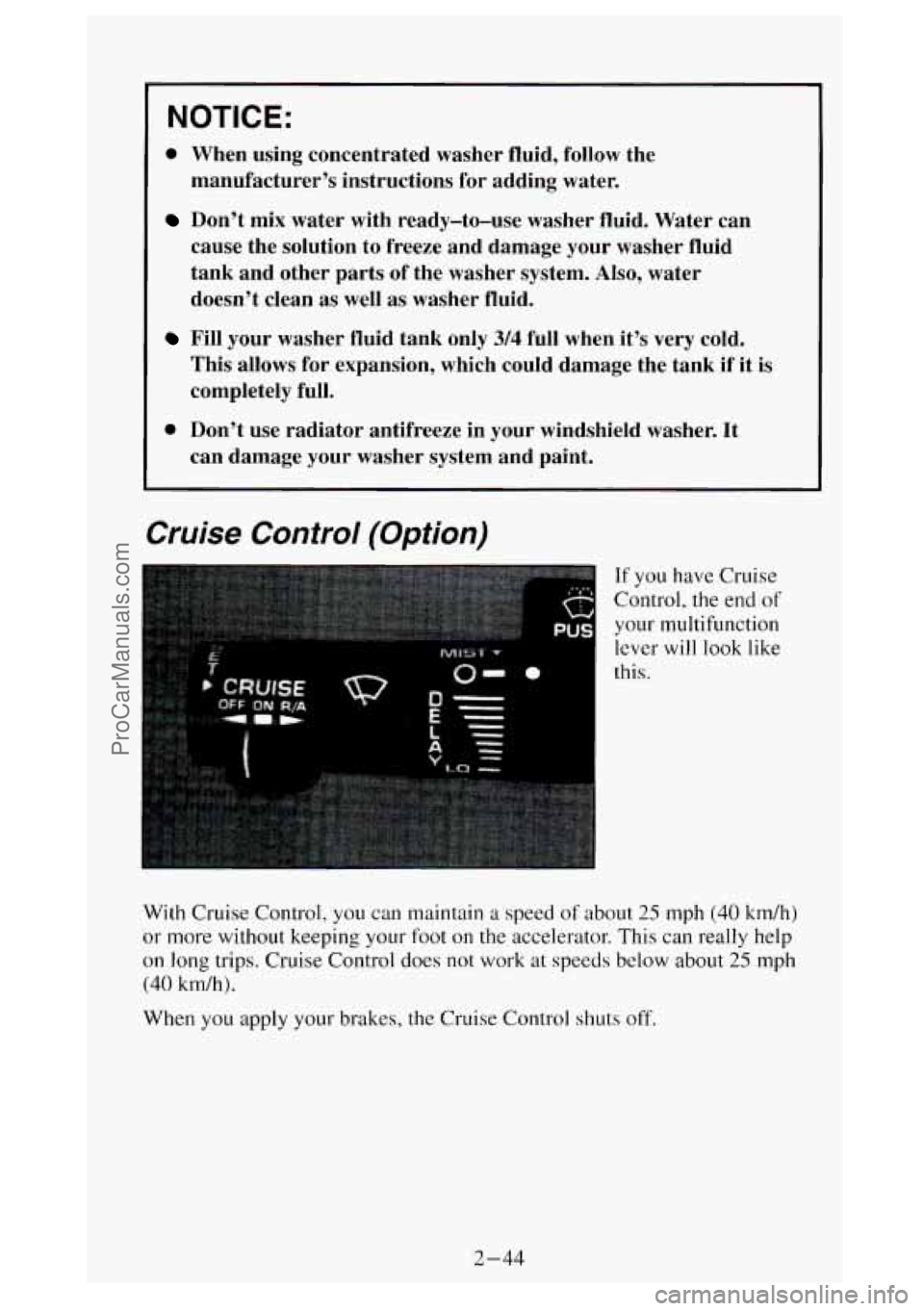
Cruise Control (Option)
If you have Cruise
Control,
the end of
your multifunction
lever
will look like
this.
With Cruise Control, you can maintain a speed
of about 25 mph (40 km/h)
or more without keeping your foot
on the accelerator. This can really help
on long trips. Cruise Control does not work at speeds below about 25 mph
(40 km/h).
When
you apply your brakes, the Cruise Control shuts off.
2-44
ProCarManuals.com
Page 104 of 404
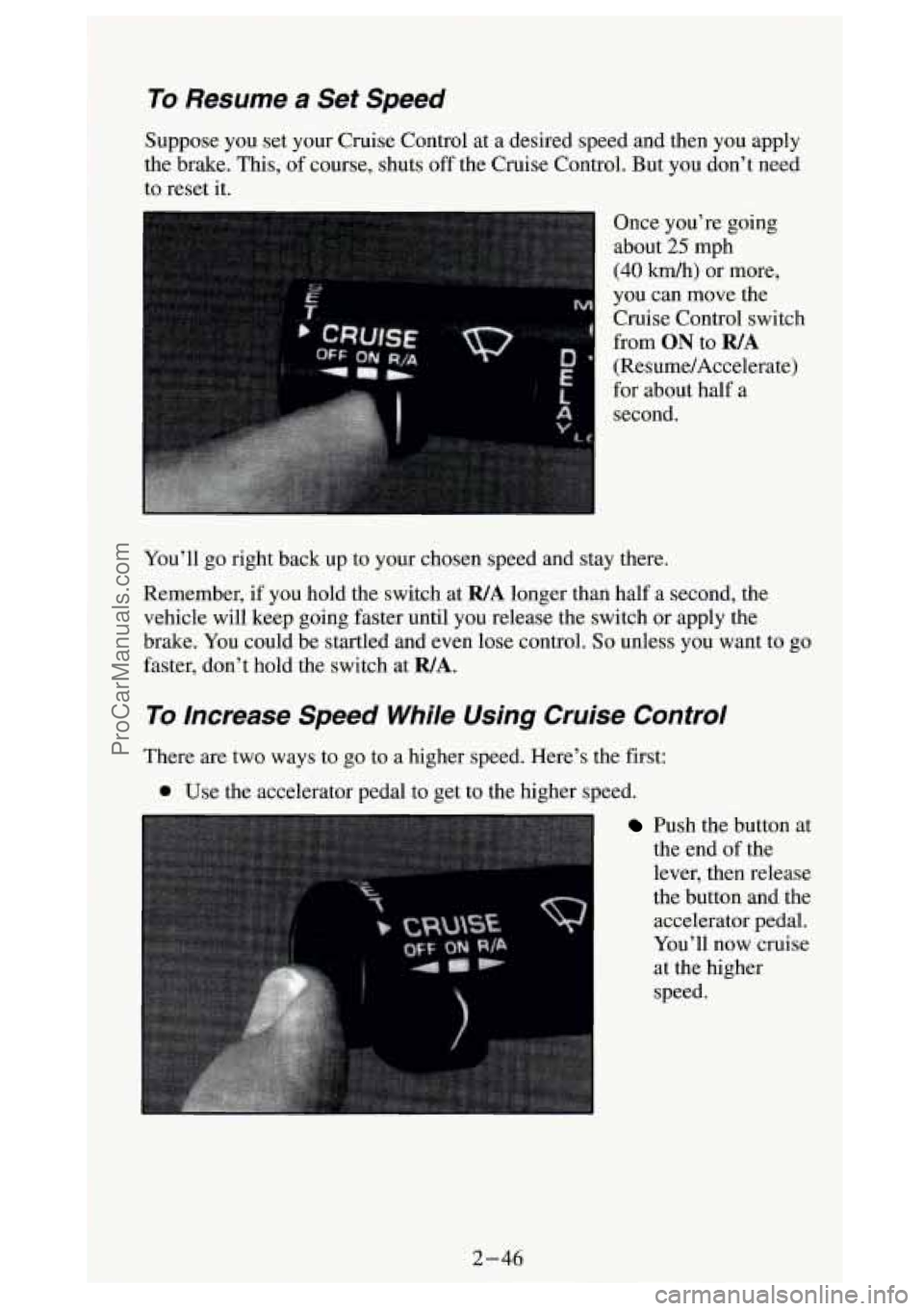
To Resume a Set Speed
Suppose you set your Cruise Control at a desired speed and then you apply
the brake. This, of course, shuts off the Cruise Control. But you don't need
to reset it.
Once you're going
. .A- about 23 mpn
(40 km/h) or more,
you can move the
Cruise Control switch
from
ON to R/A
(Resume/Accelerate)
for about half a
second.
You'll go right back up to your chosen speed and stay there.
Remember, if you hold the switch at
WA longer than half a second, the
vehicle will keep going faster until you release the switch or apply the
brake. You could be startled and even lose control.
So unless you want to go
faster, don't hold the switch at
WA.
To Increase Speed While Using Cruise Control
There are two ways to go to a higher speed. Here's the first:
Use the accelerator pedal to get to the higher speed.
Push the button at
the end of the
lever, then release
the button and the accelerator pedal.
You'll now cruise
at the higher
speed.
2-46
J ProCarManuals.com
Page 106 of 404
Using Cruise Control on Hills
How well your Cruise Control will work on hills depends upon your speed,
load, and the steepness of the hills. When going up steep hills, you may
have to step
on the accelerator pedal to maintain your speed. When going
downhill, you may have to brake or shift to a lower gear to keep your speed
down.
Of course, applying the brake takes you out of Cruise Control. Many
drivers find this to be too much trouble and don’t use Cruise Control on
steep hills.
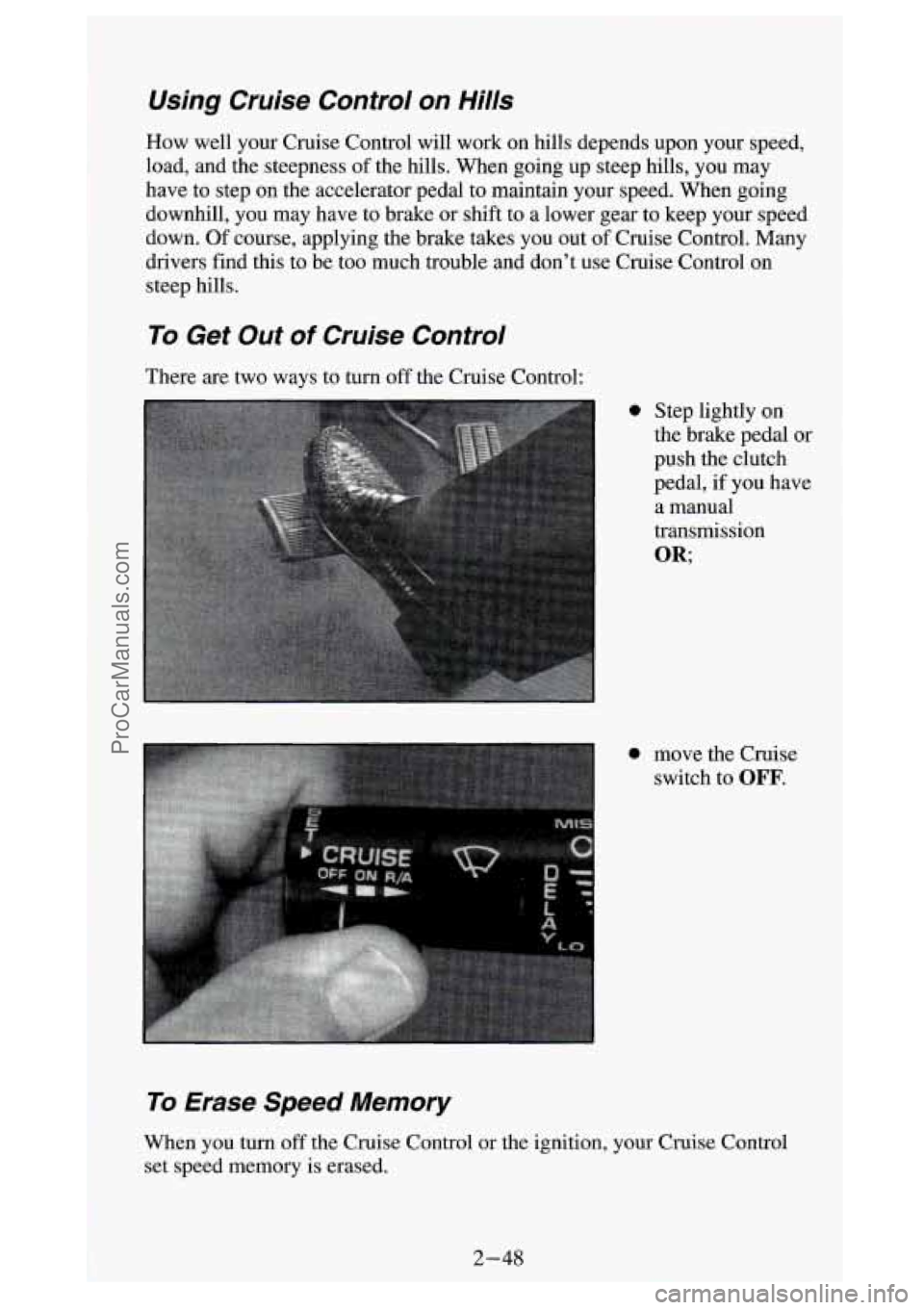
To Get Out of Cruise Control
There are two ways to turn off the Cruise Control:
0 Step lightly on
the brake pedal or
push the clutch
pedal, if you have
a manual
transmission
OR;
0 move the Cruise switch to
OFF.
To Erase Speed Memory
When you turn off the Cruise Control or the ignition, your Cruise Control
set speed memory is erased.
2-48
1
ProCarManuals.com
Page 108 of 404
Headlights-On Reminder
A buzzer will sound when your headlights are turned on and your ignition is
in
OFF, LOCK or ACC. If you need to use your headlights when the
ignition switch is in
OFE LOCK or ACC, the buzzer can be turned off by
turning the interior light switch dial all the way
off.
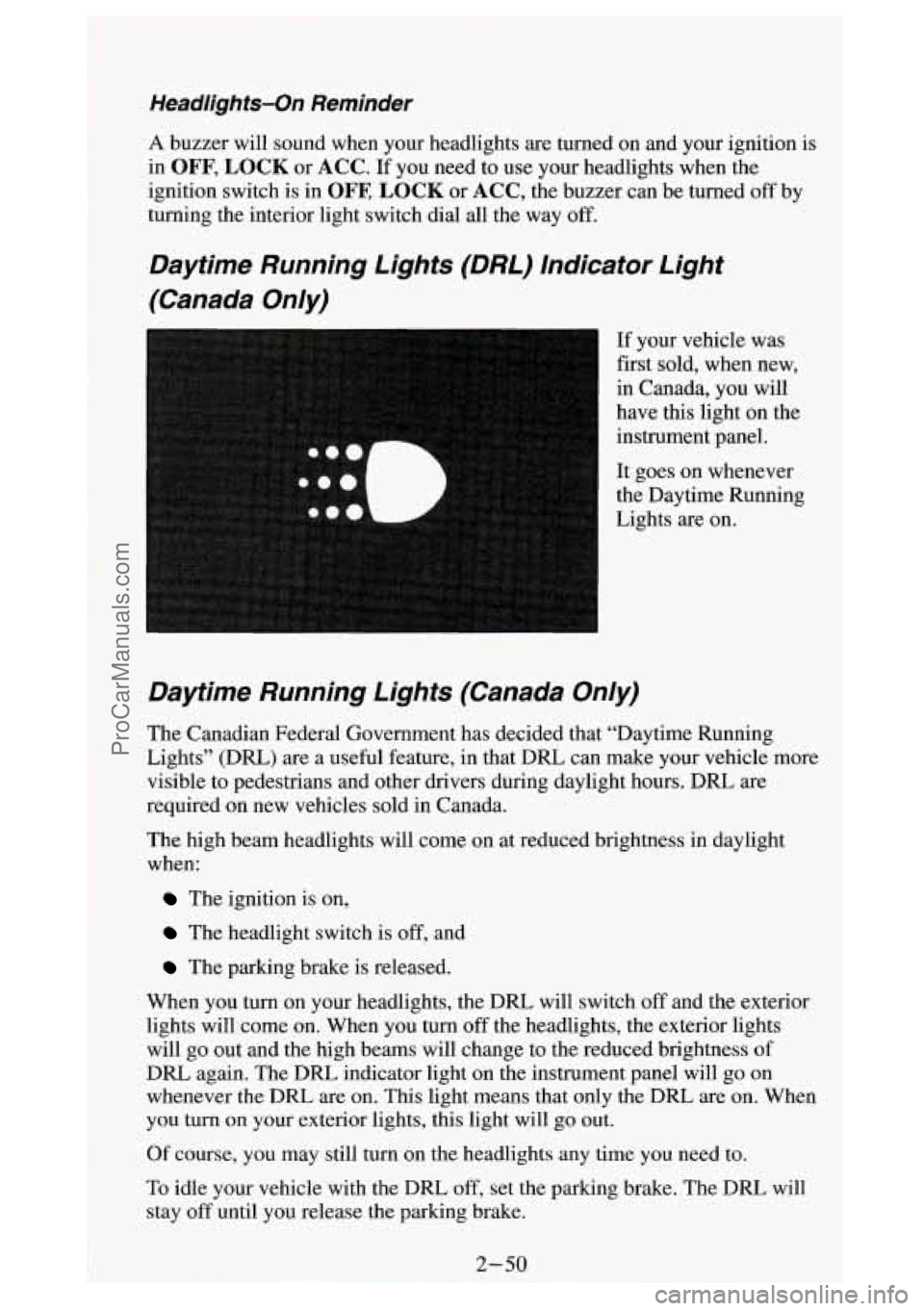
Daytime Running Lights (DRL) Indicator Light
(Canada On/y)
If your vehicle was
first sold, when new,
in Canada, you will
have this light on the
instrument panel.
It goes on whenever
the Daytime Running
Lights are on.
Daytime Running Lights (Canada On/y)
The Canadian Federal Government has decided that “Daytime Running
Lights” (DRL)
are a useful feature, in that DRL can make your vehicle more
visible to pedestrians and other drivers during daylight hours. DRL are
required on new vehicles sold in Canada.
The high beam headlights will come on at reduced brightness in daylight
when:
The ignition is on,
The headlight switch is off, and
The parking brake is released.
When you turn on your headlights, the DRL will switch
off and the exterior
lights will come on. When you turn
off the headlights, the exterior lights
will go out and the high beams will change to the reduced brightness of
DRL again. The
DRL indicator light on the instrument panel will go on
whenever the DRL are on. This light means that only the DRL are on. When
you turn on your exterior lights, this light will go out.
Of course, you may still turn on the headlights any time
you need to.
To idle your vehicle with the DRL
off, set the parking brake. The DRL will
stay
off until you release the parking brake.
ProCarManuals.com
Page 125 of 404
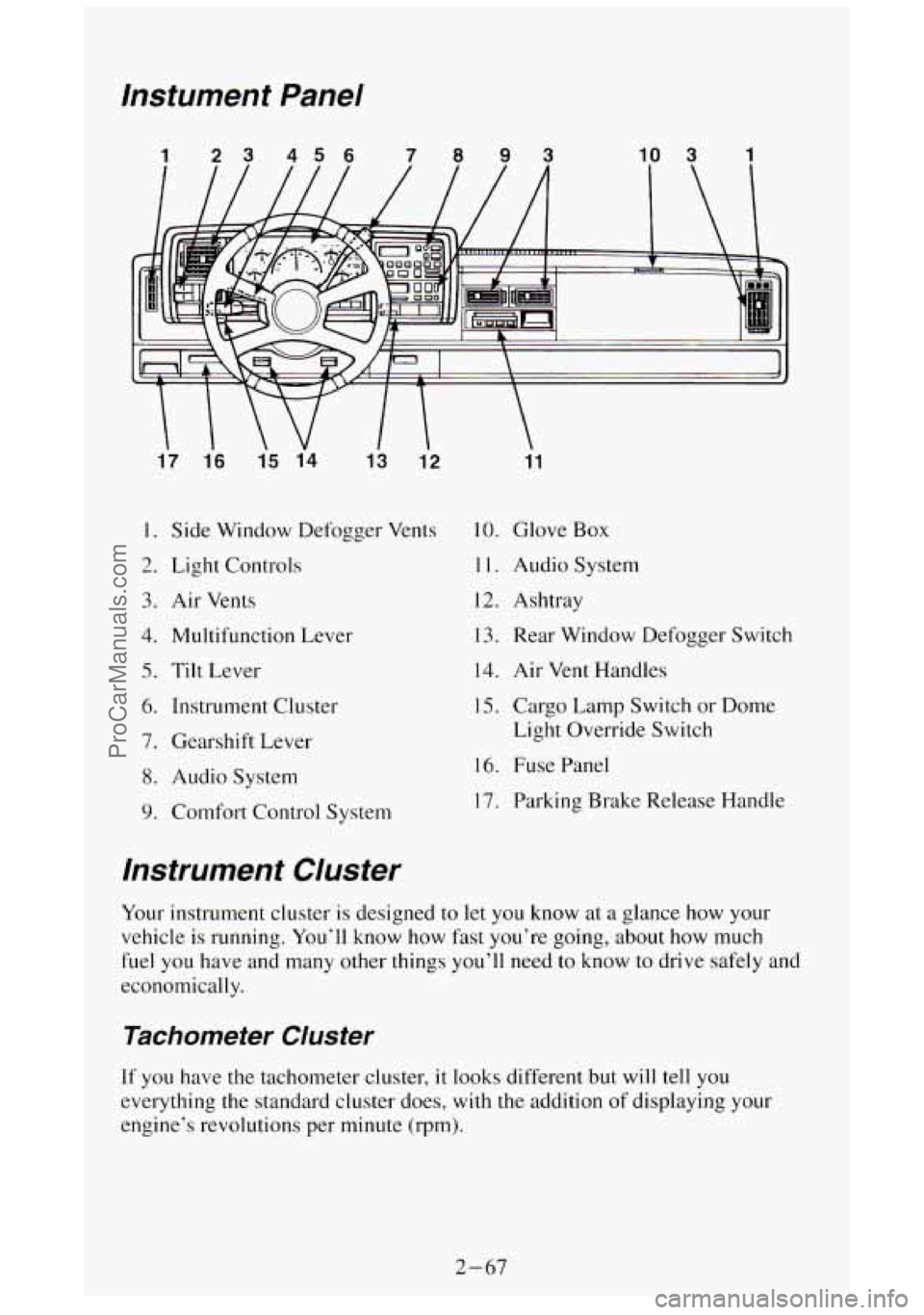
lnstument Panel
1 23 456 7093 10 3 1
17 1.6
15 14
13 12
I. Side Window Defogger Vents
2. Light Controls
3. Air Vents
4. Multifunction Lever
5. Tilt Lever
6. Instrument Cluster
7. Gearshift Lever
8. Audio System
9. Comfort Control System
11
10. Glove Box
1 1. Audio System
12. Ashtray
13. Rear Window Defogger Switch
14. Air Vent Handles
15. Cargo Lamp Switch or Dome
Light Override Switch
16. Fuse Panel
17. Parking Brake Release Handle
lnstrument Cluster
Your instrument cluster is designed to let you know at a glance how your
vehicle is running. You’ll know
how fast you’re going, about how much
fuel you have and many other things you’ll need
to know to drive safely and
economically.
Tachometer Cluster
If you have the tachometer cluster, it looks different but will tell you
everything the standard cluster does, with
the addition of displaying your
engine’s revolutions per minute (rpm).
2-67
ProCarManuals.com
Page 128 of 404
Gages can indicate when there may be or is a problem with one of your
vehicle’s functions. Often gages and warning lights work together to let
you
know when there’s a problem with your vehicle.
When one of the warning lights comes on and stays on when you are
driving,
or when one of the gages shows there may be a problem, check the
section that tells you what to do about
it. Please follow the manual’s advice.
Waiting
to do repairs can be costly - and even dangerous. So please get to
know your warning lights and gages. They’re
a big help.
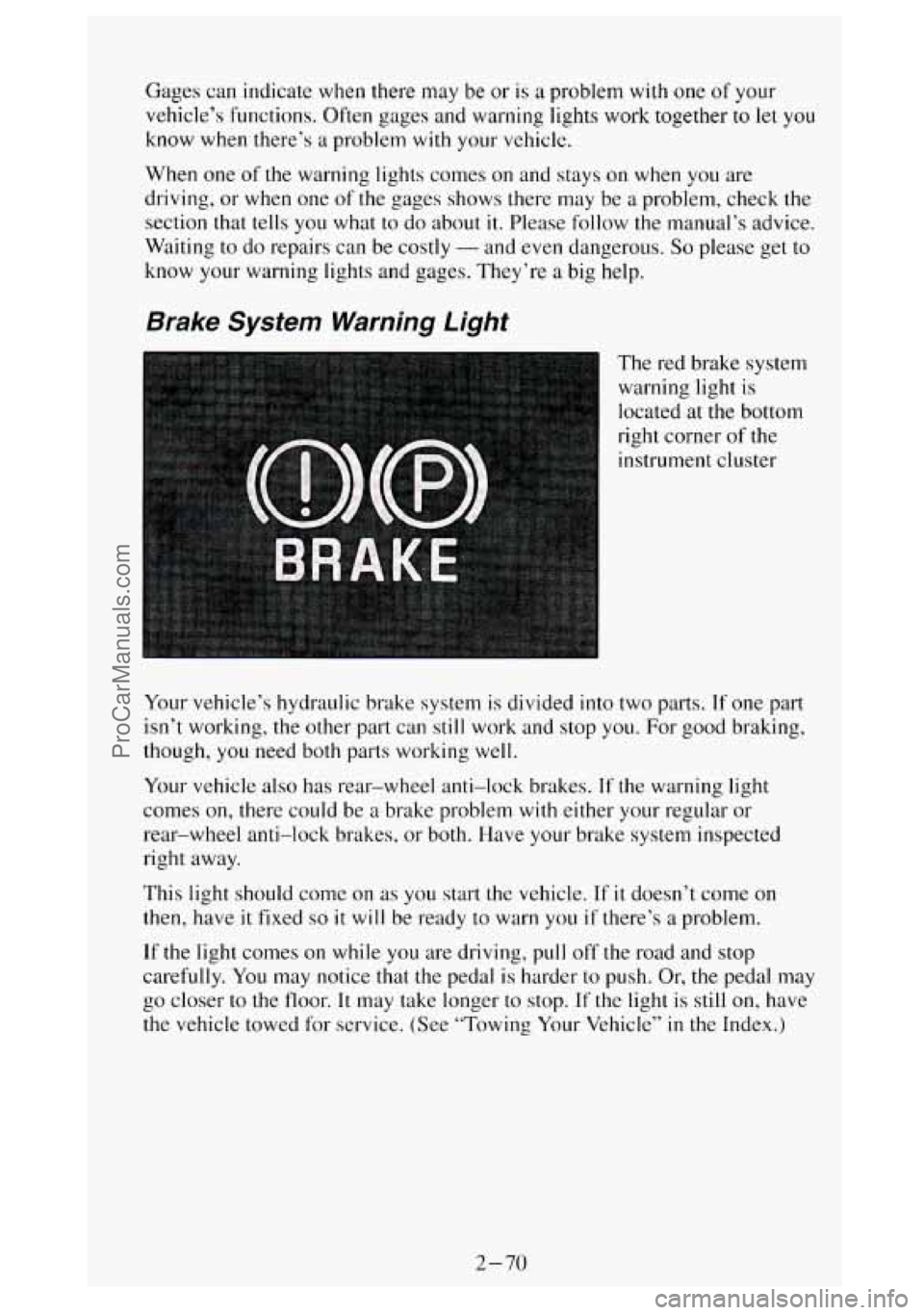
Brake System Warning Light
The red brake system
warning light is
located at the bottom
right corner
of the
instrument cluster
Your vehicle’s hydraulic brake system
is divided into two parts. If one part
isn’t working, the other part can still work and stop you. For good braking,
though, you need both parts working well.
Your vehicle also has rear-wheel anti-lock brakes.
If the warning light
comes on, there could be
a brake problem with either your regular or
rear-wheel anti-lock brakes, or both. Have your brake system inspected
right away.
This light should come on
as you start the vehicle. If it doesn’t come on
then, have it fixed so it will be ready to warn you if there’s a problem.
If the light comes on while you are driving, pull off the road and stop
carefully.
You may notice that the pedal is harder to push. Or, the pedal may
go closer
to the floor. It may take longer to stop. If the light is still on, have
the vehicle towed for service. (See “Towing Your Vehicle”
in the Index.)
2-70
ProCarManuals.com